


Todos los posts
Human-Led AI Game Cutscenes: Keep the Script, Storyboards, and Timing Under Your Control

Jay
23 de noviembre de 2026
An AI game cutscene workflow is easier to evaluate when the script, source choices, and timing stay explicit. A generated clip is one candidate, not a reason to abandon the intended scene because a model produced something else.
This example follows a tiny cream robot with one teal eye and a red scarf. It uses a small brass key at an oversized garden gate, then pauses in surprise. The brief stays fixed while we compare two storyboard options, reject one motion candidate, and deliver two editable 12-second animatic versions.
Watch the actual prototype
Final timing — version 2:
First timing — version 1:
Download version 2 and version 1. Each file is 1280×720, 24 fps, 288 frames, and silent.
What these files are: three held storyboard images with local captions and exact durations. They are animatic prototypes, not finished character animation, playable games, or in-engine cutscenes. No accepted AI motion appears in either final prototype. The rejected motion is kept separately in the source pack.
Production scope, November 23, 2026: Vertex generated the new illustrations directly through local configuration. A Veo 3.1 Fast motion candidate was generated through Replicate and rejected. Local editing controls the final frame selection, captions, and holds. This is an AI-assisted tutorial focused on decision ownership, not a study of unaided human authorship or proof that a named human director reviewed every choice.
Decide which decisions belong to the creator
The game-development discussion behind this topic asks which parts of game production creators prefer to keep under direct control. The original poster emphasizes writing and exaggerated animation timing. Replies show different boundaries, not one rule for every developer.
This example turns that question into a production record. The brief defines the small-key/large-gate joke, the robot's identity, and the intended final reaction. Generation can propose images, but review decides whether those images and actions serve the brief.
The downloadable script is an explicit editorial input for this tutorial. It is not presented as proof that the writing was produced without AI assistance. A creator who writes entirely manually can use the same separation between an approved script and optional generated visual candidates.
Select a storyboard for a reason
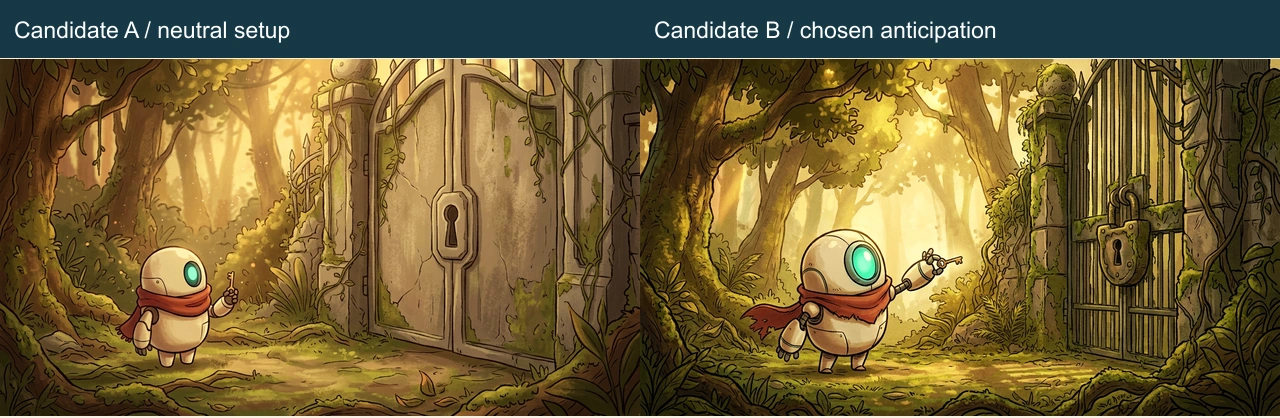
Candidate A places the robot neutrally at the gate. Candidate B gives it a slight backward lean and a clearer reach with the key. We selected B because its silhouette makes the tiny key and oversized gate relationship easier to read. That is an editorial choice for this brief, not an objective score or a claim that candidate A would fail in every scene.
The cast constraint is deliberately specific: one cream robot, one teal eye, and one red scarf. The prop constraint is one small brass key. Those records help catch mismatches that attractive rendering might otherwise hide.
The later outcome frame shows the gate partly open with the key in the lock. The reaction frame moves closer to the same robot. These are separate generated storyboard states; they do not prove that the model animated a physically valid transition between them.
Keep a generated motion take optional
The motion request asked for a small step, a key insertion, an opening gate, and a restrained reaction. The returned take did not match the intended action. Its final sampled frame still showed a closed gate, the key was no longer visible in the robot's hand, and the face had gained a mouth and a different eye expression.
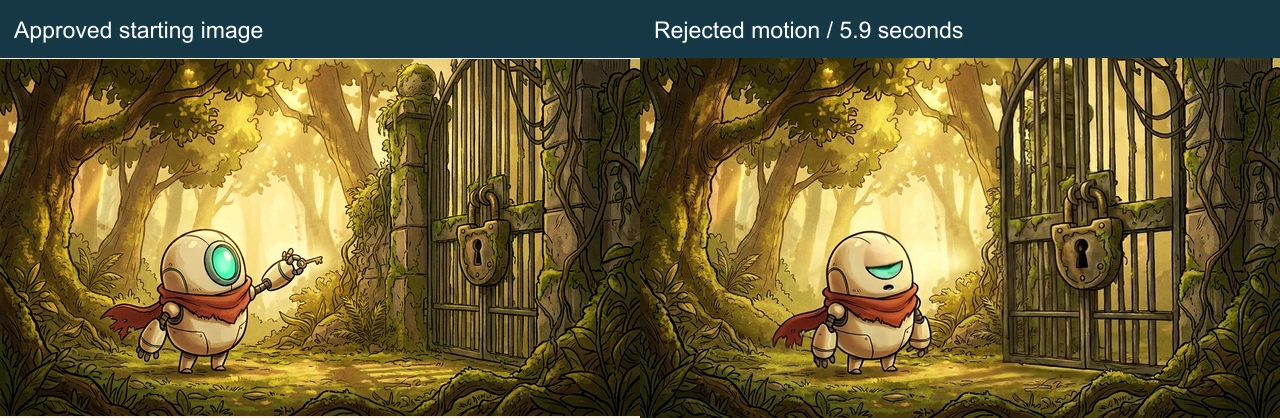
That candidate remains in the cutscene source pack, together with the request and output record. It is not relabeled as a successful unlock. At the same time, one rejected take should not be treated as a model-wide failure rate.
Instead, the final prototype returns to approved storyboard frames and editable holds. That preserves the story decision while keeping the deliverable honestly labeled as an animatic. It does not imply that static images solve the harder problems of key contact, character acting, or gate mechanics in finished animation.
This is a practical form of control: when a candidate fails, the output format can change while the production record still explains why. If the next milestone requires continuous animation, this animatic functions as a handoff reference, not completion of that milestone.
Make the timing change explicit
Both versions are 12 seconds long. Version 1 holds anticipation for two seconds, the opening outcome for six, and the reaction for four. Version 2 uses three, four, and five seconds respectively.
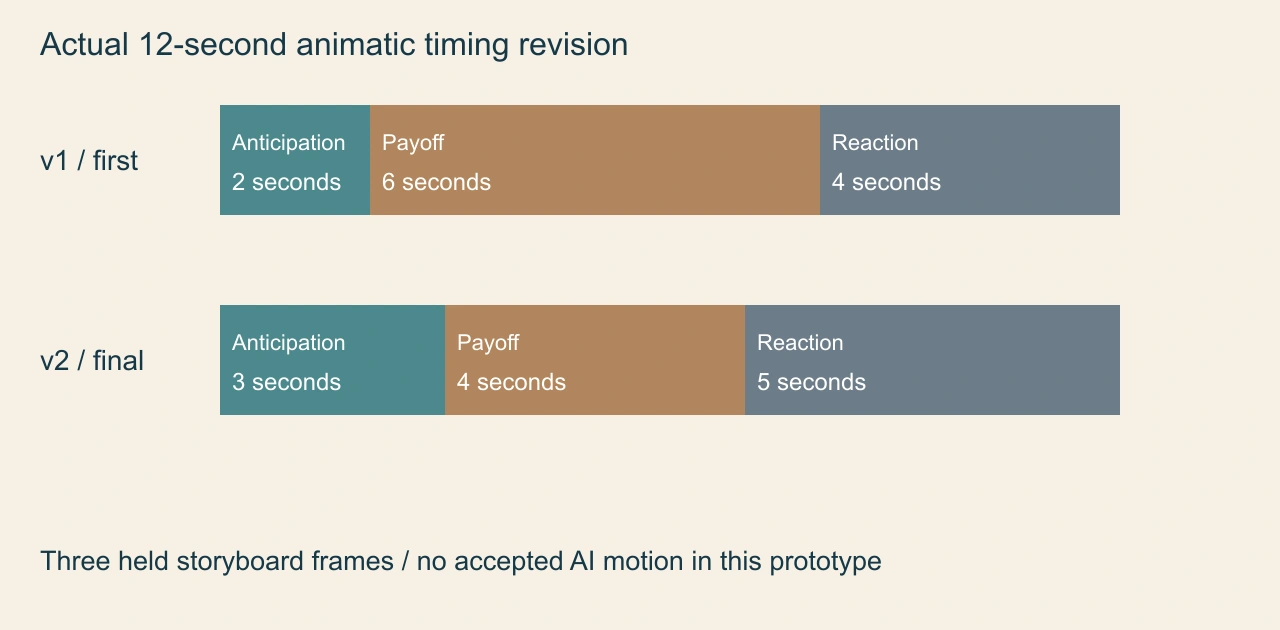
| Beat | Version 1 | Version 2 | Editorial intention |
|---|---|---|---|
| Anticipation | 2 seconds | 3 seconds | Give the small-key setup more time |
| Payoff | 6 | 4 | Reduce the hold on the open-gate state |
| Reaction | 4 | 5 | Leave a longer pause on the robot |
| Total | 12 | 12 | Preserve the prototype's duration |
The timing CSV keeps these numbers editable. The captions are local text inputs, not lettering generated into the original art. The two exported versions show the actual timing choice; no audience study establishes that the second is funnier or more effective.
With held frames, this is rhythm at the storyboard level. It is not frame-by-frame control of a moving character's anticipation, squash, stretch, or follow-through. Those require a further animation pass in a tool and workflow you have already validated.
Retain a decision log with the editable files
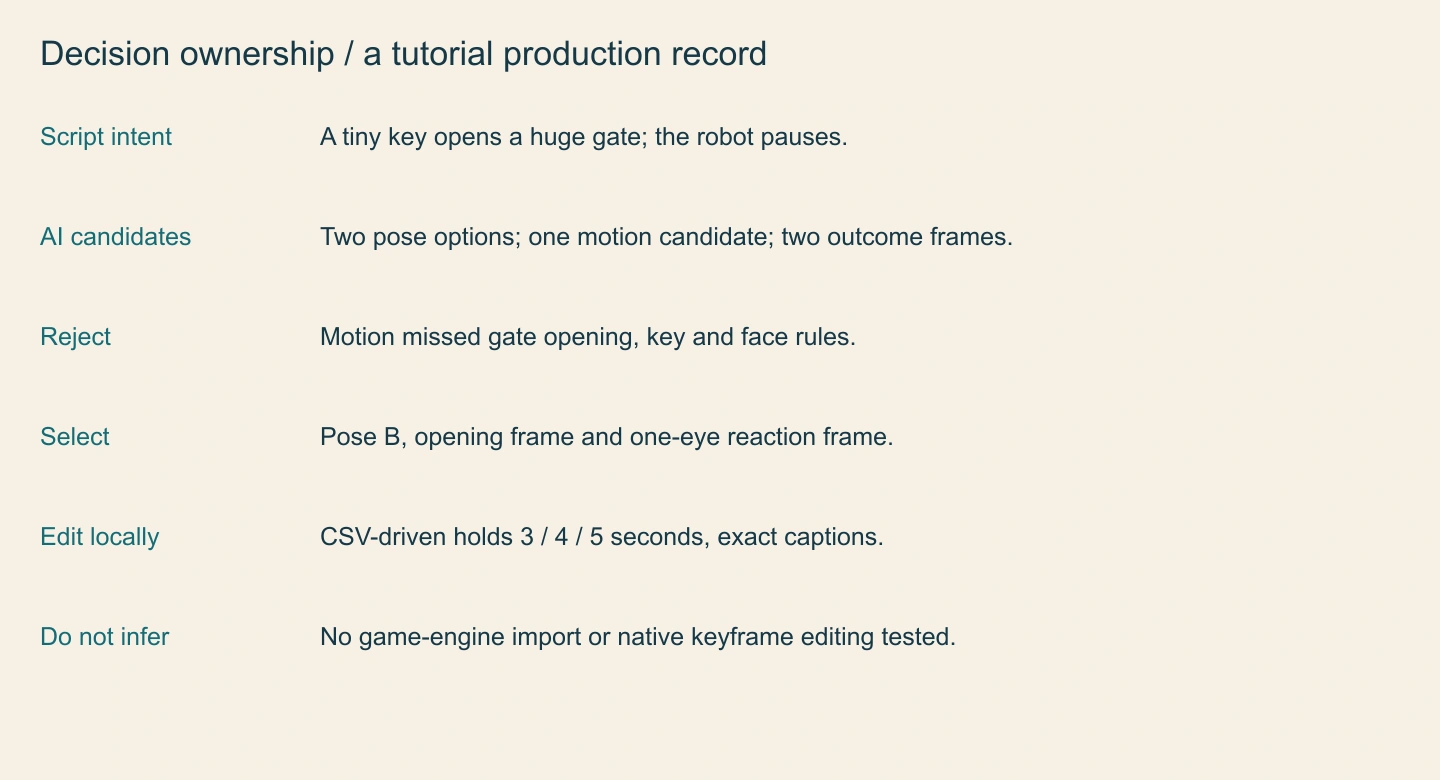
The decision file records the accepted and rejected sources and both timing versions. The source ZIP includes the two candidates, outcome and reaction illustrations, rejected raw motion, and request records. Together with the script and CSV, it gives a later editor a concrete starting point.
Those files support a narrow control claim: the brief, selected images, words, and hold durations can be inspected and changed outside the generator. They do not establish that LlamaGen.AI provides native game-engine import, per-limb controls, timeline keyframes, or editable model-generated motion in the current account interface.
For the production boundaries behind a longer handoff, see the storyboard-to-video checklist. The comic-script format guide offers a structured way to state actions and dialogue before visual generation.
Choose a boundary that matches the project
Some teams will keep writing, acting, and animation entirely manual. Others will use generation for optional visual studies or intermediate production work. This example does not prescribe a universal division of labor or replace a team's own authorship and review decisions.
What it demonstrates is traceability: a brief exists before the candidate, a mismatch can be rejected, and a simpler, clearly labeled prototype can still move planning forward. The gate angle does not match perfectly between the outcome and reaction frames, the drawing style varies slightly, and no gameplay trigger, branching logic, sound mix, or engine import was tested. Keep those tasks visible for the next milestone instead of suggesting that a playable video completes a game cutscene.
Related hot tags
Game Cutscenes
Creative Control
Guion gráfico
Herramientas populares para creadores
Convierte tu inspiración en tu próxima historia
Crea cómics, storyboards y fotos estilizadas con LlamaGen.
01
Generador de Cómics de IA
Convierte una idea en tiras cómicas pulidas en minutos.
Crear cómics02Generador de Manga de IA
Crea arte manga expresivo y relatos de varias viñetas.
Crea manga con IA03Generador de Storyboard de IA
Visualiza cada escena antes de empezar la producción.
Crea storyboards con IA04Convierte imagen en cómic
Transforma cualquier foto en una ilustración estilo cómic.
Crea cómics a partir de imágenes05Creador de Tiras de Cómics de IA
Arma tiras listas para compartir con personajes consistentes.
Crea tiras cómicas con IA
Enciende sueños para los jóvenes
Donde millones de historias cobran vida
Un resumen de los últimos lanzamientos de funciones de LlamaGen, mejoras del producto, actualizaciones de diseño y correcciones importantes de errores.


