Manga con IALectura de 17 min
Todos los artículos
Mejores generadores de manga con IA en 2026: LlamaGen.AI, ComicsAI, Jenova, OpenArt, Canva, Canvas y más
Analizamos de forma independiente cada app que recomendamos.
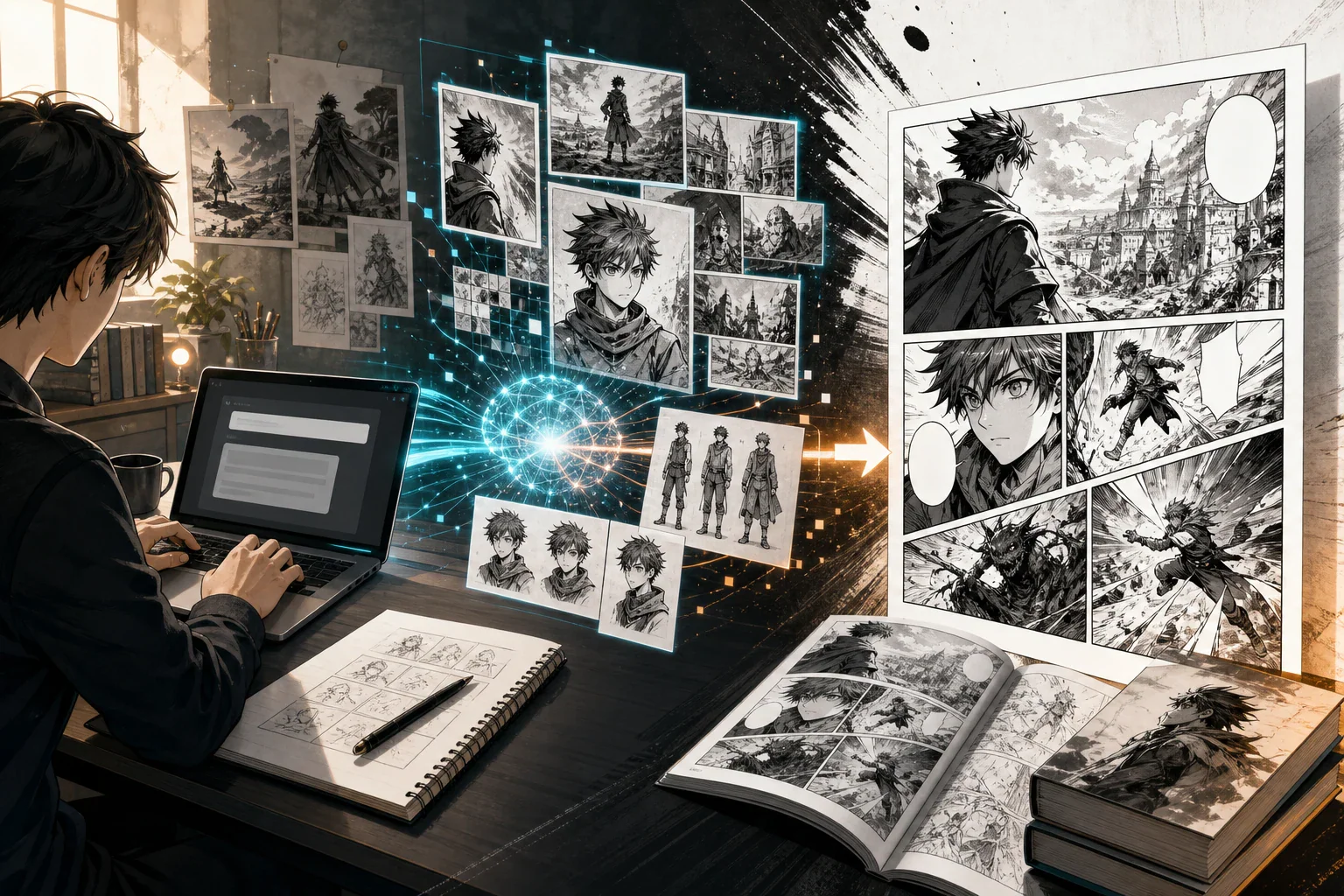
Los generadores de manga con IA han evolucionado rápidamente. En 2026, los mejores no se valoran solo por su capacidad para crear una imagen bonita en estilo anime. La pregunta clave es si pueden ayudarte a construir un proyecto de manga legible: personajes recurrentes, paneles, storyboards, globos de diálogo, diseños de webtoon, exportación de páginas y un flujo de trabajo repetible.
Una página de manga no es solo una ilustración. Es narrativa secuencial.
Por eso esta guía compara las herramientas por su flujo de trabajo, no únicamente por la calidad de imagen. Analizaremos LlamaGen, ComicsAI, Jenova Manga Creator, OpenArt, Canva, WEBTOON CANVAS, Midjourney, Stable Diffusion, ComfyUI y otras herramientas complementarias para la creación de manga y webtoon.
El mejor generador de manga con IA depende de lo que quieras crear.
| Caso de uso | Mejor herramienta |
|---|---|
| Flujo completo de cómic, manga, manhwa o webtoon con IA | LlamaGen |
| Paneles de manga desde texto para principiantes | ComicsAI |
| Creación de manga centrada en la historia y continuidad larga | Jenova Manga Creator |
| Arte manga, personajes y exploración visual | OpenArt Manga Art Generator |
| Montaje de páginas de cómic, cuadrículas, marcos y globos | Canva Comic Strip Maker |
| Generación de cómic con IA dentro de un flujo de diseño | Canva AI Comic Generator |
| Publicación de webtoons independientes | WEBTOON CANVAS |
| Portadas y imágenes promocionales de manga de alta calidad | Midjourney |
| Control técnico, modelos personalizados, LoRA y flujos locales | Stable Diffusion + ComfyUI |
| Rotulado profesional y producción final de cómic | Clip Studio Paint |
Para la mayoría de creadores, la mejor configuración en 2026 no es una única herramienta. Es una combinación:
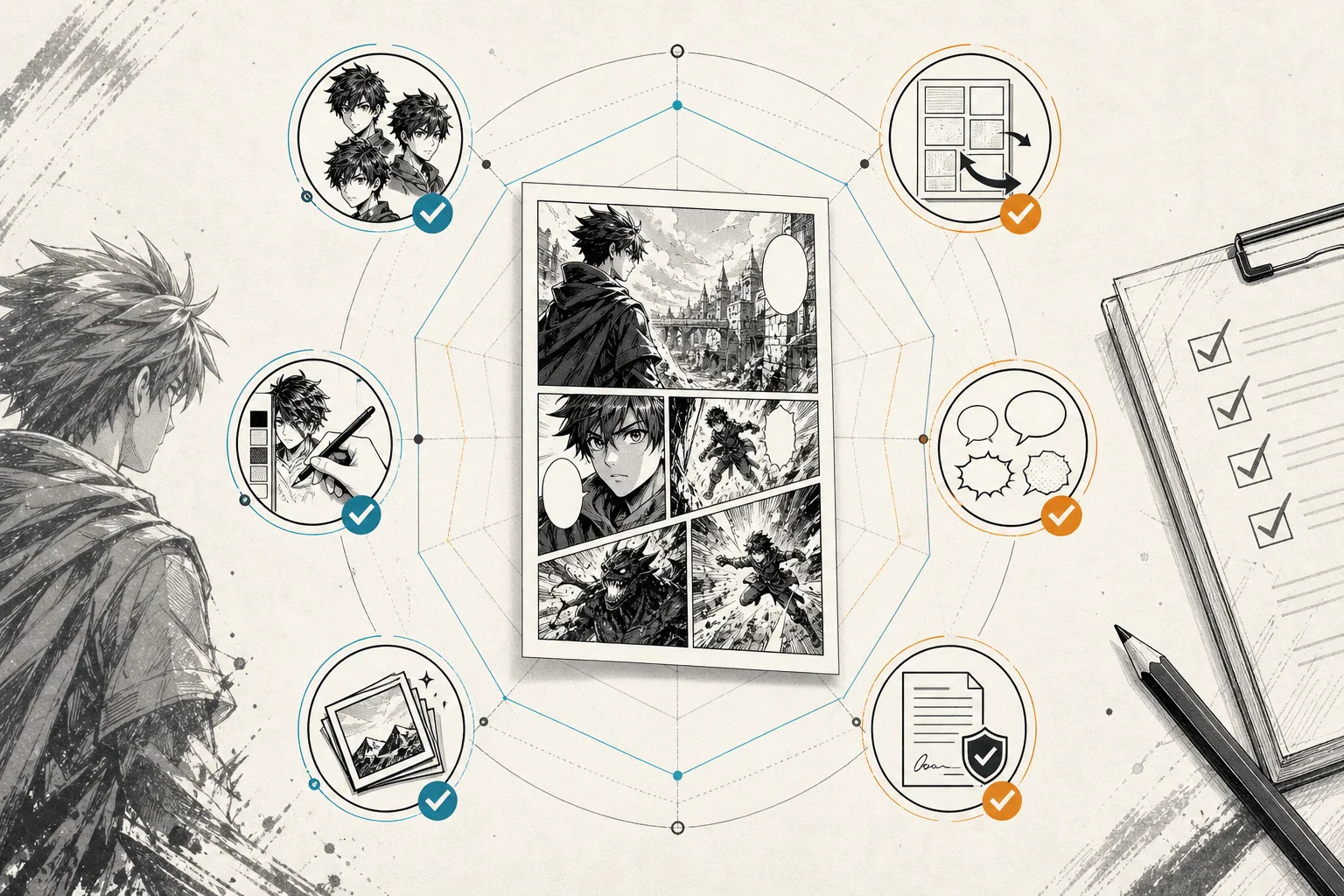
Un generador de manga con IA potente debe ofrecer más que solo texto a imagen. Crear manga requiere narrativa visual repetible.
| Criterio | Por qué importa |
|---|---|
| Consistencia de personajes | Los lectores deben reconocer al mismo personaje en todos los paneles, escenas, emociones, atuendos y ángulos. |
| Flujo de paneles | El manga depende de primeros planos, reacciones, planos generales, escenas de acción, silencios y ritmo. |
| Control del estilo de manga | Estilos shonen, shojo, seinen, terror, romance, chibi, fantasía y webtoon usan lenguajes visuales distintos. |
| Espacio para globos de diálogo | Las páginas de manga necesitan espacio para diálogos, subtítulos, efectos y texto traducido. |
| Diseño de página | Los paneles deben integrarse en páginas legibles o episodios verticales. |
| Soporte para webtoon | El scroll vertical requiere formatos altos de lienzo, espaciado móvil y ganchos de episodio. |
| Herramientas de edición | Los creadores deben poder rehacer paneles débiles, corregir expresiones, ajustar manos y retocar fondos. |
| Calidad de exportación | Publicar exige archivos limpios, resolución práctica y formatos predecibles. |
| Claridad comercial | Los creadores serios deben revisar propiedad, derechos de uso, marcas de agua y condiciones de la plataforma. |
Ideal para: creadores que buscan una plataforma de cómic con IA todo en uno para manga, manhwa, webtoon, consistencia de personajes y narrativa visual multiformato.
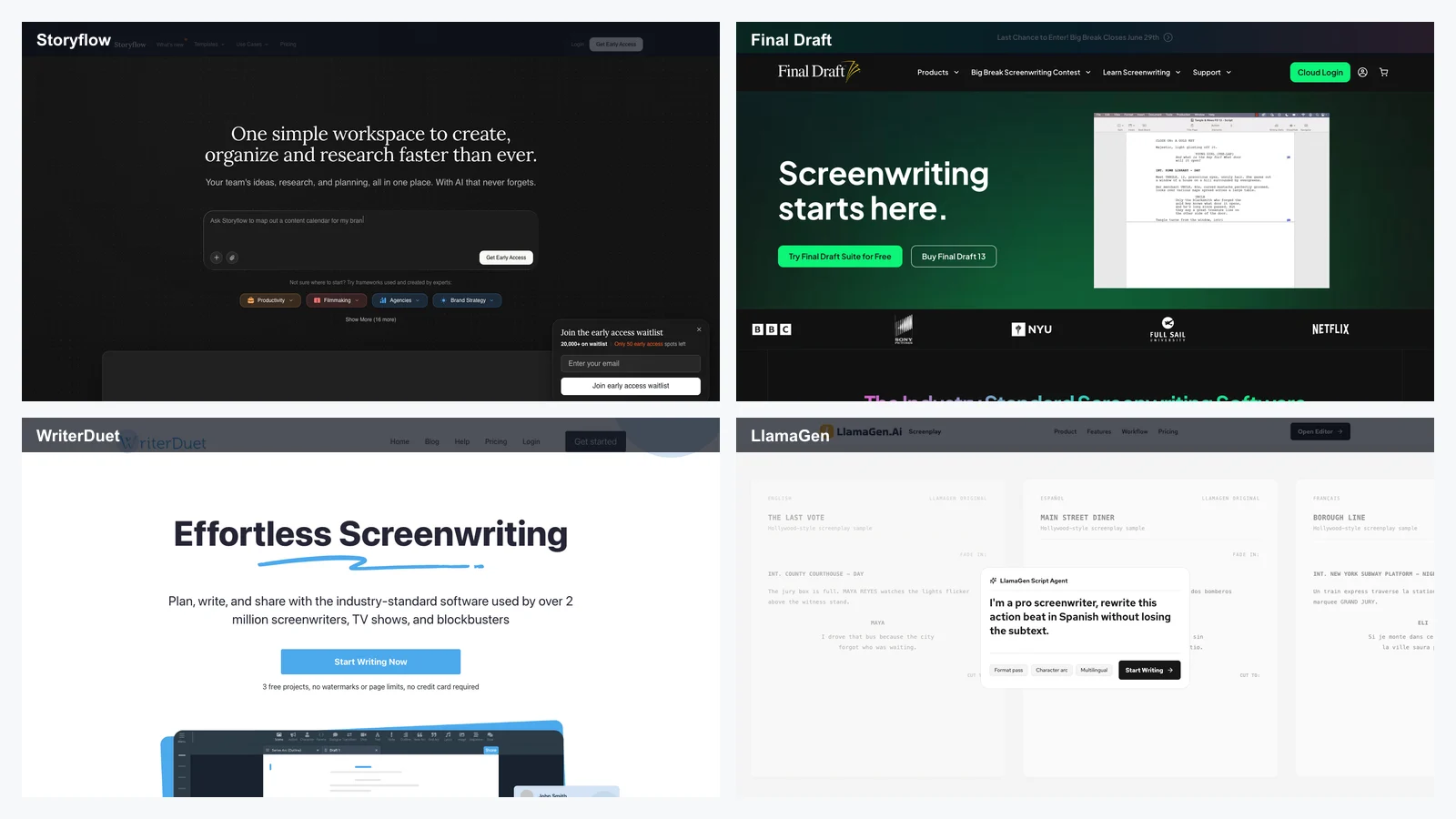
LlamaGen es una de las herramientas más relevantes para incluir en una lista de generadores de manga con IA en 2026 porque se centra en la creación de cómics, no solo en la generación de imágenes generales. Su flujo de trabajo está diseñado para prompts, ideas de historia, descripciones de personajes, imágenes, proyectos de manga, manhwa y estilo webtoon.
Para trabajos específicamente de manga, LlamaGen AI Manga Generator y LlamaGen Manga Maker son especialmente importantes porque están enfocados en páginas de manga centradas en la historia, paneles, personajes reutilizables, portadas, borradores en blanco y negro, globos de diálogo, distribución de páginas y creación en estilo webtoon.
LlamaGen resulta útil cuando el objetivo es crear una historia visual legible, no solo una imagen atractiva. Es adecuado para creadores que necesitan:
Comienza con una idea breve de historia, genera referencias de personajes, prueba el protagonista en varios ángulos de cámara y crea secuencias de paneles. Después, monta o perfecciona el layout de la página antes de publicar.
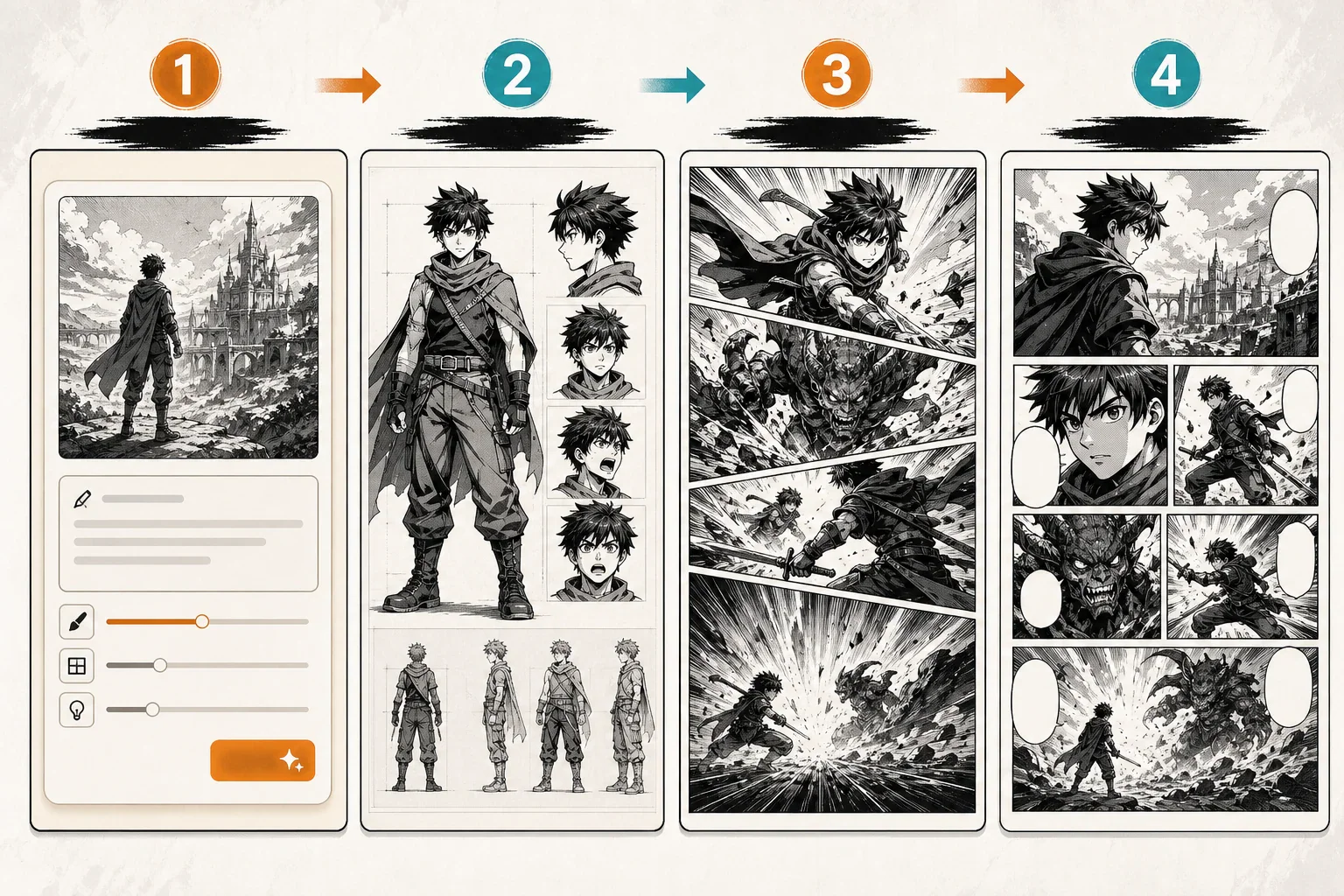
Aunque una herramienta soporte la consistencia de personajes, en proyectos de manga largos siempre se necesita una biblia de personajes gestionada por humanos. Guarda la descripción exacta, imágenes de referencia, notas de atuendo y rasgos de personalidad antes de generar un capítulo completo.
Ideal para: principiantes, escritores, creadores y equipos pequeños que buscan un flujo de trabajo directo de texto a manga.
ComicsAI está pensado para narrativa visual estilo cómic, manga y webtoon. Su guía de los mejores generadores de manga con IA en 2026 destaca los flujos de manga, paneles desde texto, casos de uso de creadores y la diferencia entre herramientas de cómic y generadores de imágenes generales.
Esto convierte a ComicsAI en una buena opción para creadores que quieren probar una escena rápidamente.
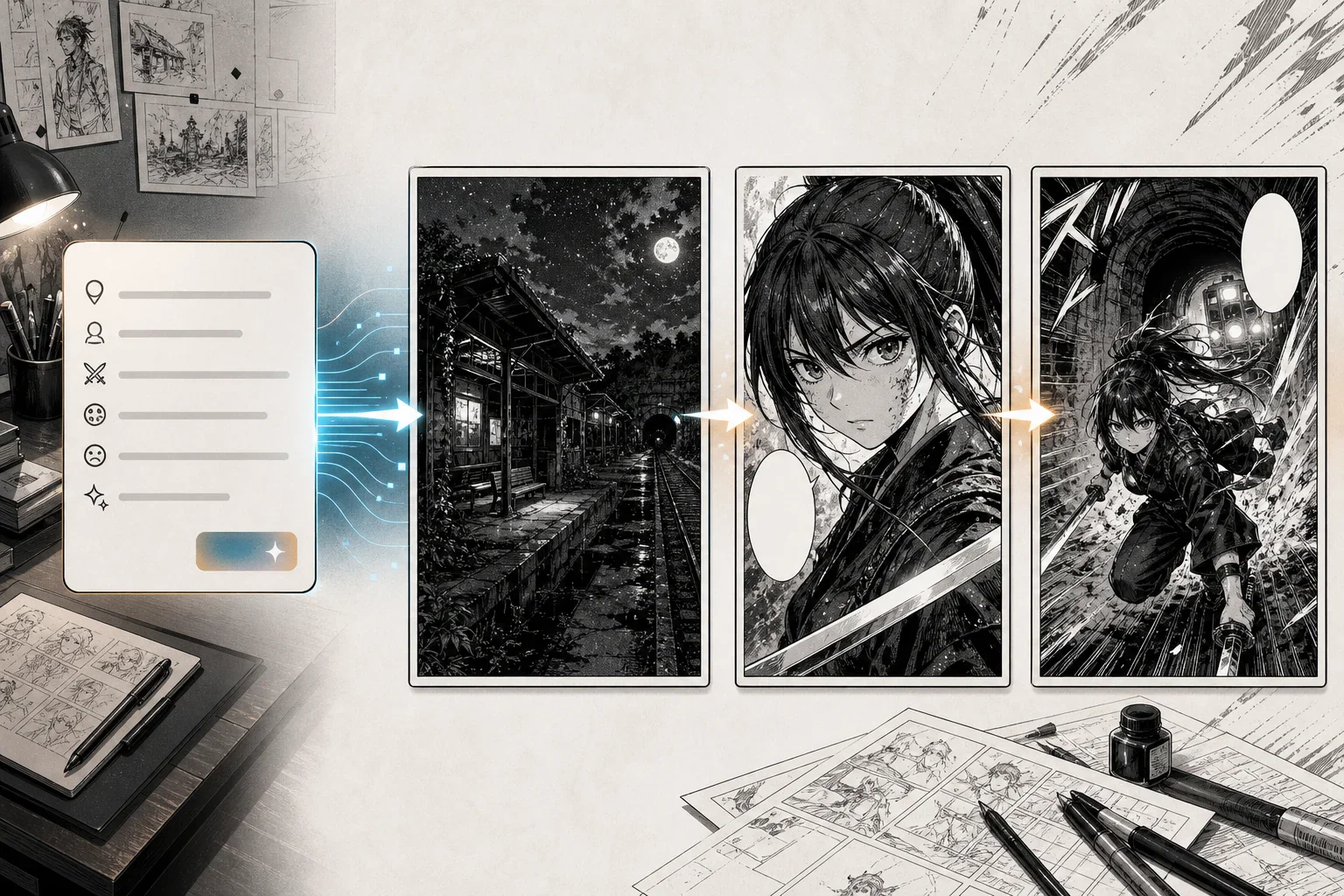
Ejemplo de fragmento narrativo:
Una joven espadachina entra en una estación de tren abandonada a medianoche y escucha la voz de su hermano desaparecido proveniente del túnel.
A partir de ese fragmento, el creador puede generar un panel estilo manga, perfeccionar la descripción del personaje, probar ángulos de cámara y crear una secuencia corta.
ComicsAI es ideal para:
Usa ComicsAI para generar paneles y storyboards iniciales. Luego traslada las mejores imágenes a una herramienta de diseño como Canva, Clip Studio Paint u otro editor de lienzo para colocar globos de diálogo y montar la página.
Para proyectos de manga extensos, no te apoyes en prompts vagos como "el mismo chico" o "la misma chica". Mantén una ficha de personaje fija y repite detalles visuales esenciales en cada prompt importante.
Ideal para: novelistas, guionistas, creadores enfocados en la historia y conceptos de manga de largo formato.
Jenova Manga Creator está enfocado en un flujo de trabajo de manga basado en la historia. Es útil para creadores que ya tienen trama, arco de personajes o una escena escrita y quieren convertirla en páginas visuales de manga.
La fortaleza de Jenova no es solo la creación de imágenes. Destaca por referencias de personajes, continuidad narrativa, dirección de paneles y una producción guiada de manga.
Jenova es ideal para creadores que necesitan:
Empieza con una premisa, crea fichas de referencia de personajes principales, define los puntos clave de capítulos y genera escenas una a una. Tras cada escena, revisa ritmo, expresiones, orden de paneles y claridad de diálogos.
Las herramientas tipo agente pueden acelerar la planificación, pero los creadores aún deben editar el manga final. Revisa los diálogos, el ritmo, la continuidad, la legibilidad de las viñetas y la originalidad antes de publicar.
Ideal para: diseño de personajes, desarrollo visual, conceptos de escenas, portadas, dirección artística y edición de imágenes por IA.
OpenArt Manga Art Generator es útil para creadores que buscan personajes y escenas de estilo manga a partir de descripciones de texto. OpenArt Creator Studio también admite flujos creativos más amplios relacionados con imágenes, vídeo, personajes, mundos, audio e historias.
Esto hace que OpenArt sea especialmente valioso en la etapa de desarrollo visual.
Antes de producir una página completa de manga, puedes usar OpenArt para explorar:
OpenArt destaca cuando necesitas explorar posibilidades visuales rápidamente. Puede ayudarte a crear conceptos de personajes y referencias de escenas antes de entrar en una producción completa de manga.
Usa OpenArt para crear recursos visuales, y luego traslada los diseños seleccionados a una herramienta específica para manga o a un editor de maquetación para el montaje final.
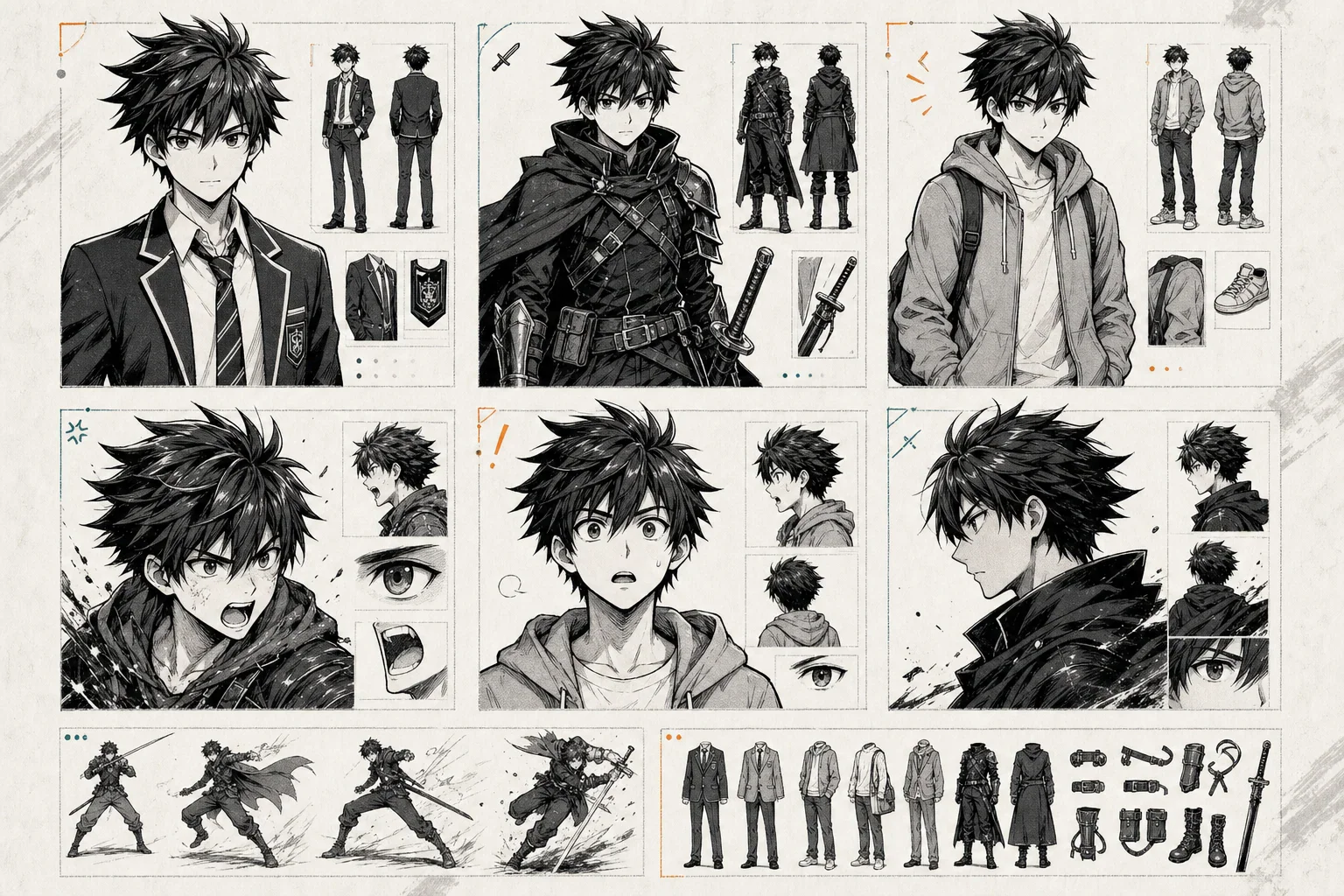
OpenArt se utiliza mejor como una capa de creación y edición visual. Si tu objetivo es un capítulo de manga de varias páginas con continuidad ajustada, combínalo con un flujo de trabajo de historia, viñetas o maquetación.
Ideal para: maquetación de cómics, composición de páginas, bocadillos, portadas, miniaturas, publicaciones en redes sociales y diseño para principiantes.
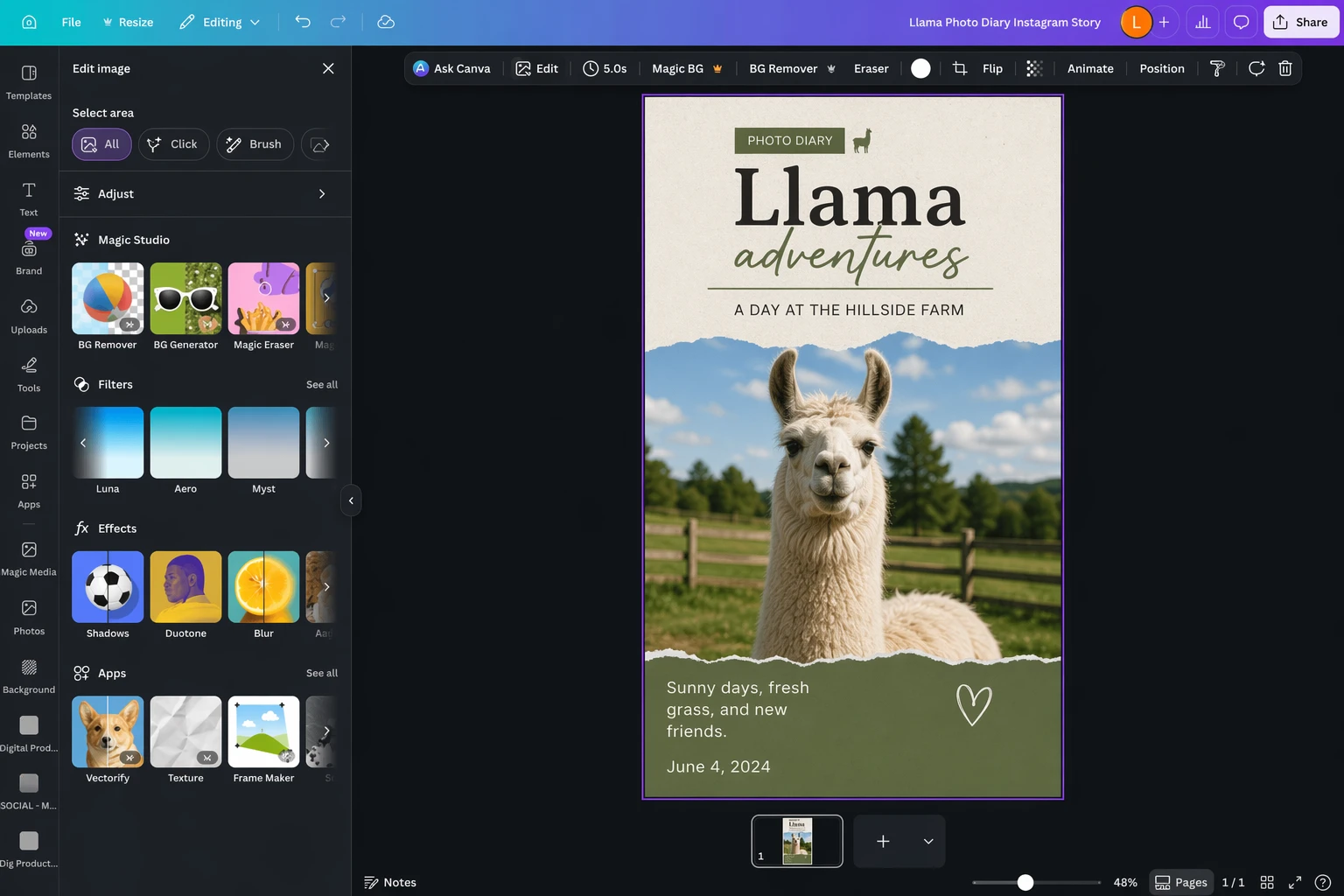
Muchos creadores dicen "lienzo" cuando se refieren a un espacio de trabajo de diseño. En este sentido, Canva Comic Strip Maker es útil porque ofrece a los creadores un editor de arrastrar y soltar, plantillas de cómic, cuadrículas y marcos. Canva AI Comic Generator también resulta útil para quienes quieren introducir imágenes generadas por IA dentro de un flujo de diseño.
Esto es importante porque las herramientas de imagen por IA suelen darte viñetas, no una página de manga completa.
Canva ayuda con:
Genera las viñetas en LlamaGen, ComicsAI, OpenArt u otra herramienta de imágenes por IA. Luego importa las mejores viñetas a Canva o a otro editor tipo lienzo para controlar la maquetación, el texto y la presentación final.
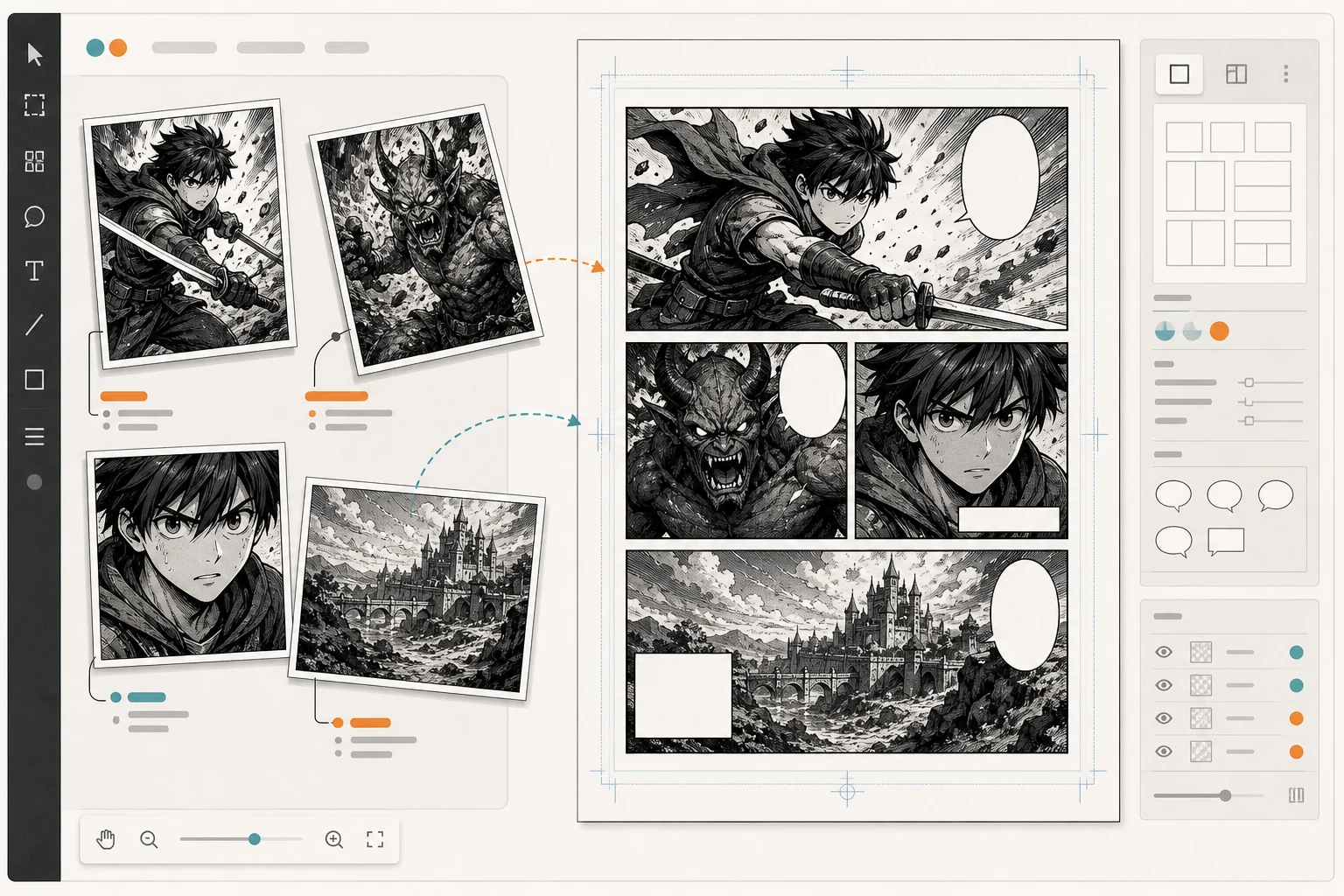
Canva no es principalmente una herramienta para coherencia de personajes. Utilízalo como una capa de maquetación y presentación en lugar de como la única herramienta para crear manga de forma seria.
Ideal para: creadores que quieren publicar cómics verticales y hacer crecer su audiencia.
"Canvas" también puede referirse a WEBTOON CANVAS, la plataforma de autopublicación de WEBTOON para creadores independientes. Esto es diferente de Canva, la herramienta de diseño.
WEBTOON CANVAS es relevante porque muchos creadores de manga con IA no solo generan páginas; quieren publicar episodios, probar la reacción del público y construir una audiencia.
WEBTOON CANVAS es relevante para:
WEBTOON también anunció novedades relacionadas con la traducción en CANVAS en 2026, incluyendo un programa opcional de traducción por IA para creadores elegibles. Para los creadores que usan IA, la localización será un tema a seguir.
Crea tu episodio de manga o webtoon con herramientas de IA, ensámblalo y edítalo manualmente, expórtalo en el formato vertical correcto y publícalo en WEBTOON CANVAS cuando esté listo.
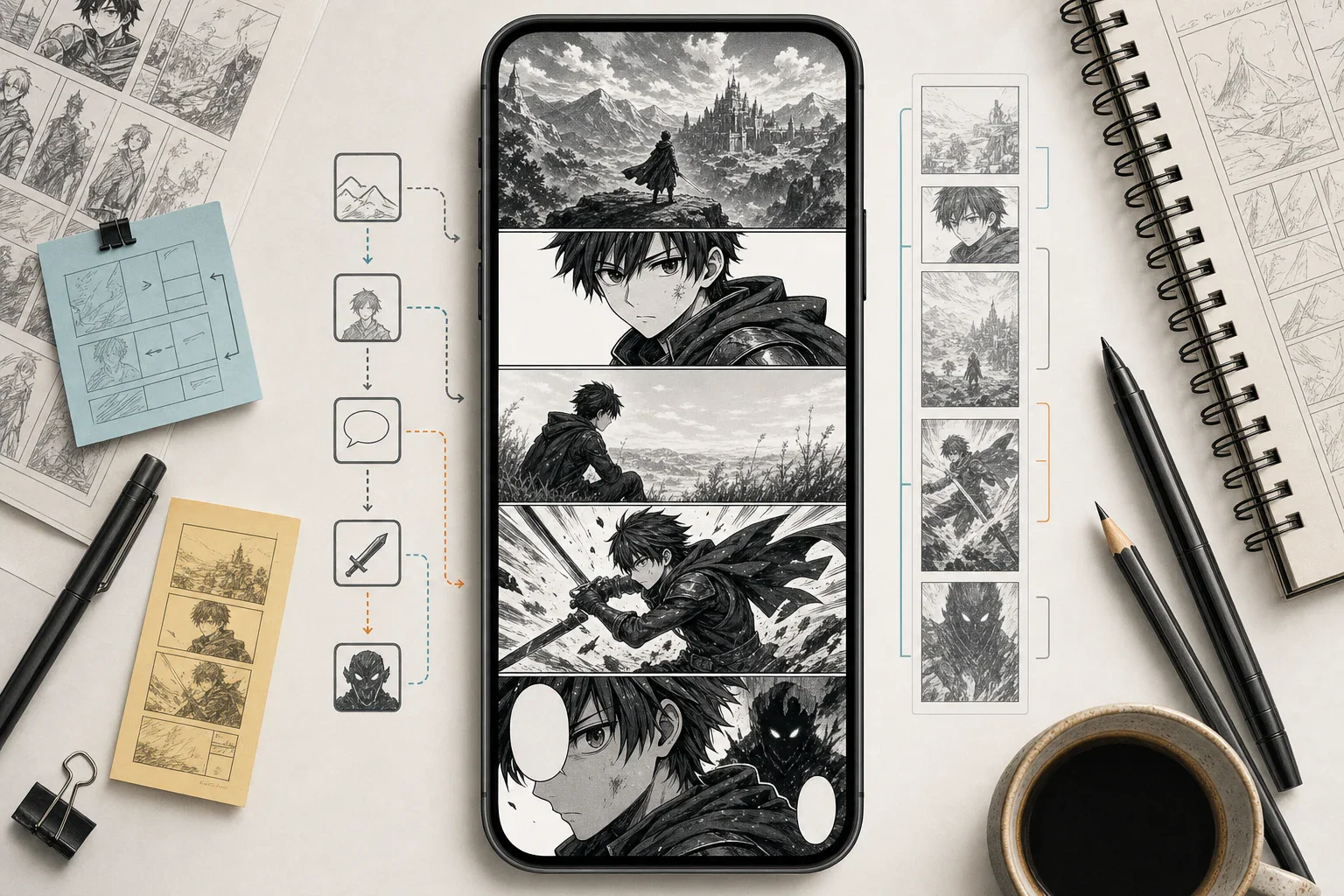
Las plataformas de publicación tienen sus propias políticas, reglas de formato y directrices de contenido. Consulta siempre los requisitos más recientes de WEBTOON CANVAS antes de subir trabajos asistidos por IA.
Ideal para: imágenes únicas pulidas, portadas dramáticas, pósters de personajes, páginas splash y material visual de campañas.
Midjourney sigue siendo popular para imágenes de IA de alto impacto. Para creadores de manga, puede ser útil para arte de portada, paneles de inspiración, pósters de personajes y materiales promocionales.
Las metodologías de Midjourney destacan para:
Usa Midjourney para arte conceptual e imágenes de marketing. Para páginas de manga reales, combínalo con herramientas que gestionen viñetas, maquetación, texto y coherencia de personajes.
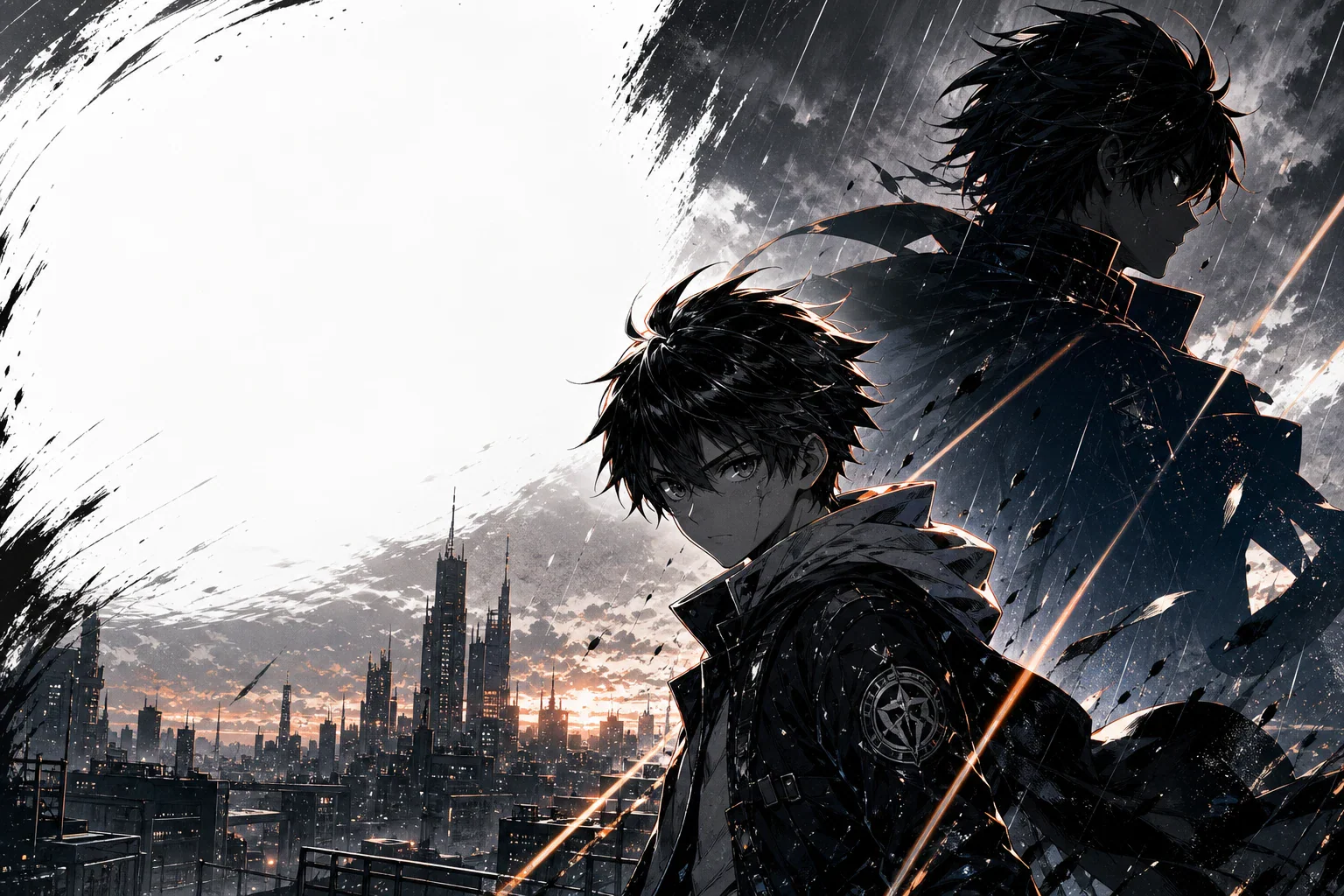
Una imagen bonita no es lo mismo que un capítulo de manga. Si los personajes cambian de cara entre viñetas, los lectores lo notarán al instante.
Ideal para: creadores técnicos, artistas avanzados, estudios y equipos que quieren flujos de trabajo locales o muy personalizables.
Stable Diffusion y ComfyUI son útiles cuando necesitas un control profundo sobre la generación. ComfyUI es especialmente relevante para flujos de trabajo basados en nodos, modelos personalizados, secuencias repetibles y configuraciones avanzadas de generación de imágenes.
Stable Diffusion y ComfyUI permiten:
Elige esta vía si manejas la configuración técnica. Crea una cadena repetible para personajes, poses, escenas y recursos de página, y luego monta la página final en Clip Studio Paint, Canva o cualquier otro editor de maquetación.
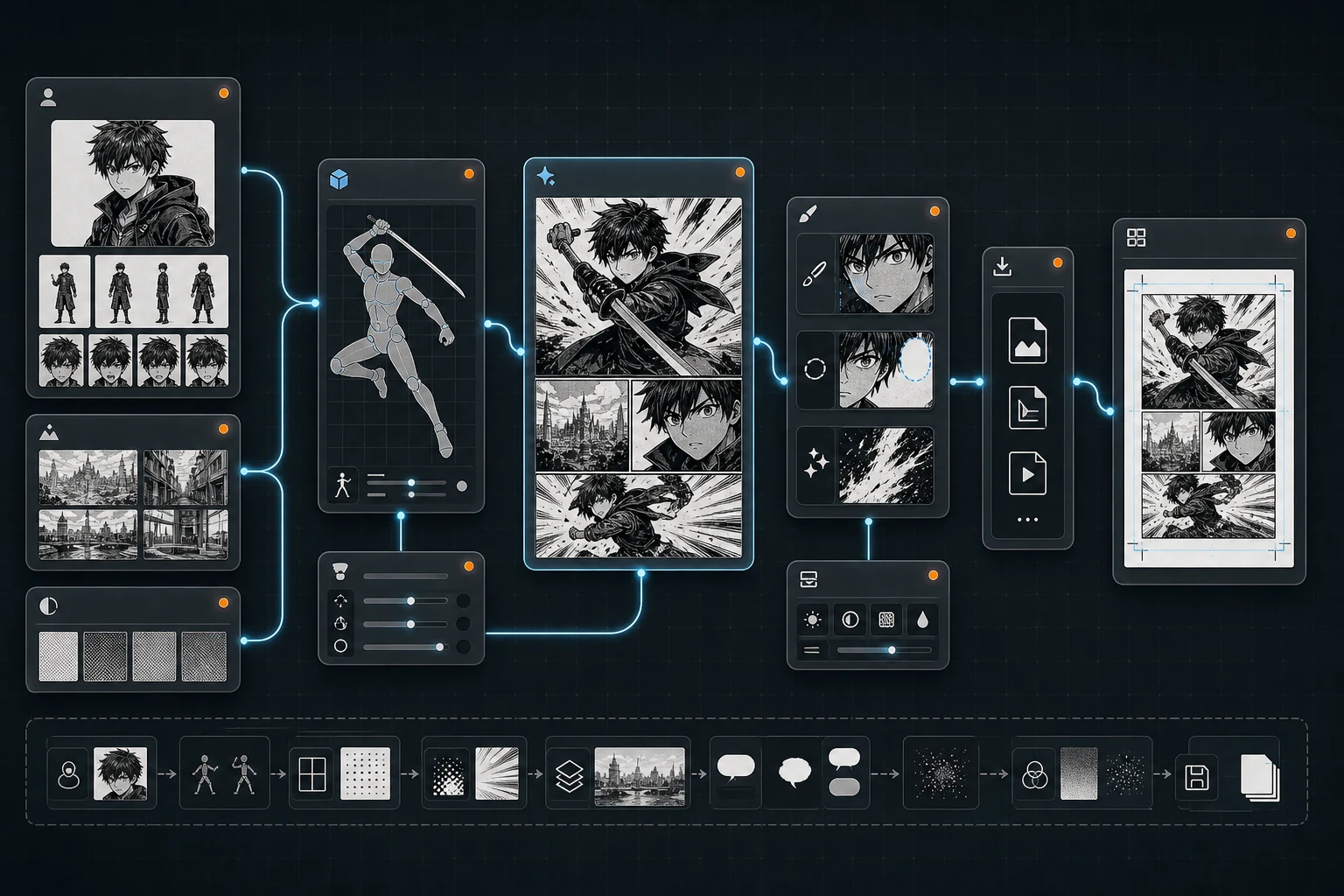
Es potente pero nada amigable para principiantes. Puedes pasar más tiempo montando el flujo técnico que escribiendo el manga, a menos que disfrutes este tipo de tareas.
Ideal para: producción final de páginas, viñetas, bocadillos, líneas de efecto, manga en blanco y negro y flujos profesionales de cómic.
Clip Studio Paint no es principalmente un generador de manga por IA, pero sí es una de las herramientas de acabado más útiles para creadores de manga y webtoon. Ofrece funciones específicas como viñetas, bocadillos, líneas de efecto y flujos para webtoons.
Utilízalo para:
Genera las viñetas asistidas por IA en otras aplicaciones y utiliza Clip Studio Paint para la producción final, correcciones, textos y exportación.
| Herramienta | Mejor Para | Principal Ventaja | Principal Limitación |
|---|---|---|---|
| LlamaGen | Flujo completo de manga, cómic, manhwa y webtoon por IA | Creación de cómic desde historia, paneles, consistencia de personajes, formatos webtoon | Aún requiere revisión manual para proyectos largos |
| ComicsAI | Paneles de manga por texto y flujos para principiantes | Generación fácil de paneles de manga y prompts amigables para creadores | Para proyectos largos necesita una biblia de personajes sólida |
| Jenova Manga Creator | Creación de manga basada primero en la historia | Referencias de personajes, continuidad y planificación de paneles | Requiere revisión editorial humana |
| OpenArt | Arte estilo manga y recursos visuales | Conceptos de personajes, escenas, edición y exploración visual | No siempre es un sistema de producción de página completa |
| Canva | Maquetación, tiras cómicas, posts sociales y páginas simples | Diseño de arrastrar y soltar, rejillas, marcos, bocadillos y exportación | No está principalmente enfocado en consistencia de personajes |
| WEBTOON CANVAS | Publicación de webtoons | Publicación para creadores, crecimiento de audiencia y vías de monetización | No es una herramienta de generación IA |
| Midjourney | Portadas y arte promocional | Imágenes individuales de gran impacto | Menos control directo para páginas de manga completas |
| Stable Diffusion + ComfyUI | Flujos técnicos personalizados | Control local, modelos propios, LoRA y nodos de flujo | Curva de aprendizaje alta |
| Clip Studio Paint | Acabado profesional de manga | Paneles, bocadillos, tramas, líneas de efecto y producción de páginas | No es un generador de manga IA de un clic |
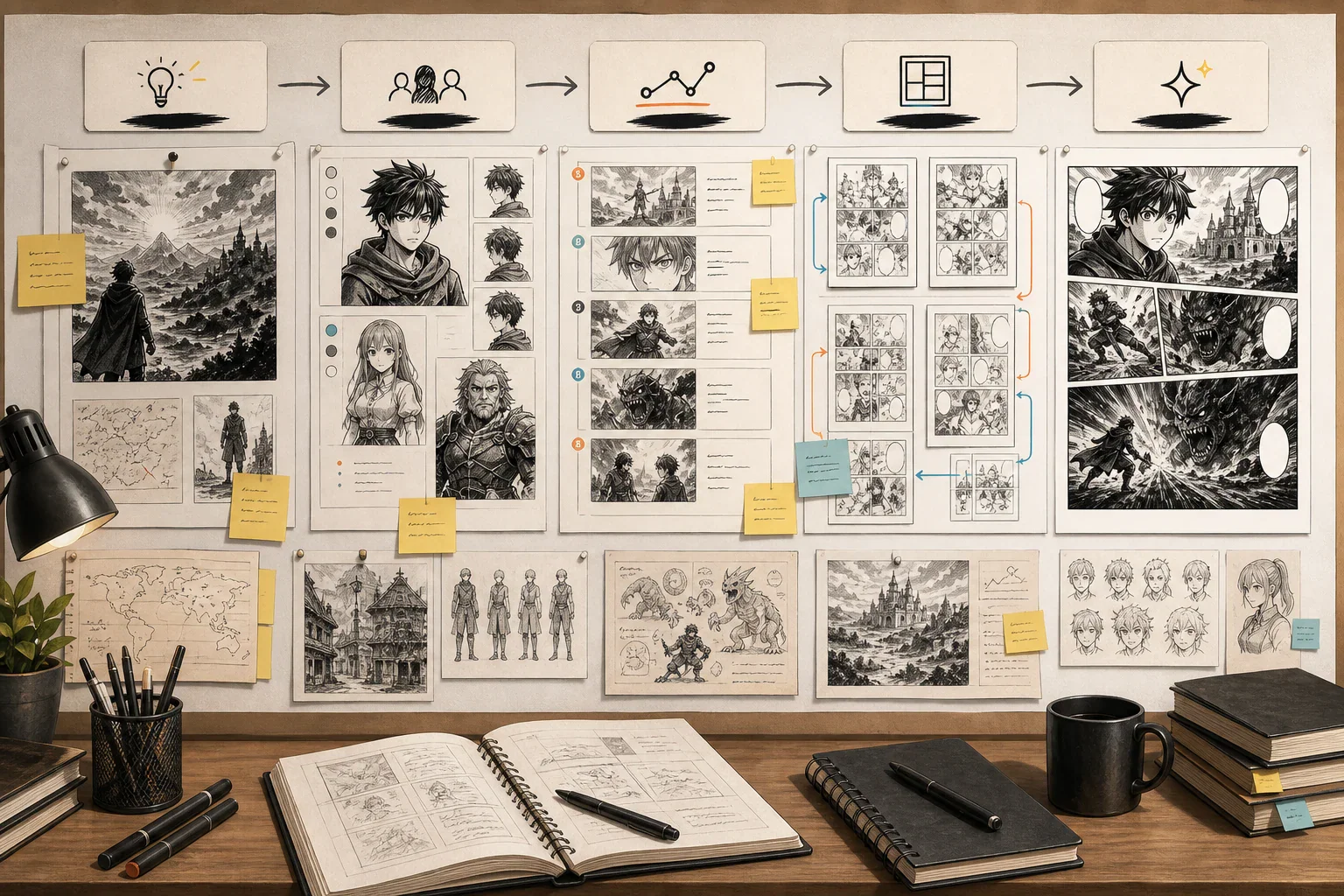
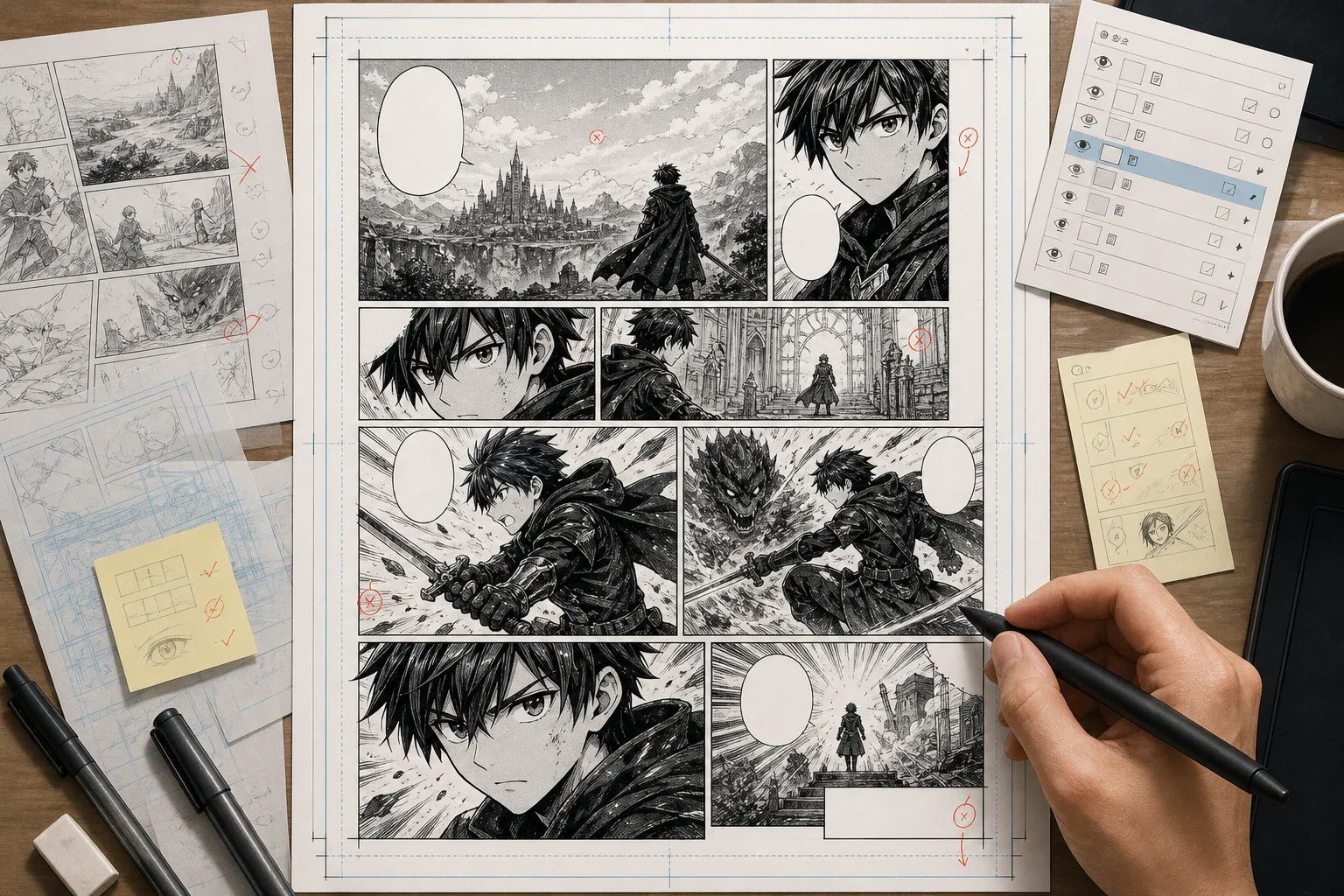
El flujo de trabajo más sólido de manga suele combinar varias herramientas.
Empieza con una sola frase.
Un adolescente sin poderes entra en una prestigiosa academia de magia y construye en secreto armas mecánicas para competir con los hechiceros dotados.
Una buena premisa incluye:
Crea esto antes de generar muchos paneles.
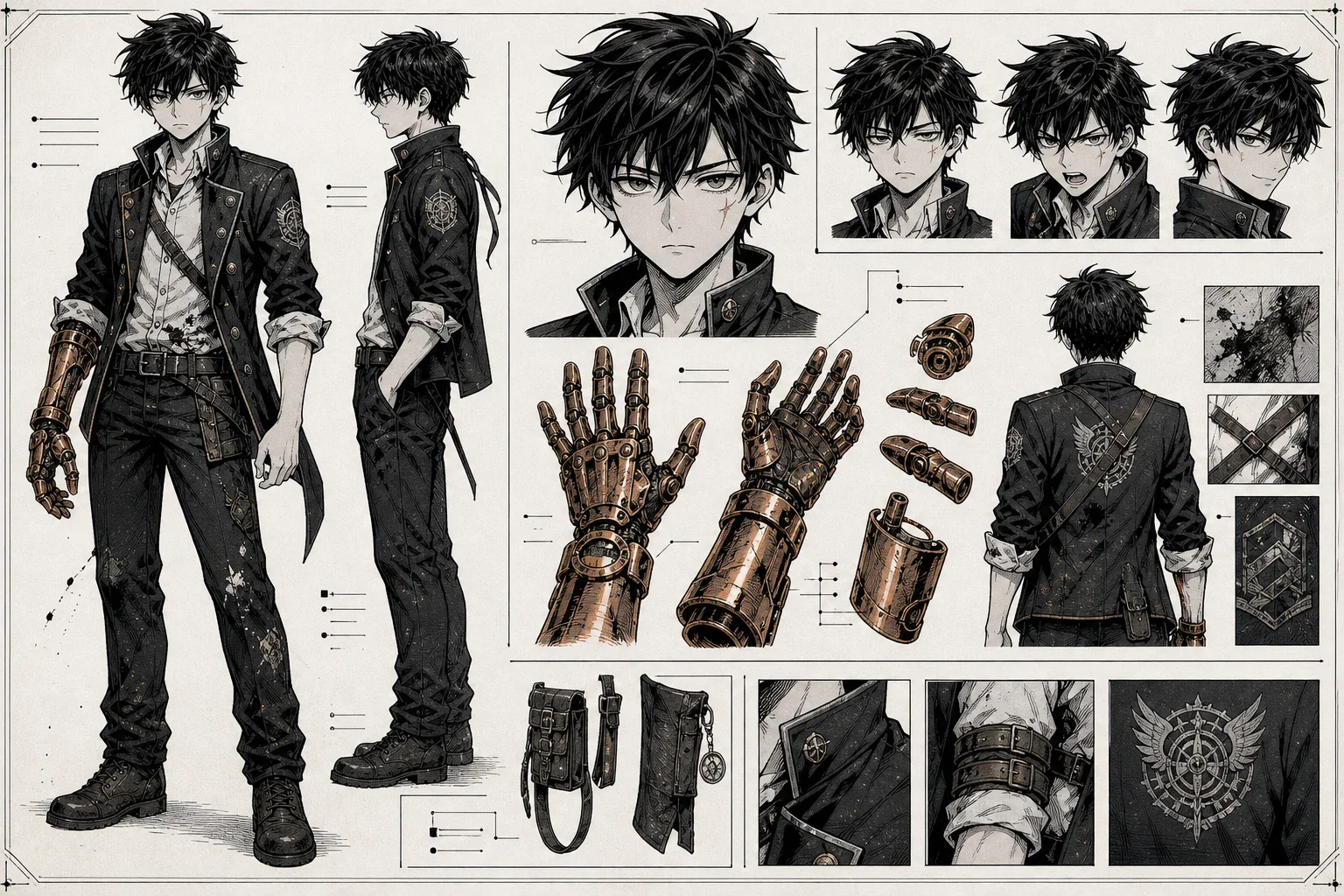
Nombre: Kai
Edad: 16
Rol: Estudiante de primer año en una academia de magia
Cabello: Negro corto, algo despeinado
Ojos: Grises, afilados, aspecto cansado
Rostro: Pequeña cicatriz bajo el ojo izquierdo
Cuerpo: Delgado, fibroso, ligeramente desnutrido
Vestimenta: Uniforme viejo de la academia, mangas remangadas, manchas de aceite
Objeto distintivo: Guante mecánico de cobre en la mano derecha
Personalidad: Terco, ingenioso, sarcástico, bondadoso en secreto
Estilo visual: Manga shonen en blanco y negro de alto contraste
Repite los detalles visuales clave en cada prompt importante.
Antes de crear páginas completas, genera:
No le pidas a la IA que cree un capítulo completo desde el principio. Empieza con una escena.
Crea una viñeta de manga shonen en blanco y negro.

Personaje:
Kai, 16 años, pelo negro corto y despeinado, ojos grises, pequeña cicatriz bajo el ojo izquierdo, viejo uniforme de academia con mangas remangadas, guante mecánico de cobre en la mano derecha.

Escena:
Kai está de pie en una arena de entrenamiento destrozada por la noche. Saltan chispas de su guante mientras un hechizo de fuego se precipita hacia él.

Emoción:
Miedo mezclado con determinación.

Composición:
Primer plano en ángulo bajo, guante en primer término, rostro de Kai parcialmente en sombra, ataque de fuego entrando por la izquierda.

Efectos de manga:
Líneas de velocidad, tramas, sombras de tinta intensas, líneas de impacto dramáticas.

Requisito de maquetación:
Deja un espacio vacío limpio en la esquina superior derecha para un bocadillo de diálogo.
Después de generar los paneles, móntalos en una herramienta de maquetación como Canva, Clip Studio Paint u otro editor tipo lienzo.
Comprueba:
La rotulación controla el ritmo. El diálogo debe ser corto y legible.
Utiliza:
Antes de publicar, comprueba:
La IA puede acelerar la producción, pero es la edición humana la que determina si el manga es legible.
Empieza con LlamaGen, ComicsAI, OpenArt o Canva.
Concéntrate en crear una escena legible antes de intentar generar un capítulo completo.
Prueba Jenova Manga Creator, ComicsAI o LlamaGen Manga Maker.
Tu ventaja es la historia. Usa IA para transformar escenas en paneles visuales, pero controla los arcos de personaje y los diálogos.
Utiliza LlamaGen AI Webtoon Generator, WEBTOON CANVAS y un flujo vertical de trabajo.
Prioriza el ritmo móvil, la fluidez del scroll vertical y los ganchos de episodio.
Utiliza OpenArt, Midjourney o Stable Diffusion.
Estas herramientas son útiles para diseño de personajes, exploración de estilo, portadas y desarrollo visual.
Utiliza Clip Studio Paint para paneles, bocadillos, tramas, líneas de efecto y la producción final del manga.
Utiliza Stable Diffusion con ComfyUI si quieres modelos personalizados, generación local, control de poses y flujos repetibles de personajes.
Una imagen llamativa no basta. El manga requiere ritmo, continuidad y páginas legibles.
Si solo usas el prompt "un chico adolescente", la IA puede crear un chico diferente cada vez. Usa una biblia de personajes detallada.
Empieza por una escena, luego una página y después un episodio corto.
Indícale siempre a la IA que deje espacio para el diálogo.
Deja un espacio vacío limpio en la zona superior derecha para un bocadillo. No cubras el rostro del personaje.
Prompt débil:
Hazlo con estilo manga.
Prompt mejor:
Estilo manga shonen en blanco y negro, tinta de alto contraste, líneas de velocidad, tramas, primer plano dramático, expresión facial intensa, lectura de derecha a izquierda.
La salida de la IA puede contener errores visuales, problemas de continuidad, manos extrañas, caras inconstantes o narrativa confusa entre paneles. Edítalo siempre.
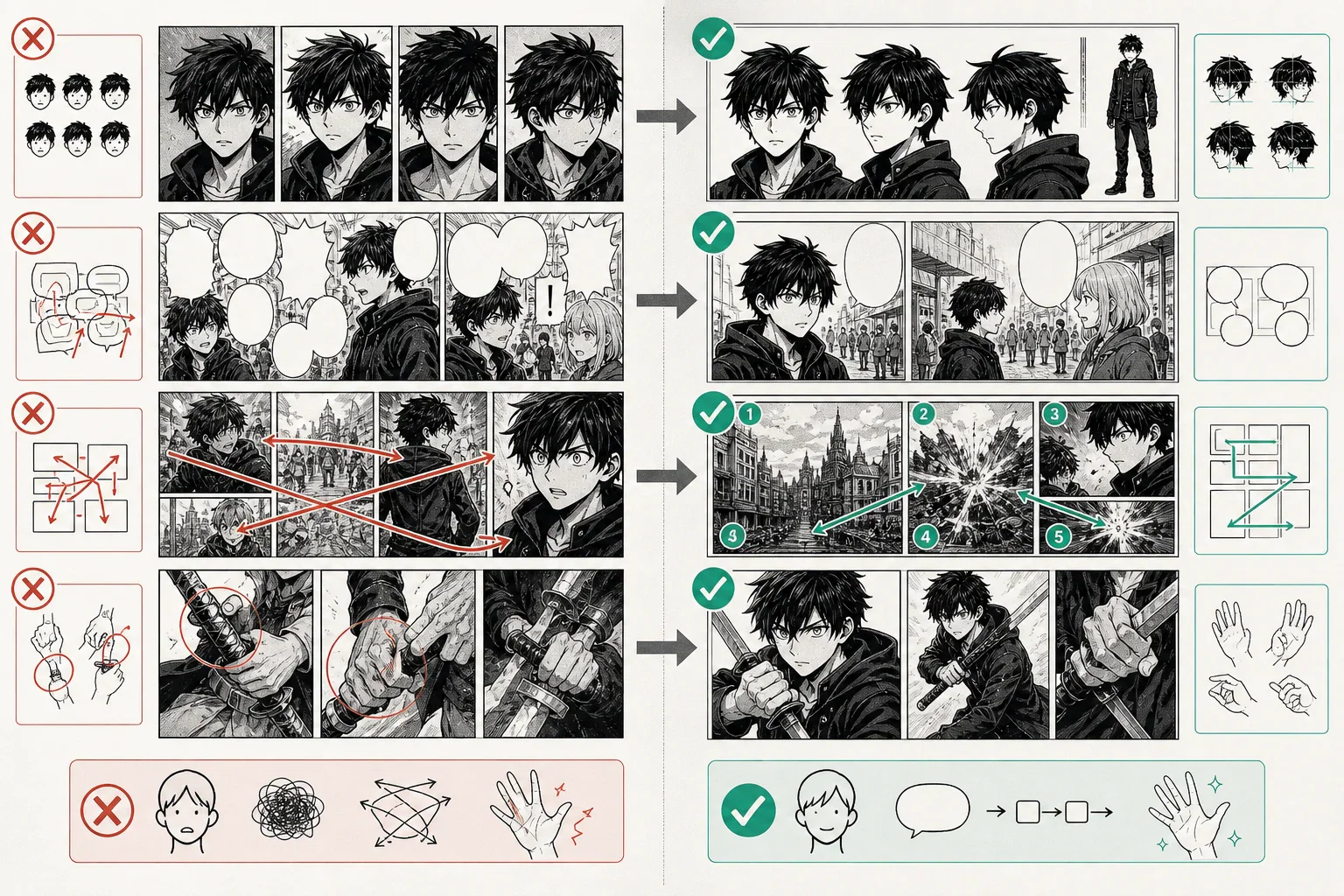
Usa esta plantilla con LlamaGen, ComicsAI, Jenova, OpenArt, Stable Diffusion u otra herramienta de imágenes.
Crea una viñeta de manga del [género manga].

Personaje:
[Nombre, edad, peinado, ojos, detalles del rostro, vestimenta, complexión, objeto distintivo]

Acción:
[Qué está haciendo el personaje]

Escena:
[Ubicación, hora del día, fondo, clima, ambiente]

Emoción:
[Estado emocional específico]

Composición:
[Primer plano / plano general / ángulo bajo / ángulo alto / plano trasero / toma de acción diagonal]

Efectos de manga:
[Líneas de velocidad, tramas, sombras de tinta, espacio para SFX, líneas de impacto, desenfoque de movimiento]

Continuidad:
[Repite los detalles fijos del personaje que no deben cambiar]

Maquetación:
[Espacio para bocadillo, dirección de lectura, formato webtoon vertical, proporción de panel en página]
Crea una viñeta de acción manga shonen en blanco y negro.

Personaje:
Kai, 16 años, pelo negro corto y despeinado, ojos grises, pequeña cicatriz bajo el ojo izquierdo, viejo uniforme de academia con mangas remangadas, guante mecánico de cobre en la mano derecha.

Acción:
Kai bloquea un enorme hechizo de fuego con su guante mecánico mientras se desliza hacia atrás sobre el suelo agrietado de la arena.

Escena:
Arena de la academia de magia de noche, baldosas de piedra rotas, chispas, humo, estudiantes desenfocados observando al fondo.

Emoción:
Aterrado pero sin rendirse.

Composición:
Toma de acción diagonal en ángulo bajo. El guante mecánico destaca en primer plano. El rostro de Kai es visible detrás, medio en sombra.

Efectos de manga:
Líneas de velocidad fuertes, tramas, sombras de tinta negra intensas, estallido de impacto donde el fuego choca contra el guante.

Continuidad:
Mantén coherentes el pelo negro corto de Kai, ojos grises, cicatriz bajo el ojo izquierdo, uniforme viejo y guante de cobre.

Maquetación:
Deja espacio limpio en la esquina superior derecha para un bocadillo. Lectura manga de derecha a izquierda.
Utiliza estas páginas oficiales y recursos para comparar herramientas, flujos de trabajo y opciones de publicación:
Algunas herramientas pueden ayudar a crear borradores de varias páginas, personajes recurrentes y escenas estructuradas. Sin embargo, aún se necesita planificación humana, edición, rotulado, comprobación de continuidad y una revisión antes de publicar.
LlamaGen, ComicsAI, OpenArt y Canva son buenas opciones para empezar porque reducen la configuración técnica. Los principiantes deben centrarse en crear primero una escena legible antes de intentar un capítulo entero.
Sí. LlamaGen es relevante para creadores que buscan un flujo de trabajo más amplio de cómic IA que abarque manga, manhwa, webtoon, paneles, personajes y creación de páginas.
OpenArt se entiende mejor como una potente herramienta de creación y edición visual. Puede generar personajes y escenas estilo manga, pero muchos creadores lo combinan con un flujo de historia o maquetación de manga.
Canva puede ayudar en el maquetado de cómics, bocadillos de diálogo, rejillas, marcos y exportaciones preparadas para redes sociales. Es útil para ensamblar páginas, pero no es la opción más fuerte para mantener la consistencia de personajes en historias largas.
Canva es una herramienta de diseño y maquetación. WEBTOON CANVAS es una plataforma de publicación para creadores independientes de webtoon. Un creador puede usar Canva para montar una página y WEBTOON CANVAS para publicar el episodio terminado.
Utiliza Midjourney para portadas, arte conceptual, mood boards y material promocional. Para páginas completas de manga, combínalo con herramientas que permitan crear viñetas, continuidad, rotulación y maquetación.
Depende de la herramienta y la plataforma. Revisa siempre los derechos comerciales, las normas sobre marcas de agua, los límites de exportación, las restricciones del modelo y las políticas de publicación antes de vender o publicar manga asistido por IA.
El mejor generador de manga por IA en 2026 no es simplemente el que crea la imagen más bonita. La mejor elección es la herramienta que se adapta a tu flujo de trabajo de producción.
Elige LlamaGen si buscas una plataforma de cómics por IA para manga, manhwa, webtoons, personajes y creación de páginas.
Elige ComicsAI si prefieres un proceso sencillo de texto a manga para viñetas y borradores visuales iniciales.
Elige Jenova Manga Creator si tu proyecto es prioritariamente narrativo y necesitas ayuda con referencias de personajes, flujo de viñetas y continuidad en una historia larga.
Elige OpenArt si necesitas arte estilo manga, exploración de personajes, recursos visuales y edición de imágenes por IA.
Elige Canva si necesitas ensamblar viñetas, añadir bocadillos, controlar el diseño y exportar páginas de cómic sencillas.
Elige WEBTOON CANVAS si quieres publicar webtoons verticales y crear una audiencia.
Elige Midjourney para portadas y arte conceptual pulidos.
Elige Stable Diffusion y ComfyUI si buscas un control técnico avanzado y creación personalizada de personajes.
Para crear manga seriamente, la clave suele ser un flujo de trabajo, no un solo botón: escribe la historia, define los personajes, genera las viñetas, monta las páginas, rotula con cuidado, edita manualmente y sólo entonces publica.


© 2026 LlamaGen.Ai Todos los derechos reservados
Liderando el futuro de la generación de cómics con IA