Smooth relative depth
Lag et sammenhengende gråtonekart med logisk nær-til-fjern-rekkefølge i stedet for bare et enkelt avmettet bilde.


AI-dybdekartgenerator
Etternavn opp et foto eller en illustrasjon, velg dybde- eller verdimodus, og lag et rent gråtonekart for parallakse, ControlNet, kompositering og visuell historiefortelling.
Generer et produksjonsklart dybdekart
Bruk ett tydelig kildebilde med lesbar forgrunn, mellomgrunn og bakgrunn. Hver generering bruker 300 credits.
Etternavn opp kildebilde
Foto, illustrasjon, tegneseriepanel, konseptkunst eller storyboard-rute
Utdata-modus
Dybderetning
Kantbehandling
Utdata-innramming
Matcher det første kildebildet for å beskytte den opprinnelige beskjæringen.
Bruker 300 credits per generering.
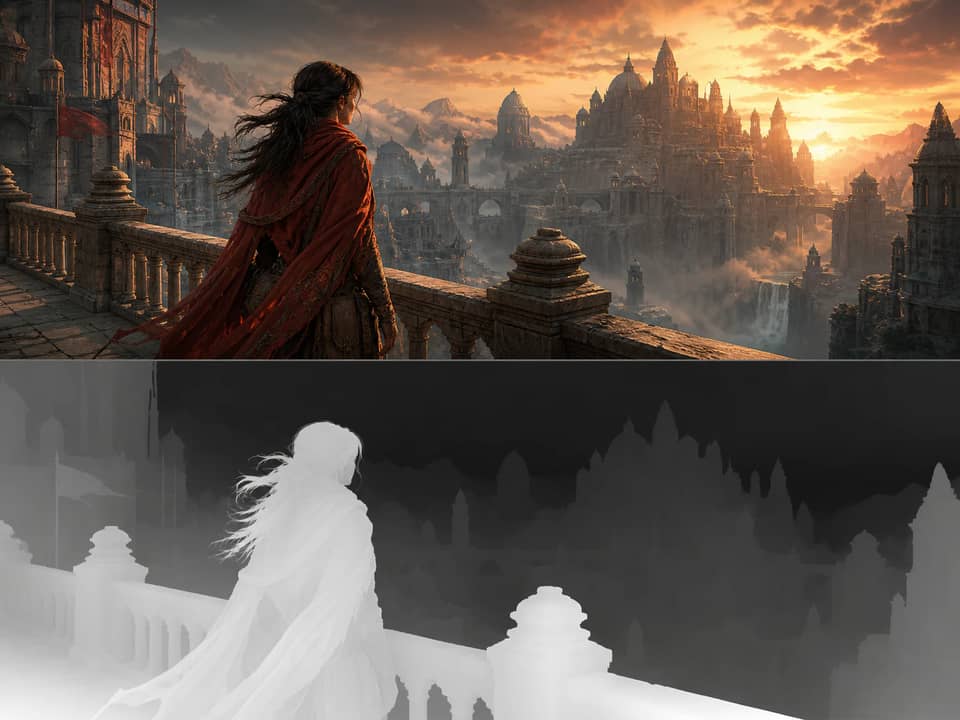
Én opplasting, tre nyttige analyser
Et dybdekart beskriver hvor nær eller langt unna hver synlige overflate ser ut fra kameraet. Glatt modus lager en sammenhengende gråtone-dybde, mens dybdebånd forenkler samme romlige struktur til forgrunn, mellomgrunn og bakgrunn.
Femverdikomposisjonsmodusen løser en annen oppgave for kunstnere: den grupperer bildet etter luminans og fokus-hierarki. Å holde disse modusene atskilt gjør resultatet nyttig både i tekniske arbeidsflyter og i visuell utvikling.
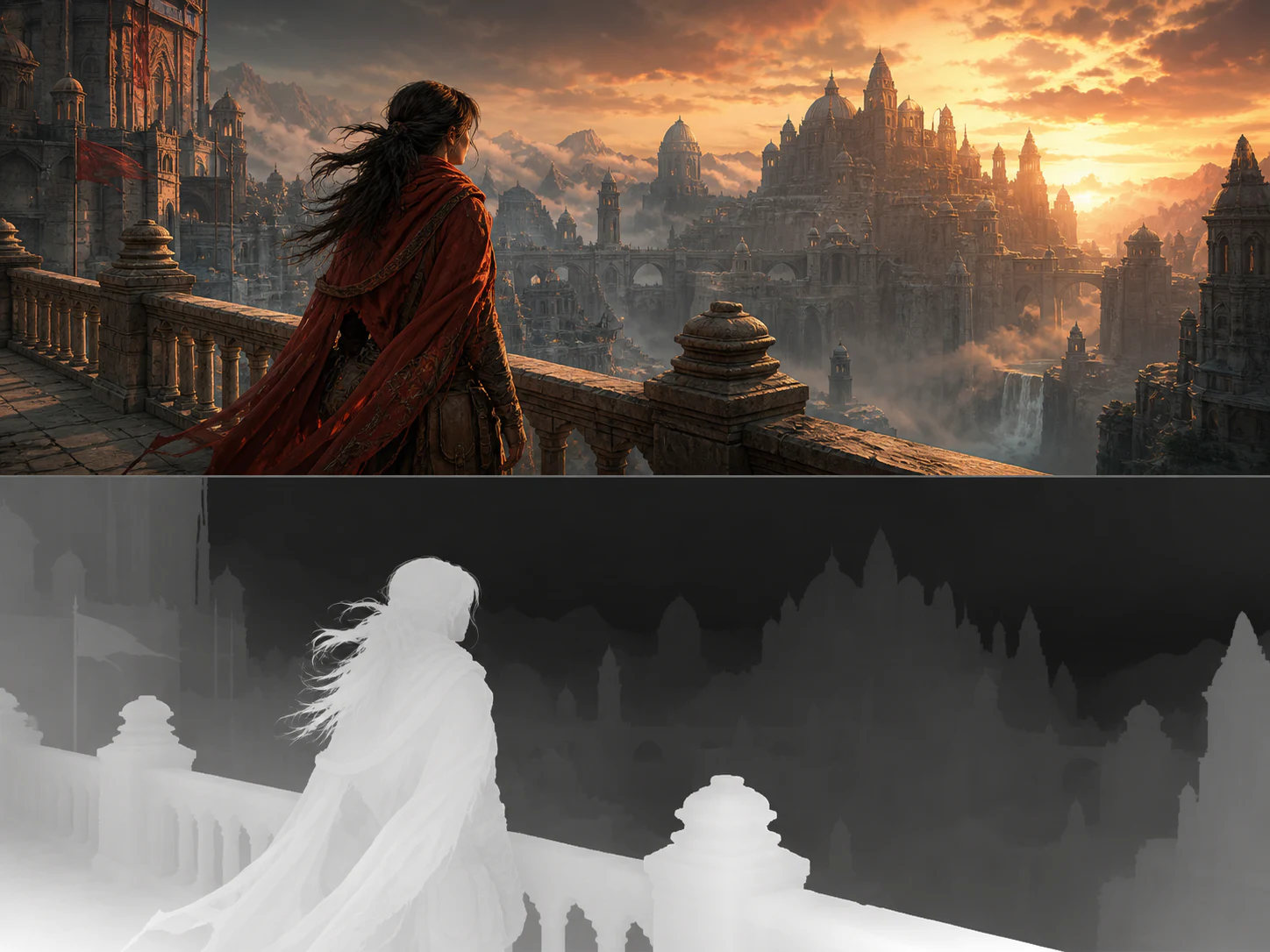
Lag et sammenhengende gråtonekart med logisk nær-til-fjern-rekkefølge i stedet for bare et enkelt avmettet bilde.
Komprimer en scene til tre lesbare romlige lag for parallakse, staging og planlegging av motion comics.
Reduser visuelt støy og se over fokusrekkefølge, store former og kontrast før du går videre med detaljene.
Behold originalkameraet, beskjæringen, motivposen, silhuettene og objektplasseringen i tråd med resultatet.
Originale eksempler
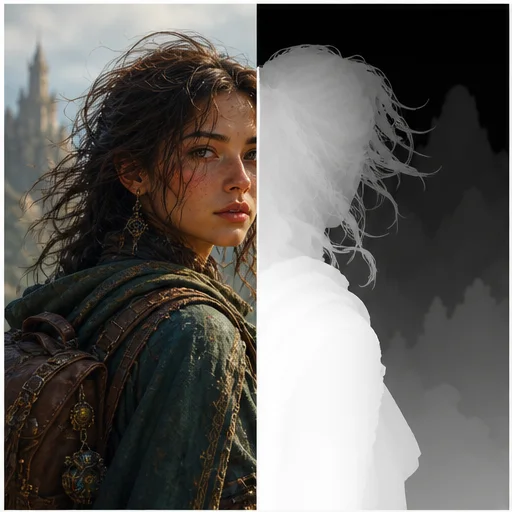
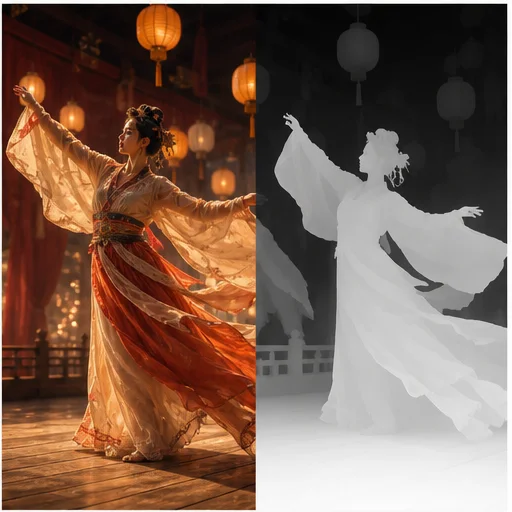
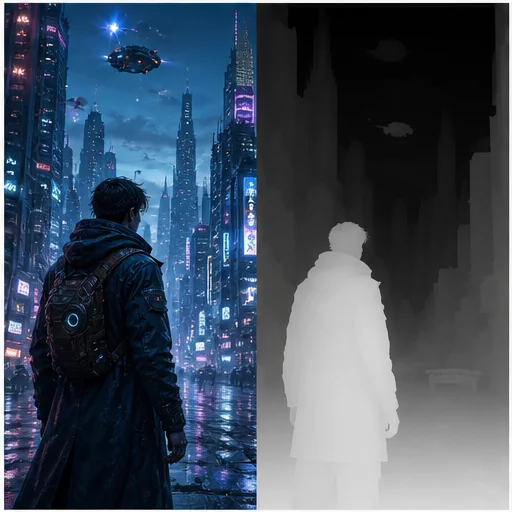
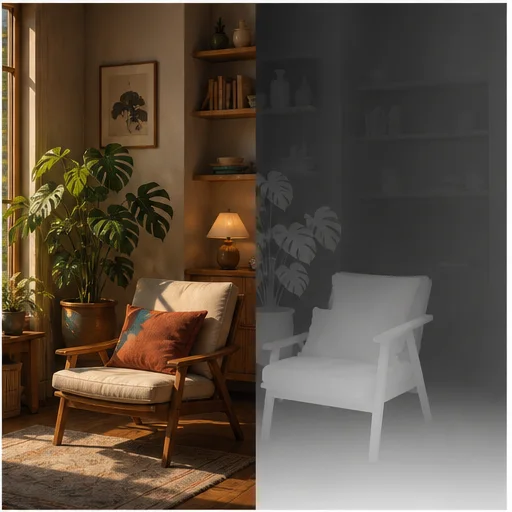
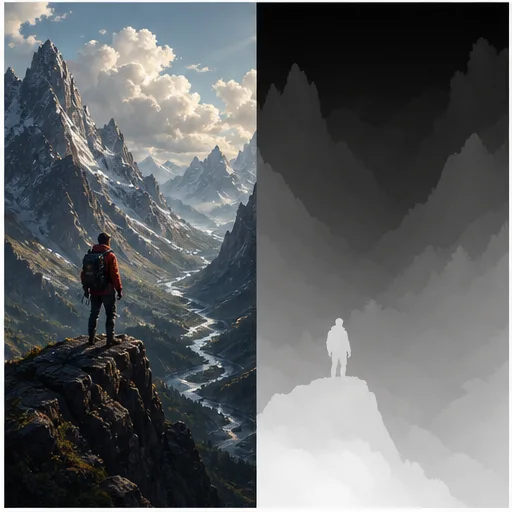
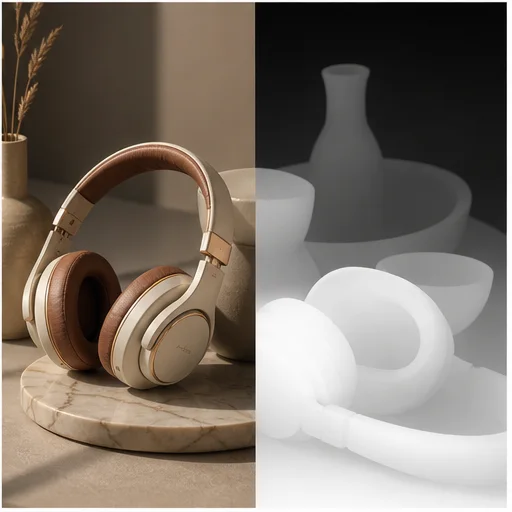
Seks originale syntetiske eksempler viser kildebildet ved siden av en justert gråtone-dybdetolkning, med hvite flater nærmere og mørke flater lenger unna.
Slik fungerer det
Følg den korte arbeidsflyten, og kontroller de genererte detaljene før du bruker eller publiserer resultatet.
Velg en scene med tydelige motiver og nok visuell separasjon mellom nære og fjerne elementer.
Generer glatt dybde, tre romlige bånd eller en femverdistudie, og angi gråtoneretningen.
Sjekk silhuetter og dybdeplassering, og last deretter ned den genererte PNG-en til neste kreative arbeidsflyt.
Real creator feedback
Read what creators shared about making comics, characters, and visual stories with LlamaGen.

@jake-m
As an avid creator of comic book style graphics, I've struggled to find a tool that truly allows me to unleash my creativity at scale. llamagen.ai not only breaks limits but shatters them, offering endless possibilities for my projects. It's the ultimate AI-powered solution I've been waiting for!
@sarah-l
I've tried numerous AI tools for image generation. And they are quite fun to play with but llamagen.ai is the first app I've actually saw a potential use-case. The character consistency really grabbed my attention as it's something I hadn't seen before and I can see the appeal for professionals and amateurs alike. Truly a game-changer!

@michael-b
llamagen.ai has reignited my passion for storytelling. As a busy professional, finding time to pursue creative projects can be challenging. But this app has proven so easy to use... It's like having a creative companion by my side!

@alex-t
Being part of the creative industry demands efficiency without sacrificing quality. llamagen.ai not only meets but exceeds these expectations. Really loved playing with the storyboarding and having an AI to help with not only image generation, but also the text content - it's really a nice way to help enhance the overall experience.
@maya-s
I enjoy a great comic book and have been very sceptical about AI. For example the criticisms of the Batman AI comic saga where not without merit. But through the scepticism I do see a place for such tools. While I still value an authentic man-made production, the ability for me to create something on my own (with a little help from AI) is really empowering and exciting.
@taylor-h
Maintaining character consistency is a challenge that I did not expect to be overcome so fast. While not perfect at times, the results are impressive and I’m really looking forward to the chance to further customize my workflow and AI generation.
Praktiske arbeidsflyter
Behold det genererte bildet som et gjennomgåbart utkast, referanse eller ferdig ressurs, avhengig av behovet i oppgaven.
Motion comics
Bruk romlige bånd for å skille de visuelle planene som skal bevege seg med ulik hastighet i en kamerabevegelse inn eller panorering.
ControlNet
Download a clean relative depth reference when an image-generation workflow needs the source scene geometry.
Konseptkunst
Bruk femverdistudier for å vurdere lesbarhet, fokuskontrast og store kompositoriske masser uten forstyrrelser fra farger.
Kompositering
Bruk gråtone-avstand til å styre dis, uskarphet, lyssetting på nytt, displacement eller dybdeskarphetseksperimenter.
Gjennomgå notater
Dybde fra ett enkelt bilde er et AI-estimat. Se over tvetydige flater og generer på nytt med en annen kantbehandling ved behov.
det nærmeste motivet følger den valgte hvit-eller-svart-konvensjonen
forgrunn, mellomgrunn og bakgrunn forblir i en sammenhengende rekkefølge
hår, ermer, props og arkitektur beholder lesbare silhuetter
resultatet samsvarer med kildekameraet, beskjæringen, posen og objektplasseringen
glass, speil, tåke og refleksjoner vurderes for dybdetvetydighet
value-study output is not mistaken for metric or relative depth
FAQ
Praktiske svar om kildebilder, genererte resultater, rettigheter og gjennomgang.
Standardmodus bruker hvitt for nære overflater og svart for fjerne overflater. Velg Hvitt er langt unna når etterfølgende verktøy forventer motsatt konvensjon.
No. The tool creates relative depth from a single image, which describes what appears nearer or farther without claiming a real-world distance measurement.
Dybdebånd grupperer piksler etter romlig avstand. En verdistudie grupperer dem etter luminans og kompositorisk betydning, så de to resultatene svarer på ulike kreative spørsmål.
Ja. Etternavn ned det glatte dybdekartet eller trelagsversjonen, og følg deretter gråtonekonvensjonen som mottakerverktøyet krever.
Bruk skarpe scener med gjenkjennelige motiver, synlige silhuetter, tydelig perspektiv og tydelige forgrunns- og bakgrunnselementer.
Hver kjøring med AI-dybdekartgeneratoren bruker 300 credits og gir ett 1K-resultat som samsvarer med utsnittet i kilden.
Relaterte verktøy
Gå videre fra denne målrettede redigeringen til neste bilde- eller moterelaterte oppgave.
Etternavn opp ett tydelig portrett, velg en hårklipp og eventuelt farge, og generer en realistisk forhåndsvisning som bevarer ansikt, uttrykk, klær og bakgrunn.
Etternavn opp et produkt-, portrett- eller katalogbilde og erstatt den opprinnelige scenen med en ren hvit bakgrunn, mens motivet bevares.
Upload a photo, paint over the person, object, text mark, or clutter that should go, and let AI rebuild the selected part of the scene naturally.
Skill ut klærne som allerede er synlige i et personbilde til en ren motetavle.
Start med bildet ditt
Etternavn opp ett bilde, velg analysen du trenger, og lag en dybde- eller verdireferanse i én fokusert arbeidsflyt.