Přineste přesný text
Vložte hlavní text článku nebo nahrajte čitelný zdroj. Vynechte navigaci, reklamy a nesouvisející komentáře.


Článek na komiks
Proměň článek v vizuální vysvětlovač bez ztráty hlavní myšlenky. Vlož text, vyber úhel pohledu a vytvoř komiksový návrh, který porovnáš s originálem.
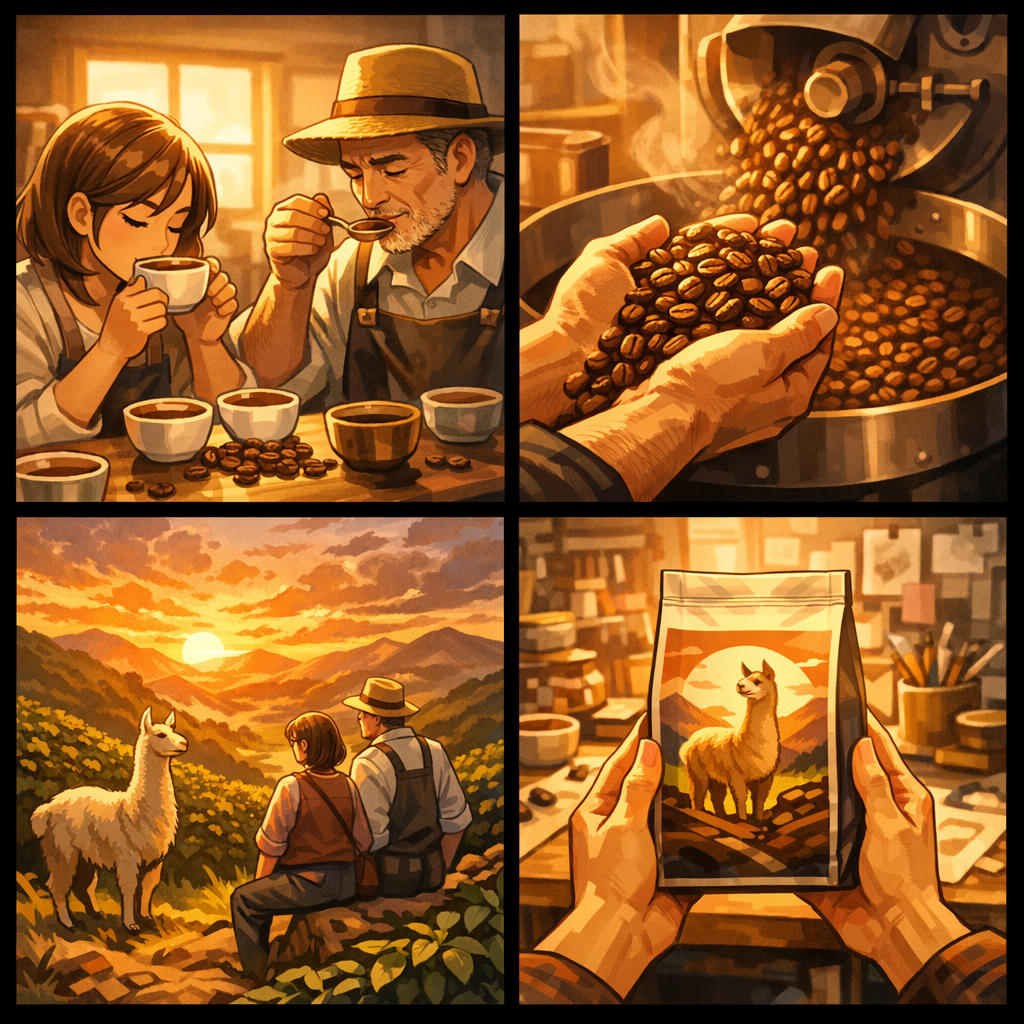
Existující dílo z galerie výzev. Následující cvičení v článku je pouze ilustrační, není původním zdrojem.
Zobrazit ukázkový zdrojRedakční adaptace.
Komiks potřebuje vizuální argument, ne větu do každého políčka. Oddělte, co říká článek, od scén používaných k vysvětlení.
Fiktivní zadání článku
Malá kávová značka si vybudovala svou identitu prostřednictvím opakovaných ochutnávek a pečlivého pražení. Její obal vypráví příběh místa, které zakladatele inspirovalo. Článek sleduje tento proces od první degustace až k hotovému balení.
Zadání je smyšlené a bylo napsáno jako cvičení v adaptaci existujícího uměleckého díla. Nejde o zákaznický článek ani zaznamenanou konverzi.
Použijte ochutnávací seanci k tomu, abyste ukázali, co se zakladatelé snaží objevit.
Scéna pražení dává procesu konkrétní, pozorovatelnou akci.
Použijte krajinu jen pokud článek opravdu podporuje toto prostředí.
Závěrečný balíček propojuje proces s příběhem značky; vyvarujte se přidávání nepodložených tvrzení.
The workflow
Vložte hlavní text článku nebo nahrajte čitelný zdroj. Vynechte navigaci, reklamy a nesouvisející komentáře.
Určete jednu hlavní myšlenku, zamýšleného čtenáře a fakta nebo citace, které musí zůstat v adaptaci.
Zrevidujte každý panel vedle článku. Opravte vymyšlené detaily a rozlišujte ilustraci od citace.
Made for this source
Převádějte strukturu článku na úvod, vysvětlení, důkazy a závěr – ne jen blok zkrácených odstavců.
Vložené texty i nahraná data se přenášejí s požadavkem na tvorbu. Jasné zdrojové hranice usnadňují kontrolu výstupu.
Pokračujte ve Studiu pro zkrácení popisek, změnu pořadí nebo úpravu zavádějící scény před zveřejněním.
The příklad library
Existující ilustrace ukazují, jak proces, změna prostředí nebo zřetelná akce mohou nést informaci. Nezaručují přesnost vygenerované adaptace.
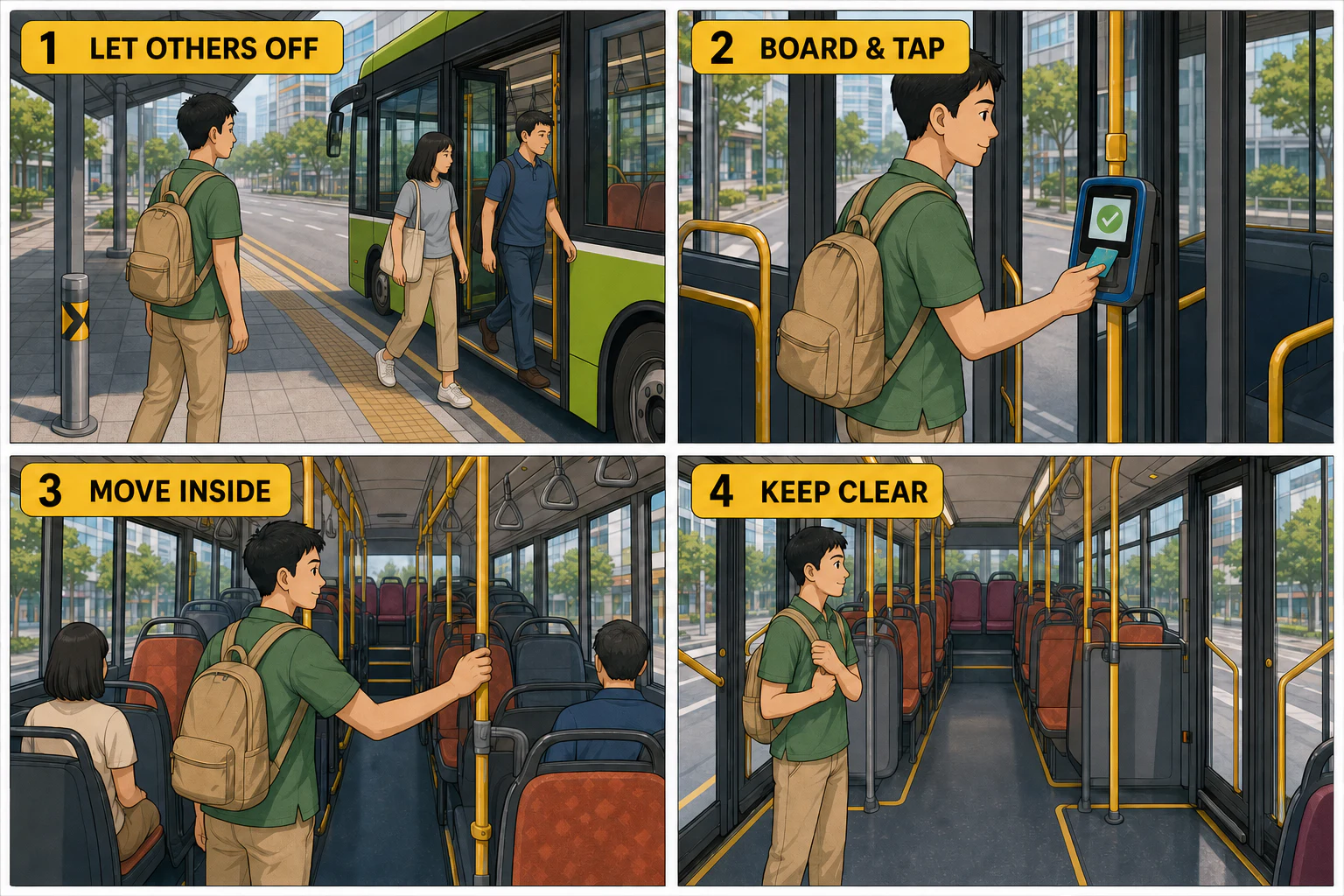
Existující ilustrace LlamaGen, nejde o převod vašeho nahraného souboru.
Zobrazit ukázkový zdroj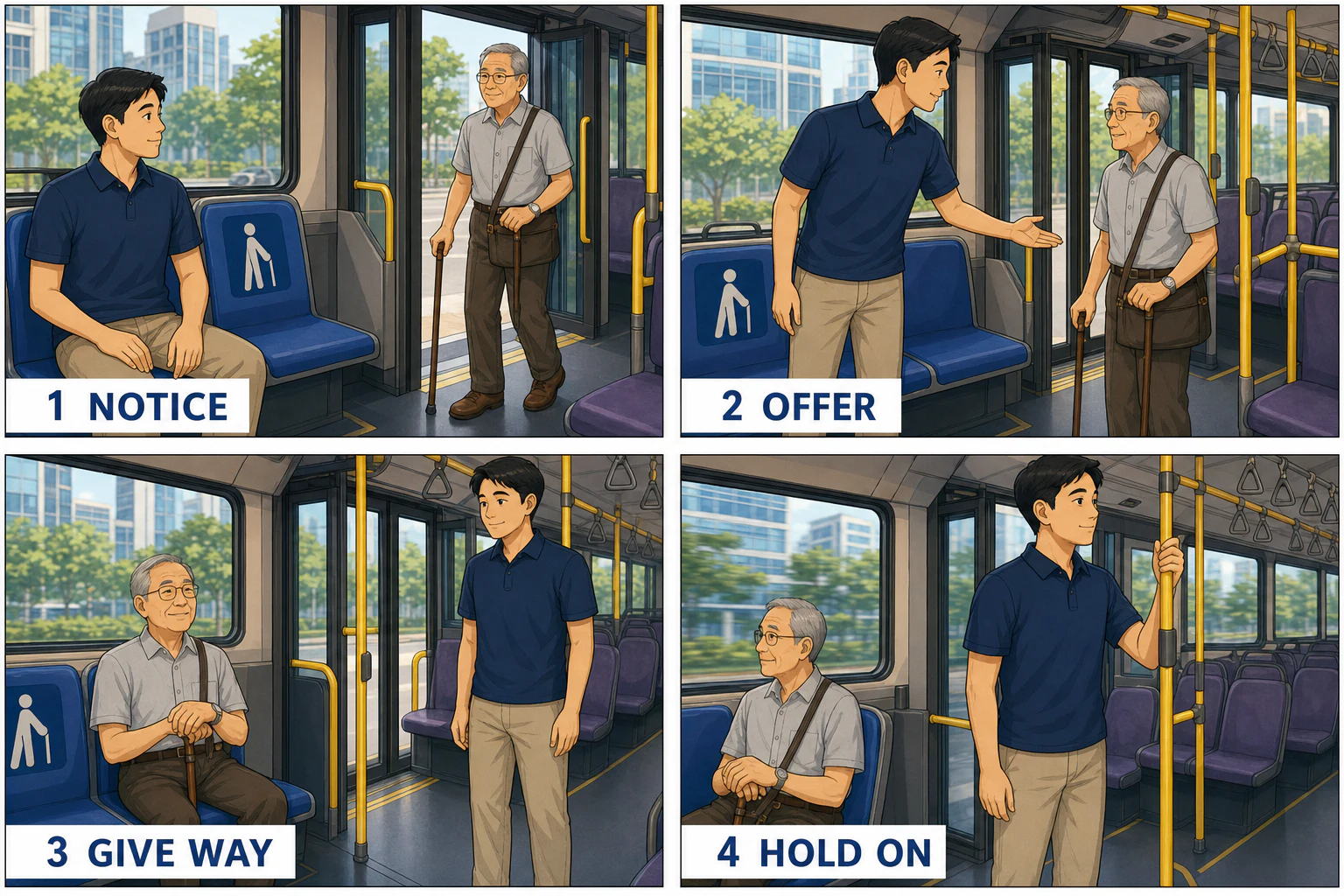
Existující ilustrace LlamaGen, nejde o převod vašeho nahraného souboru.
Zobrazit ukázkový zdrojPut it to work
Proměň jeden nápad ve sekvenci, kterou lze ve třídě probrat, zkontrolovat a upravit.
Vytvořte ilustrovaný doplněk k článku, který zachovává jasnou cestu zpět k plnému kontextu.
Ukažte reálná rozhodnutí a proces za produktem. Nepřidávejte reference, statistiky ani tvrzení, která ve zdroji chybí.
A useful starting brief
Spojte tvrzení článku a jeho upřesnění dohromady.
Vytvořte čtyřpanelový vizuální výklad na základě tohoto článku. Zachovejte hlavní tvrzení, podpůrné důkazy a případné výhrady. Použijte krátké popisky. Nevymýšlejte citace, čísla ani osoby.
Proměň psaný postup v sledovatelné činnosti.
Upravte tento článek jako procesní komiks. Zachovejte pořadí kroků, stejné osoby a objekty a skončete skutečným hlavním sdělením článku. Vyznačte vše, co vyžaduje lidské ověření faktů.
Dejte čtenářům důvod přečíst originál.
Vytvořte stručný komiksový doprovod k tomuto článku pro nové čtenáře. Ukažte ústřední otázku, dvě podpořené myšlenky a závěrečné ponaučení. Neuvádějte komiks jako plnohodnotnou náhradu původního článku.
The review pass
Nedovolte, aby ilustrace proměnila možnost v jistotu. Zachovejte opatrnost článku.
Ověřujte citace a jména. Vymyšlené výroky by nikdy neměly vypadat jako citace opravdové osoby.
Uveďte původní zdroj, kde je to vhodné, a ujistěte se, že jej můžete adaptovat. Před nahráním vymažte osobní informace.
Questions, answered
Vložte hlavní text článku nebo nahrajte soubor. Tato stránka nenabízí ověřené načtení URL ani čtení za paywallem, proto samotná URL nemusí poskytnout zdroj.
TXT, Markdown, HTML/HTM a PDF soubory do 50 MB. Podporován je také vložený text.
Ne. Nástroj vytvoří návrh dle zdroje; jste zodpovědní za kontrolu faktů, citací, jmen a přesnosti adaptace.
Začněte s jednou sekcí nebo zaměřeným úryvkem. Krátký komiks nedokáže zachytit všechny nuance dlouhého článku.
Ano. Použijte pole pro směr k definování čtenáře, vizuálního stylu, důrazu panelů a faktů, které mají být zachovány. Další úpravy jsou možné ve Studio.
Ano, generování využívá kredity vašeho účtu. Nejprve si můžete připravit text; přihlášení i kontrola kreditů používají stávající LlamaGen proces.
From the community
Výše uvedené příklady jsou vybrány z existující knihovny LlamaGen. Pro širší styly a zpětnou vazbu autorů prozkoumejte celou galerii a komunitní stěnu.
Kompletní původní kolekce je zde stále. Jde o obvyklé stylové reference, ne o výsledky z tohoto převodníku. Původní zadání a díla si uchovávají původní jazyk.
Načítání referenční knihovny…
A different starting point
Přiveďte zdroj a jasný směr. Vytvořte první návrh, poté zkontrolujte detaily ve Studiu LlamaGen.
Zpět ke svému zdrojiPřejděte od jednoho vygenerovaného obrázku nebo videa ke komiksům, mange, storyboardům a propojeným vizuálním příběhům.