

Comics for social publishing
Social Media Comics Create social media comics that work on a phone.
Try a basic social comic with eligible free account credits. Review the story before generating the image, then check the separate video cost if you choose to animate the result.
Start with a free account and available starter or earned free credits for eligible basic options. Sign in and review the cost; paid models and other plan limits still apply.
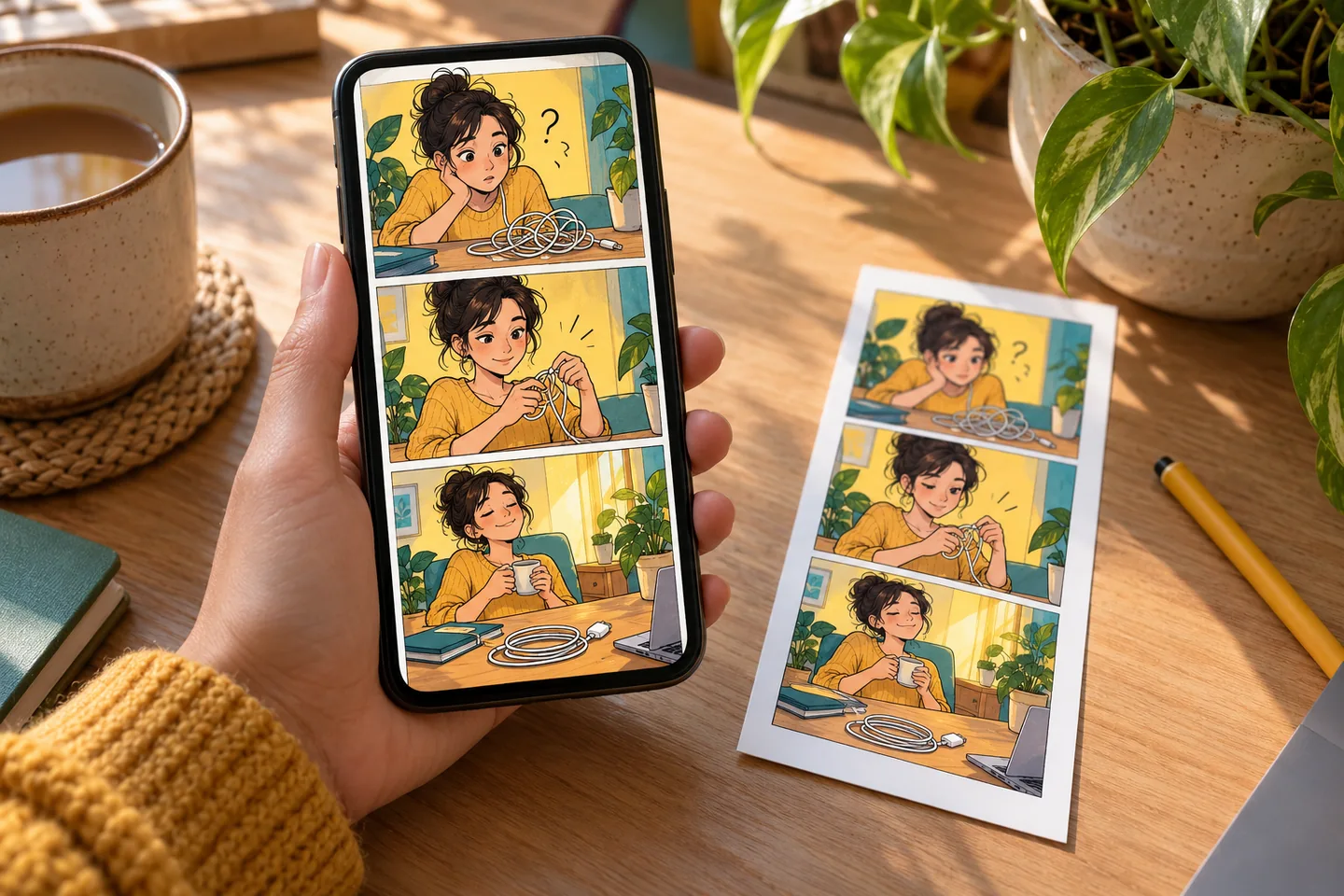
Your workspace
Use the social media comics
Start with a free account and available starter or earned free credits for eligible basic options. Sign in and review the cost; paid models and other plan limits still apply.
Idea
Write or paste
Image
Generate comic
Animate & share
Download or post
Create your comic post
Write a simple idea. We make the image, then animate it.
1. Your idea
Type a moment, joke, lesson, or post idea.
2. Generate image
Turn the story into one comic image.
Reference image
Optional. Add one image for style guidance.
3. Animate & share
Make the image move, then download or post it.
01 / A more useful starting point
Start with one moment people recognise
A launch-day surprise, a classroom explanation or a small workplace misunderstanding can fit a short visual story. Keep one setup and one payoff rather than compressing a whole article into a single image.
Try Social Media Comics
02 / A more useful starting point
Plan the destination before generating
A square feed image, a swipeable sequence and a vertical clip need different framing. Leave space for captions and review the image on a small screen before spending credits on motion.
Try Social Media Comics
Three practical starting points
Try a brief. Check the result. Tweak one thing.
Try these exercises for Social Media Comics, with concrete details to inspect. These are suggested exercises, not recorded customer projects.
A founder’s launch-day story
Suggested brief
A founder schedules a calm launch post while a growing stack of tiny bug notes interrupts the scene; finish with one resolved detail and a relieved smile.
- What to inspect
- Check that the joke reads without a long explanation.
- What to change next
- Reduce the number of panels or background labels if the story feels crowded.
A classroom explanation
Suggested brief
Explain a simple cause-and-effect lesson through a character trying a small experiment, noticing the result and stating one takeaway.
- What to inspect
- Check the factual explanation and legibility of all captions.
- What to change next
- Rewrite the teaching point in plain language before regenerating the art.
A creator update
Suggested brief
Show a creator looking for an idea, sketching a rough scene and finding a useful direction for the next post.
- What to inspect
- Check whether the final frame invites a clear response from the audience.
- What to change next
- Make the ending more concrete rather than adding extra scenes.
From input to a useful output
How to use Social Media Comics
Start with a small task first, then keep the steps that help your project.
- 01
Write the moment
Enter the setup, action and payoff in a short brief.
Check: Keep the message original and easy to explain.
- 02
Review the story
Check the generated or edited scene text.
Check: Correct names, facts and dialogue before generating the image.
- 03
Generate a comic
Choose the available image options and review cost.
Check: Check small-screen reading order and caption size.
- 04
Animate and prepare
Use the available motion workflow if the image benefits from it.
Check: Review the exported file and platform upload rules.
Know the boundaries
What to check before you rely on the output
- The page’s suggested briefs are exercises; they are not customer campaigns or measured engagement results.
- Story preparation, image generation and optional image-to-video animation are separate requests. Check each cost; free eligibility for an image does not make the full animated workflow free. Inspect the downloaded output before posting.
- Generated faces, hands, text and small details can vary. Review the output before using it in a larger project.
Social Media Comics: your questions, answered
Can I use one idea for several social formats?
Yes, but adapt the crop, panel layout and caption placement to the destination rather than assuming a single file suits every platform.
Should I animate every comic?
No. Use motion when it adds meaning. A clear still comic can be more useful than a crowded clip.
What should I review before generating?
Check the story text, facts, references and desired output shape.
Will this guarantee more engagement?
No. This workflow helps prepare creative assets; it does not promise reach, clicks or engagement.
Can I try it for free?
Try eligible basic generation for free when your account has enough available starter or earned free credits. Sign in and review the model, cost and plan limits first. Each request consumes credits; paid-only options and further generations may require a paid plan or purchased credits.
Can I publish the result?
Use references you own or have permission to use. Publishing and commercial use depend on your plan, the Terms of Use and third-party rights; a generated image does not by itself clear those rights.
Sources and further reading
Check the guidance behind the workflow
Each source is linked with its scope. An external reference is not an endorsement or performance certification.
LlamaGen: create and review a first comic
First-party instructions for reviewing panels, correcting a draft and checking available exports. Model costs and controls differ across workspaces; this guide is not a result from this page.
LlamaGen: animation and video workflow help
First-party entry to video setup and review guidance. Available models, inputs, duration and credits must be checked in the chosen studio; this is not an independent video benchmark.
LlamaGen plans, credits and account support
First-party plan information. Check the selected tool for model access and the cost of each generation; contact [email protected] for account questions.
Continue your creative project
Social Media Comics
Start with one clear idea.
Start with a free account and available starter or earned free credits for eligible basic options. Sign in and review the cost; paid models and other plan limits still apply.
Try Social Media Comics