

Convertí una página terminada en viñetas ordenadas y reutilizables.
Subí una página terminada de manga, cómic o webtoon. LlamaGen detecta la estructura de la página, mantiene visibles los globos y textos, y convierte una sola fuente plana en archivos de viñetas ordenadas que editores, traductores, animadores y equipos de archivo pueden usar de verdad.
Pensado para editores de localización, asistentes de manga, equipos de operaciones de webtoon, equipos de archivo y creadores de motion comics que reciben páginas terminadas y necesitan archivos de viñetas sin volver a armar el mapa de recortes a mano.
Hecho para trabajo de producción
Para equipos que necesitan que las páginas se conviertan en archivos utilizables, no solo en previews más lindas.
La persona que realmente usa esto ya tiene una página terminada. Necesita orden de viñetas, márgenes seguros, contexto de globos y archivos que las herramientas posteriores puedan aceptar sin otra ronda de recortes manuales.
Editores de localización
Revisá diálogos y rotulado contra el contexto de la viñeta, incluyendo globos, textos y arte cercano que un recorte bruto puede eliminar por accidente.
Asistentes de estudio
Convertí páginas planas entrantes en assets ordenados antes de empezar con notas de limpieza, redibujos, nombres de archivo o carga al CMS.
Equipos de motion y webtoon
Prepará planos a nivel viñeta y cortes de escenas en scroll largo para reels, motion comics, thumbnails y republicación móvil.
Dolores reales de segmentación
El cuello de botella son todas las decisiones escondidas dentro de cada recorte.
La extracción de viñetas falla cuando ignora el orden de lectura, los globos de diálogo, el ritmo del scroll largo y la próxima persona que tiene que usar los archivos.
El orden de lectura se pierde después de recortes manuales
Una página puede ser obvia para el artista, pero los asistentes igual necesitan nombrar las viñetas en la secuencia correcta de la historia antes de revisar o subir.
Cost: Una viñeta cambiada puede romper el QA de localización, el timing del storyboard o el orden en el CMS.
Fix: Empezá desde un set de assets ordenado y revisá la secuencia antes de entregar.
Globos y textos cruzan bordes de viñetas
Diálogos, textos y efectos suelen quedar cerca de las calles o meterse en arte vecino, especialmente en páginas de manga y acción.
Cost: Los traductores pierden contexto, los rotulistas piden capturas y los editores reabren la página fuente.
Fix: Mantené márgenes seguros alrededor de los globos para que las viñetas sigan siendo significativas fuera de la página completa.
Exportaciones largas de webtoon son difíciles de reutilizar
Un solo scroll vertical es incómodo para thumbnails, QA móvil, ediciones short form y notas a nivel escena.
Cost: Cada rol posterior vuelve a cortar la misma imagen larga para su propia herramienta.
Fix: Dividí páginas largas en cortes de escena manejables que conserven el ritmo y el encuadre móvil.
La página se convierte en un paquete de entrega, no solo en un preview de recortes.
El primer resultado útil es fácil de evaluar: entra una página fuente, salen assets de viñetas ordenadas y cada salida mantiene suficiente contexto para el siguiente paso de producción.
Subí la página terminada
Usá un JPG, PNG, WEBP limpio o una URL directa de imagen de una página de cómic, escaneo de manga, export de webtoon o fuente de archivo.
Detectá estructura y contexto
El modelo lee calles, bordes, globos, textos y cortes de scroll largo como un único layout de producción.
Revisá, renombrá y entregá
Confirmá el orden de lectura, descargá los archivos útiles y envialos a localización, motion, archivo, CMS o herramientas de diseño.
manga_001_rain_platform.webpmanga_002_bubble_qc.webpmanga_003_action_gutter.webpmanga_004_handoff_table.webp scene_001_shop_safe_margin.webp
 scene_002_caption_closeup.webp
Probá una página real antes de comprometer el flujo de trabajo.
Subí una página con formato de producción y comprobá si el resultado mantiene el orden de la historia, el contexto de globos y suficiente margen seguro para tu próximo compañero de equipo.
segmentación de viñetas de cómic
Herramienta impulsada por IA para segmentación semántica precisa de las viñetas de cómic.
Upgrade to paid version to enjoy more advanced models and more stable output. Actualiza ahora
Haga clic para subir o arrastre la imagen aquí
Soporta JPG, PNG, WEBP
Optional context only. Leave it blank when the image is self-explanatory.
Generation Preview
Listo para generar
No generated results yet
Upload an image or select an input example, then click Generate.
Upload your source image
Use an image that includes multiple characters or clear comic panels.
AI pre-checks character/panel count
If only one subject is detected, we stop and ask you to fix the input image.
Run segmentation and cropping
The tool isolates each character/panel as separate assets.
Review and continue editing
Use each cropped result in your next workflow step.
How can you thank us? Spread the word!
Please share the tool to inspire more productive people!
Calidad de entrada
Mejores páginas fuente generan mejores paquetes de viñetas.
La segmentación de viñetas es más sólida cuando la página tiene calles visibles, suficiente resolución y globos que no están destruidos por la compresión o los bordes del recorte.
Mejores páginas fuente
Usá archivos donde una persona editora pueda ver claramente bordes, calles y ubicación de globos con zoom normal.
Entradas de riesgo
Se pueden probar igual, pero esperá más revisión manual antes de la entrega.
Revisar antes de exportar
Tomá el primer resultado como un checkpoint de QA, no como una operación masiva a ciegas.
Valor operativo
Medí el trabajo que se evita antes de empezar localización, motion y archivo.
El valor aparece cuando el trabajo repetitivo de preparar páginas se convierte en un ciclo de revisión: menos arreglos por globos faltantes, nombrado de viñetas más rápido y archivos más limpios para cada rol posterior.
Reducí recortes manuales antes de la revisión
Mové la primera pasada de cajas de recorte manuales a subir, revisar, renombrar y exportar.
Detectá contexto faltante más temprano
Revisá globos, textos, efectos y márgenes seguros antes de que los archivos lleguen a traductores o rotulistas.
Generá archivos para más canales
Reutilizá el mismo set de viñetas para localización, reels, motion comics, thumbnails, cargas al CMS y archivo.
Hacé clara la responsabilidad
Dale a cada persona un paquete de assets nombrados en vez de pedirle que vuelva a recortar la misma página plana.
De un resultado de segmentación a un pipeline repetible de assets de cómic.
Una vez que las salidas están ordenadas y se pueden revisar, la extracción de viñetas se vuelve el primer paso en los flujos de localización, motion, reflow de webtoon y archivo.
Paquete de QA de localización
Exportá viñetas con contexto de globos para que traductores y rotulistas puedan revisar diálogos sin reabrir la página completa en cada nota.
Preparación de planos para motion comic
Enviá las viñetas extraídas a timelines, reels, pruebas de paralaje y herramientas de storyboard con nombres de plano claros.
Entrega a archivo y CMS
Generá archivos de viñetas consistentes para limpieza de metadatos, previews de búsqueda, carga de contenido y republicación en redes.
Matriz de casos de uso
Alineá el resultado de segmentación con la tarea después de exportar.
Distintos equipos de cómic miden el éxito de forma distinta. La página ahora explica qué necesita verificar cada audiencia antes de entregar assets de viñetas.
QA de localización de manga
Reflow móvil de webtoon
Limpieza de archivo
Ejemplos de grado producción
Mirá cómo una página fuente se convierte en un paquete real de viñetas para entrega.
Cada caso usa una página completa entra y viñetas salen recortadas de esa misma fuente, para que quien visita pueda evaluar si la segmentación mantiene el orden, el contexto de globos y la utilidad a nivel escena.
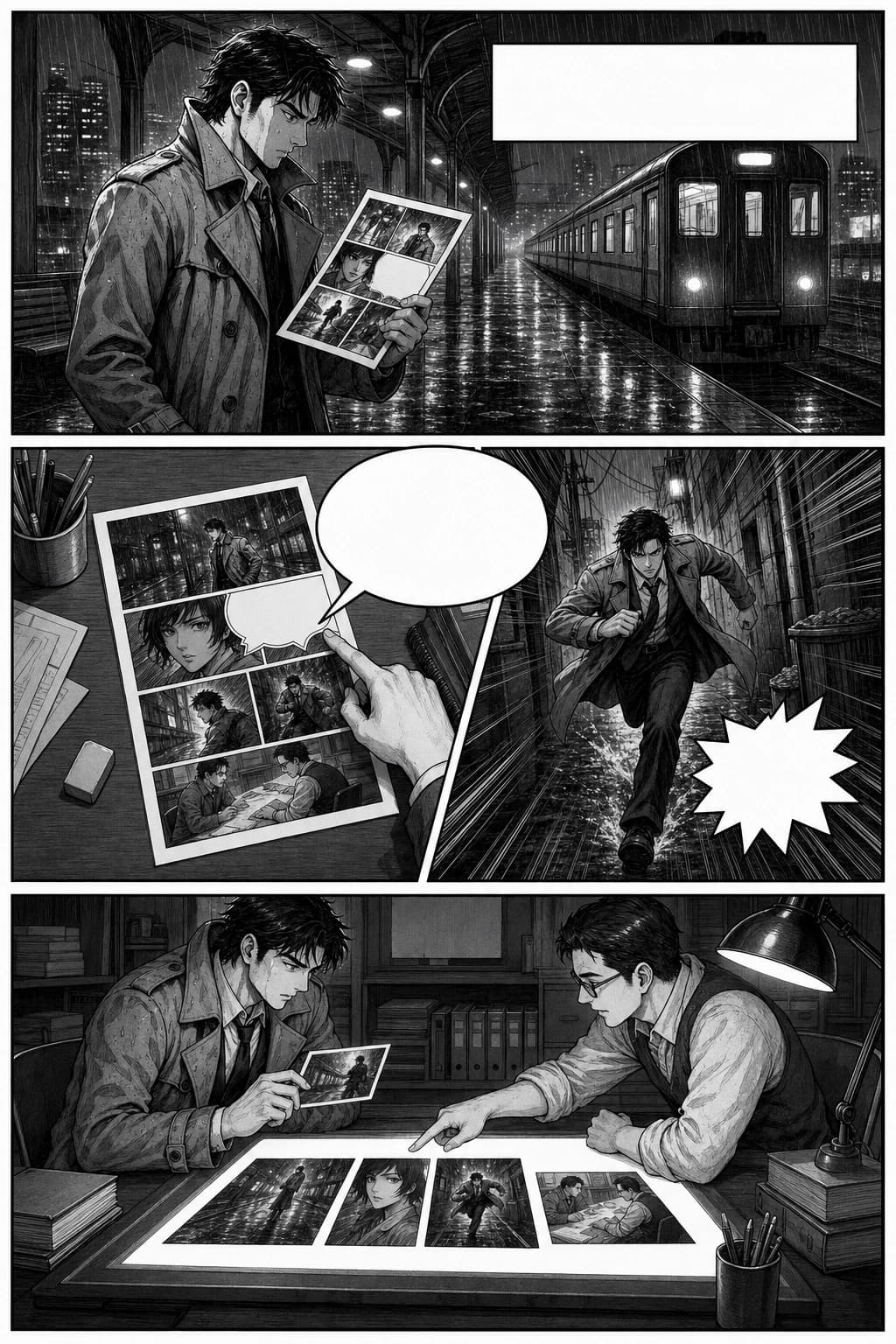
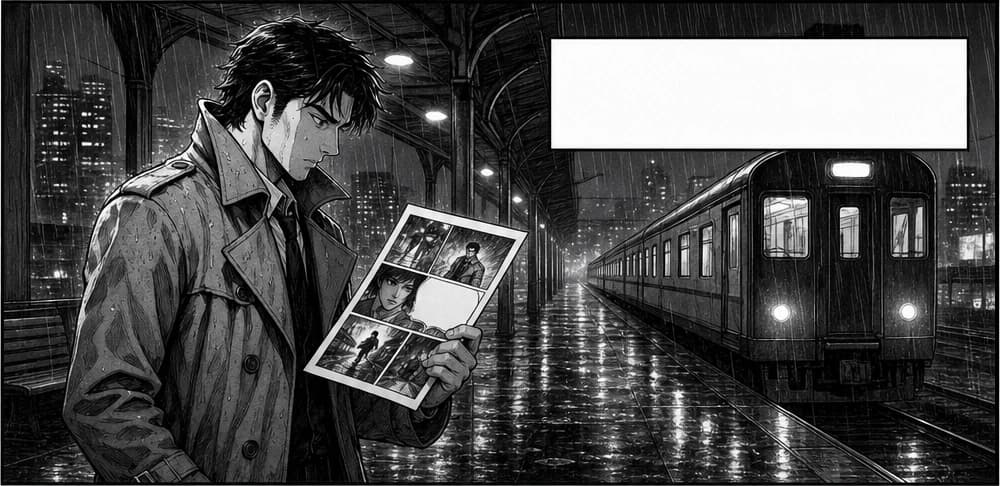
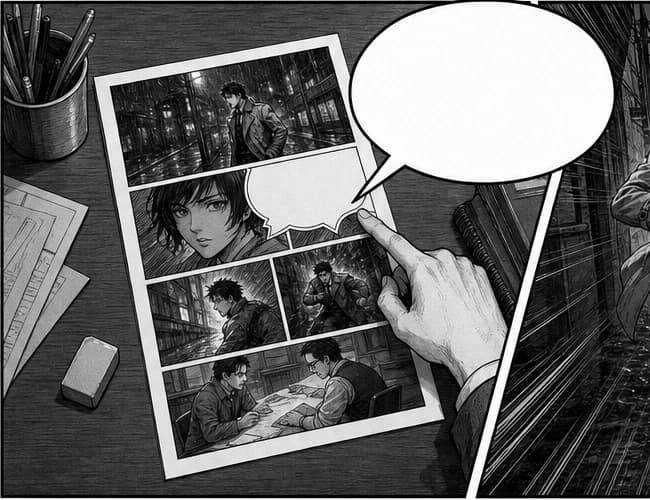
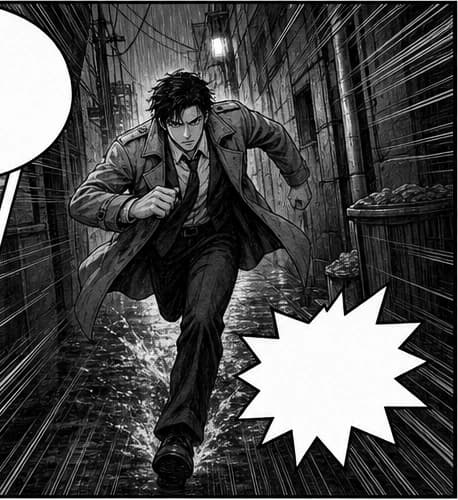
manga_001_rain_platform.webpmanga_002_bubble_qc.webpmanga_003_action_gutter.webpmanga_004_handoff_table.webpPágina de QA de localización de manga a pack ordenado de viñetas
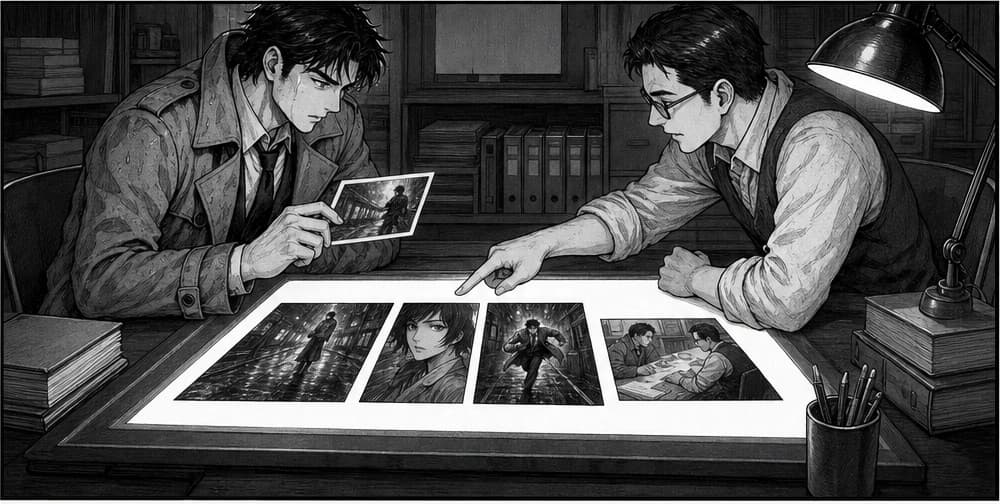
Una página de manga monocroma con una viñeta de apertura lluviosa, un globo que cruza la calle, un beat de acción y una escena de entrega editorial. El equipo necesita orden de historia y contexto de globos intactos antes del QA de traducción.
manga_001_rain_platform.webpmanga_002_bubble_qc.webpmanga_003_action_gutter.webpmanga_004_handoff_table.webpPágina de QA de localización de manga a pack ordenado de viñetas
Extrae cuatro assets legibles de la misma página fuente para que los editores puedan revisar composición, ubicación de globos, márgenes seguros y nombres de archivo sin dibujar cajas de recorte.
 scene_001_shop_safe_margin.webpscene_002_caption_closeup.webp
 scene_003_crosswalk_action.webp
Export vertical de webtoon a cortes de escena listos para móvil
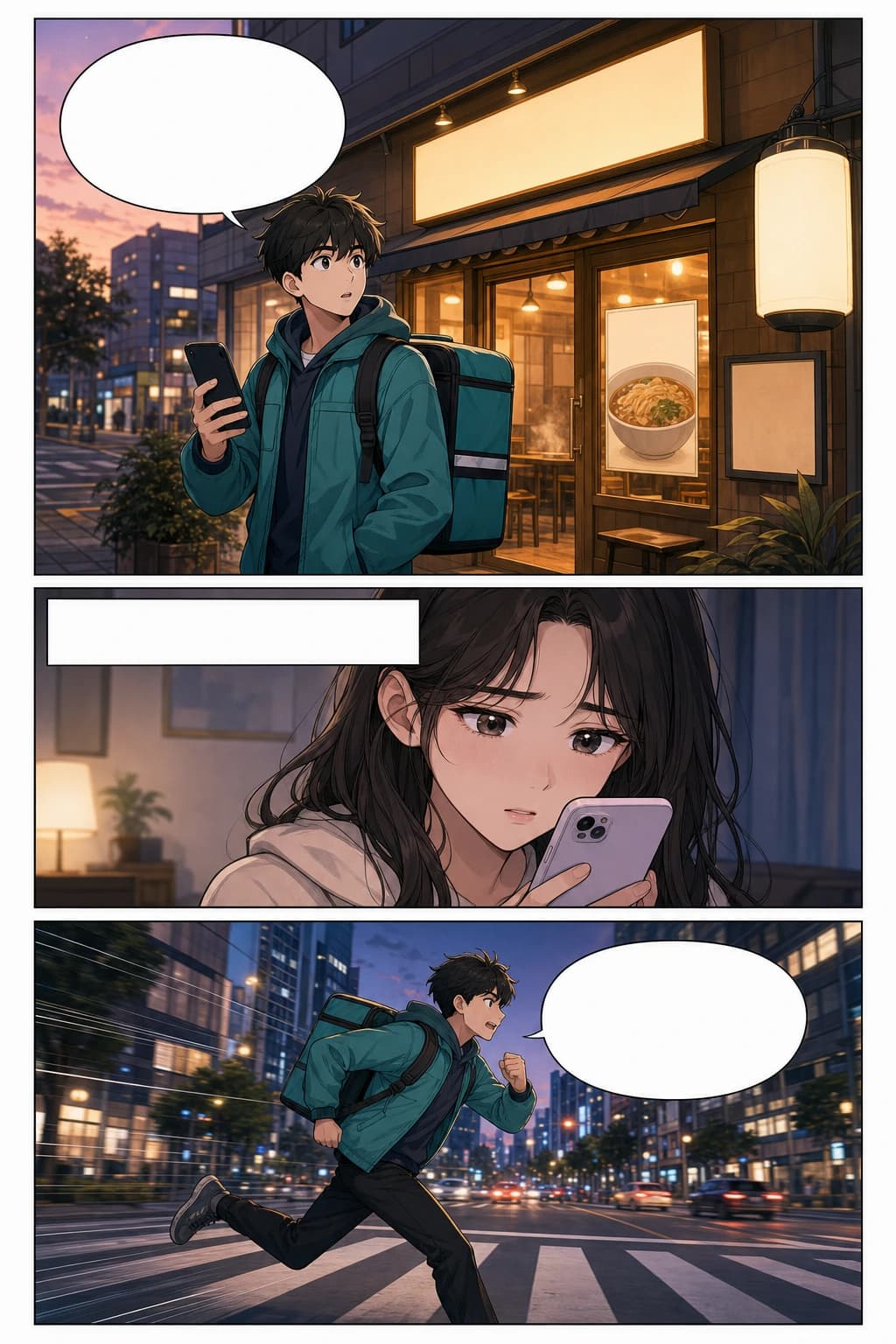
Convierte una página fuente alta en assets a nivel escena desde la misma imagen, para que operaciones de webtoon, editores de social y equipos de motion no sigan recortando el scroll manualmente.
Segmentación de viñetas con IA vs recorte manual
El recorte manual parece simple hasta que cada rol posterior necesita la misma página preparada, nombrada, revisada y corregida otra vez.
| Necesidad del flujo de trabajo | Segmentación con LlamaGen | Recorte manual |
|---|---|---|
| Preparación de primera pasada | Subir, detectar, revisar, exportar | Dibujar cada caja de recorte a mano |
| Orden de lectura | Revisado como set de assets ordenado | Depende de disciplina al nombrar manualmente |
| Contexto de globos de diálogo | Chequeado con márgenes seguros alrededor de la viñeta | Es fácil cortar globos o incluir demasiado del vecino |
| Manejo de webtoon largo | Cortes de escena para flujos móviles | Un scroll gigante recortado de nuevo por cada persona |
| Entrega posterior | Paquete reutilizable de viñetas nombradas | Cada rol suele volver a arrancar desde la página plana |
¿Qué diferencia un recorte débil de un asset de viñeta útil para producción?
La página debería ayudar a evaluar calidad. Estos chequeos se conectan directo con los errores que los equipos de cómic ya corrigen a mano.
| Check | Recorte débil | Salida útil para producción |
|---|---|---|
| Orden de lectura | Los archivos se exportan como recortes al azar sin secuencia de historia. | Los nombres de viñetas y el orden de los previews siguen la dirección de lectura de la página. |
| Contexto de globos | Diálogos o textos se recortan lejos del beat visual. | Globos, textos y arte cercano siguen visibles suficiente para QA. |
| Margen seguro | Líneas de arte importantes tocan el borde del recorte o pierden efectos. | Cada viñeta conserva suficiente borde para rotulado, redibujos y trabajo de motion. |
| Uso posterior | La próxima persona igual abre Photoshop para recortar todo de nuevo. | Las salidas avanzan a herramientas de localización, CMS, archivo o timelines. |
Elige el plan que más te convenga
Disfruta de creatividad de IA de alta calidad a través de planes de suscripción flexibles.



Plan estándar
Más créditos llevan a más opciones de creación
15000 créditos se renuevan mensualmente
Tiras de una página y diseños de cómics multipágina
Rotulado y subtítulos de cómic con IA
10 Personajes de Cómic Personalizados
Uso ilimitado de GPT-4o
Generación Rápida
Modelos avanzados de imágenes de IA
Salida estable de narración
Crea hasta 20 paneles por prompt
Plan Pro
Generaciones infinitas para ideas ilimitadas
45000 créditos/mes
Todo en ESTÁNDAR
Consistencia de Personajes
Acceso al primer agente de cómic del mundo
Cómic a Video
Exportá tus creaciones en HD para publicar
Creación de personajes ilimitada
Storyboards ilimitados
Generación más rápida
Términos comerciales generales
Plantillas ilimitadas
Acceso anticipado a funciones avanzadas de IA
Crea hasta 40 paneles por prompt
Plan ilimitado
Rápido, para uso empresarial, y con acceso exclusivo
135000 créditos/mes
Todo en PRO
Every feature unlocked
Proyectos ilimitados
Consistencia de Personajes
Acceso al primer agente de cómic del mundo
Personajes ilimitados en tus cómics
Generación de video más rápida
Acceso a todos los modelos Seedance
Suite Global de Lenguaje
Términos comerciales generales
Gerente de Cuenta
Acceso a todos los modelos y funciones
Crea hasta 64 paneles por prompt
Plan de Producción Ilimitada
Para creadores profesionales. Ideal para cómics, animaciones, películas y series.
270000 créditos/mes
Suficiente para aprox. 450 páginas de cómic por mes
Todo lo incluido en ILIMITADO
Proyectos ilimitados
Longitud de historia ilimitada
Consistencia de Personajes
Acceso al primer agente de cómic del mundo
Personajes ilimitados en tus cómics
Generación de video más rápida
Acceso a todos los modelos Seedance
Suite Global de Lenguaje
Términos comerciales generales
Gerente de Cuenta
Acceso a todos los modelos y funciones
Crea hasta 64 paneles por prompt
Paquete de Créditos

30000
55,000créditos+83.33%
30000
55,000créditos+83.33%
30000
55,000créditos+83.33%
30000
55,000créditos+83.33%















6000
7,500créditos+25.00%

12000
20,000créditos+66.67%

30000
50,000créditos+66.67%
55000
55,000créditos
Valid for 30 days
One-time payment
No auto-renew
FAQ sobre segmentación de viñetas de cómic
¿Qué hace que una página fuente sea buena para segmentación de viñetas?
Usá un JPG, PNG o WEBP limpio donde se vean bordes, calles, globos y textos. Las páginas terminadas en alta resolución funcionan mejor que fotos borrosas, escaneos doblados o páginas recortadas demasiado al borde de la fuente.
¿En qué se diferencia de un recortador de imágenes normal?
Un recortador normal solo corta rectángulos. LlamaGen está diseñado alrededor de la estructura de la página de cómic: orden de viñetas, globos, textos, efectos, márgenes seguros y el contexto de producción que necesita la próxima persona.
¿Puede manejar páginas de manga, webtoon y layouts irregulares?
Sí, el flujo está pensado para páginas de manga, layouts de cómic occidental, viñetas diagonales, beats de acción superpuestos y exports verticales largos de webtoon. Igual conviene revisar el resultado antes de entregar a producción.
¿Qué tengo que revisar antes de descargar las viñetas?
Confirmá orden de lectura, contexto de globos, margen seguro y nombres de archivo. Si se fusionan viñetas pequeñas o falta contexto, recortá la fuente un poco más cerca, usá una página más clara o volvé a correr antes de enviar salidas a trabajo de localización, motion, archivo o CMS.
¿Qué puedo hacer con las viñetas extraídas?
Usá los assets de viñetas para QA de localización, rotulado, notas de redibujos, timelines de motion comics, reflow de webtoon, thumbnails para redes, limpieza de archivo, carga al CMS o entrega a herramientas de diseño.
Antes de entregar el paquete de viñetas, revisá estas cuatro cosas.
Esto convierte la página de demo en una guía de producción: quien visita sabe cómo decidir si el resultado de segmentación está listo para el siguiente rol.