Logotipo de LlamaGenmarca LlamaGen
Iniciar SesiónSuscríbete ahora20% de descuento
  1. Inicio
Batch Comic Production Workflow: Draft, Approve, Repair, and Export 40 Pages
Todos los posts

Batch Comic Production Workflow: Draft, Approve, Repair, and Export 40 Pages

Jay
Jay
30 de octubre de 2026
Copiar enlace
  • Why a long comic needs a production ledger
  • Step 1: Lock the brief and divide the book
  • Step 2: Make the pilot representative
  • Step 3: Use documented requests and retain job IDs
  • Step 4: Separate technical success from editorial approval
  • Step 5: Repair only the affected panel
  • Step 6: Audit the 40-page ledger before export
  • What time and credits should you track?
  • Release checklist
  • FAQ
  • Can I request all forty pages at once?
  • Does a completed API job mean a page is approved?
  • Should a failed panel trigger a full batch rerun?
elevate-your-comics.png
Eleva tus cómics con LlamaGen

To produce a 40-page comic reliably, approve a small pilot, generate in reviewable batches, repair failed panels, and assemble exports from approved versions. A successful generation request is only one stage of production.

Begin with the LlamaGen.AI Comic API when you need a repeatable integration. This guide provides a worked planning example for forty four-panel pages. It does not claim that forty finished pages were generated or benchmarked for this article.

Why a long comic needs a production ledger

The hard question is usually not whether one page changed, but which other pages depend on that change. A creator discussion about a 40-page comic describes how updating a character can leave teams unsure about affected pages and downstream assets.

Give each page a stable ID and connect it to the approved script, reference version, generation job, review decision, and export. That record makes corrections traceable and helps protect already approved work.

Our example follows Mira through a railway-station mystery. Her copper bob, teal coat, and brass compass remain fixed. The book contains forty pages with four planned panels per page: 160 planned panel slots. Covers and promotional crops are separate deliverables.

Step 1: Lock the brief and divide the book

Write a short production brief before submitting work:

Project: Station Compass
Length: 40 story pages, 4 panels per page
Character: Mira, copper bob, teal coat, brass compass
Location: rainy station, blue train, warm lamps
Reading direction: left to right
Dialogue: maintained separately for final lettering
Approval owner: named editor

Then choose a batch schedule that leaves room for review:

StagePagesPurpose
Pilot1–3Verify identity, pacing, panel count, and lettering space
Batch A
Related hot tags

Comic Production

API de cómics

Consistencia de Personajes

Herramientas populares para creadores

Convierte tu inspiración en tu próxima historia

Crea cómics, storyboards y fotos estilizadas con LlamaGen.

01

Generador de Cómics de IA

Convierte una idea en tiras cómicas pulidas en minutos.

Crear cómics
02

Generador de Manga de IA

Crea arte manga expresivo y relatos de varias viñetas.

Crea manga con IA
03

Generador de Storyboard de IA

Visualiza cada escena antes de empezar la producción.

Crea storyboards con IA
04

Convierte imagen en cómic

Transforma cualquier foto en una ilustración estilo cómic.

Crea cómics a partir de imágenes
05

Creador de Tiras de Cómics de IA

Arma tiras listas para compartir con personajes consistentes.

Crea tiras cómicas con IA

LlamaGen community

checkmark

Get hands-on help with your comics

checkmark

Showcase your comics to fellow LlamaGen creators

checkmark

Participate in special events to win gifts

Registro de cambios

Enciende sueños para los jóvenes
Donde millones de historias cobran vida

Un resumen de los últimos lanzamientos de funciones de LlamaGen, mejoras del producto, actualizaciones de diseño y correcciones importantes de errores.
✦
✧
✦
✧

Un nuevo medio para contar historias

Crea historias, cómics, animaciones, juegos y más sin límite, en segundos y con un estilo que conecta con las audiencias modernas

4–11
Establish a repeatable production rhythm
Batch B12–19Check the first major scene transition
Batch C20–27Review the central reveal and recurring props
Batch D28–35Protect continuity during the climax
Final batch36–40Resolve the story and check the complete sequence

These are editorial batches, not a promise about the maximum pages accepted by an API request. Check current account limits before choosing request sizes.

Step 2: Make the pilot representative

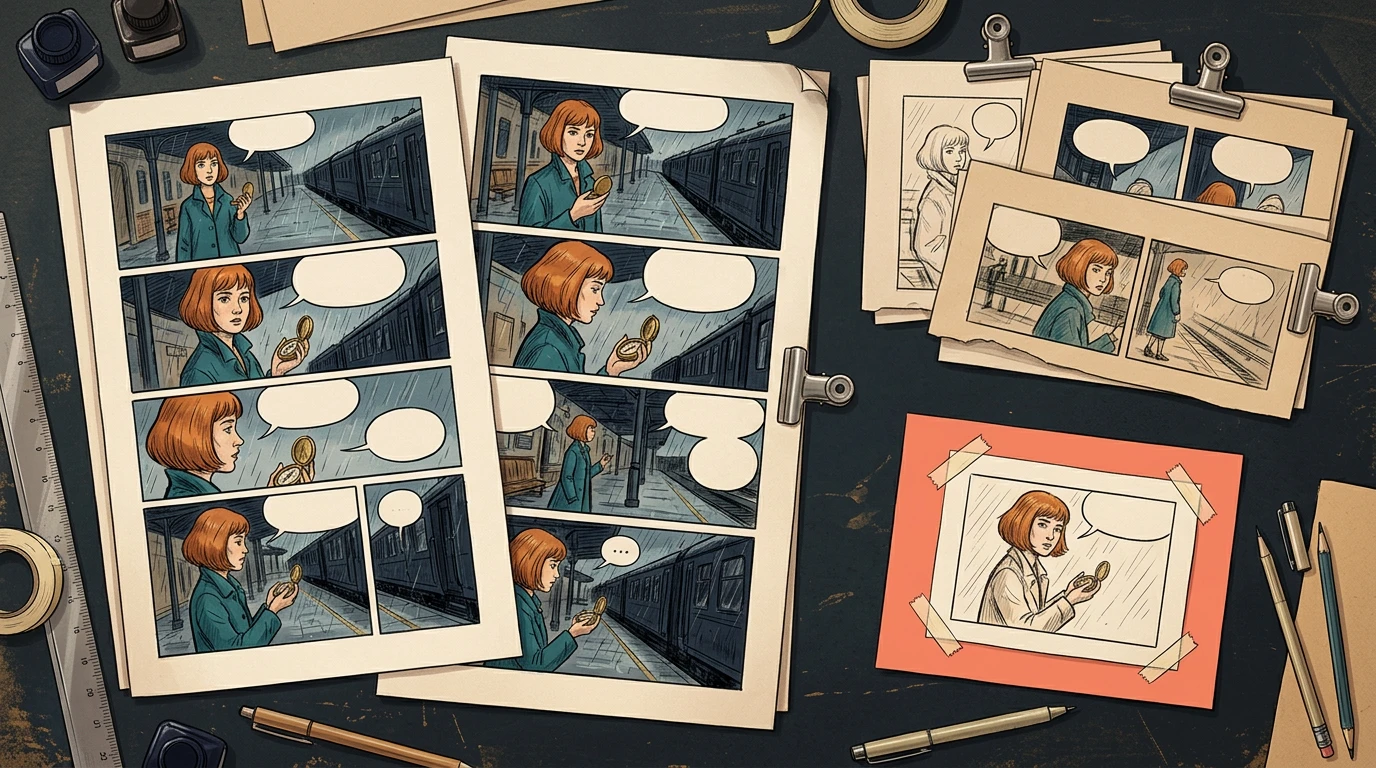
Include a wide establishing shot, a face close-up, a prop interaction, a two-character exchange, and a page turn somewhere in the first three pages. Three nearly identical portrait pages will not reveal the book's hardest problems.

A conceptual production board with pilot pages, review gates and later batches

The illustration shows the approval structure. It is not a screenshot of forty generated pages.

Review the pilot for story clarity as well as image quality. Check that the compass stays recognizable, the character does not drift between camera distances, and dialogue can fit without covering a hand or face. Save the approved references and script versions before expanding production.

If the pilot fails, record the cause and update the shared brief. Correcting a shared instruction during the pilot limits how many later pages can inherit the same problem.

Step 3: Use documented requests and retain job IDs

The current Comic API documentation supports multi-page input through a nested pagination object. The following is a request-shape example, not a request executed by this article:

{
  "prompt": "Create the first three pages of Station Compass from the approved panel script.",
  "preset": "japanese_manga",
  "pagination": {
    "totalPages": 3,
    "panelsPerPage": 4
  }
}

Do not combine this pagination mode with fixPanelNum. Keep API tokens private. Store the returned generation ID, then retrieve status and assets using the documented status endpoint. Record returned usage rather than estimating a universal price per page.

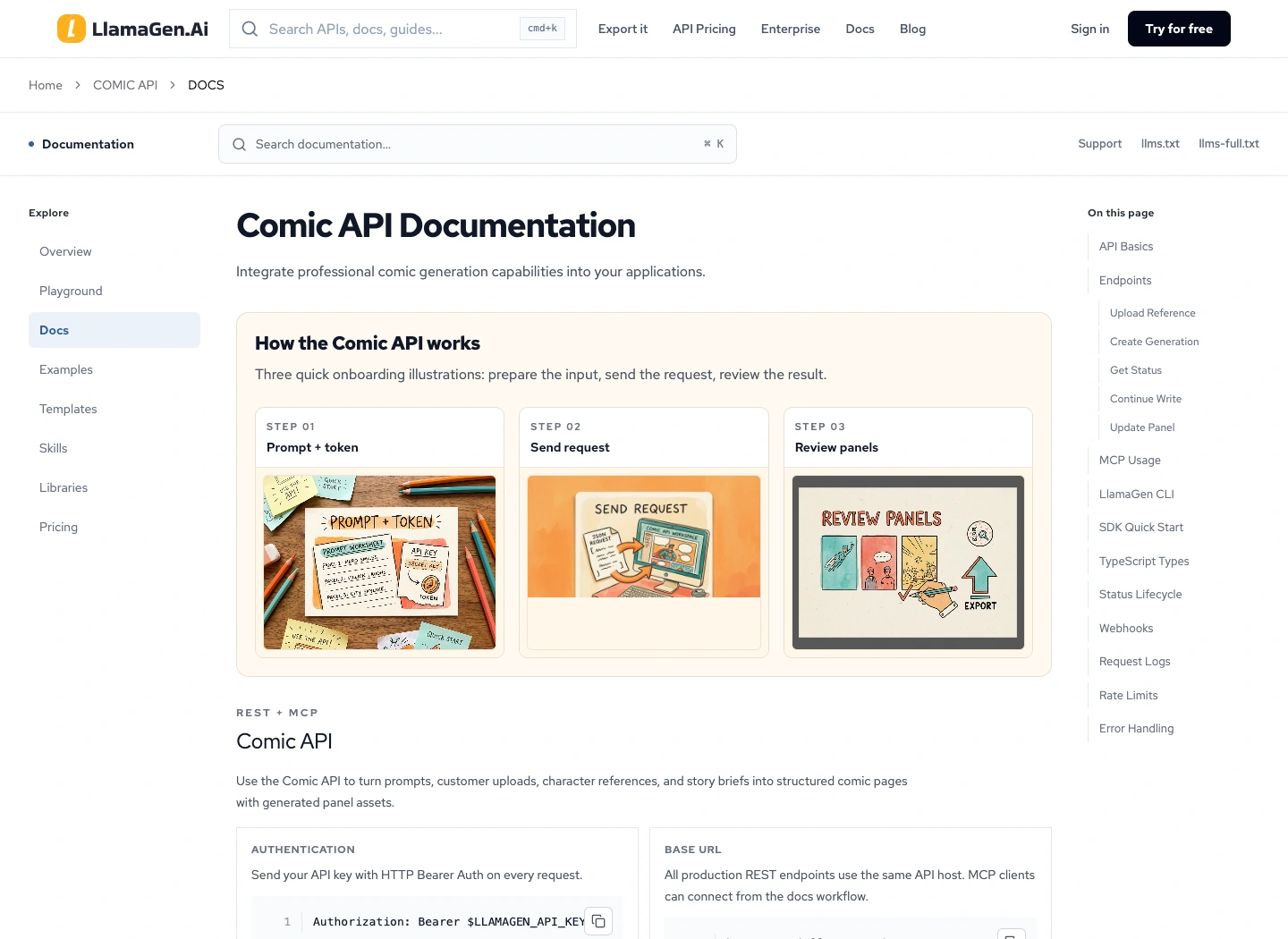
The public Comic API documentation page captured during preparation

For each submitted job, preserve the input and the response together. When a response is delayed, inspect the existing job before submitting another request. Follow the documented idempotency behavior; changing a retry key can create a separate job and additional cost.

Step 4: Separate technical success from editorial approval

A job can complete while a page still has a missing beat, an incorrect coat, or unreadable balloon space. Keep generation state and editorial state in separate fields.

page_id,batch,script_version,reference_version,job_id,review_state,export_version
P001,pilot,v03,mira-v02,record-returned-id,approved,v01
P002,pilot,v03,mira-v02,record-returned-id,repair-required,
P003,pilot,v03,mira-v02,record-returned-id,awaiting-review,

Use explicit decisions such as awaiting-review, repair-required, and approved. Assign an owner and a reason to every rejection. Keep earlier approved files until the replacement has passed review.

At the end of each batch, inspect the transition into the next one. A correct last panel and a correct first panel can still disagree about where a character is standing or which hand holds the prop.

Step 5: Repair only the affected panel

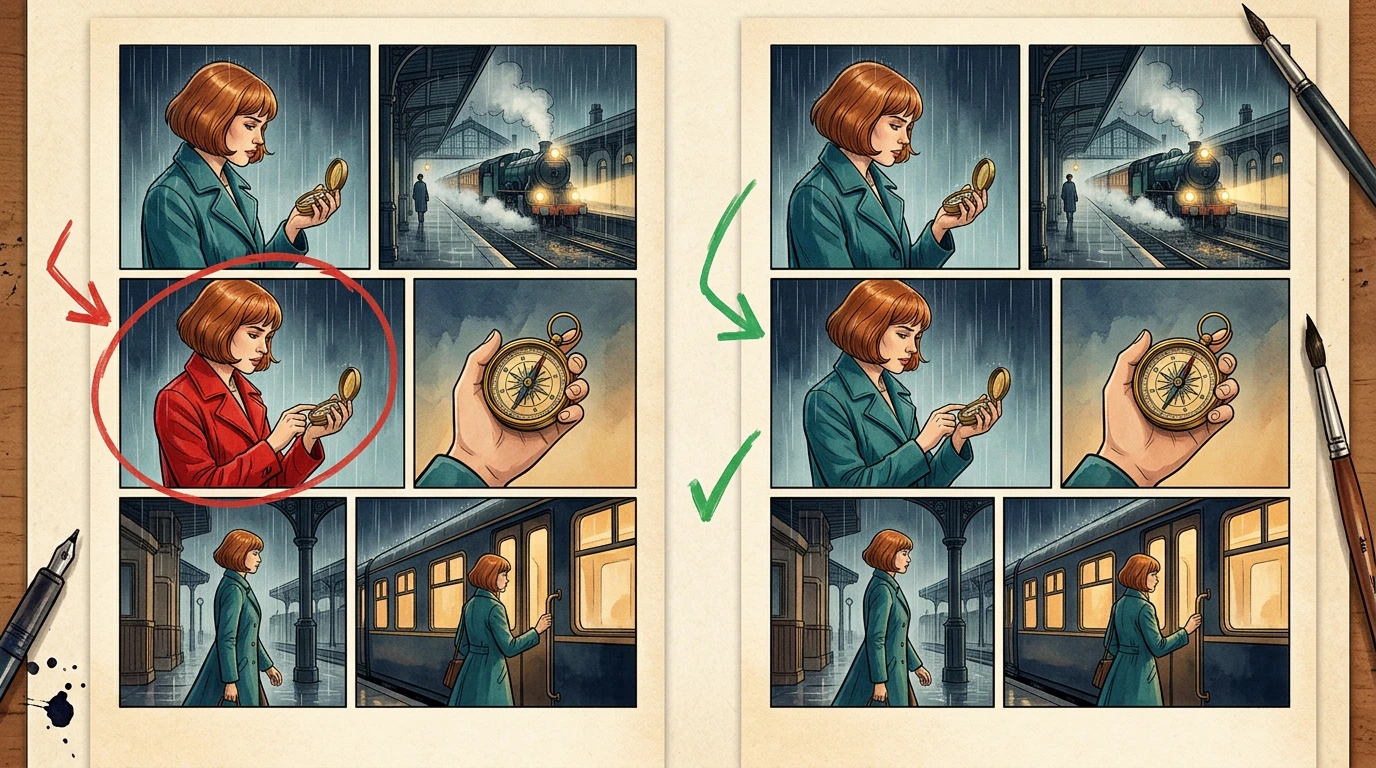
Suppose P017 has one panel where Mira wears a red coat. Record that single defect rather than rejecting every image in the batch.

A conceptual before-and-after comic page illustrating a single coat-color correction

The API documents a panel-update request on an existing generation. Page and panel indexes are zero-based. Map those indexes from the actual job result; P017 in your book is not automatically page index 16 inside every batch.

Use a repair brief such as:

Restore Mira's teal coat and copper bob in this panel.
Preserve the camera, station, compass, pose and other characters.
Do not revise the surrounding panels.

After repair, review the adjacent panels and refresh only the exports that use the changed page. The reference-change audit guide covers broader dependency changes.

Step 6: Audit the 40-page ledger before export

Check uniqueness, complete page coverage, approval, and current export versions. A simple local planning check can catch missing records before anyone assembles the book:

expected = {f"P{i:03d}" for i in range(1, 41)}
actual = [row["page_id"] for row in pages]
assert len(actual) == len(set(actual)), "Duplicate page ID"
assert set(actual) == expected, "Missing or unexpected page"
assert all(row["review_state"] == "approved" for row in pages)
assert all(row["export_version"] for row in pages)

In the accompanying local planning exercise, one deliberately unapproved page blocks export until its review record is corrected. This tests the ledger rule, not the visual quality of forty comic pages. An editor still needs to read the full book.

What time and credits should you track?

Track generation, review, repair, lettering, assembly, and final reading separately. Save actual returned usage for each job and measure human review time with the same boundaries for each batch.

Use this budget structure:

Total production cost = pilot + accepted batches + repairs + export work
Total elapsed time = generation waits + review + repair + assembly

Do not extrapolate a whole book from one attractive panel. A useful pilot estimate includes rejected results and cleanup.

Release checklist

  • Forty unique story-page IDs are present in the intended order.
  • Every page has an editorial approval and current export version.
  • Character, location, and prop references are traceable.
  • Dialogue and credits have been proofread.
  • Page boundaries and scene transitions read continuously.
  • Files reopen on another device without missing assets.
  • Cover, thumbnails, and promotional crops use approved versions.

Start with a three-page brief in Comic API. Expand only after you can explain why those pages pass. For team production requirements, the enterprise route can help scope the integration.

FAQ

Can I request all forty pages at once?

Use the current API and account limits to determine what is accepted. Editorial batch size should also reflect how much your team can inspect before continuing.

Does a completed API job mean a page is approved?

No. Completion is a technical state. Approval requires review of the result against the brief.

Should a failed panel trigger a full batch rerun?

First identify the cause. A local defect can often be repaired individually; a shared reference or script problem may affect several pages and should trigger an impact audit.

Product documentation reviewed November 2, 2026. Figures and the planning ledger are instructional examples; no forty-page speed or cost benchmark is claimed.

Logotipo de LlamaGen
  • United States
  • Español
  • Français (France)
  • 日本語
  • 한국어
  • Deutsch
  • 繁體中文 (台灣)
  • 繁體中文 (香港)
  • 简体中文
  • Português
  • Italiano
  • Español (México)
  • العربية
  • Русский
  • Português (Brasil)
  • Tiếng Việt

Liderando el futuro de la generación de cómics con IA

  • soporte 24/7
  • Actualizaciones semanales
  • Seguro y conforme
  • 99.9% de tiempo de actividad

Descarga LlamaGen gratis

iOSEscritorio

Pregunta a la IA sobre LlamaGen

Producto

  • Últimos lanzamientos
  • Características
  • Creador de tiras cómicas
  • Estudio de mangaNuevo
  • Convierte Foto en Cómic
  • Cómic a Video
  • Fábrica de Cómics de IA
  • Agente de cómic
  • iOS y Android
  • Mac y Windows
  • Descargar
  • Comic ZapNuevo
  • Generador de Cómics de IA
  • Generador de Dibujos Animados de IA
  • Generador de Webtoon de IA
  • Creador de Tiras Cómicas
  • Convierte Foto en Cómic
  • Generador de Manga de IA
  • Traductor de Manga
  • Foto a anime
  • Anime a vida real
  • Coloreador de manga
  • Generador de personajes de anime
  • Herramientas para assets de juegos pixelados
  • Generador de hojas de sprites con IA
  • Mejores herramientas para juegos pixelados 2026
  • Creador de cómics con fotos
  • Alternativa a Comic Life

Productos relacionados

  • Familia LlamaGen
  • CineoBoardNuevo
  • API de Cómics

Planes

  • Precios
  • Inicial
  • Pro

Comunidad

  • Creadores
  • Afiliados
  • Socio

AI Models

  • Grok Imagine Image 2.0
  • Wan 3.0
  • Wan 3.0 Prime
  • Seedance 2.5
LinkedInX (Twitter)
  • Inicio
  • Artículos
  • Blog
  • Crear
  • Precios
  • API
  • Affiliate ProgramNEW

Blogs anteriores

Storyboard-to-Video Handoff Checklist: Shots, Timing, Audio, and Continuity

Storyboard-to-Video Handoff Checklist: Shots, Timing, Audio, and Continuity

Turn approved storyboard frames into a clear video handoff with stable shot IDs, timing, motion note

Jay
Jay
1 de noviembre de 2026
How to Localize a Comic Without Redrawing the Artwork

How to Localize a Comic Without Redrawing the Artwork

Preserve approved comic art while translating dialogue, rebuilding editable lettering, checking read

Jay
Jay
31 de octubre de 2026
Batch Comic Production Workflow: Draft, Approve, Repair, and Export 40 Pages

Batch Comic Production Workflow: Draft, Approve, Repair, and Export 40 Pages

Plan a 40-page AI comic with a pilot, reviewable batches, a page ledger, selective repairs, and expo

Jay
Jay
30 de octubre de 2026
From a Flat AI Image to an Editable Comic Page

From a Flat AI Image to an Editable Comic Page

Turn a finished comic image into an editable comic page by reviewing an asset sheet, extracting tran

Jay
Jay
28 de octubre de 2026
  • Comic Zap
  • Velika
  • Empresa
  • Educación
  • API de cómics
  • Contactar con Ventas
  • Planes educativos
  • Profesores
  • Estudiantes
  • Profesores y estudiantes
  • Empresas emergentes
  • Descuentos educativos
  • Empresa

    • Habla con nuestro fundador
    • Acerca de
    • Hoja de Ruta del Producto
    • Carreras
    • Envíanos un correo electrónico
    • El mundo de nuestra mascota
    • Kit de medios
    • Colaboración con KOL
    • Contenido

    Ayuda

    • Centro de Ayuda
    • Confianza
    • IA segura
    • Servicios profesionales
    • Preguntas Frecuentes
    • Seguridad
    • Accesibilidad
    • Tutorial en video
    • Contáctanos
    • Mapa del sitio
    Testimonios
  • Muro del Amor
  • MCP de LlamaGenNuevo
  • Desarrollador de LlamaGen
  • Recursos

    • Registro de cambios
    • Blog
    • Guías
    • Cómics personalizados
    • Características
    • Alternativas
    • Mejores apps de IA
    • Guía de coloreo de manga con GPT-6
    • Habilidad de Claude para cómic
    • Guía de cómic con IA de Gemini
    • Cómic That
    • Descuentos educativos
    • Descuento para estudiantes

    Herramientas

    • Generador de logotipos con IA
    • Generador de personajes estilo Grokbot
    • PNG a cómic
    • Texto a cómic
    • PDF a cómic
    • Guion a cómic
    • Libro a cómic
    • Convierte Foto en Cómic
    • Generador de Pixel Art con IA
    • Cómics educativos
    • Generador de Video AI
    • Generador de videos Gemini AI
    • Generador Gratuito de Videos Anónimos con IA
    • Cómic a Video
    • Software para crear guiones gráficos
    • Generador de Storyboard de IA
    • Software de escritura de guiones
    • Editor de guiones
    • IA de historias
    • Generador de Historias de IA
    • Generador de cuentos ilustrados
    • Generador de Imagen de IA
    • Divisor de capas con IA
    • Control de ángulo de cámara con IA
    • Generador de Pixel Art con IA
    • Herramientas para assets de juegos pixelados
    • Generador de hojas de sprites con IA
    • Cortador de hojas de sprites
    • Mejores herramientas para juegos pixelados 2026
    • API de Animación
    • ChatGPT/Plugin de Codex
    • Guía de instalación de ChatGPT
    • Plugin de Claude Code
    • Guía de instalación de Claude Code
  • MiniMax H3
  • Nano Banana 2.1
  • Nano Banana 2 Lite
  • Seedream 5.0 Flash
  • Seedream 5.0 Pro
  • Seedance 2.0 Mini
  • Kling 3.0 Turbo
  • Nano Banana 2
  • Imagen GPT 2
  • Gemini Omni Flash
  • All AI Models
  • Herramientas AI

    • Extractor de atuendos con IA
    • Cambiador de peinados con IA
    • Cambiador de peinados de manga con IA
    • Generador de efecto viento con IA
    • Generador de mapas de profundidad con IA
    • Fondo blanco con IA
    • Eliminador de objetos con IA
    • Probar ropa virtual con IA
    • Desenfocar imágenes con IA
    • Reducir ruido con IA
    • Restauración de fotos con IA
    • Sombras de producto con IA
    • Generador de fondos con IA
    • Generador de fotos de perfil con IA
    • Creador de emojis con IA
    • Cambiador de fondo con IA
    • Abrir ojos con IA
    • Belleza con IA
    • Fotografía de productos con IA
    Instagram
    YouTube
    Grupo de Facebook
    Reddit
    Discord
    Soporte por correo electrónico
    PrivacidadTérminosMapa del sitio
    Descargar activos de marca
    © 2026 LlamaGen.Ai Todos los derechos reservadosTodos los servicios están en línea
    Ver todos los blogs
    Batch Comic Production Workflow: Draft, Approve, Repair, and Export 40 Pages - LlamaGen.AI Blog