Natural na pagtugma ng tingin
Panatilihing tugma ang tingin sa anggulo ng ulo o humiling ng banayad na nakaharap sa camera na tingin.


AI pampamulat ng mga mata
Upload a portrait, selfie, or group photo and reconstruct naturally open eyes while preserving identity, expression, lighting, people, and the original crop. Try for free with free credits. Check in daily to earn more. No credit card required.
Buksan ang nakapikit na mata nang natural
Gumamit ng malinaw na larawan kung saan kita ang mukha at talukap ng mata. Para sa group photo, ilarawan kung sino ang pumikit para mas eksaktong targeting.
Mag-upload ng larawang nakapikit ang mata
Portrait, selfie, event photo, o group image na may pahintulot
Saklaw ng pagwawasto
Direksyon ng tingin
Ilarawan ang tao kapag maraming mukha ang nasa image.
Framing ng output
Ibinabagay sa unang source image para maprotektahan ang orihinal na crop.
Uses 300 credits per generation.
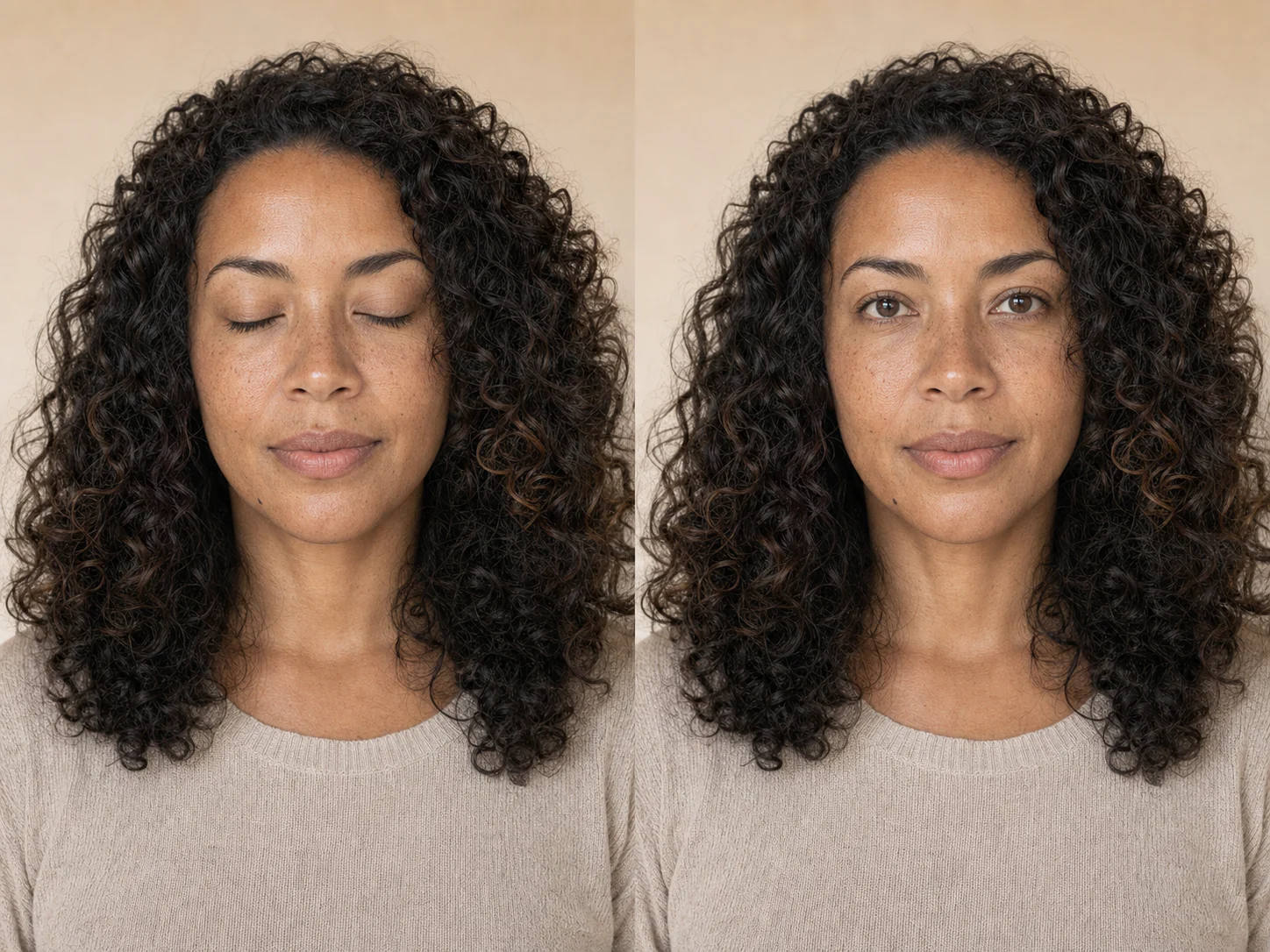
Pagsasaayos na may pagtingin sa pagkurap
Ang mas kapani-paniwalang pagwawasto ay sumusunod sa kasalukuyang mukha, anggulo ng ulo, ekspresyon, kulay ng iris, catchlight, at ilaw sa paligid. Dapat itong magmukhang isa pang kuha mula sa parehong burst ng camera.
Kailangan ng dagdag na pag-iingat sa group photo. Ilarawan ang taong target kung maraming mukha ang nasa larawan, tapos ikumpara ang bawat mukha sa source bago i-save ang resulta.
Panatilihing tugma ang tingin sa anggulo ng ulo o humiling ng banayad na nakaharap sa camera na tingin.
Ilarawan ang damit o posisyon para ang edit ay tumuon sa taong pumikit.
Nila-lock ng prompt ang geometry ng mukha, ekspresyon, edad, texture ng balat, buhok, damit, at pose.
Pinapanatili ng match-input output ang proporsyon ng source sa halip na piliting gawing square crop.
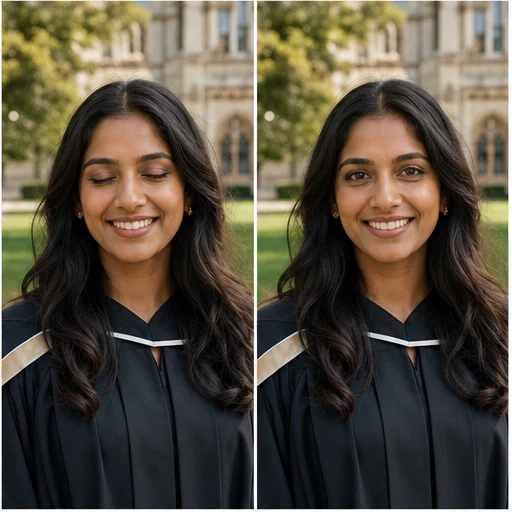
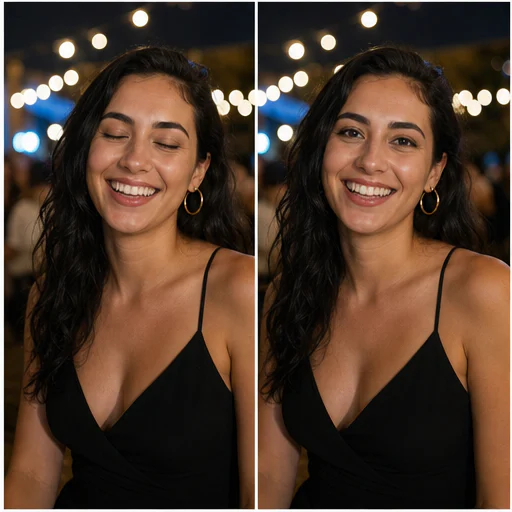
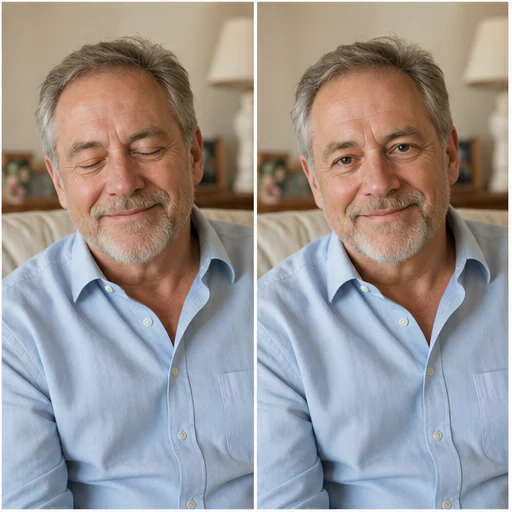
Totoong halimbawa
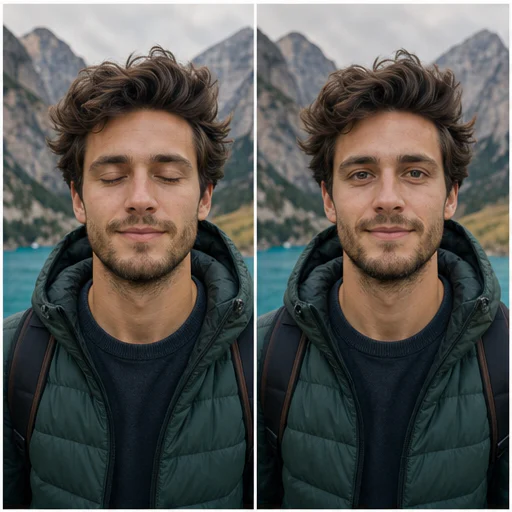
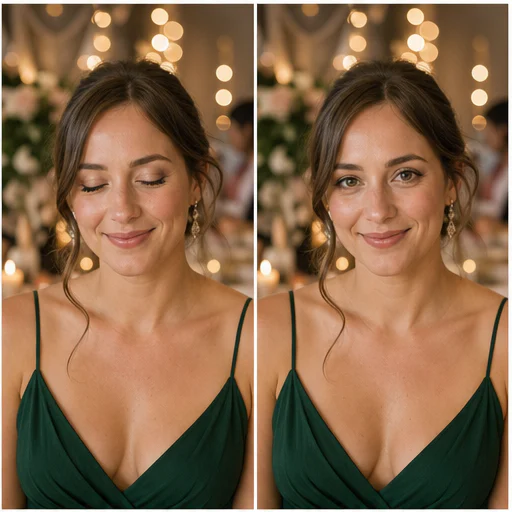
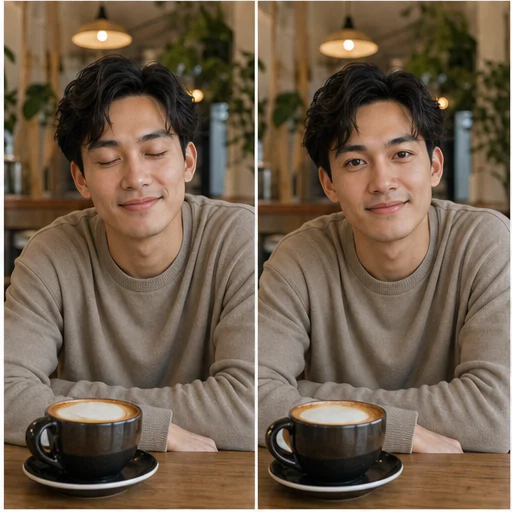
Anim na kathang-isip na portrait ang nagpapakita ng natural na eye correction sa iba’t ibang edad, anggulo ng ulo, ilaw, at setting habang pinananatili ang pagkakakilanlan at ekspresyon.
Paano ito gumagana
Sundin ang maikling workflow, tapos suriin ang nabuong detalye bago gamitin o i-publish ang resulta.
Pumili ng pinakamalinaw na available na image kung saan kita ang nakapikit na mata at mukha.
Piliin ang saklaw ng correction at ilarawan ang kumukurap na tao kung kailangan.
Suriin ang talukap ng mata, kulay ng iris, catchlight, expression, at bawat hindi inedit na mukha.
Real creator feedback
Read what creators shared about making comics, characters, and visual stories with LlamaGen.
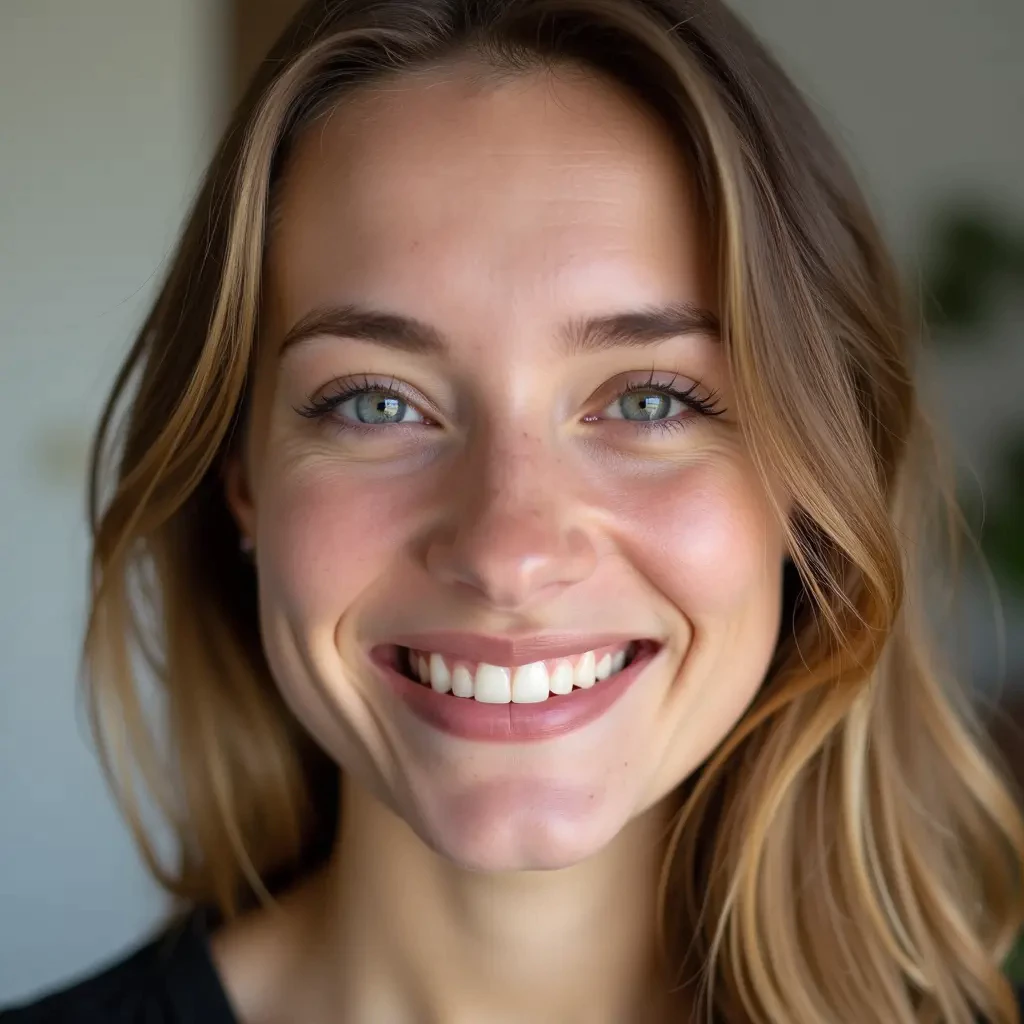
@jake-m
As an avid creator of comic book style graphics, I've struggled to find a tool that truly allows me to unleash my creativity at scale. llamagen.ai not only breaks limits but shatters them, offering endless possibilities for my projects. It's the ultimate AI-powered solution I've been waiting for!
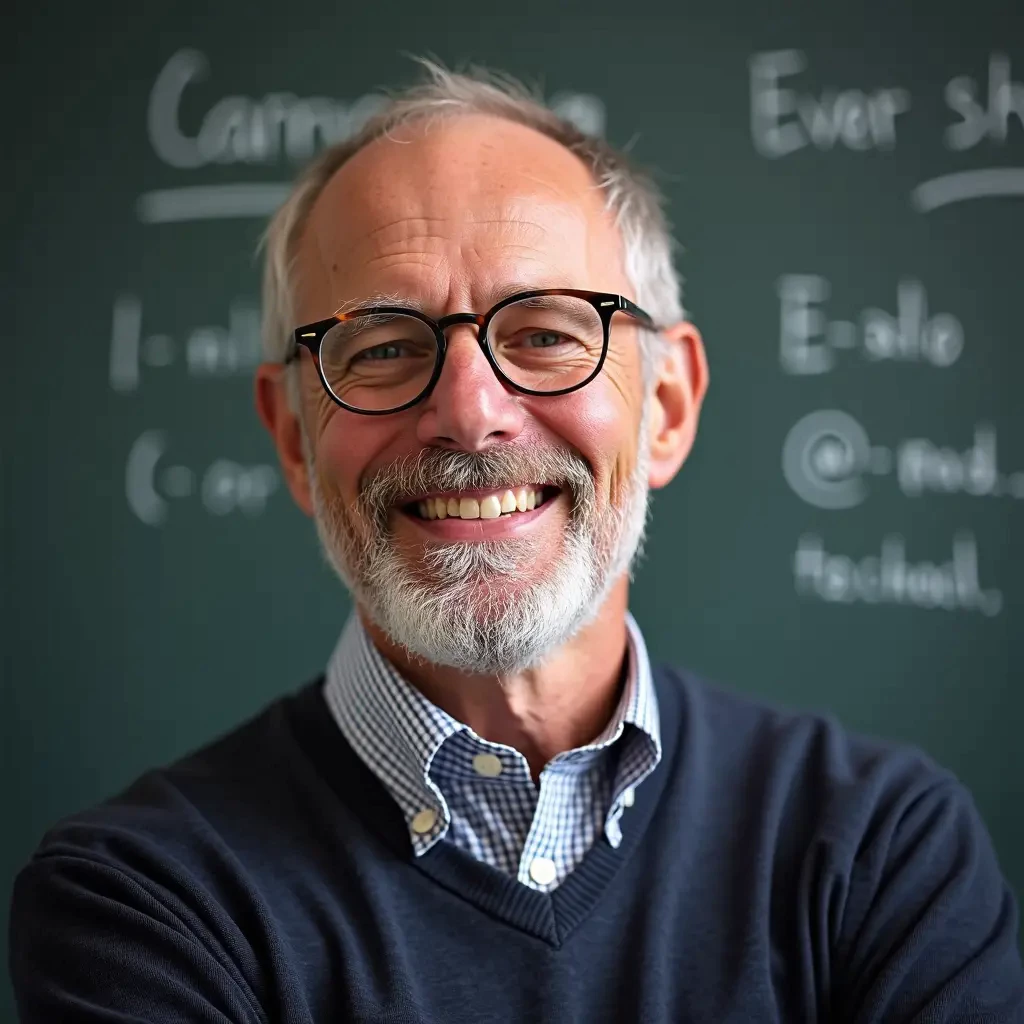
@sarah-l
I've tried numerous AI tools for image generation. And they are quite fun to play with but llamagen.ai is the first app I've actually saw a potential use-case. The character consistency really grabbed my attention as it's something I hadn't seen before and I can see the appeal for professionals and amateurs alike. Truly a game-changer!
@michael-b
llamagen.ai has reignited my passion for storytelling. As a busy professional, finding time to pursue creative projects can be challenging. But this app has proven so easy to use... It's like having a creative companion by my side!
@alex-t
Being part of the creative industry demands efficiency without sacrificing quality. llamagen.ai not only meets but exceeds these expectations. Really loved playing with the storyboarding and having an AI to help with not only image generation, but also the text content - it's really a nice way to help enhance the overall experience.
@maya-s
I enjoy a great comic book and have been very sceptical about AI. For example the criticisms of the Batman AI comic saga where not without merit. But through the scepticism I do see a place for such tools. While I still value an authentic man-made production, the ability for me to create something on my own (with a little help from AI) is really empowering and exciting.
@taylor-h
Maintaining character consistency is a challenge that I did not expect to be overcome so fast. While not perfect at times, the results are impressive and I’m really looking forward to the chance to further customize my workflow and AI generation.
Praktikal na workflow
Panatilihin ang nabuo na image bilang draft na puwedeng i-review, reference, o tapos na asset depende sa kailangan ng trabaho.
Mga grupo
Ayusin ang aksidenteng pagpikit habang pinananatili ang iba sa group photo na may pahintulot.
Mga event
Pagandahin ang wedding, graduation, reunion, o celebration photo na hindi na muling makukuha.
Mga portrait
Panatilihin ang pose at ngiti mula sa paboritong portrait habang inaayos ang pagkurap.
Mga profile
Gawing maikokonsiderang draft ng profile image ang isang angkop na headshot o selfie.
Mga tala sa pagsusuri
Ang mga mata ang nagdadala ng identity at expression. Mag-zoom in at i-compare ang resulta sa source bago ito i-share.
natural ang hitsura ng kulay ng iris at direksyon ng pupil
ang hugis ng talukap ay sumusunod sa facial geometry ng tao
tugma ang catchlight at shadow sa ilaw ng source
nananatiling pareho ang expression at balat sa paligid
nananatiling buo ang ibang tao at mga matang bukas na
napananatili ang crop, kulay, damit, at background
FAQ
Praktikal na sagot tungkol sa source image, ginawang resulta, mga karapatan, at pagsusuri.
Yes. Start your free trial with free credits and earn more free credits through daily check-ins. No credit card is required. Sign in to manage your credits. Generation costs and model availability vary; paid plans offer more credits and additional export options.
Oo. Pumili ng Main face o Auto-detect at ilarawan ang tao ayon sa damit o posisyon. Laging i-verify na hindi nagbago ang ibang mukha.
Gumamit ng malinaw at maayos ang ilaw na larawan kung saan kita ang buong mukha at nakapikit na talukap. Ang sobrang anggulo, malabong larawan, sunglasses, o buhok na tumatakip sa mata ay nagpapababa ng reliability.
Nililimitahan ng prompt ang edit sa bahagi ng mata at pinoprotektahan ang pagkakakilanlan, edad, ekspresyon, balat, buhok, pose, damit, at background. Puwede pa ring mag-iba ang generative edits, kaya ikumpara nang maigi.
Puwede kang humiling ng banayad na tingin na nakaharap sa camera, pero mas ligtas kadalasan ang natural-gaze option para sa mga mukhang naka-anggulo at candid na eksena.
Mga kaugnay na tool
Lumipat mula sa nakatuong edit na ito papunta sa susunod na photo o fashion task.
Upload a blurry portrait, product, document, or memory and recover cleaner edges and natural detail without changing the original composition. Try for free with free credits. Check in daily to earn more. No credit card required.
Upload a noisy low-light, compressed, scanned, or generated image and reduce grain while preserving edges, texture, and the source atmosphere. Try for free with free credits. Check in daily to earn more. No credit card required.
Upload a faded, scratched, blurry, or timeworn photo and create a clearer restoration that protects faces, clothing, history, and the original composition. Try for free with free credits. Check in daily to earn more. No credit card required.
Upload one clear portrait, choose a haircut and optional color, then generate a realistic preview that keeps your face, expression, clothing, and background recognizable. Try for free with free credits. Check in daily to earn more. No credit card required.
Magsimula sa iyong larawan
Mag-upload ng isang awtorisadong larawan, tukuyin ang nakapikit na mukha, at gumawa ng natural na open-eyes version na source-first ang framing.