

自然な視線合わせ
視線は顔の向きに合わせるか、さりげなくカメラ目線を指定してください。
AI目開き
ポートレート、自撮り、集合写真をアップロードして、本人らしさや表情、光、人の配置、元のトリミングを保ちながら自然に開いた目を再現します。
閉じた目を自然に開く
顔とまぶたが見える鮮明な画像を使ってください。集合写真では、誰が瞬きをしたかを指定すると、より正確に処理できます。
目を閉じた写真をアップロード
ポートレート、セルフィー、イベント写真、または許可済みの集合写真
補正範囲
視線の向き
画像に複数の顔がある場合は、対象の人物を説明してください。
出力構図
元の切り抜きを守るため、最初の元画像に合わせます。
1回の生成で300クレジットを使用します。
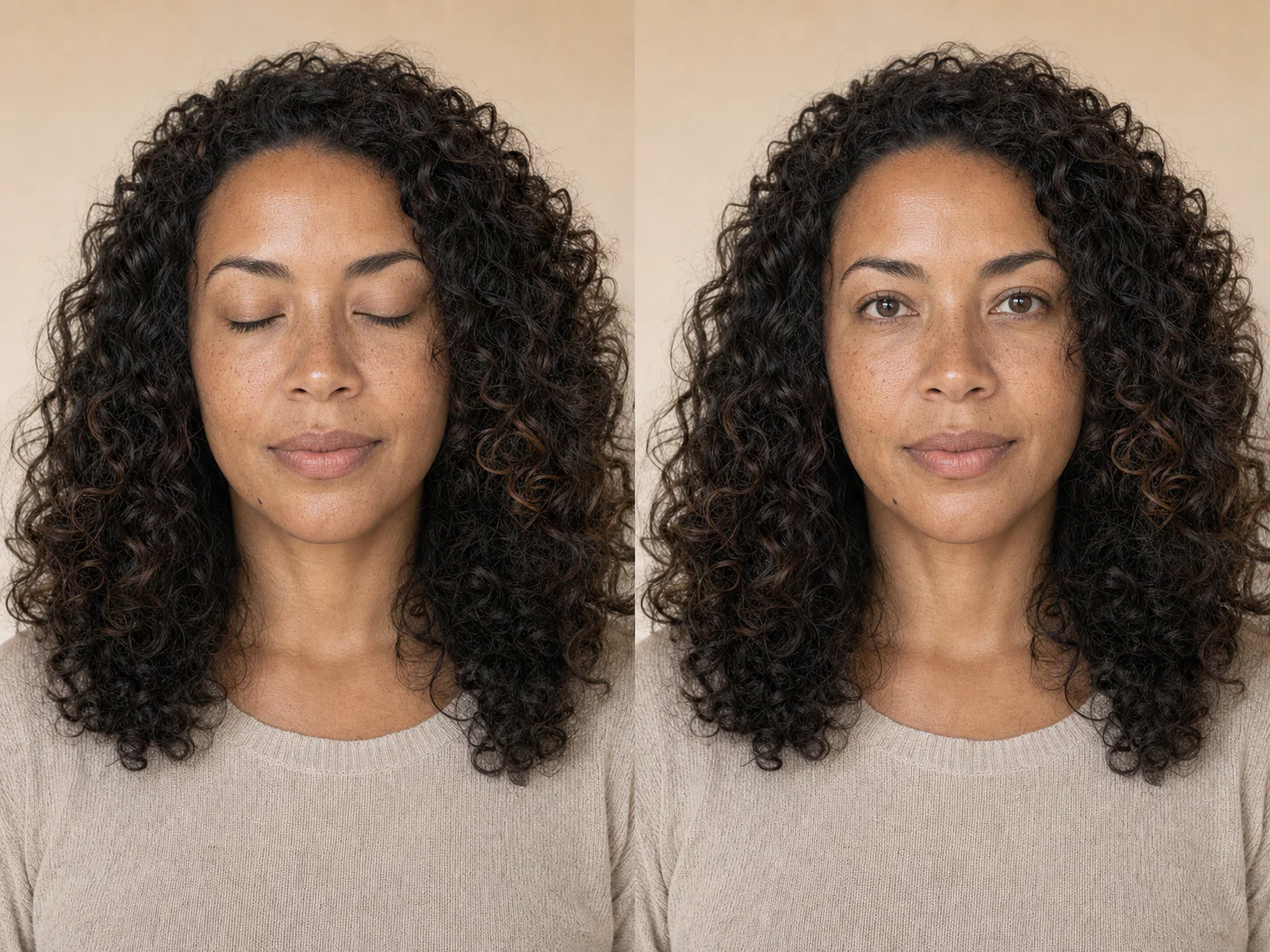
まばたき検出補正
自然な修正は、元の顔、頭の角度、表情、虹彩の色、キャッチライト、周囲の光に合わせます。同じ連写の別カットのように見えるのが理想です。
集合写真は特に注意が必要です。複数の顔がある場合は対象の人物を明確に指定し、保存する前に各顔を元画像と見比べてください。
視線は顔の向きに合わせるか、さりげなくカメラ目線を指定してください。
服装や位置を指定すると、編集対象を瞬きした人に絞り込めます。
プロンプトで顔の形、表情、年齢、肌質、髪、服装、ポーズを固定します。
match_input_imageの出力は、正方形に切り抜かず元の比率を保ちます。
実例
6つの架空ポートレートで、年齢、顔の角度、照明、シーンが違っても、本人らしさと表情を保ちながら自然に目を補正できることを示します。
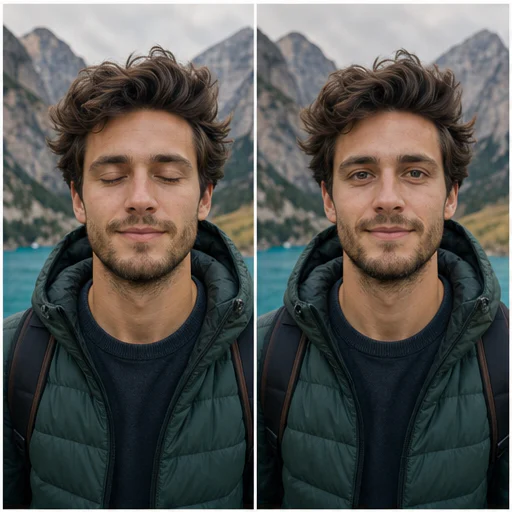
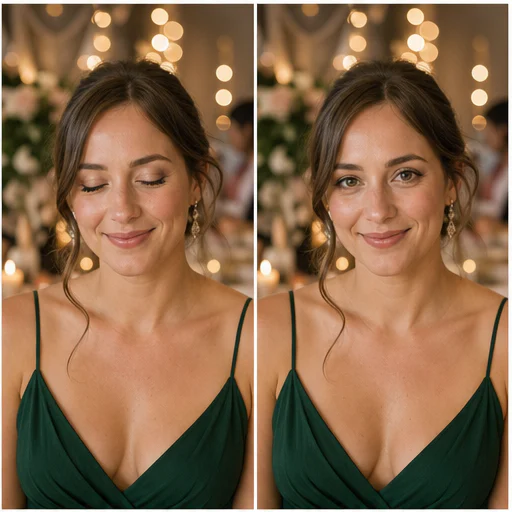
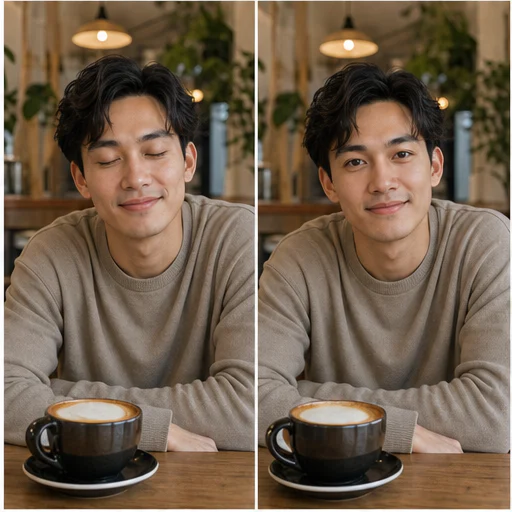
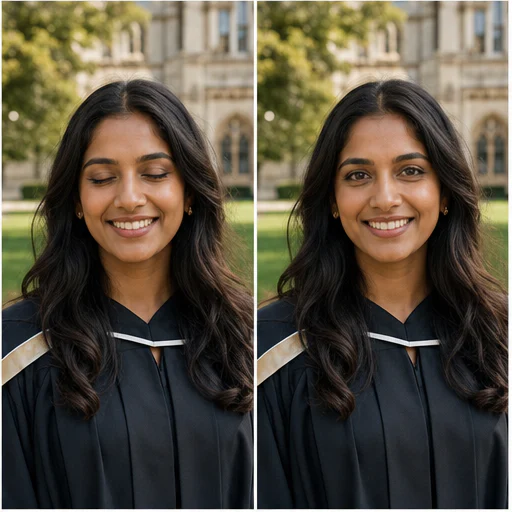
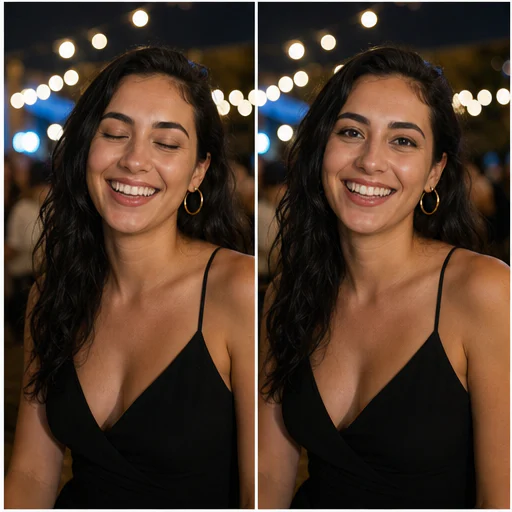
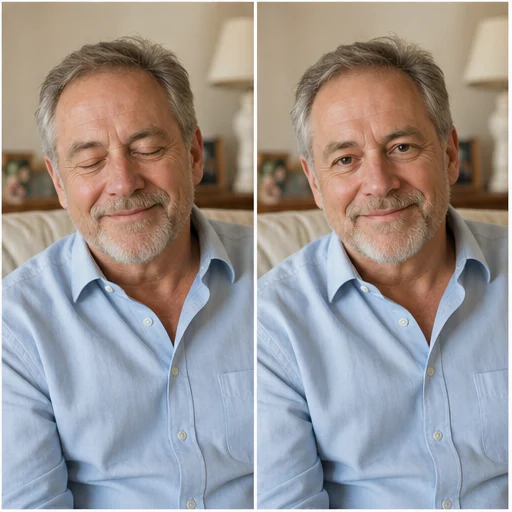
使い方
短いワークフローに沿って進め、生成されたディテールを確認してから使用・公開してください。
閉じたまぶたと顔が見えている、最も鮮明な画像を選んでください。
補正範囲を選び、必要に応じてまぶたを閉じた人物を説明してください。
まぶた、虹彩の色、キャッチライト、表情、編集していない各顔を確認してください。
Real creator feedback
Read what creators shared about making comics, characters, and visual stories with LlamaGen.
@jake-m
As an avid creator of comic book style graphics, I've struggled to find a tool that truly allows me to unleash my creativity at scale. llamagen.ai not only breaks limits but shatters them, offering endless possibilities for my projects. It's the ultimate AI-powered solution I've been waiting for!
@sarah-l
I've tried numerous AI tools for image generation. And they are quite fun to play with but llamagen.ai is the first app I've actually saw a potential use-case. The character consistency really grabbed my attention as it's something I hadn't seen before and I can see the appeal for professionals and amateurs alike. Truly a game-changer!
@michael-b
llamagen.ai has reignited my passion for storytelling. As a busy professional, finding time to pursue creative projects can be challenging. But this app has proven so easy to use... It's like having a creative companion by my side!
@alex-t
Being part of the creative industry demands efficiency without sacrificing quality. llamagen.ai not only meets but exceeds these expectations. Really loved playing with the storyboarding and having an AI to help with not only image generation, but also the text content - it's really a nice way to help enhance the overall experience.
@maya-s
I enjoy a great comic book and have been very sceptical about AI. For example the criticisms of the Batman AI comic saga where not without merit. But through the scepticism I do see a place for such tools. While I still value an authentic man-made production, the ability for me to create something on my own (with a little help from AI) is really empowering and exciting.
@taylor-h
Maintaining character consistency is a challenge that I did not expect to be overcome so fast. While not perfect at times, the results are impressive and I’m really looking forward to the chance to further customize my workflow and AI generation.
実践的なワークフロー
生成画像は、用途に応じて確認用の下書き、参照素材、完成素材として使えます。
グループ
許可済みの集合写真で、他の人を残したまま、うっかりした瞬きを補正します。
イベント
撮り直しできない結婚式、卒業、同窓会、お祝いの写真をより良く仕上げます。
ポートレート
お気に入りのポートレートのポーズと笑顔はそのままに、まばたきだけを自然に補正します。
プロフィール
使えそうなヘッドショットや自撮りを、確認用のプロフィール画像ドラフトに変換します。
確認メモ
目は人物らしさと表情を左右します。共有前に拡大して、元画像と結果を見比べてください。
虹彩の色と瞳孔の向きが自然に見える
まぶたの形はその人の顔の骨格に沿う
キャッチライトと影が元の光に合っている
表情と周囲の肌は変わらない
他の人や、すでに開いている目はそのまま残ります
トリミング、色、服装、背景を保持
よくある質問
元画像、生成結果、権利、確認に関する実用的な回答です。
はい。「メインの顔」または「自動検出」を選び、服装や位置で人物を指定してください。ほかの顔が変わっていないか必ず確認しましょう。
顔全体と閉じたまぶたが見える、鮮明で明るい画像を使ってください。極端な角度や強いぼけ、サングラス、目にかかる髪は精度を下げます。
プロンプトで編集範囲を目元に限定し、個性、年齢、表情、肌、髪、ポーズ、服、背景を保護します。生成編集はずれが出ることがあるため、慎重に比較してください。
軽くカメラを見る視線も指定できますが、斜め顔や自然な場面では「自然な視線」のほうが無難です。
関連ツール
この集中編集から、次の写真やファッション作業へ進めます。
画像から始める
編集許可のある写真を1枚アップロードし、瞬きをしている顔を見つけて、元画像の構図を優先した自然な開眼バージョンを作成します。