The Best Children’s E-Picture Books Maker with AI - LlamaGen.AI Blog
Logo LlamaGenThương hiệu LlamaGen
Đăng nhậpĐăng ký ngayGiảm 20%
  1. Trang chủ
The Best Children’s E-Picture Books Maker with AI
Tất cả bài đăng

The Best Children’s E-Picture Books Maker with AI

Tim
Tim
ngày 27 tháng 02 năm 2026
Sao chép liên kết
  • Unlock Your Creativity with Llamagen.ai’s Children’s E-Picture Book Maker!
  • Steps to Generate Children’s E-Picture Book Panels and Pages with AI on Llamagen.ai
elevate-your-comics.png
Nâng tầm truyện tranh của bạn với LlamaGen

Creating engaging children’s e-picture books can be an exciting venture, especially with tools that simplify the process. One such tool is Llamagen.ai’s Children’s E-Picture Books Maker, which allows users to create Children’s E-Picture Book pages and panels effortlessly, even without any drawing skills.

Unlock Your Creativity with Llamagen.ai’s Children’s E-Picture Book Maker!

Create captivating multimedia content for kids with ease. Our AI streamlines children’s story creation, offering instantly generated ideas, custom storyboards, and unique character designs — all at lightning speed.

Steps to Generate Children’s E-Picture Book Panels and Pages with AI on Llamagen.ai

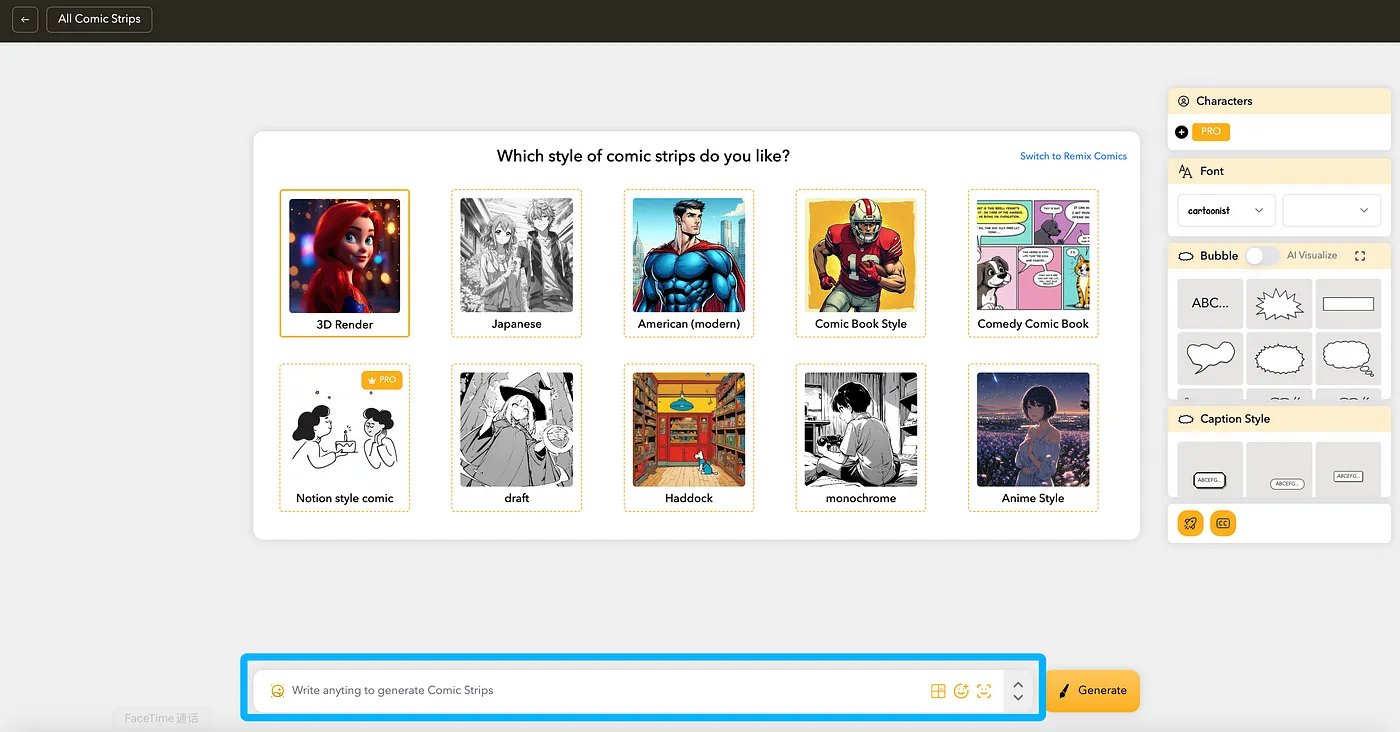
1. Describe Your Scene

Head to the Children’s E-Picture Book Maker page on Llamagen.ai. Start by typing a description for the scene and story you want to bring to life. Think of the characters, actions, and setting — whether it’s superheroes battling on a rooftop or a group of friends exploring outer space. Your description is the foundation of your Children’s E-Book. Describe Your Scene
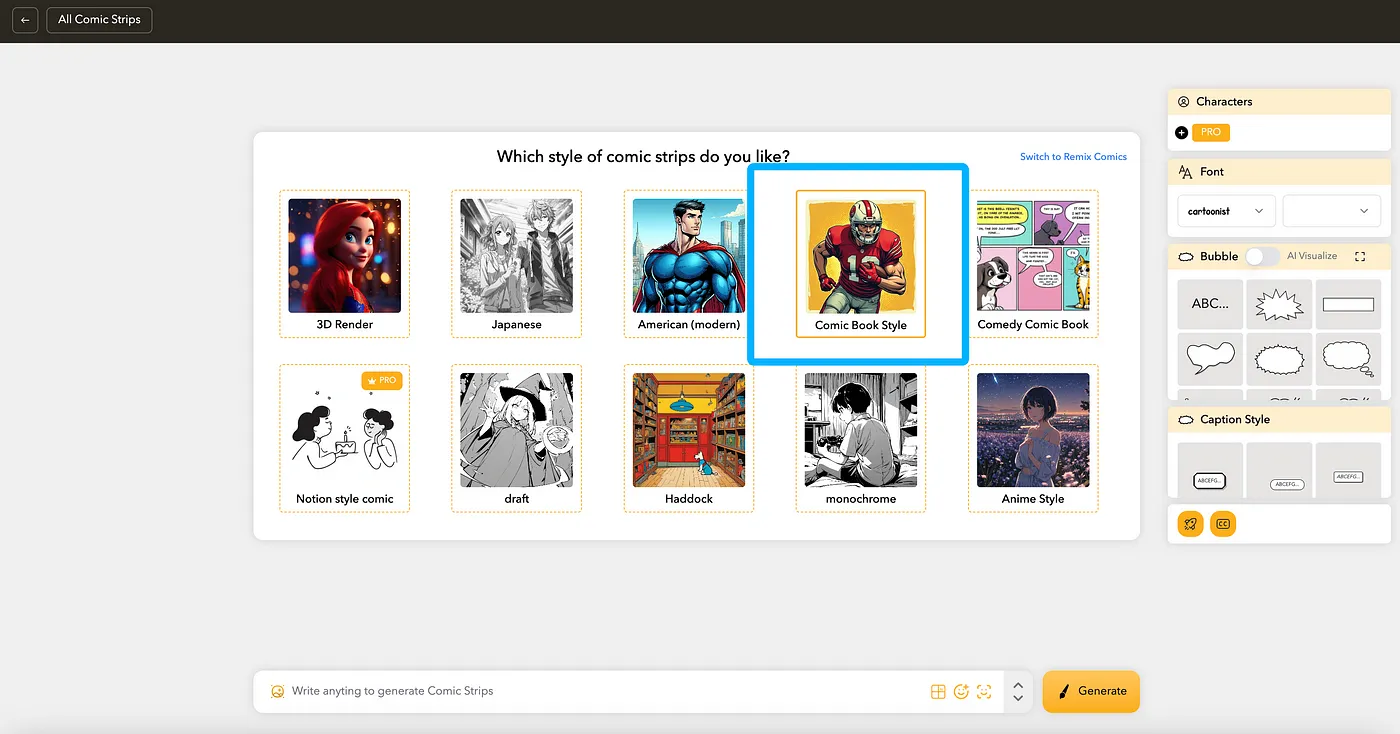
2. Select Your Style

Choose from a range of artistic styles to match your vision. From classic American or Cartoon Children’s E-Picture Book styles to unique themes like medieval or futuristic, you can experiment to see which aesthetic best fits your story. Select Your Style
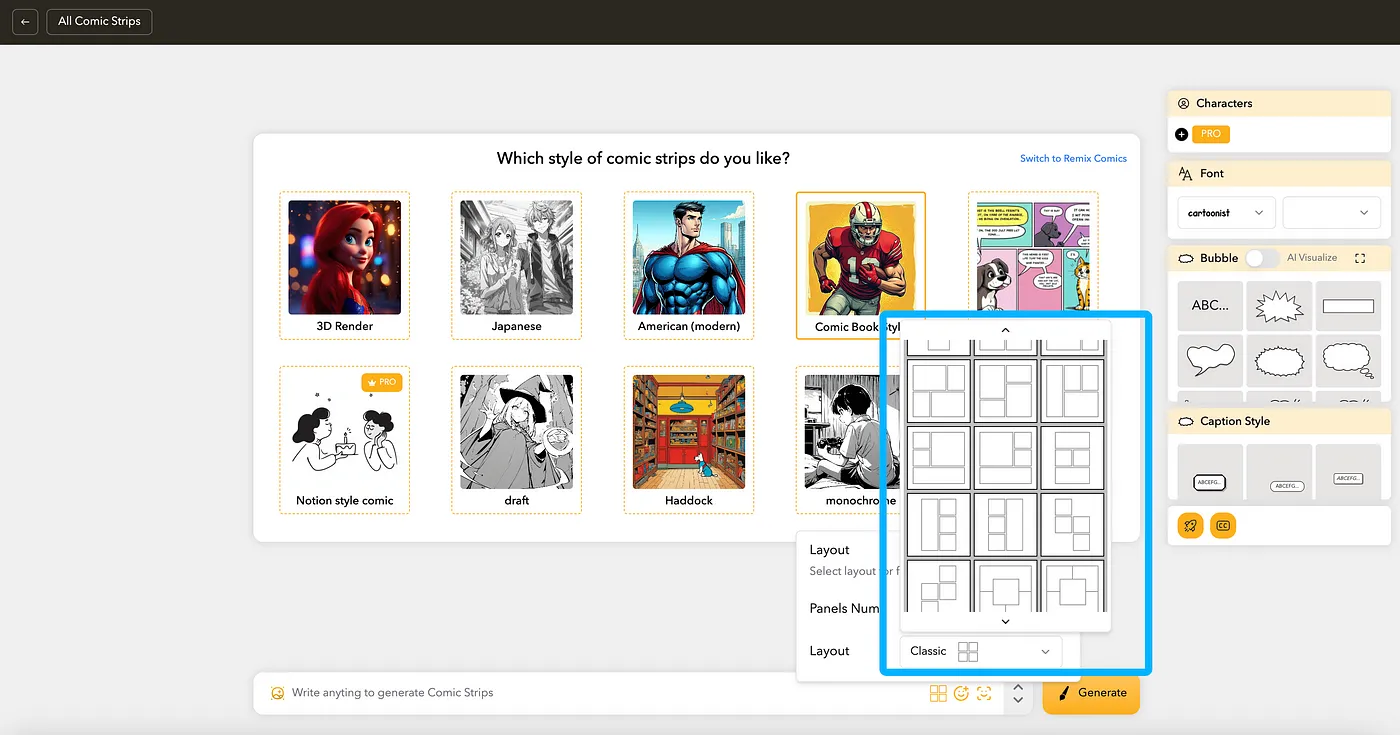
3. Pick a Layout

Select a layout for your page, with various panel arrangements available. Changing layouts from page to page adds variety and helps maintain visual interest throughout your Children’s E-Picture Book. Pick a Layout
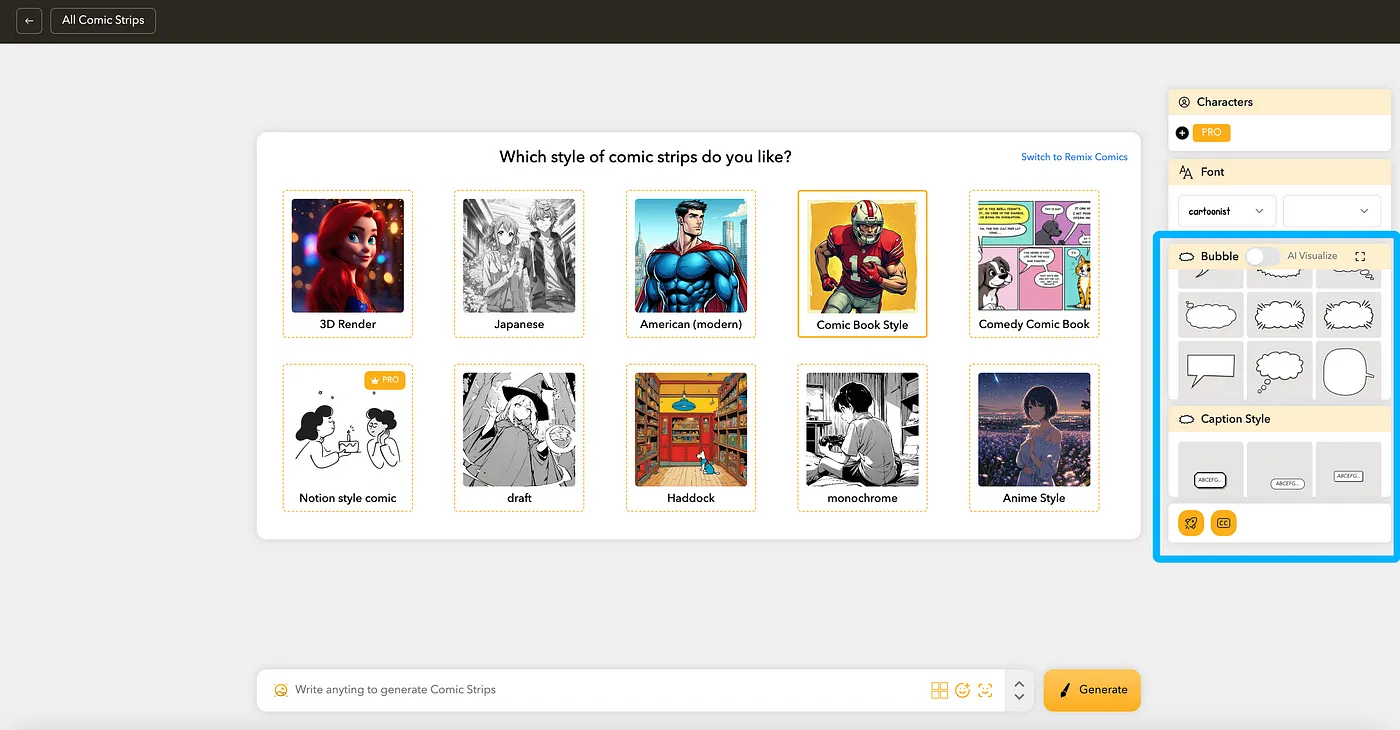
4. Add Captions (Optional)

You can add captions at the top of each panel to give readers a narrative guide through the scenes. Captions enhance storytelling and provide context for each panel’s action. Add Captions 5. Generate the Page
Click the “Generate” button, and the AI will create your Children’s E-Picture Book page. After a brief wait, your page will appear with all the panels populated based on your input. Generate the Page 6. Modify the Page
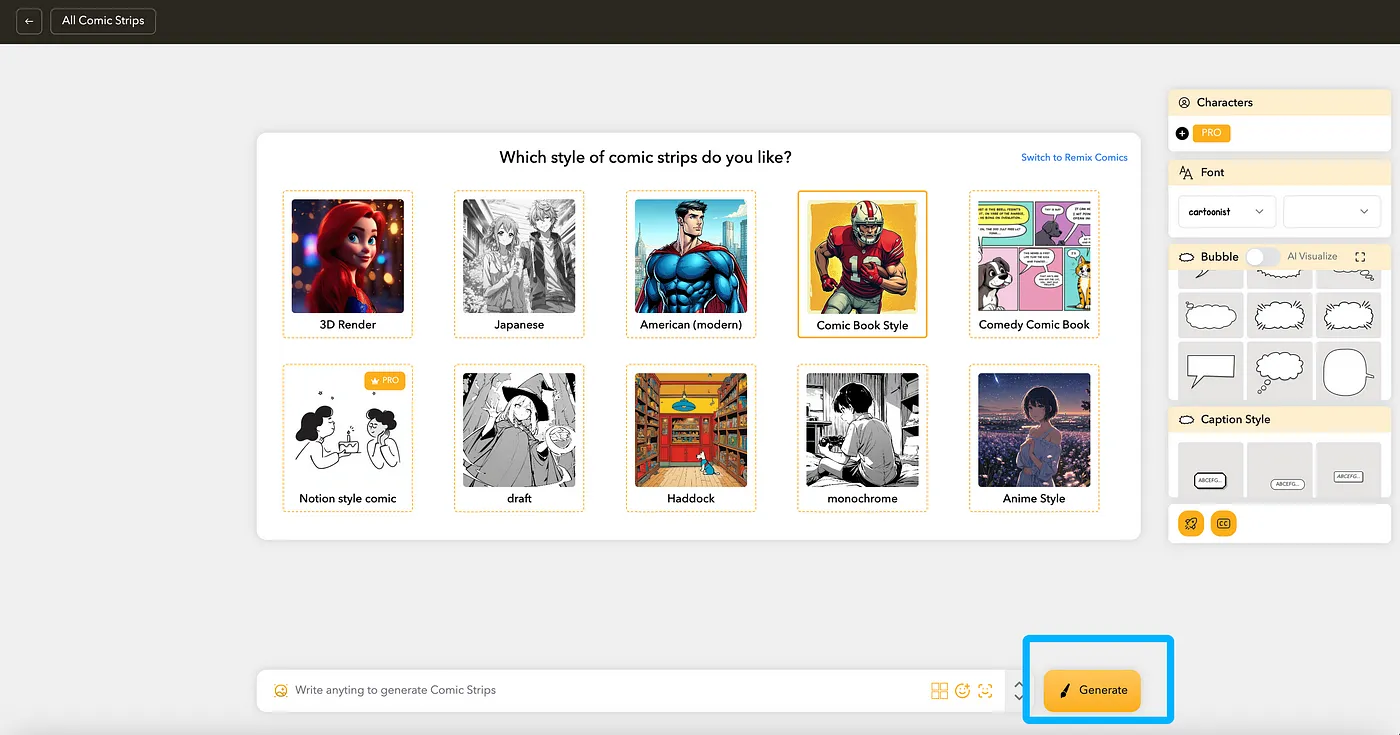
Want to tweak the layout or style? Simply adjust the settings and hit “Generate” again to refresh the page. Each panel will update, allowing you to perfect the look and feel. Modify the Page 7. Redraw Specific Panels
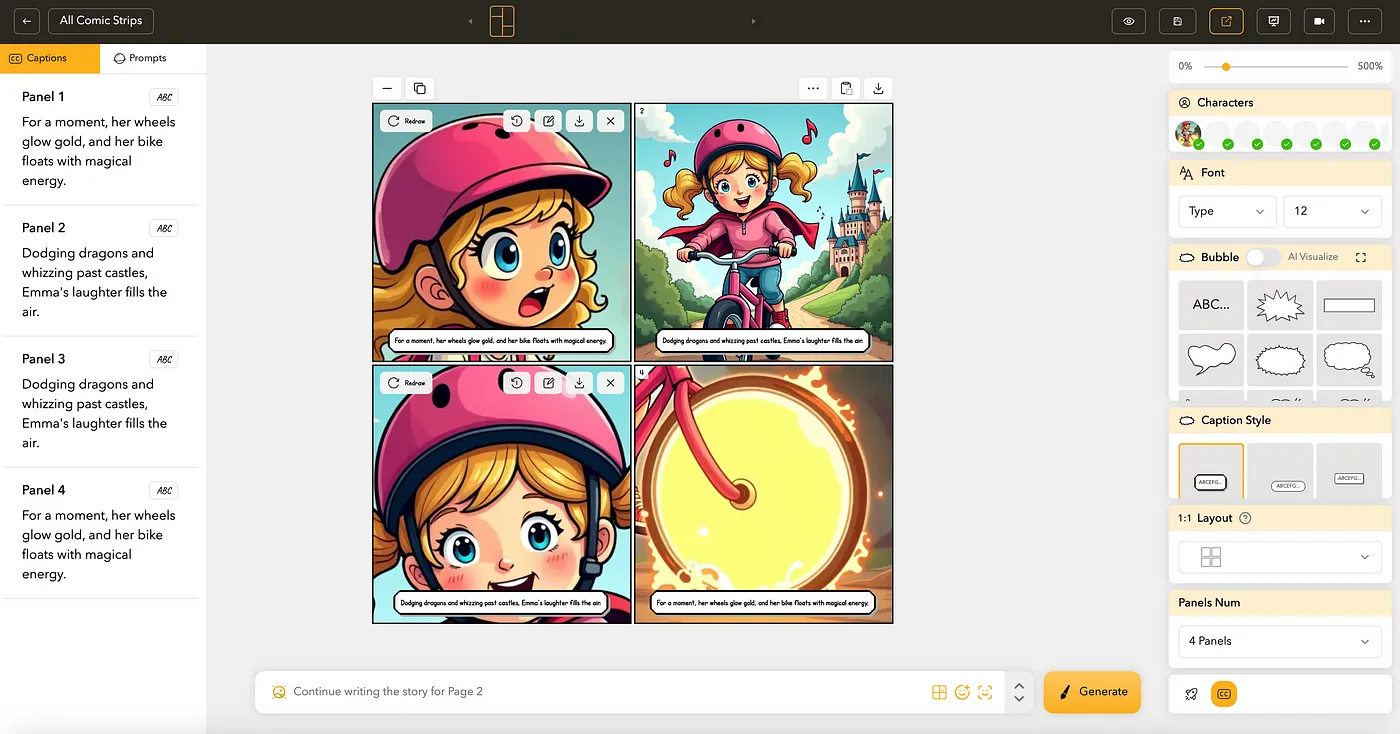
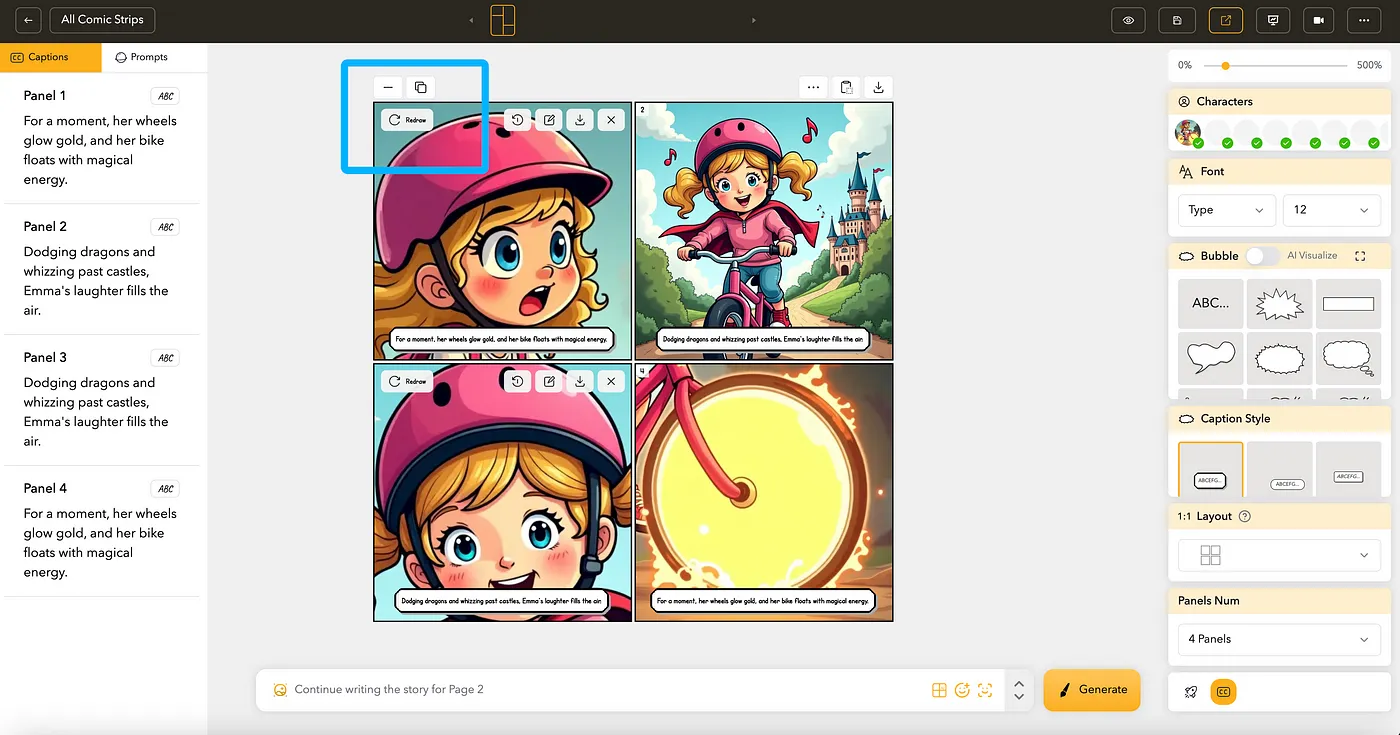
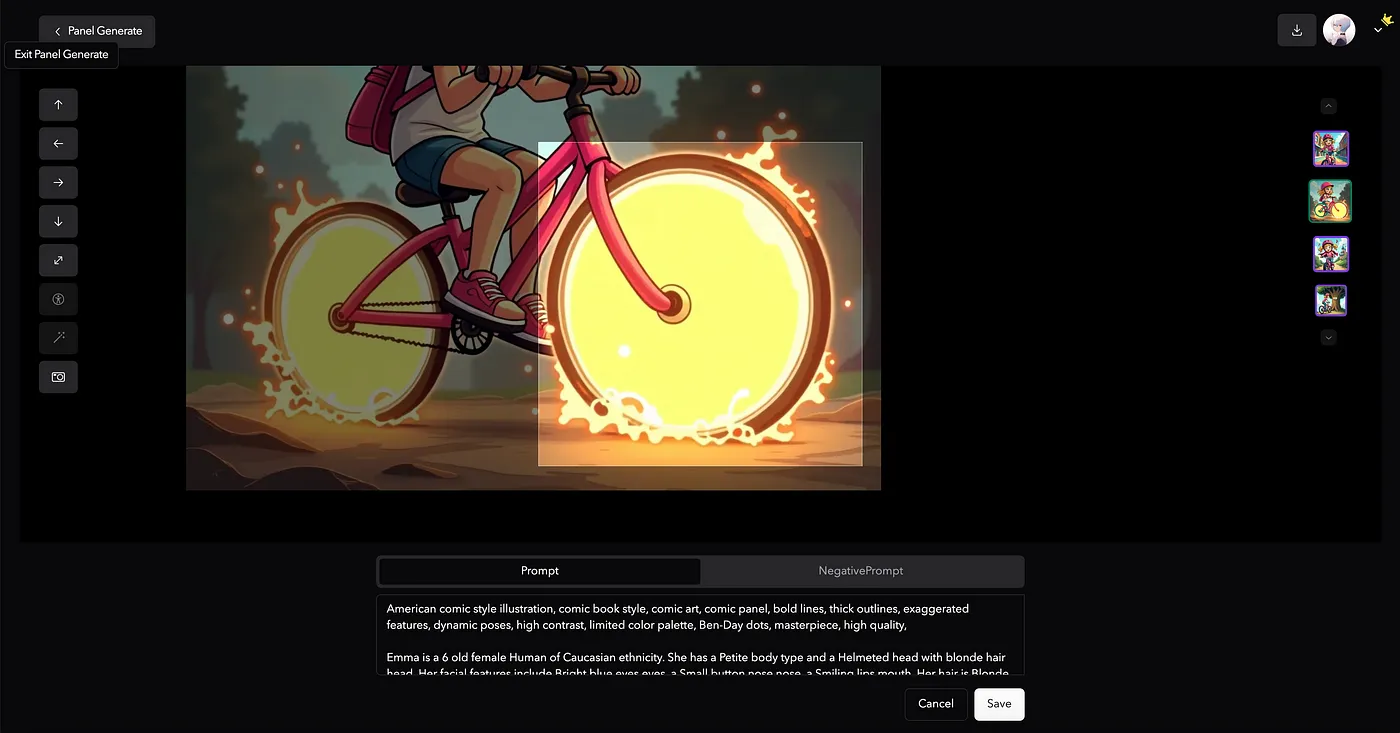
If a particular panel doesn’t meet your expectations, hover over it and click “Redraw” to replace it with a new image. This feature ensures every panel aligns with your vision. Redraw Specific Panels 8. Edit Panel Descriptions
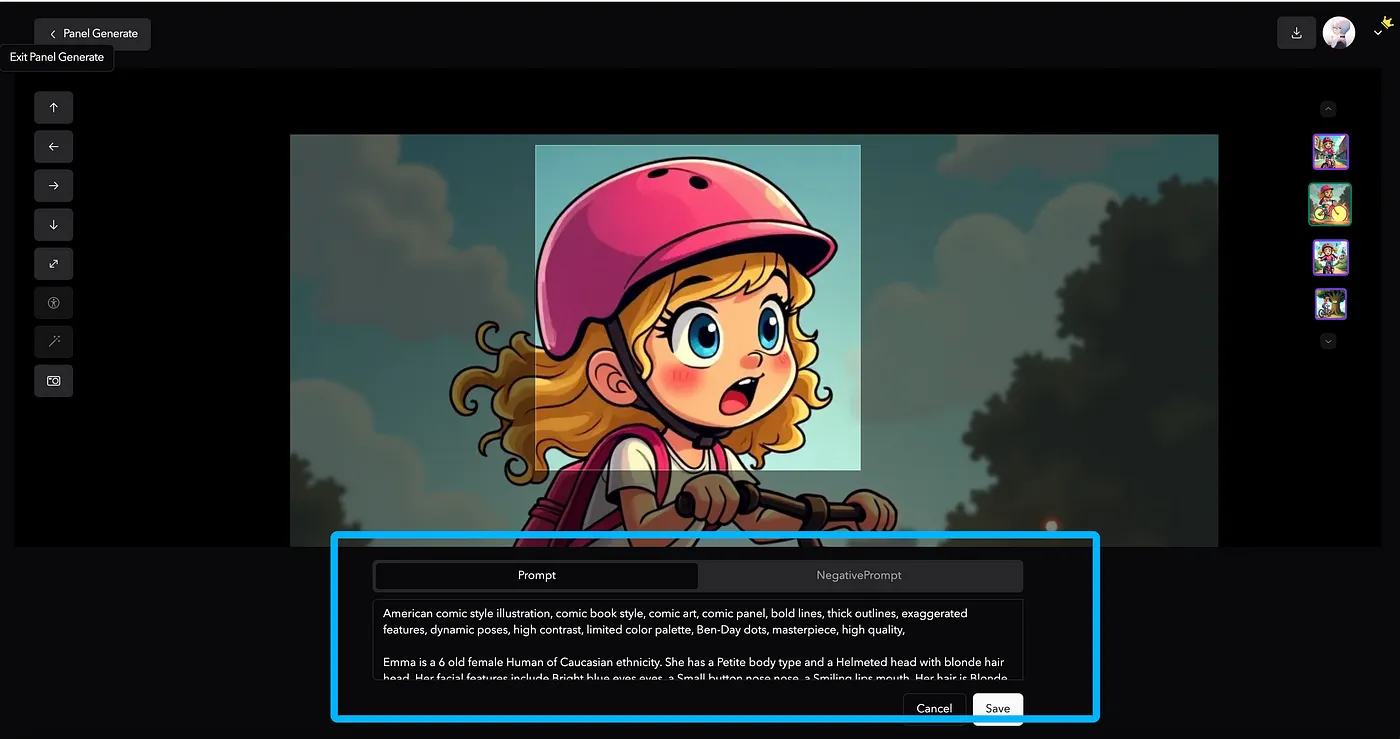
You can also refine individual panel descriptions. Just hover over a panel, click “Edit,” and update the description to better fit the scene. Edit Panel Descriptions 9. Save and Reload Your Work
If you need to take a break, you can save your page and reload it later. Use the “Save” option to store your page as a CLAP file, then load it back when you’re ready to continue. Save and Reload Your Work 10. Continue Building Your Children’s E-Picture Book
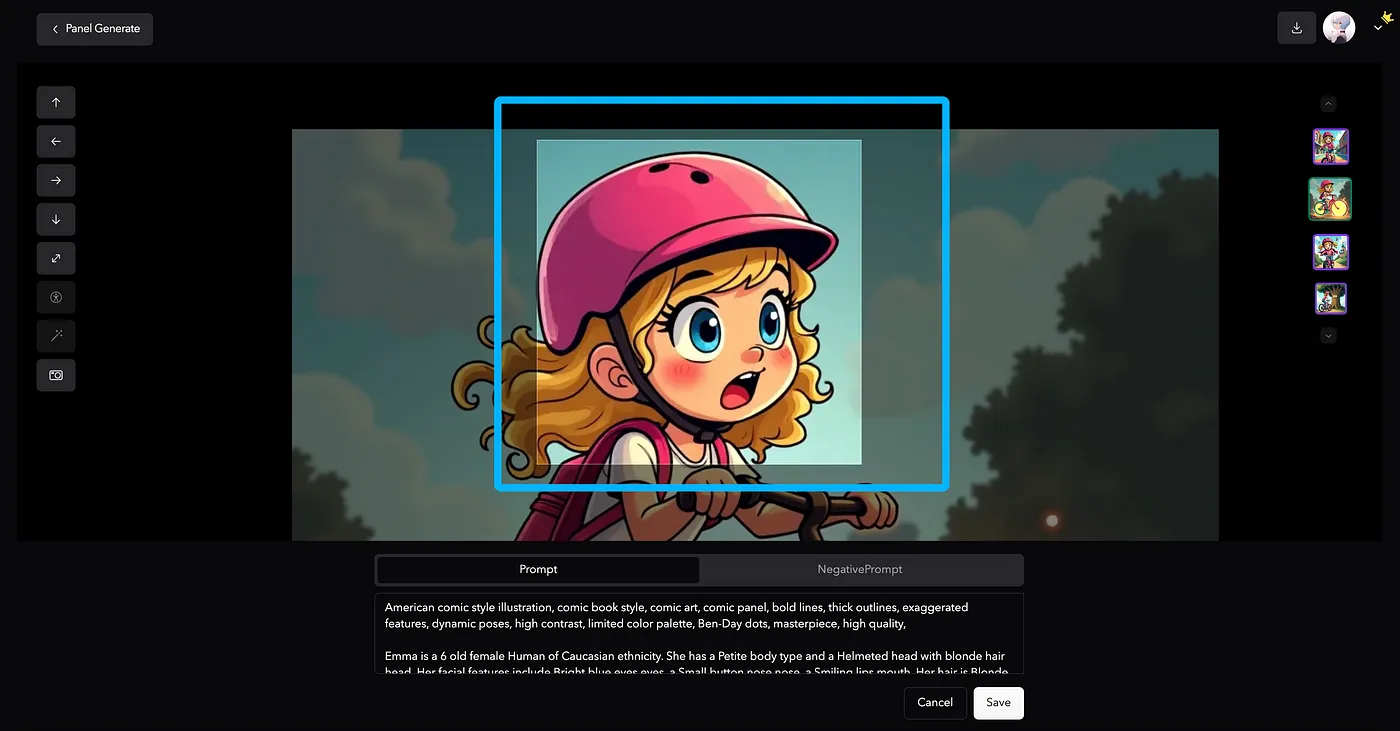
For multi-page Children’s E-Picture Books, save each page as a CLAP file and vary the scenes, layouts, and captions to keep the story engaging. Using consistent characters across pages helps build continuity. Continue Building Your Children’s E-Picture Book 11. Export Your Children’s E-Picture Book
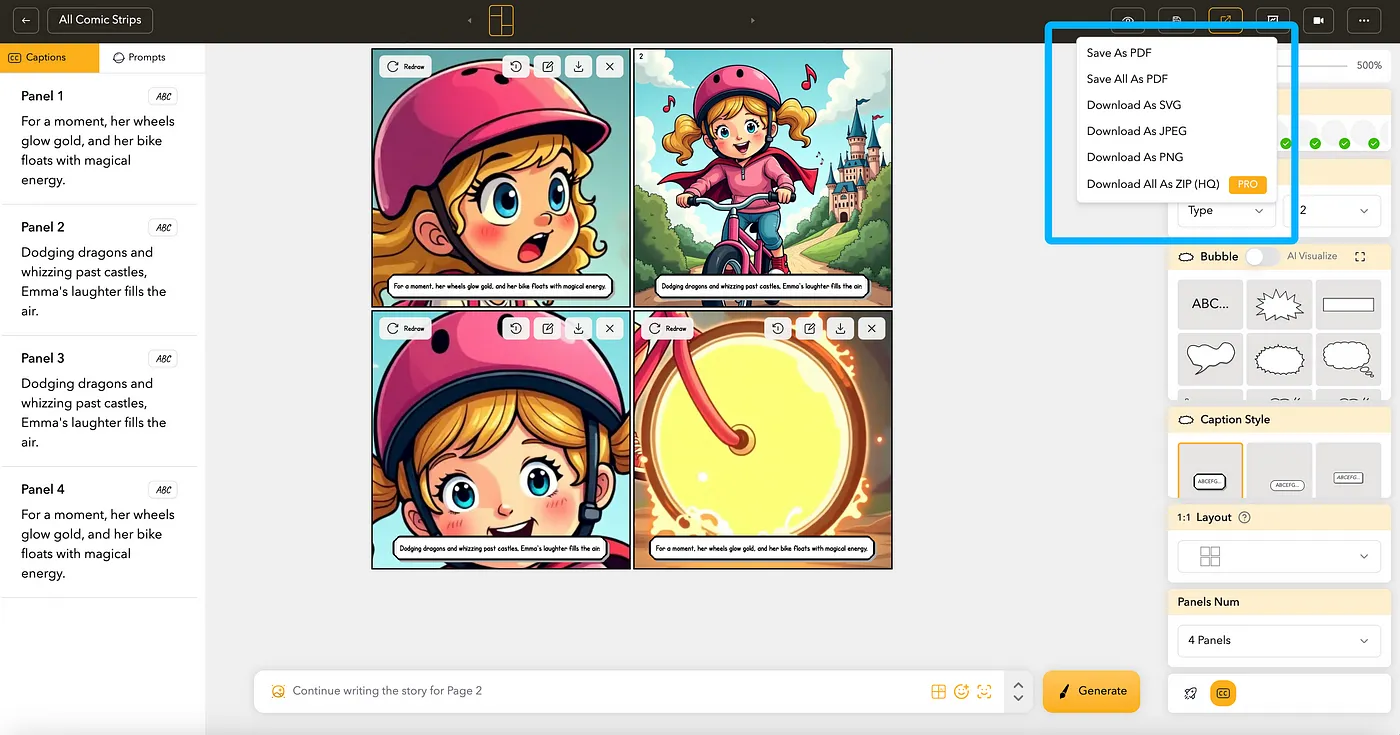
When your Children’s E-Picture Book is complete, you can save or print the pages. Click “Get PDF” to print or download each page as a PDF. For a complete Children’s E-Picture Book, merge the PDFs using free online tools like Adobe’s. Export Your Children’s E-Picture Book With Llamagen.ai’s Children’s E-Picture Book Maker, you’re only a few clicks away from bringing your Children’s E-Picture Book ideas to life — no drawing skills required.
Related hot tags

Công cụ tạo nổi bật

Biến cảm hứng thành câu chuyện tiếp theo của bạn

Tạo truyện tranh, storyboard và ảnh phong cách với LlamaGen.

01

Trình tạo truyện tranh AI

Biến ý tưởng thành truyện tranh chất lượng chỉ trong vài phút.

Tạo truyện tranh
02

Trình tạo Manga AI

Tạo manga biểu cảm và câu chuyện nhiều khung hình.

Tạo manga với AI
03

Trình tạo storyboard AI

Hình dung mọi cảnh trước khi sản xuất bắt đầu.

Tạo bảng phân cảnh với AI
04

Biến Ảnh Thành Truyện Tranh

Biến bất kỳ ảnh nào thành tranh minh họa phong cách truyện tranh.

Tạo truyện tranh từ hình ảnh
05

Trình tạo dải truyện tranh AI

Tạo các dải truyện chia sẻ với nhân vật nhất quán.

Tạo truyện tranh bằng AI

LlamaGen community

checkmark

Get hands-on help with your comics

checkmark

Showcase your comics to fellow LlamaGen creators

checkmark

Participate in special events to win gifts

Nhật ký thay đổi

Khơi dậy ước mơ cho thế hệ trẻ
Nơi hàng triệu câu chuyện trở nên sống động

Tổng hợp các tính năng mới nhất của LlamaGen, cải tiến sản phẩm, cập nhật thiết kế và các bản sửa lỗi quan trọng.


✦
✧
✦
✧

Một phương tiện mới cho Kể chuyện

Thỏa sức tạo ra không giới hạn câu chuyện, truyện tranh, hoạt hình, trò chơi và hơn thế nữa—chỉ trong vài giây, phù hợp với khán giả hiện đại

Blog trước đó

Two OCs in One Comic Panel: Keep Identities and Speakers Clear

Two OCs in One Comic Panel: Keep Identities and Speakers Clear

A six-panel Maya and Theo dialogue case showing separate references, a handoff repair, a reverse-sho

Jay
Jay
ngày 20 tháng 11 năm 2026
Turn a Photo Album into a Comic Story Without Losing Who Is Who

Turn a Photo Album into a Comic Story Without Losing Who Is Who

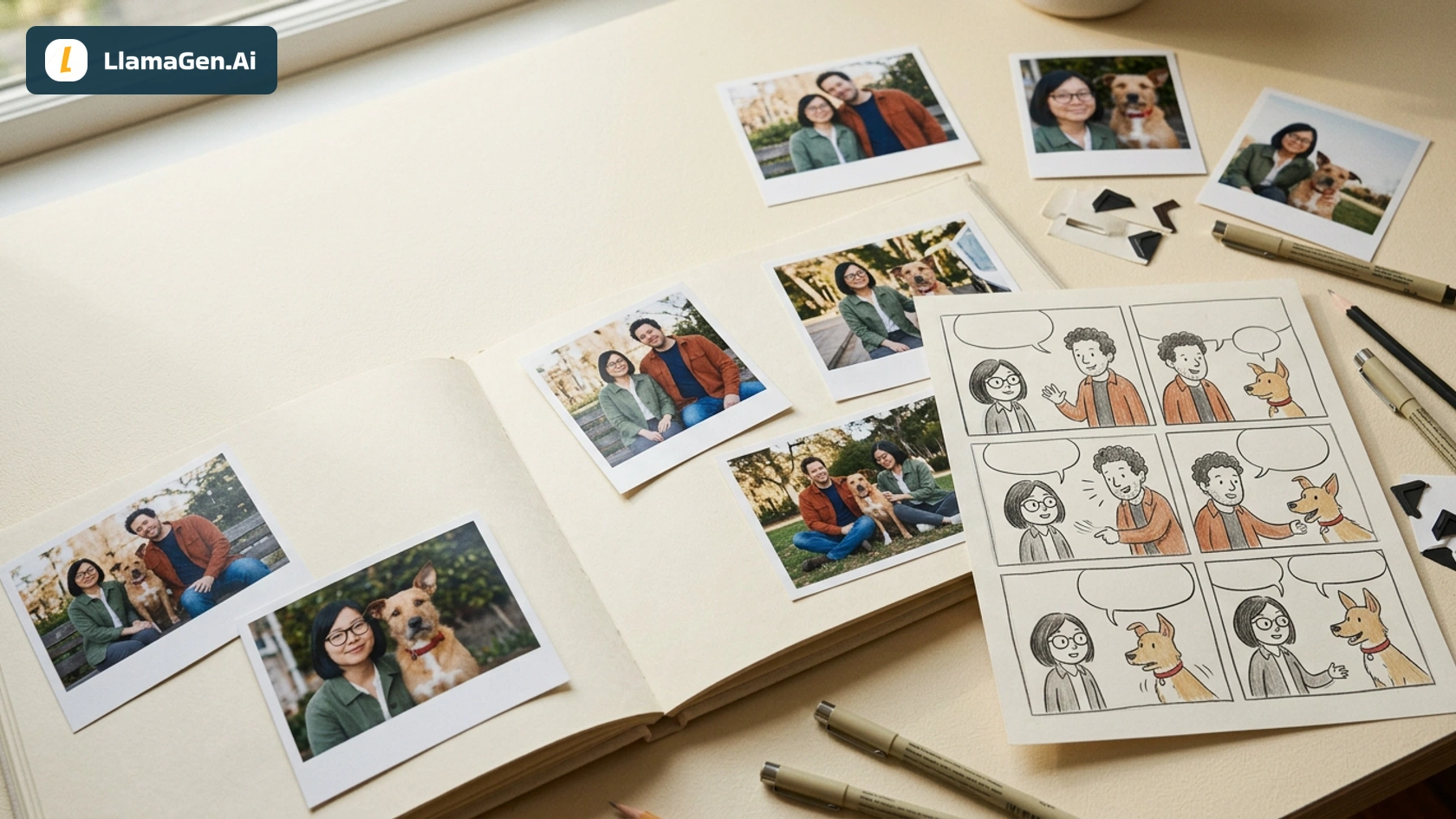
A six-scene synthetic album example showing how to separate character identity from scene references

Jay
Jay
ngày 20 tháng 11 năm 2026
From Six Panels to a 20-Second Comic Book Trailer

From Six Panels to a 20-Second Comic Book Trailer

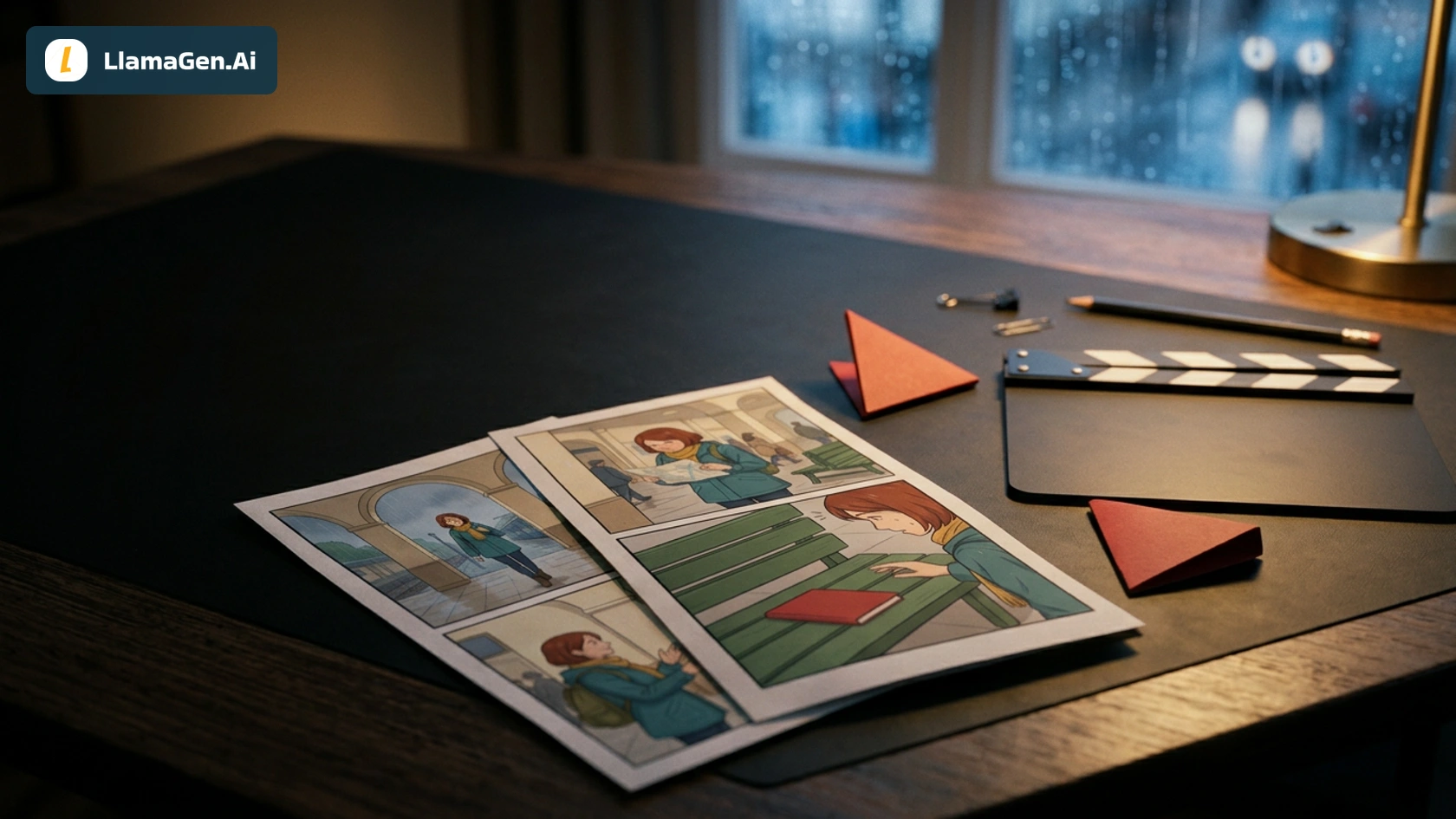
A worked 20-second comic trailer: choose a clear hook, reuse owned clips, withhold the ending, and r

Jay
Jay
ngày 20 tháng 11 năm 2026
Build an OC Wardrobe for a Three-Scene Comic

Build an OC Wardrobe for a Three-Scene Comic

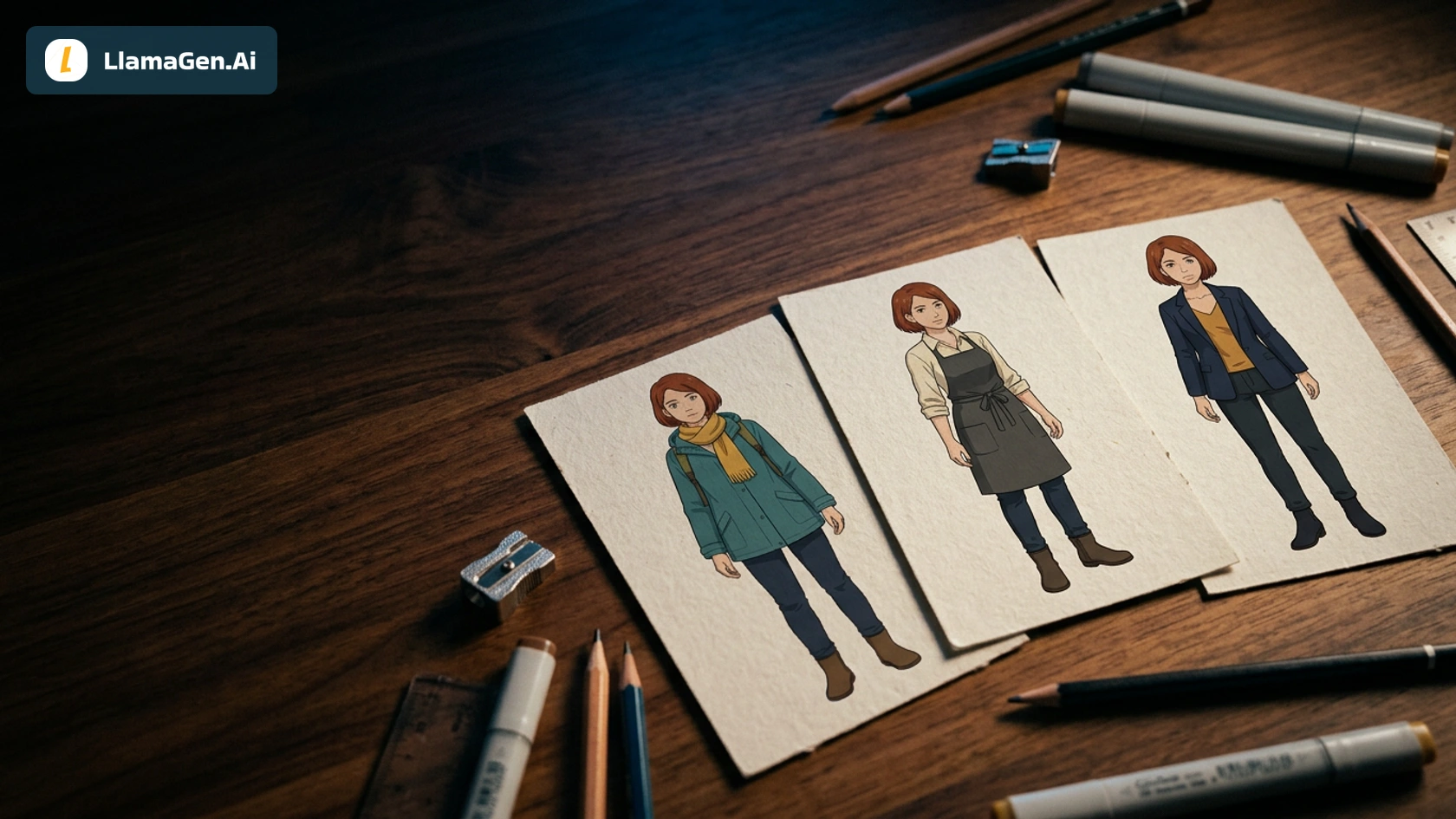
Review six outfit references, approve three wardrobe versions, and apply one OC consistently across

Jay
Jay
ngày 19 tháng 11 năm 2026
Xem tất cả bài blog
Logo LlamaGen
  • United States
  • Español
  • Français (France)
  • 日本語
  • 한국어
  • Deutsch
  • 繁體中文 (台灣)
  • 繁體中文 (香港)
  • 简体中文
  • Português
  • Italiano
  • Español (México)
  • العربية
  • Русский
  • Português (Brasil)
  • Tiếng Việt

Dẫn đầu xu hướng tạo truyện tranh AI tương lai

  • Hỗ trợ 24/7
  • Cập nhật hàng tuần
  • An toàn và tuân thủ
  • Hoạt động 99,9% thời gian

Tải LlamaGen miễn phí

AndroidiOSMáy tính

Sản phẩm

  • Ra mắt mới nhất
  • Tính năng
  • Trình tạo strip truyện tranh
  • Comic StoresMới
  • Studio MangaMới
  • Biến hình ảnh thành truyện tranh
  • Truyện tranh thành video
  • Nhà máy truyện tranh AI
  • Người phụ trách truyện tranh
  • iOS & Android
  • Mac & Windows
  • Tải xuống
  • Comic ZapMới
  • Trình tạo truyện tranh AI
  • Trình tạo hoạt hình AI
  • Trình tạo Webtoon AI
  • Công cụ tạo dải truyện tranh
  • Biến hình ảnh thành truyện tranh
  • Trình tạo Manga AI
  • Dịch truyện tranh Manga
  • Chuyển ảnh thành Anime
  • Hình ảnh sang Lời nhắc
  • Anime thành người thật
  • Công cụ tô màu manga
  • Công cụ tạo nhân vật Anime
  • Công cụ tạo tài sản trò chơi pixel
  • Tạo bảng sprite bằng AI
  • Công cụ game pixel tốt nhất 2026
  • Công cụ tạo truyện tranh từ ảnh
  • Giải pháp thay thế Comic Life

Sản phẩm liên quan

  • Hệ sinh thái LlamaGen
  • CineoBoardMới
  • Comics API

Gói dịch vụ

  • Bảng giá
  • Khởi đầu
  • Chuyên nghiệp

Cộng đồng

  • Người sáng tạo
  • Đối tác liên kết
  • Đối tác

AI Models

  • GPT Image 2.6 Flare
  • GPT Image 2.6 Sunburst
  • Grok Imagine Image 2.0
LinkedInX (Twitter)
  • Trang chủ
  • Bài viết
  • Blog
  • Tạo
  • Bảng giá
  • API
  • Affiliate ProgramNEW

Hỏi AI về LlamaGen

  • Comic Zap
  • Velika
  • Doanh nghiệp
  • Giáo dục
  • API truyện tranh
  • Liên hệ phòng kinh doanh
  • Gói giáo dục
  • Giáo viên
  • Học sinh
  • Giáo viên và Học sinh
  • Startup
  • Ưu đãi giáo dục
  • Công ty

    • Trò chuyện với nhà sáng lập
    • Giới thiệu
    • Lộ trình sản phẩm

    Trợ giúp

    • Trung tâm trợ giúp
    • Độ tin cậy
    • AI an toàn
    Cảm nhận khách hàng
  • Bức tường lời yêu thương
  • LlamaGen MCPMới
  • LlamaGen Nhà phát triển
  • Tài nguyên

    • Nhật ký thay đổi
    • Blog
    • Hướng dẫn

    Công cụ

    • Tạo logo bằng AI
    • Trình tạo nhân vật phong cách Grokbot
    • Chuyển PNG thành truyện tranh
    Wan 3.0
  • Wan 3.0 Prime
  • Seedance 2.5
  • MiniMax H3
  • Nano Banana 2.1
  • Nano Banana 2 Lite
  • Seedream 5.0 Flash
  • Seedream 5.0 Pro
  • Seedance 2.0 Mini
  • Kling 3.0 Turbo
  • Nano Banana 2
  • GPT Image 2
  • Gemini Omni Flash
  • All AI Models
  • Công cụ AI

    • AI Tách trang phục
    • AI Thay đổi kiểu tóc
    • AI Thay kiểu tóc manga
    Instagram
    YouTube
    Nhóm Facebook
    Reddit
    Discord
    Hỗ trợ qua email
    Quyền riêng tưĐiều khoảnSơ đồ trang web
    Tải xuống tài sản thương hiệu
    © 2026 LlamaGen.Ai Bản quyền đã được bảo lưuTất cả dịch vụ đều trực tuyến
    Cơ hội nghề nghiệp
  • Gửi email cho chúng tôi
  • Thế giới Linh vật của chúng tôi
  • Bộ công cụ truyền thông
  • Hợp tác với KOL
  • Nội dung
  • Dịch vụ chuyên nghiệp
  • Câu hỏi thường gặp
  • Bảo mật
  • Khả năng tiếp cận
  • Hướng dẫn video
  • Liên hệ chúng tôi
  • Sơ đồ trang web
  • Truyện tranh cá nhân hóa
  • Tính năng
  • Các lựa chọn thay thế
  • Ứng dụng AI tốt nhất
  • Hướng dẫn tô màu Manga GPT-6
  • Kỹ năng sáng tác truyện tranh Claude
  • Hướng dẫn truyện tranh AI Gemini
  • Truyện tranh đó
  • Ưu đãi giáo dục
  • Ưu đãi sinh viên
  • Chuyển văn bản thành truyện tranh
  • Chuyển PDF thành truyện tranh
  • Chuyển kịch bản thành truyện tranh
  • Chuyển sách thành truyện tranh
  • Biến hình ảnh thành truyện tranh
  • Trình tạo pixel art AI
  • Truyện tranh giáo dục
  • Trình tạo video AI
  • Trình tạo Video Gemini AI
  • Trình tạo video AI không khuôn mặt miễn phí
  • Truyện tranh thành video
  • Phần mềm tạo bảng phân cảnh
  • Trình tạo storyboard AI
  • Phần mềm viết kịch bản
  • Trình chỉnh sửa kịch bản
  • AI Kể Chuyện
  • Trình tạo câu chuyện AI
  • Công cụ tạo truyện thiếu nhi
  • Trình tạo hình ảnh AI
  • Tách lớp AI
  • Điều chỉnh góc máy ảnh bằng AI
  • Trình tạo pixel art AI
  • Công cụ tạo tài sản trò chơi pixel
  • Tạo bảng sprite bằng AI
  • Cắt spritesheet
  • Công cụ game pixel tốt nhất 2026
  • API hoạt hình
  • Plugin ChatGPT/Codex
  • ChatGPT Hướng dẫn cài đặt
  • Plugin Claude Code
  • Hướng dẫn cài đặt Claude Code
  • Trình tạo hiệu ứng gió AI
  • AI Tạo bản đồ độ sâu
  • AI Nền trắng
  • AI Xóa vật thể
  • AI Thử đồ ảo
  • Làm nét lại ảnh bằng AI
  • Khử nhiễu ảnh bằng AI
  • Khôi phục ảnh cũ bằng AI
  • Tạo bóng cho sản phẩm bằng AI
  • Bộ Tạo Phông Nền AI
  • Tạo ảnh chân dung chuyên nghiệp bằng AI
  • Tạo biểu tượng cảm xúc bằng AI
  • Trình thay đổi phông nền bằng AI
  • Mở mắt bằng AI
  • Làm đẹp bằng AI
  • Chụp ảnh sản phẩm bằng AI