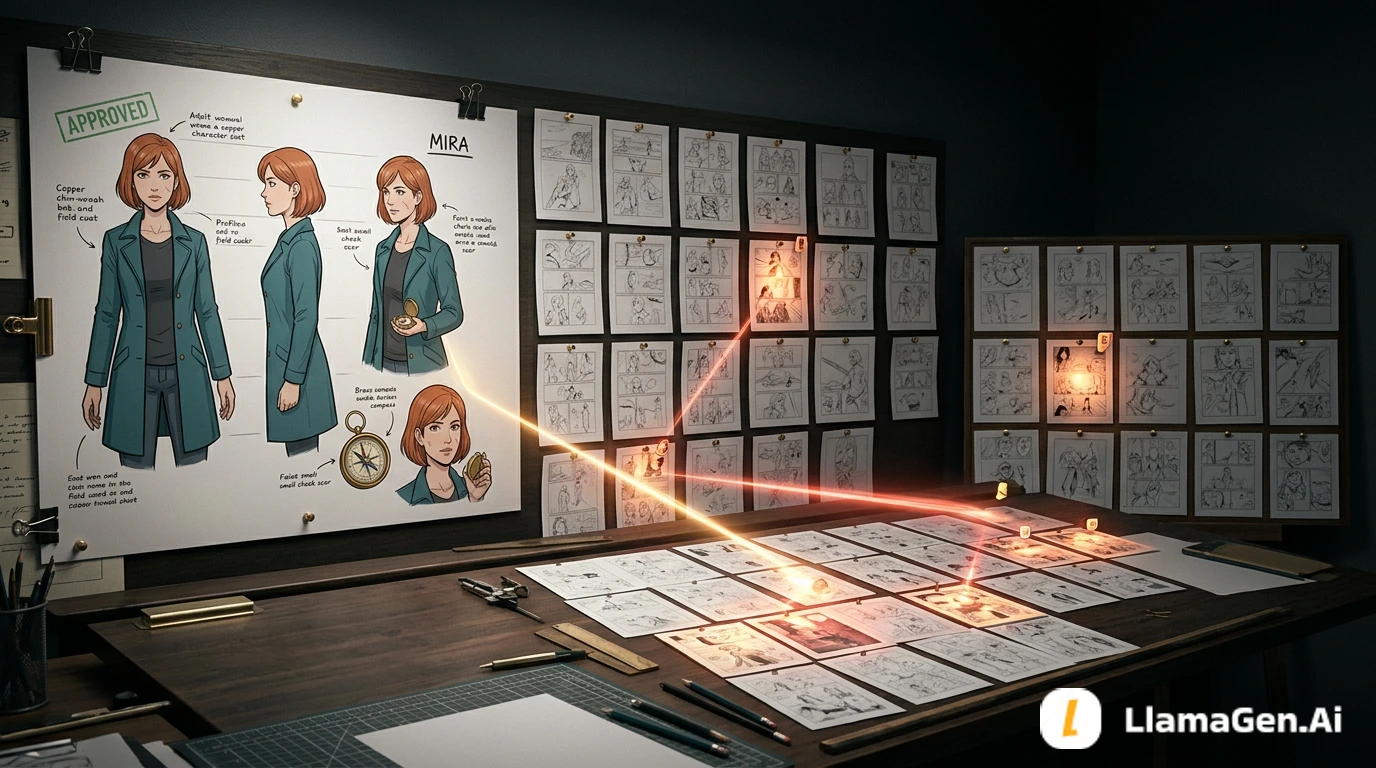
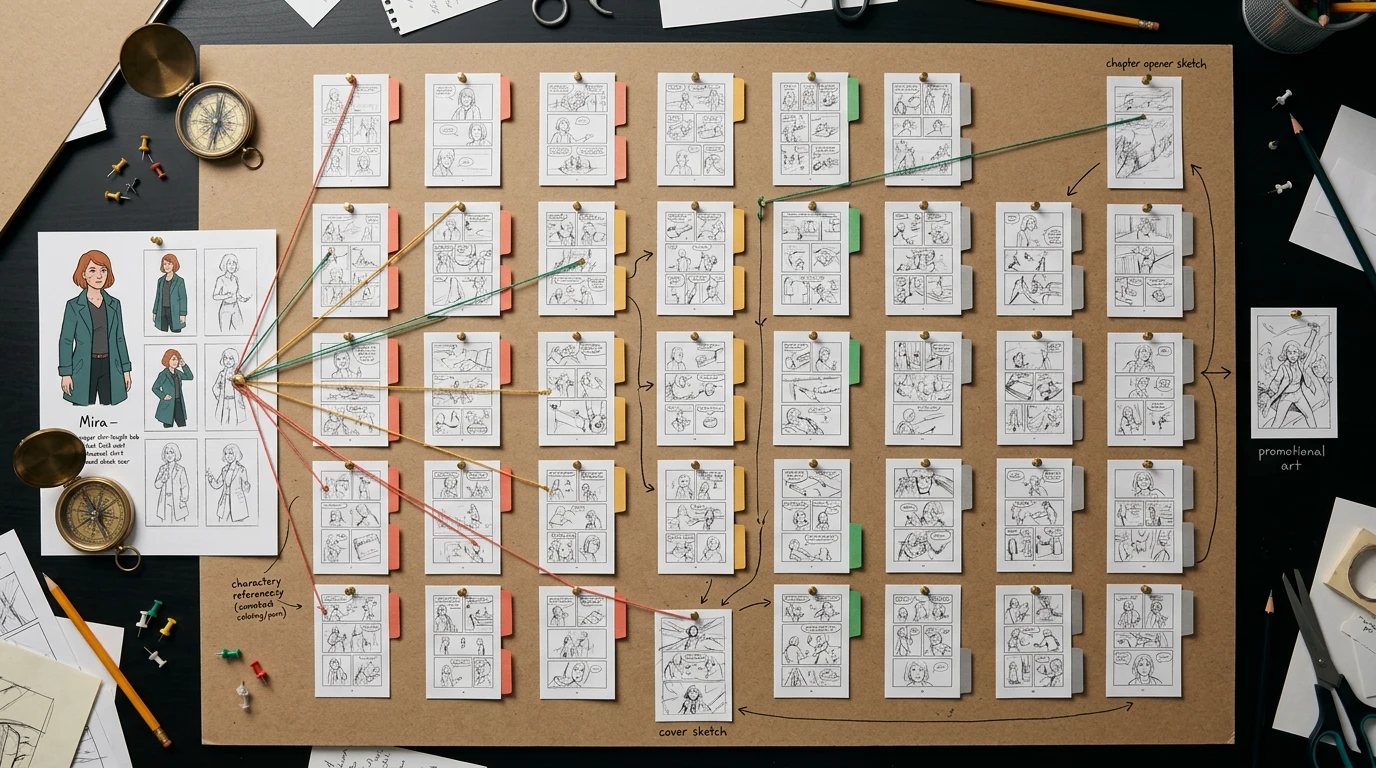
When an approved character reference changes, do not regenerate the whole comic and do not rely on memory.
Instead, run a reverse dependency audit:
changed reference
-> every page that used it
-> every panel where the changed detail is visible
-> every later image derived from those panels
-> repair, review, or leave untouched
In the 40-page worked example in this guide, one character appears on 29 pages. The audit finds:
14 pages / 38 panels that require repair
9 pages / 34 panels that require human review
6 pages / 22 panels that are verified unchanged
11 pages / 74 panels where the character is absent
That means 96 of 168 panels stay untouched. The point of the audit is to protect approved work instead of turning one reference update into a 40-page restart.
If your story already exists as a script, PDF, DOCX, or manuscript, you can start a long-form project through LlamaGen.AI Upload. Keep the audit ledger beside the project until every changed reference and downstream asset is closed.
The visual above explains the dependency concept. The exact 40-page counts are recorded in the page matrix below, not inferred from the illustration.
The Production Problem This Guide Solves
A useful distinction from the AI comic creator community is that knowing how an image was generated is not the same as knowing what depends on it.
The original Reddit post describes a 40-page comic in which an approved character reference for Mira is used on pages 3, 6, 9, 14, 18, and 27. When Mira's design changes, prompts, seeds, models, and workflow history can explain where an asset came from, but they do not automatically answer:
Which pages are now stale?
Which approved scenes need another look?
Which pages are unaffected?
Which images became references for later images?
The comments suggest practical metadata: versioned reference names, one file per episode or page, and frontmatter fields for characters, references, story range, status, and dependencies.
Nhật ký thay đổi
Khơi dậy ước mơ cho thế hệ trẻ Nơi hàng triệu câu chuyện trở nên sống động
Tổng hợp các tính năng mới nhất của LlamaGen, cải tiến sản phẩm, cập nhật thiết kế và các bản sửa lỗi quan trọng.
✦
✧
✦
✧
Một phương tiện mới cho Kể chuyện
Thỏa sức tạo ra không giới hạn câu chuyện, truyện tranh, hoạt hình, trò chơi và hơn thế nữa—chỉ trong vài giây, phù hợp với khán giả hiện đại
This guide turns that production pain into a repeatable audit method.
This Is Not Just a Character Consistency Checklist
The Comic Character Consistency Checklist helps you define a character lock, detect visual drift, and repair a panel that no longer matches the approved design.
This article starts one step later:
The old design was approved and used correctly. Then the source reference itself changed. What existing work must now be revisited?
That is a change-management problem, not only a prompt-quality problem.
The 40-Page Test Project
The sample project is a fictional 40-page mystery comic called The Observatory Key.
Project field
Test value
Total pages
40
Total panels
168
Main character
Mira Vale
Pages containing Mira
29
Panels containing Mira
94
Old approved reference
mira-v03-approved
New approved reference
mira-v04-approved
Change ticket
CR-017
Direct downstream assets
Chapter cover, thumbnail, social teaser, pitch-deck frame
Audit date
October 26, 2026
This is a production-ledger simulation. It tests whether the method closes mathematically and operationally; it is not a claim that all 40 finished pages were generated in one automated run.
What Changed in Mira v04
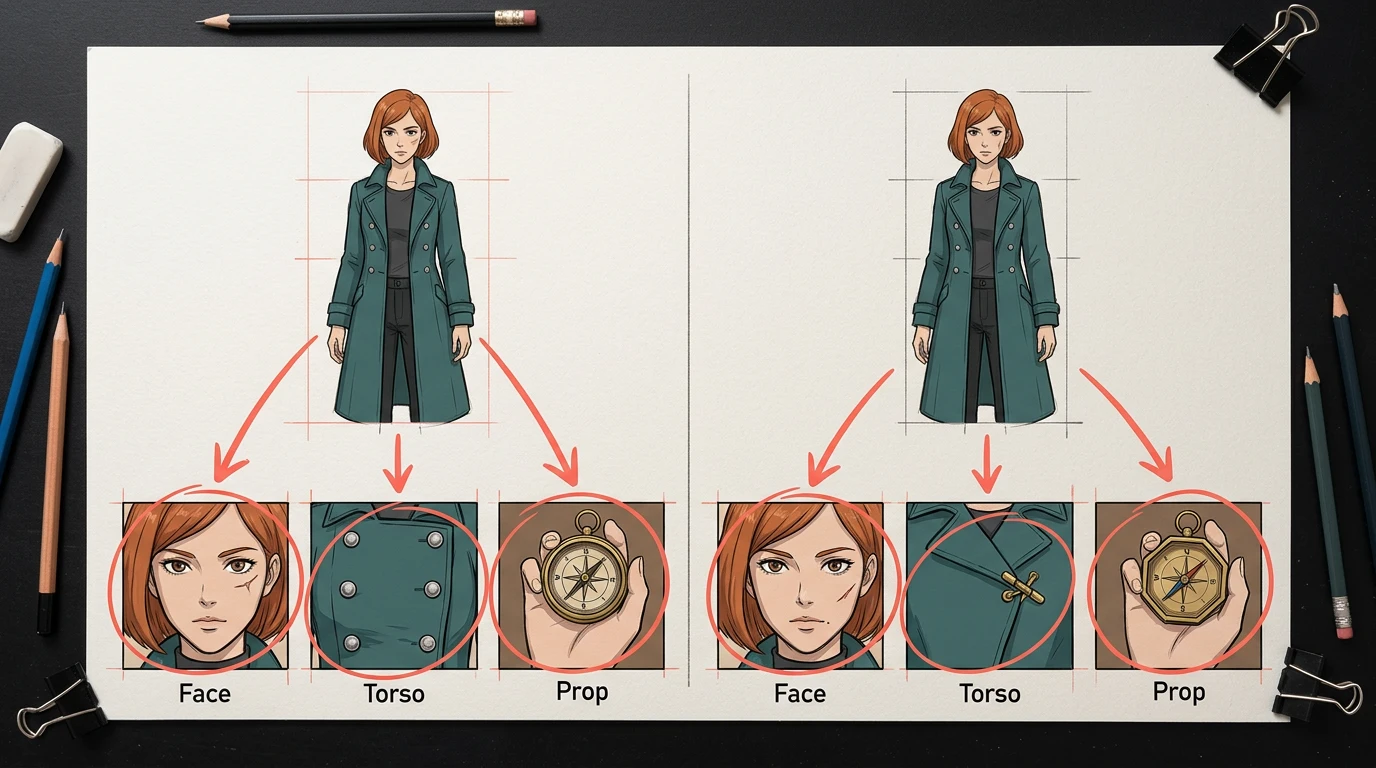
The creative director approved three corrections:
Field
v03
v04
Why it matters
Face anchor
Scar under right eye
Scar under left eye
visible in close and medium shots
Coat closure
Four round silver buttons
One diagonal brass clasp
visible whenever the torso faces camera
Story prop
Round brass compass
Octagonal brass compass
recurring plot object and derived-asset anchor
Everything else stays locked: face shape, copper bob, body proportions, teal coat, charcoal shirt, and color palette.
This is an identity correction, not permission to redesign the character. A repair that changes Mira's face, age, hairstyle, pose, camera, lighting, or background creates new continuity risk.
First Rule: Never Overwrite the Old Reference
Do not replace mira-approved.png with a different image under the same filename. That removes the evidence needed to determine which pages used which design.
Without from_ref, you cannot reliably distinguish a stale page from one already generated with v04.
The Four Impact States
Every page receives exactly one state.
Code
State
Meaning
Default action
X
Repair required
A changed field is clearly visible, or the page feeds a stale downstream asset
edit or regenerate the affected panel
R
Review required
Mira appears, but lighting, scale, crop, reflection, or occlusion makes impact uncertain
human visual check
K
Verified unchanged
Mira appears, but none of the changed fields can be seen
keep approved art
A
Character absent
Mira does not appear and the page does not inherit from a stale asset
no action
Use an explicit K state. Silence is ambiguous: it may mean "checked and safe" or "forgotten."
Complete 40-Page Impact Map
The page-level audit is:
01 K | 02 R | 03 X | 04 A | 05 X | 06 X | 07 R | 08 K
09 X | 10 A | 11 R | 12 X | 13 A | 14 X | 15 K | 16 X
17 R | 18 X | 19 A | 20 X | 21 A | 22 R | 23 K | 24 X
25 A | 26 R | 27 X | 28 A | 29 K | 30 X | 31 R | 32 A
33 A | 34 X | 35 A | 36 R | 37 K | 38 A | 39 X | 40 R
Mira appears on the 29 X, R, and K pages, covering 94 panels. No page can be in two states, and no page is left unclassified.
The Impact Table You Actually Need
A useful table tracks more than the character name.
Page
Panels
Dependency
Changed detail visible?
Derived asset
State
Action
3
2, 4
direct mira-v03
face and clasp
none
X
edit both panels
6
1, 3, 4
direct mira-v03
face, torso, compass
chapter thumbnail
X
repair panels, refresh thumbnail
8
2
direct mira-v03
back view only
none
K
record verified unchanged
9
1–4
direct
The critical row is page 14. It never used mira-v03 directly; it used an earlier panel as a visual reference. A search for the old filename alone would miss it.
generated_with records provenance: how this panel was made.
depends_on records dependency: which approved asset influenced it.
If page 3 panel 4 is repaired, the audit follows the edge to page 14 panel 5 even if the later prompt did not attach Mira's original reference.
Build a Reverse Index Before You Repair Anything
Create a reverse lookup from the old reference to every consumer:
mira-v03-approved
├─ direct pages: 01, 02, 03, 05, 06 ...
├─ inherited panels: P14.5, P40.2
├─ chapter thumbnail: derived from P06.4
├─ social teaser: derived from P18.3
├─ chapter cover: derived from P27.2
└─ pitch-deck frame: derived from P40.2
The direction matters. A prompt log usually tells you what a page used. A reverse index tells you every page that must be revisited when one source changes.
The line "Mira appears on this page" is not enough.
For each panel, record whether the changed field is actually visible:
Visibility
Example
Impact
Close
face occupies much of the panel
scar correction is mandatory
Medium
face and torso visible
scar and clasp may both require repair
Prop insert
compass fills the frame
compass correction is mandatory
Wide
character is small
review at final output size
Back view
face and front closure hidden
usually verified unchanged
Silhouette
no internal detail
verified unchanged unless silhouette changed
Reflection
image may inherit an earlier panel
inspect the source dependency
Occluded
coat or face partly hidden
human review
This prevents two opposite mistakes: repairing pages where the change cannot be seen, and missing pages where a small but story-critical prop is visible.
Choose the Smallest Safe Repair
The 38 stale panels in this example do not all need the same operation.
Repair mode
Panels
Use when
Targeted edit
23
composition, acting, lighting, and background are already approved
Panel regeneration
15
the changed reference affects pose, hand-to-prop contact, or too much of the visible design
Human review only
34
impact is uncertain until inspected at output size
Do not start with all 38 stale panels. Repair three representative cases first:
One face close-up for the scar.
One medium shot for the coat clasp.
One hand-and-prop insert for the compass.
The canary passes only if:
Mira still looks like the same person.
The three corrected fields match v04.
Pose, crop, lighting, background, and other characters remain stable.
The repaired panel still connects cleanly to the panel before and after it.
No fake text, logo, or accidental costume redesign appears.
The canary is a contract test for the repair prompt. If it fails, change the prompt or editing method before touching the rest of the project.
Copy-Paste Repair Prompt
Repair only the selected comic panel using the approved character reference:
mira-v04-approved.

Required corrections:
- scar under Mira's LEFT eye
- one diagonal BRASS coat clasp
- OCTAGONAL brass compass

Identity lock:
- same face shape, age, copper chin-length bob, body proportions
- same teal coat and charcoal shirt
- same expression and acting intent

Preserve exactly:
- panel composition and crop
- camera angle and focal length
- pose and hand placement
- lighting and color grade
- background and other characters
- speech-bubble safe areas

Do not redesign Mira.
Do not change the story beat.
Do not add text, logos, or watermarks.
Return one repaired panel only.
For panels with a hand holding the compass, regenerate rather than forcing a local edit if the new octagonal shape breaks finger contact or perspective.
Repair in Batches, Then Review in Sequence
Use small batches grouped by failure type:
Batch A: scar close-ups
Batch B: coat-clasp medium shots
Batch C: compass inserts and hand contact
Batch D: panels with two or three changed fields
After each batch, read the surrounding sequence, not just the repaired images in isolation. A technically correct panel can still fail if Mira's gaze, movement, weather, or emotional progression no longer connects.
Recommended review order:
Compare the repaired panel with v04.
Compare it with the previous and next panels.
Read the complete page at normal size.
Read the spread or scroll sequence.
Check the page again at mobile size.
Mark the ledger row repaired, verified, or reopen.
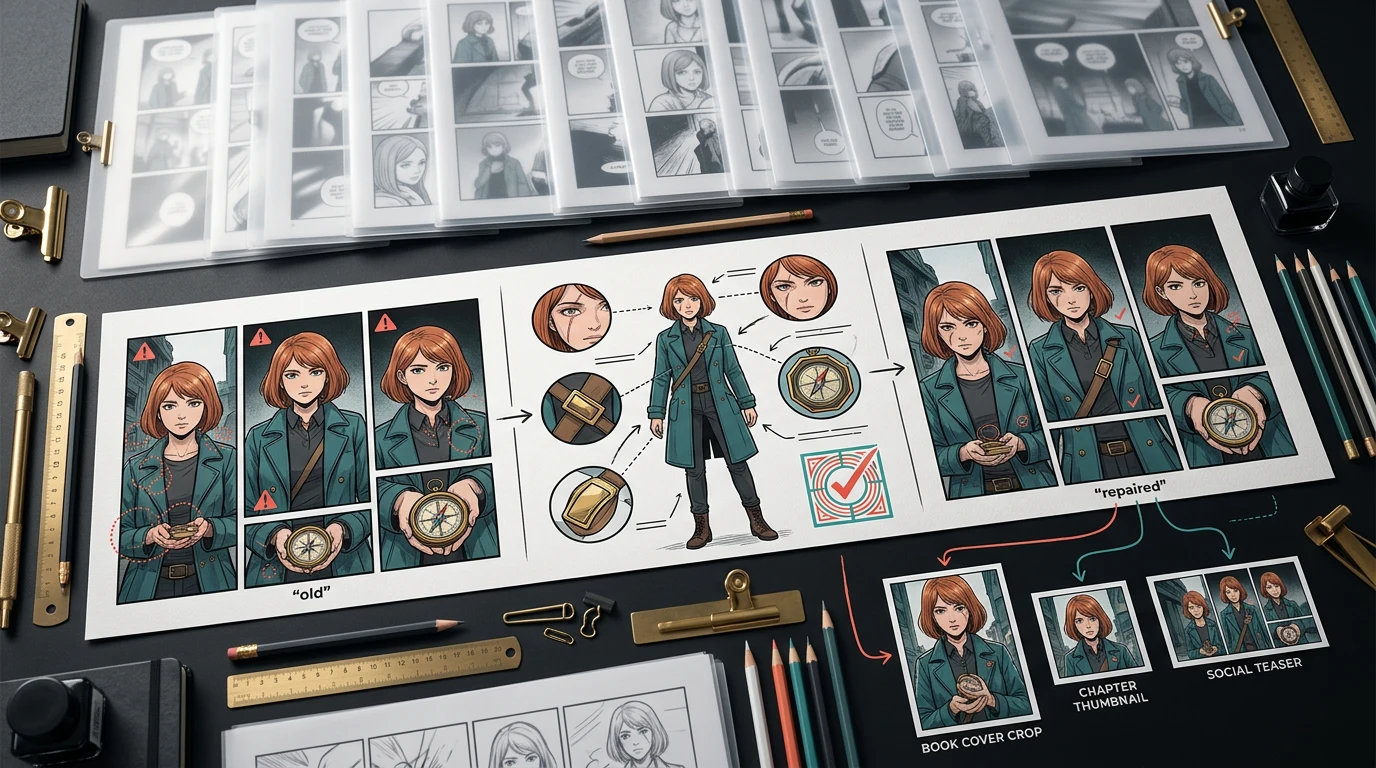
Refresh Every Derived Asset
Pages are not the end of the graph.
In the sample project:
Page 6 panel 4 feeds a chapter thumbnail.
Page 18 panel 3 feeds a social teaser.
Page 27 panel 2 feeds the chapter cover.
Page 40 panel 2 feeds a pitch-deck frame.
Once the source panel is repaired, rebuild the derivative. Do not patch only the exported crop, because the next export may silently recreate the stale version.
Use this closure order:
source reference
-> source panel
-> page export
-> chapter PDF or webtoon package
-> cover / thumbnail / teaser / pitch frame
-> final publication QA
A Practical LlamaGen.AI Workflow
LlamaGen.AI can help create and repair visual assets, but the project still needs explicit change control.
Upload the manuscript, script, PDF, or project source through LlamaGen.AI Upload.
Lock the current character sheet before generating long sequences.
Store the reference version ID in the page brief or external ledger.
When the reference changes, create a new version instead of replacing the old asset.
Build the impact table before opening generation tools.
Repair only X panels; visually inspect R panels.
Keep K and A panels untouched.
Rebuild derivative assets from repaired source panels.
Export only after page, chapter, and promotional checks are all closed.
If both designs are called mira-approved.png, the audit cannot prove which version a page used.
Searching prompts but ignoring inherited images
A later page may use an earlier panel as its reference. Track image-to-image dependencies, not only direct character attachments.
Regenerating every page
This changes approved composition and creates fresh continuity errors. In the test case, 96 of 168 panels need no edit.
Repairing only the obvious close-ups
The face may be corrected while the old compass survives in an insert, cover, thumbnail, or reflection.
Treating "not reviewed" as "unaffected"
Use explicit states. K means inspected and safe; a blank cell means unfinished work.
Updating the crop instead of the source
Fixing a stale social image without fixing its source panel leaves the dependency broken.
Letting metadata drift from the artwork
Run both a metadata query and a visual contact-sheet review. If their page counts differ, the audit is not closed.
Audit Completion Criteria
The change ticket closes only when all of these are true:
The old and new references have immutable version IDs.
Every page is classified exactly once.
Page totals and panel totals close.
Direct and inherited dependencies have been searched.
Three representative canary panels pass.
All X panels are repaired and rechecked in sequence.
All R panels have a named reviewer and decision.
Every K panel has a verification record.
All derived assets have been rebuilt from repaired sources.
Final exports contain no stale v03 appearance.
The old reference remains archived for provenance.
Image Generation Note
The explanatory visuals for this article were generated on October 26, 2026 with Vertex AI using Gemini Nano Banana 2.1, model ID gemini-nano-banana-2.1, then compressed to WebP and uploaded to the LlamaGen.AI CDN. The cover received the standard LlamaGen.AI brand watermark.
Google describes Nano Banana 2.1 as a high-efficiency image generation and conversational editing model with improved multi-turn consistency. See the official model documentation. These images are editorial explanations, not product screenshots or a benchmark of automatic dependency tracking.
FAQ
Should I regenerate every page after changing a character reference?
No. Audit first. Repair pages where a changed field is visible, review uncertain pages, and leave verified unaffected work untouched.
Is a prompt log enough?
No. A prompt log records provenance. You also need dependencies, including pages that used an earlier generated panel instead of the original character reference.
What if I did not record reference versions?
Create a visual contact sheet, identify the old and new signatures, and classify every appearance manually. Then add version IDs before the next generation round.
How many canary panels should I test?
Three is a useful minimum when the change touches face, clothing, and a prop. Choose representative panels, not the easiest ones.
Should I edit or regenerate an affected panel?
Edit when the approved composition can be preserved cleanly. Regenerate when the change affects anatomy, hand contact, perspective, or a large portion of the character.
Can this method track locations and props too?
Yes. The same dependency model works for a room redesign, vehicle update, logo removal, costume change, or recurring story object.
Final Workflow
freeze change request
-> create versioned reference
-> build reverse dependency index
-> classify all 40 pages
-> test three canary repairs
-> repair only stale panels
-> review uncertain panels
-> rebuild derived assets
-> verify sequential continuity
-> close the change ticket
A long comic should behave like a managed production, not a pile of disconnected prompts. The goal is not to prevent every design change. It is to make the effect of a change visible before it becomes expensive.
You can start the source project with LlamaGen.AI Upload, lock each approved character reference by version, and keep the impact ledger beside the comic until the final export passes.