

Detailed cartoon animal portrait with personality
Example preview
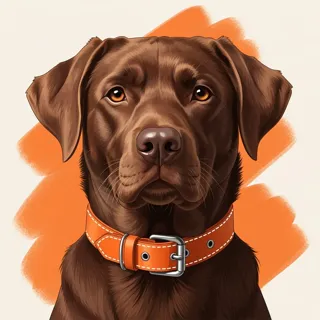
A digital-painting and realistic-cartoon mix can show an animal’s character through a familiar activity and expressive face. A starting point for creating and refining an image in LlamaGen.
Choose an activity that reveals temperament rather than adding many accessories.
When to use this template
- Pet-inspired portrait
- Animal story character
- Cozy gift image
Build your first draft
Choose the story moment
Describe who is present and what changes before adding decorative details. Choose an activity that reveals temperament rather than adding many accessories.
Direct the composition
Keep fur detail around the face and simplify the surrounding room.
Review the first draft
Check paw placement and whether the slipper is a separate object. Check the focal point at a small size, then revise one issue at a time.
Try a complete example
Worked example — Detailed cartoon animal portrait with personality
A curious cartoon spaniel guards one wool slipper beside a cozy armchair. Detailed digital painting, believable soft fur, enlarged expressive eyes, warm lamplight, no text.
The guarded slipper suggests a mischievous personality. Use this direction as a draft brief; inspect the result before relying on fine details.
Before you publish
- A stylized animal portrait may not preserve an individual pet’s exact markings.
- Very dense fur can hide paws and object edges.
- Add captions after reviewing the image so the story remains readable.
Questions about this template
- Can I change the subject?
- Yes. Replace the example subject while retaining the visual choices described above; too many competing actions make the result harder to read.
- Is this a blank downloadable file?
- This is a creation preset, not a blank worksheet. Open it, describe a scene, and refine the generated draft.
- Will the prompt reproduce every detail exactly?
- No. The prompt gives direction. Layout, lettering, anatomy, and repeated character details can need correction.