Gift icon

VID2VID WORKFLOW

Turn source footage into a new character performance

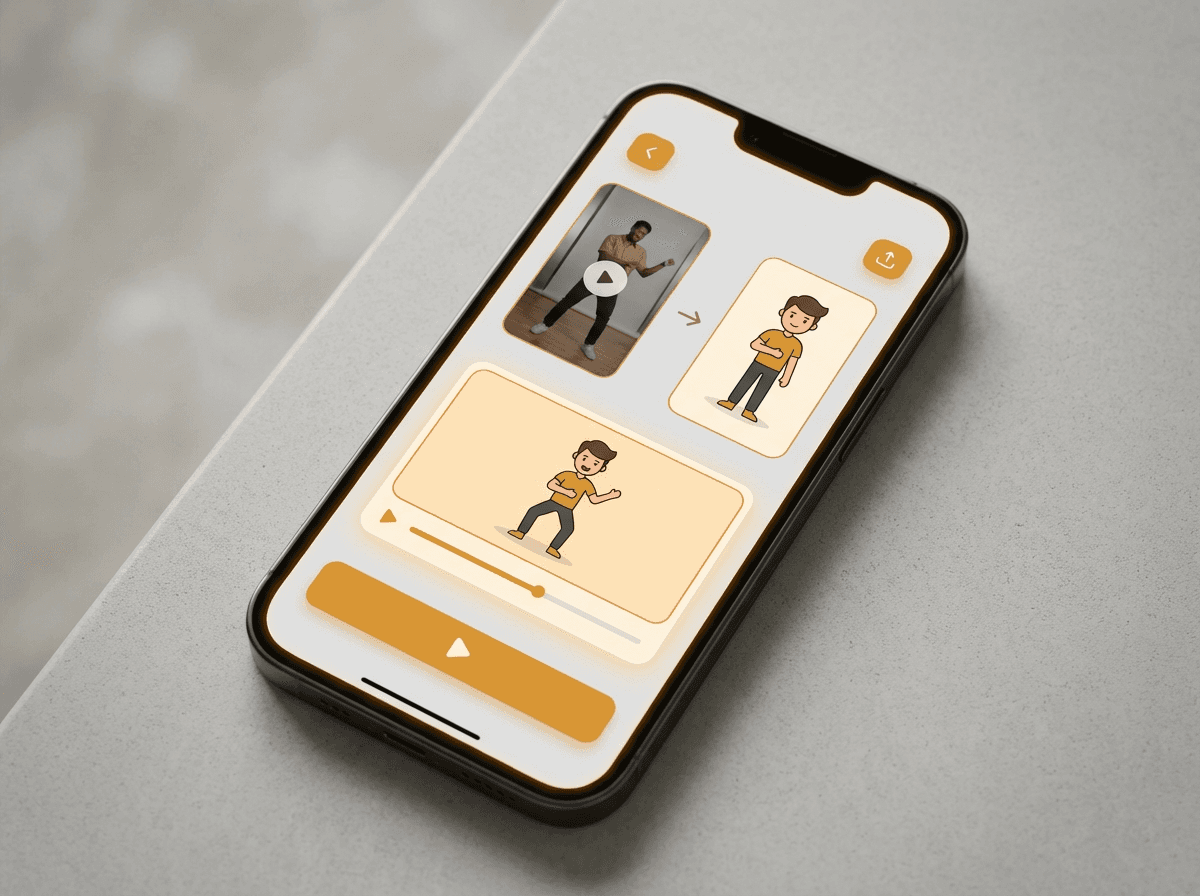
Upload a reference video and character image, choose Kling 3.0 Motion Control or Wan 2.7 VideoEdit, then generate a paid video-to-video result with controlled motion and identity.

Kling 3.0
Wan 2.7
Paid models
Identity lock

INPUT-DRIVEN GENERATION

Create video-to-video outputs in 3 steps

Choose Kling or Wan, upload motion, lock in the character, pick the transfer mode, and compare results quickly.

1

Choose the model

Use Kling 3.0 Motion Control for character motion transfer or Wan 2.7 VideoEdit for instruction-based editing of existing footage.

2

Upload video and reference image

Choose a short source video with clear motion, then add the character or visual reference image you want the output to follow.

3

Generate and compare

Review identity, timing, framing, and motion quality together. Change one setting or prompt detail at a time as you iterate.

VIDEO TO VIDEO AI GUIDE

What Is Video to Video AI?

Answer: Video to Video AI uses a source video as motion input, then creates a new video guided by a character reference, style direction, edit instruction, or replacement goal.

How does LlamaGen.ai Video to Video work?

Answer: Upload a source video, add a character image, choose Kling 3.0 Motion Control or Wan 2.7 VideoEdit, and generate a short character-led video.

The source clip provides timing, pose, and camera framing. The character image gives the model a visual target so the result can preserve identity while following the source motion or edit instruction.

What problem does a video-to-video generator solve?

Answer: It helps creators test character acting without animating every pose from scratch.

Use it for dance tests, acting references, cosplay previews, short-form character promos, and early animation blocking before committing to a longer production.

Which inputs make better Vid2Vid results?

Answer: Short clips with stable lighting and clean character references usually work best.

Clear silhouettes, limited camera shake, visible faces, and consistent framing make the motion transfer easier to read and compare.

Why is Video to Video a paid feature?

Answer: Kling 3.0 Motion Control and Wan 2.7 VideoEdit are premium per-second video models.

The page estimates credits based on Replicate model pricing and output duration, so generation is limited to paid accounts with enough credits.


REAL VID2VID EXAMPLES

See the source image, motion video, and generated output

Video-to-video is easiest to understand when the inputs and output are visible together. These examples show how a reference image can inherit motion from a source clip.

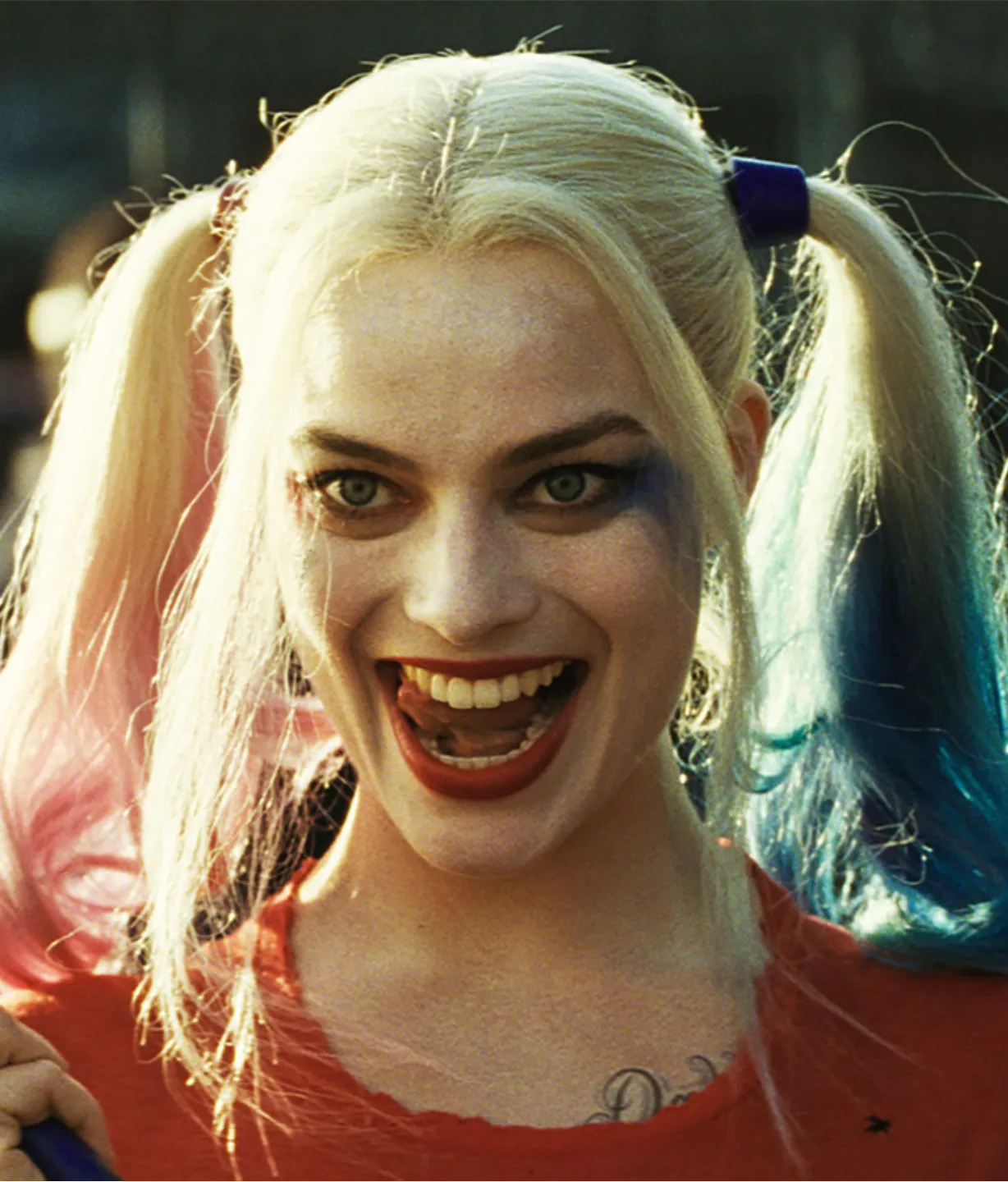
Image

Character dance transfer reference image

Motion

Character dance transfer

A character image follows the timing and body motion from a performer clip while keeping the visual identity readable.

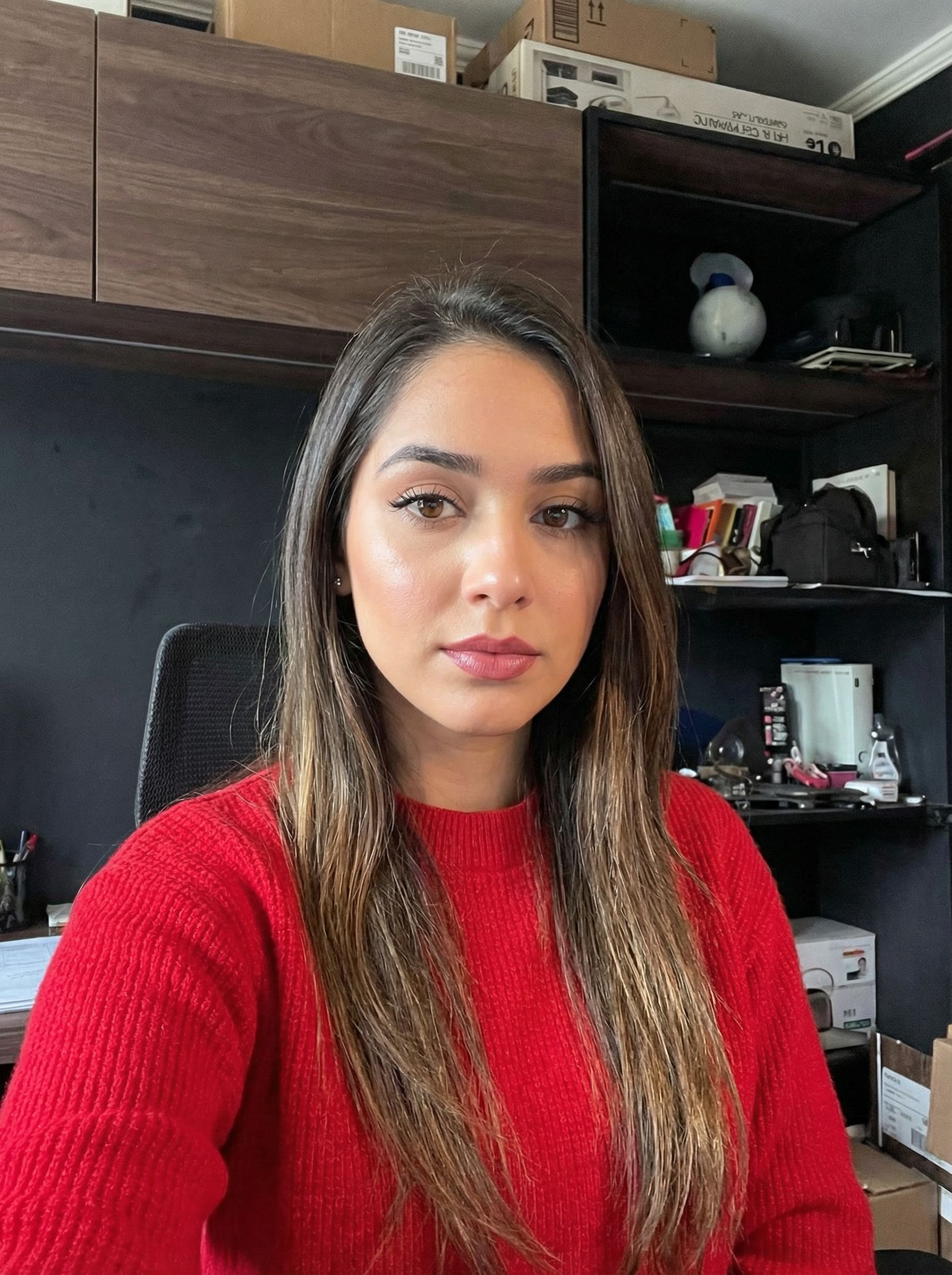
Image

Office gesture transfer reference image

Motion

Office gesture transfer

A reference portrait takes on the waving gesture and scene rhythm from a short office motion clip.

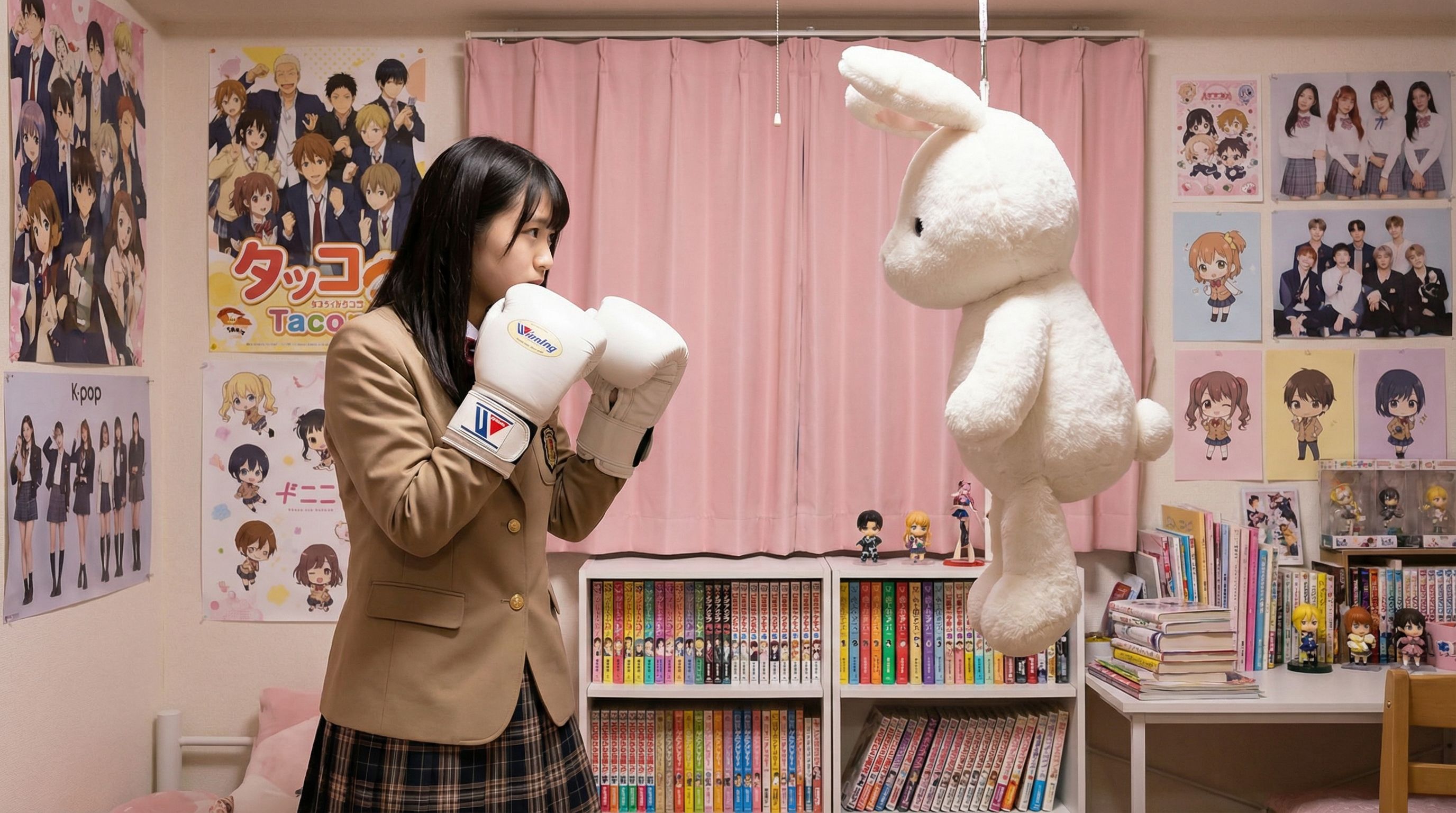
Image

Action motion transfer reference image

Motion

Action motion transfer

A still character reference is animated with boxing-style source motion for a sharper action test.

MODEL COSTS

Credits follow premium video model pricing

Kling 3.0 Motion Control and Wan 2.7 VideoEdit charge per second of generated output. LlamaGen maps that cost into credits so creators can compare the models before generating.

Paid users onlyPer-second credits

Kling 3.0 Motion Control

600 credits for 5s

$0.12 / second for pro 1080p output
120 credits / second

Wan 2.7 VideoEdit

500 credits for 5s

$0.10 / second of output video
100 credits / second

VIDEO TRANSFER CONTROLS

Motion transfer with a cleaner studio workflow

Use model selection, source video, character image, prompt, duration, and quality controls without juggling separate tools.

Video to Video

Transfer motion from a source video to a character image with paid Kling 3.0 and Wan 2.7 models.

1

Model

Video model

Paid plan required for video-to-video generation.

Paid
1080p motion transfer600 credits / 5s
2

Transfer Mode

119 / 1000
3

Performer Video

Use a clear 2-10 second motion clip.

4

Character Image

Choose a file or drop it here

Support JPG PNG, WEBP up to 20MB

Performer Video
Character Image

No ideas? Try our Preset Templates to Get Started

Kling 3.0 Motion Control for character transfer

Kling 3.0 Motion Control for character transfer

Use a source video as the motion track and a reference image as the character target. Kling 3.0 Motion Control is designed for stronger identity consistency and 720p or 1080p motion transfer.

Wan 2.7 VideoEdit for prompt-guided edits

Wan 2.7 VideoEdit for prompt-guided edits

Use Wan 2.7 VideoEdit when the job is closer to editing an existing clip: change style, background, lighting, clothing, or appearance while preserving the source motion.

Built as a paid, high-compute video workflow

Built as a paid, high-compute video workflow

Video-to-video generation uses premium Replicate models and is available to paid users, with credits calculated based on model pricing and output duration.

CREATOR USE CASES

Three Creator Stories for Video to Video AI

Use the same simple workflow for character animation tests, cosplay planning, and short-form creative production.

Character animators test acting faster

An animator can upload a rough performance clip and a character image to preview timing, pose language, and framing before building a polished sequence.

Cosplayers preview motion and presence

A cosplayer can use a short walk, turn, or gesture clip to see how a character design might feel in motion before refining costume or makeup decisions.

Short-form creators make character clips

A creator can turn dance clips, reaction shots, or promo footage into stylized character videos for quick social tests and idea validation.

The leading AI comic generator

Choose the plan that’s right for you

Enjoy high-quality AI creativity through flexible subscription plans.

customerscustomerscustomers
20,000+ happy customers

Standard Plan -20%

US$14
US$18/Mo
Save US$43
US$172.8 billed annually

More credits lead to more creation options

15000 credits renew monthly

Single/Multiple page mode

Auto Captions

10 Custom Comic Characters

Unlimited Gemini 3 usage

Fast Generation

Advanced AI image models

Stable storytelling output

Create up to 20 panels per prompt

Most Popular

Pro Plan -20%

US$24
US$30/Mo
Save US$72
US$288 billed annually

Infinite generations for limitless ideas

45000 credits renew monthly

Everything in STANDARD

Character Consistency

Comic To Video

Unlimited characters creation

Fastest Generation

General commercial terms

Unlimited Templates

Nano Banana/FLUX/CyaniModel

Early access to advanced AI features

Create up to 40 panels per prompt

Unlimited Plan -40%

US$58
US$96/Mo
Save US$461
US$691.2 billed annually

Fast, for business use, and with exclusive access

135000 credits renew monthly

Everything in PRO

Unlimited projects

Character Consistency

Unlimited characters in your comics

Fastest Video Generation

Global Language Suite

General commercial terms

Account Manager

Access to member gallery

Nano Banana/FLUX/CyaniModel

Create up to 64 panels per prompt

Production Unlimited Plan -40%

US$120
US$200/Mo
Save US$960
US$1,440 billed annually

For professional creators. Best for comics, animations, films, and series.

270000 credits renew monthly

Everything in UNLIMITED

Unlimited projects

Unlimited story length

Character Consistency

Unlimited characters in your comics

Fastest Video Generation

Global Language Suite

General commercial terms

Account Manager

Nano Banana PRO Masterpiece

Create up to 64 panels per prompt

Credits Package

Pricing Pro
Pro

6000

7,500credits+25.00%

Pricing Max
Max

12000

20,000credits+66.67%

Pricing Mega
Mega

30000

50,000credits+66.67%

US$40US$2,000

HOW IT WORKS

Go from performer footage to stylized character motion

A focused video-to-video workflow for creators exploring character acting, motion transfer, and identity consistency.

Focused Dual-Input Workflow

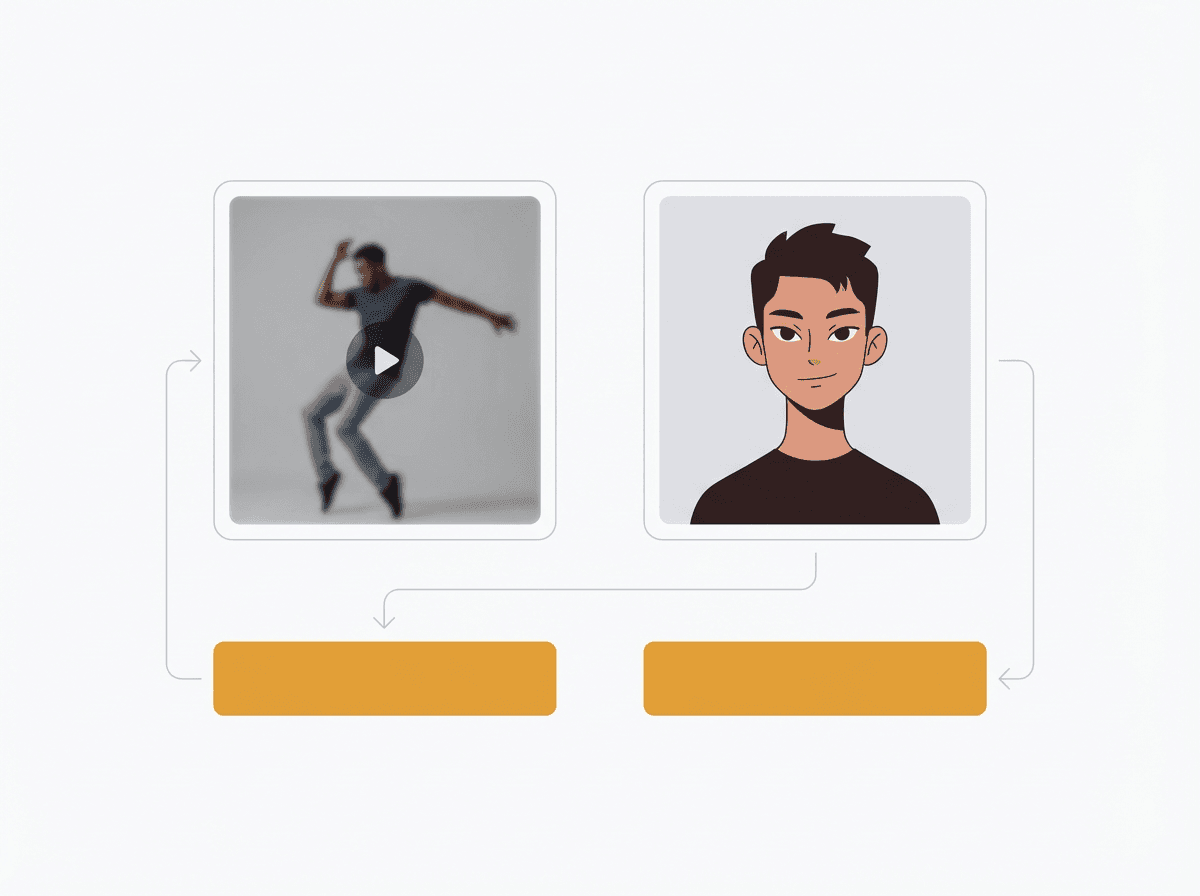
The page is built around exactly two key inputs: performer footage and the character reference.

Character Performance Control

Transfer pose, timing, and movement from source footage into a character-led result.

Identity-Lock Friendly

Use a strong target image when the character face, costume, or visual identity needs to stay recognizable.

Advanced Settings Stay Optional

Start with the defaults, then open more settings only when you need to adjust aspect ratio, duration, or resolution.

Creator Iteration Loop

Generate short tests, compare results, and refine motion or character inputs for the next pass.

Separate from Text-to-Video

Use source footage as the motion reference, then apply a new character or visual direction without starting from a blank text prompt.

TOOL COMPARISON

Compare LlamaGen.ai Video to Video vs Other Tools

LlamaGen.ai centres the Vid2Vid workflow around the two inputs creators usually need most: source motion and a target character reference.

Factor
LlamaGen.ai
Other tools
Workflow
Dedicated video-to-video page with performer video plus character image.
Often bundled into a general AI video generator with more setup choices.
Ease of use
Two simple transfer styles by default, with advanced settings tucked away.
May expose many model parameters before the user can get started.
Creator fit
Built for short character motion tests, performer replacement, and identity-guided clips.
May focus more on text-to-video, image-to-video, or general video effects.

Turn source motion into character performance

Open the dedicated video-to-video studio and start with a source video plus a character image.

Open Video to Video Studio

Video to Video AI Help Centre FAQs

What is video-to-video AI generation?

Video-to-video AI generation uses a source video as motion input and creates a new video based on that performance, character reference, or style direction.

What do I need to get started?

You need a performer video and a character image. Clear motion, stable lighting, and a clean character reference usually produce better results.

Is this different from the AI video generator?

Yes. Video to Video starts from an existing performer or source clip, while the AI video generator can also create clips from text or image prompts.

What kind of performer clips work best?

Short clips with stable lighting, readable silhouettes, and limited camera shake are usually easier to transfer.

Can I use anime or stylized characters for Vid2Vid?

Yes. Upload the character image you want to preserve, then choose the simple transfer style that best matches your goal.

Can I change aspect ratio, duration, and quality?

Yes. The default settings are ready for quick tests, and More settings lets you adjust aspect ratio, duration, and resolution when needed.

More generative design

Free AI Comic Strip GeneratorAI Children's Book GeneratorFree AI Comic GeneratorAI Manga StudioComic To VideoMusic To VideoFree AI Motion DesignerVideo to ComicVoice Story GeneratorAI Cartoon GeneratorPersonalized Character Comic MakerTurn Picture Into CartoonAI Webtoon GeneratorAI Manhwa GeneratorAI Manga GeneratorSocial Media ComicsBible Comic MakerManga Text Bubble GeneratorAI Storyboard GeneratorFree Storyboard TemplateAI Script GeneratorCamera Angle ControlAI Background GeneratorAI Image Style TransferAI Pose GeneratorAI Character GeneratorAI Character DesignAI Anime GeneratorAI Comic FactoryAI Story WriterChildren's storybook makerGenerative WorkflowsAI Storybook GeneratorPhoto to AnimeAI Manga Script GeneratorBlack And White Image FilterAI Manga ColorizerManga MakerManga TranslatorAnime to Real LifeAnime Character GeneratorAI Pixel Art GeneratorCharacter Sheet Cropping ToolComic Panel Segmentation ToolAI Layer SplitterAI Face Expression ChangerAI Image GeneratorStory AIAI Text Adventure GeneratorCrop ImageCompress ImageAI Acrylic Standee GeneratorAI Character Sheet GeneratorAI Christmas Outfit GeneratorAI Desktop Pet GeneratorAI Duo Character GeneratorAI Fantasy Character GeneratorAI Figure GeneratorAI Galgame UI GeneratorAI Giant Statue GeneratorAI Badge GeneratorAI Lego GeneratorAI Magazine Cover GeneratorAI Paper Cutout GeneratorAI Polaroid GeneratorAI Trading Card GeneratorAvatar GeneratorAI Avatar GeneratorAI Video GeneratorFree AI Manga GeneratorAI Manhwa GeneratorComic to Video AICanvas AIContent Generation ToolAI Story WriterStory DiffusionAI Comic Book EditorComic Character CreatorWeb Comic MakerComic Creator FreeAnime UpscalerGhibli AI GeneratorConsistent Characters VideoVisual Story WritingDrawPlayground AIGrayscale ImageComic ThatStoryboard ThatAI Anime GeneratorComicgenAI Image VectorizerChibi Sticker MakerAnime Sticker MakerAI Sticker GeneratorAnime Character GeneratorAI Image ExtenderAI Character Sheet GeneratorAI Photo to Sketch ConverterFree Faceless AI Video GeneratorYouTube Shorts Video GeneratorUGC Ad Video GeneratorHistory Video GeneratorAncient History Video GeneratorWar Documentary GeneratorStory to Video GeneratorVoiceover Video GeneratorVoice Story GeneratorProfessional ServicesComic Commission CostComic Artist for HireBook DesignBook EditingChildren's Book IllustrationBook & eBook WritingCartoon to Realistic AICartoon to Real Life AIAI Multi Shot Video GeneratorVisual Storytelling AgentAI Manga GeneratorAI Magical Girl GeneratorAI ELF GeneratorAI Demon Slayer GeneratorAI Book WriterAI Script WriterAI Book GeneratorManga Layout EditorManga Speech Bubble GeneratorManga Text Bubble GeneratorManga Panel GeneratorSkyReels AI Video GeneratorSkyReels AI Comic GeneratorAI Animation Story GeneratorAI Consistent Character GeneratorAI Kids Bedtime Story GeneratorAI Komiko GeneratorAI Monster GeneratorAI Motivational Story GeneratorAI Movie Poster GeneratorAI OC MakerCreate Your Own Comic BookFantasy AI Art GeneratorFlux AI Image GeneratorFree AI Colouring Page GeneratorMakoto Shinkai Art Inspiration GeneratorManga and Anime Books GeneratorMinecraft Comic MakerSnoopy Style Comic GeneratorStick Figure Comic GeneratorSticker GeneratorStudio Ghibli FilterVideo AgentComic AgentVisual Storytelling AgentGenerative WorkflowsSuno Music Video GeneratorApple Music Video GeneratorSpotify Music Video GeneratorSoundCloud Music Video GeneratorYouTube Music Video GeneratorUdio Music Video GeneratorTikTok Music Video GeneratorStable Audio Music Video GeneratorRiffusion Music Video Generator