Todos los posts
Build an OC Wardrobe for a Three-Scene Comic

Jay
19 de noviembre de 2026
Keeping the same OC in different outfits starts with locking identity and planning wardrobe changes. Decide which elements can change, approve one reference for each scene, and record the version you actually used. A new coat should not quietly become a new face.
This case builds three looks for Maya: rain, studio work, and an evening gallery visit. It includes two first outputs per outfit, three approved references, and one three-scene comic page. You can start with LlamaGen.AI OC Outfit Ideas to explore wardrobe directions, then use the review process below to keep changes controlled.
Lock the character before changing clothes
Maya's canonical reference establishes an adult woman with a short auburn bob, familiar facial proportions, a teal raincoat, mustard scarf, and olive backpack. The face, hair silhouette, apparent age, body proportions, and illustration style are identity anchors. The coat, scarf, shoes, and bag are wardrobe choices that may change when the story requires it.
In this exercise, the rain outfit stays close to the canonical design. The studio and night looks intentionally remove the raincoat and scarf. That is an approved costume change, not a consistency failure. By contrast, a different hairstyle or a substantially different face would require separate review.
If your OC does not yet have an approved base reference, see Character Creation for Comics. A wardrobe sheet is much easier to audit when the character identity is already settled.
Define three named wardrobe versions
| Version | Scene | Approved clothes | Intended changes from rain |
|---|---|---|---|
| RAIN v1 | Arrival outside the art studio | Closed teal coat, mustard scarf, dark jeans, brown boots, olive backpack | Baseline rain look |
| STUDIO v1 | Drawing at a worktable | Cream rolled-sleeve shirt, charcoal apron with two square pockets, teal trousers, brown low shoes | Remove coat, scarf and backpack |
| NIGHT v1 | Showing the sketchbook at a gallery | Open navy jacket, ochre top, charcoal trousers, brown ankle boots, small olive crossbody | Replace outerwear and bag; scarf stays off |
The outfit names here are editorial version IDs. They are not product IDs from OC Maker. A version should point to a specific approved image and description, not just a folder labeled “final.”
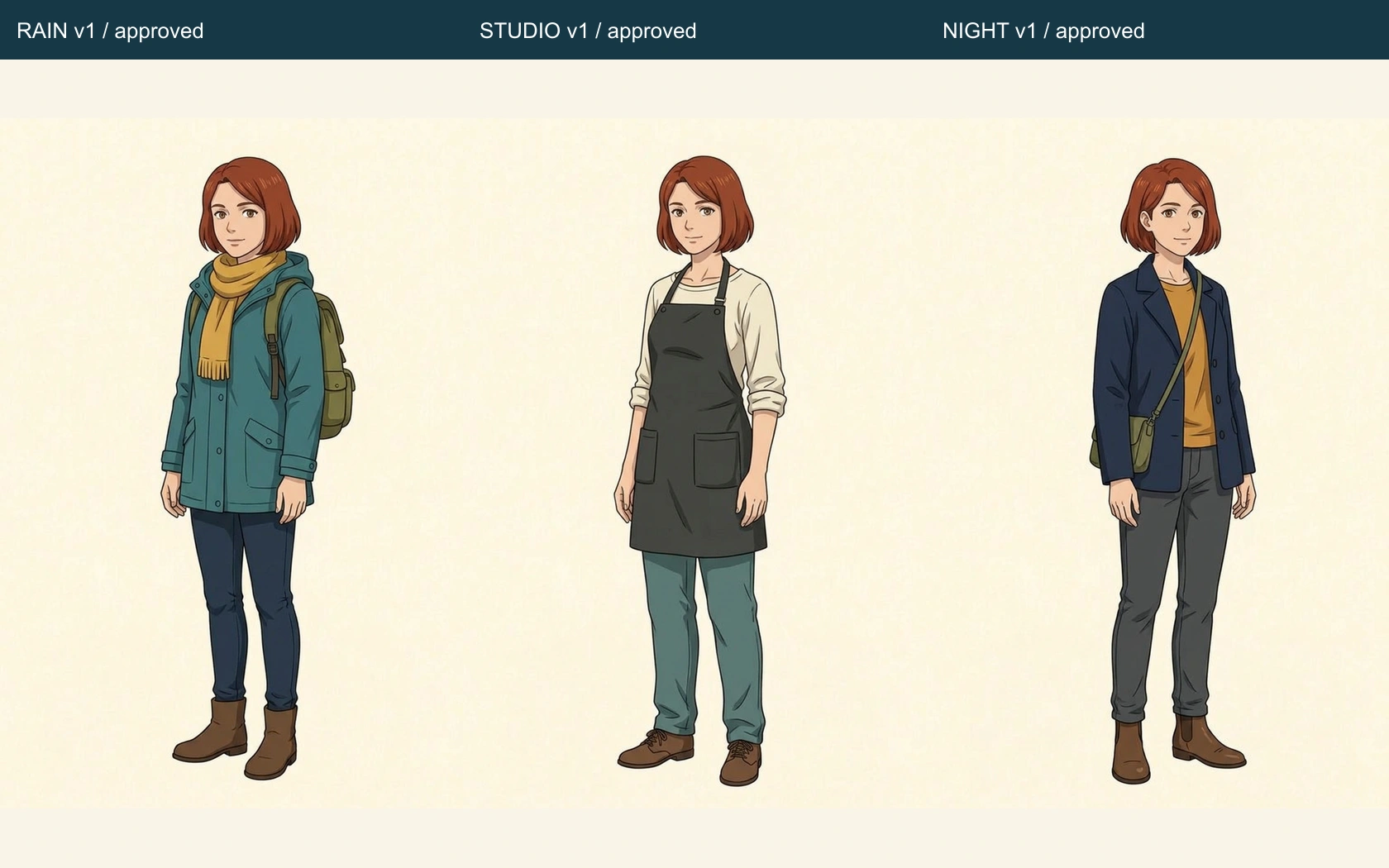
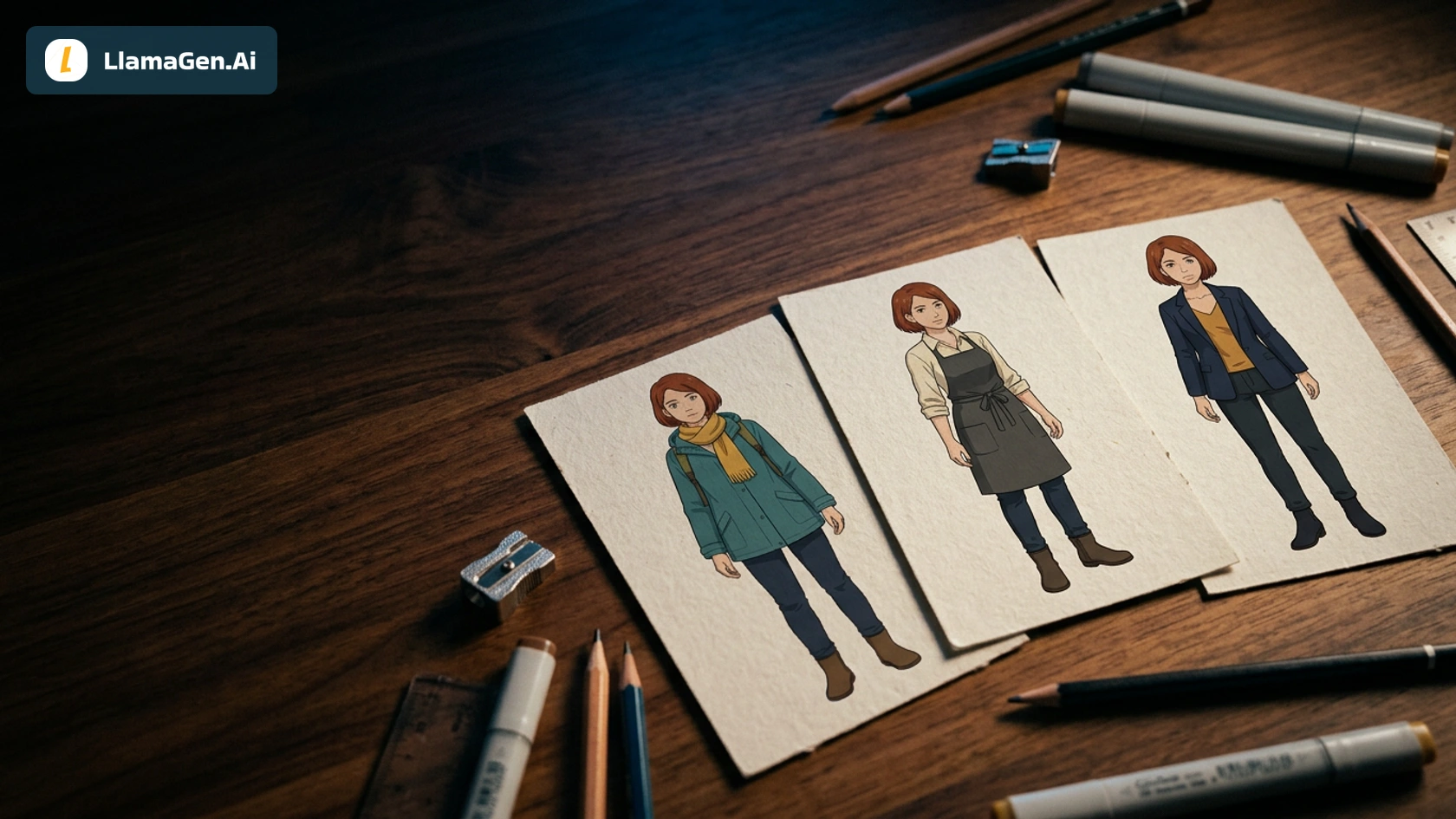
These are the generated reference images approved for this story. Attempt 1 in each group was selected. That choice is an editorial decision, not a model ranking and not proof that attempt 2 is worse.
Inspect all six first outputs
Executed November 19, 2026. All six reference requests used the same owned canonical Maya sheet, full-body portrait direction, and neutral background, with Vertex Nano Banana 2.1 through LlamaGen.AI's image playground. Those requests were already in progress before the workflow switched to direct local Vertex. The later three-scene application used Vertex directly with locally configured credentials.
Both attempts per outfit are retained. There was no fixed-seed comparison, no unlabeled reader study, and no discarded reference image. No signed-in OC Maker session, native character-library registration, or Studio export is claimed. Settled costs and Studio credits were not available.
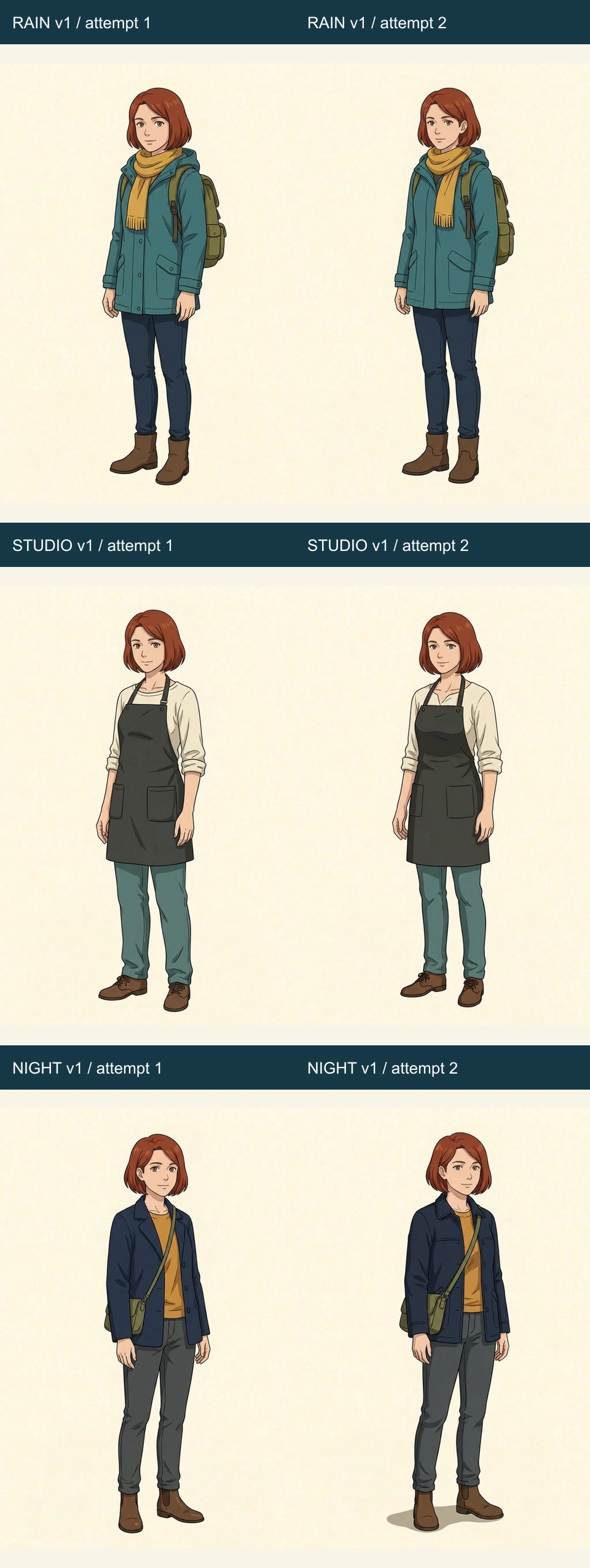
The rain pair keeps the familiar teal-and-mustard palette and compact backpack. The studio pair keeps Maya recognizable without those colors dominating the silhouette. Shirt collar shape, sleeve folds, and apron construction vary slightly between attempts. The night pair changes the cut and seam details of the navy outerwear, while the auburn bob and olive crossbody remain visible.
Review in two passes:
- Compare face and hair against the canonical reference.
- Compare clothing against the named version description.
Approving the identity does not automatically approve every pocket, and approving a new shirt does not authorize a new hairstyle.
| Review item | How it applies here |
|---|---|
| Face and apparent age | Compare brow, eyes, jaw, and proportions; do not judge identity from clothing alone |
| Hair mass | Keep the short auburn bob recognizable despite small strand changes |
| Deliberate outfit change | A missing scarf is correct for studio and night |
| Costume construction | Compare apron straps and pockets or the night jacket's cut |
| Bag role | Rain uses a backpack; night explicitly uses a crossbody |
| Visibility | Mark hidden shoes or pockets as not visible in a scene rather than awarding a match |
For a broader audit, use the Comic Character Consistency Checklist. This case focuses on intentional wardrobe changes rather than keeping one outfit unchanged through a full chapter.
Apply the approved looks to three scenes
The direct Vertex request included the three selected reference files in rain, studio, and night order and named their scene roles. One red sketchbook serves as the shared prop across the page: Maya arrives with it, draws in it, then shows the result to a friend. Each scene centers on one main action.
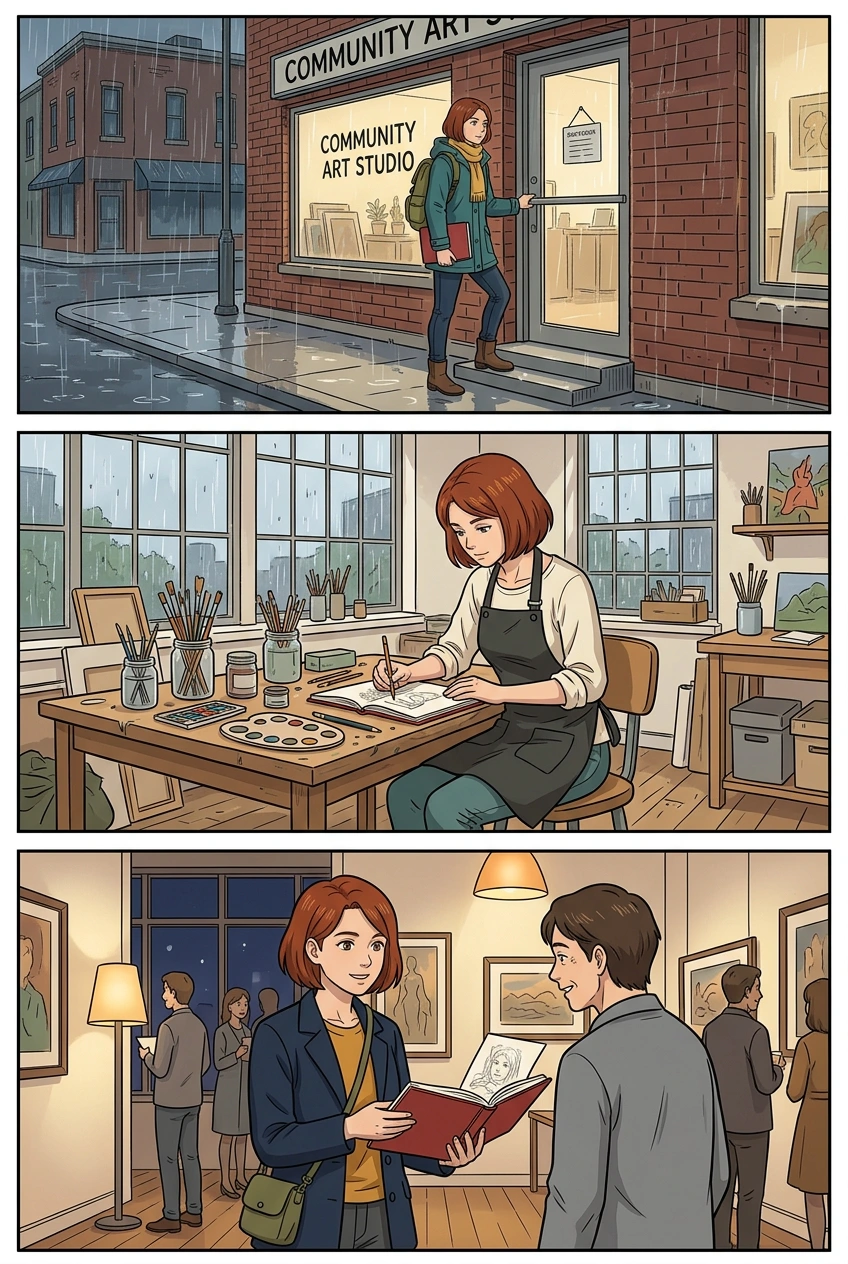
The page contains three principal rows. In the first, Maya's raincoat, scarf, and backpack establish arrival. In the second, the cream shirt and charcoal apron replace that rainwear at the worktable. In the third, the navy jacket, ochre top, and olive crossbody appear at the gallery. The auburn bob remains recognizable throughout.
The apron pockets are partly obscured by the table and pose, so this page does not verify their exact two-pocket construction. Shoe details also fall outside the frame in some scenes. The coat, shirt, and bag remain visible enough to confirm the main outfit assignments. The sketchbook's red cover links the actions, although page detail and thickness vary.
The model added readable shop signage despite the no-text direction. That is a retained background addition, not exact lettering produced by this workflow. The page also invents supporting artwork and gallery guests. Those additions do not create a new identity reference and should be reviewed separately if your production requires tightly controlled backgrounds.
No reference replacement or scene regeneration was made for this wardrobe case. The first application page was accepted for teaching purposes with these limitations noted. The outfit changes themselves were planned, not failures introduced for a before-and-after comparison.
Hand off the wardrobe as a small production record
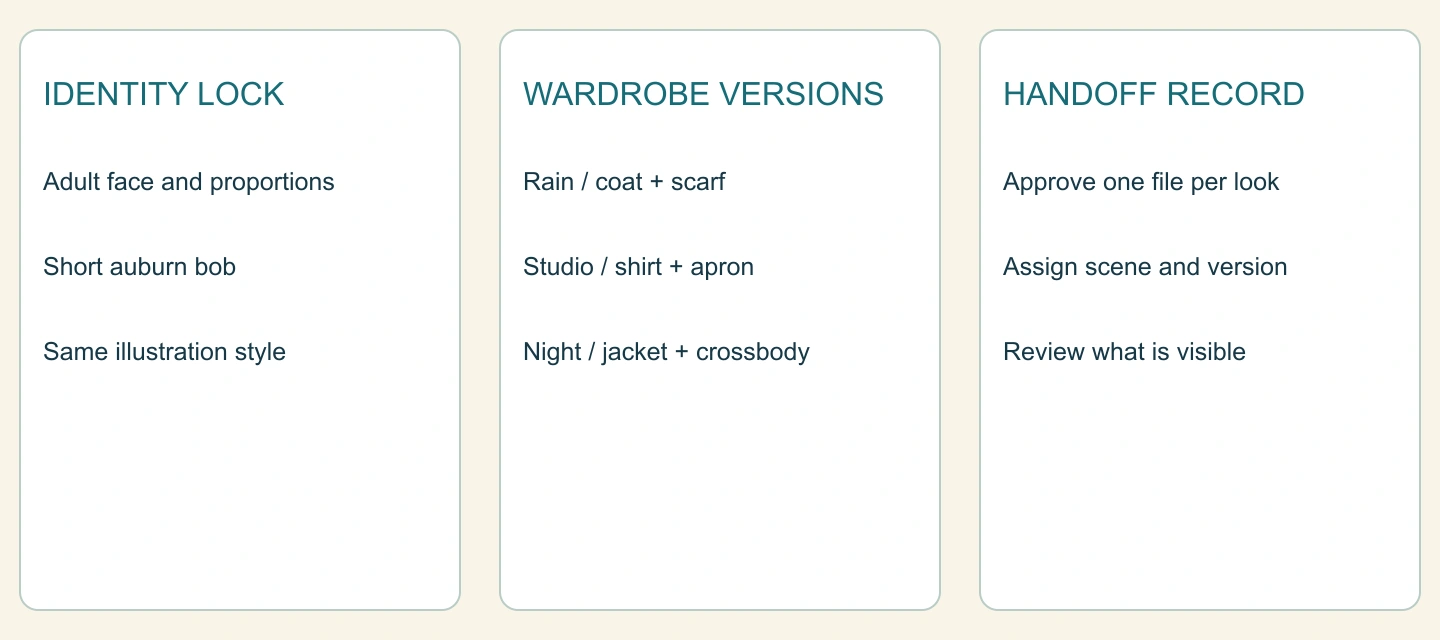
Download the version handoff and all six original reference outputs plus the scene page. The archive includes the canonical reference, approved file names, and request directions. It contains no account credentials. These are local teaching assets, not an exported native Studio project.
A useful handoff records the scene, outfit version, approved reference file, and allowed changes. If an artist later adds a scarf to STUDIO v1, the conflict with the wardrobe plan is easy to spot. If a camera angle hides a pocket, note that visibility limit instead of claiming a confirmed match.
For a deliberate revision, state both the intended change and the anchors that must remain fixed:
Use approved Maya identity and STUDIO v1.
Change only the apron pocket placement for the next reference version.
Keep the same face, short auburn bob, adult proportions, cream shirt,
teal trousers and brown low shoes. No scarf, coat or backpack.
Return one full-body neutral reference without text or panels.
That is a reusable instruction example, not an additional generation performed in this case. Save the result under a new version, then review it before replacing the approved reference. The character-reference change audit helps distinguish an intentional update from unintended drift.
Start with OC Outfit Ideas, approve a compact wardrobe, and test it in a short story before expanding the cast or the number of scenes.
Related hot tags
Creador de OC
Diseño de Personajes
Consistencia de Personajes
Tutorial
Herramientas populares para creadores
Convierte tu inspiración en tu próxima historia
Crea cómics, storyboards y fotos estilizadas con LlamaGen.
01
Generador de Cómics de IA
Convierte una idea en tiras cómicas pulidas en minutos.
Crear cómics02Generador de Manga de IA
Crea arte manga expresivo y relatos de varias viñetas.
Crea manga con IA03Generador de Storyboard de IA
Visualiza cada escena antes de empezar la producción.
Crea storyboards con IA04Convierte imagen en cómic
Transforma cualquier foto en una ilustración estilo cómic.
Crea cómics a partir de imágenes05Creador de Tiras de Cómics de IA
Arma tiras listas para compartir con personajes consistentes.
Crea tiras cómicas con IA
Enciende sueños para los jóvenes
Donde millones de historias cobran vida
Un resumen de los últimos lanzamientos de funciones de LlamaGen, mejoras del producto, actualizaciones de diseño y correcciones importantes de errores.