Todos los posts
Animate Comic Panels into a 15-Second Video: A Worked Example

Jay
15 de noviembre de 2026
To animate comic panels into video, it helps to break the scene into a few readable actions instead of asking one image to perform an entire sequence. Select the panels, describe one movement per shot, generate short clips, then edit them to a fixed duration. Keep the source page visible beside the timeline so you can check what changed.
This worked example uses Maya's original red-notebook comic and produces a 15-second silent MP4. The source panels, three uncut clips, shot directions, and final file are included below. If you want the product workflow, start with LlamaGen.AI Comic to Video.
Watch the finished 15-second scene
Open or download the final MP4. The delivered file is 720 × 720 pixels, 24 fps, 360 frames, and 15.00 seconds. It has no audio track. The edit uses three five-second shots with hard cuts at 5 and 10 seconds. It does not contain narration, music, or generated dialogue.
Executed November 16, 2026. The original comic artwork was made with LlamaGen.AI's image playground. For this case, the panel crops were animated with Google Veo 3.1 Fast through Replicate, and the returned clips were assembled with FFmpeg. This is a documented manual production route, not a recording of a signed-in LlamaGen.AI Comic-to-Video or Studio session. The public product pages were reviewed separately.
1. Choose three beats from the existing comic
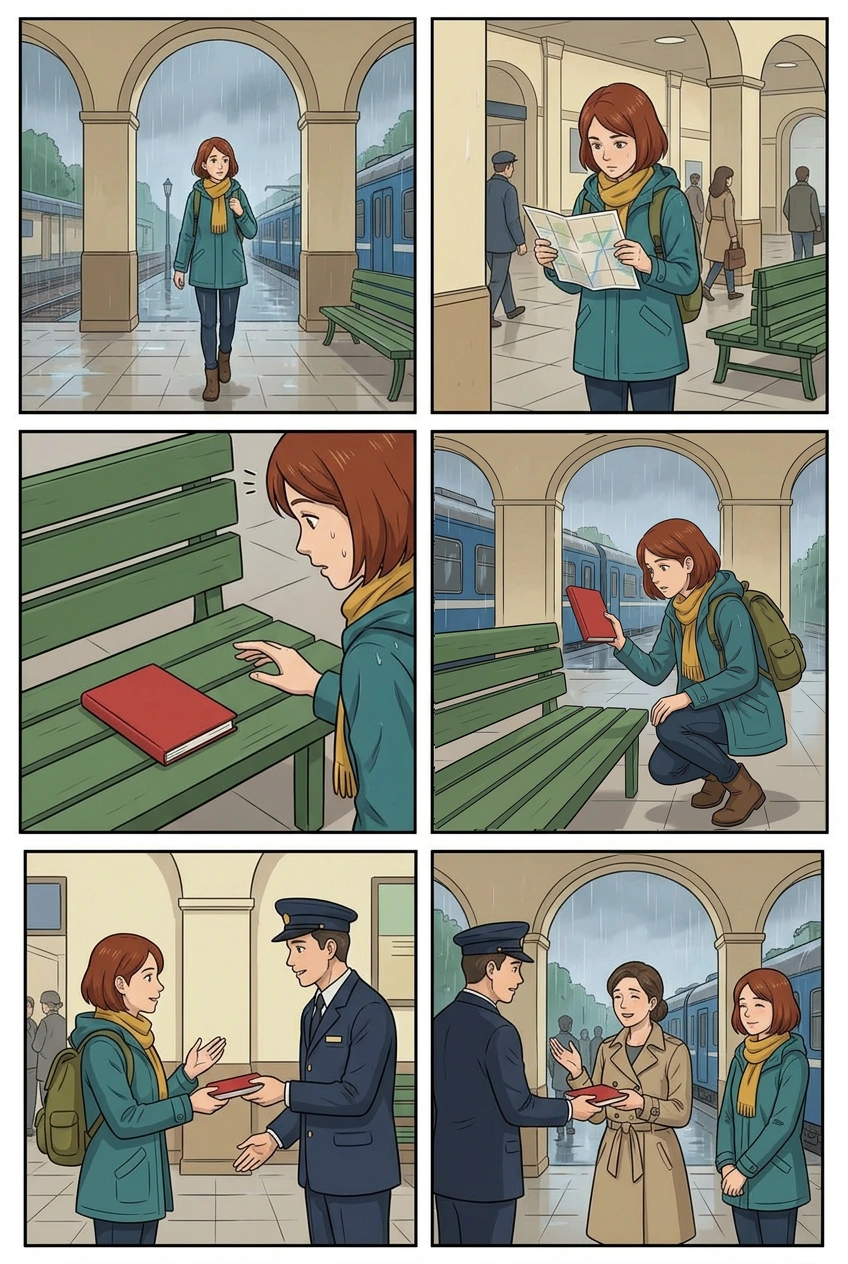
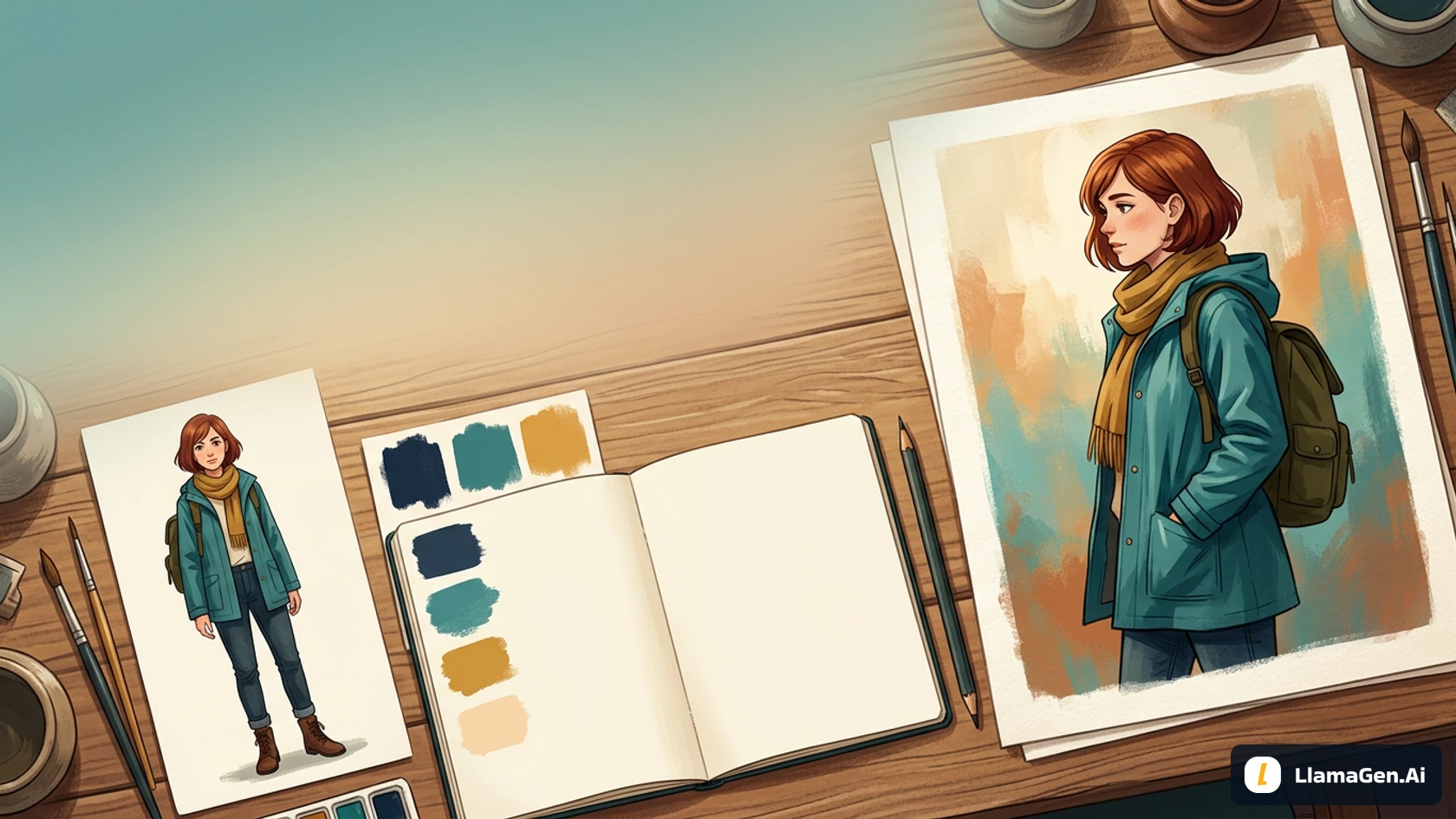
This is the owned teaching page from the six-panel reference-images tutorial. It is reused source art, not a newly generated video result. Maya has a short auburn bob, teal raincoat, mustard scarf, and olive backpack. A closed red notebook connects the actions.
The full comic includes arrival, checking a map, finding the notebook, lifting it, asking an attendant, and returning it to its owner. The short film selects only panels 3, 5, and 6:
| Edit time | Source panel | One requested movement | What the cut leaves out |
|---|---|---|---|
| 0–5 s | 3: notebook on bench | Maya's hand approaches and touches its cover | The later lift from panel 4 |
| 5–10 s | 5: Maya and attendant | A small handoff toward the attendant | Walking from the bench to the desk |
| 10–15 s | 6: return to owner | Owner takes the notebook; Maya smiles | The owner's earlier arrival |
The omitted steps are editorial compression. This is a short scene summary, not a claim that all six panels were animated or that the film shows every intermediate action. If the pickup is essential to your scene, include panel 4 and adjust the shot budget.
For choosing between a timed board and generated character motion, see Motion Comic vs. Animatic. This example includes generated hand and facial movement, followed by a local edit.
2. Prepare one image for each shot
Each selected panel was cropped from the existing page. The crop preserved the characters and prop; no new character design was generated for the video input. Each crop was resized onto a 720 × 1280 ivory canvas without stretching the artwork. That produced a supported 9:16 starting image while keeping the roughly square comic composition visible.
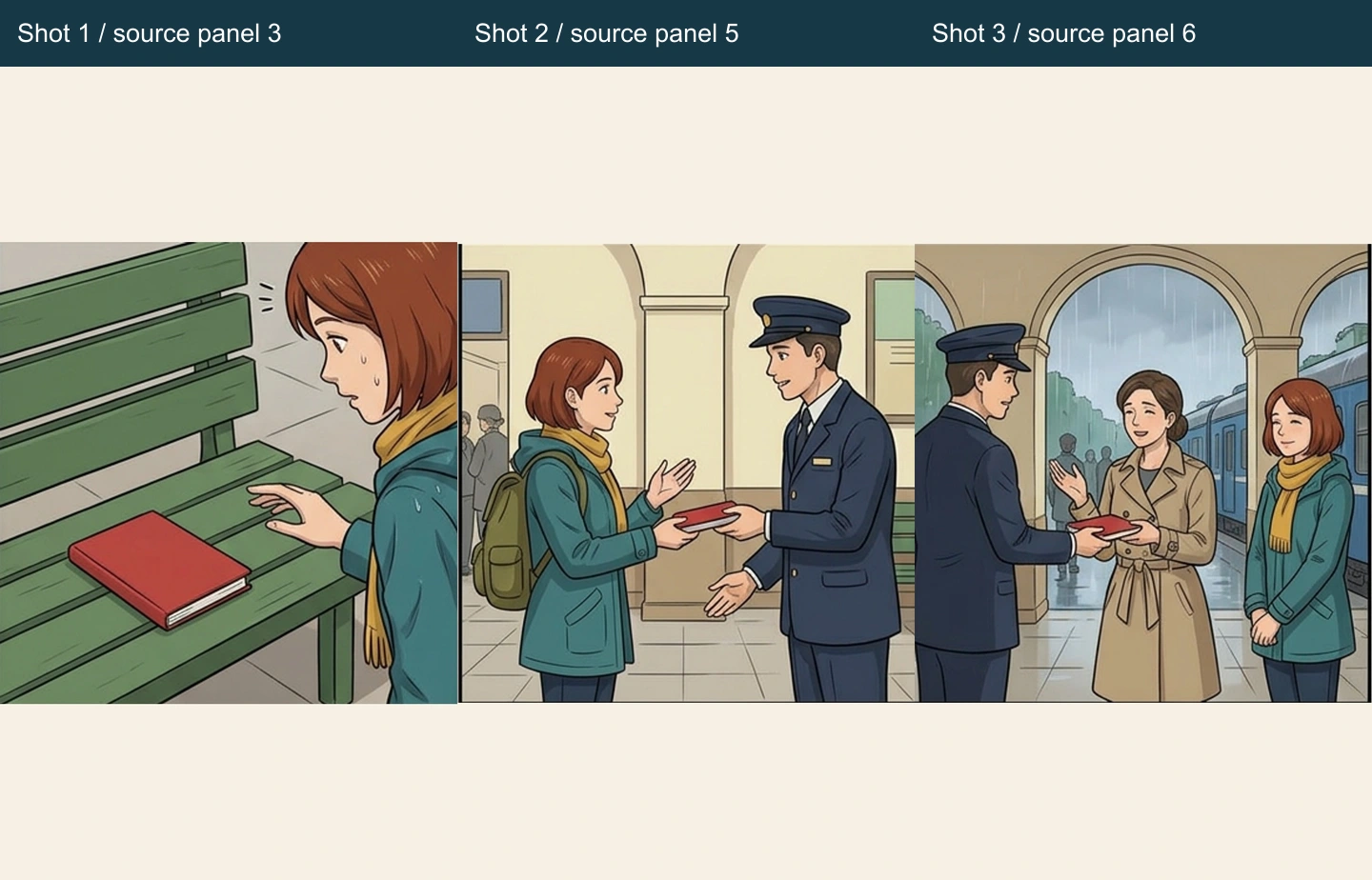
These are the actual input images with labels added locally. The ivory areas are preparation margins, not a simulated video interface. The returned videos also retained substantial padding. The final edit removes those margins with a central square crop, producing the 720 × 720 deliverable shown above.
A different delivery format may need a different composition. Do not crop a handoff so tightly that the notebook or receiving hand disappears. Check the target framing before spending a generation request.
3. Write bounded motion directions
The motion request should state what can move and what should remain stable. For shot 1, the notebook is already visible. Asking Maya to find it, pick it up, open it, read it, and run away would introduce several new states into one short clip.
The actual shot-1 direction asked for a small reach and contact:
Maya notices the red closed notebook on the green bench.
Her near hand approaches and rests lightly on its cover.
Keep the notebook on the bench, rigid, closed and red throughout.
Preserve her auburn bob, teal coat and mustard scarf.
Fixed camera, no cuts, no new people, no text or speech.
Shot 2 specified Maya on the left and the uniformed attendant on the right, with one notebook moving toward the attendant. Shot 3 kept the attendant left, the owner center, and Maya right, with a small return and a relieved smile. All three requested the illustrated style, stable faces, limited motion, and no generated audio.
Download the complete shot directions for the exact prompts and source crop coordinates. These are the directions actually used, not prompts reverse-engineered from a finished promotional clip.
The current model API schema is the reference for supported inputs. Model availability and options can change. The settings below describe this dated run; they are not a promise that every future product account exposes the same model or controls.
4. Retain the original generated clips
Each successful request used google/veo-3.1-fast, a 9:16 image input, a requested duration of 6 seconds, 720p resolution, and audio disabled. All three downloaded outputs were checked with a media probe: 720 × 1280, 24 fps, and 6.00 seconds.
| Clip | Model / provider | Request-to-completion time in this run | Raw file |
|---|---|---|---|
| Discovery | Veo 3.1 Fast / Replicate | 62.2 seconds | Six-second MP4 |
| Handoff | Veo 3.1 Fast / Replicate | 40.6 seconds | Six-second MP4 |
| Return | Veo 3.1 Fast / Replicate | 45.1 seconds | Six-second MP4 |
The times use request and completion timestamps. They exclude source selection, authorization troubleshooting, downloads, review, and editing; they are not an end-to-end completion-time estimate. Settled billing and LlamaGen.AI Studio credits were not available, so this case makes no cost-per-video claim.
The handoff request was recovered from the provider's prediction history after an interrupted submission, then downloaded from that existing job. It was not deliberately generated twice to choose a better result. Three successful clip outputs are retained, with no discarded visual generations or claimed failure rate.
5. Check movement, identity, and the notebook
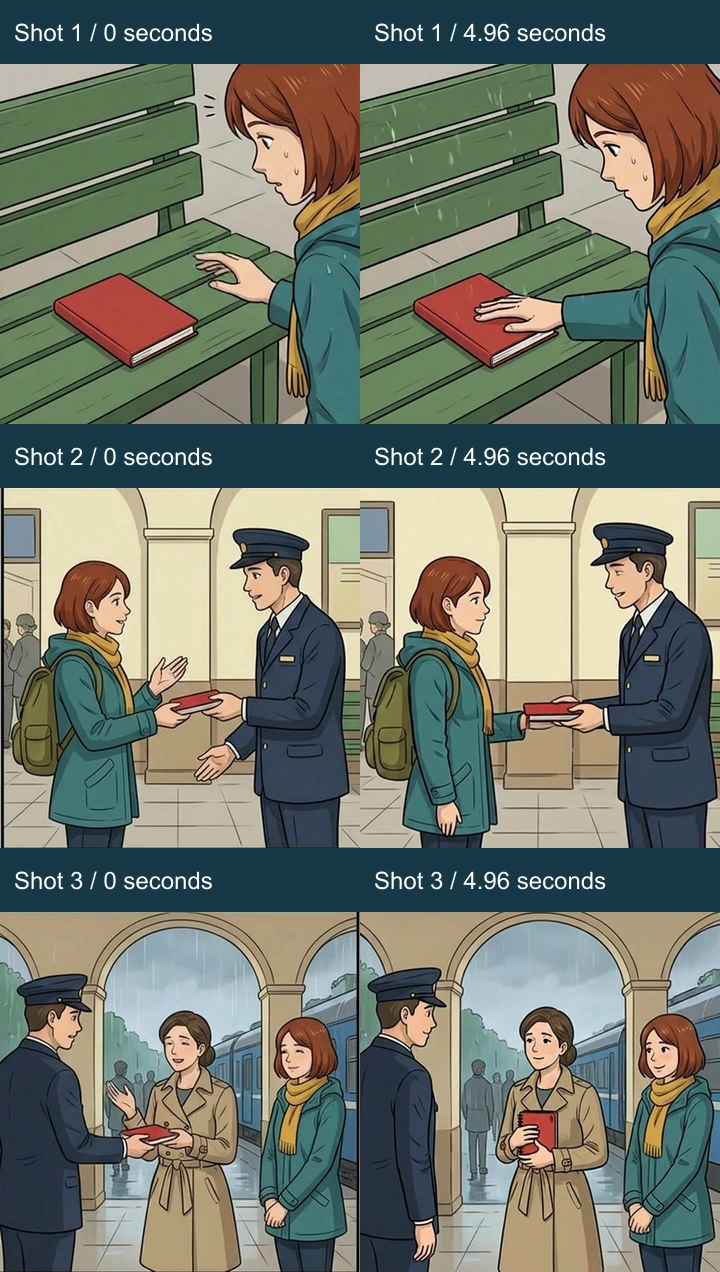
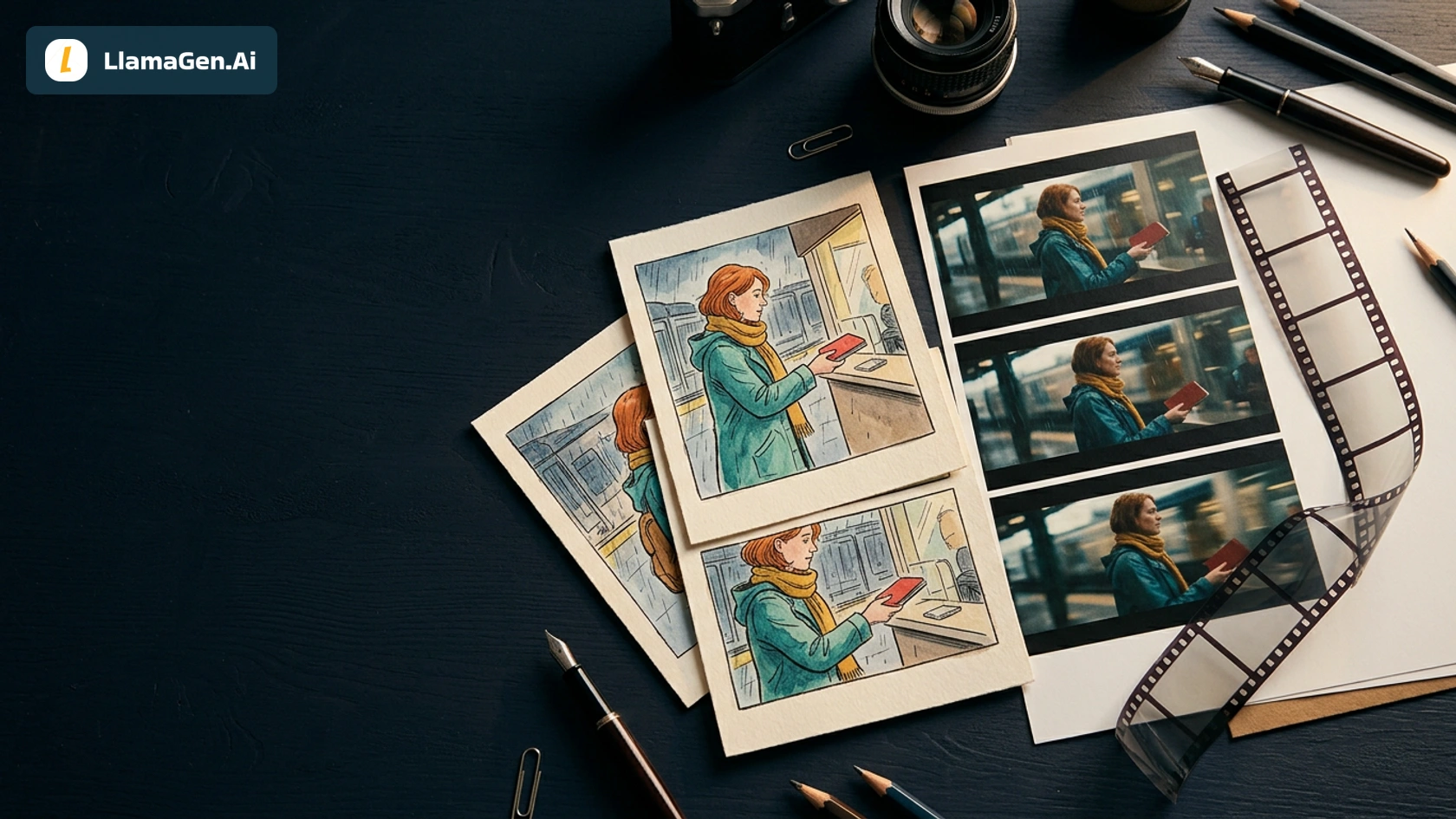
These are actual frames sampled at the beginning and approximately 4.96 seconds of each selected segment. They support visible comparison, but they do not replace watching the motion between them.
In shot 1, Maya's hand reaches the red notebook and settles on the cover. The model also introduces visible rain streaks over the bench area. Her face is already partly cropped in the source, so this shot is stronger evidence for the hand and prop than for full facial identity.
In shot 2, the attendant supports the notebook while Maya lowers one hand. At the selected endpoint, her other hand is still near the book, so the cut does not independently prove a fully finished release. The next shot establishes the attendant returning it to the owner. If a clean, unambiguous ownership transfer is required for your story, revise or extend this shot before using it as a final master.
In shot 3, the owner brings the red book toward their chest while Maya smiles. Maya's auburn hair, teal coat, and mustard scarf remain recognizable. Smaller fingers, clothing folds, and the notebook's edge or binding details change across frames. Those differences are part of the retained output, not a guarantee of exact prop geometry.
The red notebook stays visible through the three selected actions. The scene does not contain readable dialogue, lip-synced speech, or a test of text preservation. Inspect those requirements separately if your comic depends on them.
6. Edit to exactly 15 seconds
The returned material totals 18 seconds. The final cut takes the first five seconds of each clip, removes the ivory margins with a central 720-pixel square crop, normalizes the frames to 24 fps, and joins the segments in source order. FFmpeg performs the trim, crop, H.264 export, and fast-start MP4 packaging.
This is an editorial duration and framing revision. No claim is made that the video model produced a finished 15-second sequence in one request. No visual regeneration was performed for the three clips in this case, and no artificial “failed version” was created for comparison.
The source page, raw clips, and final cut answer different review questions: the page establishes the approved story; the clips reveal what the motion model changed; the final MP4 shows the actual pacing and framing. Keep all three when handing the scene to another editor.
What to reuse for your own comic
Pick one stable prop and a small cast. Give each shot a start state, one motion, and an end state. Keep the camera simple until the movement reads clearly. Request words and sound separately when they matter, and inspect the exported file's actual duration, frame size, and audio tracks.
Before a larger production, use the Storyboard-to-Video Handoff Checklist to define accepted frames, camera direction, and delivery requirements. For model-selection context, see the anime video generator comparison, with its own testing limits.
Start at LlamaGen.AI Comic to Video or the comic-strip workflow. This case shows what to prepare and inspect, while the downloadable files preserve the actual manual route used to create the scene.
Related hot tags
Cómic a Video
Animación
Worked Example
Tutorial
Herramientas populares para creadores
Convierte tu inspiración en tu próxima historia
Crea cómics, storyboards y fotos estilizadas con LlamaGen.
01
Generador de Cómics de IA
Convierte una idea en tiras cómicas pulidas en minutos.
Crear cómics02Generador de Manga de IA
Crea arte manga expresivo y relatos de varias viñetas.
Crea manga con IA03Generador de Storyboard de IA
Visualiza cada escena antes de empezar la producción.
Crea storyboards con IA04Convierte imagen en cómic
Transforma cualquier foto en una ilustración estilo cómic.
Crea cómics a partir de imágenes05Creador de Tiras de Cómics de IA
Arma tiras listas para compartir con personajes consistentes.
Crea tiras cómicas con IA
Enciende sueños para los jóvenes
Donde millones de historias cobran vida
Un resumen de los últimos lanzamientos de funciones de LlamaGen, mejoras del producto, actualizaciones de diseño y correcciones importantes de errores.