Character Design38 min read
All posts
Best Character Creator Tools and Character Design Websites in 2026
We independently review every app we recommend.
The best character creator depends on the final asset: choose LlamaGen for consistent OCs, comic casts, and reusable character sheets; Meshy or Blender for 3D workflows; VRoid Studio for anime avatars; and Aseprite for pixel sprites. Before choosing, compare consistency, export format, editing control, animation needs, and commercial rights.
Creating a character used to mean starting with a blank page, a pencil, and a lot of drawing practice. That still works. It is still wonderful. But in 2026, character creation has become a much bigger ecosystem.
Today, you can create a character with a consistent AI character generator, turn a text prompt into a 3D model, customize an avatar in a browser, build a tabletop miniature, paint a professional turnaround sheet, design an anime VRM model, create a pixel sprite, or organize your original characters in an online community.
That is great news, but it also makes choosing the right tool confusing.
A novelist designing an original character does not need the same tool as an indie game developer. A VTuber does not need the same workflow as a concept artist. A D&D player does not need the same software as a studio animator. The best character creator depends on what you want to make, how much control you need, and where the final character will live.
This guide compares the best character creator tools and character design websites in 2026, including LlamaGen, Meshy, Blender, MetaHuman Creator, ZBrush, Reallusion Character Creator, Maya, Mixamo, Daz 3D, VRoid Studio, Genies, Picrew, CharacterCreator.org, Meiker.io, Artbreeder, Hero Forge, Photoshop, Illustrator, Clip Studio Paint, Procreate, Krita, Aseprite, Affinity Designer, Substance 3D Painter, CharacterHub, Character Design References, ArtStation, and more.
The best character creator tool depends on the final use case.
| Use Case | Best Tools |
|---|---|
| Consistent AI characters for stories, comics, OCs and story worlds | LlamaGen AI Character Creator |
| Anime OCs, manga casts, expression sets and character sheets | LlamaGen Anime Character Generator, LlamaGen Character Sheet Generator |
| Fast AI-generated 3D characters | Meshy |
| Free all-in-one 3D character pipeline | Blender |
| Photorealistic digital humans | MetaHuman Creator |
| Professional sculpting | ZBrush |
| Realistic production-ready humanoids | Reallusion Character Creator |
| Professional rigging and animation | Autodesk Maya |
| Free auto-rigging and animation clips | Mixamo |
| Anime-style 3D avatars | VRoid Studio |
| Online 3D avatars and digital identity | Genies |
| Browser-based 2D avatar makers | Picrew, Meiker.io, CharacterCreator.org |
| Tabletop RPG miniatures | Hero Forge |
| Professional 2D character concept art | Adobe Photoshop, Clip Studio Paint |
| iPad character sketching | Procreate |
| Free digital painting | Krita |
| Pixel-art game characters | Aseprite |
| Character inspiration and OC community | CharacterHub |
For most creators, the best workflow is not one single tool. It is a stack:
Before choosing software, separate two categories.
Character creator tools help you make the character. These include AI character generators, AI 3D generators, avatar builders, drawing apps, sculpting tools, rigging tools and game asset workflows.
Character design websites help you improve the character. These include reference libraries, inspiration galleries, tutorial channels, OC communities and portfolio platforms.
You need both.
A tool can generate a good-looking avatar, but it cannot automatically answer deeper design questions:
That last point matters more than many creators expect. A character for a private profile picture is different from a character used in a game, ad campaign, book cover, merchandise line or brand mascot.
A strong character creator should do more than let you change hair color.
| Criteria | Why It Matters |
|---|---|
| Character consistency | A story character must stay recognizable across poses, outfits, emotions and scenes. |
| Visual control | You need control over face, body, clothing, accessories, proportions, pose and style. |
| Style fit | A manga OC, realistic game character, brand mascot, VTuber avatar and D&D miniature need different tools. |
| Export options | PNG, SVG, VRM, FBX, OBJ, GLB, STL, PSD or layered files may matter depending on the project. |
| Rigging and animation | Game, film, VTubing and interactive characters need movement, not just static images. |
| Asset quality | Good hair, clothing, body types, props and materials make the character feel polished. |
| Ease of use | Beginners need sliders and presets; professionals may need sculpting, topology, shaders and plugins. |
| Commercial rights | Personal use and commercial use are not the same. Always check the terms. |
| Community and inspiration | Feedback and references help improve the design beyond the first draft. |
| Workflow fit | The tool should match the final destination: comic, game, avatar, VTuber model, miniature or illustration. |
Best for: creators who need consistent AI characters for original characters, anime casts, manga projects, comic panels, storyboards, game concepts, VTuber concepts and visual storytelling.
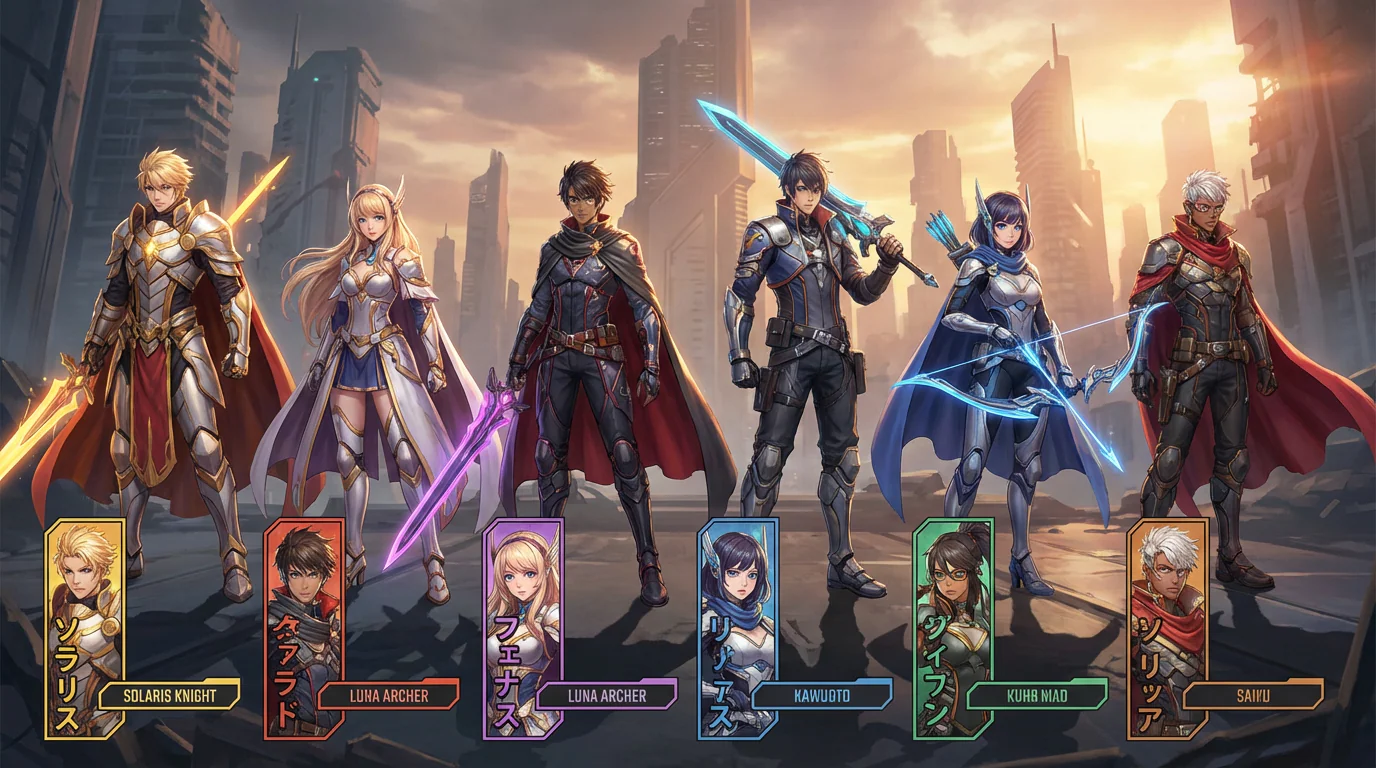
LlamaGen AI Character Creator deserves a top spot in a 2026 character creator list because it solves one of the biggest problems in AI character design: consistency.
A basic character maker can create one good portrait. That is useful, but it is not enough if the same character needs to appear across multiple scenes, poses, expressions, outfits or story moments. LlamaGen is more relevant when a character needs to become a reusable visual identity.
LlamaGen also has dedicated workflows for AI character design, anime character generation, consistent character generation, and AI character sheets.
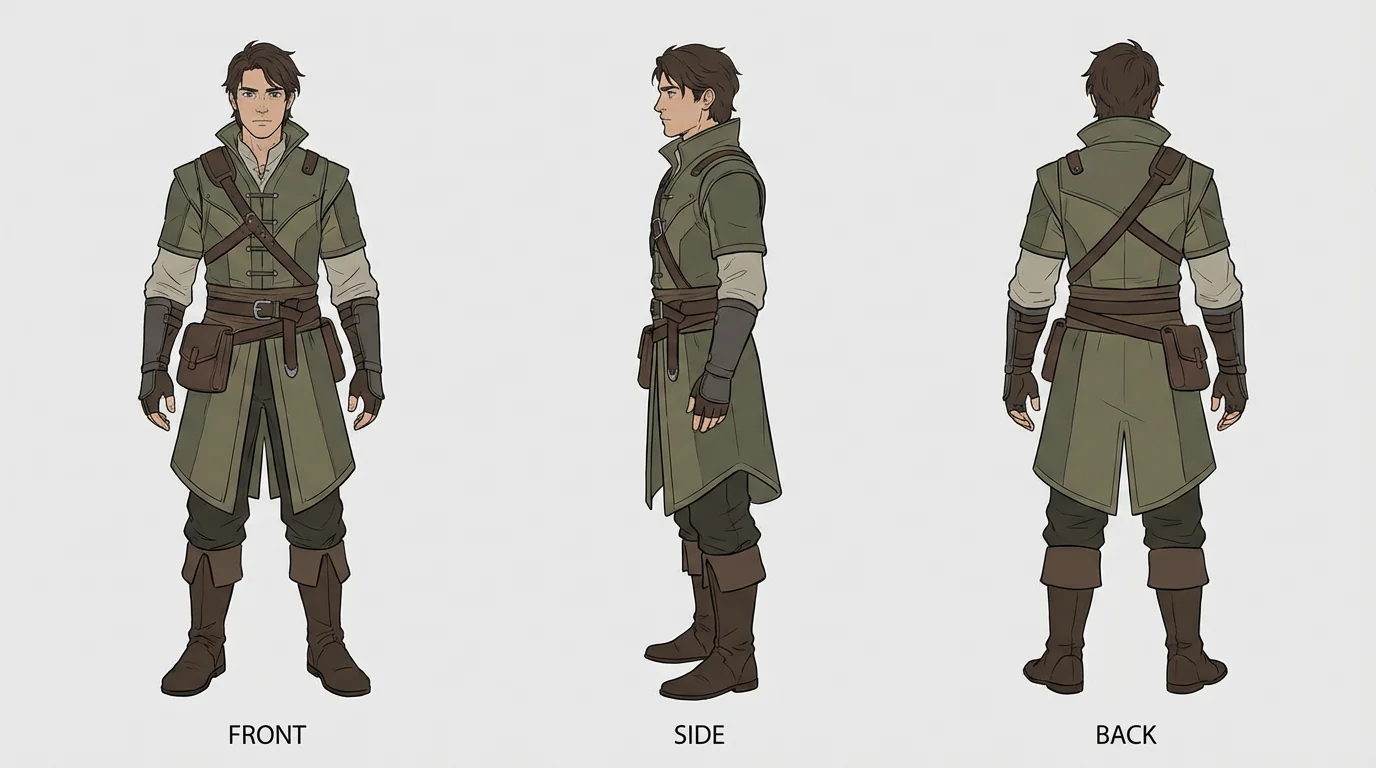
Use LlamaGen when you need:
LlamaGen is especially strong for writers, artists, roleplay creators, comic creators and game concept designers who want to move beyond a single portrait.
For example, if you are designing a fantasy heroine, you can use LlamaGen to create:
That makes it more useful for narrative projects than a simple avatar maker.
Start with a detailed character brief.
Name: Mira
Role: Exiled moon priestess turned monster hunter
Style: Anime-inspired dark fantasy
Visual identity: Silver-white braid, pale eyes, crescent scar over right eye, black layered robes, moon charms, bone-white hunting bow
Personality: Calm, observant, elegant, dangerous
Output needed: Character sheet, expression set, action pose, storyboard scene
Generate the character sheet first. After that, reuse the same fixed traits to create poses, expressions and story scenes.
LlamaGen is best for AI visual character design and consistency. If you need a fully rigged 3D production model, a game-ready mesh or detailed 3D topology, pair it with tools such as Meshy, Blender, Maya, Mixamo or Character Creator.
Best for: indie game developers, 3D artists, rapid prototyping, AI-generated 3D models, game assets and creators who want to turn text or images into 3D characters quickly.
Meshy is one of the strongest AI 3D character creator tools because it focuses on fast 3D asset generation. Instead of manually modeling a character from scratch, creators can use text prompts or reference images to generate 3D models.
This makes Meshy especially useful for concept-to-asset workflows. A 2D character idea can become a textured 3D model much faster than in a traditional sculpting pipeline.
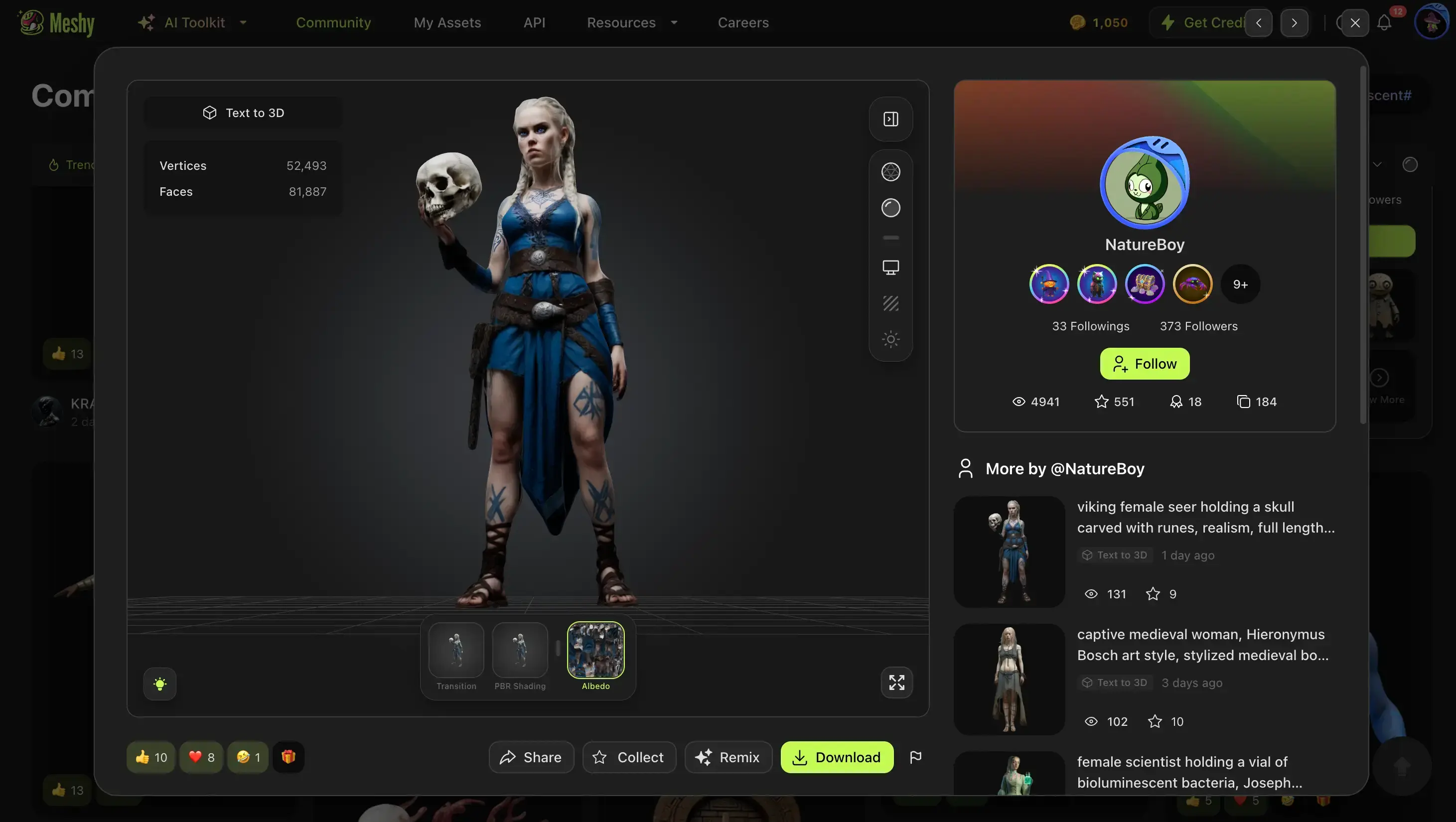
Use Meshy when you need:
Start with a clear character brief, generate the base model in Meshy, then refine it in a 3D tool such as Blender, Maya or ZBrush if the character needs production cleanup.
Character brief example:
A stylized fantasy rogue with a short hooded cloak, leather armor, silver daggers, asymmetrical boots, sharp fox-like facial features, and a confident pose. Low-poly game-ready style.
AI-generated 3D characters may still need manual cleanup, retopology, rigging checks or texture adjustment before they are used in a real game or animation pipeline.
Best for: creators who want free 3D modeling, sculpting, rigging, animation, rendering and character asset preparation in one place.
Blender is one of the best free character creation tools because it covers nearly the entire 3D pipeline. You can model a character, sculpt details, create materials, rig the body, animate the character, render scenes and export assets for other tools.
Blender is a good fit for:
Use Blender if you want control and are willing to learn. It is especially strong when paired with AI tools: generate a base character in Meshy, then clean, rig, shade or animate it in Blender.
Blender is powerful, but it has a learning curve. Beginners may prefer LlamaGen, Meshy, VRoid Studio, Daz 3D or an avatar creator before moving into Blender.
Best for: realistic humans, cinematic characters, virtual production, game characters and Unreal Engine workflows.
MetaHuman Creator is designed for photorealistic human characters. It is a strong option when the character needs realistic skin, facial structure, hair and performance-ready digital human quality.
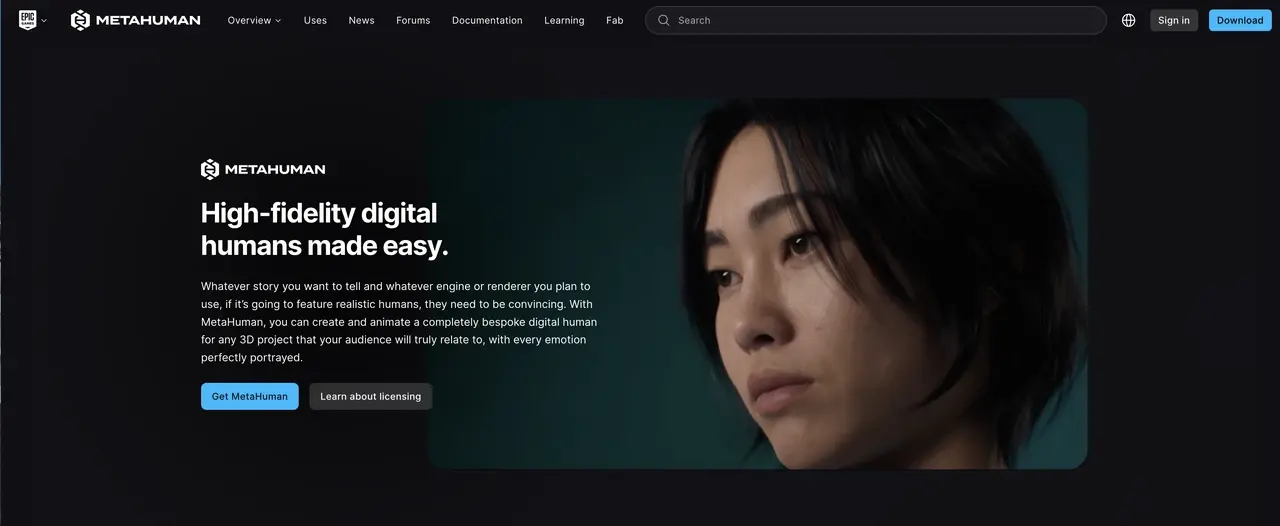
Use MetaHuman Creator for:
MetaHuman is not the best choice for every style. If your character is anime, chibi, creature-based, cartoonish or highly stylized, tools like LlamaGen, VRoid Studio, Blender, ZBrush, Meshy or Daz 3D may fit better.
Best for: professional character artists, creature designers, collectibles, film characters, high-detail game sculpts and organic modeling.
ZBrush is an industry-standard sculpting tool. It is built for high-detail character work, especially organic forms, faces, muscles, creatures, armor detail, wrinkles, scars and surface texture.
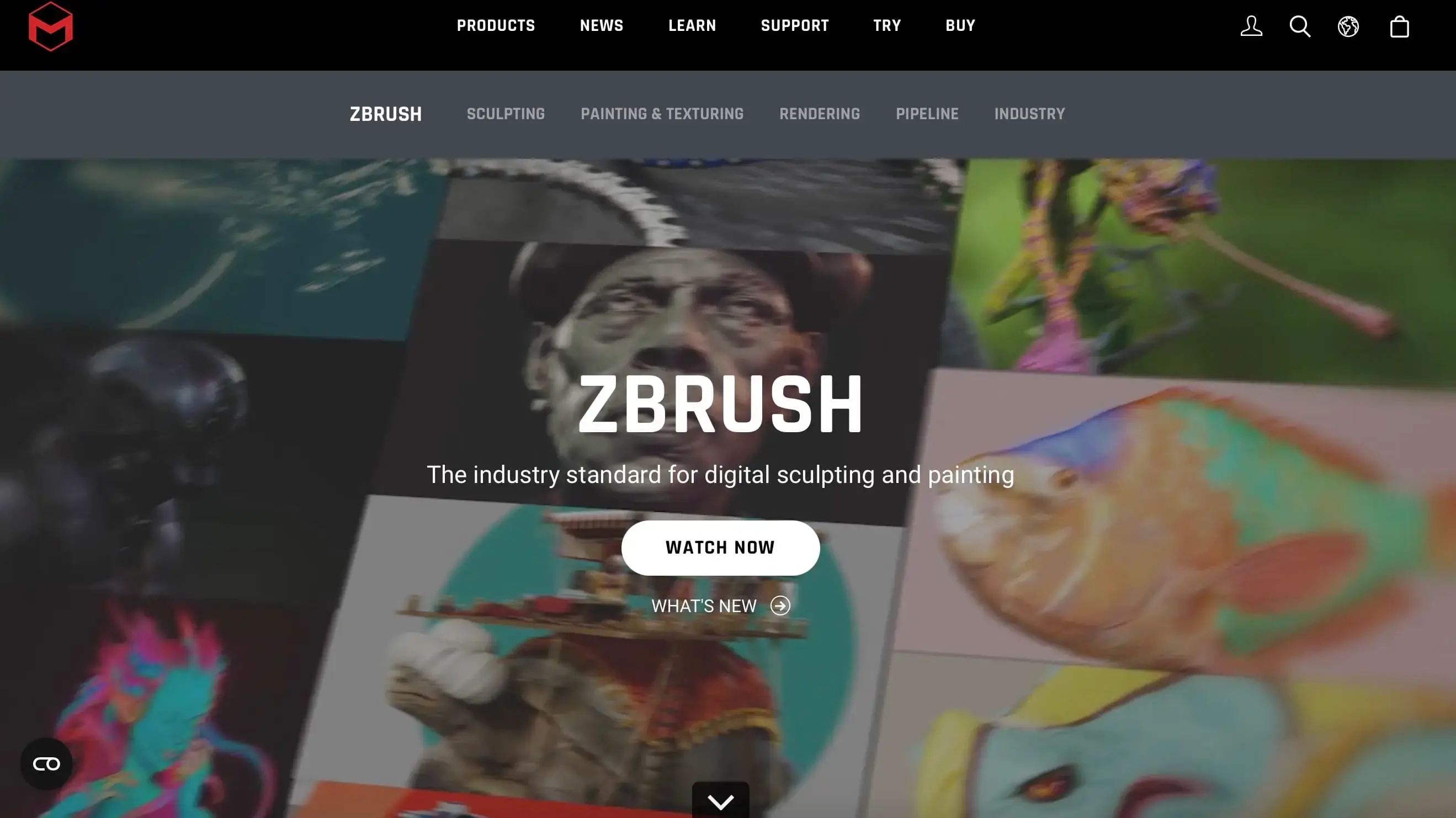
ZBrush is a strong choice for:
ZBrush is primarily a sculpting tool. You will usually need other software for rigging, animation, rendering or game-engine preparation.
Best for: teams that need realistic 3D human characters quickly, especially for animation, games, previs and virtual production.
Reallusion Character Creator is useful when you need to create many realistic characters without sculpting every face and body from scratch. It uses a component-based workflow with morphs, clothing, hair, skin and animation pipeline support.
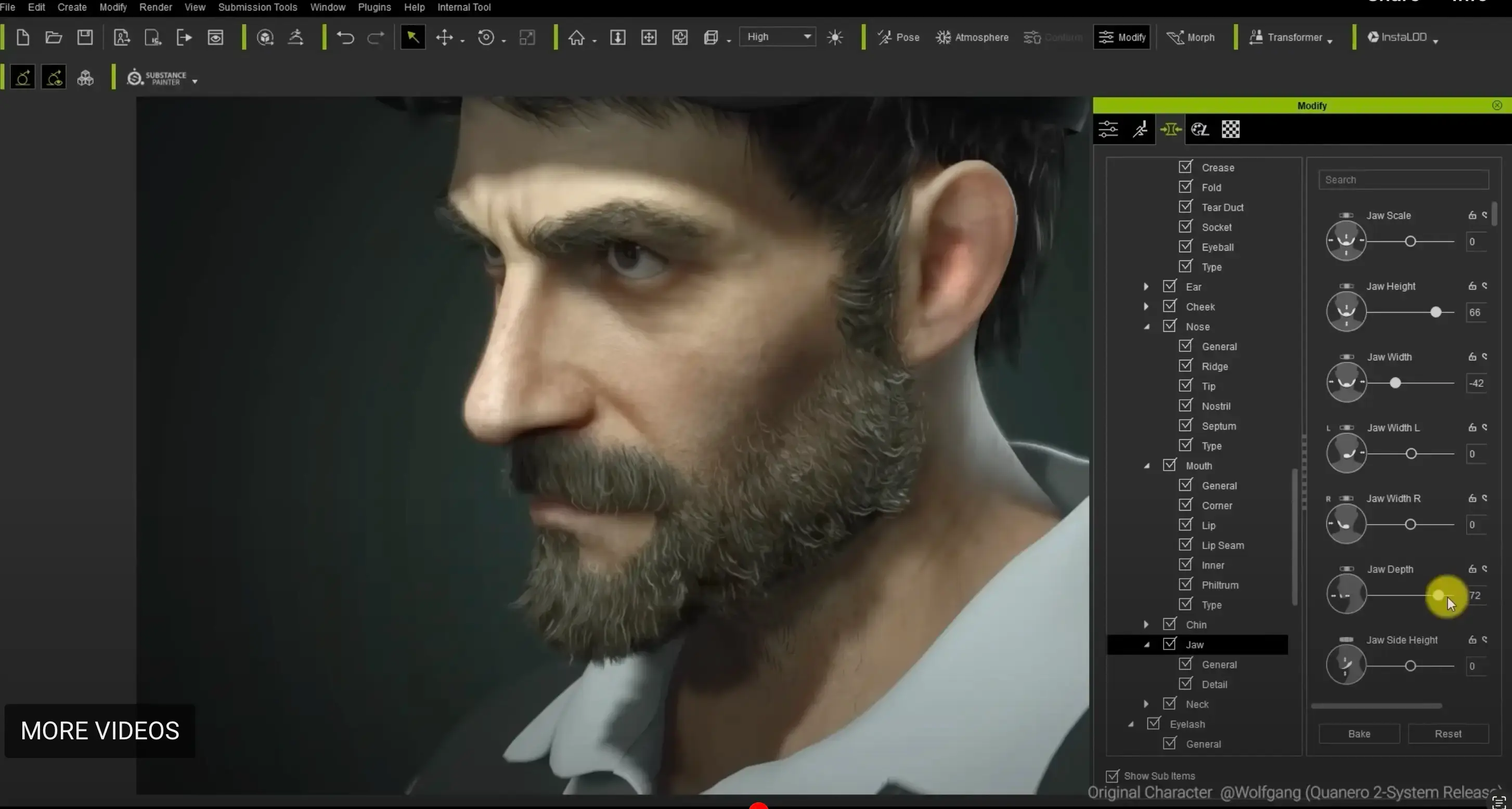
Use it for:
The full workflow may involve paid licenses and marketplace assets. It is best when you need efficiency and consistency, not complete sculpt-from-zero freedom.
Best for: studios, animators, riggers, game teams, film production and advanced character pipelines.
Autodesk Maya is a professional standard for character rigging and animation. It is not the easiest beginner tool, but it remains important for production teams that need deep animation control.
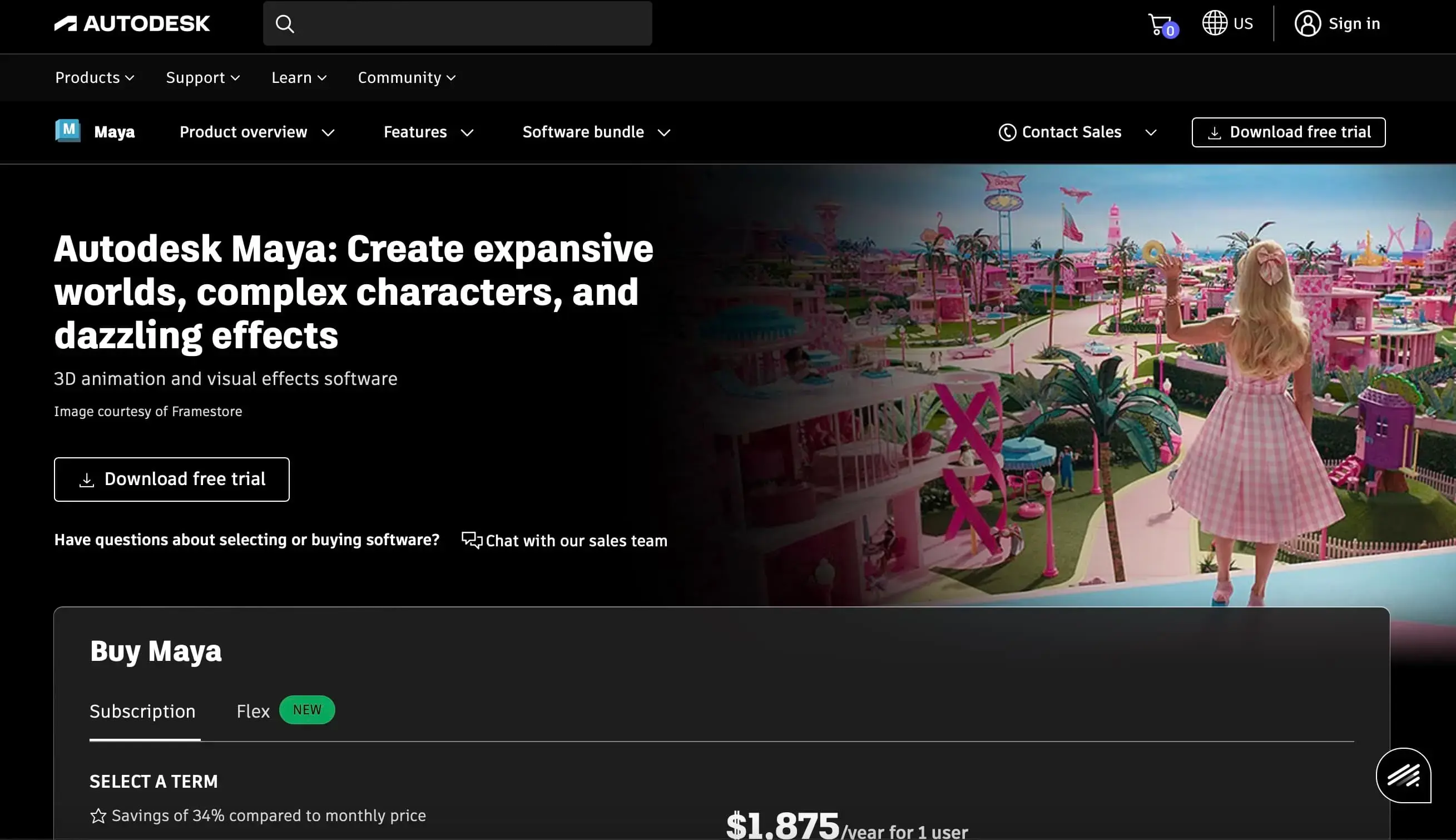
Use Maya for:
Maya is expensive and complex. For simple characters or solo indie projects, Blender or Mixamo may be enough.
Best for: creators who already have a 3D humanoid model and need to rig or animate it quickly.
Mixamo is not a character modeling tool. It is a rigging and animation layer. Upload a humanoid model, place markers, auto-rig it and apply motion-capture animation clips.
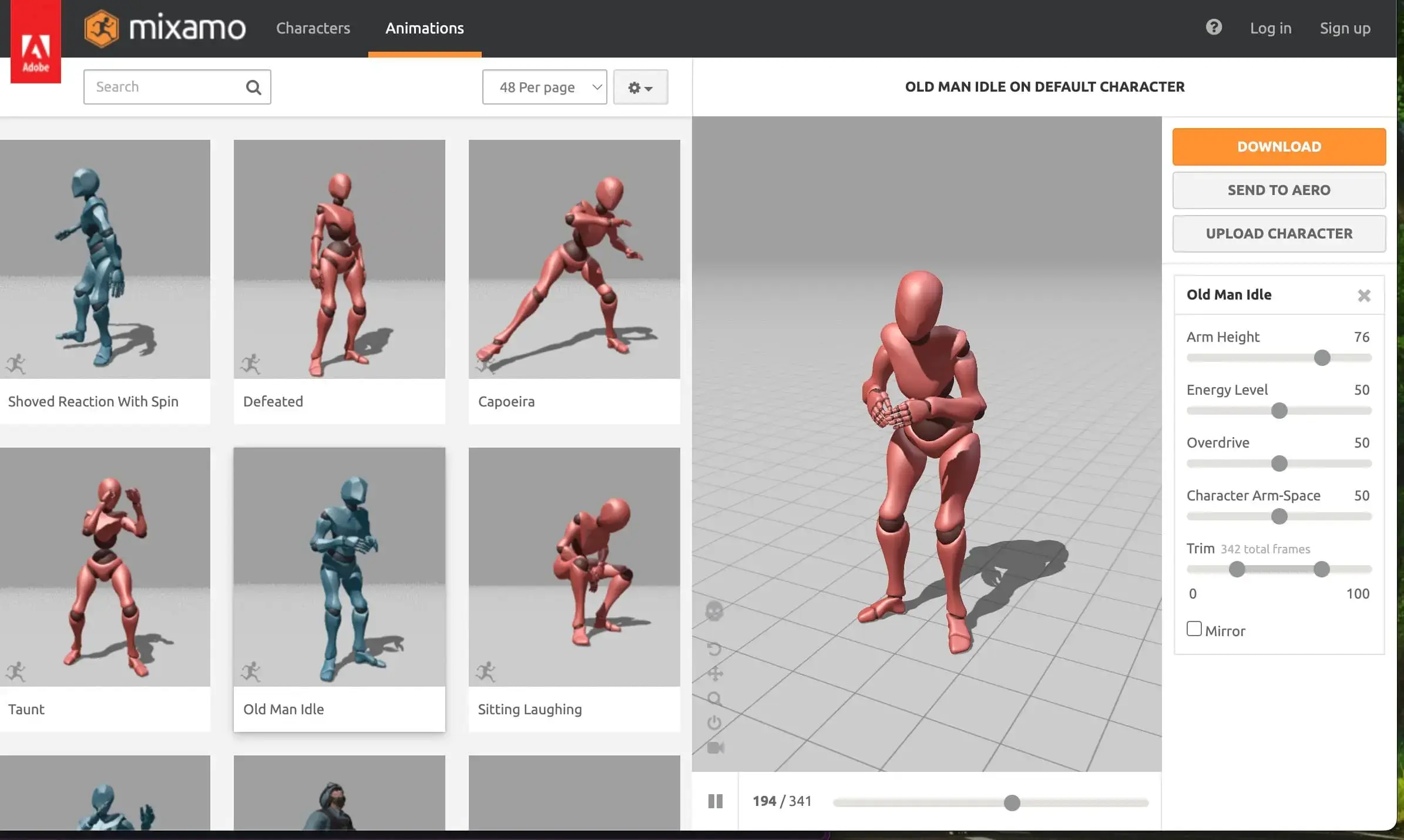
Use Mixamo for:
Create or download a character from Meshy, Blender, Daz 3D or another tool, then use Mixamo to quickly test animation.
Mixamo is fast, but it is not a replacement for custom rigging. If the character has unusual anatomy, non-human proportions or complex clothing, manual rigging may still be required.
Best for: illustrators, visual storytellers, concept artists, realistic renders and creators who want a marketplace-driven character workflow.
Daz 3D is useful for creating detailed human characters and scenes without modeling everything manually. It has a large marketplace of characters, clothing, poses, environments and props.
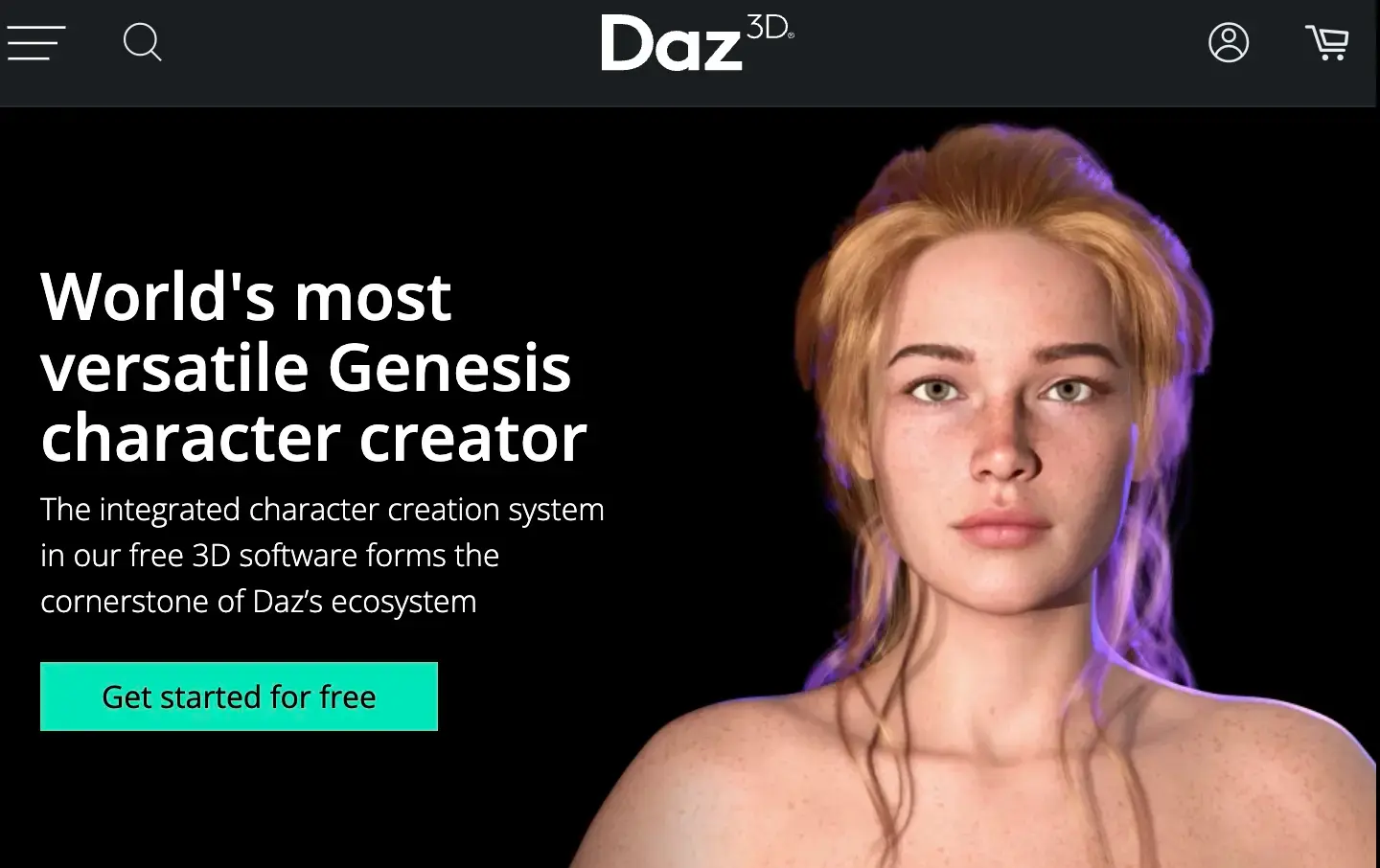
Use Daz 3D for:
Daz 3D can be free to start, but premium assets can add up. Also, game-ready use may require optimization and cleanup.
Best for: anime avatars, VTubers, VRM models, beginners and creators who want stylized 3D characters without traditional modeling.
VRoid Studio is one of the easiest ways to create anime-style 3D characters. Its slider-based and drawing-like workflow makes it more approachable than traditional 3D software.
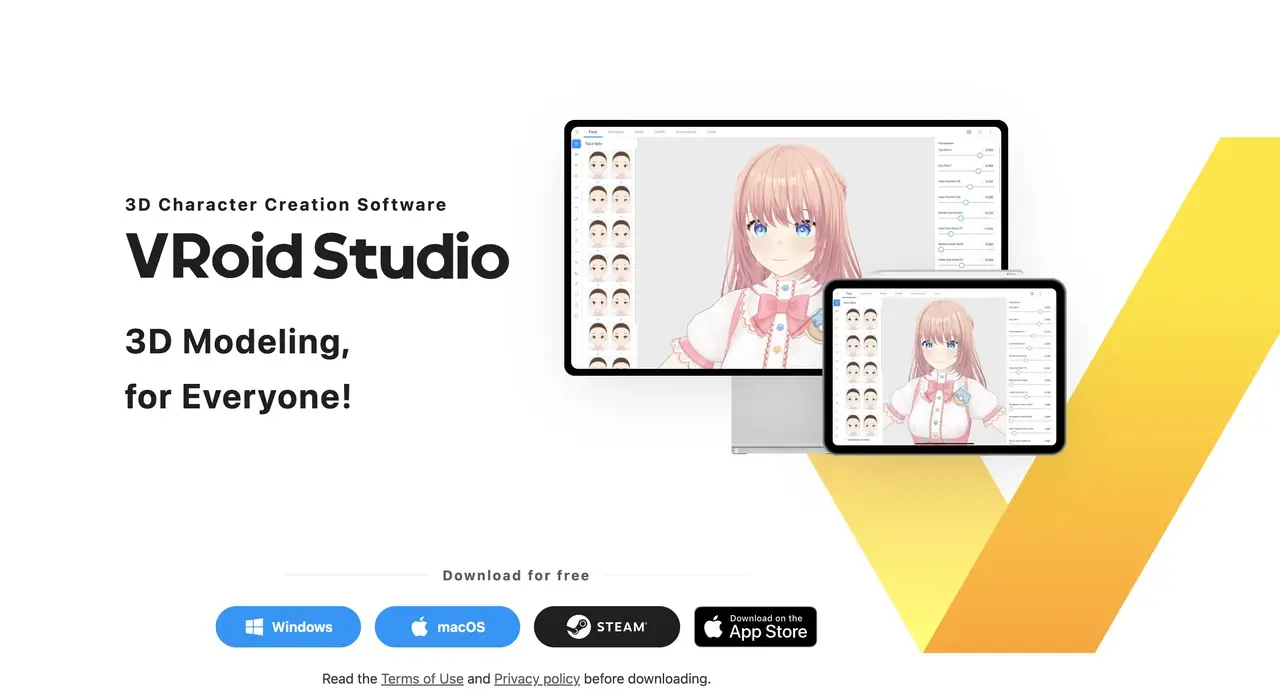
Use VRoid Studio for:
VRoid is excellent for anime avatars, but it is not the best fit for realistic humans, creatures, non-anime stylization or highly custom production pipelines.
Best for: users who want expressive 3D avatars, digital identities, wearable assets and platform-friendly character experiences.
Genies focuses on avatar creation and digital identity. It is especially relevant for creators thinking beyond a static character image. The bigger idea is that a character can become a persistent digital identity across platforms and experiences.
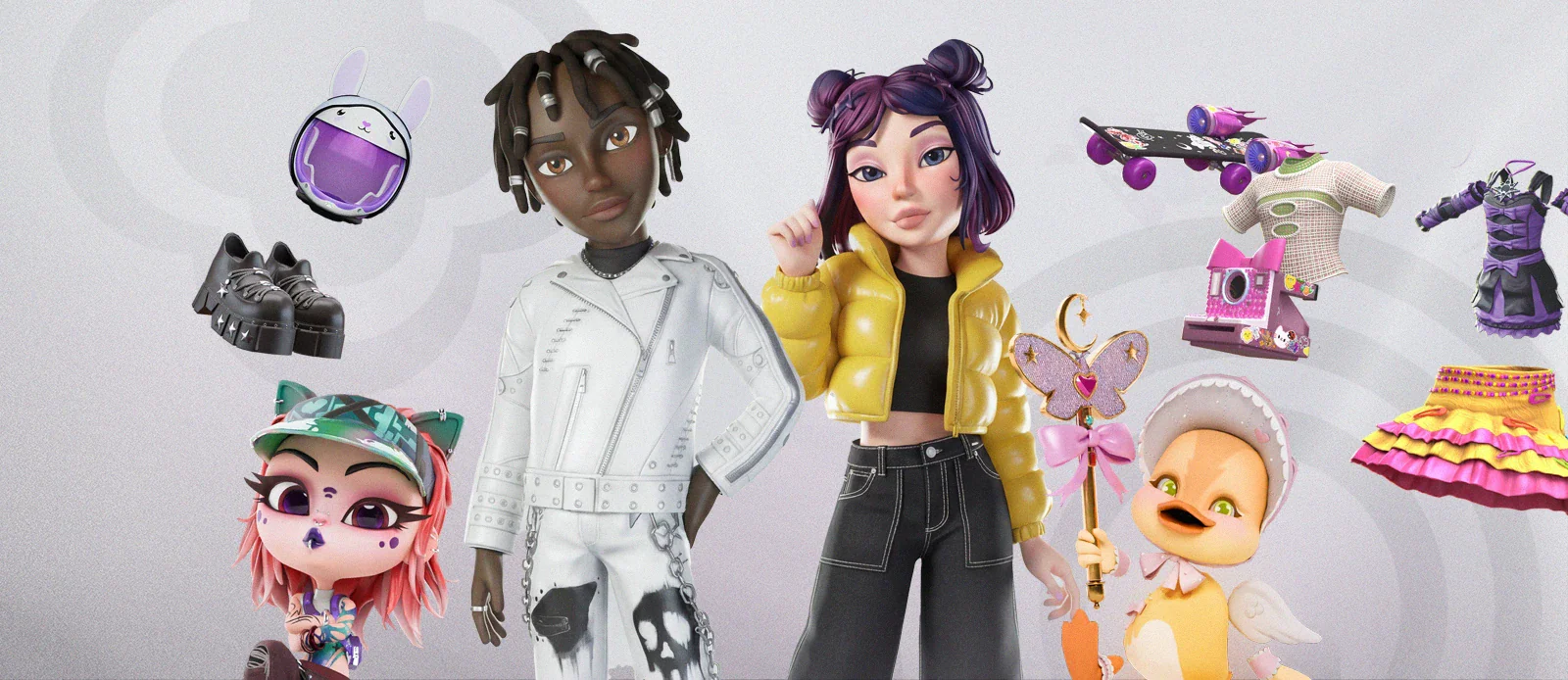
Use Genies if you care about:
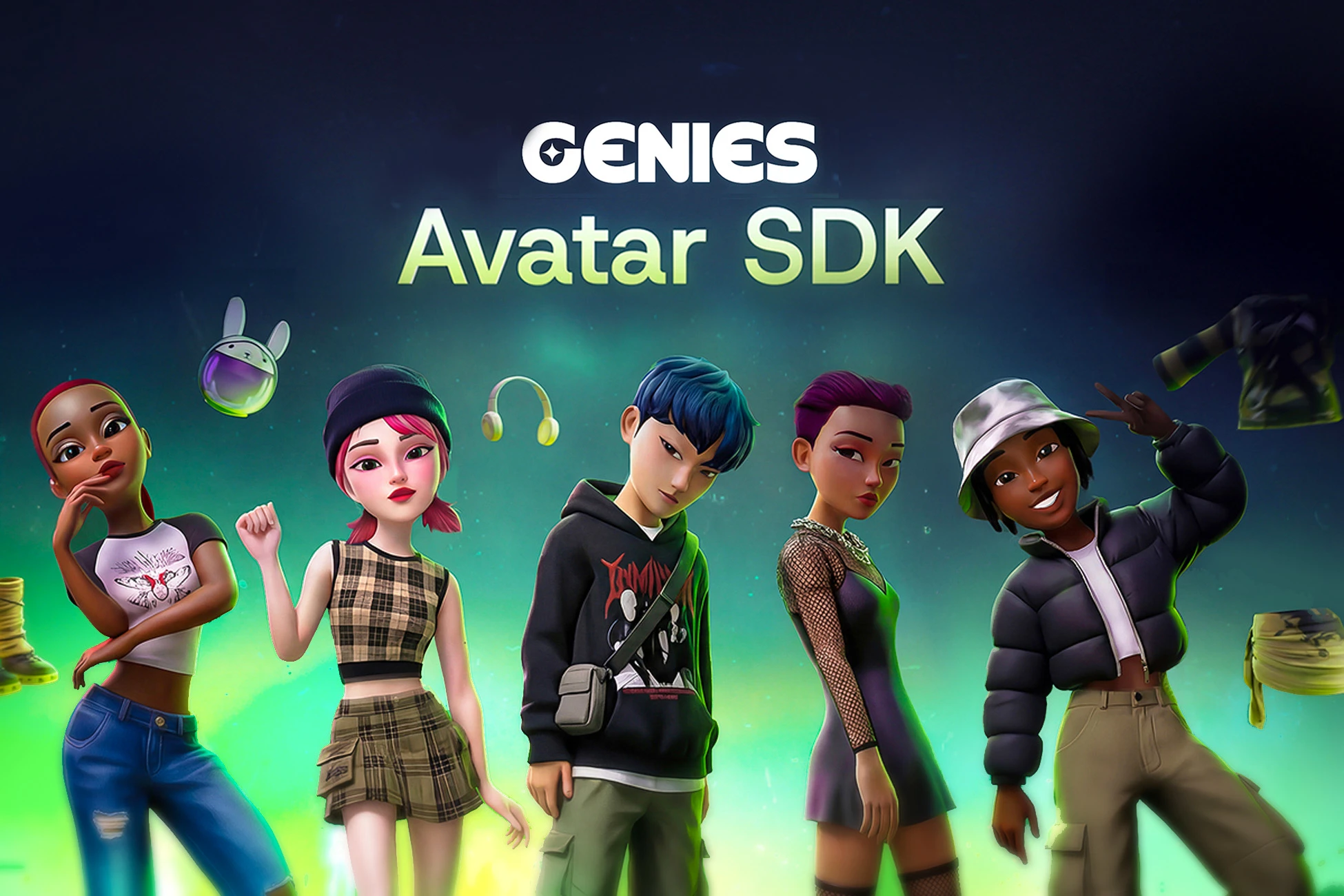
Genies is more avatar and identity-focused than traditional character design software. If you need full manual control over topology, sculpting or professional game export, pair it with a dedicated 3D pipeline.
Best for: original character visualization, profile pictures, style exploration, fandom OCs and quick 2D concepts.
Picrew is a community-driven platform where artists create image makers that other users can customize. It is one of the best tools for quickly visualizing original characters in many different art styles.
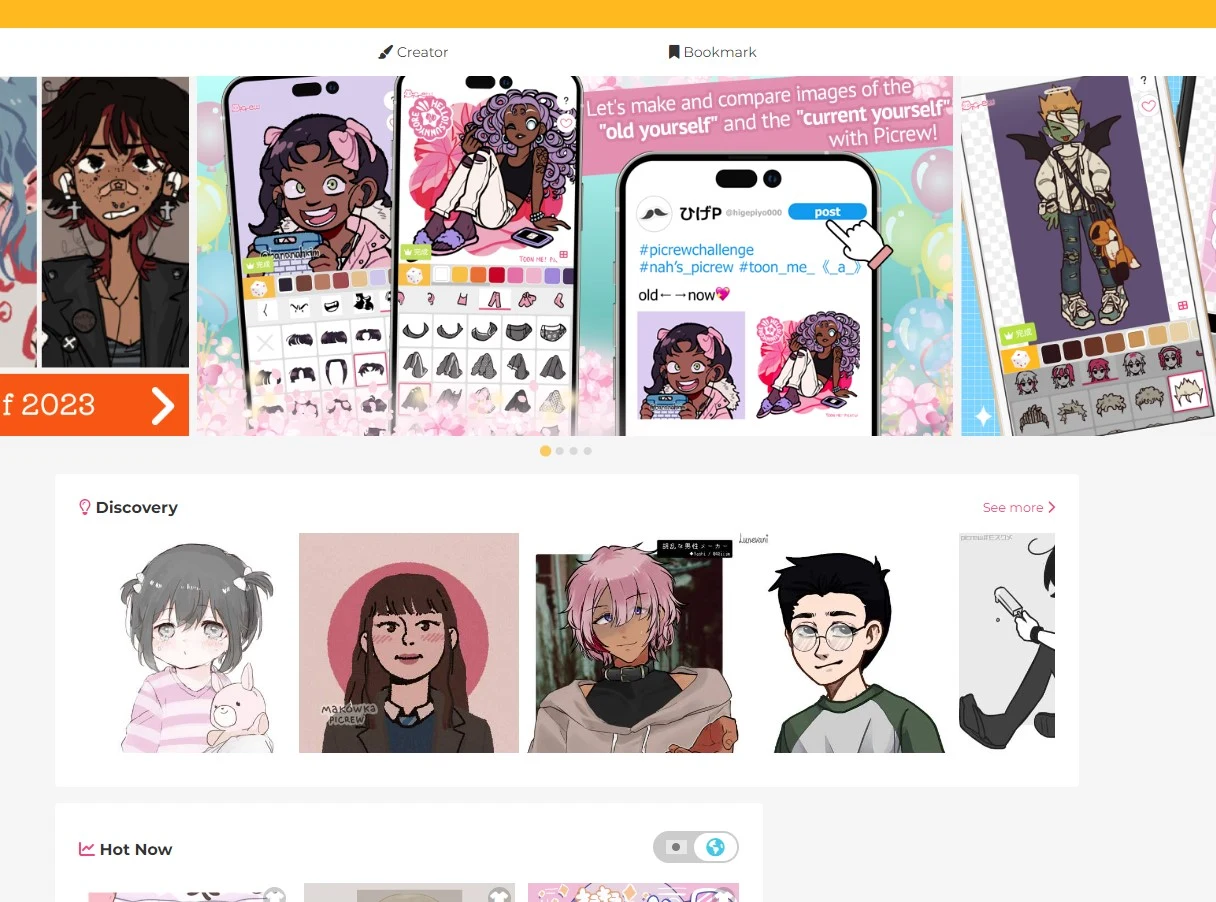
Use Picrew for:
Every Picrew maker may have different usage rules. Check the creator's terms before using a Picrew character commercially, as a profile image for a brand or in monetized content.
Best for: full-body 2D avatars, simple human characters, quick crowd concepts, SVG exports and browser-based customization.
CharacterCreator.org is a browser-based character maker inspired by paper doll-style customization. It is useful when you need a simple full-body human character quickly.
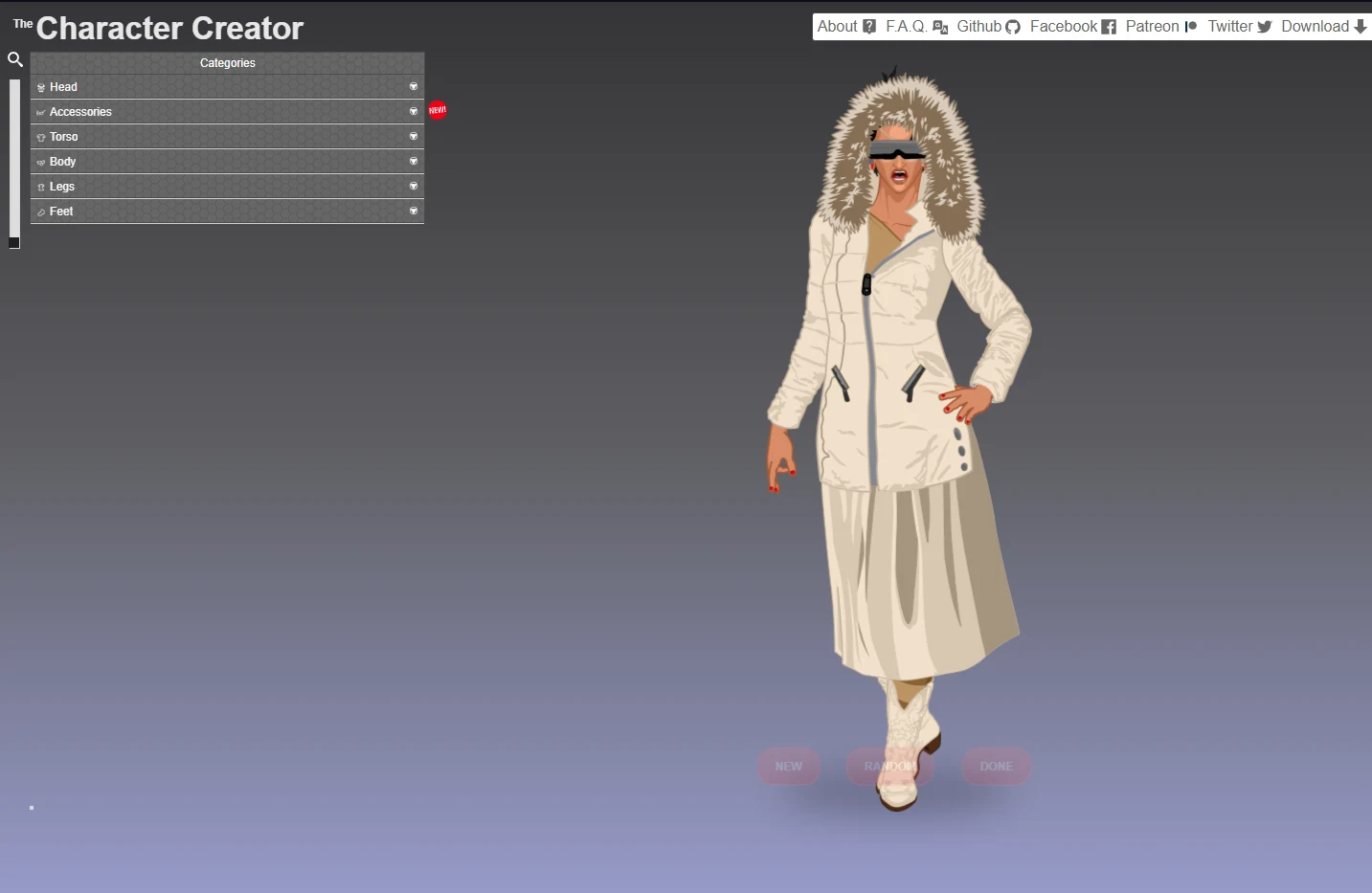
Use it for:
It is flexible, but not ideal for fantasy creatures, highly stylized art or professional character illustration.
Best for: quick 2D character concepts, dress-up games, body type exploration, outfit testing and artist-made character bases.
Meiker.io hosts a large collection of artist-made character creators. It is useful when you want to quickly explore outfits, body types, hairstyles, fantasy designs or visual style directions.
Use Meiker.io for:
As with Picrew, terms can vary by creator or base. Always check usage rules before using characters commercially.
Best for: AI-assisted portrait exploration, face blending, unexpected character ideas and visual brainstorming.
Artbreeder uses AI-based image blending and editing to create new character visuals. It is especially useful when you do not know exactly what you want yet.
Use Artbreeder for:
Artbreeder is strongest for exploration and ideation. If you need precise production-ready characters, you will likely need another tool afterward.
Best for: D&D characters, tabletop miniatures, fantasy heroes, custom poses, physical 3D prints and virtual tabletop files.
Hero Forge is built for tabletop character creation. It lets users customize species, body type, class, outfit, weapons, pose, base and miniature details.
Use Hero Forge for:
Hero Forge is specialized. It is fantastic for tabletop miniatures, but not a general-purpose character design or animation tool.
Online avatar tools are great for fast results. But professional character designers often need drawing, painting, vector, pixel, sculpting or texture software.
Best for: professional character artists, concept art, digital painting, compositing, production art and detailed character sheets.
Adobe Photoshop remains one of the most important tools for 2D character design. It is strong for layered painting, brushes, masks, photo references, texture overlays, effects and polished concept art.
Use Photoshop for:
Watch out for subscription cost. If you want a free alternative, consider Krita.
Best for: scalable character art, mascots, clean line art, brand characters, stickers, icons and reusable character parts.
Adobe Illustrator is useful when characters need to be scalable and clean. It is especially strong for mascots, logos, vector-based character sheets, reusable limbs and shape-based illustration.
Use Illustrator for:
Vector art can feel less natural than painting. For expressive brushwork, Photoshop, Clip Studio Paint, Procreate or Krita may feel better.
Best for: comics, manga, anime character sheets, line art, inking, turnaround sheets, cel shading and expressive illustration.
Clip Studio Paint is one of the best character design tools for artists working in comics, manga, webtoons and animation-style illustration. It is especially strong for clean lines, brushes, panels, model references and character sheets.
Use Clip Studio Paint for:
Clip Studio Paint is excellent for 2D art but does not replace 3D modeling software if you need actual 3D assets.
Best for: iPad artists, sketching, character thumbnails, painting, gesture drawing and portable concept art.
Procreate is popular because it feels direct and fast. For character designers, it is excellent for sketching ideas, developing silhouettes, testing poses and painting polished character art on iPad.
Use Procreate for:
Procreate is iPad-only. For desktop pipelines, use Photoshop, Clip Studio Paint, Krita or Affinity Designer.
Best for: free digital painting, concept art, character illustration, brush-based workflows and open-source creative work.
Krita is a strong free option for character artists who want digital painting tools without a subscription. It includes powerful brush engines, layers, color management and illustration features.
Use Krita for:
Krita is a painting tool, not a full production suite for 3D, rigging, animation or asset management.
Best for: pixel artists, indie game developers, sprite sheets, frame-by-frame animation and retro-style characters.
Aseprite is one of the best tools for pixel character creation. It is built specifically for pixel art and sprite animation.
Use Aseprite for:
Aseprite is specialized. It is not for high-resolution painting, 3D models or realistic character art.
Best for: designers who want vector and pixel tools without an Adobe subscription.
Affinity Designer combines vector and raster workflows. It is useful for character designers who want clean shapes, line art, icons, mascots and flexible export options.
Use Affinity Designer for:
Affinity Designer is flexible, but it is not as deeply tied into the broader Adobe ecosystem as Photoshop and Illustrator.
Best for: 3D artists who need professional materials, PBR textures, masks, skin details, armor materials, clothing surfaces and game-ready textures.
Substance 3D Painter is not usually the first tool you use to create a character, but it is often essential for finishing one. It is used to paint high-quality materials on 3D models.
Use Substance 3D Painter for:
You need a 3D model before Substance 3D Painter becomes useful. Use it after modeling or generating the character.
Software helps you create the character. Reference websites help you make the character better.
Best for: original character creators, writers, roleplayers, worldbuilders, artists and anyone managing multiple OCs.
CharacterHub is useful because character design is not just visual. A character also has a biography, personality, relationships, lore, world context and artwork.
Use CharacterHub for:
CharacterHub is not mainly a drawing app or 3D modeler. It is best as an organization, inspiration and community layer.
Best for: design studies, visual research, silhouette practice, costume ideas, shape language, interviews and professional inspiration.
Character Design References is one of the most useful reference websites for character designers. It collects visual libraries, interviews, challenges and design inspiration.
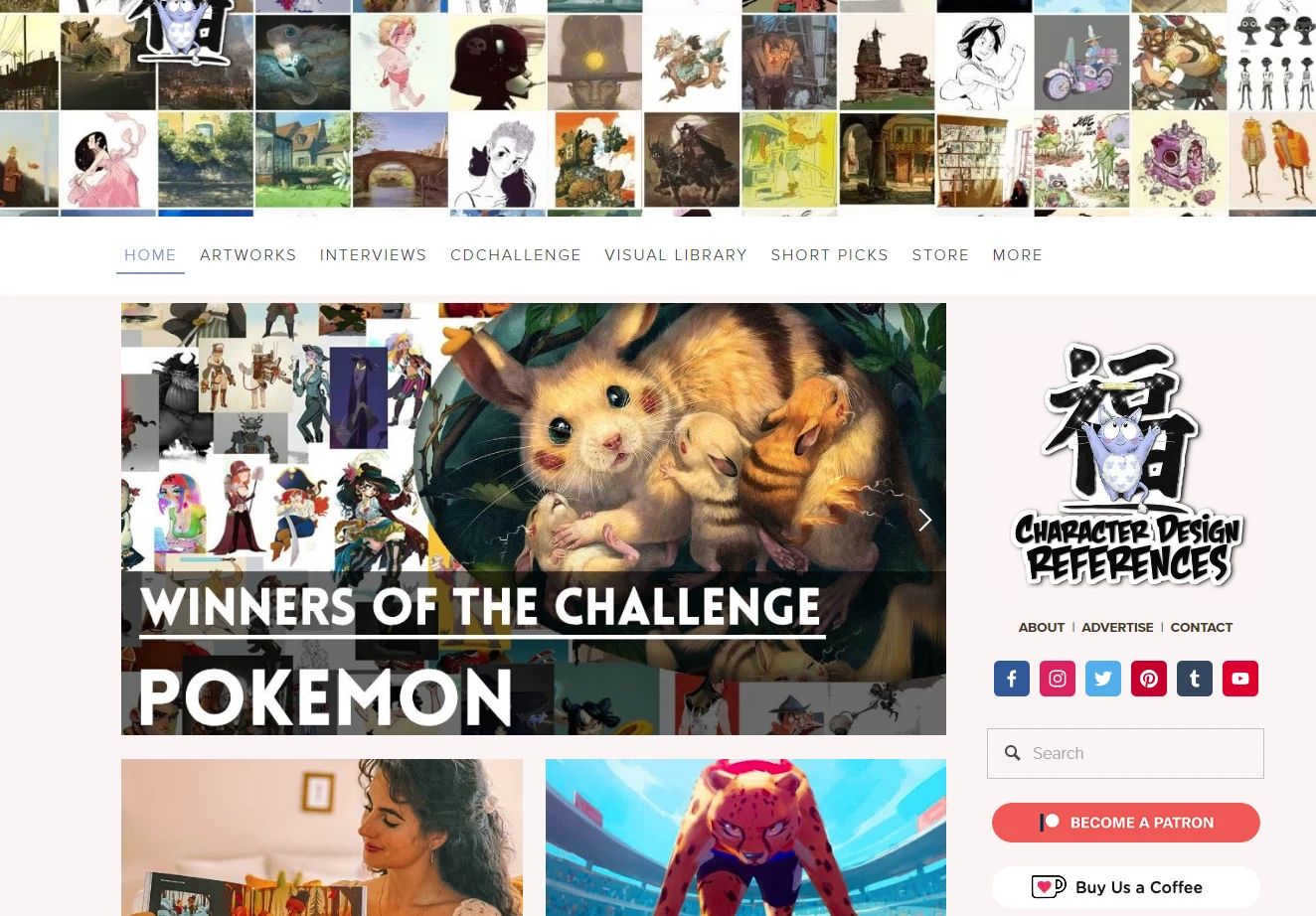
Use it for:
Enter with a specific goal, such as “fantasy armor silhouette” or “round shape language for friendly characters,” instead of browsing endlessly.
Best for: figure references, pose studies, costume studies, anatomy, materials, armor, weapons, creatures and drawing practice.
CharacterDesigns.com provides reference images useful for character artists. It is especially valuable for figure drawing and costume reference.
Use it for:
References are not finished designs. Use them to study form, pose, clothing and materials, then transform that knowledge into original work.
Best for: studying professional portfolios, game art, film concept art, creature design, stylized characters and industry-level presentation.
ArtStation is one of the best places to study professional character design. Many game, animation and film artists publish portfolios there.
Use ArtStation for:
Do not copy. Study choices: silhouette, costume logic, material contrast, anatomy, shape language, pose and presentation.
Best for: anime character design, OC inspiration, fan characters, fantasy art and community browsing.
DeviantArt has a long history as an online art community. It remains useful for discovering a wide range of character design styles, especially anime, fantasy, fan art and original characters.
Use DeviantArt for:
As with any community platform, quality varies. Use folders and collections to build a useful reference library instead of saving everything.
Best for: aesthetic research, niche character ideas, outfit inspiration, fan communities and style tags.
Tumblr is not only a character design website, but it can be a surprisingly useful discovery tool because of tags, reblogs and niche art communities.
Use Tumblr for:
Tumblr is more chaotic than structured reference websites. Use tags and curated blogs to keep your research organized.
Best for: learning design theory, turnarounds, shape language, character design process and art fundamentals.
Some of the best character design resources are not software tools at all. Tutorial and theory channels can help you understand why a design works.
Useful channels and resources include:
Use these for:
Tutorials only help if you practice. Watch one video, then immediately redesign or improve one character using the lesson.
| Tool | Best For | Type | Main Strength | Main Limitation |
|---|---|---|---|---|
| LlamaGen | Consistent AI characters, anime OCs, comics, story worlds and character sheets | AI character creator | Character consistency, turnarounds, expressions, story-first workflows | Not a full 3D rigging or topology pipeline |
| Meshy | Fast 3D character generation | AI 3D | Text/image-to-3D asset workflow | May need cleanup for production |
| Blender | Full 3D pipeline | 3D software | Free modeling, sculpting, rigging, animation | Steep learning curve |
| MetaHuman Creator | Realistic humans | 3D avatar tool | Photorealistic digital humans | Less suited for stylized characters |
| ZBrush | High-detail sculpting | Sculpting | Professional organic detail | Needs companion tools |
| Reallusion Character Creator | Realistic humanoid production | 3D character tool | Fast realistic character assembly | Paid workflow and asset costs |
| Maya | Rigging and animation | 3D production | Studio-standard animation tools | Expensive and complex |
| Mixamo | Auto-rigging | Rigging/animation | Fast free rigging and animation clips | Limited customization |
| Daz 3D | Realistic character renders | 3D creation | Large marketplace and figure customization | Assets can become expensive |
| VRoid Studio | Anime 3D avatars | Avatar creator | Free beginner-friendly VRM workflow | Anime style only |
| Genies | Digital identity avatars | Avatar platform | 3D avatars and wearable identity |
Use LlamaGen if you want consistent characters across portraits, poses, expressions, story scenes and comic-style workflows.
LlamaGen is especially useful when the same character needs to stay recognizable across multiple outputs instead of existing as one isolated image.
Start with LlamaGen, Picrew, CharacterCreator.org, Meiker.io, VRoid Studio or Genies.
These tools are approachable because they use prompts, sliders, presets, drag-and-drop parts or ready-made customization systems.
Use LlamaGen for consistent AI characters, Meshy for AI 3D characters, Artbreeder for visual brainstorming and Genies for avatar identity workflows.
Use LlamaGen for early character direction and sheets, Meshy for fast 3D drafts, Blender for cleanup, Mixamo for auto-rigging, Maya for advanced animation and Aseprite for pixel sprites.
Use LlamaGen Anime Character Generator for design direction and VRoid Studio for anime 3D avatars and VRM workflows. Use Blender if you need deeper customization.
Use Hero Forge for custom miniatures and CharacterHub to organize character lore, art and profiles.
Use Photoshop, Clip Studio Paint, Procreate, Krita and ArtStation for inspiration and portfolio study.
Use Character Design References, CharacterDesigns.com, CharacterHub, ArtStation, DeviantArt and Tumblr.
A good character workflow starts before opening any software.
Write a short character brief.
Name: Mira
Role: Exiled moon priestess turned monster hunter
Genre: Dark fantasy
Personality: Calm, observant, ruthless when cornered
Visual hook: Silver hair, crescent scar over one eye, layered black robes, bone-white hunting bow
Audience impression: Elegant but dangerous
A strong character brief should answer:
Use reference websites before creating the final design.
Good sources include:
Collect references for:
Do not copy references directly. Use them to understand design choices.
Pick based on the final output.
| Final Output | Tool Path |
|---|---|
| Consistent story character | LlamaGen |
| Anime OC or manga cast | LlamaGen → Clip Studio Paint or Procreate |
| 2D portrait | LlamaGen, Picrew, Procreate, Photoshop, Krita |
| Full-body 2D avatar | CharacterCreator.org, Meiker.io, Illustrator |
| Manga character sheet | LlamaGen, Clip Studio Paint, Procreate, Photoshop |
| AI 3D model | Meshy |
| Anime 3D avatar | VRoid Studio |
| Realistic human | MetaHuman Creator, Daz 3D, Reallusion Character Creator |
| Game-ready 3D character | LlamaGen or Meshy → Blender → Mixamo or Maya |
| Tabletop miniature | Hero Forge |
| Pixel game sprite | Aseprite |
| OC profile and lore hub | CharacterHub |
Never stop at the first design. Make variations.
Try changing:
A final character sheet should include:
For 3D projects, also include:
A character can look great alone and fail in the actual project.
Test the design in:
A strong character should still be recognizable when small, moving, simplified or partially hidden.
Before using a character commercially, check:
This matters especially for Picrew, Meiker.io, marketplace assets, avatar builders and AI-generated models.
A beautiful avatar creator may not export game-ready files. A powerful 3D sculpting tool may be overkill for a profile picture. Start with the final use case.
A memorable character needs consistent features across poses, scenes, outfits and platforms.
Write down fixed traits:
Fixed traits:
Silver hair
Crescent scar over right eye
Black layered robes
Bone-white bow
Calm expression
Moon-shaped earrings
Repeat these details whenever you generate or redraw the character.
Hairpins, buttons and texture details do not matter if the silhouette is weak. First make sure the character can be recognized as a dark shape.
Good design choices are motivated. A warrior's armor, a scholar's satchel, a thief's boots and a healer's posture should say something about who they are.
A character for a game needs different files than a profile picture.
Common exports include:
Free tools often have restrictions. Always check usage rights before selling merchandise, publishing a game, using a character as a brand mascot or uploading assets to a marketplace.
Use this template with LlamaGen, Meshy, AI character tools, 3D generators or image generators.
Create a [2D / 3D / anime / realistic / stylized / game-ready] character.

Character role:
[Who the character is]

Genre:
[Fantasy / sci-fi / cyberpunk / modern / horror / slice-of-life / tabletop RPG / game NPC]

Personality:
[Core traits, emotional tone, attitude]

Visual identity:
[Hair, eyes, body type, face shape, signature features]

Clothing:
[Outfit, materials, colors, accessories, symbolic items]

Pose:
[Neutral T-pose / action pose / portrait / full-body turnaround / dramatic stance]

Style:
[Realistic / stylized / anime / low-poly / pixel art / comic / painterly / chibi]

Technical output:
[PNG / SVG / VRM / FBX / OBJ / GLB / STL / layered PSD / game-ready low-poly]

Constraints:
[Keep silhouette readable, avoid excessive detail, maintain consistent face, leave room for future animation]
Create a consistent anime-inspired dark fantasy character for a manga and game concept.

Name:
Mira

Role:
Exiled moon priestess turned monster hunter.

Personality:
Calm, observant, disciplined, quietly dangerous.

Visual identity:
Tall and slender, silver-white hair tied into a low braid, pale eyes, crescent-shaped scar over the right eye, sharp angular face.

Clothing:
Layered black travel robes with silver embroidery, leather belts, small moon charms, dark boots, fingerless gloves.

Weapon:
Bone-white hunting bow with crescent-shaped metal details.

Outputs needed:
Portrait, full-body concept, front-side-back turnaround, expression sheet, action pose and storyboard scene.

Style:
Anime-inspired dark fantasy concept art, readable silhouette, clean shapes, not too many tiny details.

Constraints:
Keep the crescent scar, silver braid, black robes, moon charms and bone-white bow consistent across every image.
Create a stylized 3D fantasy character for an indie action RPG.

Role:
Exiled moon priestess turned monster hunter.

Personality:
Calm, observant, disciplined, quietly dangerous.

Visual identity:
Tall and slender, silver-white hair tied into a low braid, pale eyes, crescent-shaped scar over the right eye, sharp angular face.

Clothing:
Layered black travel robes with silver embroidery, leather belts, small moon charms, dark boots, fingerless gloves.

Weapon:
Bone-white hunting bow with crescent-shaped metal details.

Style:
Stylized semi-realistic game character, readable silhouette, clean shapes, not too many tiny details.

Technical output:
Game-ready 3D character concept, suitable for later rigging and animation.

Constraints:
Keep the crescent scar, silver braid, black robes, moon charms and bone-white bow consistent.
Create a clean 2D character design sheet for a dark fantasy heroine.

Character:
Mira, an exiled moon priestess and monster hunter.

Include:
Front view, side view, back view, three facial expressions, weapon close-up, color palette and outfit detail notes.

Visual traits:
Silver-white braid, pale eyes, crescent scar over right eye, layered black robes, silver moon charms, bone-white hunting bow.

Style:
Professional animation concept art, clean linework, muted colors, readable silhouette, practical costume design.

Mood:
Elegant, quiet, dangerous, mysterious.

Layout:
White background, organized labels, production-ready character turnaround sheet.
For consistent AI characters, LlamaGen is one of the best choices. For AI-generated 3D characters, Meshy is a strong option. For a free full 3D pipeline, Blender is the strongest choice. For anime avatars, VRoid Studio is a great starting point. For professional 2D character design, Photoshop, Clip Studio Paint, Procreate and Krita are all strong depending on your workflow.
Good free options include Blender for full 3D creation, VRoid Studio for anime 3D avatars, Krita for digital painting, CharacterCreator.org for simple vector avatars, Mixamo for auto-rigging and Picrew or Meiker.io for quick 2D character concepts.
For consistent story characters, LlamaGen is a strong choice because it supports reusable character direction, character sheets, expressions, poses and story workflows. For AI 3D character generation, Meshy is a strong option because it can turn text or images into 3D assets. For AI portrait exploration, Artbreeder is useful.
For game concept work, a practical workflow is LlamaGen for character design and sheets, Meshy for fast 3D drafts, Blender or Maya for cleanup and rigging, Substance 3D Painter for textures and Mixamo for quick animation tests. For pixel games, Aseprite is one of the best tools.
VRoid Studio is one of the best free tools for anime-style 3D avatars and VRM models. LlamaGen is useful before that step if you need anime character direction, character sheets, expressions or story-ready character concepts.
CharacterHub, Character Design References, CharacterDesigns.com, ArtStation, DeviantArt and Tumblr are all useful. CharacterHub is especially good for OCs and community profiles, while Character Design References and CharacterDesigns.com are stronger for structured visual reference.
It depends on the tool and the specific creator's terms. Picrew, Meiker.io, marketplace assets, avatar builders and AI tools may all have different rules. Always check commercial rights before using a character in merchandise, games, ads, books or brand materials.
Use PNG for images, SVG for scalable 2D avatars, PSD for layered 2D art, VRM for anime avatars, FBX for games and animation, OBJ for 3D geometry, GLB or glTF for web 3D and STL for 3D printing.
Not always. Tools like LlamaGen, Meshy, Genies, VRoid Studio, Picrew, CharacterCreator.org, Meiker.io, Daz 3D and Hero Forge make character creation accessible without advanced drawing skills. However, learning design fundamentals will still improve your results.
A character creator usually provides prompts, presets, sliders, templates or AI generation to help you build a character quickly. Character design software gives artists deeper control for drawing, painting, sculpting, rigging or texturing a character from scratch.
The best character creator tool in 2026 depends on what kind of character you are making.
Choose LlamaGen if you need consistent AI characters for OCs, anime casts, comics, storyboards, game concepts, VTuber concepts and reusable visual identity.
Choose Meshy if you want fast AI-generated 3D characters from text or images.
Choose Blender if you want a free all-in-one 3D character creation pipeline.
Choose MetaHuman Creator if you need photorealistic digital humans.
Choose ZBrush if you need professional high-detail sculpting.
Choose Reallusion Character Creator if you need realistic humanoid characters quickly.
Choose Maya if professional rigging and animation are central to your pipeline.
Choose Mixamo if you need fast auto-rigging and animation clips.
Choose Daz 3D if you need detailed human characters and visual storytelling scenes.
Choose VRoid Studio if you want a free anime-style 3D avatar creator.
Choose Genies if you care about expressive avatars and digital identity.
Choose Picrew, Meiker.io or CharacterCreator.org if you want fast browser-based 2D character creation.
Choose Hero Forge if you are designing tabletop RPG miniatures.
Choose Photoshop, Clip Studio Paint, Procreate or Krita if you want to draw or paint your own characters.
Choose Aseprite if you are making pixel-art game characters.
Choose CharacterHub if you want to organize original characters, lore, art and community feedback.
Choose Character Design References, CharacterDesigns.com, ArtStation, DeviantArt and Tumblr if you want better inspiration and reference material.
The simplest way to choose is this: decide where the character will live. A profile picture, a comic, a game, a VTuber setup, a tabletop campaign, a brand mascot and a 3D animation all need different tools.
A great character is not just a nice-looking image. It is a recognizable identity with a clear silhouette, story, personality, visual logic and a workflow that lets you use the character again and again.


| Character design reference libraries | Character Design References, CharacterDesigns.com |
| Less suited for manual 3D production |
| Picrew | 2D OC portraits | Online maker | Huge community-made style variety | Terms vary by creator |
| CharacterCreator.org | Full-body vector avatars | Online maker | Simple SVG character output | Human-focused and visually limited |
| Meiker.io | 2D dress-up concepts | Online maker | Many artist-made bases | Usage rights vary |
| Artbreeder | AI face exploration | AI image tool | Creative portrait blending | Better for ideation than final assets |
| Hero Forge | Tabletop miniatures | Miniature creator | Deep RPG customization | Specialized for tabletop use |
| Photoshop | Professional 2D concept art | Painting software | Layered painting and compositing | Subscription-based |
| Clip Studio Paint | Manga and comic character sheets | Illustration software | Line art, inking, manga workflows | Not a 3D modeler |
| Procreate | iPad sketching | Drawing app | Fast natural drawing workflow | iPad-only |
| Krita | Free digital painting | Painting software | Open-source character art | Not a full asset pipeline |
| Aseprite | Pixel sprites | Pixel art tool | Sprite animation workflow | Pixel art only |
© 2026 LlamaGen.Ai All rights reserved
Leading the Future of AI Comic Generation