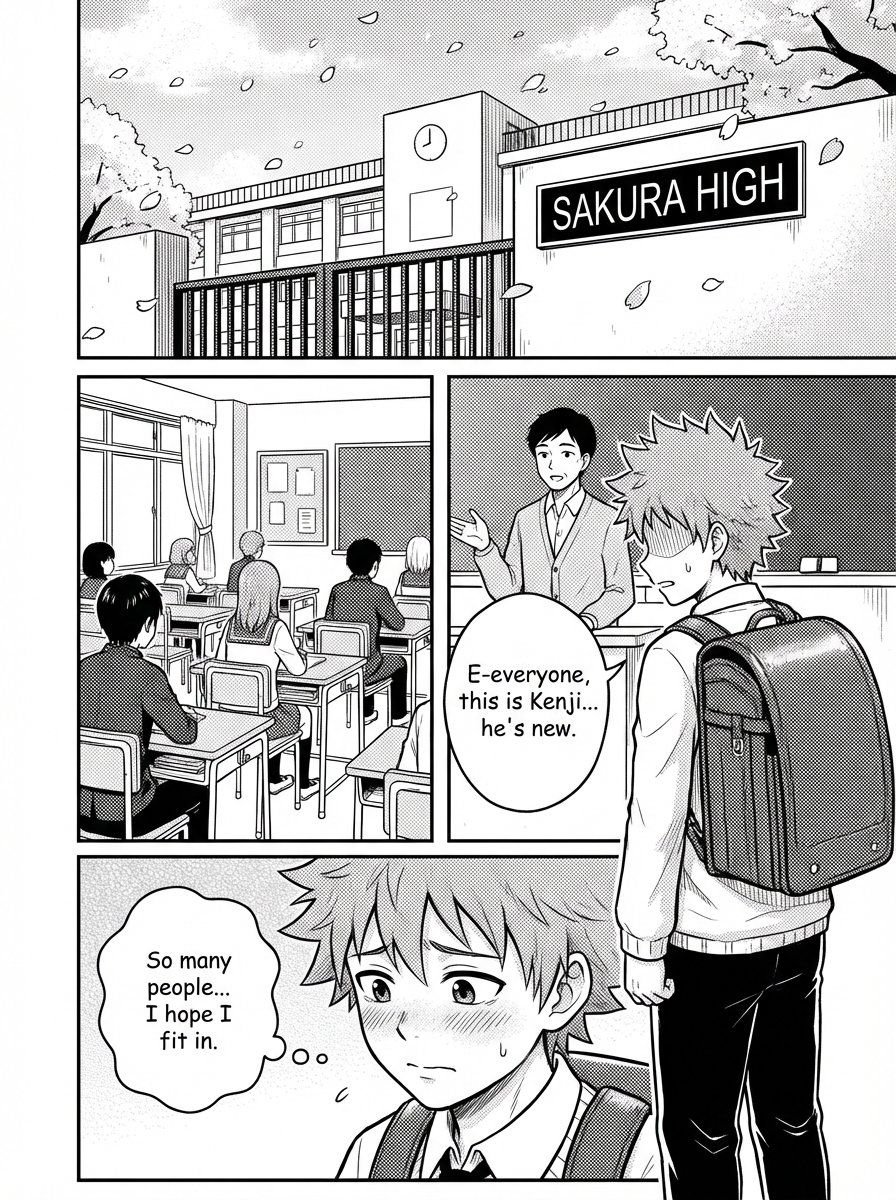
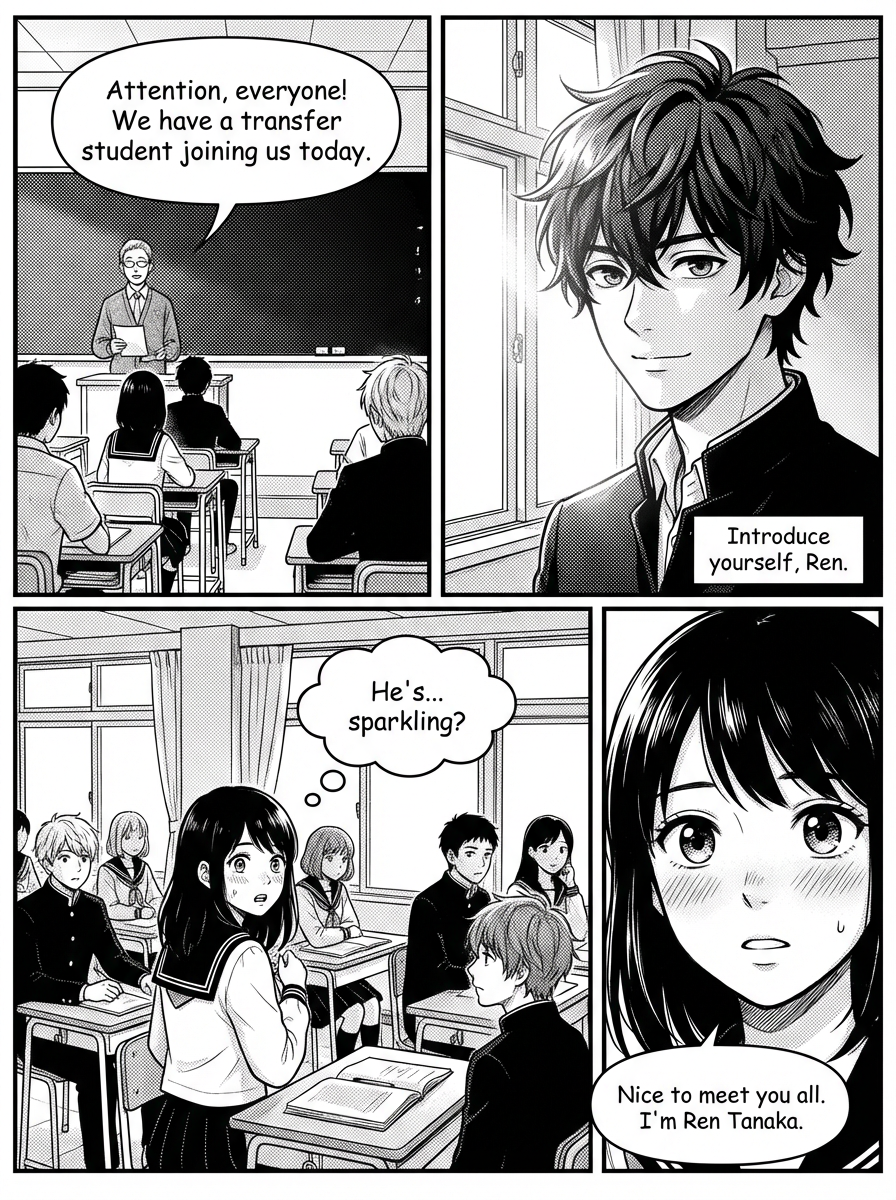
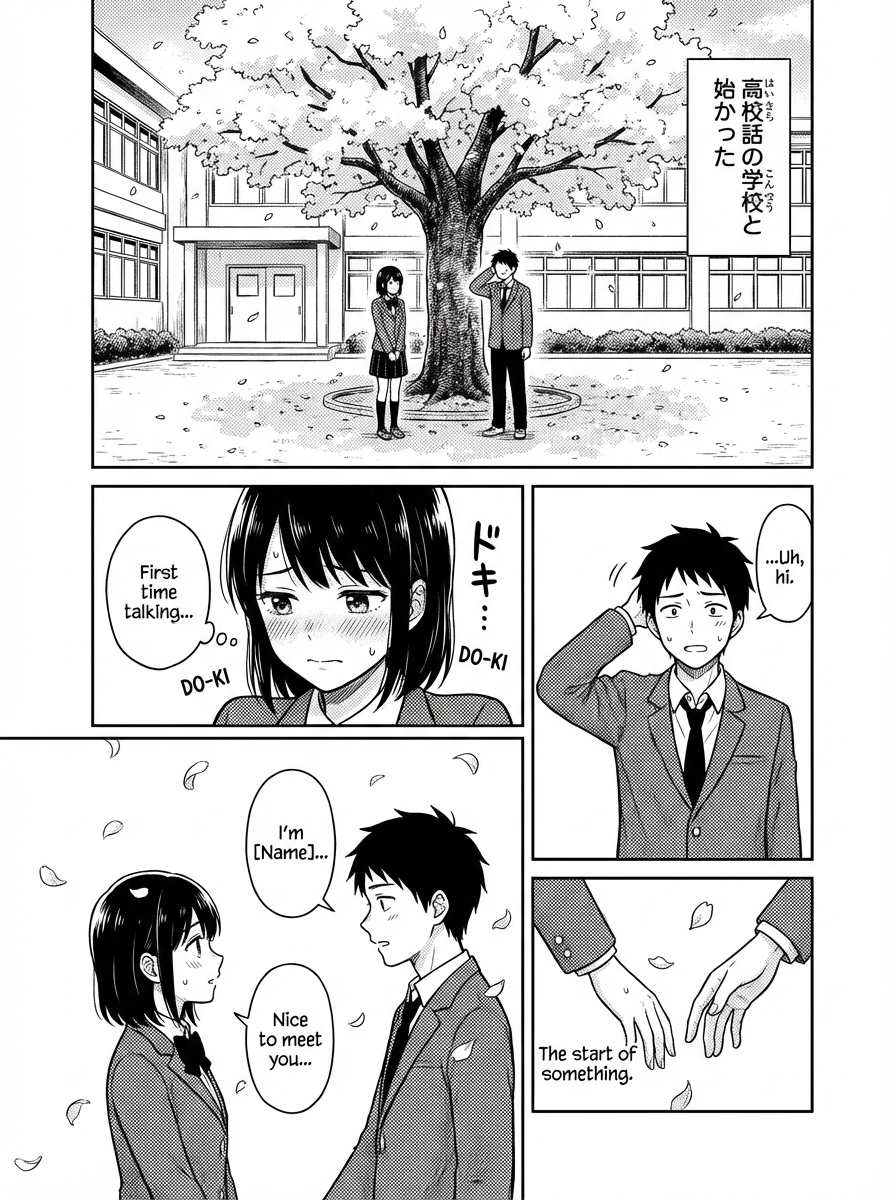
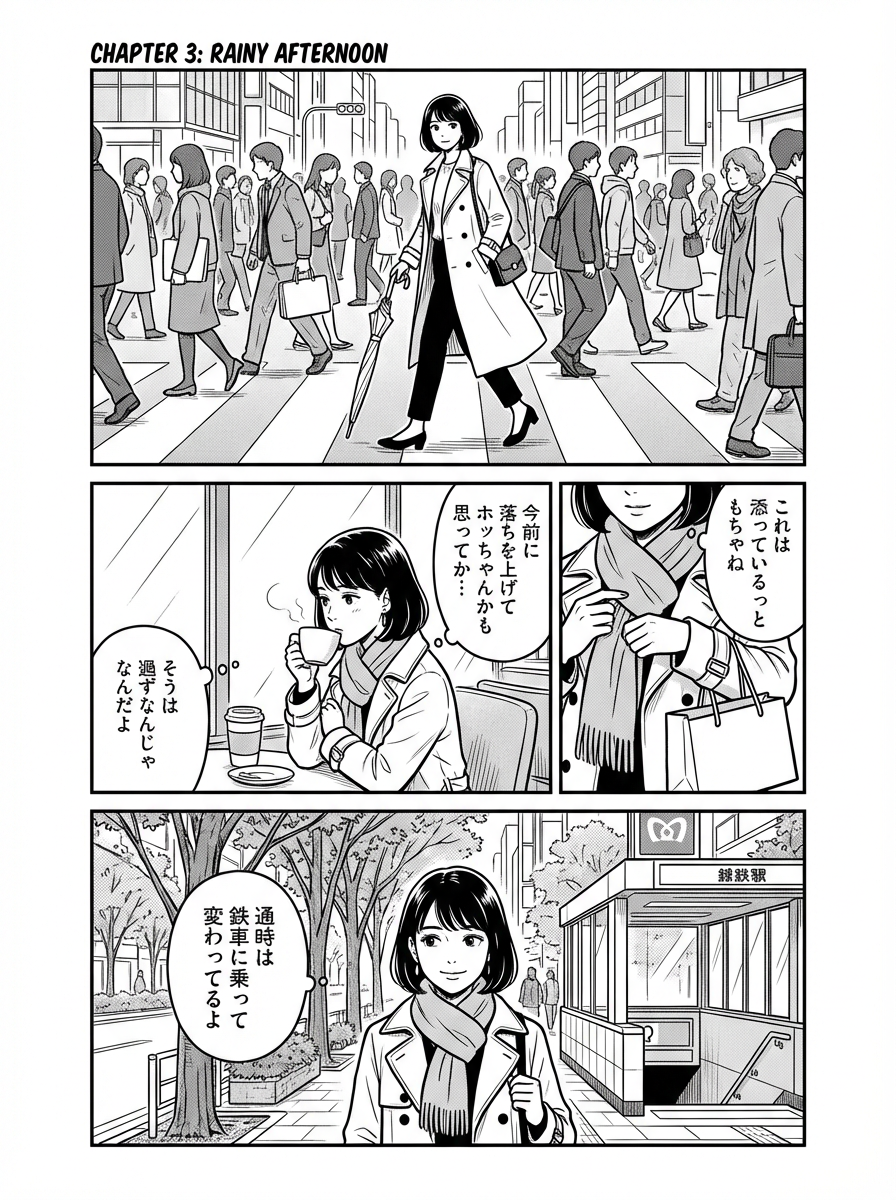
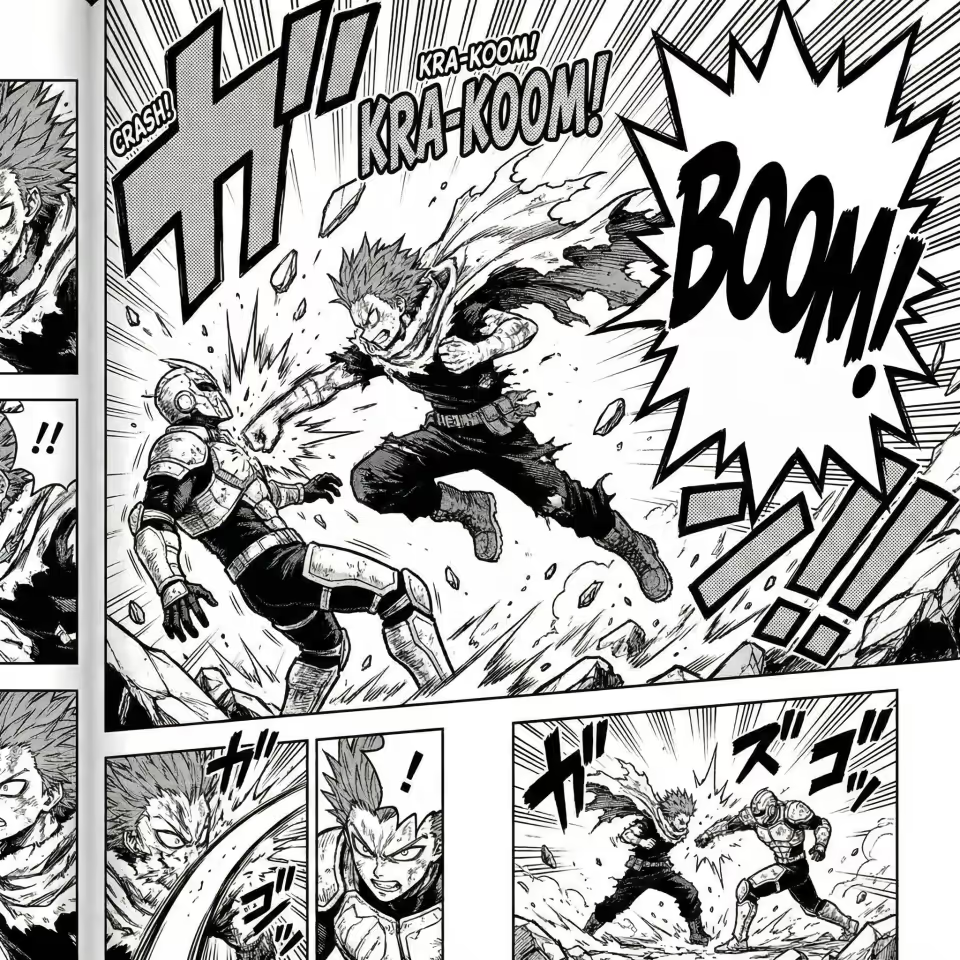
AI Manga Studio का अगला दौर यहीं से शुरू होता है।

एक ही studio-grade workflow में पेज कंपोज़ करें, पैनल सुधारें और लेआउट प्रीव्यू करें।

Manga Studio खोलें

सीधे studio में जाएं और बनाना शुरू करें।

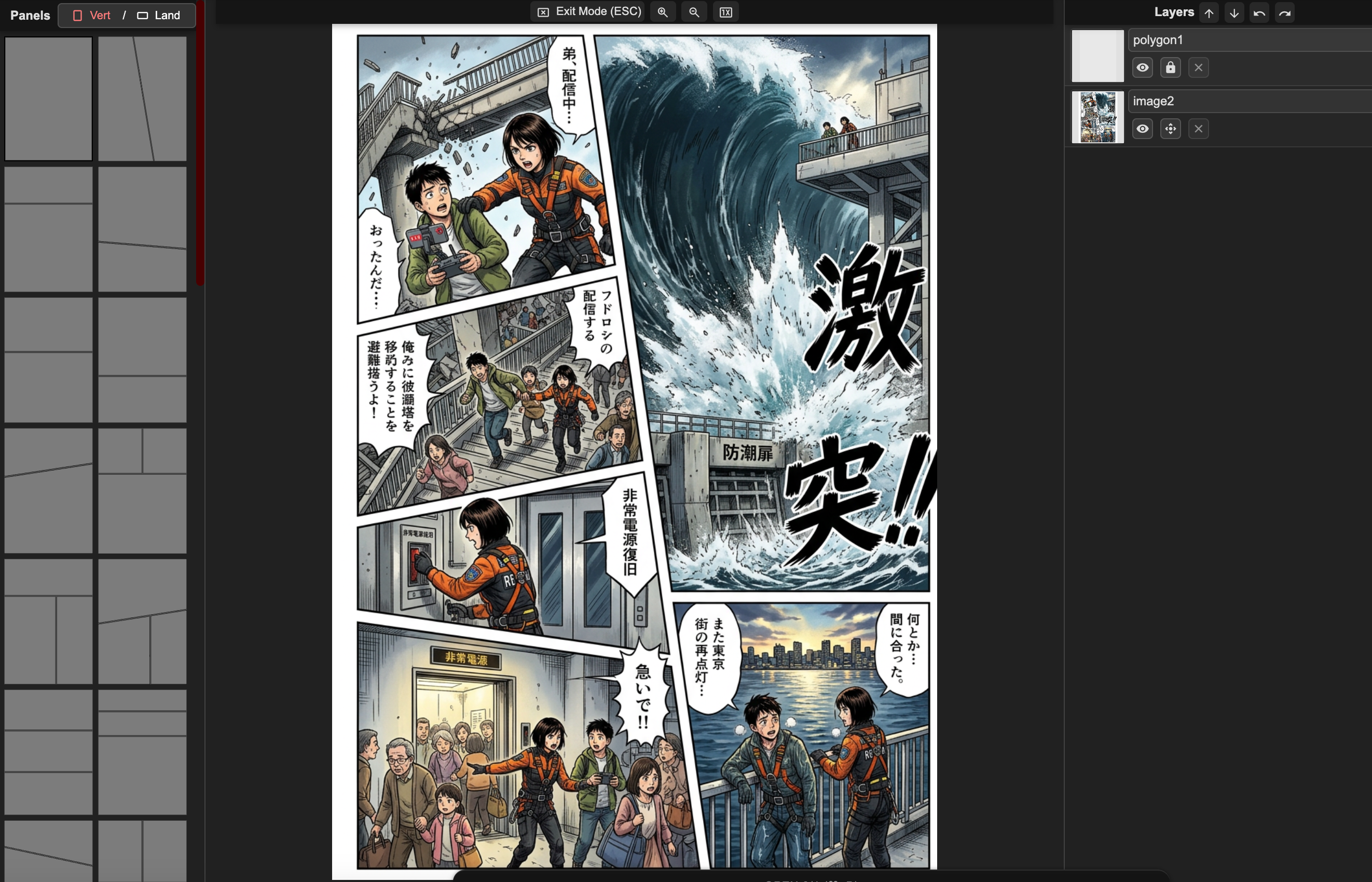
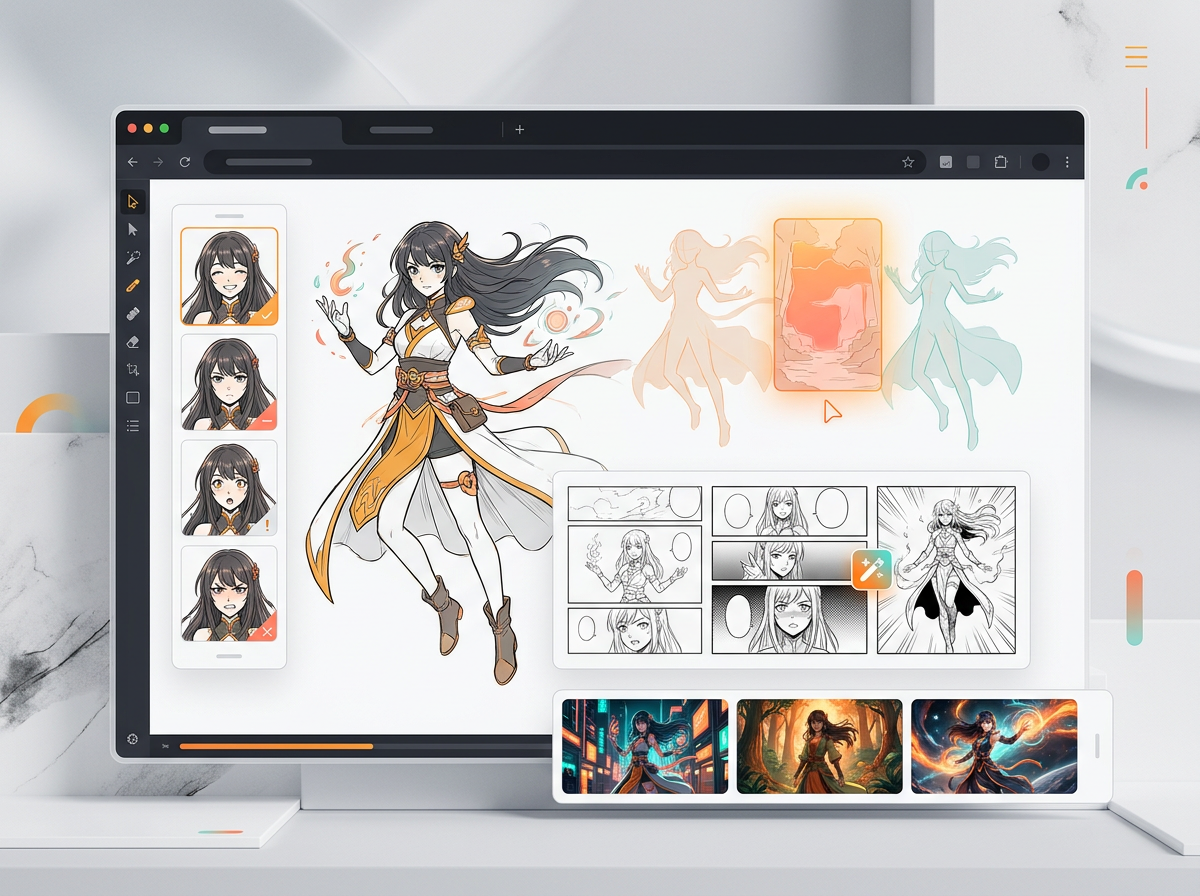
AI manga पेज composition workspaceAI manga layout creation interface

पेज composition

guided panel placement और layout presets के साथ साफ़ पेज स्ट्रक्चर बनाएं।

Creator pain points

सबसे मुश्किल हिस्सा एक सुंदर image नहीं, manga पूरा करना है।

ज़्यादातर creators कहानी, character या deadline के साथ आते हैं। उन्हें ऐसा workflow चाहिए जो पेज को readable रखे, cast को consistent रखे और edits को नियंत्रण में रखे।

पहला chapter

आइडिया आने के बाद भी खाली पेज खाली ही रहता है।

"मेरे दिमाग़ में पूरी कहानी है, लेकिन पहला पेज कैसा दिखना चाहिए यह समझ नहीं आता।"

कहानी को panels में ढालें

scene beats, panel count, layout और text-safe composition से शुरू करें, ताकि first draft एक disconnected illustration नहीं बल्कि साफ़ reading path दे।

Zero-to-first-page creators के लिए सबसे उपयोगी।

Character continuity

अगर hero का चेहरा बदल जाए, तो सुंदर panel भी बेकार है।

"मुझे दस सुंदर characters नहीं चाहिए। मुझे वही character पूरे chapter में acting करते हुए चाहिए।"

Character cues को visible रखें

references, pose notes, expression targets और style prompts का इस्तेमाल करें ताकि characters, outfits और scene tone panels के बीच ज़्यादा स्थिर रहें।

OC, manhwa और serial manga projects के लिए सबसे उपयोगी।

Revision control

एक ग़लत हाथ की वजह से पूरा reroll नहीं होना चाहिए।

"मुझे सिर्फ़ यह चेहरा, यह हाथ या यह speech bubble ठीक करना है। पूरा पेज मत बदलो।"

कमज़ोर हिस्से को एडिट करें

पेज के जो हिस्से पहले से अच्छे हैं उन्हें बचाए रखते हुए लोकल areas retouch करें, faces सुधारें, staging revise करें और bubbles adjust करें।

उन creators के लिए सबसे उपयोगी जो random retries नहीं, delivery की परवाह करते हैं।

Publishing confidence

Creators को पता होना चाहिए कि export के बाद आगे क्या होगा।

"क्या मैं इसे publish कर सकता/सकती हूँ? क्या panels को manga clips में बदल सकता/सकती हूँ? क्या readers कहानी समझ पाएंगे?"

अगले स्टेप के लिए output तैयार करें

Mac, Windows और teams के लिए एक ही browser manga studio में pages, individual panels, clip-ready moments, lettering और export paths प्लान करें।

Indie creators और छोटी content teams के लिए सबसे उपयोगी।

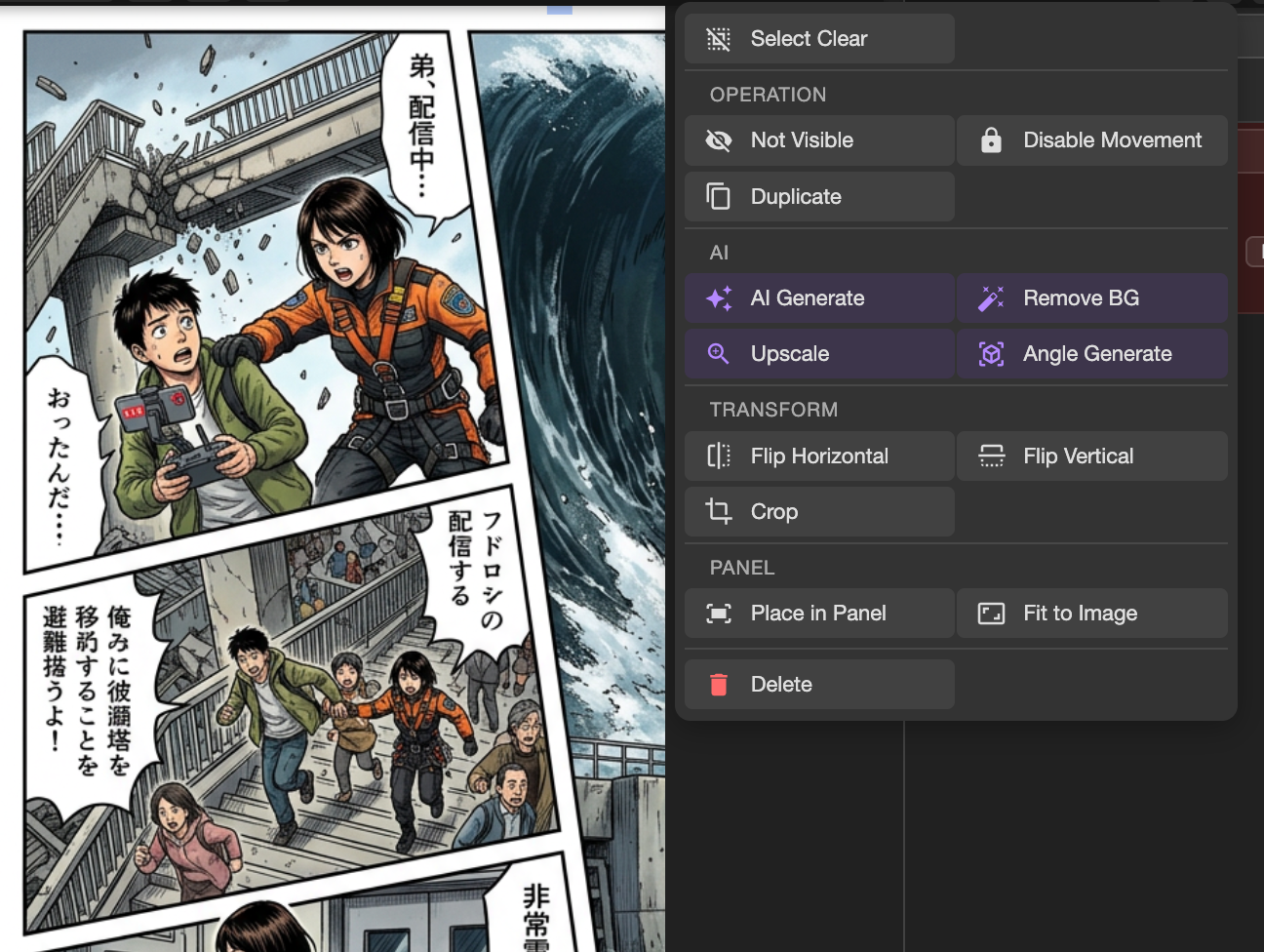
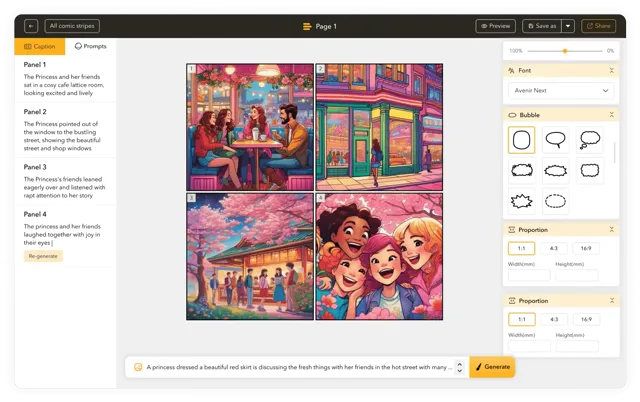
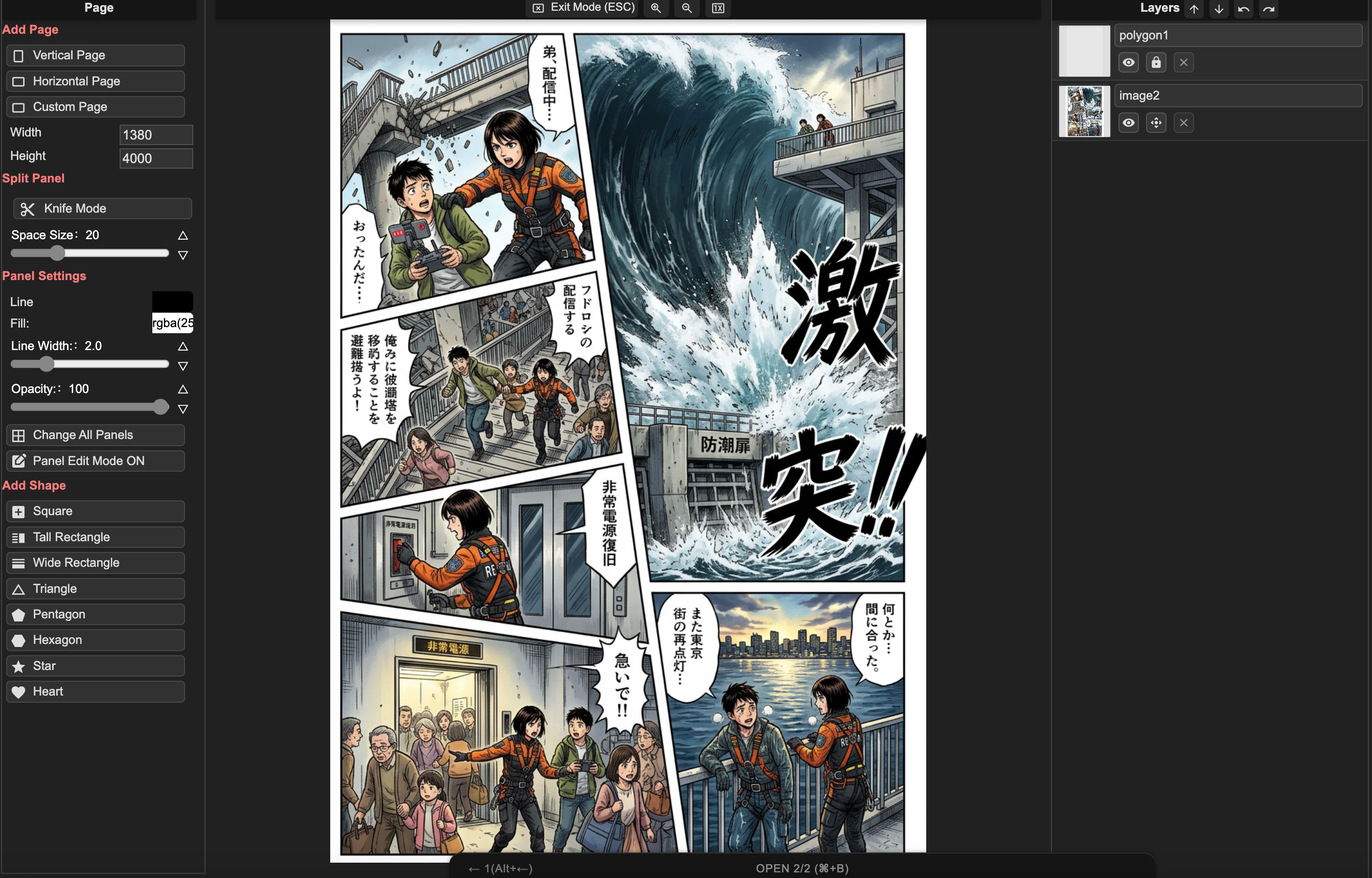
manga text और panel controls के साथ AI Manga Studio editor
Creator use cases

AI Manga Studio किनके लिए सबसे ज़्यादा मददगार है।

उन creators के लिए बनाया गया है जिनके पास stories, original characters, serial chapters या small-team projects हैं और जिन्हें repeatable manga production workflow चाहिए।

Story-first beginners

आइडिया को पहले पेज में बदलें

उन्हें खाली prompt box नहीं चाहिए। उन्हें premise को characters, page beats, layouts और readable first draft में बदलने में मदद चाहिए।

Pain

न drawing skill, न panel language, और न इस बात का भरोसा कि chapter कहाँ से शुरू होना चाहिए।

Value

जब आपको लगे कि पहला पेज बनाना असंभव हो रहा है, तब यह मददगार है।

OC और character creators

एक ही cast को consistent रखें

वे चाहते हैं कि वही original character अलग-अलग poses, outfits, expressions और scenes में भी अपनी पहचान बनाए रखे।

Pain

face drift, costume drift, stiff poses और style changes character से भावनात्मक जुड़ाव तोड़ देते हैं।

Value

जब random सुंदर result से ज़्यादा character मायने रखता हो, तब यह मददगार है।

Indie manga और webtoon creators

Production drag कम करें

उन्हें कहानी पहले से पता है। उन्हें तेज़ backgrounds, color passes, cleanup, lettering support और repeatable page output चाहिए।

Pain

weekly updates, लंबे pages और revision pressure काम को अंतहीन बना देते हैं।

Value

जब लक्ष्य कम cleanup, कम rerolls और ज़्यादा control हो, तब यह मददगार है।

Small studios और content teams

तेज़ prototype बनाएं और publish करें

वे IP tests, ads, story pitches, education comics, manga clips या client-facing concept pages बनाते हैं।

Pain

उन्हें consistency, reviewable drafts, commercial-use clarity और ऐसे assets चाहिए जो publishing या video workflows में आगे बढ़ सकें।

Value

जब teammates या clients को वही visual direction review करनी हो, तब यह मददगार है।

Workflow क्यों मायने रखता है

एक सुंदर image भी manga page के रूप में fail हो सकती है।

LlamaGen आपको कहानी से ऐसे pages तक पहुंचने का ज़्यादा शांत और व्यवस्थित रास्ता देता है जिन्हें revise, read और share किया जा सके।

Characters drift करते हैं
Dialogue artwork को ढक देता है
एक गलती पर पूरा reroll करना पड़ता है
Single image prompt

अच्छा render, लेकिन chapter workflow नहीं

एक prompt polished image दे सकता है, फिर भी उसमें reading order, character continuity, bubble space और सिर्फ़ एक panel revise करने का तरीका नहीं होता।

layout और text review से पहले generic AI manga output
कहानी के लिए कोई panel plan नहीं
cast scene से scene में drift कर सकता है
Editing का मतलब अक्सर फिर से शुरू करना होता है
LlamaGen AI Manga Studio

पूरा पेज बनाने के लिए बना workflow

LlamaGen workflow को sequential art पर केंद्रित रखता है: story beats, layouts, generation, panel review, lettering और export-ready assets।

पेज editing के लिए LlamaGen AI Manga Studio workspace
Layout-first manga page creation
Panel-level revision और prompt iteration
Mac, teams और clip-ready assets के लिए browser manga studio
Creator-ready output

सही constraints के साथ manga pages, manga clips और export assets प्लान करें।

AI Manga Studio को एक practical production hub की तरह इस्तेमाल करें: पेज draft करें, panels review करें, text polish करें, फिर तय करें कि output page बनेगा, social preview, pitch asset या clip storyboard।

panel templates और export planning के साथ manga layout tool

Browser और Mac workflow

  • desktop software install किए बिना browser-based editor खोलकर LlamaGen को Mac के लिए manga studio की तरह इस्तेमाल करें।
  • page drafts, layout references, prompt notes और panel revisions को एक connected workflow में रखें।
  • जब आपको project-level creation और saved manga work चाहिए हो, तब signed-in manga workspace इस्तेमाल करें।
Manga project workspace खोलें

Manga page layout

  • तेज़ drafts के लिए 3-5 panel pages प्लान करें, फिर जब scene को ज़्यादा beats चाहिए हों तो denser layouts तक बढ़ें।
  • establishing shots के लिए wide panels, character emphasis के लिए tall panels और action या dream sequences के लिए irregular panels इस्तेमाल करें।
  • generation से पहले text-safe areas reserve करें ताकि speech bubbles और captions महत्वपूर्ण artwork को ढकें नहीं।
AI Manga Studio खोलें

Manga clips और downstream video

  • individual panels या page moments को manga clips, short teasers, story previews या comic-to-video workflows के assets के रूप में export करें।
  • अगर कोई panel बाद में motion में बदल सकता है, तो prompt में camera direction, action beats और character pose notes बनाए रखें।
  • उन panels के लिए मज़बूत close-ups और साफ़ silhouettes इस्तेमाल करें जिन्हें social clips में जल्दी पढ़ा जाना है।
Comic to video देखें

Publishing, privacy और rights review

  • अगर project गंभीर publishing के लिए है, तो story prompts, character references, edits और exported versions का रिकॉर्ड रखें।
  • commercial manga या client work बनाते समय known IP lookalikes, copied characters और unlicensed third-party reference art से बचें।
  • unpublished scripts, character bibles या client-owned creative material upload करने से पहले privacy और project settings review करें।
Privacy policy पढ़ें

एक मज़बूत manga page draft आमतौर पर final polish से पहले story purpose, layout, character cues और text-safe panel composition से शुरू होता है।

Manga production workflow

क्या creators को सिर्फ़ generate नहीं, finish करने में मदद करता है।

एक बेहतर manga workflow उन नतीजों को सपोर्ट करता है जिनकी creators को परवाह होती है: first drafts, consistent characters, controlled edits, readable lettering, exports और publishing review।

Story-to-page path

premise और chapter beat से page structure, panel rhythm और ऐसे draft तक जाएं जिसे visual रूप से review किया जा सके।

चरित्र स्थिरता

references, visual cues, pose notes और revision loops का उपयोग करें ताकि recurring characters वही cast लगें।

Panel-level control

पूरे पेज को फेंके बिना कमज़ोर faces, hands, backgrounds, bubbles या staging को ठीक करें।

Readable manga lettering

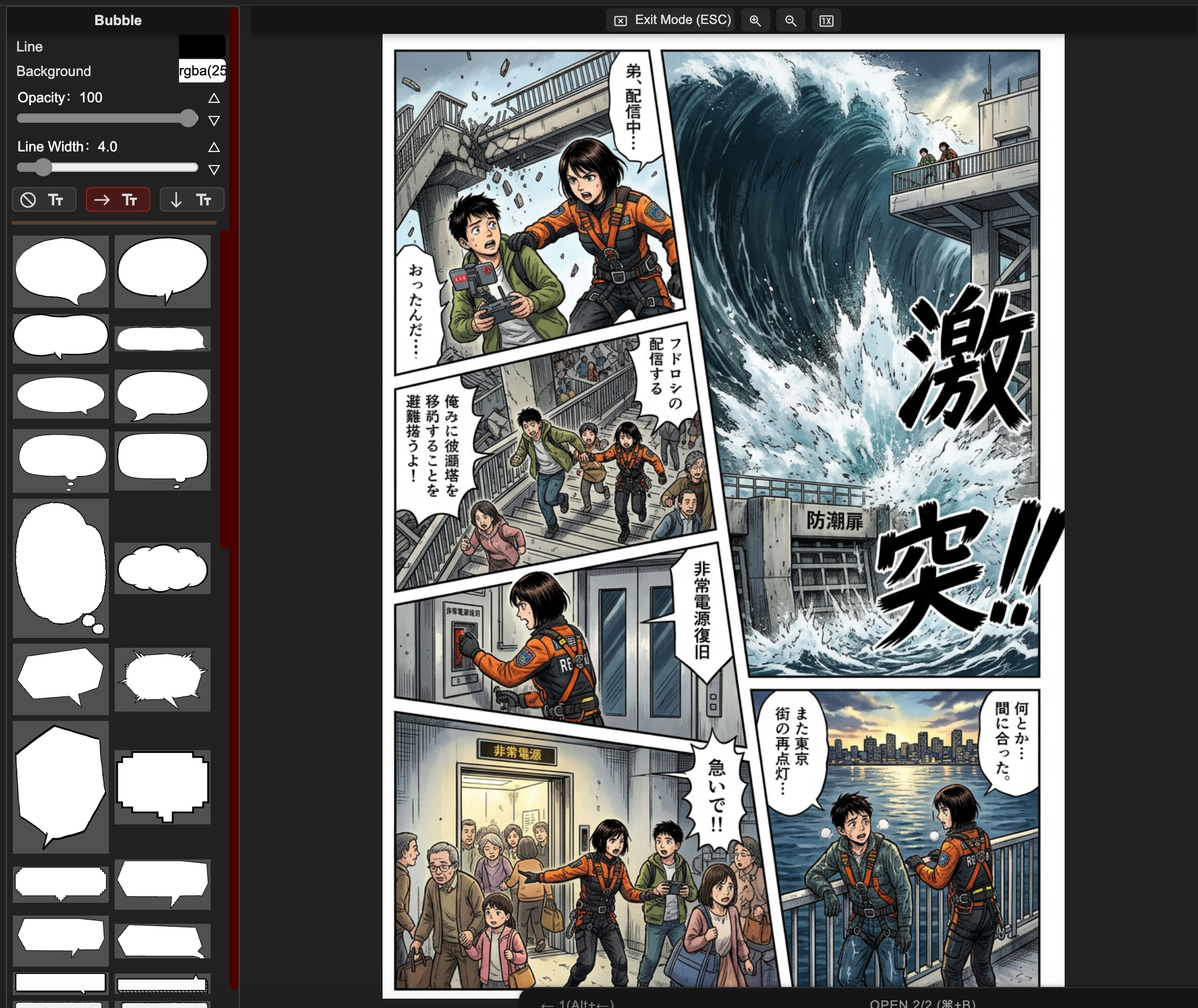
text-safe areas, speech bubbles, vertical text और spacing को प्लान करें ताकि पेज साफ़ और सहज लगे।

Browser manga studio

भारी local setup के बिना Mac, Windows या browser-first teams के लिए manga studio की तरह काम करें।

Manga clips और exports

उसी workflow से pages, single panels, social previews, pitch assets या manga clips तैयार करें।

ज़्यादा भरोसे के साथ publish करें

prompts, references, edits और export versions को व्यवस्थित रखें ताकि serious projects release से पहले आसानी से review हो सकें।

Manga और comic formats

manga pages, comic studio layouts, manhwa-inspired scenes, cartoon panels, manga clips और browser-based Mac workflows बनाएं।
AI Manga Studio गाइड

सिर्फ़ manga image generator नहीं, पूरा production workflow।

कहानी पूरी करें, characters को कंसिस्टेंट रखें, panels revise करें, readable lettering जोड़ें और publishing या manga clips के लिए assets तैयार करें।

AI Manga Studio और manga studio online

अलग-अलग image tools में ध्यान बंटाने के बजाय page layout, AI generation, panel review, prompt iteration और final polish के लिए एक ही browser workspace इस्तेमाल करें।

सॉफ्टवेयर install किए बिना Mac के लिए manga studio

जब आपको तेज़ page drafts, character references, bubbles और export-ready panels चाहिए हों, तब desktop-only setup install किए बिना Mac browser में LlamaGen खोलें।

Manga clips और social-ready panels

panels और page moments को short manga clips, story previews, episode teasers या comic-to-video workflows के assets के रूप में प्लान करें।

Manhwa, manga, comic और cartoon studio styles

black-and-white manga pages, full-color manhwa-inspired scenes, comic studio layouts, cartoon panels, fantasy action, romance chapters या custom visual styles draft करें।

Layout, typography और bubble control

एक single image से आगे बढ़ें—panel count, reading order, text direction, speech bubbles, sound effects और page balance पर नियंत्रण रखें।

Connected LlamaGen manga project flow

layout, layers, text और export के लिए AI Manga Studio, saved manga projects और editor concepts के बीच आसानी से move करें।

AI Manga workflow

कहानी के आइडिया से पहले chapter draft तक।

काम को उन्हीं स्टेप्स में बांटें जिनका creators सच में सामना करते हैं: page beats, layouts, generation, edits, lettering और export।

स्टेप 1

पेज प्लान करें

पेज प्लान करें

एक scene को readable beats में बदलें

Panel rhythm: ऐसा structure चुनें जो scene के अनुकूल हो, हर कहानी को एक ही image prompt में ज़बरदस्ती फिट न करें।

Page control: जब pacing को एक और close-up या reaction चाहिए, तब panels को split, copy, delete और reshape करें।

Text-safe space: पहले से dialogue और captions के लिए जगह रखें, ताकि बेहतरीन image bubbles से ढक न जाए।

स्टेप 2

Draft generate करें

जेनरेट करें
Draft generate करें

कहानी का कंट्रोल बनाए रखें

Story prompt: पेज, टोन, कैरेक्टर्स और scene beats को साफ़-साफ़ बताएं ताकि draft chapter को सही सपोर्ट दे।

Character context: ड्रिफ्ट कम करने के लिए panels के बीच character cues, outfits, expressions और style notes को carry करें।

Review loop: मज़बूत panels रखें, फिर सिर्फ़ उन्हीं हिस्सों को regenerate या retouch करें जो scene को बिगाड़ते हैं।

स्टेप 3

एडिट करें और publish करें

एडिट करें और publish करें

दोबारा शुरू किए बिना पेज ठीक करें

Local edits: पूरे पेज को बदलने के बजाय कमज़ोर faces, hands, backgrounds और expressions को retouch करें।

Readable lettering: bubbles, vertical text और spacing को इस तरह adjust करें कि पेज raw render नहीं, manga जैसा लगे।

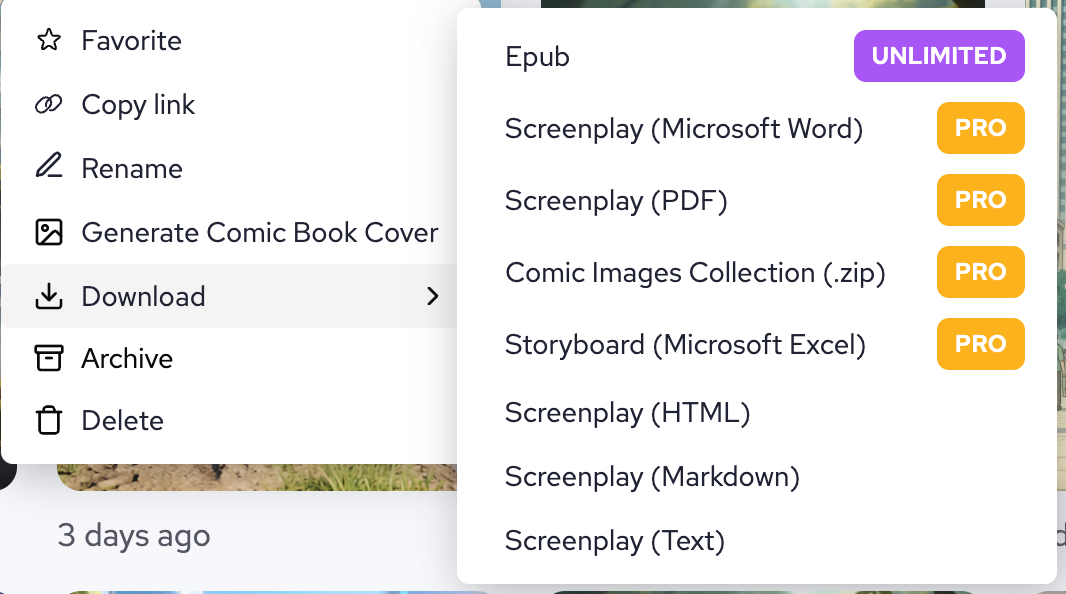
Export paths: review, social posts और publishing workflows के लिए pages, individual panels या manga clips तैयार करें।

आपके browser के भीतर पूरा-featured AI manga studio।

Mac, Windows या tablet browser पर वही manga studio खोलें। एक ही जगह पेज प्लान करें, panels एडिट करें, text जोड़ें, character scenes generate करें और export-ready manga artwork तैयार करें।

Manga Studio खोलें
AI Manga Studio इंटरफ़ेस
पूरी manga कहानियां

देखें, कहानी पेज-दर-पेज कैसे विकसित होती है।

अलग-अलग story types के बीच switch करें, panel beats review करें और हर पेज के पीछे का prompt देखें।

Chapter 1: मुलाकात

पेज 1 / 3

Chapter 1: मुलाकात

Panel breakdown

पैनल 1: साकुरा

"स्कूल का एक और साधारण दिन..."

चेरी ब्लॉसम्स के साथ स्कूल बिल्डिंग का wide shot।

पैनल 2: साकुरा

"पता नहीं आज कुछ रोमांचक होगा या नहीं।"

सोचती हुई Sakura का close-up।

पैनल 3: तकेशी

"माफ़ कीजिए, यह आपसे गिर गया था।"

Takeshi, Sakura को उसकी किताब लौटाता है।

Prompt used

manga page layout, 4 panels, school romance scene, anime style, cherry blossoms, high school students, romantic atmosphere, detailed backgrounds

Prompt gallery

कहानी के उदाहरण और दोबारा इस्तेमाल किए जा सकने वाले prompt building blocks।

example scenes देखें, prompt language समझें और पहले से काम कर चुके structures कॉपी करें।

रोमांस

स्कूल रोमांस

Sakura से मिलिए - एक शर्मीली हाई स्कूल छात्रा
पैनल 1

Sakura से मिलिए - एक शर्मीली हाई स्कूल छात्रा

full manga page, 3 panels, anime style, shy high school girl with long black hair, school uniform, cherry blossoms background, spring morning

Reusable scene prompt
Takeshi - लोकप्रिय छात्र जो उसे नोटिस करता है
पैनल 2

Takeshi - लोकप्रिय छात्र जो उसे नोटिस करता है

full manga page, 4 panels, anime style, handsome boy with brown hair, school uniform, confident smile, classroom background, sunlight through window

Reusable scene prompt
उनकी पहली बातचीत सब कुछ बदल देती है
पैनल 3

उनकी पहली बातचीत सब कुछ बदल देती है

full manga page, 5 panels, anime style, two students talking under cherry tree, school courtyard, pink petals falling, romantic atmosphere, soft lighting

Reusable scene prompt
चरित्र डिज़ाइन

anime style, cool ninja girl, black outfit, moonlight, rooftop scene, mysterious atmosphere

manga style, cute cat girl, maid outfit, cafe background, kawaii expression, pastel colors

anime style, serious businessman, suit and tie, office background, professional look, realistic lighting

एक्शन सीन

dynamic fight scene, two martial artists, energy effects, dramatic angles, speed lines

mecha battle, giant robots, city background, explosions, detailed machinery, epic scale

magical girl transformation, sparkling effects, dramatic pose, colorful background

भावनात्मक क्षण

sad anime girl, tears, rain background, melancholic atmosphere, soft lighting

happy couple, sunset beach, romantic mood, warm colors, gentle expressions

childhood friends reunion, emotional embrace, nostalgic atmosphere, cherry blossoms

Backgrounds and Settings

traditional Japanese garden, koi pond, bridge, peaceful atmosphere, detailed architecture

futuristic cityscape, neon lights, flying cars, cyberpunk aesthetic, night scene

magical library, floating books, mystical atmosphere, ancient knowledge, fantasy setting

बेहतर Prompts के लिए Pro Tips

स्पष्ट रहें

style, mood, lighting और character expressions के बारे में details जोड़ें।

Style cues जोड़ें

अपनी चाही art style, camera distance, mood और detail level का ज़िक्र करें।

Scene सेट करें

background, atmosphere और overall composition का वर्णन करें।

AI Manga layout tool

ज़्यादा इरादे के साथ panel layouts बनाएं।

action beats, dialogue scenes और vertical storytelling के लिए preset comic structures चुनें या custom panel compositions बनाएं।

लेआउट निर्माण टूल
टेक्स्ट से manga टूल
Text-to-Manga AI

एक prompt को readable manga page में बदलें।

पेज का वर्णन करें, first pass generate करें, और canvas में refine करते रहें जब तक pacing, staging और dialogue सही न लगे।

Advanced text support

ऐसी manga typography इस्तेमाल करें जो सच में format के अनुकूल हो।

vertical text, speech bubble placement और manga-friendly font choices को सपोर्ट करें ताकि final page rough mockup नहीं, finished comic जैसा लगे।

एडवांस्ड टेक्स्ट एडिटर
उदाहरण कार्य

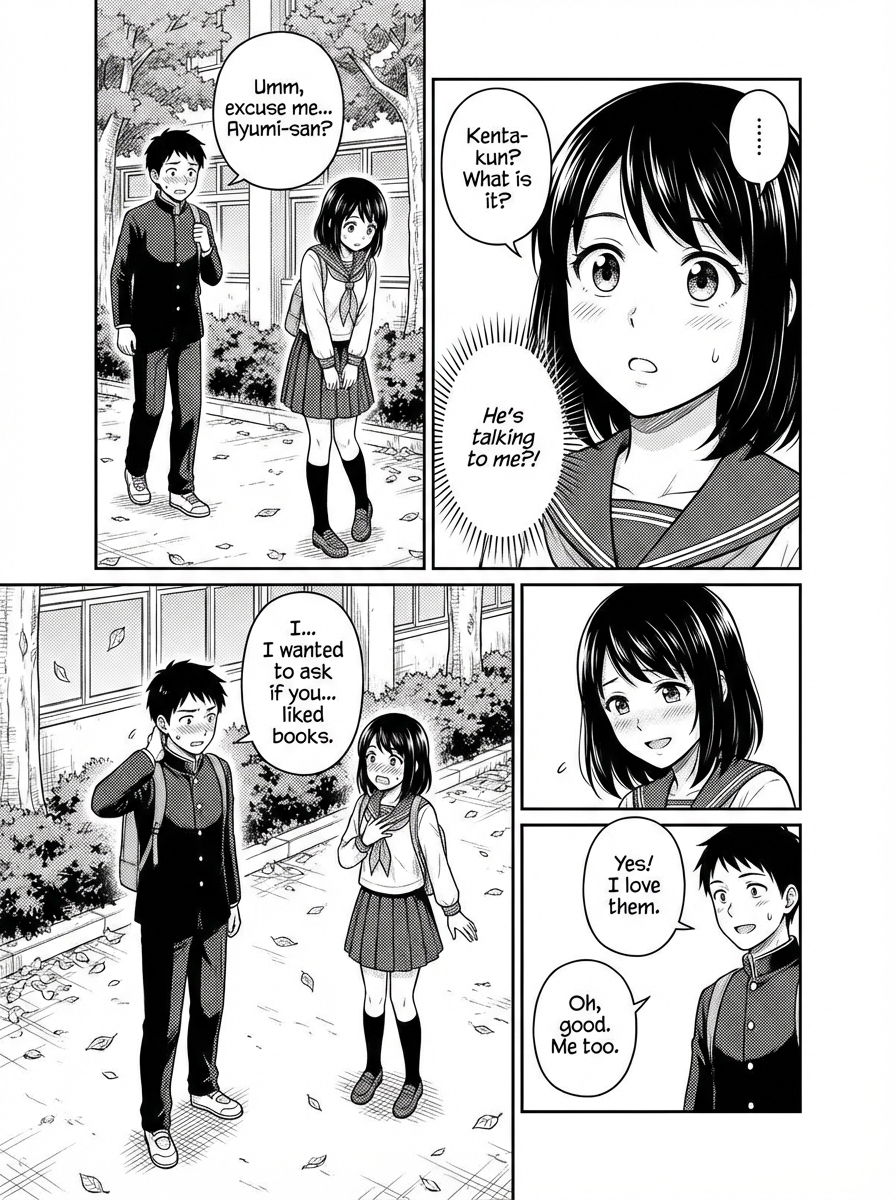
पॉलिश्ड manga aesthetics के साथ generated examples।

देखें कि किस तरह का character art, color range और composition quality आप हासिल कर सकते हैं।

विविध Characters

अलग-अलग उम्र, archetypes और visual moods में cast generate करें।

समृद्ध Art Styles

manga, anime, painterly और cinematic presentation styles को सपोर्ट करें।

समृद्ध Color Expression

restrained monochrome accents से vivid color storytelling तक जाएं।

सटीक Composition Control

page level पर poses, camera angles और scene balance को guide करें।

सुंदर लड़की शैली
Generation example

सुंदर लड़की शैली

expressive character acting के साथ पॉलिश्ड 4-panel page।

कैज़ुअल शैली
Generation example

कैज़ुअल शैली

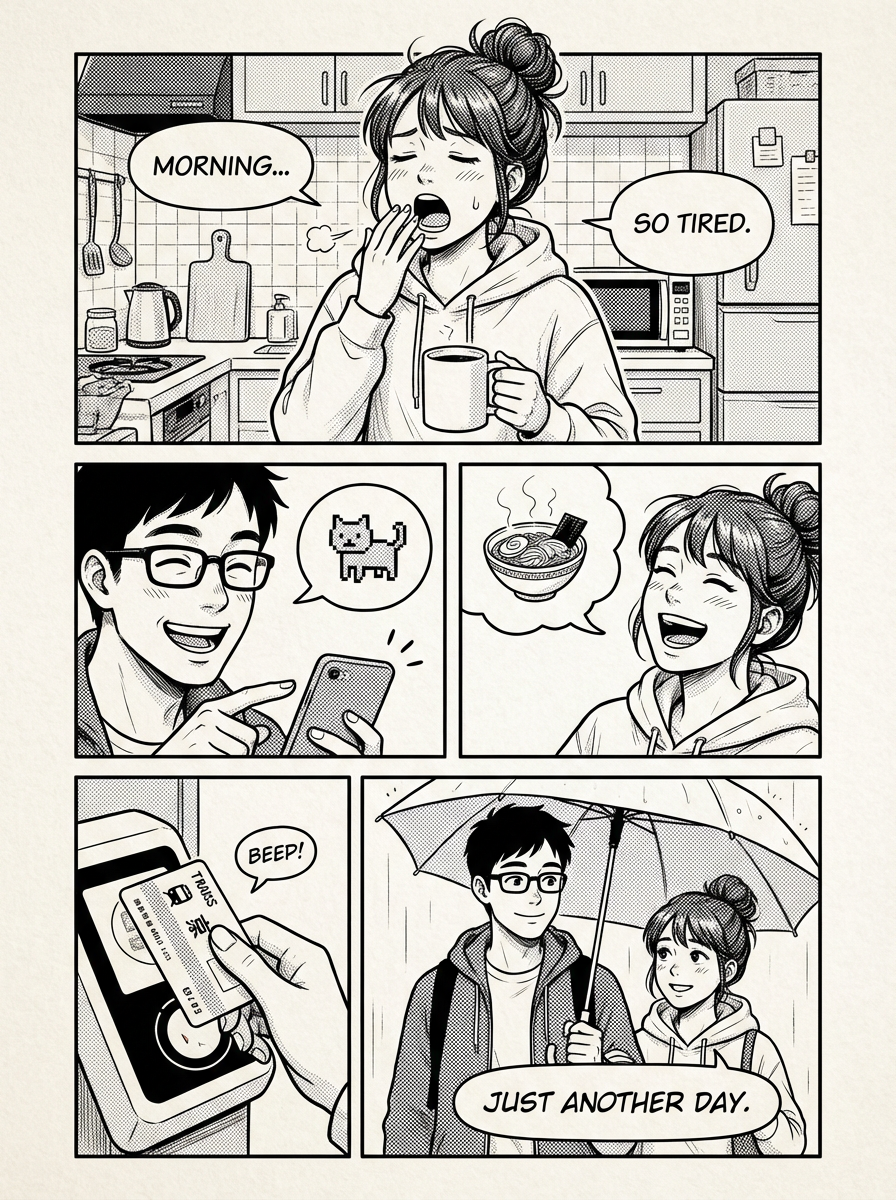
नरम टोन और रोज़मर्रा की pacing वाला slice-of-life page।

फैंटेसी शैली
Generation example

फैंटेसी शैली

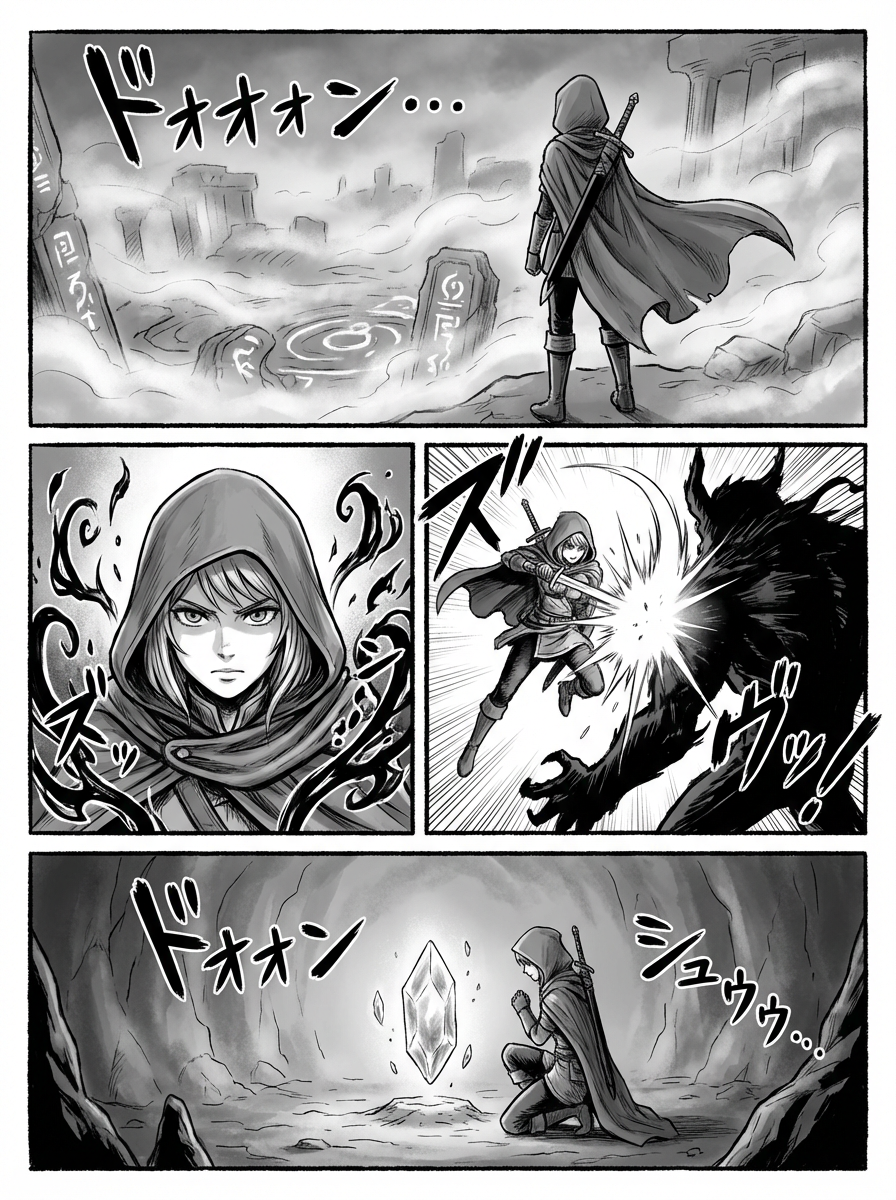
stylized composition और effects के साथ atmospheric fantasy page।

एआई एनीमे आर्ट जनरेटर
AI anime art generator

उसी studio environment में anime artwork बनाएं।

focus तोड़े बिना infinite canvas का उपयोग character art, edits, inpainting, pose control और scene variations के लिए करें।

टेक्स्ट-से-इमेज

एक क्लिक में anime characters और scenes बनाएं।

इनपेंट

पूरा पेज दोबारा बनाए बिना कमज़ोर हिस्सों को एडिट करें।

चेहरे को बेहतर बनाना

expression clarity और facial detail बेहतर करें।

Pose Control

body language और panel staging को ज़्यादा सटीकता से guide करें।

एआई मंगा स्टूडियो

पेज creation, layout control और manga production के लिए AI Manga Studio workflows

story, layout, character design और dialogue polish के focused tools के साथ idea से final manga pages तक पहुंचें।

manga creation, story drafting, animation, character design, coloring और translation के लिए purpose-built workflows खोलें।

एआई कॉमिक स्ट्रिप्स मेकर

ऐप्प लॉन्च करें

एआई कॉमिक स्ट्रिप्स मेकर

Create comic strips in 30 seconds with a free AI comic generator, comic strip maker, comic creator, and comic maker workflow.

एआई स्टोरी जनरेटर

ऐप्प लॉन्च करें

एआई स्टोरी जनरेटर

हमारा एआई आधारित स्टोरीबोर्ड जेनरेटर आपको एक पूर्ण स्क्रिप्ट और विज़ुअल स्टोरीबोर्ड जल्दी और आसानी से बनाने देता है, जिसमें क्रियाएँ, वॉइसओवर और कैमरा मूवमेंट शामिल होते हैं।

AI Animation Generator

ऐप्प लॉन्च करें

AI Animation Generator

Open a focused workflow inside AI Manga Studio.

एआई कैरेक्टर जनरेटर

ऐप्प लॉन्च करें

एआई कैरेक्टर जनरेटर

हमारे एआई कैरेक्टर डिज़ाइन टूल से अपनी कॉमिक स्ट्रिप्स के लिए अनूठे पात्र बनाएं।

मंगा निर्माता

ऐप्प लॉन्च करें

Open the full editor to compose pages, refine panels, and polish manga output in one place.

एआई मंगा कलराइज़र

ऐप्प लॉन्च करें

एआई मंगा कलराइज़र

हमारा एआई मंगा जेनरेटर आपको मिनटों में हज़ारों मंगा बनाने देता है।

एआई मंगा अनुवादक

ऐप्प लॉन्च करें

एआई मंगा अनुवादक

Create manga speech balloons, thought bubbles, captions, and narration boxes with styles that fit your panels.

सामान्य प्रश्न

सवालों के साफ़ जवाब।

नहीं। एक single image generator art बना सकता है, लेकिन AI Manga Studio पूरे manga page workflow में मदद करता है: story beats, layouts, panel review, character prompts, speech bubbles, local edits और export paths।

बनाने के लिए तैयार

कहानी से शुरू करें। editable manga pages पर खत्म करें।

LlamaGen.AI का उपयोग planning, generation, revision, lettering और manga pages या manga clips तैयार करने के लिए करें—बिना project की दिशा खोए।

Pro quality
Readable, polished manga page output
तेज़ generation
prompt से page तक तेज़ iteration
पूरा control
Layout, text और polish एक ही जगह
Powered by
LlamaGen.AI