When one comic panel is wrong, do not regenerate the whole page by default.
First classify the failure:
wrong scene or pose -> redraw the panel
small local visual defect -> partial modification
wrong speech or caption -> edit the text object
exact external artwork needed -> replace the panel image
several adjacent panels are structurally wrong -> return to the storyboard
Open the affected panel in LlamaGen.AI Comic Studio, preserve everything that already works, and make the narrowest repair that can solve the actual problem.
Why Full-Page Regeneration Is Usually the Wrong First Move
A finished comic page contains many approved decisions:
Character identity
Costume and props
Camera sequence
Panel layout
Background continuity
Speech-bubble placement
Emotional pacing
Regenerating the full page can reopen all of them when only one decision failed.
LlamaGen.AI's help guidance recommends using panel-level redraw for focused corrections and comparing the replacement with neighboring panels. The single-panel redraw guide also notes that a redraw is a new generation, so details beyond the requested edit can still change.
The practical rule is simple: protect accepted work.
Test Scene
This tutorial uses an original six-panel scene:
1. Nora enters a rainy night market.
2. She spots a red paper crane on a stall.
3. She reaches for the crane.
4. A gust blows it into the street.
5. Nora catches it beside a bicycle.
6. The vendor reveals a matching crane in his pocket.
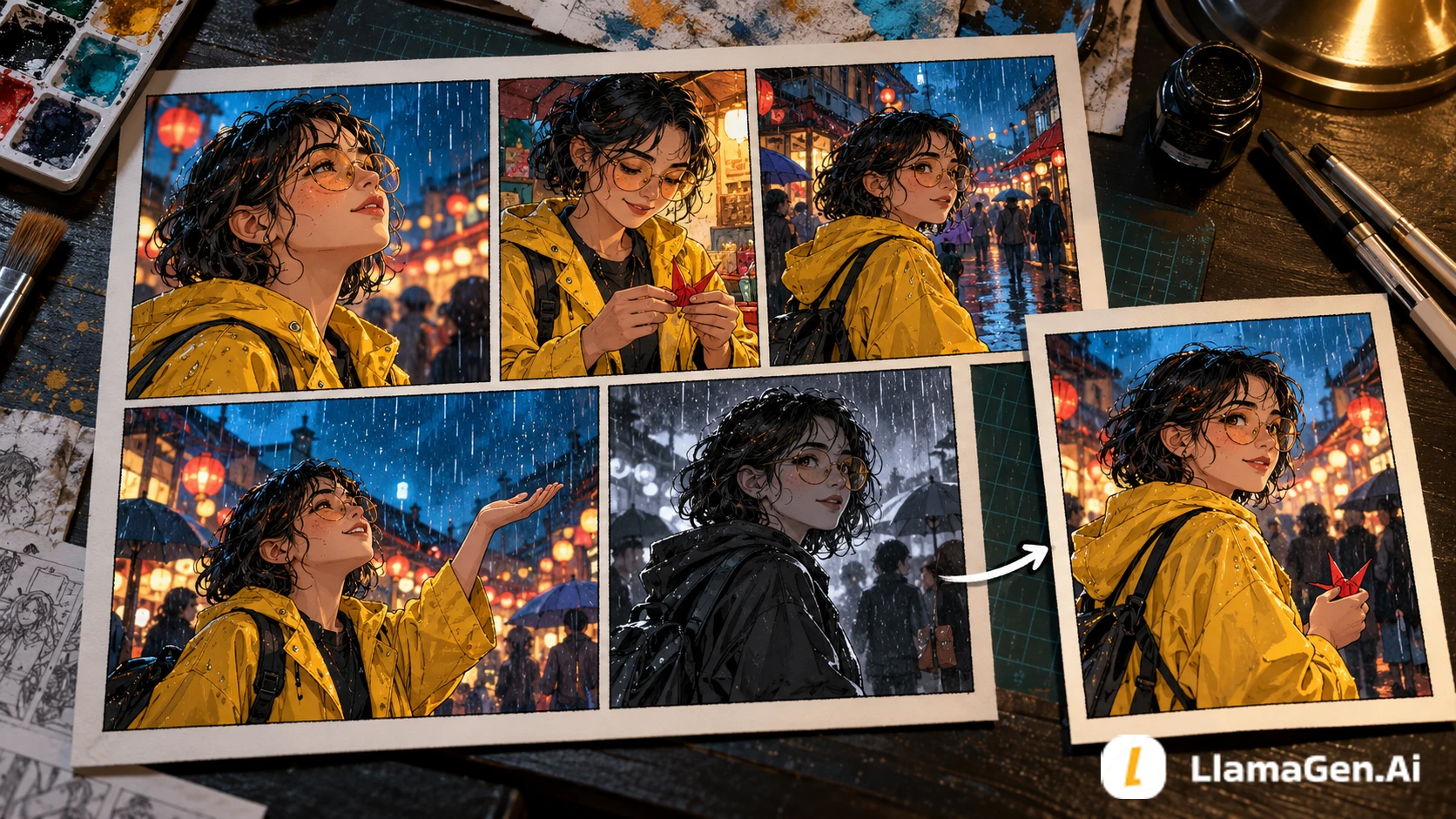
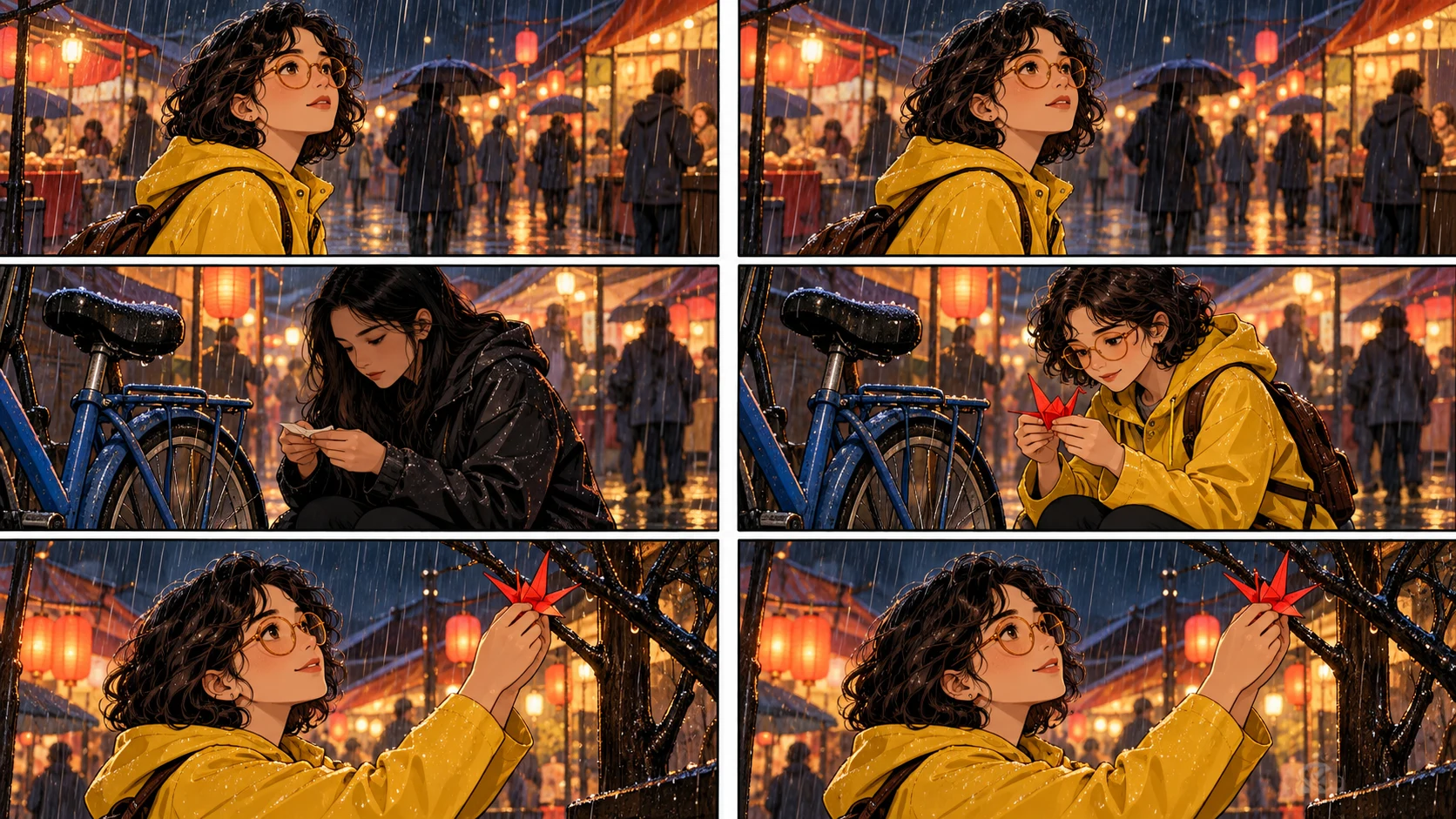
Panel 5 fails. Nora's yellow raincoat becomes a black jacket, her face changes, and the red crane disappears. The bicycle, wet street, camera angle, and action are otherwise useful.
The goal is to repair panel 5 without disturbing panels 1-4 or 6.
Step 1: Diagnose the Failure Before Editing
سجل التغييرات
أوقد الأحلام لدى الصغار حيث تنبض ملايين القصص بالحياة
A rundown of the latest LlamaGen feature releases, product enhancements, design updates, and important bug fixes.
✦
✧
✦
✧
A new medium for Storytelling
إبداع قصص، كوميكس، رسوم متحركة، ألعاب، والمزيد غير محدود في ثوانٍ تتماشى مع الجماهير الحديثة
Use this five-part diagnosis:
Layer
Question
Panel 5 result
Story
Does the panel show the correct beat?
Yes: Nora catches something
Identity
Is it clearly the same character?
No: face and coat drifted
Prop
Is the story object present and correct?
No: red crane missing
Composition
Are camera, pose, and background useful?
Yes
Text
Is the speech or caption wrong?
No text in this panel
This diagnosis rules out full-page regeneration and text editing. It leaves two plausible tools: redraw the whole panel or partially modify the failed regions.
Step 2: Choose the Smallest Effective Repair
Repair method
Best for
Do not use when
Panel redraw
Wrong action, shot, pose, or several connected visual details
Most of the panel is already exact and only one small area failed
Partial modification
Missing prop, hand, face detail, clothing patch, unwanted object
The underlying composition is wrong
Text or bubble editing
Typo, translation, wording, tail direction, bubble position
The artwork itself is wrong
Replace image
You already have the exact approved asset
You expect generation to reproduce an image pixel-for-pixel
Storyboard revision
Beat order or page readability is wrong
The problem is only local rendering
Feature availability, model support, and credit rules can vary by plan. Review the controls and cost shown in the product before confirming a repair.
Step 3: Write a Preservation-First Redraw Prompt
Weak prompt:
Fix panel 5 and make it better.
This does not define what "better" means or which decisions must survive.
Use this pattern instead:
Preserve:
[CHARACTER IDENTITY]
[LOCATION]
[ART STYLE]
[CAMERA ANGLE]
[APPROVED OBJECTS]

Change only:
[FAILED ACTION OR DETAIL]

Do not change:
[NEIGHBORING CONTINUITY ANCHORS]
For the test scene:
Redraw panel 5 only.

Preserve Nora's established identity: short dark curls, round glasses,
yellow raincoat, green scarf, and brown ankle boots. Keep the rainy night
market, wet street reflections, blue bicycle, low three-quarter camera angle,
and ink-and-watercolor style.

Change only the failed story details: Nora is catching one red paper crane
with her right hand beside the bicycle. Her expression is surprised and relieved.

Do not add other people, umbrellas, extra cranes, text, logos, or a different outfit.
The LlamaGen.AI character workflow guide recommends confirming that the correct saved character or reference is attached before regenerating a panel. A perfect prompt cannot compensate for selecting the wrong character reference.
Step 4: Use Partial Modification for a Truly Local Defect
Suppose panel 5 already has the correct Nora, coat, pose, street, and bicycle. Only the crane is missing.
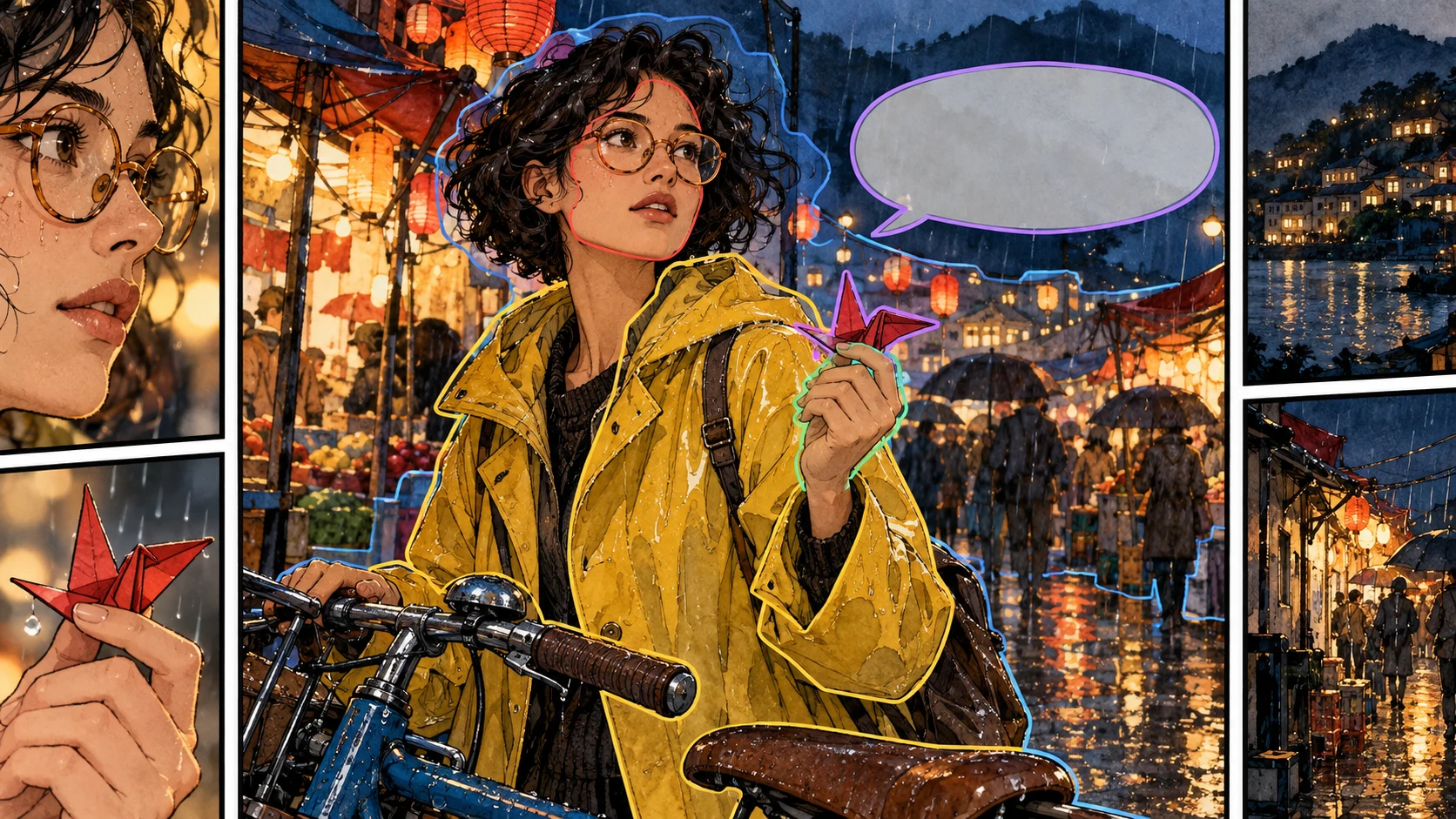
Then a full redraw is unnecessarily broad. Select the hand area and use a local instruction:
One folded red paper crane held gently between the existing thumb and index finger.
Match the panel's ink-and-watercolor style, night lighting, scale, and perspective.
Keep the hand pose, sleeve, face, bicycle, and background unchanged.
The Partial Modification guide describes this tool as a way to target a selected region rather than regenerate the entire image.
Keep the selection tight but include enough surrounding context for lighting and anatomy. A selection around only two fingers may not provide enough information to place the object naturally.
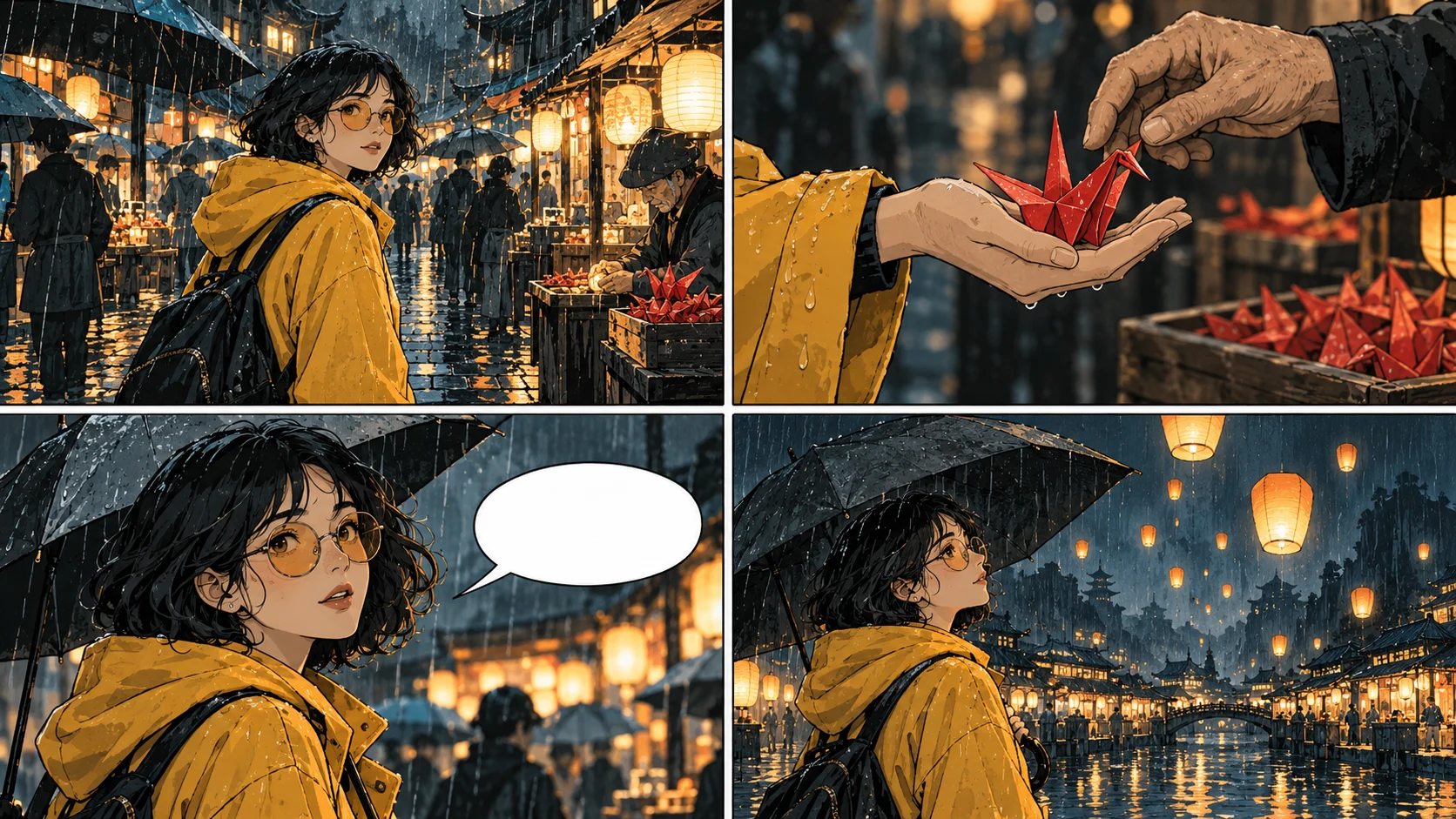
Step 5: Treat Text as an Editable Layer
If the only problem is a typo, translation, or bubble position, do not redraw the art.
Use editable text and bubbles for:
Correcting names and punctuation
Shortening dialogue
Moving a balloon away from a face
Reordering two speech turns
Changing a speech balloon to a thought balloon
Replacing localized copy
This matters because generated lettering can be difficult to correct consistently. Keep words separate from the art whenever the editor allows it. The Speech Bubble Placement Checklist covers reading order and safe placement in more detail.
Step 6: Compare the Repair With Its Neighbors
Do not judge a replacement panel in isolation. Compare it with the panel before and after it.
Continuity check
Question
Identity
Does Nora look like the same person as panels 4 and 6?
Outfit
Are raincoat, scarf, glasses, and boots unchanged?
Prop
Is there exactly one red crane, at the correct size?
Screen direction
Does movement still carry from panel 4 into panel 5?
Weather
Do rain direction and street reflections match?
Style
Are line weight, color, and contrast compatible?
Story
Does panel 5 now prepare the reveal in panel 6?
The repaired panel passes only when it strengthens the sequence, not merely when it looks attractive on its own.
A Repair Ladder That Protects Your Work
Use this order from least disruptive to most disruptive:
Edit the text or bubble.
Remove or add one small object with partial modification.
Repair one local anatomy or costume region.
Redraw the affected panel with the same character reference.
Replace the panel with an exact approved image.
Revise adjacent panels only if continuity requires it.
Return to the storyboard when the sequence itself is wrong.
Stop as soon as the page passes review. More generation is not the same as more quality.
Three Common Repair Prompts
Wrong Face, Correct Composition
Modify the face only. Restore Nora's short dark curls, round glasses,
soft jawline, and same apparent age as the neighboring panels.
Keep the head angle, expression, raincoat, hands, crane, bicycle,
lighting, background, and panel framing unchanged.
Missing Prop
Add one folded red paper crane to Nora's right hand.
Match the existing perspective, wet reflected light, and watercolor texture.
Do not change the hand pose, sleeve, face, bicycle, or background.
Wrong Action and Camera
Redraw this panel only. Use the same Nora character and rainy market scene.
Show a low three-quarter medium shot as she catches the red paper crane
beside the blue bicycle. Preserve the established ink-and-watercolor style.
No text, no extra people, no outfit changes, no additional cranes.
Notice that the third prompt changes enough connected elements to justify a full panel redraw.
What Failed During Repair
Failed attempt
Result
Better approach
"Make it consistent"
Model chose its own interpretation
Name the exact identity anchors
Changed face, outfit, hand, camera, and lighting together
New panel drifted further
Split local and structural fixes
Used partial modification on the entire panel
Behaved like a broad redraw
Select only the failed region
Asked generation to recreate an exact imported image
Similar, not identical
Replace the image asset directly
Approved the panel without neighbor comparison
Screen direction broke
Review panels 4-6 as a sequence
FAQ
Can I regenerate only one panel in LlamaGen.AI?
Yes, use the available panel-level redraw action on the affected panel. Controls, plan eligibility, and credit rules may differ by model and account.
When should I use partial modification instead?
Use it when the composition works and the failure is local, such as a missing object, clothing detail, hand region, unwanted artifact, or small identity drift.
Will a redraw preserve everything else exactly?
No. It is a new generation and can change details beyond your requested edit. State what must remain stable and compare the entire result against neighboring panels.
What if the dialogue is wrong?
Edit the text or bubble layer when possible. Do not spend an art regeneration on a spelling or placement problem.
What if several panels are wrong?
Check whether they share one cause. If the shot order, beat, or page layout is wrong, return to the storyboard. If they are independent rendering failures, repair them one at a time and keep the strongest existing versions.
Final Takeaway
The best comic repair is the smallest change that restores the story.
Diagnose the failed layer, preserve accepted decisions, attach the correct character reference, make one focused correction, and compare the result with its neighbors. That workflow protects your time and the visual continuity readers already trust.
Editorial note: This tutorial was prepared on October 13, 2026 with an original fictional test scene and purpose-built workflow illustrations. It documents a repair method, not a guarantee that every redraw will preserve all unselected details. Product controls, plan access, model behavior, and credit rules can change; review the current information shown in the product.
Related hot tags
كوميكس الذكاء الاصطناعي
Comic Editing
Panel Repair
دليل
أدوات صناع المحتوى الشائعة
حوّل الإلهام لقصتك الجاية
أنشئ كوميكس وستوريبورد وصور بأسلوب فني مع LlamaGen.