


شعار LlamaGenعلامة LlamaGen التجارية
تسجيل الدخولاشترك الآنخصم 20%
  1. الرئيسية
Storyboard-to-Video Handoff Checklist: Shots, Timing, Audio, and Continuity
All posts

Storyboard-to-Video Handoff Checklist: Shots, Timing, Audio, and Continuity

Jay
Jay
November 1st, 2026
نسخ الرابط
  • What changes between a storyboard and a video brief?
  • Step 1: Freeze a reviewable sequence
  • Step 2: Specify the timebase and duration
  • Step 3: Describe what moves and what stays fixed
  • Step 4: Include references and audio decisions
  • Step 5: Check continuity at the cuts
  • Step 6: Send a package another person can open
  • Step 7: Approve a short motion test before scaling
  • Final handoff checklist
  • FAQ
  • Is an animatic the final video?
  • Should every storyboard frame become one video clip?
  • What should I do if a generated shot changes the character?
elevate-your-comics.png
Elevate your Comics with LlamaGen

A storyboard is ready for video when the next person can identify the approved shots, understand timing and motion, find the correct assets, and see which decisions still need approval.

Build the handoff around shot IDs, frame files, a timing sheet, motion notes, audio cues, and a revision log. You can start with LlamaGen.AI Storyboard to plan the sequence, then prepare a production package that can be reviewed independently of the creation tool.

What changes between a storyboard and a video brief?

A storyboard frame captures a moment. A video brief also needs duration, transitions, opening and closing states, and instructions for what moves.

A filmmaking discussion about prep methods shows how boards and animatics can help test staging and pacing. Different projects need different levels of detail. A quiet interview and an animated chase should not use the same handoff template without adjustment.

The Storyboard overview describes a workflow from story and scene breakdown through shots, revisions, and animatic export. Use the options available in your workspace. A planning export does not automatically guarantee compatibility with every video editor or generation model.
The public LlamaGen.AI storyboard feature page captured during preparation

Public product page captured November 2, 2026. The following production illustrations are conceptual examples, not screenshots of a completed video job.

Step 1: Freeze a reviewable sequence

Read the storyboard in order before preparing individual video requests. Check what the viewer knows at each point, where the scene changes, and whether each reaction has enough context.

The running example is a 24-second station sequence. Mira enters, sees a compass, picks it up, notices a train, approaches an attendant, and reacts to a new clue. Her copper bob, teal coat, and brass compass remain consistent throughout.

Assign stable shot IDs such as ST01-S010. Keep those IDs when inserting or revising shots. Do not rename every later shot just because one image was added.

Step 2: Specify the timebase and duration

Confirm the delivery aspect ratio, frame dimensions, and frame rate with the editor before production starts. The example below uses 24 fps and six shots totaling 24 seconds. It is a planning example, not a claim about any model's supported clip length.

Related hot tags

القصة المصورة

إنتاج الفيديو

Production Checklist

أدوات صناع المحتوى الشائعة

حوّل الإلهام لقصتك الجاية

أنشئ كوميكس وستوريبورد وصور بأسلوب فني مع LlamaGen.

01

مولد كوميكس الذكاء الاصطناعي

حوّل فكرتك لشرائط كوميدية جاهزة في دقائق.

أنشئ كوميكس
02

مولد المانجا الذكاء الاصطناعي

أنشئ مانجا معبّرة وقصص متعددة الإطارات.

أنشئ مانجا
03

مولد القصة المصورة الذكاء الاصطناعي

تخيل كل مشهد قبل ما يبدأ الإنتاج.

أنشئ ستوريبورد
04

حوّل الصورة لكوميكس

حوّل أي صورة إلى رسم توضيحي بأسلوب الكوميكس.

أنشئ كوميكس من الصور
05

صانع شرائط الكوميكس الذكاء الاصطناعي

اعمل شرائط قابلة للمشاركة بشخصيات ثابتة ومتناسقة.

أنشئ شرائط كوميدية

LlamaGen community

checkmark

Get hands-on help with your comics

checkmark

Showcase your comics to fellow LlamaGen creators

checkmark

Participate in special events to win gifts

سجل التغييرات

أوقد الأحلام لدى الصغار
حيث تنبض ملايين القصص بالحياة

A rundown of the latest LlamaGen feature releases, product enhancements, design updates, and important bug fixes.
✦
✧
✦
✧

A new medium for Storytelling

إبداع قصص، كوميكس، رسوم متحركة، ألعاب، والمزيد غير محدود في ثوانٍ تتماشى مع الجماهير الحديثة

Storyboard-to-Video Handoff Checklist: Shots, Timing, Audio, and Continuity - LlamaGen.AI Blog
ShotStory beatSecondsFrames at 24 fps
S010Mira enters the station372
S020She notices the compass496
S030She picks it up372
S040A train catches her attention5120
S050She approaches the attendant496
S060She recognizes a clue5120
TotalComplete sequence24576

Use one explicit convention in the timing sheet. For example, start frames can be inclusive and end frames exclusive: S010 occupies frames 0 through 71, with an end boundary of 72.

Do not mix that convention with an editor's inclusive In/Out interpretation without converting the numbers first. Adobe's timecode documentation is a useful reference when aligning frame counts and display choices with the receiving editor.

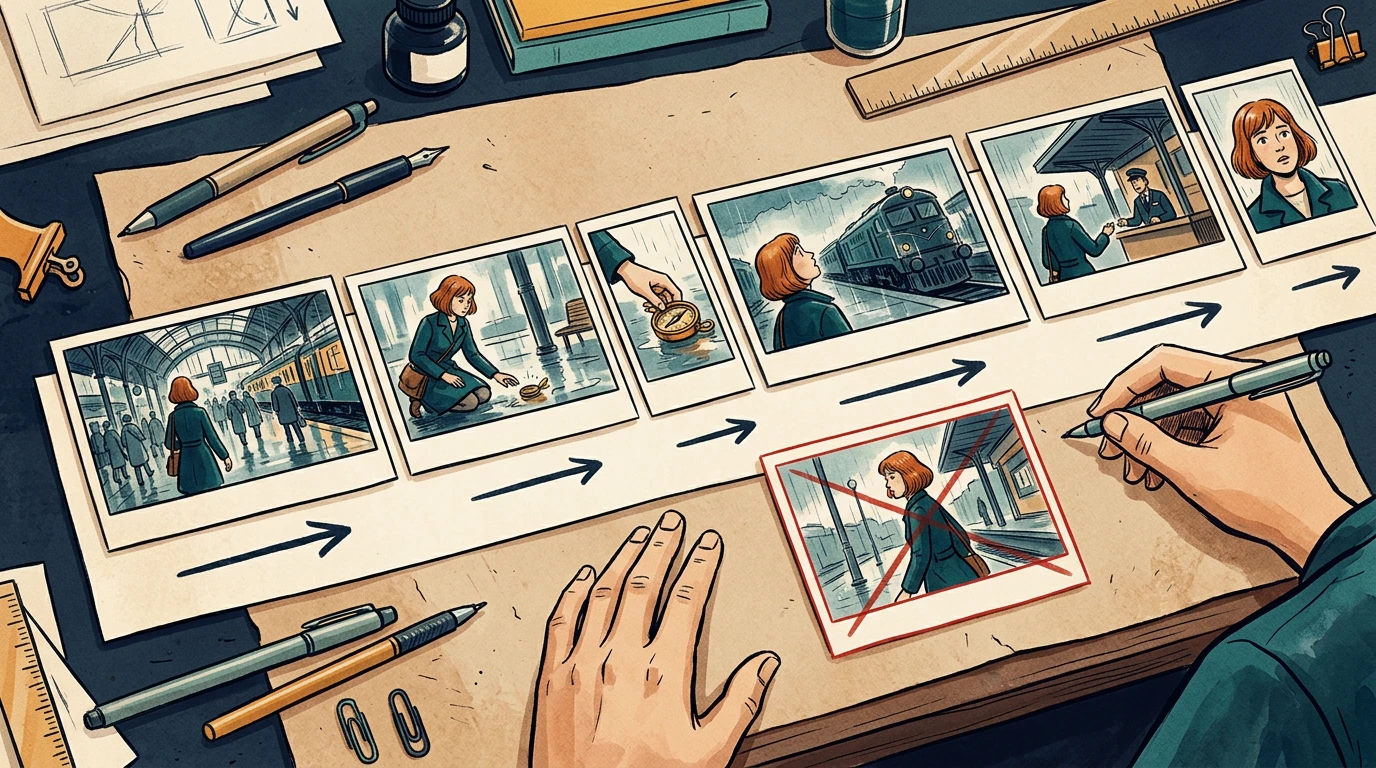
A conceptual six-shot sequence with varied timeline widths and continuity directions

The card widths illustrate pacing. Use the timing sheet, not visual card width, as the numeric source of truth.

Step 3: Describe what moves and what stays fixed

Separate subject motion from camera motion. Phrases like "make it cinematic" leave too many decisions unresolved.

For each shot, write:

Shot: ST01-S030
Start: Mira crouches; compass rests on the wet floor.
Action: her right hand lifts the compass toward her face.
Camera: low medium shot, restrained push-in.
End: compass is held still at chest height.
Preserve: face, copper bob, teal coat, compass shape, station lighting.
Avoid: added people, extra hands, changing train direction.

A clear start and end state helps the next shot connect. If your selected video tool cannot deliver the requested camera behavior, simplify the shot or replace it with an editorial move instead of repeatedly regenerating without a clear diagnosis.

Step 4: Include references and audio decisions

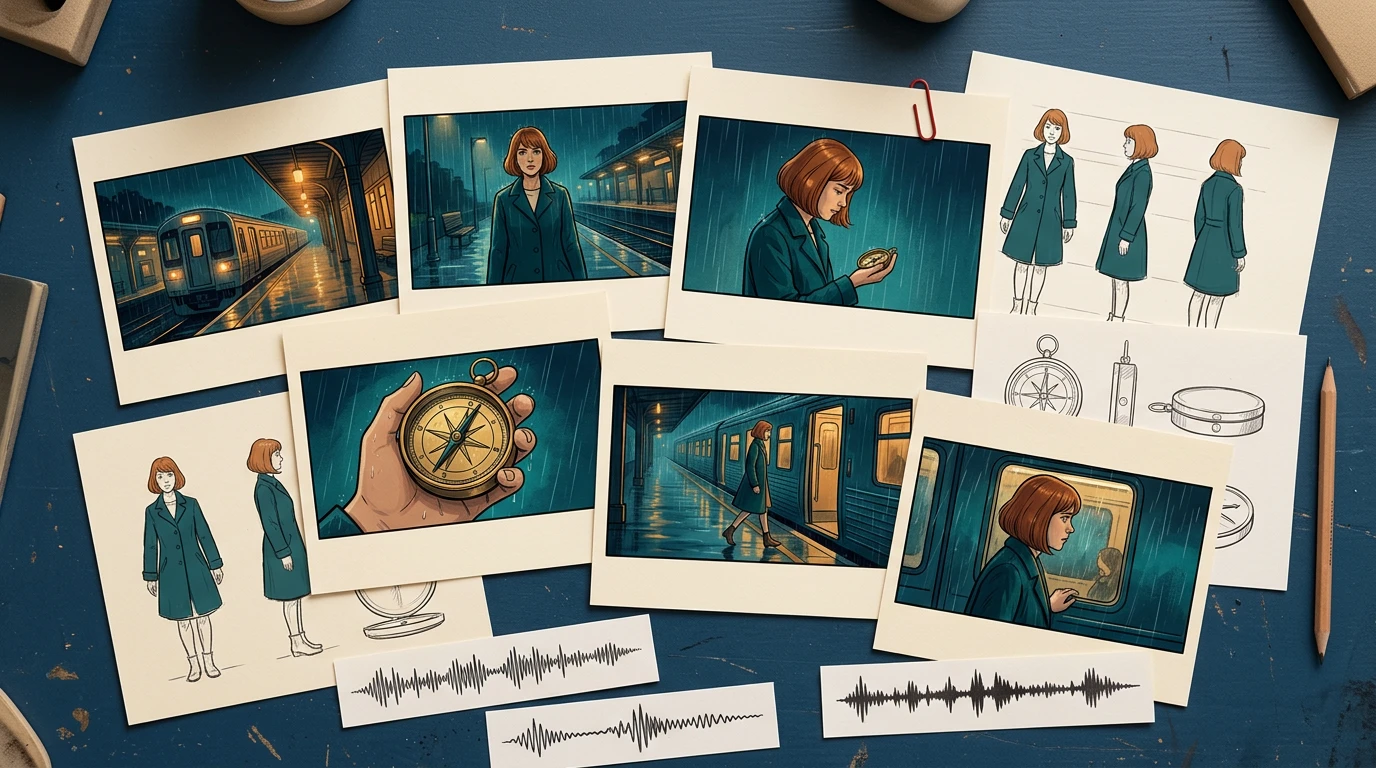
Provide the approved character reference, recurring prop reference, and location reference alongside the frames. Include only the versions the recipient should use.

For audio, distinguish final dialogue, temporary voice, sound effects, ambience, and music. Record cue positions and whether an audio file is approved for publication. Do not let a temporary track become the final soundtrack just because it was attached to the animatic.

A conceptual handoff kit with storyboard cards, character and prop references, and audio cue strips

The package should explain the scene even if the recipient has not watched earlier iterations.

Step 5: Check continuity at the cuts

Review the last useful frame of each shot beside the first useful frame of the next. Watch for changes in hand position, prop scale, screen direction, eyeline, lighting, and background geography.

In the local timing-sheet exercise, an intentionally missing S040 entry creates a 120-frame gap. The corrected sheet restores the six-shot sequence to 576 continuous frames. That validates the schedule structure; it does not validate motion quality or editorial pacing.

For visual continuity, run a separate review. A repaired timing row cannot fix a character suddenly holding the compass in the other hand.

Step 6: Send a package another person can open

A simple handoff structure is easier to inspect than a folder full of filenames containing "final."

station-sequence/
  brief-and-delivery-spec.txt
  shot-list.csv
  frames/
    ST01-S010-v03.png
    ST01-S020-v02.png
  references/
    mira-approved-v02.png
    compass-approved-v01.png
  audio/
  animatic-review-v04.mp4
  revision-log.csv

List every expected file in a manifest, including version and approval state. Use relative paths inside the package when practical. Open it from a clean folder or a second machine to catch missing references.

When exporting XML or another interchange format, test it in the receiving application before promising a seamless transfer. For a small production, a frame sequence plus CSV may be a more predictable fallback.

Step 7: Approve a short motion test before scaling

Choose one difficult representative shot: a face, a hand interacting with the compass, or a camera move across overlapping layers. Review that test before converting every frame into video.

Track preparation time, generation wait, review, revision, and assembly separately. Record the actual credits or cost reported by the selected tool. Static storyboard generation time does not predict a finished video's production budget.

Use a specific rejection reason: hand changed, compass melted, direction reversed, timing too short, or dialogue obscured. Repair the affected shot and recheck its cuts while keeping the other approved material available.

Final handoff checklist

  • Shot IDs and intended order are unambiguous.
  • Every shot points to an approved frame and reference version.
  • Duration, frame rate, aspect ratio, and frame-count convention agree.
  • Subject motion, camera motion, and start/end states are separate.
  • Screen direction, eyelines, hands, and props match across cuts.
  • Dialogue and audio cues are versioned and cleared for their intended use.
  • The animatic and manifest match the same revision.
  • Another person can open the package without missing assets.
  • Outstanding decisions have an owner and approval deadline.

Prepare your next sequence in Storyboard, then use this checklist before motion production. If the sequence still changes substantially during review, return to the storyboard-first workflow before committing more shots.

FAQ

Is an animatic the final video?

No. An animatic mainly tests sequence and timing. The final video may still require motion generation, editing, sound work, and additional quality review.

Should every storyboard frame become one video clip?

No. Match clips to the intended shots and your tool's capabilities. Several storyboard drawings can describe one shot, and one drawing may still need added start and end planning.

What should I do if a generated shot changes the character?

Compare it with the approved references, simplify conflicting motion instructions, and retest that shot. Then recheck its neighboring cuts before accepting the replacement.

Product workflow reviewed November 2, 2026. The timing exercise is a local planning check; this article does not claim that the illustrative sequence was generated as a finished video.

شعار LlamaGen
  • United States
  • Español
  • Français (France)
  • 日本語
  • 한국어
  • Deutsch
  • 繁體中文 (台灣)
  • 繁體中文 (香港)
  • 简体中文
  • Português
  • Italiano
  • Español (México)
  • العربية
  • Русский
  • Português (Brasil)
  • Tiếng Việt
  • العربية (مصر)

قيادة مستقبل إنشاء القصص المصورة بالذكاء الاصطناعي

  • الدعم على مدار الساعة
  • تحديثات أسبوعية
  • آمن ومتوافق
  • وقت التشغيل 99.9%

حمّل LlamaGen مجانًا

iOSسطح المكتب

اسأل الذكاء الاصطناعي عن LlamaGen

المنتج

  • أحدث الإطلاقات
  • ميزات
  • صانع الشرائط الكوميدية
  • Comic Storesجديد
  • استوديو المانجاجديد
  • حوّل الصورة إلى كوميك
  • الكوميكس إلى فيديو
  • مصنع الكوميديا بالذكاء الاصطناعي
  • وكيل الكوميك
  • iOS و Android
  • Mac و Windows
  • تحميل
  • Comic Zapجديد
  • مولد كوميكس الذكاء الاصطناعي
  • مولد الكرتون الذكاء الاصطناعي
  • مولد الويبتون الذكاء الاصطناعي
  • صانع الشريط الكوميدي
  • حوّل الصورة إلى كوميك
  • مولد المانجا الذكاء الاصطناعي
  • مترجم المانغا
  • تحويل الصورة إلى أنمي
  • تحويل الأنمي إلى واقع
  • تلوين المانجا
  • مولّد شخصيات الأنمي
  • أدوات أصول ألعاب البيكسل
  • مولّد Sprite Sheet بالذكاء الاصطناعي
  • أفضل أدوات ألعاب البيكسل 2026
  • صانع القصص المصورة من الصور
  • بديل Comic Life

المنتجات الشقيقة

  • عيلة LlamaGen
  • CineoBoardجديد
  • Comics API

الخطط

  • التسعير
  • المبتدئ
  • Pro

مجتمع

  • المبدعين
  • الشركاء
  • شريك

AI Models

  • Grok Imagine Image 2.0
  • Wan 3.0
  • Wan 3.0 Prime
  • Seedance 2.5
LinkedInX (Twitter)
  • الرئيسية
  • مقالات
  • مدونة
  • أنشئ
  • التسعير
  • API
  • Affiliate ProgramNEW
  • Comic Zap
  • فيليكا
  • الشركات
  • التعليم
  • واجهة برمجة القصص المصورة (API)
  • اتصل بالمبيعات
  • خطط التعليم
  • المعلمين
  • الطلاب
  • المعلمين والطلاب
  • الشركات الناشئة
  • خصومات تعليمية
  • الشركة

    • اتكلم مع المؤسس
    • عن الشركة
    • خريطة طريق المنتج
    • وظائف
    • راسلنا عبر البريد الإلكتروني
    • عالم التميمة الخاص بنا
    • مجموعة وسائل الإعلام
    • شراكة KOL
    • المحتوى

    مساعدة

    • مركز المساعدة
    • الثقة
    • ذكاء اصطناعي آمن
    • الخدمات الاحترافية
    • الأسئلة الشائعة
    • الأمان
    • إمكانية الوصول
    • دروس الفيديو
    • اتصل بنا
    • خريطة الموقع
    آراء المستخدمين
  • جدار الحب
  • LlamaGen MCPجديد
  • مطور LlamaGen
  • الموارد

    • سجل التغييرات
    • مدونة
    • أدلة
    • كوميكس مخصص
    • ميزات
    • البدائل
    • أفضل تطبيقات الذكاء الاصطناعي
    • دليل تلوين المانجا GPT-6
    • مهارة Claude لعمل الكوميكس
    • دليل الكوميكس بالذكاء الاصطناعي من Gemini
    • قصص ذلك
    • خصومات تعليمية
    • خصم الطلاب

    أدوات

    • مولّد شعارات بالذكاء الاصطناعي
    • مولّد شخصيات ستايل Grokbot
    • تحويل PNG لكوميكس
    • Text إلى كوميك
    • تحويل PDF لكوميكس
    • تحويل السكريبت لكوميكس
    • تحويل كتاب لكوميكس
    • حوّل الصورة إلى كوميك
    • مولد فن البكسل بالذكاء الاصطناعي
    • قصص مصورة تعليمية
    • مولد الفيديو الذكي
    • مولّد فيديو بالذكاء الاصطناعي من Gemini
    • مولّد الفيديوهات بدون وجه بالذكاء الاصطناعي مجاناً
    • الكوميكس إلى فيديو
    • برنامج عمل ستوريبورد
    • مولد القصة المصورة الذكاء الاصطناعي
    • برنامج كتابة السيناريو
    • محرر السيناريو
    • الذكاء الاصطناعي للقصص
    • مولد القصص الذكي
    • مولّد كتب قصصية
    • مولد الصور الذكاء الاصطناعي
    • مُقسّم الطبقات بالذكاء الاصطناعي
    • التحكم في زاوية الكاميرا بالذكاء الاصطناعي
    • مولد فن البكسل بالذكاء الاصطناعي
    • أدوات أصول ألعاب البيكسل
    • مولّد Sprite Sheet بالذكاء الاصطناعي
    • أداة تقسيم Sprite Sheet
    • أفضل أدوات ألعاب البيكسل 2026
    • واجهة برمجة تطبيقات الرسوم المتحركة
    • إضافة ChatGPT/Codex
    • دليل تثبيت ChatGPT
    • إضافة Claude Code
    • دليل تثبيت Claude Code
  • MiniMax H3
  • Nano Banana 2.1
  • Nano Banana 2 Lite
  • Seedream 5.0 Flash
  • Seedream 5.0 Pro
  • Seedance 2.0 Mini
  • Kling 3.0 Turbo
  • Nano Banana 2
  • GPT Image 2
  • Gemini Omni Flash
  • All AI Models
  • أدوات الذكاء الاصطناعي

    • استخراج الزي بالذكاء الاصطناعي
    • تغيير تسريحة الشعر بالذكاء الاصطناعي
    • تغيير تسريحة شعر المانجا بالذكاء الاصطناعي
    • مولّد تأثير الرياح بالذكاء الاصطناعي
    • مولّد خريطة العمق بالذكاء الاصطناعي
    • خلفية بيضاء بالذكاء الاصطناعي
    • إزالة العناصر بالذكاء الاصطناعي
    • تجربة افتراضية بالذكاء الاصطناعي
    • إزالة الضبابية من الصور بالذكاء الاصطناعي
    • إزالة التشويش بالذكاء الاصطناعي
    • استعادة الصور بالذكاء الاصطناعي
    • ظلال المنتجات بالذكاء الاصطناعي
    • مولد الخلفيات بالذكاء الاصطناعي
    • مولّد صور بروفايل بالذكاء الاصطناعي
    • صانع الإيموجي بالذكاء الاصطناعي
    • تغيير الخلفية بالذكاء الاصطناعي
    • فتح العينين بالذكاء الاصطناعي
    • تجميل بالذكاء الاصطناعي
    • تصوير المنتجات بالذكاء الاصطناعي
    Instagram
    YouTube
    جروب فيسبوك
    Reddit
    Discord
    دعم البريد الإلكتروني
    الخصوصيةالشروطخريطة الموقع
    تحميل أصول العلامة التجارية
    © 2026 LlamaGen.Ai جميع الحقوق محفوظةجميع الخدمات متاحة عبر الإنترنت

    المدونات السابقة

    Storyboard-to-Video Handoff Checklist: Shots, Timing, Audio, and Continuity

    Storyboard-to-Video Handoff Checklist: Shots, Timing, Audio, and Continuity

    Turn approved storyboard frames into a clear video handoff with stable shot IDs, timing, motion note

    Jay
    Jay
    November 1st, 2026
    How to Localize a Comic Without Redrawing the Artwork

    How to Localize a Comic Without Redrawing the Artwork

    Preserve approved comic art while translating dialogue, rebuilding editable lettering, checking read

    Jay
    Jay
    October 31st, 2026
    Batch Comic Production Workflow: Draft, Approve, Repair, and Export 40 Pages

    Batch Comic Production Workflow: Draft, Approve, Repair, and Export 40 Pages

    Plan a 40-page AI comic with a pilot, reviewable batches, a page ledger, selective repairs, and expo

    Jay
    Jay
    October 30th, 2026
    From a Flat AI Image to an Editable Comic Page

    From a Flat AI Image to an Editable Comic Page

    Turn a finished comic image into an editable comic page by reviewing an asset sheet, extracting tran

    Jay
    Jay
    October 28th, 2026
    شاهد جميع المدونات


