The best novel writing software depends on how you write.
If you mostly need a long-manuscript workspace, Scrivener is still a strong choice. If you think in timelines and scene cards, Plottr is built for that. If your novel depends on deep lore, Campfire is strong for worldbuilding. If you want a clean Apple-native drafting app, Ulysses is excellent. If you want a flexible database, Notion can work well.
Visual writers usually need more than a place to draft chapters. They often need to turn a story idea into reusable creative assets:
For that workflow, LlamaGen.AI Story AI is a strong starting point because it connects writing decisions to visual planning. A practical path looks like this:
story brief -> story bible -> scene cards -> chapter draft -> storyboard-ready shots -> pitch assets
This guide is for writers who think in scenes, images, pacing, character continuity, and adaptation. If that sounds like you, do not choose software only by asking, "Where can I type?" Ask, "What happens after the draft exists?"
I checked official product pages and docs on August 3, 2026, then tested the same fiction project against the needs of a visual writer.
| Tool | Official page checked | Best fit |
|---|---|---|
| LlamaGen.AI Story AI | Story AI | Turning fiction ideas into story assets, visual planning, and storyboard handoff. |
| Scrivener | Scrivener overview | Long-form manuscript drafting, corkboard, outliner, compile/export. |
A rundown of the latest LlamaGen feature releases, product enhancements, design updates, and important bug fixes.
| Plottr | Plottr features | Visual timelines, scene cards, story bibles, series planning. |
| Campfire | Campfire apps | Modular worldbuilding, manuscript notes, lore, encyclopedia, timeline. |
| LivingWriter | LivingWriter | Cloud novel writing, visual boards, outlines, goals, story elements. |
| Ulysses | Ulysses | Focused writing on Mac, iPad, and iPhone with strong export options. |
| Notion | Notion product page | Flexible docs, databases, wikis, and project tracking. |
This is not a price comparison. Pricing, trials, platforms, AI limits, and bundles change often, so verify current plans on the official pages before buying. The comparison here is about workflow fit for visual fiction writers.
Here are the LlamaGen product surfaces used as visual workflow references for this test.
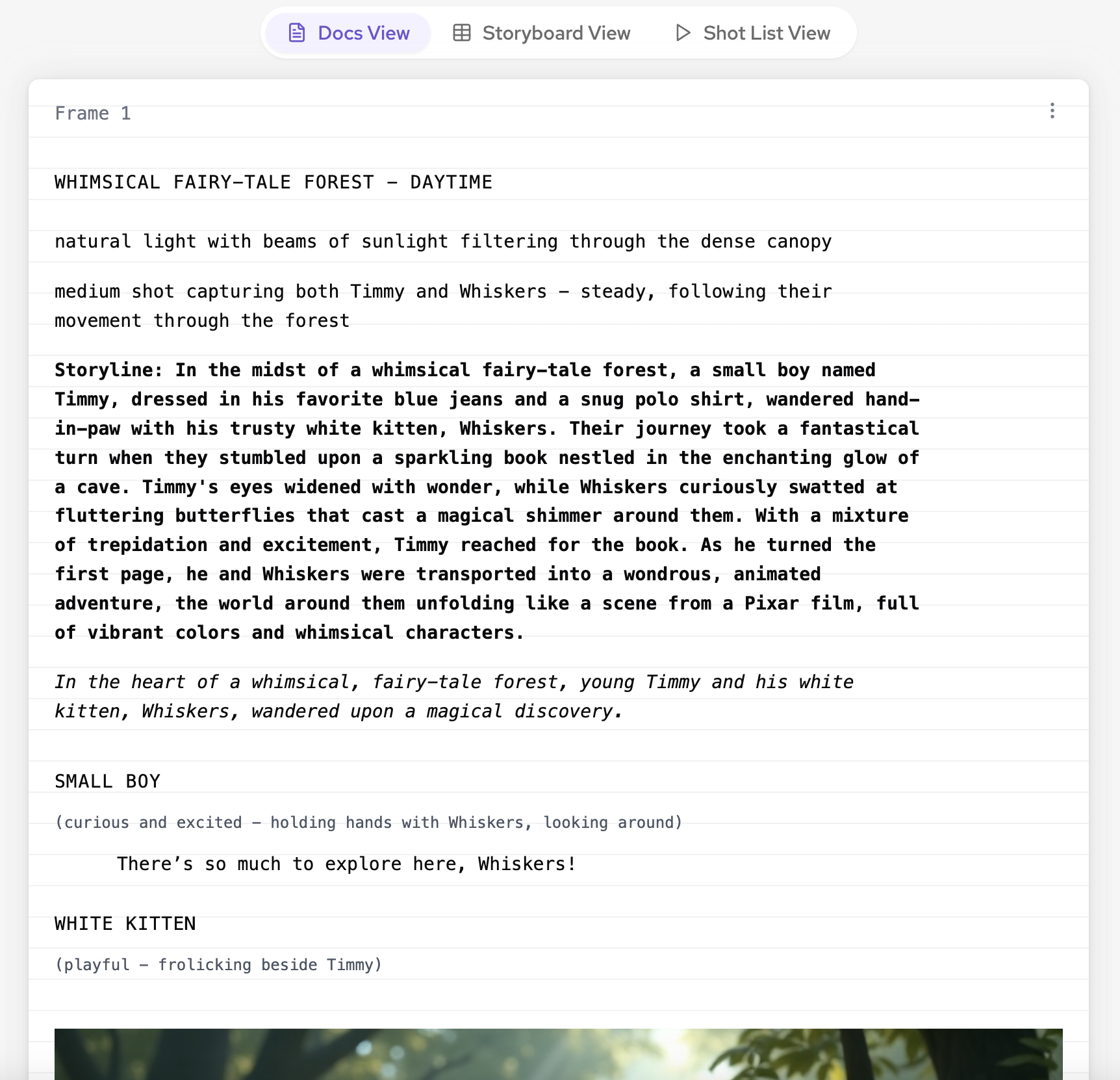
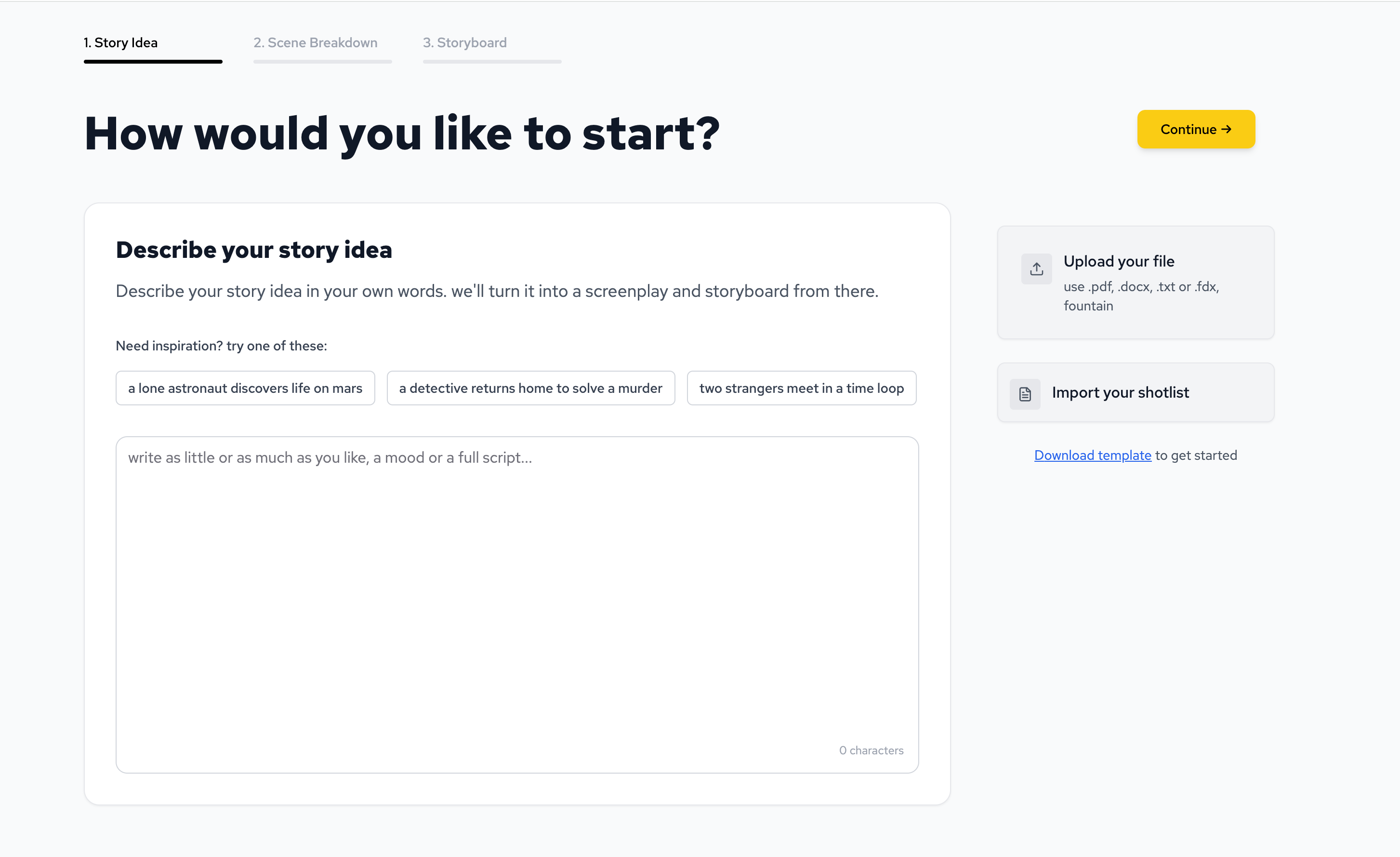
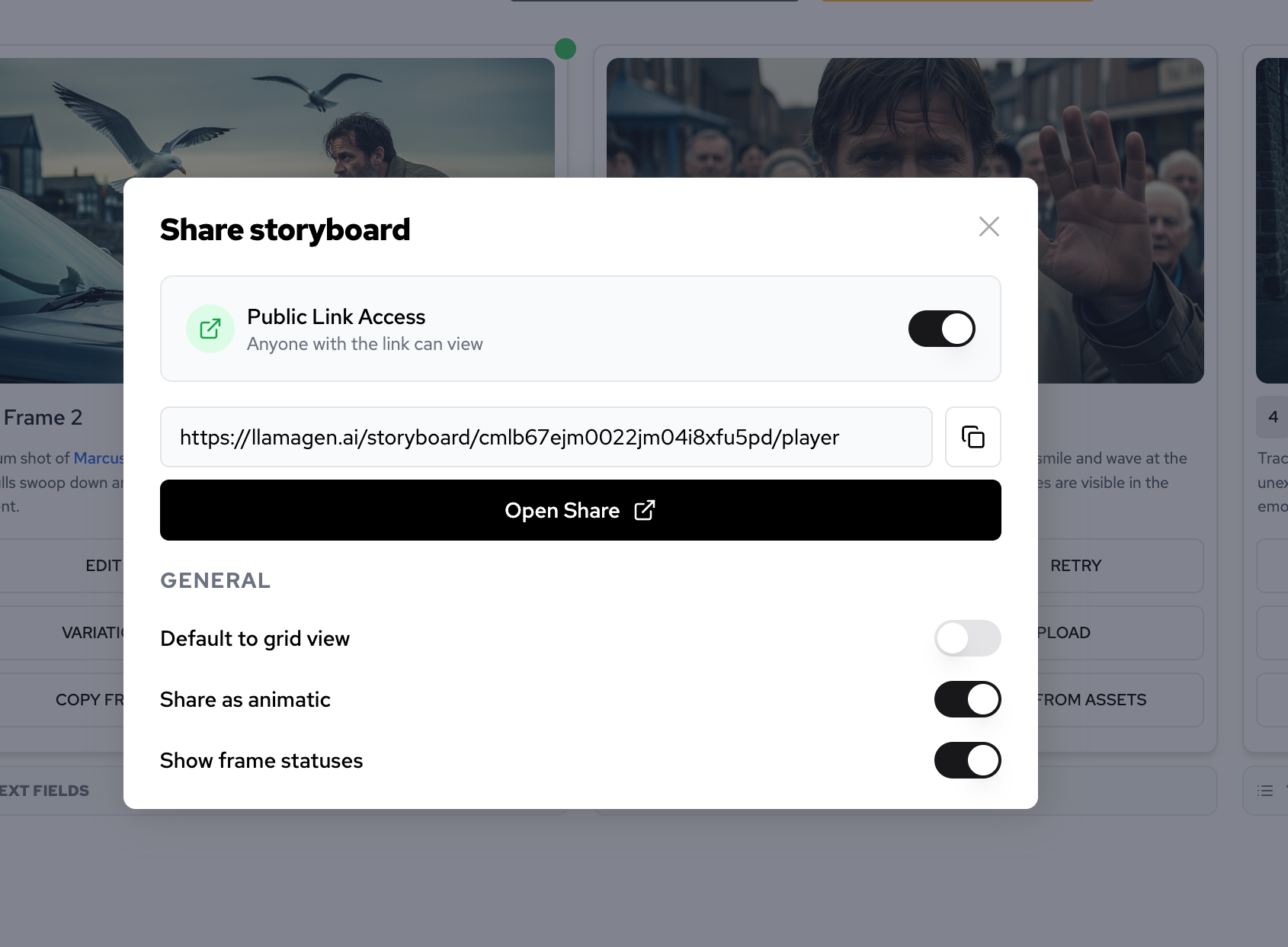
These screenshots matter because a visual writer eventually needs more than a chapter list. They need a way to see story structure, plan shots, and share visual intent.
I used the same original fiction project from the first article in this series so the test would stay consistent.
| Test item | Setup |
|---|---|
| Date tested | August 3, 2026 |
| Project | The Glass Orchard |
| Source input | 426-word original fiction brief |
| Writer type | Visual novelist / genre fiction writer preparing a pitchable story |
| Core workflow | Story brief to story bible to scene cards to chapter draft to storyboard-ready shots |
| Active editing time | About 16 minutes |
| Total elapsed time | About 31 minutes including comparison notes and revision |
| AI/editorial model note | CMS editorial review used GPT-5.4; product model and credit cost can vary by workspace settings, selected generation type, and output size |
| Credits / cost note | Treat this as a workflow test, not a pricing benchmark |
The question was not, "Which software has the most features?" The question was:
Which tool helps a visual writer keep story continuity while moving from prose into visual assets?
Title: The Glass Orchard

Premise:
Mira, a former city archivist, returns to the floating greenhouse where her missing mother once grew memory-fruit for the royal courts. Each fruit stores one witnessed moment. The greenhouse is being dismantled by a private salvage company, and Mira has one night to recover the final fruit her mother hid before she disappeared.

Character notes:
Mira is careful, observant, and slow to trust. She wears a weathered blue raincoat, carries a brass catalog key, and notices rooms by smell before she notices them by sight. She wants evidence, not comfort.

Opening scene:
Rain taps against the greenhouse glass like nervous fingers. Mira climbs through the broken service hatch and finds the orchard lights still awake, row after row of silver branches glowing under the storm. A salvage drone turns its lens toward her. Somewhere deeper in the greenhouse, a music box begins playing the song her mother used to hum.

Goal:
Build chapter one as a restrained mystery scene, then prepare visual beats that could become a storyboard, comic sequence, or book trailer.
| Writer need | Best fit | Why it works |
|---|---|---|
| Visual story-to-pitch workflow | LlamaGen.AI Story AI | It connects story structure to storyboard-ready visual planning instead of stopping at prose. |
| Long manuscript management | Scrivener | It is built for drafting, arranging, researching, and compiling long documents. |
| Timeline and scene-card planning | Plottr | Its visual timelines, scene cards, and story bible workflow fit plot-heavy writers. |
| Worldbuilding-heavy fiction | Campfire | Its modular lore, character, timeline, and encyclopedia tools fit fantasy and sci-fi writers. |
| Cloud drafting with boards | LivingWriter | It combines manuscript writing, visual boards, outlines, goals, and story elements. |
| Minimal writing and export | Ulysses | It is best when you want a focused writing environment and polished export options. |
| Custom story database | Notion | It can become a flexible story wiki, tracker, or editorial dashboard if you build the structure yourself. |
For visual writers, the winner is not always the tool with the most manuscript features. It is the tool that best preserves story intent when the project moves from text into images, panels, shots, and pitch materials.
Visual writers often start with prose, but they do not end there.
A novelist may need:
That is why the workflow should start with story assets, not only manuscript pages.
In Story AI, a useful first output is not just "write chapter one." It is:
Create a reusable story development kit:
1. story promise
2. protagonist continuity
3. chapter-one scene cards
4. recurring visual motifs
5. storyboard-ready shots
6. revision risks
Once that exists, the same material can move into the AI storyboard generator, storyboard workflow, or AI screenplay editor without reinventing the project.
For The Glass Orchard, the first useful output was a compact story bible.
| Bible field | Working note |
|---|---|
| Protagonist anchor | Mira wears a weathered blue raincoat and carries a brass catalog key. |
| Emotional anchor | She wants verifiable truth and resists comfort that cannot be proven. |
| Sensory habit | She notices rooms by smell before sight. |
| Location rules | The greenhouse is floating, old, wet, luminous, and partially automated. |
| Mystery rules | Memory-fruit stores witnessed moments; it does not invent prophecies. |
| Visual motifs | Rain on glass, silver branches, warm music box light, drone lens glare. |
| Avoid changing | Do not reveal the mother as villain, ghost, or hallucination in chapter one. |
This is the kind of material a visual writer should preserve before drafting too much prose. It gives future panels, covers, and trailers the same continuity anchors as the manuscript.
The second output was a chapter map that can become either prose or visuals.
| Beat | Purpose | Visual note |
|---|---|---|
| Broken hatch | Enter the forbidden space. | Mira climbs through rain-wet glass in a blue coat. |
| Drone wakes | Establish immediate danger. | A salvage drone turns one bright lens toward her. |
| Silver rows | Make the setting beautiful but unsafe. | Memory-fruit glows under wet branches. |
| Catalog key | Show Mira's method. | She tests panels with the brass key instead of forcing them open. |
| Music box | Tie mystery to the mother. | Warm light under roots, sound against rain. |
| Reflected hand | End on restrained revelation. | A fruit reflects a woman's hand that is not in the room. |
This is where visual writers benefit from structured software. A plain document can hold this table, but a visual workflow can turn it into scene cards, storyboard frames, and trailer beats.
The third output was a simple pitch package.
| Asset | Use |
|---|---|
| One-sentence hook | Query letter, landing page, short pitch. |
| Character continuity card | Keeps Mira consistent across drafts and visuals. |
| Six storyboard-ready shots | Feeds a storyboard, animatic, comic test, or book trailer. |
| Motif list | Keeps cover, trailer, and scene art visually coherent. |
| Failure checklist | Prevents over-explanation, melodrama, and continuity drift. |
This is why visual writers should not choose novel writing software only by manuscript comfort. The story has to travel.
Scrivener is strongest when the manuscript itself is the main object. Its official page emphasizes long-form drafting, research, corkboard, outliner, metadata, screenwriting support, and compile/export. For writers who already know the story and need a serious drafting environment, it is still hard to ignore.
Use Scrivener when:
Plottr is useful when the structure is the problem. Its official features page highlights visual timelines, scene cards, story bibles, plotlines, views, filters, and series planning.
Use Plottr when:
Campfire is best for writers who build complex worlds. Its official pages describe browser, desktop, and mobile apps, manuscript tools, characters, cultures, encyclopedia, items, locations, maps, timeline, and other modules.
Use Campfire when:
LivingWriter is a good fit for cloud-based authors who want manuscript drafting plus boards. Its official page highlights templates, goals and stats, manuscript boards, element boards, planning boards, and sync across devices.
Use LivingWriter when:
Ulysses is best for writers who want a clean drafting experience and strong export. Its official pages emphasize Mac, iPad, and iPhone support, focused writing, project organization, proofreader/editing assistant, goals, and export to formats such as PDF, DOCX, ePub, HTML, and blog platforms.
Use Ulysses when:
Notion is not novel writing software in the traditional sense, but it can become a story system if you are willing to build it. Its official product page positions it as a connected workspace for docs, wikis, projects, and databases.
Use Notion when:
The worst workflow in this test was not any specific app. It was using a strong tool with a weak structure.
Here is the weak prompt:
Help me write a novel about a woman in a magical greenhouse. Give me chapters and cool visual ideas.
The output looked exciting at first, but it failed in predictable ways.
| Failure | What happened | Fix |
|---|---|---|
| Character drift | Mira's coat, key, and emotional restraint disappeared. | Create a protagonist continuity card first. |
| Worldbuilding bloat | The greenhouse gained too many magic rules. | Define location rules before drafting. |
| Generic visuals | The visual ideas sounded cinematic but could not become shots. | Convert scene cards into storyboard-ready shots. |
| Weak adaptation path | The prose did not preserve enough visual anchors. | Build motif and shot lists before the final draft. |
The fix is to use software as a workflow, not just a container.
Use this checklist before choosing your novel writing software.
| Question | If yes, prioritize |
|---|---|
| Do I need to turn chapters into storyboards, comic tests, or trailer assets? | LlamaGen.AI Story AI |
| Do I need the strongest long-manuscript drafting environment? | Scrivener |
| Do I plan scenes visually before writing prose? | Plottr or LivingWriter |
| Is my book worldbuilding-heavy? | Campfire |
| Do I want a clean Apple-native writing app? | Ulysses |
| Do I want a custom database or story wiki? | Notion |
For many writers, the answer is not one tool forever. A practical stack can be:
Story AI for story assets and visual planning
Scrivener or Ulysses for long drafting
Plottr or Campfire for specialized planning
Notion for custom tracking
If you are starting from zero and want the shortest path from story idea to visual pitch, Story AI is a practical place to begin.
For traditional long-form drafting, Scrivener remains one of the strongest options. For visual writers who need story bibles, scene cards, and storyboard-ready assets, LlamaGen.AI Story AI is a strong starting point.
Yes, if you use it for structure, continuity, scene cards, revision, and visual planning. It is much weaker when used only as a one-shot chapter generator.
Look for story bible support, scene planning, character continuity, visual motifs, storyboard handoff, and clear export paths into pitch assets.
Not necessarily. Story AI is strongest at turning story material into reusable creative assets. Scrivener, Plottr, Campfire, Ulysses, LivingWriter, and Notion can still fit different parts of a writing stack.
If you are choosing novel writing software as a visual writer, choose the tool that protects continuity and helps the story travel.
For The Glass Orchard, the most useful workflow was not simply "draft a chapter." It was:
brief -> bible -> scene map -> storyboard shots -> prose -> pitch assets
That is why a strong first move is to open LlamaGen.AI Story AI, paste a compact story brief, and build reusable story structure before committing to the manuscript draft.
Just refer your friends, followers, and customers to earn up to 30% in recurring commissions for a lifetime!