An ad idea is not ready for production just because the message sounds good.
It is ready when the team can see it.
Before a commercial, social ad, billboard, product launch video, or pitch film becomes a finished asset, it needs a visual plan. That plan is the ad storyboard: a sequence of frames that shows the promise, the product, the key action, the camera logic, the emotional turn, and the final call to action.
This guide starts a seven-part advertising storyboard series. The goal for Day 1 is simple:
Turn a loose ad idea into a production-ready storyboard plan.
You do not need to be a professional illustrator to do this. You need a clear offer, a visible story, a shot-by-shot structure, and a way to turn the plan into frames your team can review.
That is where an AI storyboard workflow can help.
What Is an Ad Storyboard?
An ad storyboard is a visual script for an advertisement.
It usually includes:
The sequence of shots
The main visual idea in each frame
The product or offer moment
Camera angle and movement notes
On-screen action
Voiceover, caption, or dialogue notes
Timing
Brand and visual style direction
The final CTA
For a short commercial, an ad storyboard might be eight to twelve frames. For a six-second bumper ad, it might be three frames. For a billboard concept, it may be a single frame plus variations for distance, environment, and readability.
The important part is not the number of drawings. The important part is decision clarity.
A useful ad storyboard answers questions before the team spends money:
What does the viewer see first?
When does the product appear?
What problem is being shown?
What changes after the product appears?
What emotion should the viewer feel?
What is the one thing the viewer should remember?
What should they do next?
If those answers are vague, the final ad will probably feel vague too.
Why Ad Storyboards Matter Before Production
Ads are expensive to fix late.
A weak storyboard can lead to:
Confusing product shots
Scenes that do not support the message
Too many ideas in one video
Missing CTA moments
Overloaded captions
Brand visuals that appear too late
Registro de cambios
Enciende sueños para los jóvenes Donde millones de historias cobran vida
Un resumen de los últimos lanzamientos de funciones de LlamaGen, mejoras del producto, actualizaciones de diseño y correcciones importantes de errores.
✦
✧
✦
✧
Un nuevo medio para Narración
Crea historias, cómics, animaciones, juegos y más sin límites, en segundos, que conectan con las audiencias modernas
A shoot that captures beautiful footage but not the actual sales argument
A strong storyboard makes the ad easier to approve, shoot, edit, resize for different placements, and localize.
It gives every contributor a shared object:
Role
What the storyboard helps them decide
Founder or marketer
Whether the offer is clear
Creative director
Whether the visual idea is memorable
Copywriter
Where the message should appear
Designer
How brand elements should enter
Video editor
How scenes connect
Producer
What needs to be shot or generated
Client
What they are approving before production
That shared object is especially useful when you are using AI to generate early visual drafts. AI can move fast, but the storyboard keeps the work from becoming random.
Ad Storyboard vs Script vs Shot List
These three planning tools overlap, but they are not the same.
Tool
Main job
Example
Script
Defines message, voiceover, dialogue, and timing
"Meet the app that turns scripts into storyboards."
Storyboard
Shows what the viewer sees shot by shot
A creator pastes a script, frames appear, team reviews the sequence
Shot list
Turns the storyboard into production tasks
Close-up laptop, over-shoulder creator, final product screen
A script tells the ad.
A storyboard shows the ad.
A shot list produces the ad.
For AI-assisted production, the storyboard sits in the middle. It translates written strategy into visual assets that can be generated, reviewed, revised, and handed off.
Start With the One-Sentence Offer
Before creating frames, write the offer in one sentence.
Use this format:
For [audience], [product] helps them [outcome] without [pain].
Examples:
For indie filmmakers, LlamaGen helps turn scripts into visual storyboards without waiting for manual sketch rounds.
For marketing teams, LlamaGen helps pitch ad concepts with clear storyboard frames before production starts.
For creators, LlamaGen helps turn an idea into a shot-by-shot visual plan without drawing every frame by hand.
This sentence becomes the anchor. If a frame does not help prove the offer, cut it.
Choose the Ad Format
Different ad formats need different storyboard logic.
Before you plan scenes, choose the format:
Format
Typical length
Storyboard focus
Social video ad
6-30 seconds
Hook fast, show payoff early
Product demo ad
15-60 seconds
Problem, workflow, outcome
Brand commercial
30-90 seconds
Emotion, identity, memorable scene
Launch teaser
6-20 seconds
Curiosity and reveal
Explainer ad
30-120 seconds
Clarity and step-by-step transformation
Billboard or OOH ad
1-3 second read
One image, one message, one action
Pitch storyboard
Flexible
Approval and production alignment
If you are unsure, start with a 15-second social ad. It forces clarity.
That structure is simple enough for a first draft and flexible enough for many products.
The Five-Beat Ad Storyboard Structure
Most practical ad storyboards can start with five beats.
1. Hook
The hook is the first visual promise.
It should stop the viewer because something is clear, surprising, useful, or emotionally familiar.
Weak hook:
A person sits at a laptop.
Stronger hook:
A tired creative team stares at a blank wall covered in script notes, with no visuals ready for a client presentation.
The stronger hook shows the pain, not just the setting.
2. Problem
The problem beat makes the viewer feel the cost of the old way.
For an AI storyboard ad, the problem might be:
A script is approved, but no one can visualize it.
A client wants to see the commercial before production.
A team has too many ideas and no shared frame sequence.
A creator can write the scene but cannot draw the storyboard.
The problem should be visible. Avoid abstract frustration. Show a missed deadline, confusing notes, messy boards, or a team unable to agree on the shot sequence.
3. Product Action
This is where the product enters.
Do not hide the product until the end.
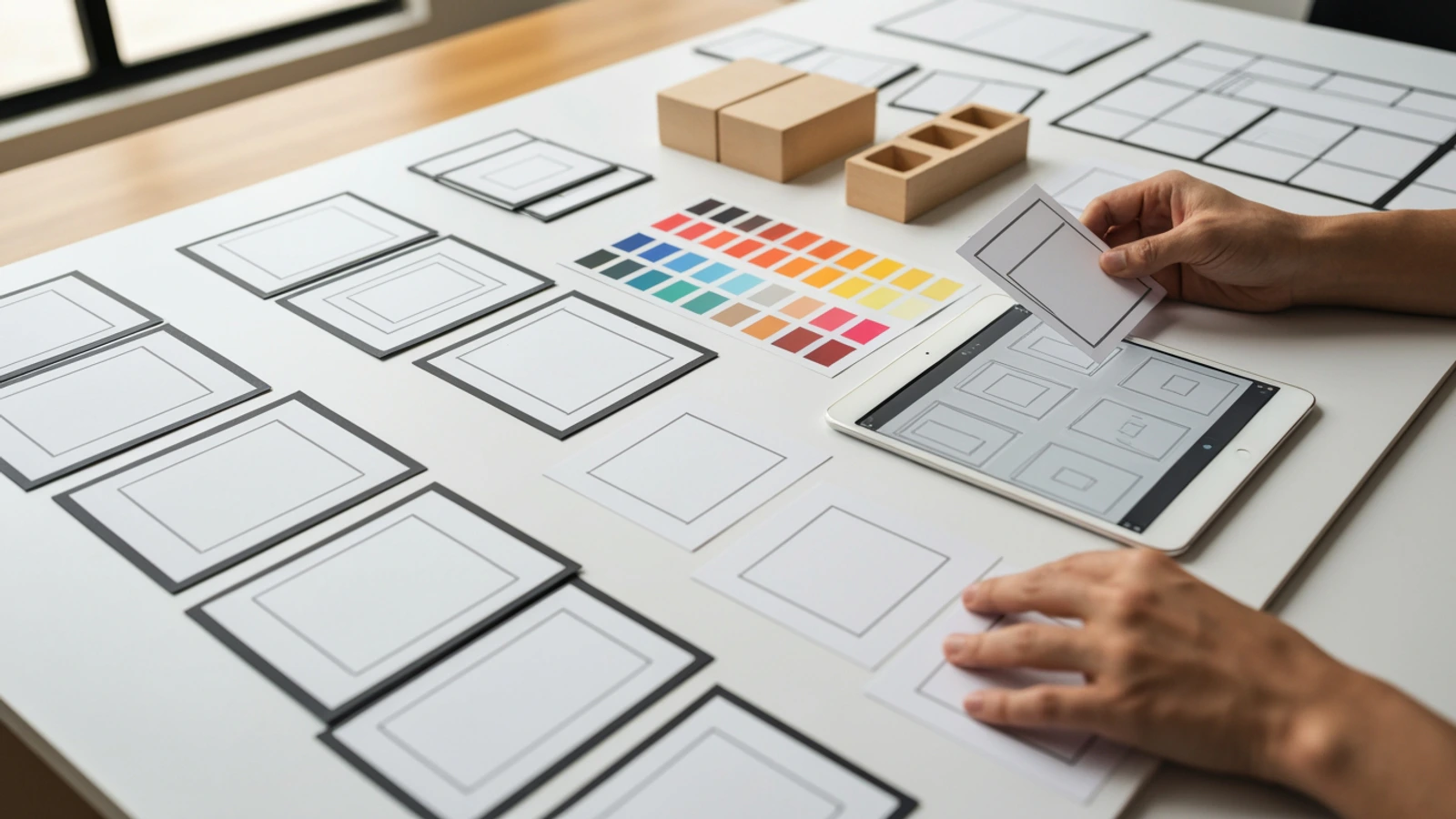
For LlamaGen storyboard workflows, this beat can show the creator moving from script or prompt into a structured storyboard plan. Keep the visual clean:
Source script
Shot list
Storyboard frames
Camera notes
Review sequence
Export or handoff package
Screens and papers should be visual-only in generated art. Avoid fake readable UI text. The article can explain the workflow, but the image should not depend on tiny labels.
4. Payoff
The payoff shows what changed.
For an ad storyboard, the payoff might be:
The team can finally see the ad.
The client approves the sequence.
The editor understands the pacing.
The producer knows what shots are needed.
The campaign has a clear visual direction.
Make the payoff concrete. A happy meeting is not enough. Show the finished storyboard wall, a clean animatic timeline, or a pitch deck with clear frames.
5. CTA
The CTA tells the viewer what to do next.
Examples:
Create your first ad storyboard.
Turn your script into storyboard frames.
Plan the commercial before production.
Start with LlamaGen Storyboard.
This is not final copy. It is a planning scaffold.
Once the frames are clear, you can improve pacing, style, and visual details.
Example Prompt for an AI Ad Storyboard
Use a prompt like this when you want to generate a storyboard plan from a commercial idea:
Create a 6-frame storyboard for a 15-second ad.

Product: LlamaGen Storyboard
Audience: marketers, founders, creators, and video teams
Offer: turn a script or prompt into a clear visual storyboard before production
Tone: polished, practical, creative, not gimmicky
Format: short social ad

Story structure:
1. Hook: a creative team has a script but no clear visual plan
2. Problem: the team cannot agree on shots, pacing, or product reveal
3. Product action: the creator turns the script into storyboard frames
4. Payoff: the ad concept becomes a clear shot sequence
5. Review: the team can approve the visual plan
6. CTA: start the storyboard before production

For each frame, provide:
- visual description
- camera angle
- action
- message
- production note
If you are creating visual frames, add:
No readable text inside the image frames. No fake UI text. Use visual-only storyboard cards, simple icons, clean composition, and consistent characters across frames.
That last instruction matters. It helps keep AI-generated frames from filling the image with unreadable typography.
How to Use LlamaGen for Ad Storyboarding
LlamaGen is built for sequential visual storytelling. That makes it useful for ad planning because ads are also sequential: one idea, shown in a controlled order, with a specific response at the end.
You can use LlamaGen Storyboard to move from a rough idea into a structured visual plan.
A practical workflow looks like this:
Paste the ad idea or script.
Ask for a six-frame or eight-frame storyboard.
Generate a shot list with camera notes.
Review whether the product appears early enough.
Adjust the hook, payoff, and CTA.
Generate visual frames or animatic direction.
Export the storyboard for review or production handoff.
For teams that already have a script, the AI Storyboard Generator is useful because it connects written scenes to storyboard frames, shot planning, and visual review.
The point is not to replace creative judgment. The point is to make the first visual draft happen fast enough that your judgment has something concrete to improve.
What Makes an Ad Storyboard Good?
A good ad storyboard is not just attractive. It is decisive.
Use this checklist:
The product or offer appears early enough.
The viewer can understand the problem without explanation.
Each frame has one job.
The CTA is not an afterthought.
The camera logic supports the emotion.
The visual style matches the brand.
The storyboard can become a shot list.
The team can approve or reject specific frames.
The concept still works with the sound off.
The first frame makes the audience want the second frame.
The sound-off rule is especially important for social ads. Many viewers will not hear your voiceover immediately. If the visual sequence does not communicate the point, the ad may fail even with strong copy.
Common Ad Storyboard Mistakes
Mistake 1: Starting with brand instead of tension
A logo is not a hook.
Most viewers care about the problem first. Show the tension, then introduce the product as the way through it.
Mistake 2: Making every frame do everything
One frame should not contain the hook, problem, demo, proof, and CTA.
Give each frame a job. If a frame has three jobs, it probably needs to be split.
Mistake 3: Hiding the product too long
Some brand films can delay the reveal. Most performance ads cannot.
If the product is the reason the viewer should care, show it early enough that the story has time to prove it.
Mistake 4: Storyboarding only pretty scenes
Pretty scenes are useful only if they support the ad's argument.
Ask what every frame proves.
This frame proves the pain.
This frame proves the old way is messy.
This frame proves the product action.
This frame proves the payoff.
If a frame proves nothing, remove it.
Mistake 5: Forgetting the handoff
The storyboard should help production.
Add notes for:
Location
Props
Characters
Camera angle
Movement
Product moment
Voiceover or caption
Timing
Required assets
This turns the storyboard from a mood board into a production tool.
Ad Storyboard Review Questions
Before you publish, pitch, or produce the ad, review the storyboard with these questions:
Can someone understand the ad from the frames alone?
Does the first frame create attention?
Does the product solve a visible problem?
Is the CTA connected to the story?
Are there any frames that repeat the same idea?
Is the product shown in use, not only displayed?
Does the storyboard work as a short video, not just a slide deck?
Would this still make sense in a square, vertical, or billboard crop?
Can the team turn this into a shot list?
What is the one frame the viewer should remember?
The last question is often the most useful.
If there is no memorable frame, the storyboard may be clear but not compelling. Add one visual moment that carries the offer.
From Ad Storyboard to Production Package
Once the storyboard is approved, turn it into a production package.
This makes the project easier to revise and easier to hand off.
Day 1 Output
By the end of this first workflow, you should have:
A one-sentence offer
A chosen ad format
A five-beat structure
A six-frame storyboard table
A first AI storyboard prompt
A review checklist
A production handoff outline
That is enough to move from "we have an ad idea" to "we can see what we are making."
Use this starter prompt:
Create an ad storyboard plan for this offer:
[paste one-sentence offer]

Audience:
Ad format:
Length:
Tone:
Product:
CTA:

Create:
1. A five-beat ad structure
2. A six-frame storyboard table
3. Camera notes for each frame
4. Product moment for each frame
5. A production checklist
6. Three CTA options
Then take the result into LlamaGen Storyboard and turn it into visual frames.
Build Your First Ad Storyboard
The fastest way to improve an ad idea is to make it visible.
Start with the offer. Pick the format. Create the five beats. Generate the frames. Then review the sequence like a producer:
Does this visual plan make the ad easier to approve, produce, and remember?
If the answer is yes, you have more than an idea. You have a storyboard.