

कैरेक्टर रेफ़रेंस के लिए कार्टून से यथार्थवादी AI
कार्टून, स्केच, anime स्टिल, या स्टाइलाइज़्ड कैरेक्टर अपलोड करें और मूल डिज़ाइन की पहचान बनाए रखते हुए एक अधिक यथार्थवादी रेफ़रेंस इमेज बनाएं।
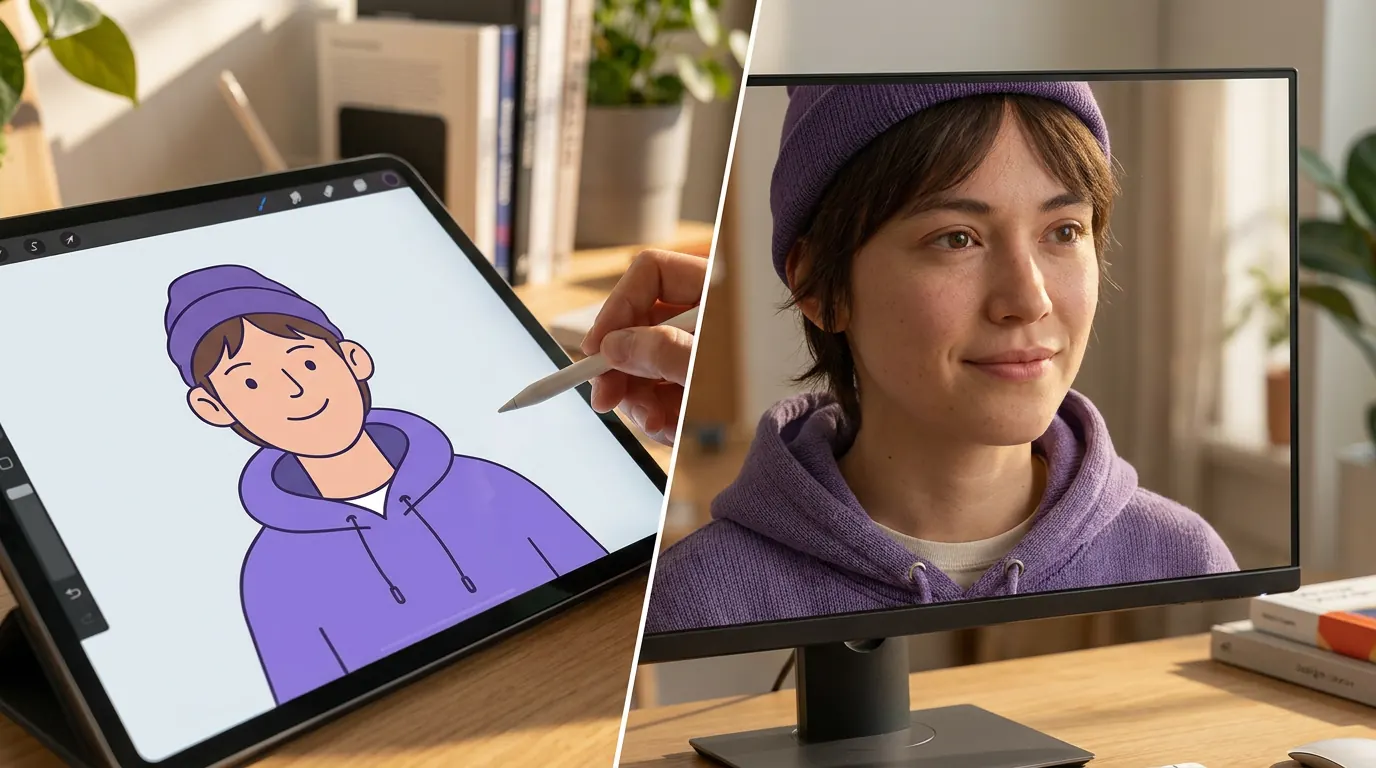
Realistic converter loads when you reach it.
हमारी खासियतें
इस कार्टून से यथार्थवादी AI पेज का इस्तेमाल क्यों करें
यह workflow broad cartoon-to-realistic ज़रूरतों के लिए बनाया गया है: अधिक यथार्थवादी rendering, मजबूत material detail, और source design को बनाए रखते हुए image upgrades।
अभी फ्री ट्राई करेंसिर्फ Real-Person output नहीं, व्यापक realism
इस पेज का इस्तेमाल तब करें जब आपको texture, depth, lighting और facial detail के साथ overall अधिक यथार्थवादी rendering style चाहिए, लेकिन हर result को strict real-person look में नहीं बदलना।
Illustrations, sketches और stylized art के लिए बढ़िया
यह cartoons, animation stills, concept sketches और stylized character art के लिए अच्छी तरह काम करता है, जब आपको image को अधिक grounded और detailed दिखाना हो।
Prompt tuning के बिना तेज़ workflow
Image अपलोड करें और model को conversion करने दें। यह extra editing steps के बिना तेज़ realistic previews के लिए बनाया गया है।
Stylized character art को अधिक यथार्थवादी render में अपग्रेड करें
अगर आपका लक्ष्य किसी कार्टून या stylized character को overall अधिक realistic बनाना है, तो यह पेज बेहतर fit है। Artwork अपलोड करें और ऐसा result पाएँ जिसमें facial depth, believable materials और photography के करीब lighting हो, जबकि original design भी बना रहे।
मेरे कार्टून को यथार्थवादी स्टाइल में बदलें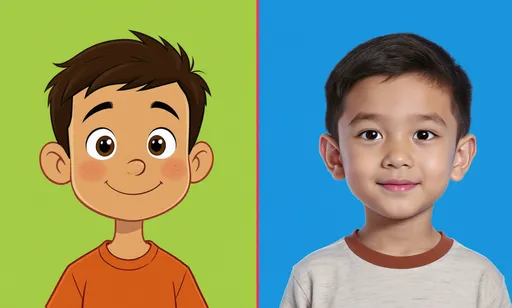
इसे concept art, references और visual development के लिए इस्तेमाल करें
Creators को अक्सर कैरेक्टर को छोड़े बिना realism pass चाहिए होता है। यह workflow illustrators, writers और art directors को final production work पर जाने से पहले यह test करने में मदद करता है कि stylized design natural lighting, skin texture, materials और proportions के साथ कैसा दिख सकता है।
AI से यथार्थवादी फोटो बनाएं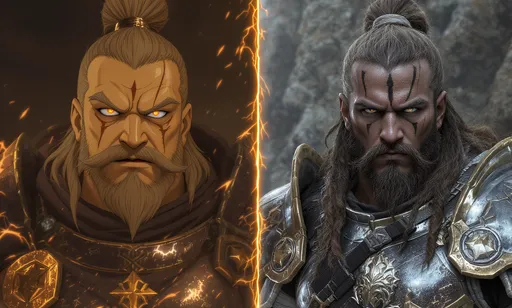
जब आपको broad realism चाहिए, यह चुनें
Illustrations, sketches या stylized characters के general realistic upgrade के लिए यह workflow चुनें। अगर आपको खास तौर पर एक भरोसेमंद human portrait चाहिए, तो इसके बजाय cartoon-to-real-life tool इस्तेमाल करें।
स्केच को यथार्थवादी इमेज में बदलें
कैरेक्टर क्रिएटर्स के लिए समाधान
मूल डिज़ाइन खोए बिना स्टाइलाइज़्ड आर्ट को यथार्थवादी रेफ़रेंस में बदलें
यह पेज कॉन्सेप्ट आर्टिस्ट, कॉस्प्ले प्लानर और उन क्रिएटर्स के लिए है जिनके पास पहले से कार्टून या इलस्ट्रेटेड कैरेक्टर है और जिन्हें एक अधिक यथार्थवादी रेफ़रेंस इमेज चाहिए। यह text-to-image से अलग काम हल करता है: यहाँ source image कंट्रोल में रहती है, और AI realism, texture, lighting और depth जोड़ता है।
स्टाइलाइज़्ड आर्ट को यथार्थवादी रेफ़रेंस में बदलने वाले कैरेक्टर क्रिएटर्स
इसे original characters, sketches, animation stills, mascot concepts, cosplay references या portfolio studies के लिए इस्तेमाल करें, जब realistic pass अगला creative decision लेने में मदद करे।
Text prompt डिज़ाइन से भटक जाते हैं
Text से शुरू करने पर source art में मौजूद silhouette, costume, colors या personality अनदेखी हो सकती है।
Upscaler realism नहीं जोड़ते
कार्टून को sharpen करने से शायद ही भरोसेमंद skin, fabric, lighting या materials बनते हैं।
Manual realism pass में बहुत समय लगता है
किसी कैरेक्टर को यथार्थवादी रेफ़रेंस में repaint करना skilled work है और शुरुआती concept exploration धीमा कर सकता है।
Before
एक flat कार्टून, स्केच, या स्टाइलाइज़्ड कैरेक्टर जिसे real-world reference की तरह परखना मुश्किल है।
After
चेहरे की गहराई, material texture और lighting के साथ एक grounded यथार्थवादी version, जबकि core character बना रहता है।
- 1स्टाइलाइज़्ड source image अपलोड करें।
- 2conversion को focused रखने के लिए cartoon-to-realistic preset इस्तेमाल करें।
- 3एक realism pass generate करें और उसे original design से compare करें।
- 4सबसे बेहतर रेफ़रेंस डाउनलोड करें या अलग realism level के लिए फिर से iterate करें।
शुरू से बनाने के बजाय character की shape, outfit और mood को existing visual से anchored रखें।
Cosplay, story या concept decisions के लिए final design time लगाने से पहले एक यथार्थवादी visual reference दें।
Case study
कॉस्प्ले प्लानर fabrication से पहले कैरेक्टर की जांच करता है
एक creator स्टाइलाइज़्ड कैरेक्टर अपलोड कर सकता है, realistic pass generate कर सकता है, और देख सकता है कि hair, materials और facial proportions costume या photo reference में कैसे translate हो सकते हैं।
उपयोगी परिणाम
एक अधिक भरोसेमंद रेफ़रेंस इमेज जो manual production शुरू होने से पहले styling, materials और proportions को दिशा देती है।
LlamaGen creator workflow, कॉन्सेप्ट और कॉस्प्ले रेफ़रेंस
यथार्थवादी Conversion Hub
अपनी ज़रूरत के अनुसार यथार्थवादी conversion चुनें
यथार्थवादी portrait, grounded character reference, illustration के लिए realism pass, या cartoon-to-realistic बनाम cartoon-to-real-life workflows की तुलना करें।
कार्टून इमेज से यथार्थवादी AI
स्टाइलाइज़्ड कार्टून इमेज को अधिक यथार्थवादी render में बदलें, जबकि original composition और design readable रहें।
कार्टून से यथार्थवादी फोटो
कार्टून portrait, avatar, sketch या character का photo-like version बनाएं—visual reference और concept exploration के लिए।
anime या manga से यथार्थवादी
Broad realism के लिए यह workflow इस्तेमाल करें। जब source खास तौर पर anime हो और output एक भरोसेमंद human portrait होना चाहिए, तब dedicated anime-to-real-life tool इस्तेमाल करें।
स्केच से यथार्थवादी कैरेक्टर
रफ character art या साफ line drawings को depth, materials और lighting के साथ grounded reference में बदलें।
मास्कॉट से यथार्थवादी रेफ़रेंस
देखें कि कोई mascot या brand character अधिक lifelike texture, volume और physical detail के साथ कैसा दिख सकता है।
कॉस्प्ले और प्रोडक्शन रेफ़रेंस
ऐसे realism pass generate करें जो costume planning, material choices, styling और visual development में मदद करें।
संबंधित workflows
अगर सामान्य realistic render की जगह real-person result चाहिए?
नीचे दिए गए related tools का इस्तेमाल करें, जब आपको broad cartoon-to-realistic image upgrade से अधिक specific result चाहिए।
यह कैसे काम करता है
कार्टून आर्ट को यथार्थवादी इमेज में कैसे बदलें
Source image अपलोड करें, AI से अधिक यथार्थवादी version बनवाएँ, फिर compare और iterate करें जब तक lighting, materials और facial detail आपके goal से match न करें।
फ्री में आज़माएँस्टाइलाइज़्ड source image अपलोड करें
कार्टून portrait, sketch, animation still, या digital illustration से शुरू करें जिसे आप अधिक यथार्थवादी visual style के करीब ले जाना चाहते हैं।
Realism pass generate करें
Model facial structure, materials, colors और composition को पढ़ता है, फिर character को recognizable रखते हुए अधिक यथार्थवादी interpretation बनाता है।
Review करें और iterate करें
Result को source image से compare करें, फिर डाउनलोड करें या अगर realism का अलग स्तर चाहिए तो एक और pass चलाएँ।
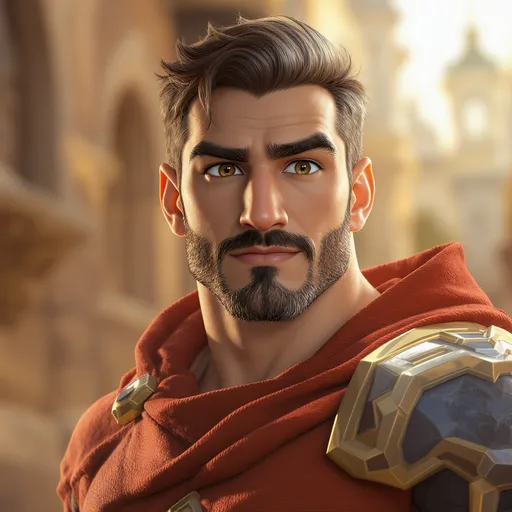
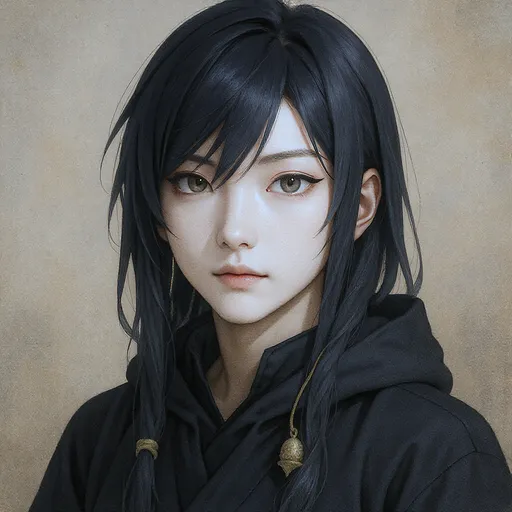
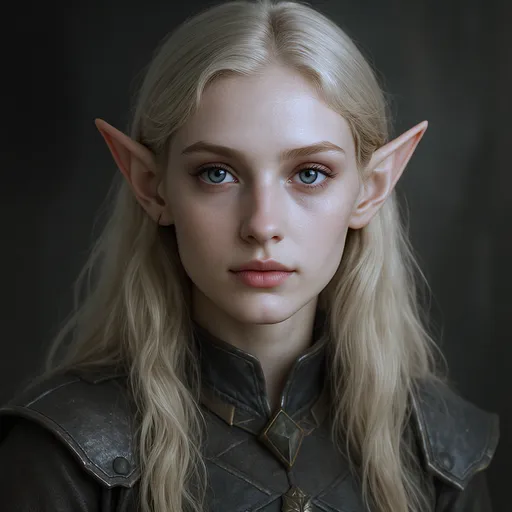
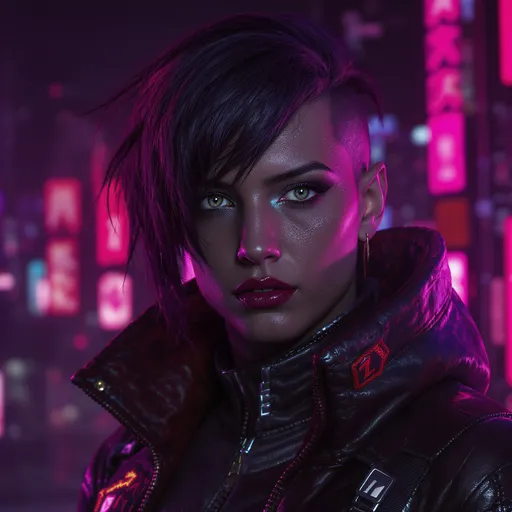
आकर्षक कार्टून से यथार्थवादी transformations
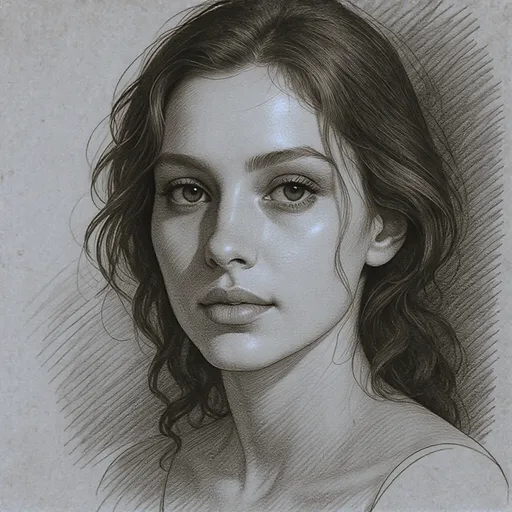
कार्टून illustrations और animation styles से लेकर photorealistic portraits तक, हमारे AI द्वारा बनाए गए अद्भुत transformations देखें।
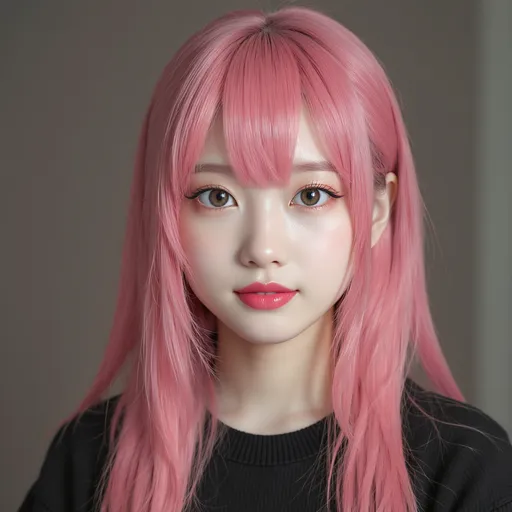
Broad realism या real-person conversion चुनें
यह workflow तब इस्तेमाल करें जब आपको strict real-person portrait के बजाय overall अधिक यथार्थवादी image चाहिए।
| विशेषता | LlamaGen.ai | अन्य टूल |
|---|---|---|
| सबसे अच्छा उपयोग | Broad cartoon-to-realistic rendering | अक्सर असंबंधित real-person terms के साथ मिला हुआ |
| Output Focus | Texture, lighting, depth, और grounded detail | Generic style transfer |
| सबसे उपयुक्त source प्रकार | Cartoons, sketches, illustrations, stylized characters | अक्सर सिर्फ एक narrow style के लिए tuned |
| Workflow | Upload करें और online generate करें | अधिक manual setup |
| पेज कब बदलें | भरोसेमंद human portrait के लिए cartoon-to-real-life इस्तेमाल करें | अक्सर अगला workflow साफ़ नहीं होता |
संबंधित यथार्थवादी टूल
संबंधित Image Transformation Tools
अपने source image और target style के हिसाब से सबसे उपयुक्त workflow चुनें: cartoon-to-realistic, cartoon-to-real-life, anime-to-real-life, या photo-to-cartoon।
Cartoon to Real Life AI
जब लक्ष्य कार्टून source से एक भरोसेमंद human portrait हो, तब इस्तेमाल करें।
Anime to Real Life
Anime, manga, और anime-style original characters के लिए इस्तेमाल करें।
Turn Picture into Cartoon
Real photos को cartoon-style images में बदलें।
AI Cartoon Generator
Photos, prompts और character ideas से cartoon images बनाएं।
AI Character Generator
Convert या refine style करने से पहले reusable characters डिज़ाइन करें।
Image to Video
तैयार realistic या cartoon images को short videos में animate करें।
यथार्थवादी character renders खोजने वाले creators द्वारा इस्तेमाल किया गया
Illustrators, concept artists और उन creators के लिए बेहतर fit जो stylized images के लिए realistic upgrades चाहते हैं।
LlamaGen.ai ने मेरा workflow पूरी तरह बदल दिया। यथार्थवादी conversions बेहद detailed हैं और मेरे characters की मूल भावना को बिल्कुल सही बनाए रखते हैं। अब तक का सबसे अच्छा tool!
Sarah Chen
Digital Artist
Cosplay reference creator के तौर पर यह tool बेहद उपयोगी है। AI facial features को समझकर उन्हें flawless तरीके से यथार्थवादी human proportions में बदल देता है। मेरे कई घंटे बचते हैं।
Marcus Rodriguez
Cosplay Designer
मैंने कई cartoon-to-realistic converters आज़माए हैं, लेकिन LlamaGen.ai एक अलग ही स्तर पर है। Speed और quality का कोई मुकाबला नहीं, और यह पूरी तरह फ्री है। ज़ोरदार recommend करती हूँ!
Emily Watson
Anime Fan & Creator
Detail preservation शानदार है। मेरे characters अपनी अनोखी personality बनाए रखते हुए जीवंत हो जाते हैं। इस tool ने मेरे portfolio के लिए नई creative possibilities खोली हैं।
David Kim
Illustrator
5,000+ संतुष्ट उपयोगकर्ताओं की समीक्षाओं पर आधारित
Help Center
Cartoon to Realistic AI के बारे में FAQ
Broad cartoon-to-realistic image conversion, realistic rendering, और इस पेज को real-life focused routes की बजाय कब इस्तेमाल करें—इन सब पर सवाल।
क्या आप अपने कार्टून आर्ट को अधिक यथार्थवादी बनाना चाहते हैं?
कुछ ही सेकंड में stylized characters, sketches और illustrations के grounded, realistic-looking versions बनाएं।
अभी फ्री बनाना शुरू करें