

1
स्टेप 1: Source brief लिखें
Generate करने से पहले character role, personality, age range, outfit, palette, prop, art direction और story world को साफ़-साफ़ तय करें।
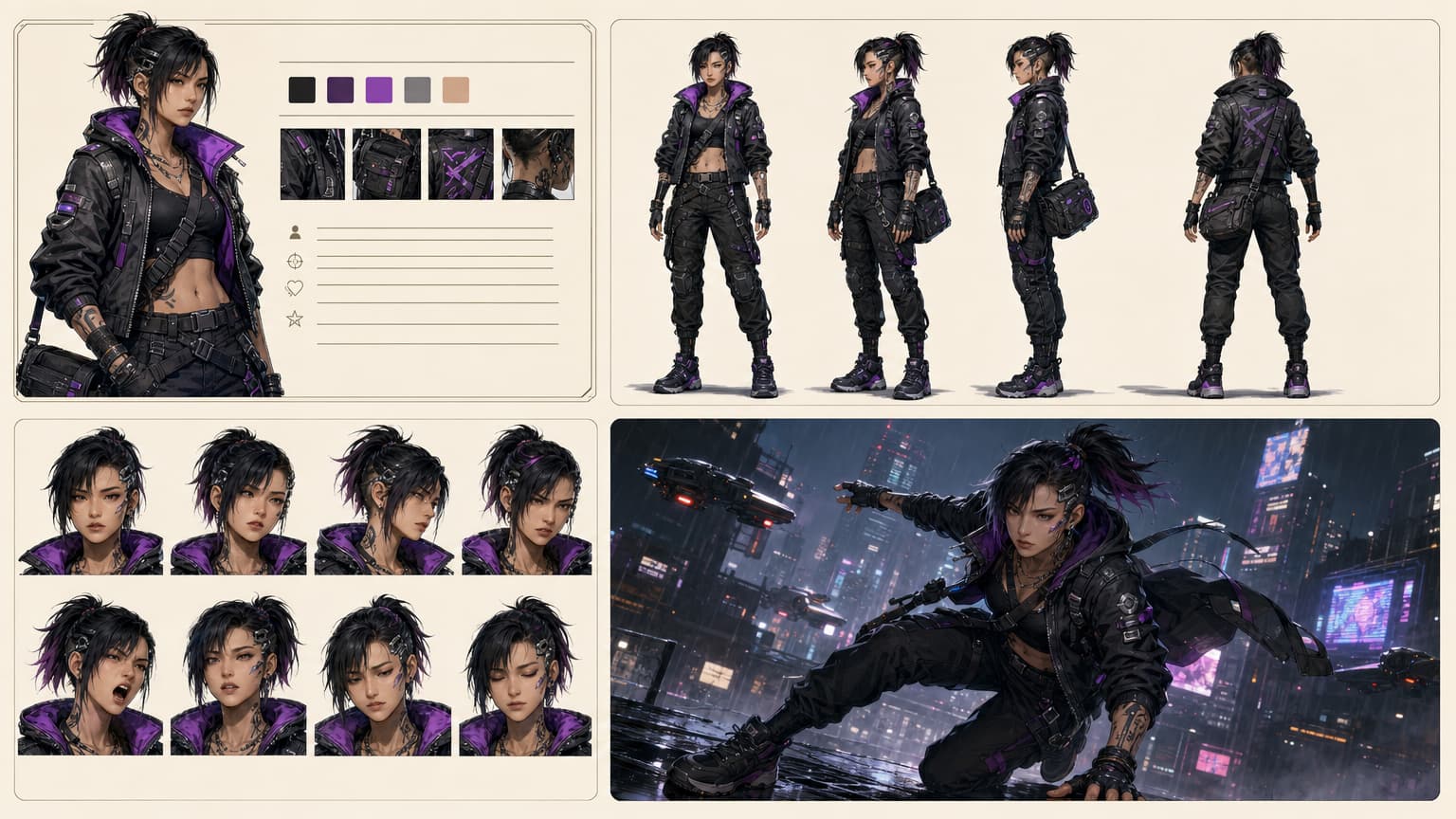
प्रॉम्प्ट, रेफरेंस इमेज या स्टोरी स्क्रिप्ट को एक reusable character direction में बदलें: portrait, full-body design, expressions, model sheet और comics, games, visual novels, storyboards व pitch work के लिए scene-ready references.
Role, outfit, personality, style और world description से शुरुआत करके एक original character direction बनाएं।
Character studio खोलेंस्क्रिप्ट पेस्ट करें या फाइल अपलोड करें, cast निकालें, roles एडिट करें, फिर story context से characters जनरेट करें।
स्टोरी से बनाएंजब face, outfit या visual identity पहले से मौजूद हो, तब portrait, avatar या sketch को reference की तरह इस्तेमाल करें।
रेफरेंस इस्तेमाल करेंजब lighting, setting और visual continuity ज़्यादा मायने रखें, तब cast से पहले story world बनाएं।
Scene बनाएंएक बेहतर character workflow आपको deeper production से पहले identity, references और scene context देता है।
Generate करने से पहले character role, personality, age range, outfit, palette, prop, art direction और story world को साफ़-साफ़ तय करें।
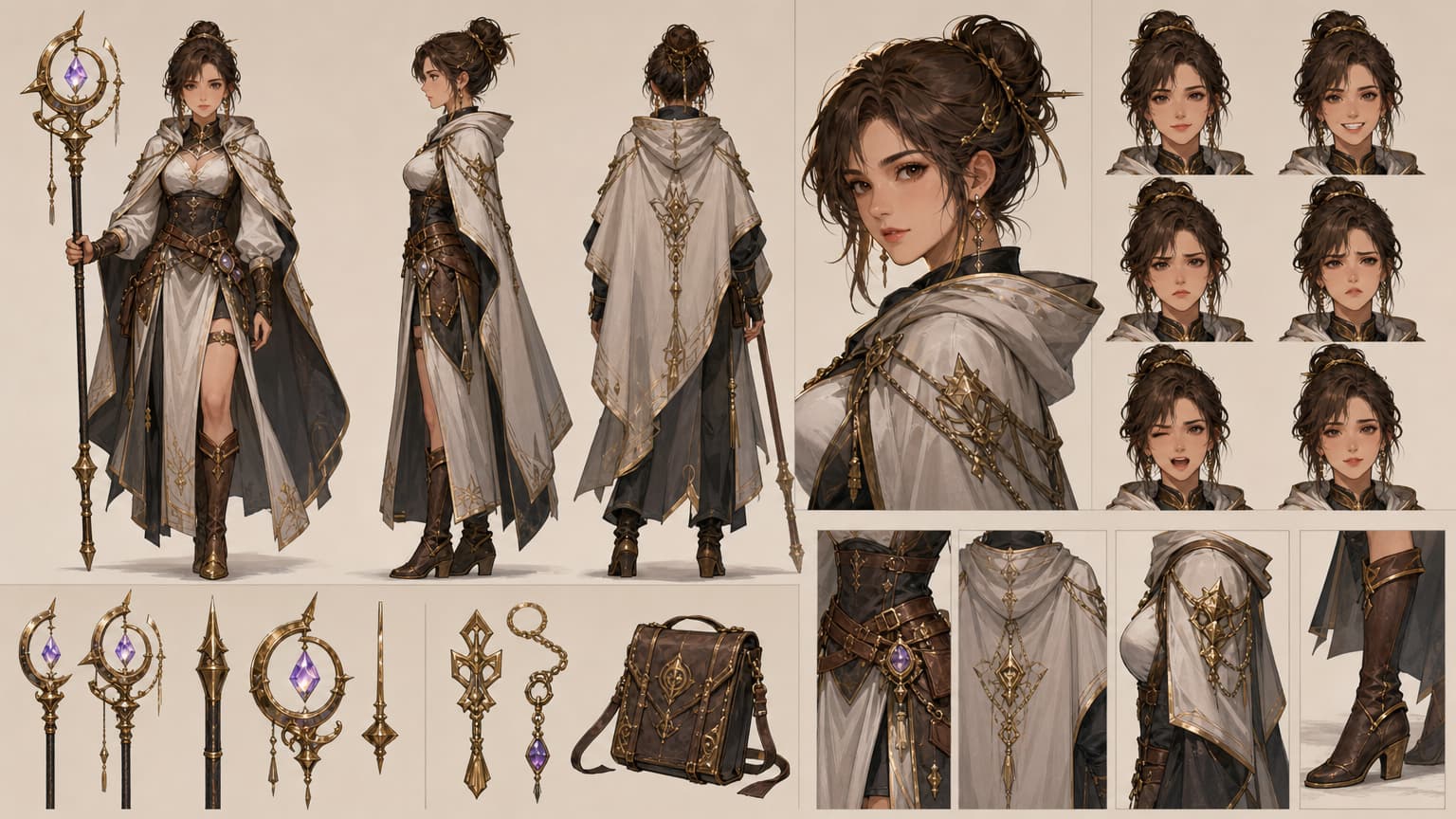
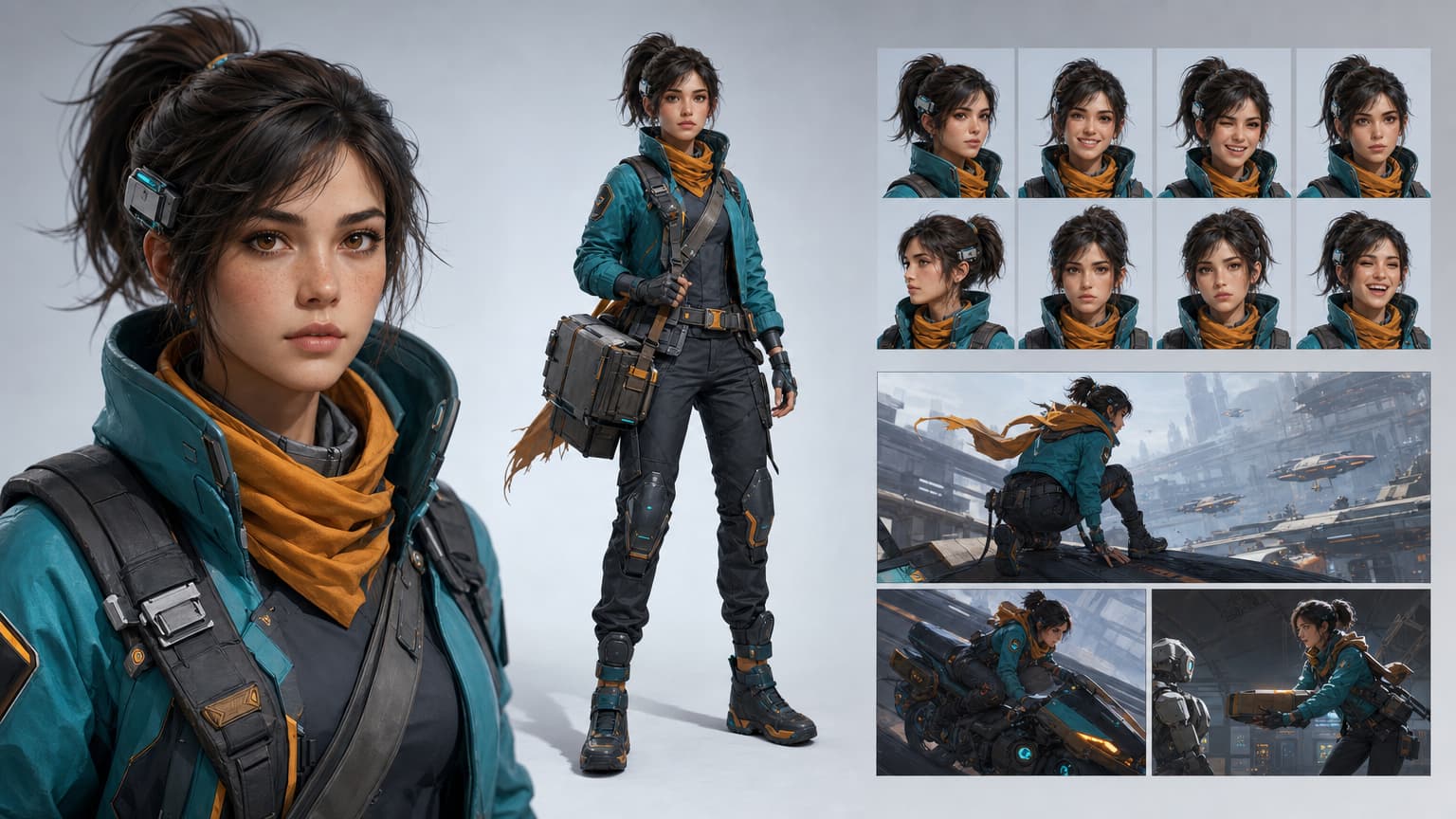
उसी direction से portraits, full-body looks, turnarounds, expression heads, outfit details और prop references बनाएं।
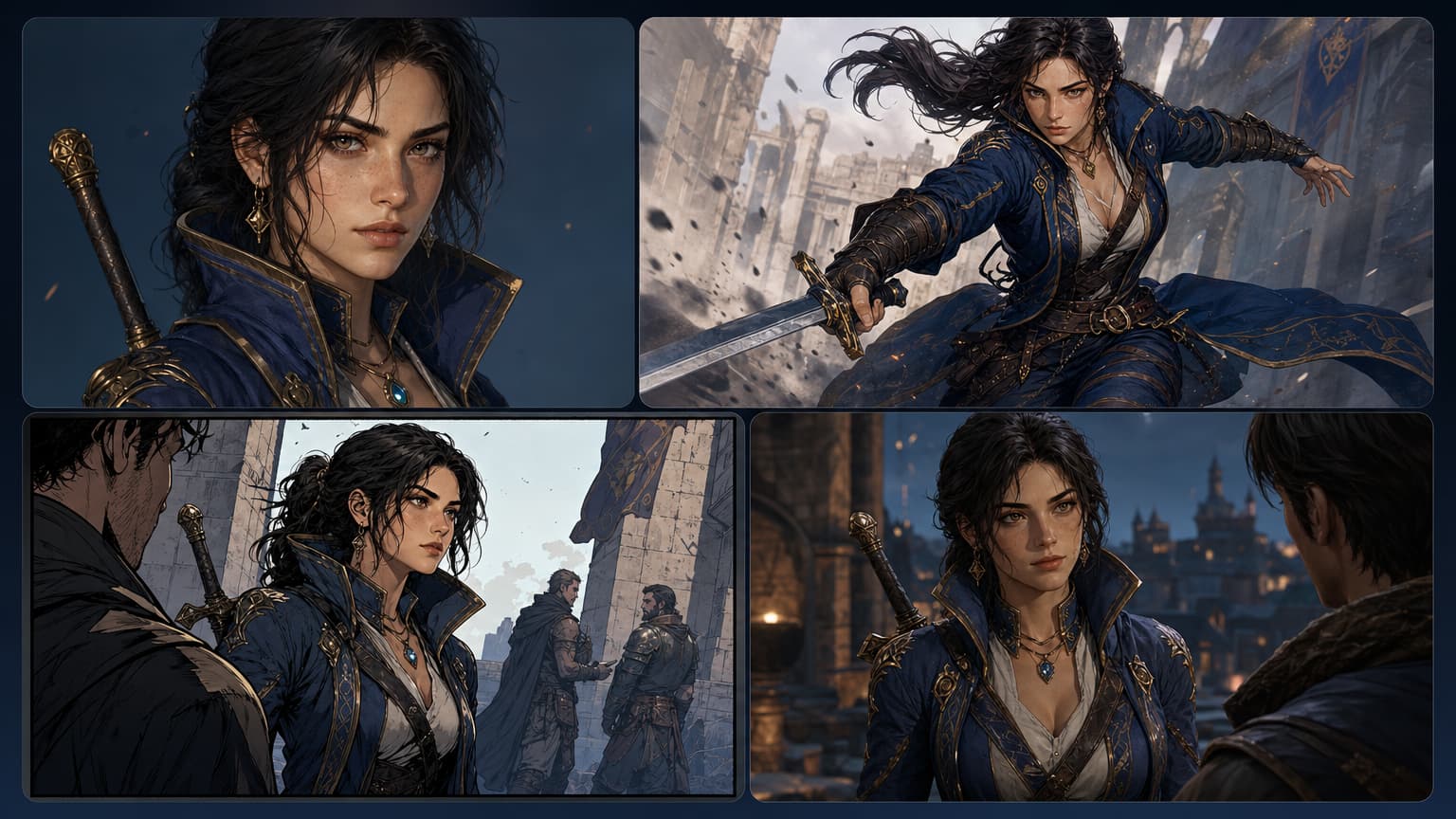
Approved face, outfit, palette, prop और pose language को comics, storyboards, webtoons, visual novels, avatars, game pitches और scene generation में आगे बढ़ाएं।
Output सिर्फ एक अच्छी render इमेज नहीं है। यह आपको consistent visual storytelling के लिए ज़रूरी face, outfit, palette, role, expressions, pose language और scene direction देता है।
पहला version जनरेट करें, directions की तुलना करें, और सबसे मज़बूत version को cast member, reference sheet, expression board या scene-ready asset में बदलें।
एक उपयोगी AI character generator को identity बनाए रखनी चाहिए, story roles को support करना चाहिए, और ऐसे references देने चाहिए जिन्हें creators अगले production step तक ले जा सकें।
Reusable brief से शुरुआत करें ताकि हर variation में वही role, personality, outfit logic, palette और story context बना रहे।
Face shape, hairstyle, silhouette, costume details, color language और signature props को उसी character direction से जुड़े रहने दें।
Review के लिए full-body views, turnarounds, expressions, poses, props और close-up details के साथ model-sheet style references बनाएं।
Character से scene, comic panel, manga page, webtoon episode, storyboard, visual novel या game-dialogue workflow तक आसानी से जाएं।
कैरेक्टर तब उपयोगी बनता है जब वही identity style tests, poses, expressions, references और scenes में भी बनी रहे।
इमेज अच्छी दिख सकती है, लेकिन identity, outfit logic, expression range और handoff references व्यवस्थित नहीं होते।

Character brief से शुरुआत करें, फिर cast member, model sheet, expression range, pose reference, prop details और scene-ready direction बनाएं।
जब कैरेक्टर पहचानने योग्य, reviewable और अगले creative step के लिए तैयार होना चाहिए, तब LlamaGen इस्तेमाल करें।
Role, personality, age, body language, outfit, palette, style, props और story context तय करें।
Portraits, full-body views, expressions और scene concepts में identity details को साफ़ बनाए रखें।
Story file को names, roles, relationships और visual directions वाले characters में बदलें।
Front, side, back, close-up, expression, pose, outfit, prop और handoff references की योजना बनाएं।
Core character identity खोए बिना अलग-अलग art directions एक्सप्लोर करें।
Characters को panels, storyboards, webtoons, visual novels और game pitch assets में ले जाएं।
Variations की तुलना करें, कमजोर identity drift हटाएं और ज़रूरी shots को फिर से जनरेट करें।
Writers, artists, teams और non-designers को deeper production से पहले character idea टेस्ट करने में मदद करें।
हर उदाहरण एक अलग production need दिखाता है: reusable hero asset, workflow board, reference sheet, scene reuse, expressions और cast lineup.
Reusable character identity: एक ही direction से portrait, full-body design, expressions और story scene frames.
Character workflow proof: brief, color palette, turnaround views, expressions और final scene handoff.
Production reference sheet: front, side, back, portrait, expression heads, props और outfit details.
Scene reuse board: एक ही character identity को portrait, action, comic panel और game dialogue frames में आगे ले जाया गया है।
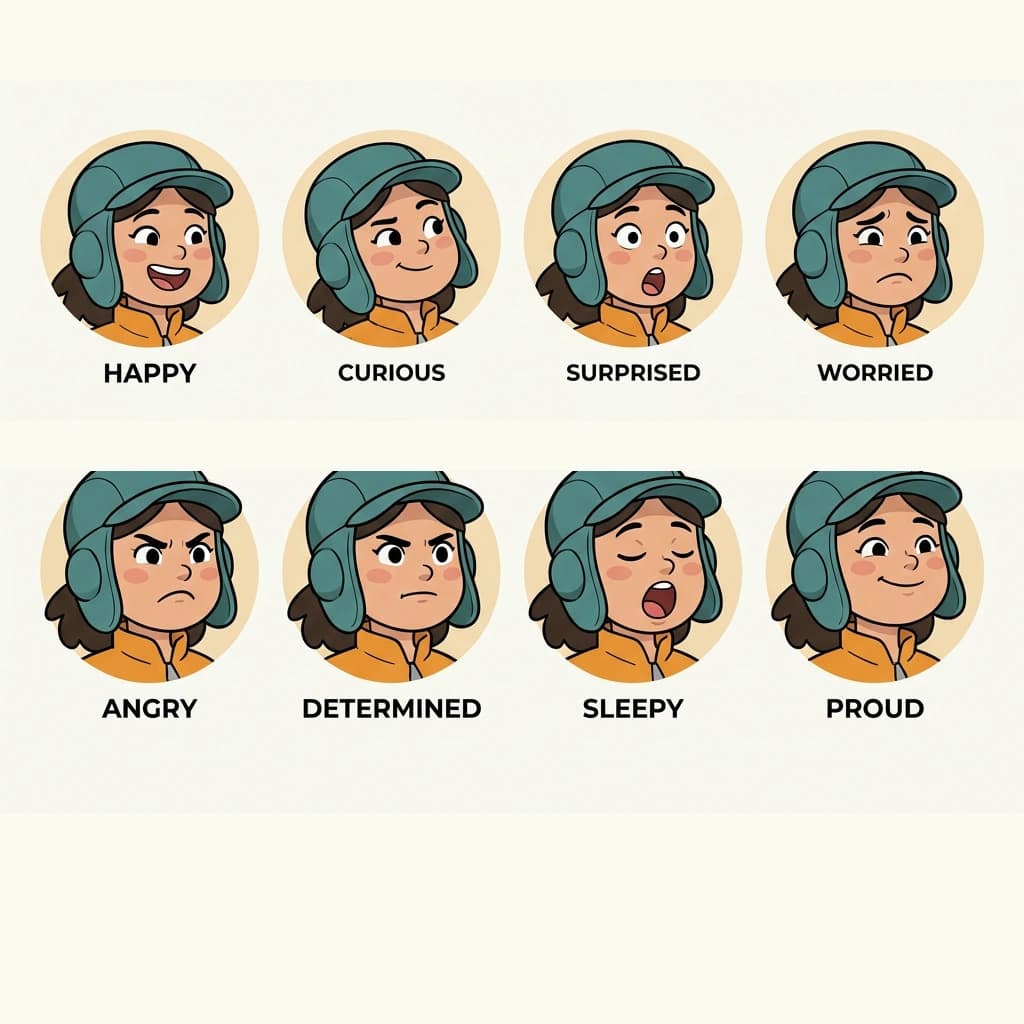
Expression sheet: comics, animation और avatar work के लिए कई moods में वही face structure.

Cast lineup: story roles, webtoon episodes और pitch decks के लिए तैयार कई original characters.
Character creation एक ही workflow नहीं है। कभी शुरुआत face से होती है, कभी script से, और कभी story world से। यह पेज उन paths को साफ़ दिखाता है ताकि creators को शुरुआत कहां से करनी है, इसका अनुमान न लगाना पड़े।
इसे तब इस्तेमाल करें जब कैरेक्टर को दोबारा दिखना हो: किसी और pose में, किसी और expression में, किसी और panel में, किसी और scene में या किसी और pitch asset में।
Panels ड्रॉ करने या pages जनरेट करने से पहले protagonists, rivals, mentors, villains और side characters तैयार करें।
Full production से पहले शुरुआती cast concepts, avatars, NPC references, sprites और pitch visuals बनाएं।
Script, scene या story bible को roles और relationships वाले visible cast में बदलें।
Mascots, social avatars, branded story characters, explainer heroes और campaign visuals जनरेट करें।
सिर्फ एक आकर्षक इमेज से आगे बढ़ें: ऐसा पहचानने योग्य कैरेक्टर बनाएं जिसके पास story role, usable references और panels, scenes, games, avatars या storyboards के लिए assets हों।
Role, personality, silhouette, outfit, palette, props और world rules एक बार तय करें, फिर उसी direction को हर visual output में reuse करें।
हर character direction जनरेट करने से पहले story file से protagonists, rivals, mentors, villains और side characters निकालें।
Portraits, poses और scenes में face shape, hairstyle, outfit logic, silhouette, color language और signature props को लगातार बनाए रखें।
Front, side, back, expression, pose, outfit और prop references जनरेट करें जिन्हें creator या टीम वास्तव में review कर सके।
उसी कैरेक्टर को comics, manga panels, webtoon episodes, storyboards, visual novels और game dialogue scenes में ले जाएं।
Variations की तुलना करें, identity drift को हटाएं और approved references को story beats व production tasks से जोड़े रखें।
Broad character generation से आगे बढ़कर उस specific production task तक जाएं जिसकी आपके project को अगली ज़रूरत है।
Consistent story characters, character sheets, casts और long-form visual workflows बनाएं।
Open toolकिसी कैरेक्टर का look, silhouette, outfit, props और production-ready identity डिज़ाइन करें।
Open toolPoses, views, expressions और consistent details के साथ reference sheets बनाएं।
Open toolएक ही कैरेक्टर को images, scenes और visual formats में पहचानने योग्य बनाए रखें।
Open toolअपने कैरेक्टर को manga panels, pages और sequential story layouts में ले जाएं।
Open toolअपने cast को mobile-first vertical scroll comic episodes में इस्तेमाल करें।
Open toolAI character generator प्रॉम्प्ट, reference images या story scripts को comics, games, webtoons, storyboards, avatars, pitch decks और visual storytelling के लिए reusable character concepts में बदलता है।
हाँ। Story Cast flow script या uploaded file का analysis कर सकता है, cast निकाल सकता है, आपको हर role एडिट करने देता है, image model चुनने देता है और character portraits जनरेट करता है।
एक साफ़ character brief से शुरुआत करें, face shape, hairstyle, outfit, palette और props जैसी identity details को स्पष्ट रखें, फिर सबसे अच्छे result को future images, sheets और scenes के लिए reference के रूप में सेव करें।
हाँ। Character workflow का इस्तेमाल करके portraits, full-body references, front-side-back views, expression sets, pose ideas, prop details और production notes बनाएं, फिर ज़रूरत पड़ने पर dedicated character sheet tools में आगे बढ़ें।
नहीं। आप अपनी style direction के अनुसार anime, manga, comic, cartoon, game, fantasy, realistic concept, mascot, avatar और visual novel characters बना सकते हैं।
अगर आपकी script में पहले से कई roles हैं, तो Story Cast से शुरुआत करें। अगर आपको एक hero, mascot, avatar या NPC को detail में डिज़ाइन करना है, तो character studio से शुरू करें।
प्रॉम्प्ट, इमेज या script से शुरुआत करें, फिर सबसे मज़बूत result को character sheet, story cast या scene-ready visual reference में बदलें।