LlamaGen-logoLlamaGen-merke
Logg innAbonner nå20 % rabatt
  1. Hjem
User Story: Understanding the Basics of Character Editing
All posts

User Story: Understanding the Basics of Character Editing

Jay
Jay
27. februar 2026
Kopier link
  • What is Character Editing in LlamaGen?
  • Why Do Beginners Struggle With Character Editing?
  • User Journey: From Confusion to Confidence
  • Initial User Experience
  • Collaborative Creation and Iterative Improvements
  • Achieving 100% Style Stability
  • Step-by-Step Guide: Simplifying Character Editing
  • Prerequisites
  • Step 1: Navigating the Prompts Area
  • Step 2: Using Intuitive Editing Entries
  • Step 3: Achieving Style Stability in Long Texts
  • Step 4: Collaborative Creation Workflow
  • Best Practices and Common Mistakes to Avoid
  • Best Practices
  • Common Mistakes
  • Real-World Scenarios: How Users Benefit
  • Scenario 1: New Author Creating First Comic
  • Scenario 2: Collaborative Team Project
  • Scenario 3: Maintaining Style in Long Series
  • Actionable Tips for Mastering Character Editing
  • Internal Linking: Explore Related Topics
  • FAQ: Quick Answers to Common Questions
  • Conclusion
elevate-your-comics.png
Elevate your Comics with LlamaGen

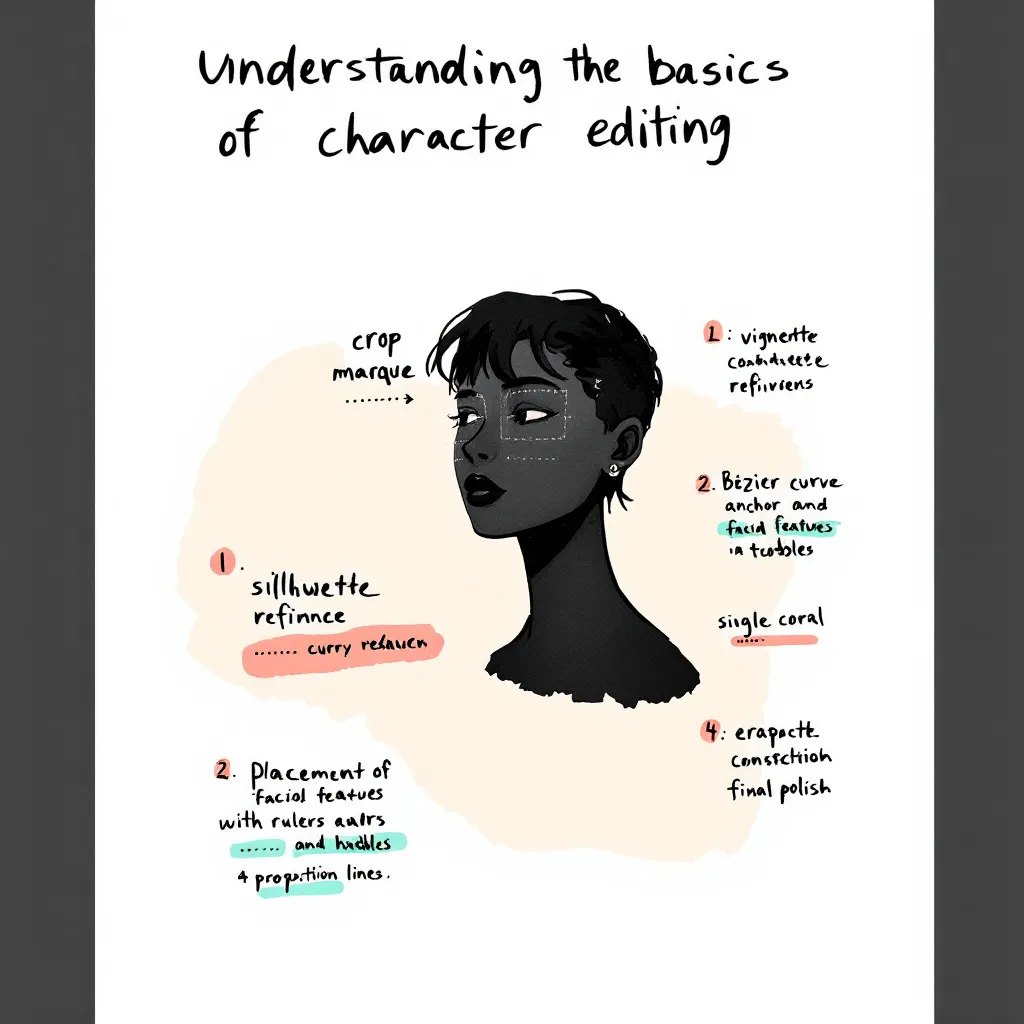
Editing comic characters can feel overwhelming, especially when you're just starting out. I remember working with a German author who faced this exact challenge. She had never edited characters before and felt lost looking at the interface. Her experience mirrors what many newcomers face. That's why we set out to simplify the character editing process and create an easy, beginner-friendly guide. In this post, I’ll share our journey, the practical solutions we implemented, and actionable tips you can use. Whether you’re a writer, artist, or developer, this tutorial will help you achieve 100% style stability and master intuitive editing with LlamaGen. Let’s dive into real user stories, best practices, and step-by-step instructions so you can confidently edit comic characters and elevate your creative workflow.

Before jumping into advanced features, it’s crucial to grasp the basics of character editing. Many authors—especially those new to digital comic creation—find this step confusing.

What is Character Editing in LlamaGen?

Character editing lets you define, customize, and refine the traits, style, and backstory of your comic characters. With LlamaGen, you can:

  • Adjust visual styles
  • Set personality traits
  • Fine-tune dialogue prompts
  • Memorize long text details for consistency

Why Do Beginners Struggle With Character Editing?

Common pain points include:

  • Unclear interface and editing entries
  • Overwhelming options and jargon
  • Difficulty maintaining style stability
  • Lack of actionable guidance

Our German author, for example, initially had no idea where to start. She struggled to find editing options and worried about losing her character’s unique style. These issues are typical for new users.

User Journey: From Confusion to Confidence

To address these challenges, we mapped out the user journey and focused on real-world application.

Initial User Experience

Our German author’s feedback was clear: she felt lost and frustrated. She needed a beginner’s guide that explained every step. Her story is common among creators exploring LlamaGen for the first time.

Collaborative Creation and Iterative Improvements

Over one week, we worked closely with the author, gathering feedback and testing solutions. This collaborative approach allowed us to:

  • Identify pain points (e.g., confusing prompts area, hidden editing entries)
Endringslogg

Tenn drømmer hos de unge
Der millioner av historier blir levende

En oversikt over de nyeste funksjonslanseringene i LlamaGen, produktforbedringer, designoppdateringer og viktige feilrettinger.

✦
✧
✦
✧

Et nytt medium for Historiefortelling

Skap ubegrensede historier, tegneserier, animasjoner, spill og mer på sekunder som treffer moderne publikum

User Story: Understanding the Basics of Character Editing - LlamaGen.AI Blog
  • Test solutions in real time
  • Refine features based on actual user needs
  • Achieving 100% Style Stability

    One major goal was to maintain consistent character style across long texts and multiple edits. We optimized memorization algorithms and improved prompt interactions, ensuring that style stability reached 100%.

    Step-by-Step Guide: Simplifying Character Editing

    Here’s a practical tutorial based on our experience. Follow these steps to make character editing easy and reliable.

    Prerequisites

    • Access to LlamaGen (latest version)
    • Basic understanding of comic creation
    • A character profile to edit

    Step 1: Navigating the Prompts Area

    We redesigned the prompts area for clarity. Now, when you open a character profile, you’ll see:

    • Clearly labeled prompt fields
    • Quick tips on how to use each field
    • Example inputs to guide you

    Actionable Tip: Hover over information icons for instant explanations.

    Step 2: Using Intuitive Editing Entries

    Editing entries are now visible and easy to find. Just look for the “Edit” button next to each character trait or dialogue option.

    1. Click “Edit” next to the trait you want to change.
    2. Input your new value or description.
    3. Save changes instantly—no need to navigate away.

    Example: Want to change your character’s hairstyle? Click “Edit” next to “Appearance,” select a style, and hit “Save.”

    Step 3: Achieving Style Stability in Long Texts

    Consistency matters, especially in comics. We optimized how LlamaGen memorizes character traits in long text sequences.

    • Each edit updates the memory matrix
    • Style cues are reinforced after every save
    • System checks for drift and suggests corrections

    Actionable Tip: After making several edits, review the character’s preview panel for any inconsistencies.

    Step 4: Collaborative Creation Workflow

    Working with another creator? Use the “Share & Collaborate” feature.

    1. Invite collaborators to your project
    2. Assign editing permissions
    3. Track changes with version history

    Our German author loved this feature, saying, “I finally felt confident editing and sharing my characters—no more confusion!”

    Best Practices and Common Mistakes to Avoid

    Learning from real user stories, these best practices will help you master character editing.

    Best Practices

    • Start Simple: Edit basic traits first. Build complexity over time.
    • Use Examples: Refer to sample prompts and style guides.
    • Review Regularly: Check for style consistency after each major edit.
    • Collaborate: Share feedback and work with others to spot issues.
    • Leverage Tutorials: Watch the official guide video for hands-on walkthroughs.

    Common Mistakes

    • Editing Too Many Traits at Once: This leads to style drift.
    • Ignoring Prompt Tips: Missed cues can result in inconsistent dialogue.
    • Not Saving Frequently: Unsaved edits may be lost.
    • Skipping Version History: Hard to track changes without this feature.

    Real-World Scenarios: How Users Benefit

    Here are specific use cases that highlight the value of our improvements.

    Scenario 1: New Author Creating First Comic

    Anna, a first-time comic creator, used our beginner’s guide and quickly mastered editing. She said, “The step-by-step instructions made it so easy. I was able to keep my characters consistent from start to finish.”

    Scenario 2: Collaborative Team Project

    A German author and her illustrator collaborated using the new workflow. They commented, “Editing entries are finally visible! We saved hours and avoided confusion.”

    Scenario 3: Maintaining Style in Long Series

    A webcomic team used style stability features to keep characters consistent across 50+ episodes. Their feedback: “Memorization updates and prompts checks are a game-changer for long-form storytelling.”

    Actionable Tips for Mastering Character Editing

    • Always start with a clear character profile.
    • Use the prompts area to test dialogue and personality.
    • Edit traits one at a time to avoid confusion.
    • Collaborate with others for feedback.
    • Use version history to revert unwanted changes.
    • Watch tutorials and read guides for extra help.

    Internal Linking: Explore Related Topics

    For deeper insights, check out related topics like:

    • How to Build Character Arcs in Comics
    • Improving Dialogue with AI Prompts
    • Optimizing Your Comic Creation Workflow

    These guides expand on narrative design and editing principles.

    FAQ: Quick Answers to Common Questions

    How do I access editing entries in LlamaGen?

    Click the “Edit” button next to each character trait. All entries are now visible and labeled.

    Can I collaborate with other authors?

    Yes! Use the “Share & Collaborate” feature to invite others and track edits.

    How do I keep character style consistent?

    Edit traits gradually, use prompt tips, and review the preview panel after each change.

    Where can I find more tutorials?

    Check the official YouTube guide or our help center.

    Conclusion

    Simplifying the character editing experience in LlamaGen was a journey driven by real user stories and collaborative solutions. By listening to feedback—especially from our German author—we improved the prompts area, made editing entries intuitive, and achieved unmatched style stability. Whether you’re a beginner or an experienced creator, these best practices, step-by-step instructions, and actionable tips will help you edit with confidence. Ready to create memorable comic characters? Start with our beginner’s guide, collaborate with others, and unlock the full potential of LlamaGen today.

    For more tutorials, tips, and solutions, explore our related guides or reach out for personalized support. Your next great comic character is just a few edits away!

    Related hot tags

    UserStory

    Populære verktøy for skapere

    Gjør inspirasjon om til din neste historie

    Lag tegneserier, storyboards og stiliserte bilder med LlamaGen.

    01

    AI Tegneserie Generator

    Gjør en idé om til ferdige tegneseriestriper på minutter.

    Lag tegneserier
    02

    AI-mangagenerator

    Lag uttrykksfull manga og historier med flere ruter.

    Lag manga
    03

    AI-storyboardgenerator

    Visualiser hver scene før produksjonen starter.

    Lag storyboards
    04

    Gjør bilde om til tegneserie

    Gjør hvilket som helst bilde om til en tegneseriestil-illustrasjon.

    Lag tegneserier fra bilder
    05

    AI Tegneseriestriper Maker

    Lag delbare striper med karakterer som forblir konsekvente.

    Lag tegneseriestriper

    LlamaGen community

    checkmark

    Get hands-on help with your comics

    checkmark

    Showcase your comics to fellow LlamaGen creators

    checkmark

    Participate in special events to win gifts

    LlamaGen-logo
    • United States
    • Español
    • Français (France)
    • 日本語
    • 한국어
    • Deutsch
    • 繁體中文 (台灣)
    • 繁體中文 (香港)
    • 简体中文
    • Português
    • Italiano
    • Español (México)
    • العربية
    • Русский
    • Português (Brasil)
    • Tiếng Việt
    • Norsk

    Leder fremtiden for AI-tegneserieproduksjon

    • 24/7 støtte
    • Ukentlige oppdateringer
    • Sikker og i samsvar
    • 99.9% oppetid

    Etternavn ned LlamaGen gratis

    AndroidiOSSkrivebord

    Produkt

    • Siste lanseringer
    • Funksjoner
    • Tegneseriebygger
    • Comic StoresNy
    • Manga-studioNy
    • Gjør Bilde om til Tegneserie
    • Tegneserie Til Video
    • AI Tegneserie Fabrikk
    • Tegneserieagent
    • iOS & Android
    • Mac & Windows
    • Last ned
    • Comic ZapNy
    • AI Tegneserie Generator
    • AI Tegneserie Generator
    • AI-webtoongenerator
    • Tegneserieskaper
    • Gjør Bilde om til Tegneserie
    • AI-mangagenerator
    • Manga-oversetter
    • Foto til anime
    • Bilde til Prompt
    • Anime til virkelighet
    • Manga-fargelegger
    • Anime-karaktergenerator
    • Verktøy for pikselspillressurser
    • AI-spritearkgenerator
    • Beste verktøy for pikselspill 2026
    • Lag tegneserier av bildene dine
    • Alternativ til Comic Life

    Søsterprodukter

    • LlamaGen-familien
    • CineoBoardNy
    • Comics API

    Planer

    • Prisfastsettelse
    • Start
    • Pro

    Samfunn

    • Skapere
    • Partnere
    • Partner

    AI Models

    • GPT Image 2.6 Flare
    • GPT Image 2.6 Sunburst
    • Grok Imagine Image 2.0
    LinkedInX (Twitter)
    • Hjem
    • Artikler
    • Blogg
    • Opprett
    • Prisfastsettelse
    • API
    • Affiliate ProgramNEW

    Spør AI om LlamaGen

  • Comic Zap
  • Velika
  • Bedrift
  • Utdanning
  • Tegneserie-API
  • Kontakt salg
  • Utdanningsplaner
  • Lærere
  • Studenter
  • Lærere og Studenter
  • Oppstartsbedrifter
  • Pedagogiske Rabatter
  • Selskap

    • Snakk med grunnleggeren vår
    • Om
    • Produktveikart

    Hjelp

    • Hjelpesenter
    • Tillit
    • Trygg AI
    Uttalelser
  • Kjærlighetsveggen
  • LlamaGen MCPNy
  • LlamaGen-utvikler
  • Ressurser

    • Endringslogg
    • Blogg
    • Guider

    Verktøy

    • AI-logogenerator
    • Karaktergenerator i Grokbot-stil
    • PNG til tegneserie
    Wan 3.0
  • Wan 3.0 Prime
  • Seedance 2.5
  • MiniMax H3
  • Nano Banana 2.1
  • Nano Banana 2 Lite
  • Seedream 5.0 Flash
  • Seedream 5.0 Pro
  • Seedance 2.0 Mini
  • Kling 3.0 Turbo
  • Nano Banana 2
  • GPT Image 2
  • Gemini Omni Flash
  • All AI Models
  • AI Verktøy

    • AI-antrekkuttrekker
    • AI-frisyrebytter
    • AI-manga-frisyrebytter
    Instagram
    YouTube
    Facebook-gruppe
    Reddit
    Discord
    E-postsupport
    PersonvernVilkårNettstedskart
    Last ned merkevareelementer
    © 2026 LlamaGen.Ai Alle rettigheter forbeholdtAlle tjenester er online

    Tidligere blogger

    Animate Comic Panels into a 15-Second Video: A Worked Example

    Animate Comic Panels into a 15-Second Video: A Worked Example

    A documented 15-second comic-to-video workflow using three Maya panels, generated clips, and final e

    Jay
    Jay
    15. november 2026
    From a Three-Page PDF to a Four-Panel Comic: A Worked Example

    From a Three-Page PDF to a Four-Panel Comic: A Worked Example

    A transparent PDF-to-comic example with the source PDF, page-to-panel mapping, panel repair, and an

    Jay
    Jay
    13. november 2026
    Same OC, Six Expressions: Test Character Identity in a Dialogue Scene

    Same OC, Six Expressions: Test Character Identity in a Dialogue Scene

    Review 12 real OC expression outputs, compare identity and emotion separately, and apply the results

    Jay
    Jay
    13. november 2026
    How to Make an OC with AI: From an Idea to a Reusable Character

    How to Make an OC with AI: From an Idea to a Reusable Character

    Learn how to create an original character with AI, compare design directions, refine a pose, and sav

    Jay
    Jay
    12. november 2026
    Karrierer
  • Send e-post til oss
  • Vår Maskotverden
  • Mediepakke
  • KOL-partnerskap
  • Innhold
  • Profesjonelle tjenester
  • FAQ
  • Sikkerhet
  • Tilgjengelighet
  • Videoveiledning
  • Kontakt oss
  • Nettstedskart
  • Personlige tegneserier
  • Funksjoner
  • Alternativer
  • Beste AI-apper
  • GPT-6-guide til fargelegging av manga
  • Claude-tegneseriekunnskap
  • Gemini AI-guide til tegneserier
  • Tegneserie den
  • Pedagogiske Rabatter
  • Studentrabatt
  • Text til tegneserie
  • PDF til tegneserie
  • Manus til tegneserie
  • Bok til tegneserie
  • Gjør Bilde om til Tegneserie
  • AI-pikselkunstgenerator
  • Pedagogiske Tegneserier
  • AI Videogenerator
  • Gemini AI-videogenerator
  • Gratis Faceless AI Videogenerator
  • Tegneserie Til Video
  • Lag storyboard-programvare
  • AI-storyboardgenerator
  • Programvare for manusskriving
  • Manusredigerer
  • KI for historier
  • AI Historie Generator
  • Bokgenerator
  • AI Bilde Generator
  • AI lagdeler
  • AI-kameravinkelkontroll
  • AI-pikselkunstgenerator
  • Verktøy for pikselspillressurser
  • AI-spritearkgenerator
  • Spriteark-skjærer
  • Beste verktøy for pikselspill 2026
  • Animajons-API
  • ChatGPT/Codex-tillegg
  • Installasjonsguide for ChatGPT
  • Claude Code-tillegg
  • Installasjonsguide for Claude Code
  • AI-vindeffektgenerator
  • AI-dybdekartgenerator
  • AI-hvit bakgrunn
  • AI-objektfjerner
  • AI-virtuell prøving
  • AI-skjerp bilder
  • AI-støydemping
  • AI-fotorestaurering
  • AI-produkskygger
  • AI bakgrunn-generator
  • AI-portrettgenerator
  • AI-emoji-generator
  • AI-bakgrunnsbytter
  • AI-åpne øyne
  • AI-skjønnhet
  • AI-produktfotografering
  • Se alle blogger