Tất cả bài đăng
LlamaGen 1.0.33: LlamaGen.AI 1.0.33: Comics Home and Faster Starts

Jay
ngày 27 tháng 08 năm 2026
LlamaGen.AI 1.0.33: Comics Home and Faster Starts
Comics home is the place to see what you already made and start the next strip without rebuilding context. Recent covers stay visible, a new strip opens a style picker, and opening a story keeps captions beside the page.
Review recent comics from one grid
When several stories are in progress, the useful first question is which cover to open. Comics home now presents recent work as large covers, so a gate, a kitchen scene, or a forest path can be recognized before you click through.
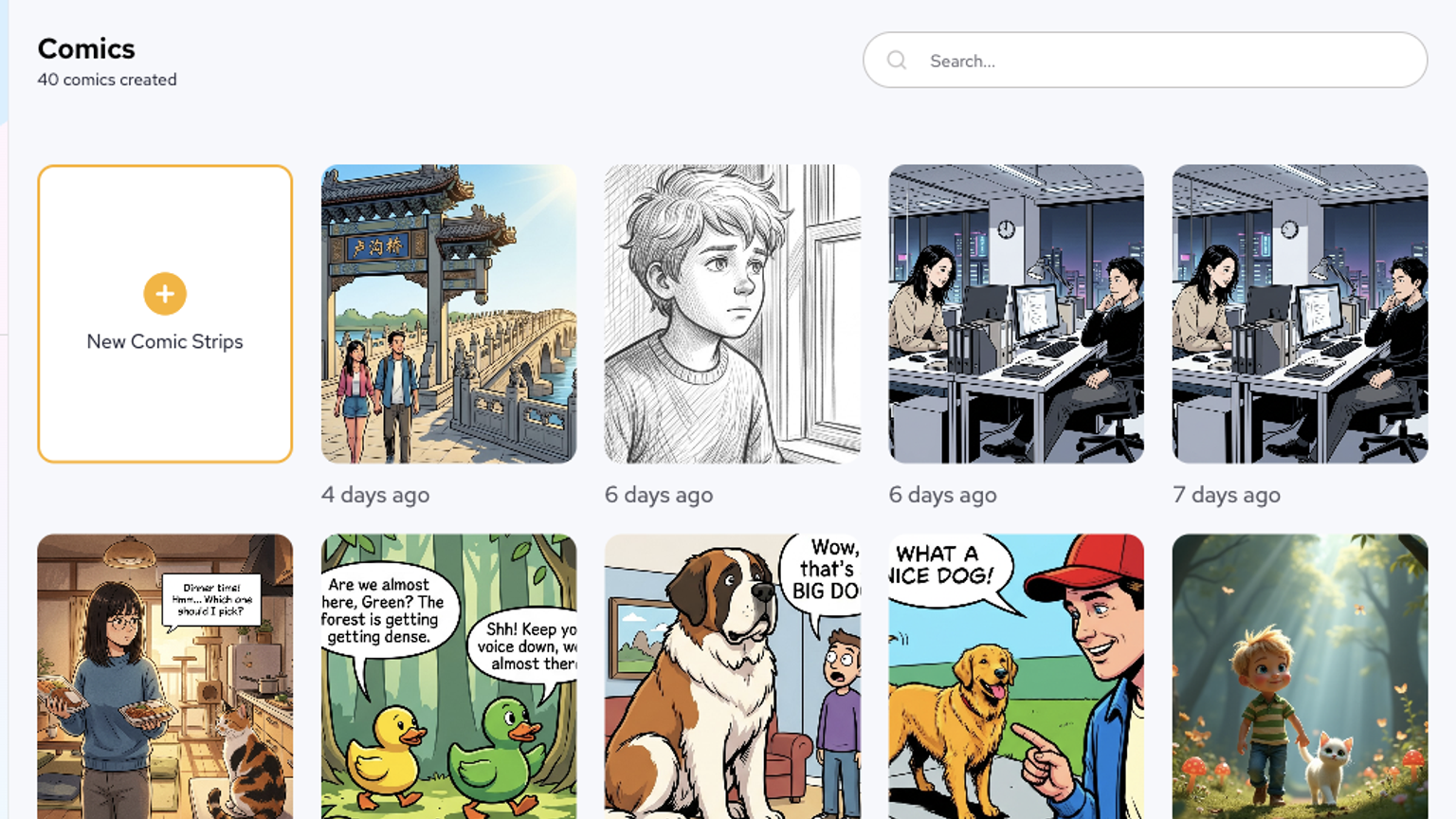
The practical win is less hunting: creators can scan covers, pick the story they mean, and continue from the last recognizable page.
Choose a style when the next strip starts
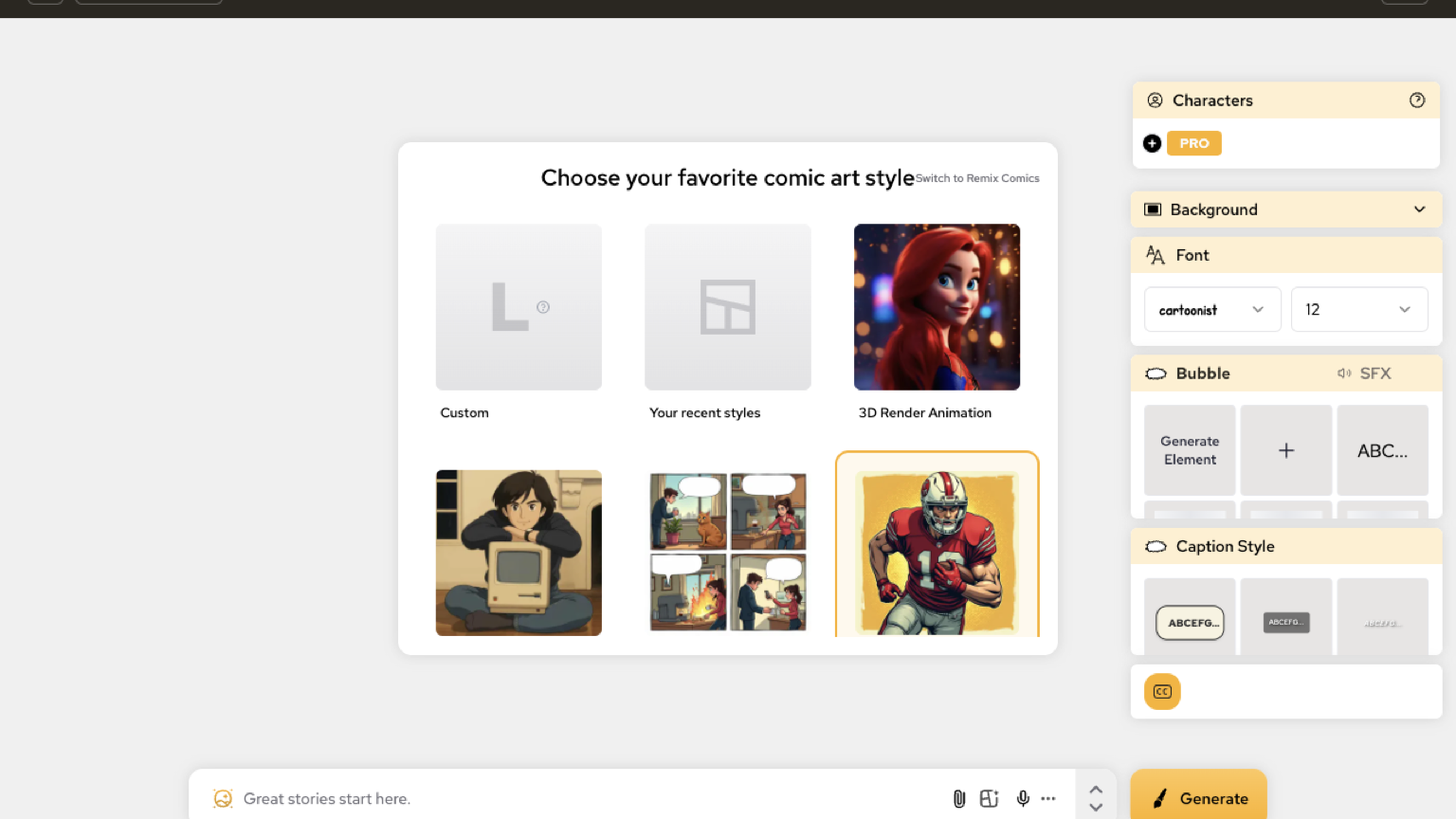
New Comic Strips no longer drops you onto an unexplained blank page. The editor opens a style picker first, so a custom look, a recent style, or a selected template can be chosen before Generate.
Open a comic with captions beside the artwork
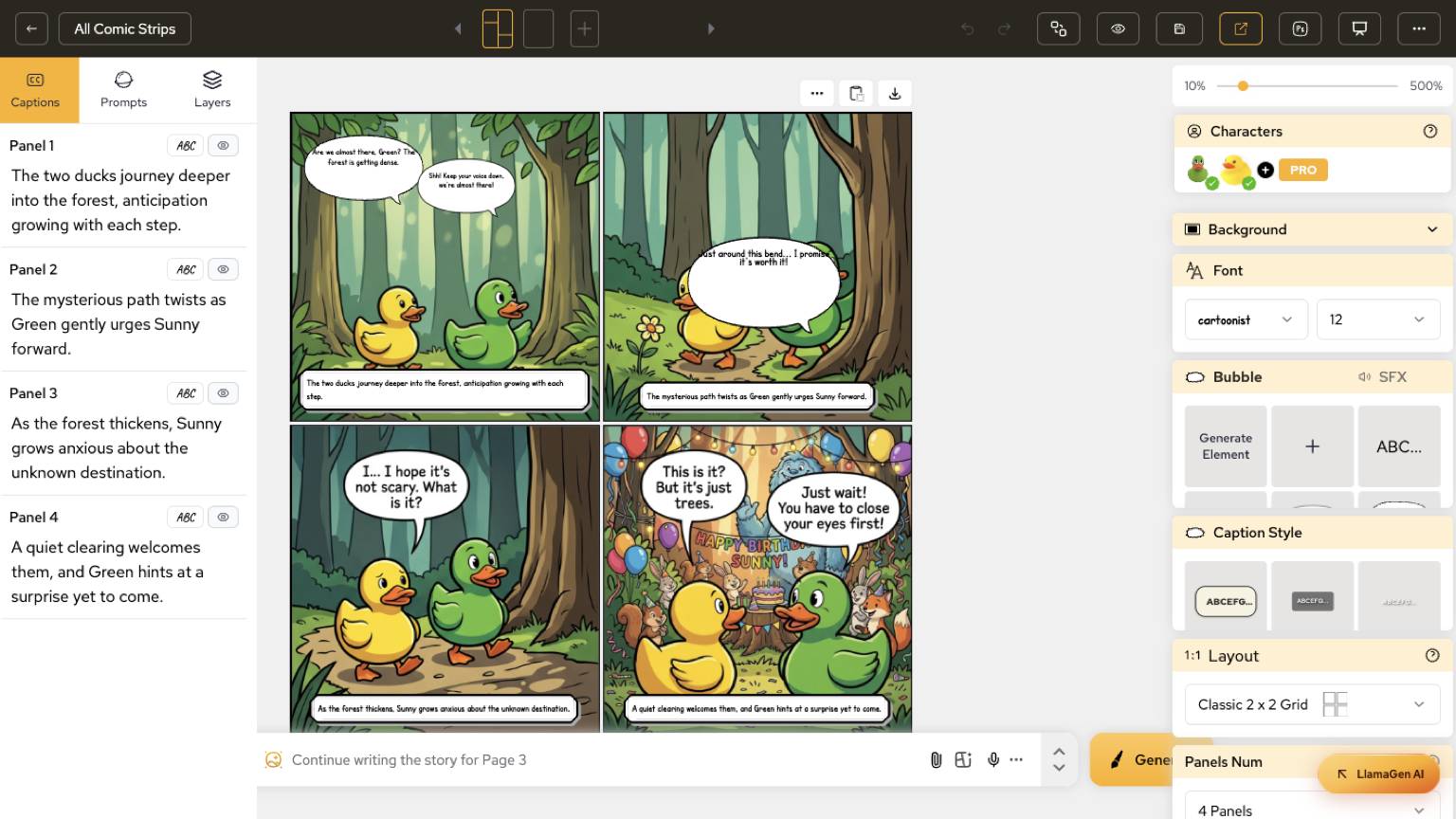
Once a comic is open, Captions stays next to the page. Panel copy such as a forest walk can be checked against the drawing without leaving the editor.
Khơi dậy ước mơ cho thế hệ trẻ
Nơi hàng triệu câu chuyện trở nên sống động
Tổng hợp các tính năng mới nhất của LlamaGen, cải tiến sản phẩm, cập nhật thiết kế và các bản sửa lỗi quan trọng.