

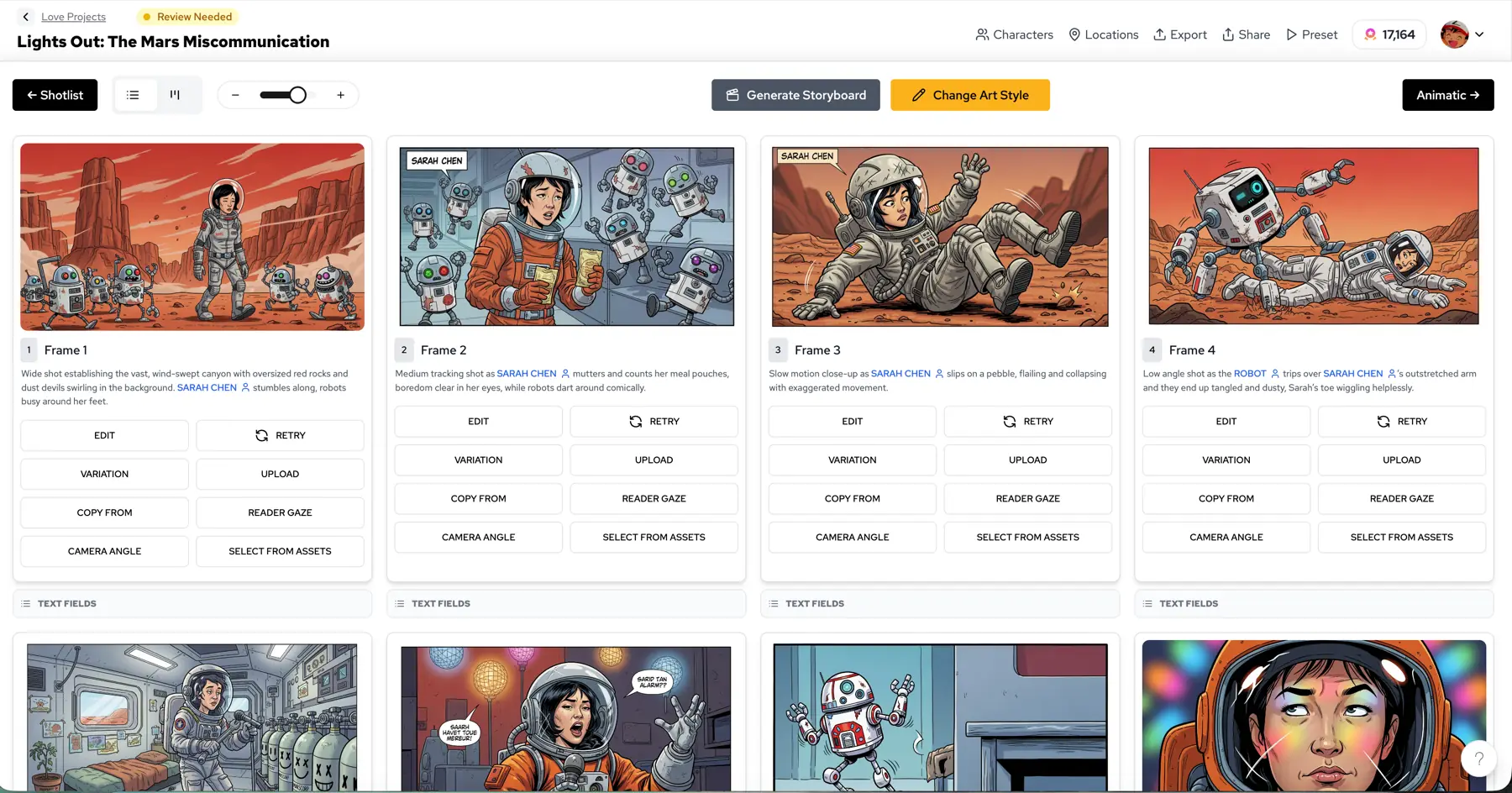
Quick answer
Give every shot an ID, every revision a purpose, and every approval a named owner.
A good review loop covers the sequence and its story logic before individual images. The process is human-led; generative AI can assist with drafts and revisions, but the team makes the final production decision.
The repeatable process
Seven steps, from brief to handoff.
Write down the production brief
Agree on audience, story goal, sequence length, deliverable format and the person who has final approval. Keep the approved brief visible to everyone reviewing frames.
Break the script into named shots
Use stable shot identifiers such as S01–S08 and a short action line. If a reviewer cannot point to a specific shot, feedback tends to become a vague request to regenerate everything.
Build a first storyboard pass
Start in Storyboard Studio with the script or scene brief. Make the rough sequence complete enough to evaluate pacing and continuity before polishing individual frames.
Review characters, locations and screen direction
Check whether a recurring character still reads as the same person, props stay where the story needs them, and cuts preserve the intended geography. Use shared visual references for revisions.
Collect feedback against shot IDs
Ask each reviewer to mark the shot, the problem and the requested change. Separate blocking story errors from visual polish, and agree who makes the next edit.
Record a clear decision
Use a small set of human-defined outcomes: approved, changes requested or needs discussion. An approval decision should include the version and the person making the call.
Export and hand off the accepted version
Confirm the order, labels and output requirements with the next producer. Export the assets available in your project, and keep the previous reviewed version accessible for reference.
Who reviews what?
These are responsibilities, not required job titles. On a small team, the same person may perform several roles.
| Role | Primary review | Decision to record |
|---|---|---|
| Writer / director | Story beats, pacing, dialogue | Story direction agreed |
| Artist / designer | Character, costume, scene continuity | Visual changes requested |
| Editor / producer | Shot order and downstream needs | Handoff readiness |
| Final approver | Unresolved blocking feedback | Version accepted or returned |
A practical approval checklist.
- Every shot supports a specific story beat or production need.
- Recurring characters, outfits and important props remain understandable across frames.
- The viewer can follow location, camera direction and screen position.
- Dialogue or caption placement does not obscure critical action.
- Reviewers have addressed the blocking comments for this version.
- The final approver and the delivered version are recorded.
Save the source and review every candidate. No prompt or model guarantees consistent faces, costumes or shot continuity without inspection.
Storyboard review FAQs
How do teams review AI-generated storyboards?+
Treat generated frames as a first pass. Review the sequence with a shot list, character and scene references, written comments and a named final approver. Request targeted revisions rather than relying on a single regeneration.
What should a storyboard approval checklist include?+
Cover narrative clarity, shot continuity, recurring characters, prop placement, camera direction, dialogue legibility, unresolved feedback and delivery format. Record which version was actually accepted.
Do I need a paid Team Plan to start a storyboard?+
No. Storyboard Studio can be opened without first choosing the Team Plan. A free team workspace can also be created under the current account limit; paid Team Pro credits and benefits require checkout.
Can one person approve every shot?+
Yes, if that matches your team workflow. Small teams often use one final decision-maker while writers, artists and editors leave feedback. Larger teams can divide story, visual and delivery reviews, then consolidate a final decision.
Start solo. Keep the project moving with your team.
Storyboard Studio is the starting point. Team Plan adds a shared workspace, pooled credits and member management for ongoing production.
Replace vague feedback with a usable shot note.
Example review note · illustrative, not a customer submission
Shot: S06 · Version 02
Problem: The character's blue coat changes to black between S05 and S06.
Request: Keep the blue coat from the reference. Retain the existing camera angle and background.
Priority: Blocking continuity issue
Decision: Changes requested · Producer
Specificity makes the next revision easier to evaluate. If the issue is about narrative order, review the sequence before generating more images.