Webtoon creators do not need a tool that only makes one attractive image.
They need a workflow that can survive an episode:
logline -> cast -> scene beats -> panel rhythm -> scroll pacing -> edits -> export
That is why this guide focuses on AI comic platforms for webtoon creators, not generic art generators. A vertical-scroll comic depends on repeated characters, emotional continuity, clear scene transitions, and readable panel spacing. If the tool cannot help you keep a protagonist recognizable across several beats, the output may look polished but still fail as a webtoon.
The strongest place to start is LlamaGen.AI Comic Strips, because LlamaGen.AI is built around sequential visual storytelling: comic strips, manga pages, storyboards, reusable characters, captions, speech bubbles, and panel-level iteration.
This article uses a workflow audit captured on July 21, 2026.
I visited the public product pages for LlamaGen.AI, Anifusion, Dashtoon, and Canva, then evaluated the workflow against the needs of a beginner webtoon creator. Where a tool required login or paid credits, I evaluated the visible product flow, positioning, and interface evidence rather than pretending to run a private paid test.
The shared scenario was:
A shy food-delivery rider finds a glowing subway map under a late-night noodle shop. Each stop reveals a memory from a stranger who needs help.
The workflow checklist:
| Test Area | What We Checked | Why It Matters For Webtoons |
|---|---|---|
| Story intake | Can the tool start from a premise or script? | Writers need to begin with story, not prompt syntax. |
| Character reuse | Can the same cast come back across panels? | Webtoon readers track faces, outfits, and expressions. |
| Panel rhythm | Does the tool support multi-panel thinking? | Scroll pacing depends on beat-by-beat structure. |
| Editing | Can creators adjust captions, bubbles, or panel choices? | AI output needs review and correction. |
| Export path | Is the result useful outside the generator? | Episodes need posting, review, or layout finishing. |
A rundown of the latest LlamaGen feature releases, product enhancements, design updates, and important bug fixes.
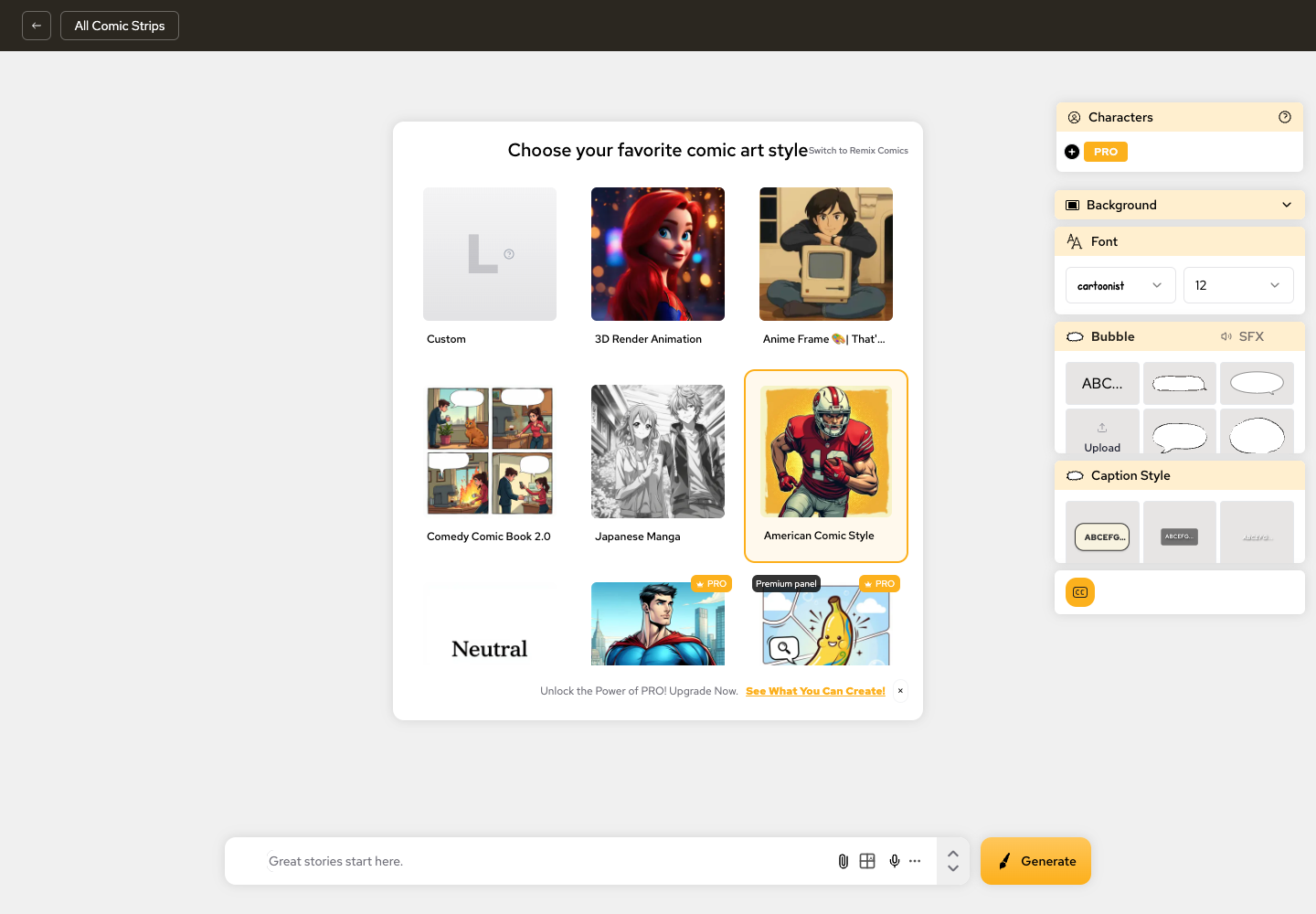
The first screenshot is LlamaGen.AI's comic creation workspace. It shows style selection, character controls, background, font, bubble, caption style, and a prompt box in one production surface.
Anifusion presents itself around manga and comic creation from text, with built-in layouts, characters, speech bubbles, and editing tools.

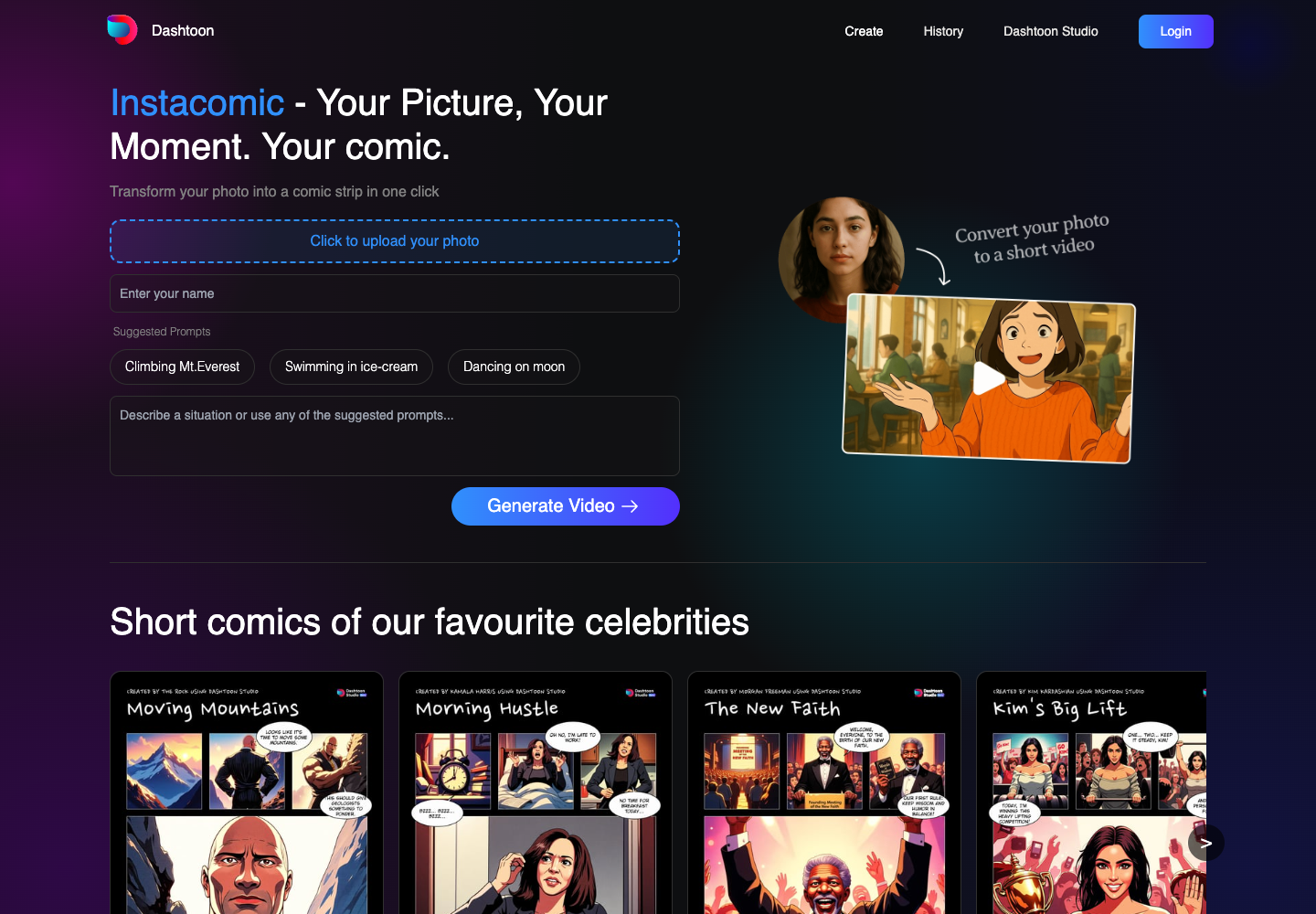
Dashtoon's public AI comic generator flow is oriented around uploading a photo and transforming a moment into a comic-style result.
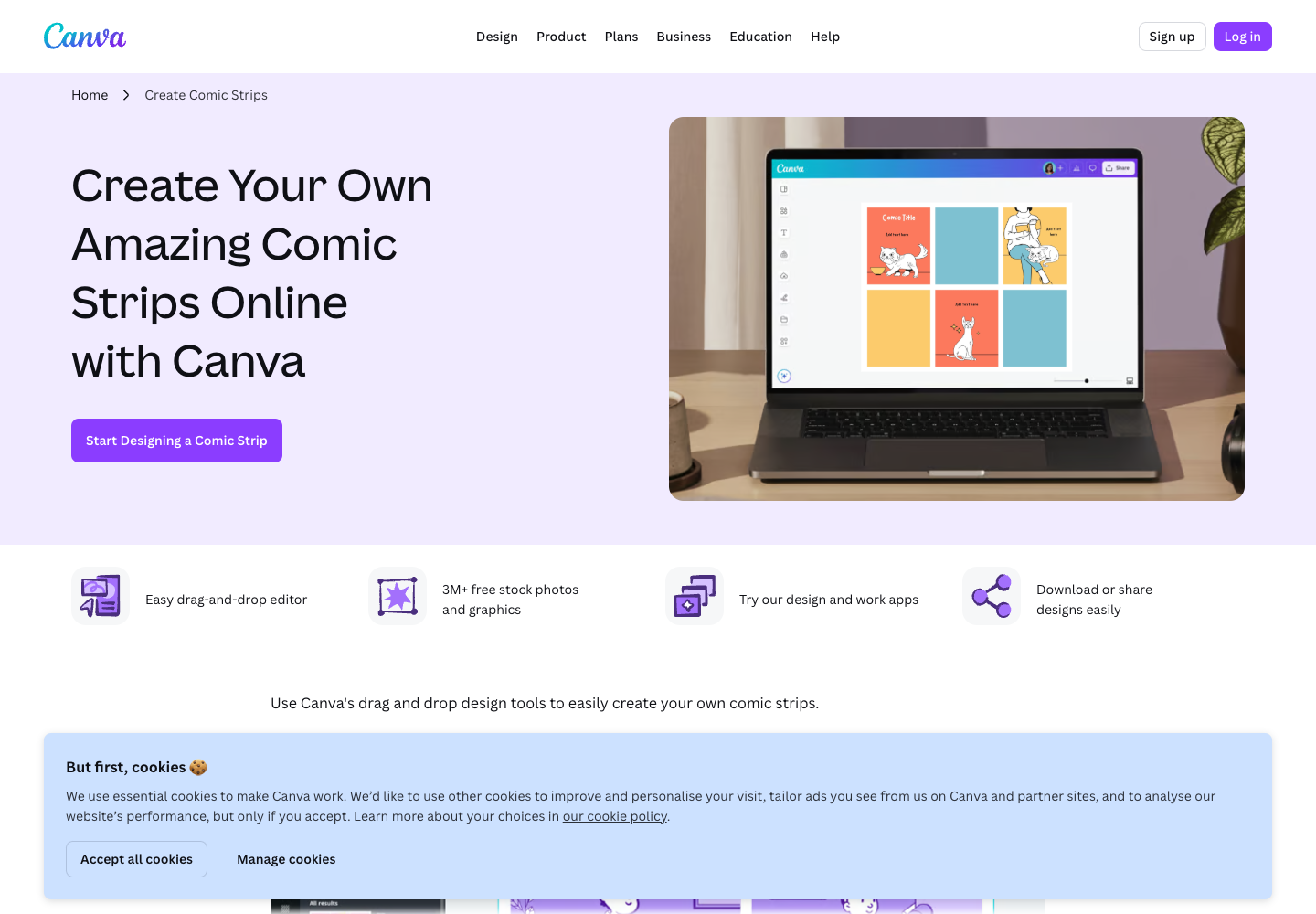
Canva is strong when the job is layout polish, templates, and drag-and-drop design.
Here is the repeatable workflow I would use for a beginner webtoon creator.
Start with a short premise and split it into 6 to 10 beats.
For the subway-map story:
| Beat | Panel Goal | Visual Need |
|---|---|---|
| 1 | Rider enters noodle shop after midnight | Establishing shot, quiet city mood |
| 2 | Owner slides a strange map across the counter | Close-up object reveal |
| 3 | The first station glows | Magical focal point |
| 4 | Rider steps onto an empty train | Transition panel |
| 5 | Stranger's memory appears in the window | Emotional character beat |
| 6 | Rider decides to help | Hero choice |
This step matters because webtoons are read vertically. A beautiful image does not create scroll momentum unless it connects to the next moment.
Before generating the episode, write a character bible:
| Field | Example |
|---|---|
| Protagonist | Mei, 22, night-shift food-delivery rider |
| Costume | Yellow rain jacket, black backpack, reflective bike gloves |
| Face and hair | Short black bob, tired but alert eyes |
| Emotional range | Nervous, curious, then quietly brave |
| Visual anchor | Glowing subway map reflected on her visor |
LlamaGen.AI is useful here because character consistency is part of the product's core comic workflow. A creator can keep the character description and references close to the generation process instead of rewriting the same identity in every prompt.
Use LlamaGen.AI for the first sequential draft:
Create a vertical-scroll webtoon episode draft with 8 panels.
Main character: Mei, a 22-year-old night-shift food-delivery rider in a yellow rain jacket and black backpack.
Story: after midnight, she finds a glowing subway map under a noodle shop counter. Each station reveals a stranger's memory.
Style: clean cinematic webtoon, expressive faces, clear panel spacing, no readable text.
Then review it as an editor:
Webtoon beginners often over-explain. A practical rule is:
one clear emotion per panel, one short caption only when the image cannot carry the beat
LlamaGen.AI's bubble and caption controls make it easier to keep text as part of the comic workflow instead of adding it as an afterthought.
Before polishing, export a review draft and read it on mobile. Check:
| Tool | Strongest Fit | Webtoon Strength | Main Limitation |
|---|---|---|---|
| LlamaGen.AI | Story-to-comic workflow, reusable characters, panels, captions | Best starting point for writers who need a complete episode draft | Final brand layout may still benefit from another design tool |
| Anifusion | Manga-oriented page creation and editing | Strong manga positioning and built-in comic language | A creator still needs to test whether long episode continuity fits their workflow |
| Dashtoon | Photo-to-comic and quick comic transformation | Useful for fast social-style transformation | Less ideal when starting from a writer's script and recurring cast |
| Canva | Templates, layout polish, classroom or marketing graphics | Excellent drag-and-drop finishing | Not primarily a sequential AI comic production system |
LlamaGen.AI's advantage is the way it combines story, character, panel, and caption work in one place.
For a webtoon creator, that means:
That makes LlamaGen.AI especially strong for:
| Time | Task | Output |
|---|---|---|
| 0-10 min | Write the premise, protagonist, and episode promise | One-page story brief |
| 10-20 min | Split the story into 6 to 10 beats | Panel map |
| 20-35 min | Generate a LlamaGen.AI first pass | Draft comic sequence |
| 35-45 min | Review character consistency and pacing | Fix list |
| 45-55 min | Adjust captions, bubbles, and key panels | Cleaner episode draft |
| 55-60 min | Export and read on mobile | Publishing decision |
This is not the final professional production pass. It is the fastest path from blank page to a readable webtoon draft.
No. Comic strips are a fast entry point, but LlamaGen.AI also supports broader comic, manga, storyboard, and character-consistency workflows.
Yes, sometimes. LlamaGen.AI is the better starting point for story-to-panel generation. Canva can help with simple layout polish, and Clip Studio Paint is useful for professional manual drawing or final comic production.
They generate attractive panels before defining the character bible and episode beats. Start with story structure, then generate.
Start with LlamaGen.AI Comic Strips, create a 6-panel draft, and test whether your protagonist stays recognizable across the sequence.
Just refer your friends, followers, and customers to earn up to 30% in recurring commissions for a lifetime!