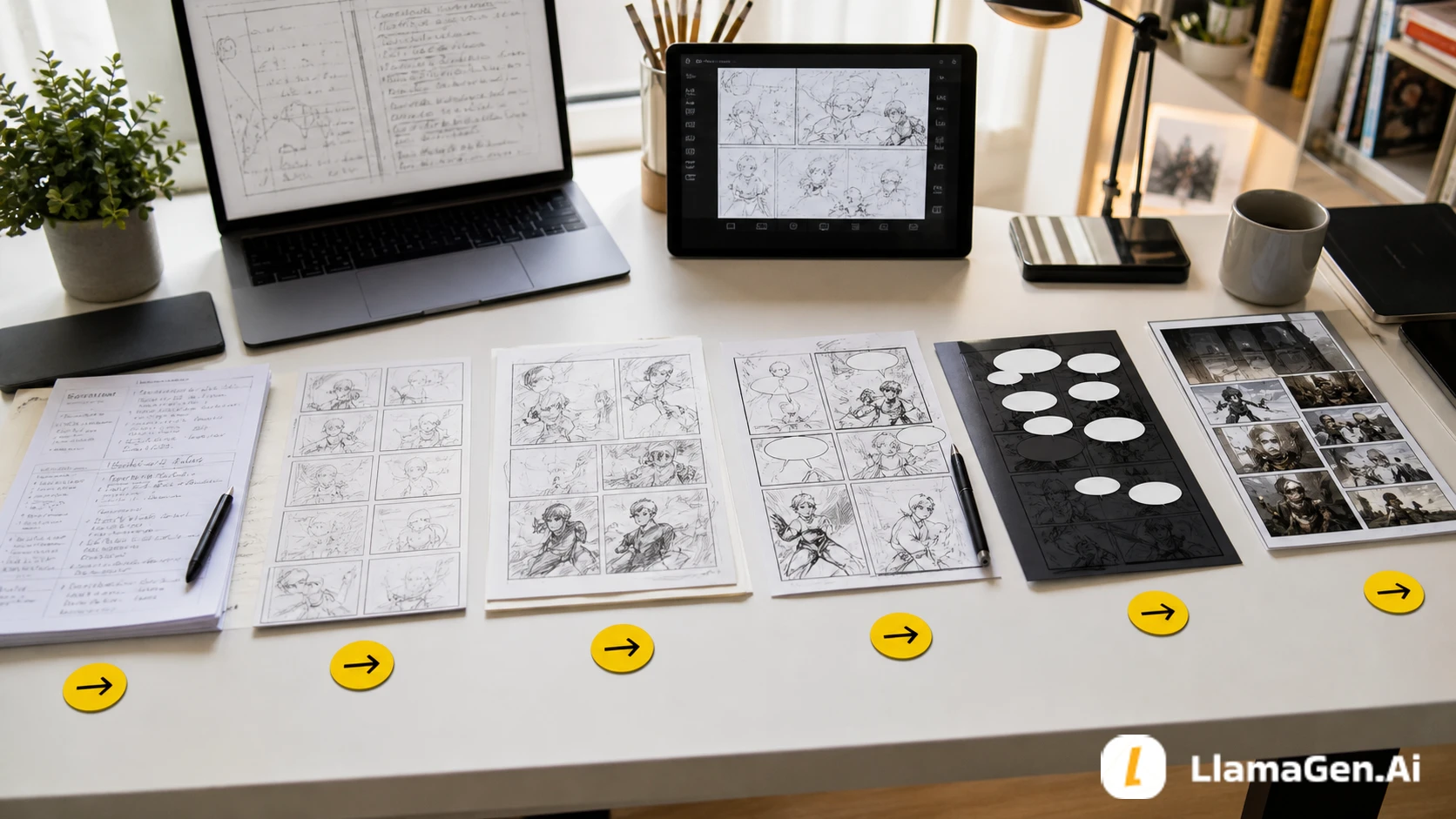
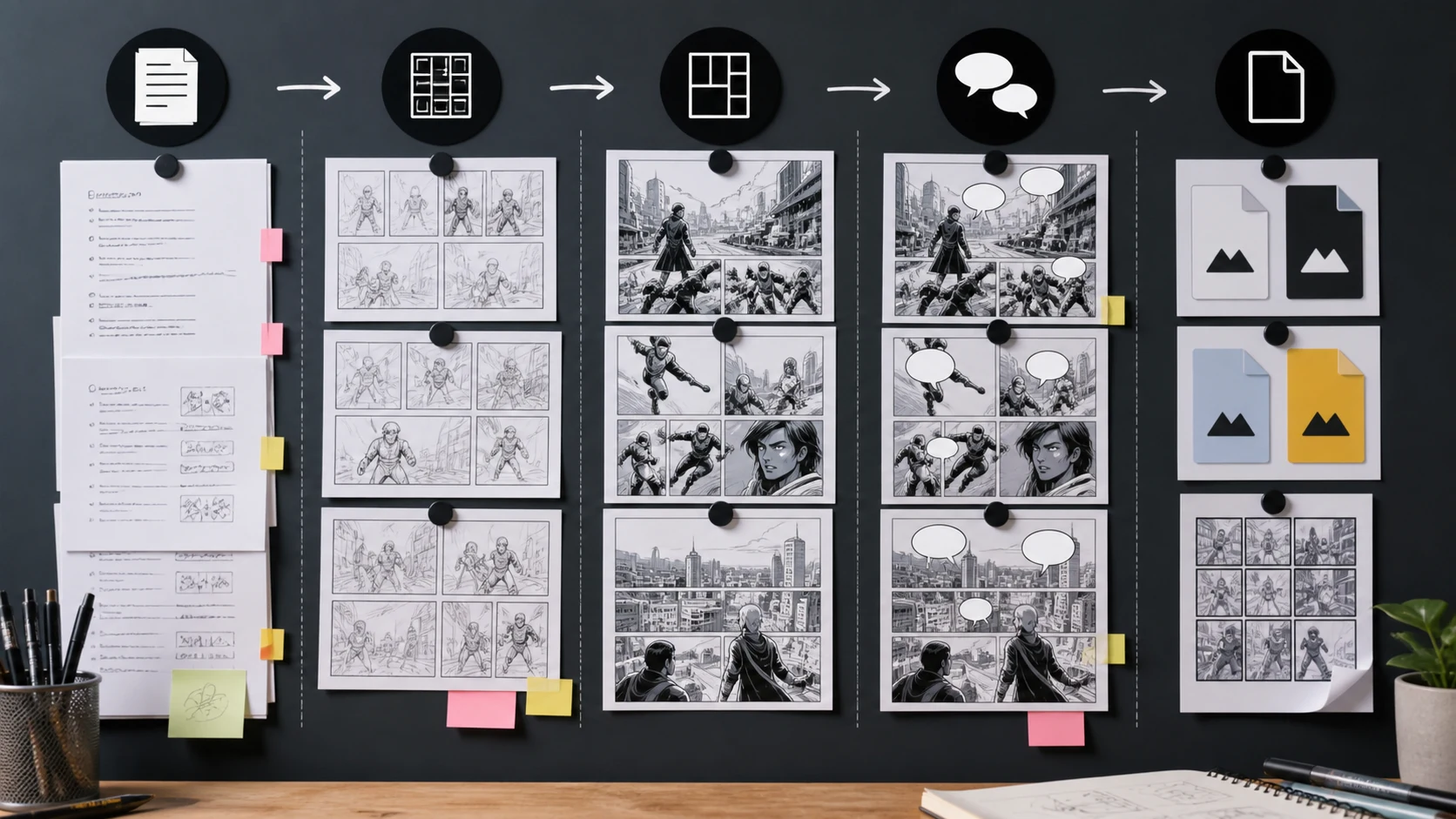
A reliable comic production pipeline separates the work into five stages:
script -> storyboard -> panels -> lettering -> export
Do not ask one generation step to solve everything. The script decides what happens. The storyboard decides how the reader moves. The panel pass creates the images. The lettering pass protects readability. The export pass prepares the comic for the format where readers will see it.
Use LlamaGen.AI Storyboard to plan the beats, then move approved pages into LlamaGen.AI AI Comic for panel production.
Most production problems appear because creators skip a stage.
| Skipped stage | What usually goes wrong |
|---|---|
| Script brief | The page has nice images but no clear scene job |
| Storyboard | The reader path, scale, and reveal timing feel random |
| Panel planning | Characters change, backgrounds drift, or the page gets overcrowded |
| Lettering check | Speech bubbles cover faces, clues, or action |
| Export check | The comic looks good on desktop but fails on mobile or print |
AI can speed up production, but speed only helps if the pipeline has checkpoints.
This workflow uses one short original scene and turns it into an export-ready comic package.
| Test item | Setup |
|---|---|
| Date tested | August 22, 2026 |
| Project | North Window Signal |
| Source input | One short scene, two characters, one location, one reveal |
| Target tools | AI Storyboard Generator and AI Comic |
| Target output | Script brief, storyboard beats, panel plan, lettering safe zones, export checklist |
| Creator stage | Full production workflow |
| Active editing time | About 32 minutes |
| Total elapsed time | About 64 minutes including one repair pass |
| Editorial note | This is a workflow test, not a pricing benchmark. Output speed and credits can vary by workspace settings. |
The test question was:
Can a creator move from a script idea to export-ready comic assets without losing story clarity?
The workflow should stay visible while you work.
A rundown of the latest LlamaGen feature releases, product enhancements, design updates, and important bug fixes.
| Stage | Main decision | Output |
|---|---|---|
| Script | What changes in the scene? | Scene brief and beat list |
| Storyboard | How does the reader move? | Thumbnail sequence |
| Panels | What images need to be generated or refined? | Draft panel set |
| Lettering | Where can text sit clearly? | Bubble-safe layout |
| Export | Where will this comic be read? | Final files and crops |
Each stage should answer one question before the next stage begins.
Start with a short brief, not a long draft.
Scene:
Mina and Orin enter a quiet apartment at night. The north window is open even though it was locked. A thin strip of moonlight points to a hidden floor panel. Mina wants to leave. Orin wants to check the panel before anyone returns.

Scene job:
Show that the apartment has been entered, reveal the hidden panel, and force Mina and Orin to choose between safety and discovery.
Now convert it into beats:
| Beat | Story change |
|---|---|
| 1 | They enter the apartment |
| 2 | They notice the open north window |
| 3 | The moonlight points to the floor |
| 4 | Mina wants to leave |
| 5 | Orin finds the panel seam |
| 6 | A sound outside interrupts the choice |
The script stage is complete when every beat changes something.
The storyboard decides order, scale, camera distance, and reveal timing.
Prompt:
Create a 6-panel storyboard for this comic scene.

Return:
1. Panel order.
2. Camera distance.
3. Main visual focus.
4. What changes in the beat.
5. Suggested panel size.
6. Space needed for speech bubbles.

Scene brief:
[paste brief]

Rules:
- Panel 1 should establish the apartment.
- Panel 3 should make the moonlight clue visible.
- Panel 5 should show the hidden panel without explaining it in narration.
- Panel 6 should end on interruption.
- Keep the reader path clear.
- Do not render readable text in the image.
Storyboard output:
| Panel | Camera | Size | Beat |
|---|---|---|---|
| 1 | Wide interior | Large | Mina and Orin enter the quiet apartment |
| 2 | Medium shot | Medium | Mina sees the open north window |
| 3 | Low angle | Wide | Moonlight cuts across the floor |
| 4 | Two-shot | Medium | Mina pulls back while Orin leans in |
| 5 | Insert | Small | Orin's hand finds the panel seam |
| 6 | Over-shoulder | Large | Both characters freeze at the outside sound |
Do not polish art yet. Approve the reader flow first.
Once the storyboard reads clearly, move into AI Comic.
Use panel briefs, not one giant prompt.
Panel 3:
Low angle view across a quiet apartment floor. A strip of moonlight from the open north window points toward a subtle floor panel seam. Mina and Orin are partially visible in the background. Mood is tense and quiet. Leave clean empty space in the upper left for a small speech bubble. No readable text.
For consistency, keep a shared style note:
Style note:
Clean cinematic comic art, grounded lighting, readable panel composition, consistent character proportions, restrained color palette, no readable text inside image.
Panel generation works better when the scene job, character references, and camera plan are already stable.
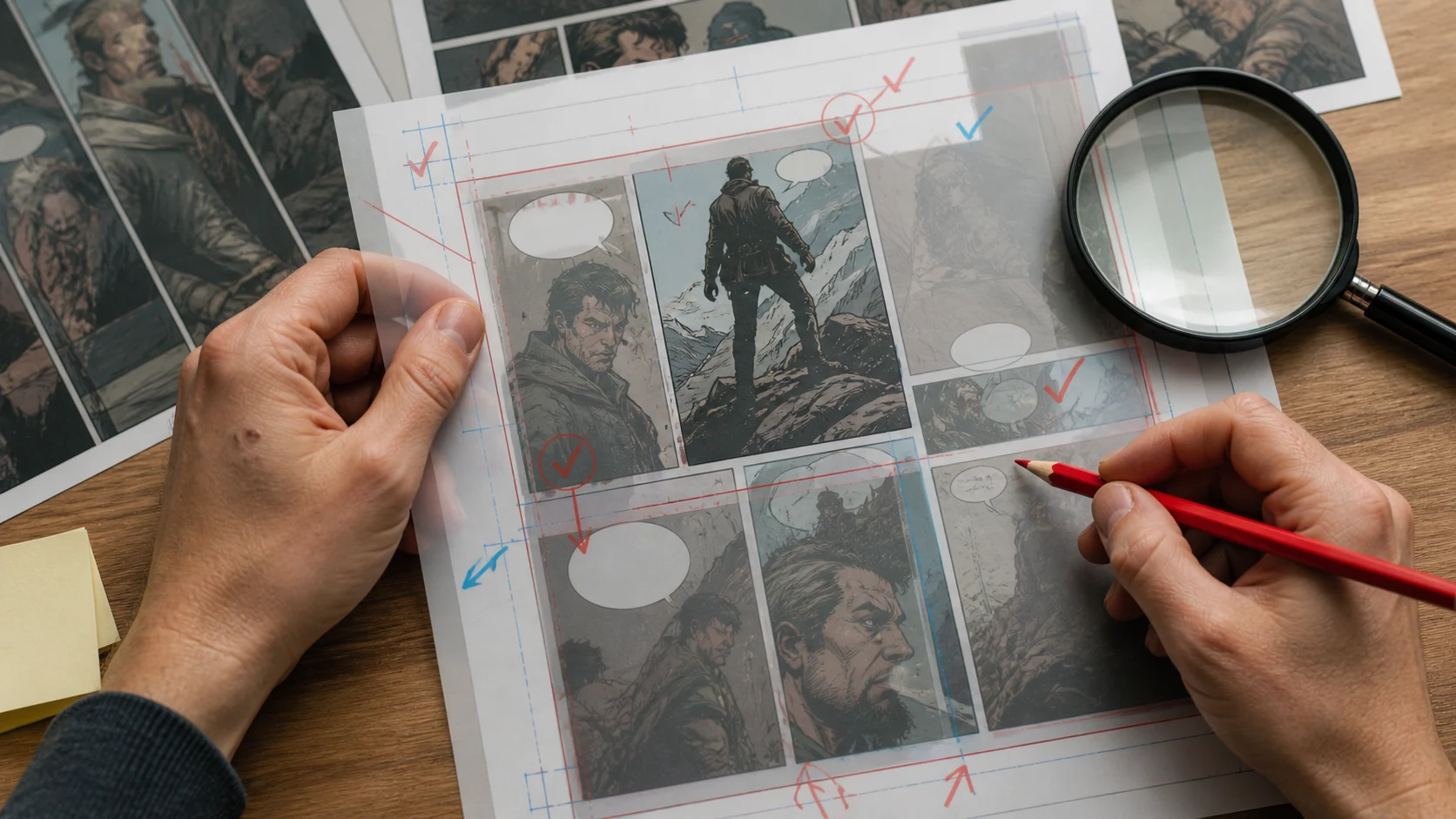
Lettering is not an afterthought. It changes the composition.
Before final export, check:
| Check | Pass condition |
|---|---|
| Bubble space | Text does not cover faces, hands, clues, or action |
| Reading order | Bubbles follow the same direction as panels |
| Caption need | Captions add context instead of repeating the image |
| Mobile size | Text remains readable on a phone screen |
| Translation room | Bubbles have enough room for longer localized text |
| Silence | At least one important visual beat can breathe without words |
Use this repair prompt:
Review this comic page for lettering readability.

Return:
1. Which panels need speech bubbles.
2. Which panels should stay silent.
3. Where bubbles can sit without covering faces, hands, clues, or action.
4. Which dialogue can be cut because the image already explains it.
5. Any panel that needs more negative space before final export.
Export is where many good comics become awkward.
The same page may need different outputs:
| Output | Best use | Check before export |
|---|---|---|
| Vertical scroll | Webtoon-style reading | Panel spacing and mobile text size |
| Page format | PDF, portfolio, print prep | Margins, bleed, and page order |
| Square crop | Social preview | Main character and hook remain visible |
| Wide crop | Blog or newsletter preview | Cover image does not cut key faces |
| Archive package | Team handoff | Script, panels, references, and final exports are grouped |
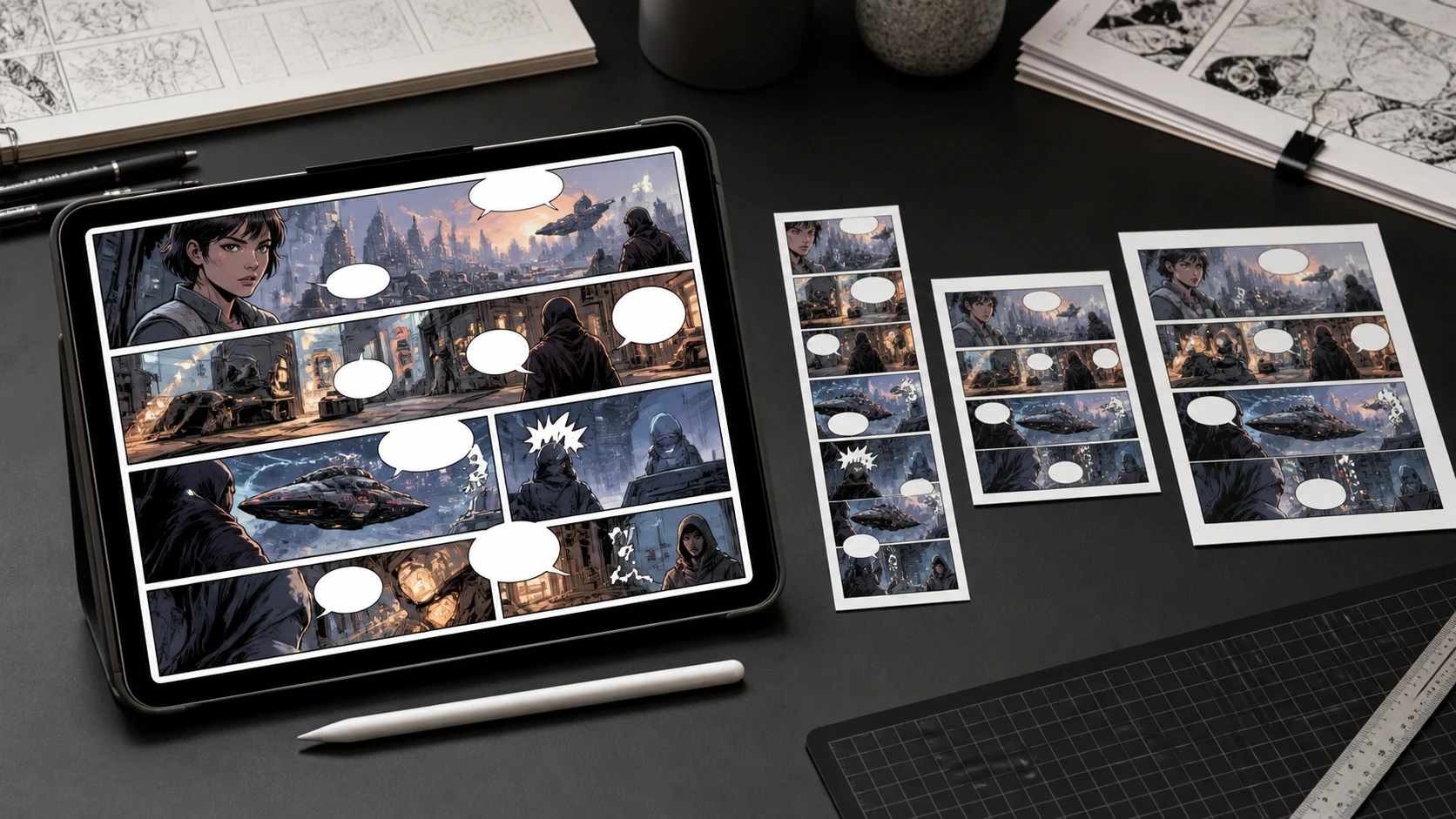
Before export, decide where the comic will be read first. Do not use one crop for every surface.
Use this pipeline:
1. Write a scene brief in Story AI or your draft document.
2. Generate a beat list.
3. Open Storyboard and create thumbnails.
4. Approve panel order and camera distance.
5. Move approved panel briefs into AI Comic.
6. Generate or refine panels.
7. Check bubble safe zones.
8. Export for the target format.
For a faster setup, use this combined prompt:
Turn this short comic scene into a production-ready workflow.

Return:
1. Scene job.
2. 6-8 story beats.
3. Storyboard panel plan.
4. Panel generation briefs.
5. Character consistency notes.
6. Bubble-safe areas.
7. Export format recommendations.
8. Repair checklist.

Scene:
[paste scene]

Target:
AI-assisted comic page, readable on mobile and page format.
The failed version used a single prompt:
Make a finished comic page from this scene.
It produced a page that looked energetic but had problems:
| Problem | Cause | Fix |
|---|---|---|
| Reader path was unclear | No storyboard stage | Approve thumbnails first |
| Clue was too small | No scene job | Assign a panel to the clue |
| Characters changed | No character lock notes | Keep reference sheet and style note |
| Text covered faces | No lettering pass | Reserve bubble space earlier |
| Export crop cut the reveal | No format target | Choose mobile or page format before export |
The repair was simple: split the job into stages.
Use this before publishing or sharing a comic:
| Stage | Checklist |
|---|---|
| Script | One scene job, clear character goal, real change in every beat |
| Storyboard | Readable panel order, correct scale, reveal placed intentionally |
| Panels | Consistent characters, stable location, no unnecessary clutter |
| Lettering | Bubble order works, text has room, visual beats are not blocked |
| Export | Correct crop, readable size, organized file package |
Yes, especially for multi-panel scenes. Storyboarding reduces wasted generation attempts because you already know the panel order, camera distance, and story purpose.
Yes, but split it into scene jobs first. A long script should become several short production briefs.
Usually no. Plan space for text during image generation, then add final lettering after the image is stable. This improves readability and localization.
Read the comic on the smallest expected screen. If the panel order, faces, and text still work there, the export is much safer.
Start with Storyboard for structure, then use AI Comic once the panel plan is approved.
A comic pipeline is not bureaucracy. It is how you protect story clarity while moving faster.
Separate the work into script, storyboard, panels, lettering, and export. Each stage should make one kind of decision. When those decisions are clear, AI-assisted comic production becomes calmer, more repeatable, and easier to improve.
Popular creator tools
Go from comics and storyboards to stylized photos with LlamaGen.
Visualize every scene before production starts.
© 2026 LlamaGen.Ai All rights reserved
Leading the Future of AI Comic Generation