All posts
Export Comic Assets: Turn an AI Comic Page Into a Publishable Package

Jay
July 13th, 2026
A comic is not finished when the image looks good.
It is finished when the story, character references, page files, panel exports, cover, metadata, and publishing formats are organized well enough that you can share, revise, print, upload, or continue the project without losing control.
That is the difference between a single image and a comic asset package.
This guide completes the seven-part comic creation workflow:
Today, the goal is to create the final output:
A publishable comic asset package with source notes, page files, panel exports, cover assets, and format-specific outputs.
The goal is not only to export a file. It is to make the comic usable after export.
A publishable comic asset package is the organized handoff version of your comic project.
It includes the creative source, the visual assets, and the delivery formats.
For a short comic or manga page, the package can be simple:
comic-project/
  01-story/
  02-character/
  03-world/
  04-script/
  05-pages/
  06-panels/
  07-cover/
  08-export/
  README.md
Each folder has a clear role:
| Folder | What it contains | Why it matters |
|---|---|---|
| Story | One-paragraph story, hook, page goal | Keeps the comic anchored |
| Character | Character sheet, fixed rules, references | Protects consistency |
| World | Location notes, style bible, background anchors | Keeps scenes repeatable |
| Script | Panel-by-panel script and dialogue | Preserves reading order |
| Pages | Full comic page drafts and finals | Main visual output |
| Panels | Individual panel crops or redraws | Useful for editing and social reuse |
| Cover | Cover image and thumbnail versions | Needed for publishing and sharing |
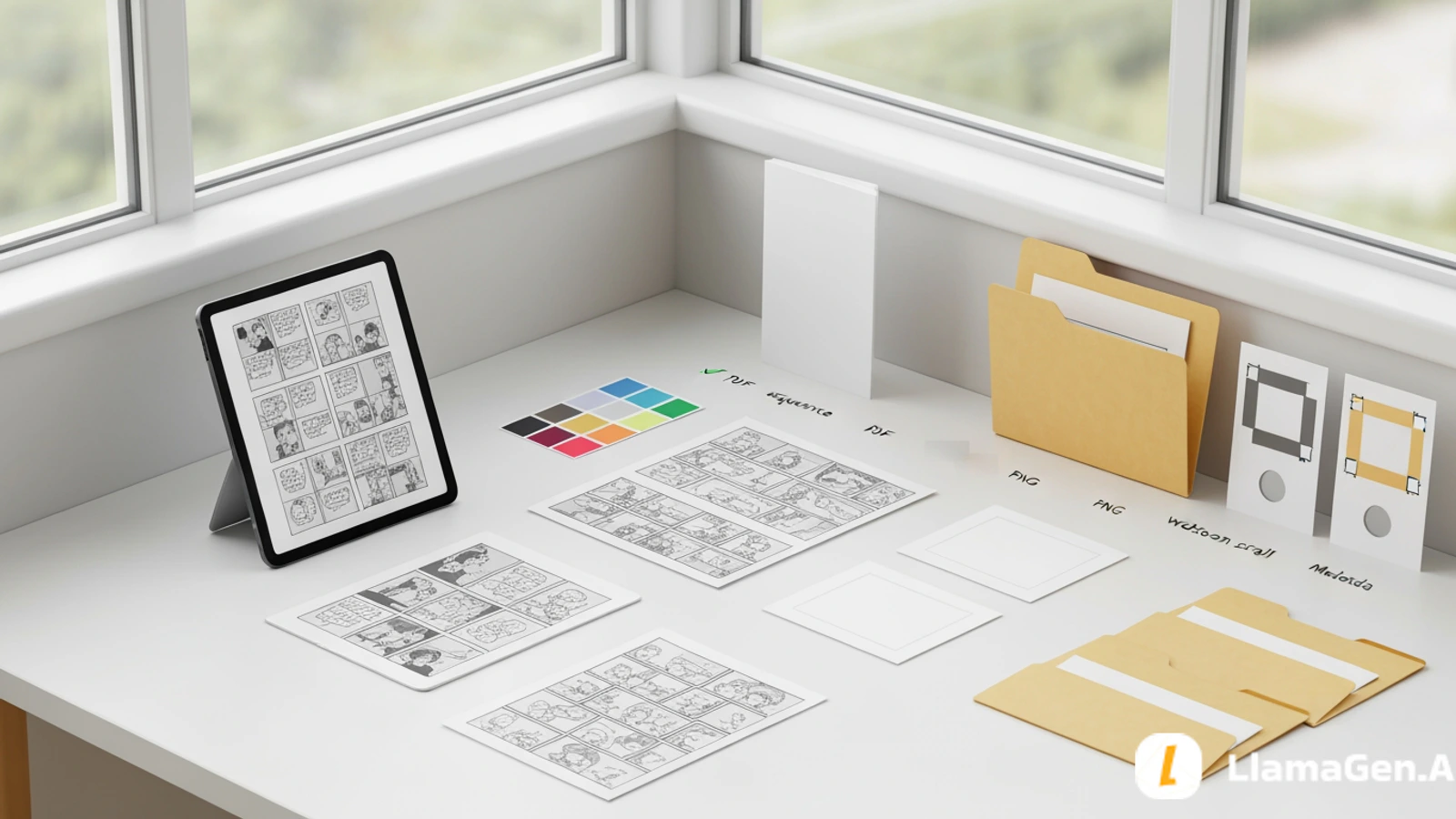
| Export | PDF, PNG sequence, webtoon scroll, metadata | Final delivery formats |
This structure may seem formal, but it saves time. With organized assets, you can revise a panel, localize dialogue, export a new format, or continue into page two without digging through random downloads.
Before exporting, freeze the source material.
That means saving the latest approved versions of:
For the sample Leo story, the frozen source might look like this:
Story:
In a floating junk market above the city, Leo, a nervous apprentice repair kid, opens a dented delivery crate and finds a tiny damaged robot repeating his missing sister's voice.

Page goal:
Leo discovers the robot, sees market guards nearby, and hides it while deciding whether to follow its map.

Character fixed anchors:
messy black hair, copper hair clip, left cheek bandage, oversized tan utility jacket, dark green shirt, patched work pants, dented screwdriver.

World anchors:
floating platforms, hanging cables, warning flags, open sky gaps, repair stalls, pulley crates, patched metal.

Style:
polished manga-inspired comic page, clean linework, expressive faces, soft screen-tone shadows, bright high-altitude daylight.
This source file becomes your production memory.
Do not rely on memory or chat history alone. If you want repeatable comic production, put the source into a plain text or markdown file.
Do not overwrite every draft with the final page.
Keep a clear distinction:
05-pages/
  page-001-draft-a.png
  page-001-draft-b.png
  page-001-consistency-fix.png
  page-001-final.png
Why keep drafts?
The final page should have a simple name:
page-001-final.png
If you generate multiple pages, keep the numbering stable:
page-001-final.png
page-002-final.png
page-003-final.png
Stable names make PDF export, webtoon assembly, and review easier.
A full page is useful, but panel exports are valuable too.
Export individual panels when you need:
Use a folder like this:
06-panels/
  page-001-panel-01.png
  page-001-panel-02.png
  page-001-panel-03.png
  page-001-panel-04.png
  page-001-panel-05.png
For webtoon conversion, panels are often easier to work with than one complete page. You can add vertical spacing, reorder beats, and adjust pacing for mobile reading.
In LlamaGen.AI, it helps to keep your page versions, panel edits, and generation history organized so you can return to the exact version you want. The best export workflow starts before you click export.
Different publishing destinations need different files.
Use this table as a quick guide:
| Format | Best for | Output |
|---|---|---|
| Full-page PNG | Portfolio, preview, review | One high-quality image per page |
| PNG panel sequence | Editing, social, webtoon conversion | Individual panel files |
| Print review, client handoff, compact reading | Multi-page document | |
| Webtoon scroll | Mobile-first publishing | Long vertical image or ordered slices |
| Cover image | Blog, platform listing, store page | 16:9, square, or platform-specific crop |
| Source markdown | Team continuity and future revisions | Text file with story, prompts, notes |
Do not assume one export covers every use case.
A PDF is good for reading. A PNG sequence is better for editing. A vertical scroll is better for mobile. A cover is better for discovery.
PDF is useful when you want a compact, reviewable version of your comic.
Before exporting a PDF, check:
For a short comic, a PDF package might include:
08-export/
  leo-floating-market-v1.pdf
  leo-floating-market-v1-pages.zip
  leo-floating-market-v1-source.md
PDF is especially helpful for teachers, clients, small teams, and early reader feedback. It feels finished enough to review without requiring anyone to open a design app.
PNG sequences are one of the most flexible export formats.
Use them when:
Recommended naming:
leo-floating-market-page-001.png
leo-floating-market-page-002.png
leo-floating-market-page-003.png
For panels:
leo-floating-market-p001-panel-01.png
leo-floating-market-p001-panel-02.png
leo-floating-market-p001-panel-03.png
Avoid names like:
final.png
final-final.png
new-final-2.png
image-7.png
Those names feel harmless at first and become painful when you have 20 pages.
A webtoon version is not just a tall version of a page.
Mobile scrolling changes pacing.
When converting a page to webtoon format, check:
Webtoon pacing often benefits from separating panels:
Panel 1: location
vertical space
Panel 2: action
vertical space
Panel 3: discovery
short space
Panel 4: danger
longer space
Panel 5: emotional hook
The same story can feel faster or slower depending on spacing.
If your comic began as a classic page, export panel crops first, then rebuild the scroll version intentionally.
Many creators spend hours on pages and then use a weak thumbnail.
That hurts discovery.
Prepare at least three cover assets:
07-cover/
  cover-16x9.png
  cover-square.png
  cover-vertical.png
Each cover should communicate:
For the Leo story:
Cover idea:
Leo hides a tiny glowing robot under his tan jacket while floating market platforms and red guard lights appear behind him.
A cover should not try to show every plot point. It should help the reader understand the promise quickly.
For AI-generated covers, avoid placing readable title text inside the image. Add title typography later with a controlled design tool if needed.
Publishing platforms, blogs, galleries, and internal libraries all benefit from metadata.
Create a simple metadata file:
Title:
Creator:
Format:
Genre:
Short description:
Characters:
Pages:
Export date:
Version:
CTA or destination link:
Rights notes:
Example:
Title: Leo and the Unlisted Platform
Creator: Jay
Format: 5-panel manga-inspired comic page
Genre: cozy sci-fi adventure
Short description: A nervous repair kid discovers a damaged robot that repeats his missing sister's voice.
Characters: Leo, tiny robot, market guards
Pages: 1
Export date: 2026-07-13
Version: v1
CTA or destination link: https://llamagen.ai/new/ai-comic-strips
Rights notes: Original story and original characters.
Metadata makes the asset searchable and easier to reuse later.
Before you publish or share, review the package, not only the image.
Use this checklist:
Story:
- Does the page still match the story seed?
- Is the hook clear?

Character:
- Is the main character recognizable in every panel?
- Are fixed anchors preserved?

World:
- Does the location stay recognizable?
- Are background anchors consistent?

Script:
- Does the panel order match the script?
- Is dialogue short and readable?

Format:
- Is the PDF readable?
- Are PNG files named clearly?
- Are panel exports complete?
- Is the webtoon version paced for mobile?

Cover:
- Does it communicate genre and hook?
- Does it work at thumbnail size?

Package:
- Are source notes included?
- Is the version number clear?
- Can another person understand what is final?
This is the review that turns a project into a usable handoff.
Here is a complete package structure for the Leo sample:
leo-floating-market-v1/
  README.md
  01-story/
    story-seed.md
    page-goal.md
  02-character/
    leo-character-sheet.md
    leo-reference.png
  03-world/
    floating-junk-market.md
    visual-style-bible.md
  04-script/
    page-001-script.md
    dialogue.md
  05-pages/
    page-001-draft-a.png
    page-001-consistency-fix.png
    page-001-final.png
  06-panels/
    page-001-panel-01.png
    page-001-panel-02.png
    page-001-panel-03.png
    page-001-panel-04.png
    page-001-panel-05.png
  07-cover/
    cover-16x9.png
    cover-square.png
    cover-vertical.png
  08-export/
    leo-floating-market-v1.pdf
    leo-floating-market-webtoon-scroll.png
    leo-floating-market-pages.zip
The package is small, but complete.
It can be reviewed, archived, uploaded, localized, continued, or turned into a longer episode.
LlamaGen.AI is useful here because comic creation usually involves more than one image generation step. The workflow often includes story direction, character consistency, panel planning, page generation, panel-level edits, speech bubbles, captions, version history, and export.
A practical flow:
You can start a new project with LlamaGen.AI Comic Strips and use this package structure as your final checklist.
Avoid these:
Most export problems are organization problems. The fix is a clear package structure.
Before calling the comic finished, make sure you have:
When those pieces exist, your comic is no longer just an AI image. It is a publishable creative asset.
You now have the full seven-step workflow:
story -> character -> world -> script -> page -> consistency fix -> export package
Start from the beginning with How to Start a Comic Story, or create and export your next comic with LlamaGen.AI Comic Strips.
Μια σύνοψη των πιο πρόσφατων κυκλοφοριών δυνατοτήτων του LlamaGen, βελτιώσεων προϊόντος, ενημερώσεων σχεδιασμού και σημαντικών διορθώσεων σφαλμάτων.
Απλώς προτείνετε φίλους, ακόλουθους και πελάτες και κερδίστε έως και 30% σε επαναλαμβανόμενες προμήθειες για μια ζωή!