Λογότυπο LlamaGenμάρκα LlamaGen
ΣύνδεσηΕγγράψου τώρα20% Έκπτωση
  1. Αρχική
Storyboard-to-Video Handoff Checklist: Shots, Timing, Audio, and Continuity
Όλες οι δημοσιεύσεις

Storyboard-to-Video Handoff Checklist: Shots, Timing, Audio, and Continuity

Jay
Jay
1 Νοεμβρίου 2026
Αντιγραφή συνδέσμου
  • What changes between a storyboard and a video brief?
  • Step 1: Freeze a reviewable sequence
  • Step 2: Specify the timebase and duration
  • Step 3: Describe what moves and what stays fixed
  • Step 4: Include references and audio decisions
  • Step 5: Check continuity at the cuts
  • Step 6: Send a package another person can open
  • Step 7: Approve a short motion test before scaling
  • Final handoff checklist
  • FAQ
  • Is an animatic the final video?
  • Should every storyboard frame become one video clip?
  • What should I do if a generated shot changes the character?
elevate-your-comics.png
Αναβαθμίστε τα κόμικ σας με το LlamaGen

A storyboard is ready for video when the next person can identify the approved shots, understand timing and motion, find the correct assets, and see which decisions still need approval.

Build the handoff around shot IDs, frame files, a timing sheet, motion notes, audio cues, and a revision log. You can start with LlamaGen.AI Storyboard to plan the sequence, then prepare a production package that can be reviewed independently of the creation tool.

What changes between a storyboard and a video brief?

A storyboard frame captures a moment. A video brief also needs duration, transitions, opening and closing states, and instructions for what moves.

A filmmaking discussion about prep methods shows how boards and animatics can help test staging and pacing. Different projects need different levels of detail. A quiet interview and an animated chase should not use the same handoff template without adjustment.

The Storyboard overview describes a workflow from story and scene breakdown through shots, revisions, and animatic export. Use the options available in your workspace. A planning export does not automatically guarantee compatibility with every video editor or generation model.
The public LlamaGen.AI storyboard feature page captured during preparation

Public product page captured November 2, 2026. The following production illustrations are conceptual examples, not screenshots of a completed video job.

Step 1: Freeze a reviewable sequence

Read the storyboard in order before preparing individual video requests. Check what the viewer knows at each point, where the scene changes, and whether each reaction has enough context.

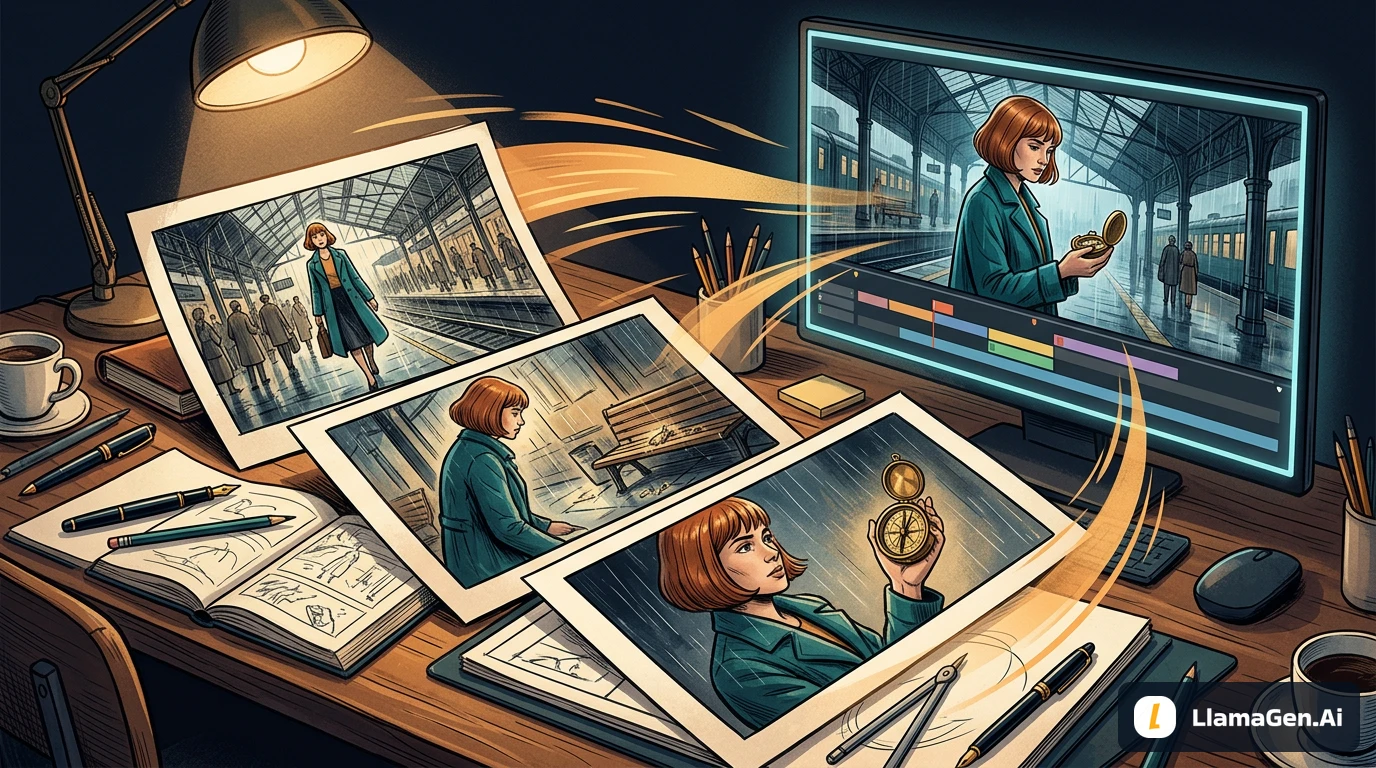
The running example is a 24-second station sequence. Mira enters, sees a compass, picks it up, notices a train, approaches an attendant, and reacts to a new clue. Her copper bob, teal coat, and brass compass remain consistent throughout.

Assign stable shot IDs such as ST01-S010. Keep those IDs when inserting or revising shots. Do not rename every later shot just because one image was added.

Step 2: Specify the timebase and duration

Confirm the delivery aspect ratio, frame dimensions, and frame rate with the editor before production starts. The example below uses 24 fps and six shots totaling 24 seconds. It is a planning example, not a claim about any model's supported clip length.

Αρχείο αλλαγών

Άναψε όνειρα για τους νέους
Όπου εκατομμύρια ιστορίες ζωντανεύουν

Μια σύνοψη των πιο πρόσφατων κυκλοφοριών δυνατοτήτων του LlamaGen, βελτιώσεων προϊόντος, ενημερώσεων σχεδιασμού και σημαντικών διορθώσεων σφαλμάτων.
✦
✧
✦
✧

Ένα νέο μέσο για Αφήγηση ιστοριών

Δημιουργήστε αμέτρητες ιστορίες, κόμικς, κινούμενα σχέδια, παιχνίδια και άλλα—σε δευτερόλεπτα που αγγίζουν το σύγχρονο κοινό

Storyboard-to-Video Handoff Checklist: Shots, Timing, Audio, and Continuity - LlamaGen.AI Blog
ShotStory beatSecondsFrames at 24 fps
S010Mira enters the station372
S020She notices the compass496
S030She picks it up372
S040A train catches her attention5120
S050She approaches the attendant496
S060She recognizes a clue5120
TotalComplete sequence24576

Use one explicit convention in the timing sheet. For example, start frames can be inclusive and end frames exclusive: S010 occupies frames 0 through 71, with an end boundary of 72.

Do not mix that convention with an editor's inclusive In/Out interpretation without converting the numbers first. Adobe's timecode documentation is a useful reference when aligning frame counts and display choices with the receiving editor.

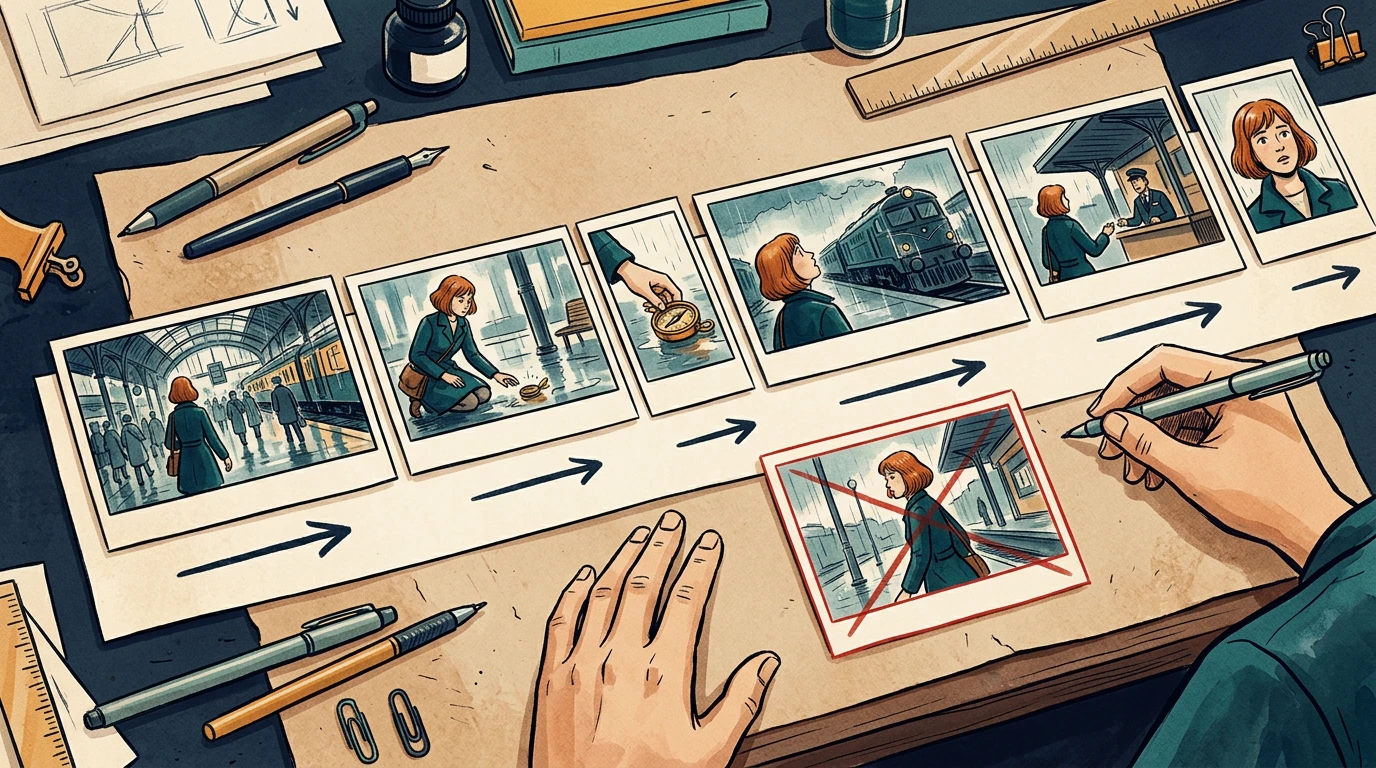
A conceptual six-shot sequence with varied timeline widths and continuity directions

The card widths illustrate pacing. Use the timing sheet, not visual card width, as the numeric source of truth.

Step 3: Describe what moves and what stays fixed

Separate subject motion from camera motion. Phrases like "make it cinematic" leave too many decisions unresolved.

For each shot, write:

Shot: ST01-S030
Start: Mira crouches; compass rests on the wet floor.
Action: her right hand lifts the compass toward her face.
Camera: low medium shot, restrained push-in.
End: compass is held still at chest height.
Preserve: face, copper bob, teal coat, compass shape, station lighting.
Avoid: added people, extra hands, changing train direction.

A clear start and end state helps the next shot connect. If your selected video tool cannot deliver the requested camera behavior, simplify the shot or replace it with an editorial move instead of repeatedly regenerating without a clear diagnosis.

Step 4: Include references and audio decisions

Provide the approved character reference, recurring prop reference, and location reference alongside the frames. Include only the versions the recipient should use.

For audio, distinguish final dialogue, temporary voice, sound effects, ambience, and music. Record cue positions and whether an audio file is approved for publication. Do not let a temporary track become the final soundtrack just because it was attached to the animatic.

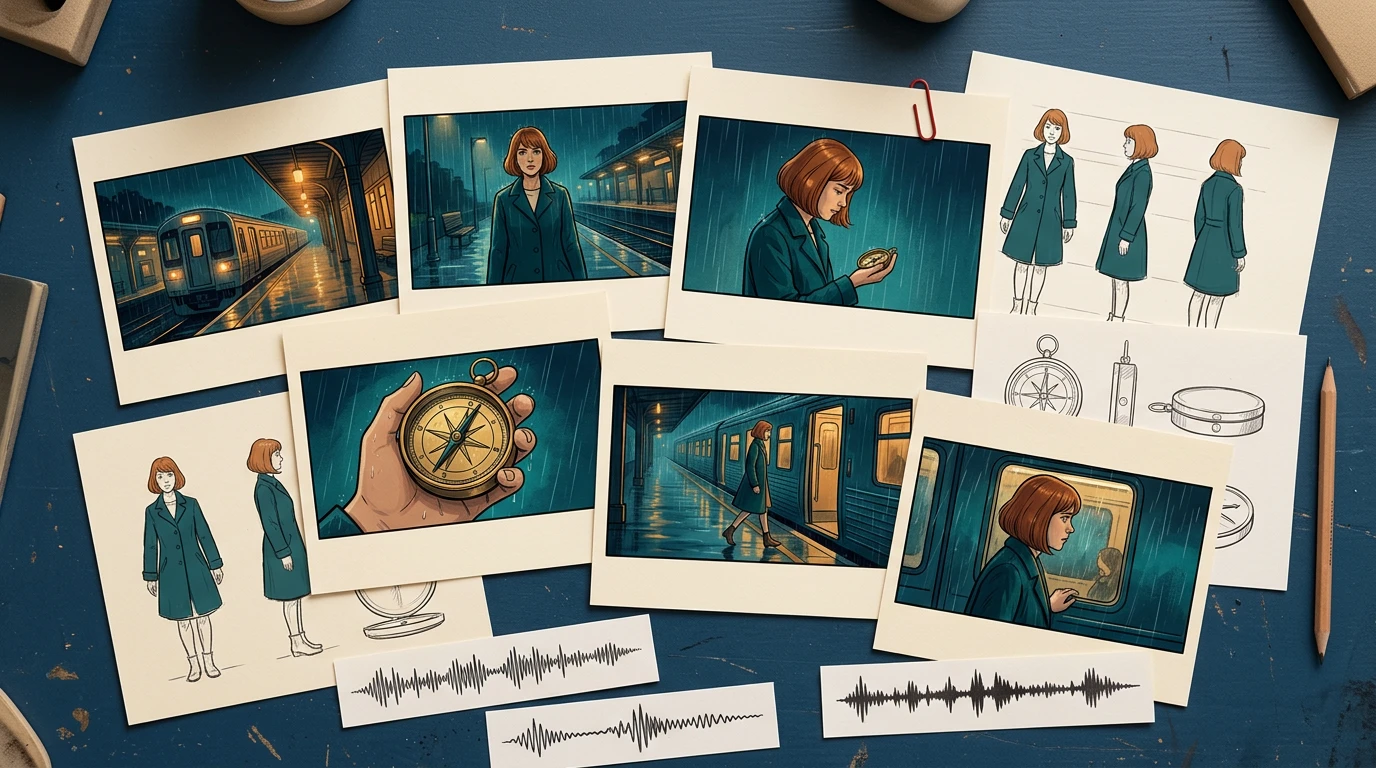
A conceptual handoff kit with storyboard cards, character and prop references, and audio cue strips

The package should explain the scene even if the recipient has not watched earlier iterations.

Step 5: Check continuity at the cuts

Review the last useful frame of each shot beside the first useful frame of the next. Watch for changes in hand position, prop scale, screen direction, eyeline, lighting, and background geography.

In the local timing-sheet exercise, an intentionally missing S040 entry creates a 120-frame gap. The corrected sheet restores the six-shot sequence to 576 continuous frames. That validates the schedule structure; it does not validate motion quality or editorial pacing.

For visual continuity, run a separate review. A repaired timing row cannot fix a character suddenly holding the compass in the other hand.

Step 6: Send a package another person can open

A simple handoff structure is easier to inspect than a folder full of filenames containing "final."

station-sequence/
  brief-and-delivery-spec.txt
  shot-list.csv
  frames/
    ST01-S010-v03.png
    ST01-S020-v02.png
  references/
    mira-approved-v02.png
    compass-approved-v01.png
  audio/
  animatic-review-v04.mp4
  revision-log.csv

List every expected file in a manifest, including version and approval state. Use relative paths inside the package when practical. Open it from a clean folder or a second machine to catch missing references.

When exporting XML or another interchange format, test it in the receiving application before promising a seamless transfer. For a small production, a frame sequence plus CSV may be a more predictable fallback.

Step 7: Approve a short motion test before scaling

Choose one difficult representative shot: a face, a hand interacting with the compass, or a camera move across overlapping layers. Review that test before converting every frame into video.

Track preparation time, generation wait, review, revision, and assembly separately. Record the actual credits or cost reported by the selected tool. Static storyboard generation time does not predict a finished video's production budget.

Use a specific rejection reason: hand changed, compass melted, direction reversed, timing too short, or dialogue obscured. Repair the affected shot and recheck its cuts while keeping the other approved material available.

Final handoff checklist

  • Shot IDs and intended order are unambiguous.
  • Every shot points to an approved frame and reference version.
  • Duration, frame rate, aspect ratio, and frame-count convention agree.
  • Subject motion, camera motion, and start/end states are separate.
  • Screen direction, eyelines, hands, and props match across cuts.
  • Dialogue and audio cues are versioned and cleared for their intended use.
  • The animatic and manifest match the same revision.
  • Another person can open the package without missing assets.
  • Outstanding decisions have an owner and approval deadline.

Prepare your next sequence in Storyboard, then use this checklist before motion production. If the sequence still changes substantially during review, return to the storyboard-first workflow before committing more shots.

FAQ

Is an animatic the final video?

No. An animatic mainly tests sequence and timing. The final video may still require motion generation, editing, sound work, and additional quality review.

Should every storyboard frame become one video clip?

No. Match clips to the intended shots and your tool's capabilities. Several storyboard drawings can describe one shot, and one drawing may still need added start and end planning.

What should I do if a generated shot changes the character?

Compare it with the approved references, simplify conflicting motion instructions, and retest that shot. Then recheck its neighboring cuts before accepting the replacement.

Product workflow reviewed November 2, 2026. The timing exercise is a local planning check; this article does not claim that the illustrative sequence was generated as a finished video.

Related hot tags

Storyboard

Παραγωγή Βίντεο

Production Checklist

Δημοφιλή εργαλεία δημιουργών

Μετατρέψτε την έμπνευση σε επόμενη ιστορία σας

Δημιουργήστε κόμικς, storyboards και στιλιζαρισμένες φωτογραφίες με LlamaGen.

01

Γεννήτρια Κόμικ ΤΝ

Μετατρέψτε μια ιδέα σε άρτια comic strips μέσα σε λεπτά.

Δημιουργία κόμικ
02

Γεννήτρια Manga ΤΝ

Δημιουργήστε εκφραστική manga τέχνη και ιστορίες πολλαπλών καρέ.

Δημιουργήστε manga με AI
03

Γεννήτρια Storyboard με AI

Οπτικοποιήστε κάθε σκηνή πριν ξεκινήσει η παραγωγή.

Δημιουργήστε storyboards με AI
04

Μετατροπή εικόνας σε κόμικ

Μεταμορφώστε κάθε φωτογραφία σε κόμικ-εικονογράφηση.

Δημιουργήστε κόμικς από εικόνες
05

Δημιουργός Comic Strip ΤΝ

Φτιάξτε strips για κοινοποίηση με σταθερούς χαρακτήρες.

Δημιουργήστε comic strips με AI

LlamaGen community

checkmark

Get hands-on help with your comics

checkmark

Showcase your comics to fellow LlamaGen creators

checkmark

Participate in special events to win gifts

Λογότυπο LlamaGen
  • United States
  • Español
  • Français (France)
  • 日本語
  • 한국어
  • Deutsch
  • 繁體中文 (台灣)
  • 繁體中文 (香港)
  • 简体中文
  • Português
  • Italiano
  • Español (México)
  • العربية
  • Русский
  • Português (Brasil)
  • Tiếng Việt
  • Ελληνικά

Ηγείστε του Μέλλοντος στη Δημιουργία Κόμικ με AI

  • Υποστήριξη 24/7
  • Εβδομαδιαίες ενημερώσεις
  • Ασφαλές και συμβατό
  • 99,9% χρόνος λειτουργίας

Κατεβάστε δωρεάν το LlamaGen

AndroidiOSΥπολογιστής

Προϊόν

  • Τελευταίες κυκλοφορίες
  • Λειτουργίες
  • Δημιουργός κόμικ στριπ
  • Comic StoresΝέο
  • Στούντιο mangaΝέο
  • Μετατροπή Εικόνας σε Κόμικ
  • Κόμικ σε βίντεο
  • Εργοστάσιο AI Κόμικ
  • Πράκτορας Κόμικ
  • iOS & Android
  • Mac & Windows
  • Λήψη
  • Comic ZapΝέο
  • Γεννήτρια Κόμικ ΤΝ
  • Δημιουργός Κινουμένων Σχεδίων με AI
  • Γεννήτρια Webtoon ΤΝ
  • Δημιουργός Comic Strip
  • Μετατροπή Εικόνας σε Κόμικ
  • Γεννήτρια Manga ΤΝ
  • Μεταφραστής Manga
  • Φωτογραφία σε Anime
  • Εικόνα σε Προτροπή
  • Anime σε πραγματική ζωή
  • Εργαλείο χρωματισμού manga
  • Γεννήτρια χαρακτήρων Anime
  • Εργαλεία για pixel game assets
  • Δημιουργία sprite sheet με Τεχνητή Νοημοσύνη
  • Καλύτερα εργαλεία pixel game 2026
  • Δημιουργός κόμικ με φωτογραφίες
  • Εναλλακτική του Comic Life

Συγγενικά προϊόντα

  • οικογένεια LlamaGen
  • CineoBoardΝέο
  • API Κόμικς

Προγράμματα συνδρομής

  • Τιμολόγηση
  • Βασικό
  • Pro

Κοινότητα

  • Δημιουργοί
  • Συνεργάτες
  • Συνεργάτης

AI Models

  • GPT Image 2.6 Flare
  • GPT Image 2.6 Sunburst
  • Grok Imagine Image 2.0
LinkedInX (Twitter)
  • Αρχική
  • Άρθρα
  • Ιστολόγιο
  • Δημιουργία
  • Τιμολόγηση
  • API
  • Affiliate ProgramNEW

Ρώτησε το AI για το LlamaGen

  • Comic Zap
  • Velika
  • Επιχειρηματικό
  • Εκπαίδευση
  • API κόμικ
  • Επικοινωνία με Πωλήσεις
  • Εκπαιδευτικά προγράμματα
  • Δάσκαλοι
  • Σπουδαστές
  • Εκπαιδευτικοί και Μαθητές
  • Νεοφυείς επιχειρήσεις
  • Εκπτωσεις για Εκπαίδευση
  • Εταιρεία

    • Μιλήστε με τον Ιδρυτή μας
    • Σχετικά
    • Χάρτης Πορείας Προϊόντος

    Βοήθεια

    • Κέντρο βοήθειας
    • Εμπιστοσύνη
    • Ασφαλής τεχνητή νοημοσύνη
    Κριτικές Χρηστών
  • Τοίχος Αγάπης
  • LlamaGen MCPΝέο
  • LlamaGen Προγραμματιστής
  • Πόροι

    • Αρχείο αλλαγών
    • Ιστολόγιο
    • Οδηγοί

    Εργαλεία

    • Δημιουργία λογότυπου με Τεχνητή Νοημοσύνη
    • Δημιουργός χαρακτήρων σε στυλ Grokbot
    • Μετατροπή PNG σε κόμικ
    Wan 3.0
  • Wan 3.0 Prime
  • Seedance 2.5
  • MiniMax H3
  • Nano Banana 2.1
  • Nano Banana 2 Lite
  • Seedream 5.0 Flash
  • Seedream 5.0 Pro
  • Seedance 2.0 Mini
  • Kling 3.0 Turbo
  • Nano Banana 2
  • GPT Image 2
  • Gemini Omni Flash
  • All AI Models
  • Εργαλεία AI

    • Εξαγωγέας Ντυσίματος με AI
    • Αλλάξτε Χτένισμα με AI
    • Δημιουργός Χτενισμάτων Manga με AI
    Instagram
    YouTube
    Ομάδα στο Facebook
    Reddit
    Discord
    Υποστήριξη μέσω email
    ΑπόρρητοΌροιΧάρτης ιστότοπου
    Λήψη Εταιρικών Αρχείων
    © 2026 LlamaGen.Ai Όλα τα δικαιώματα διατηρούνταιΌλες οι υπηρεσίες είναι διαθέσιμες online

    Προηγούμενα blogs

    Two OCs in One Comic Panel: Keep Identities and Speakers Clear

    Two OCs in One Comic Panel: Keep Identities and Speakers Clear

    A six-panel Maya and Theo dialogue case showing separate references, a handoff repair, a reverse-sho

    Jay
    Jay
    20 Νοεμβρίου 2026
    Turn a Photo Album into a Comic Story Without Losing Who Is Who

    Turn a Photo Album into a Comic Story Without Losing Who Is Who

    A six-scene synthetic album example showing how to separate character identity from scene references

    Jay
    Jay
    20 Νοεμβρίου 2026
    From Six Panels to a 20-Second Comic Book Trailer

    From Six Panels to a 20-Second Comic Book Trailer

    A worked 20-second comic trailer: choose a clear hook, reuse owned clips, withhold the ending, and r

    Jay
    Jay
    20 Νοεμβρίου 2026
    Build an OC Wardrobe for a Three-Scene Comic

    Build an OC Wardrobe for a Three-Scene Comic

    Review six outfit references, approve three wardrobe versions, and apply one OC consistently across

    Jay
    Jay
    19 Νοεμβρίου 2026
    Καριέρα
  • Στείλτε μας email
  • Ο Κόσμος της Μασκότ μας
  • Πακέτο Μέσων
  • Συνεργασία KOL
  • Περιεχόμενο
  • Επαγγελματικές υπηρεσίες
  • Συχνές Ερωτήσεις
  • Ασφάλεια
  • Προσβασιμότητα
  • Βίντεο εκμάθησης
  • Επικοινωνήστε μαζί μας
  • Χάρτης ιστότοπου
  • Εξατομικευμένα κόμικς
  • Λειτουργίες
  • Εναλλακτικές
  • Καλύτερες Εφαρμογές AI
  • Οδηγός χρωματισμού manga GPT-6
  • Δεξιότητα κόμικ βιβλίου Claude
  • Οδηγός κόμικ με Τεχνητή Νοημοσύνη Gemini
  • Αυτό το Κόμικ
  • Εκπτωσεις για Εκπαίδευση
  • Έκπτωση φοιτητών
  • Text σε κόμικ
  • Μετατροπή PDF σε κόμικ
  • Σενάριο σε κόμικ
  • Βιβλίο σε κόμικ
  • Μετατροπή Εικόνας σε Κόμικ
  • Δημιουργός AI Pixel Art
  • Εκπαιδευτικά Κόμικ
  • Γεννήτρια Βίντεο ΤΝ
  • Gemini AI Γεννήτρια Βίντεο
  • Δωρεάν Δημιουργός Βίντεο AI χωρίς πρόσωπο
  • Κόμικ σε βίντεο
  • Δημιουργία λογισμικού storyboard
  • Γεννήτρια Storyboard με AI
  • Λογισμικό συγγραφής σεναρίων
  • Επεξεργαστής σεναρίου
  • AI Ιστορίας
  • Γεννήτρια Ιστοριών ΤΝ
  • Δημιουργία εικονογραφημένου βιβλίου
  • Γεννήτρια Εικόνων ΤΝ
  • Διαίρεση Επίπεδων με AI
  • Έλεγχος γωνίας κάμερας με Τεχνητή Νοημοσύνη
  • Δημιουργός AI Pixel Art
  • Εργαλεία για pixel game assets
  • Δημιουργία sprite sheet με Τεχνητή Νοημοσύνη
  • Κόψιμο sprite sheet
  • Καλύτερα εργαλεία pixel game 2026
  • API Κινούμενων Σχεδίων
  • Πρόσθετο ChatGPT/Codex
  • ChatGPT Οδηγός εγκατάστασης
  • Πρόσθετο Claude Code
  • Οδηγός εγκατάστασης Claude Code
  • Δημιουργός Εφέ Αέρα με AI
  • Δημιουργός Χάρτη Βάθους με AI
  • Λευκό Φόντο με AI
  • Αφαίρεση Αντικειμένων με AI
  • Δοκιμή Ενδυμάτων Εικονικά με AI
  • Αποθάμπωση εικόνων με Τεχνητή Νοημοσύνη
  • Αφαίρεση θορύβου με Τεχνητή Νοημοσύνη
  • Ανάκτηση φωτογραφιών με Τεχνητή Νοημοσύνη
  • Σκιές προϊόντων με Τεχνητή Νοημοσύνη
  • Γεννήτρια Φόντου AI
  • Δημιουργία επαγγελματικής φωτογραφίας προσώπου με Τεχνητή Νοημοσύνη
  • Δημιουργία emoji με Τεχνητή Νοημοσύνη
  • Αλλαγή φόντου με Τεχνητή Νοημοσύνη
  • Άνοιγμα ματιών με Τεχνητή Νοημοσύνη
  • Ομορφιά με Τεχνητή Νοημοσύνη
  • Φωτογράφιση προϊόντων με Τεχνητή Νοημοσύνη
  • Δείτε όλα τα blogs