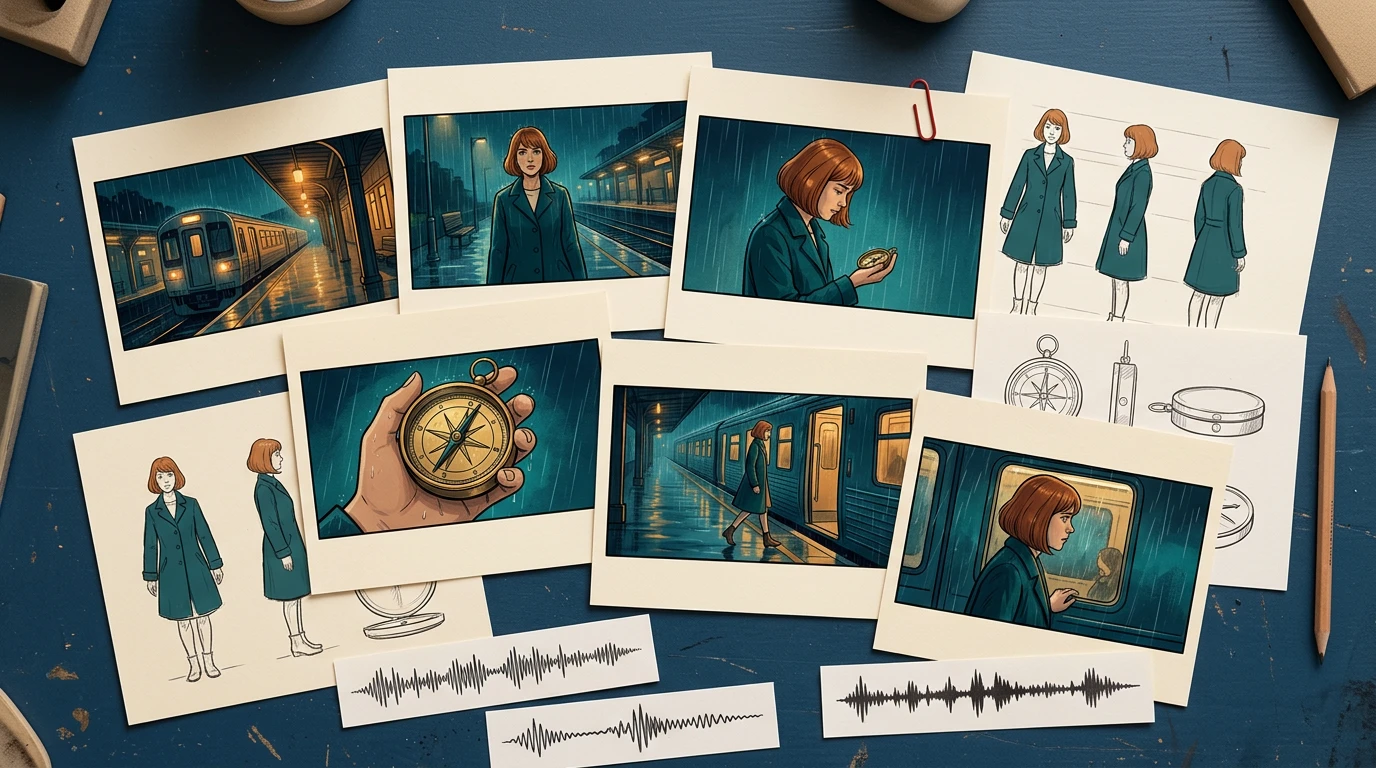
A storyboard is ready for video when the next person can identify the approved shots, understand timing and motion, find the correct assets, and see which decisions still need approval.
Build the handoff around shot IDs, frame files, a timing sheet, motion notes, audio cues, and a revision log. You can start with LlamaGen.AI Storyboard to plan the sequence, then prepare a production package that can be reviewed independently of the creation tool.
A storyboard frame captures a moment. A video brief also needs duration, transitions, opening and closing states, and instructions for what moves.
A filmmaking discussion about prep methods shows how boards and animatics can help test staging and pacing. Different projects need different levels of detail. A quiet interview and an animated chase should not use the same handoff template without adjustment.
The Storyboard overview describes a workflow from story and scene breakdown through shots, revisions, and animatic export. Use the options available in your workspace. A planning export does not automatically guarantee compatibility with every video editor or generation model.
Public product page captured November 2, 2026. The following production illustrations are conceptual examples, not screenshots of a completed video job.
Read the storyboard in order before preparing individual video requests. Check what the viewer knows at each point, where the scene changes, and whether each reaction has enough context.
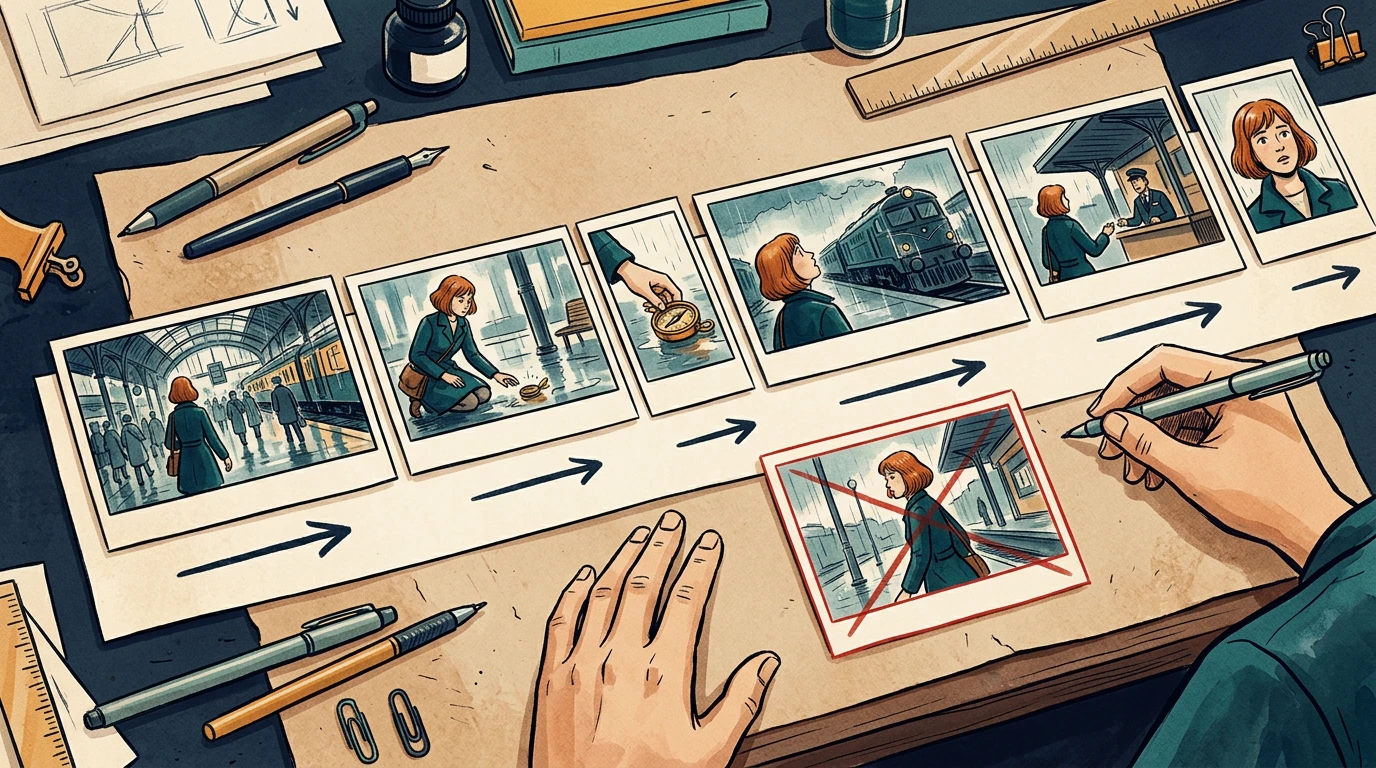
The running example is a 24-second station sequence. Mira enters, sees a compass, picks it up, notices a train, approaches an attendant, and reacts to a new clue. Her copper bob, teal coat, and brass compass remain consistent throughout.
Assign stable shot IDs such as ST01-S010. Keep those IDs when inserting or revising shots. Do not rename every later shot just because one image was added.
Confirm the delivery aspect ratio, frame dimensions, and frame rate with the editor before production starts. The example below uses 24 fps and six shots totaling 24 seconds. It is a planning example, not a claim about any model's supported clip length.
Tổng hợp các tính năng mới nhất của LlamaGen, cải tiến sản phẩm, cập nhật thiết kế và các bản sửa lỗi quan trọng.
| Shot | Story beat | Seconds | Frames at 24 fps |
|---|---|---|---|
| S010 | Mira enters the station | 3 | 72 |
| S020 | She notices the compass | 4 | 96 |
| S030 | She picks it up | 3 | 72 |
| S040 | A train catches her attention | 5 | 120 |
| S050 | She approaches the attendant | 4 | 96 |
| S060 | She recognizes a clue | 5 | 120 |
| Total | Complete sequence |
Use one explicit convention in the timing sheet. For example, start frames can be inclusive and end frames exclusive: S010 occupies frames 0 through 71, with an end boundary of 72.
Do not mix that convention with an editor's inclusive In/Out interpretation without converting the numbers first. Adobe's timecode documentation is a useful reference when aligning frame counts and display choices with the receiving editor.

The card widths illustrate pacing. Use the timing sheet, not visual card width, as the numeric source of truth.
Separate subject motion from camera motion. Phrases like "make it cinematic" leave too many decisions unresolved.
For each shot, write:
Shot: ST01-S030
Start: Mira crouches; compass rests on the wet floor.
Action: her right hand lifts the compass toward her face.
Camera: low medium shot, restrained push-in.
End: compass is held still at chest height.
Preserve: face, copper bob, teal coat, compass shape, station lighting.
Avoid: added people, extra hands, changing train direction.
A clear start and end state helps the next shot connect. If your selected video tool cannot deliver the requested camera behavior, simplify the shot or replace it with an editorial move instead of repeatedly regenerating without a clear diagnosis.
Provide the approved character reference, recurring prop reference, and location reference alongside the frames. Include only the versions the recipient should use.
For audio, distinguish final dialogue, temporary voice, sound effects, ambience, and music. Record cue positions and whether an audio file is approved for publication. Do not let a temporary track become the final soundtrack just because it was attached to the animatic.

The package should explain the scene even if the recipient has not watched earlier iterations.
Review the last useful frame of each shot beside the first useful frame of the next. Watch for changes in hand position, prop scale, screen direction, eyeline, lighting, and background geography.
In the local timing-sheet exercise, an intentionally missing S040 entry creates a 120-frame gap. The corrected sheet restores the six-shot sequence to 576 continuous frames. That validates the schedule structure; it does not validate motion quality or editorial pacing.
For visual continuity, run a separate review. A repaired timing row cannot fix a character suddenly holding the compass in the other hand.
A simple handoff structure is easier to inspect than a folder full of filenames containing "final."
station-sequence/
brief-and-delivery-spec.txt
shot-list.csv
frames/
ST01-S010-v03.png
ST01-S020-v02.png
references/
mira-approved-v02.png
compass-approved-v01.png
audio/
animatic-review-v04.mp4
revision-log.csv
List every expected file in a manifest, including version and approval state. Use relative paths inside the package when practical. Open it from a clean folder or a second machine to catch missing references.
When exporting XML or another interchange format, test it in the receiving application before promising a seamless transfer. For a small production, a frame sequence plus CSV may be a more predictable fallback.
Choose one difficult representative shot: a face, a hand interacting with the compass, or a camera move across overlapping layers. Review that test before converting every frame into video.
Track preparation time, generation wait, review, revision, and assembly separately. Record the actual credits or cost reported by the selected tool. Static storyboard generation time does not predict a finished video's production budget.
Use a specific rejection reason: hand changed, compass melted, direction reversed, timing too short, or dialogue obscured. Repair the affected shot and recheck its cuts while keeping the other approved material available.
Prepare your next sequence in Storyboard, then use this checklist before motion production. If the sequence still changes substantially during review, return to the storyboard-first workflow before committing more shots.
No. An animatic mainly tests sequence and timing. The final video may still require motion generation, editing, sound work, and additional quality review.
No. Match clips to the intended shots and your tool's capabilities. Several storyboard drawings can describe one shot, and one drawing may still need added start and end planning.
Compare it with the approved references, simplify conflicting motion instructions, and retest that shot. Then recheck its neighboring cuts before accepting the replacement.
Product workflow reviewed November 2, 2026. The timing exercise is a local planning check; this article does not claim that the illustrative sequence was generated as a finished video.
Công cụ tạo nổi bật
Tạo truyện tranh, storyboard và ảnh phong cách với LlamaGen.
Biến ý tưởng thành truyện tranh chất lượng chỉ trong vài phút.
Tạo truyện tranh02Tạo manga biểu cảm và câu chuyện nhiều khung hình.
Tạo manga với AI03Hình dung mọi cảnh trước khi sản xuất bắt đầu.
Tạo bảng phân cảnh với AI04Biến bất kỳ ảnh nào thành tranh minh họa phong cách truyện tranh.
Tạo truyện tranh từ hình ảnh05Tạo các dải truyện chia sẻ với nhân vật nhất quán.
Tạo truyện tranh bằng AI| 24 |
| 576 |
Dẫn đầu xu hướng tạo truyện tranh AI tương lai