Import multi-view sheets
Images, ZIP turnarounds, PDF model sheets, CSV rosters, and JSON become characters with attached views instead of unrelated uploads.
Character editor and importer
Drop a turnaround, ZIP, PDF sheet, CSV roster, or character JSON. LlamaGen builds photo characters with attached views you can tick when generating a comic.
If you still need the first drawing, create a character in Character Studio, then come back here when you have a sheet to keep.
Import does not spend generation credits. Free plans still follow the one-character library limit.
What this editor is for
This page is the public front door for LlamaGen's character importer and Character Studio. Use Character Design or the character generator when you still need the first drawing. Use this editor when the sheet already exists.
Images, ZIP turnarounds, PDF model sheets, CSV rosters, and JSON become characters with attached views instead of unrelated uploads.
The first views map onto the photo character record. Later views stay on the same character so the generator can see more than one angle.
Imported characters land in the character list. Tick the cast, then generate or continue a comic with those roles already attached.
Verified customer stories
Comic creators
What makes LlamaGen.Ai stand out is how specifically it is tuned for sequential storytelling and visual consistency. Keshav highlights character references that hold up across frames, poses, and angles; a smooth text-to-storyboard flow; and panel-level control over composition, poses, and regional edits.

Keshav S.
Educators
LlamaGen turns a written idea into a complete visual story, keeps characters consistent, and removes the need for additional video-editing skills. For training and patient-education stories, it reduces production time and upfront costs while speeding up prototyping.

Parthik P.
Brand storytellers
LlamaGen helps our marketing team produce comic-style storyboards and illustrated campaign content much faster without needing a dedicated illustrator for every asset. Character consistency keeps campaigns cohesive, while text prompts and multilingual support speed up ideation for a mixed-language audience.

Muhammed A.
Real product workflow
These are real LlamaGen product views. The importer attaches views; Character Studio and Comic Studio are where you keep using the same person.

Upload images, a ZIP of folders, a PDF, a CSV of URLs, or character JSON. Preview names and views before the characters enter your library.

Imported work is a processed photo character, not a queued generation. It appears in the character list with the front image as the cover.

Tick imported characters and open Comic Studio. The same references can follow the story across panels instead of being re-uploaded for every chapter.
What import actually delivers
Each import becomes one or more CHARACTER artworks, not a loose album of images.
Import writes processed characters and skips the model queue. Later looks still follow credit rules.
The first three views fill image, sideImage, and backImage. Remaining views stay attached on the record.
CSV builds many characters from URLs. A ZIP with two or more folders builds one character per folder.
Judge the cast, not a crop
These examples show the kinds of references the importer is built to keep, and the comic pages those characters are meant to enter.
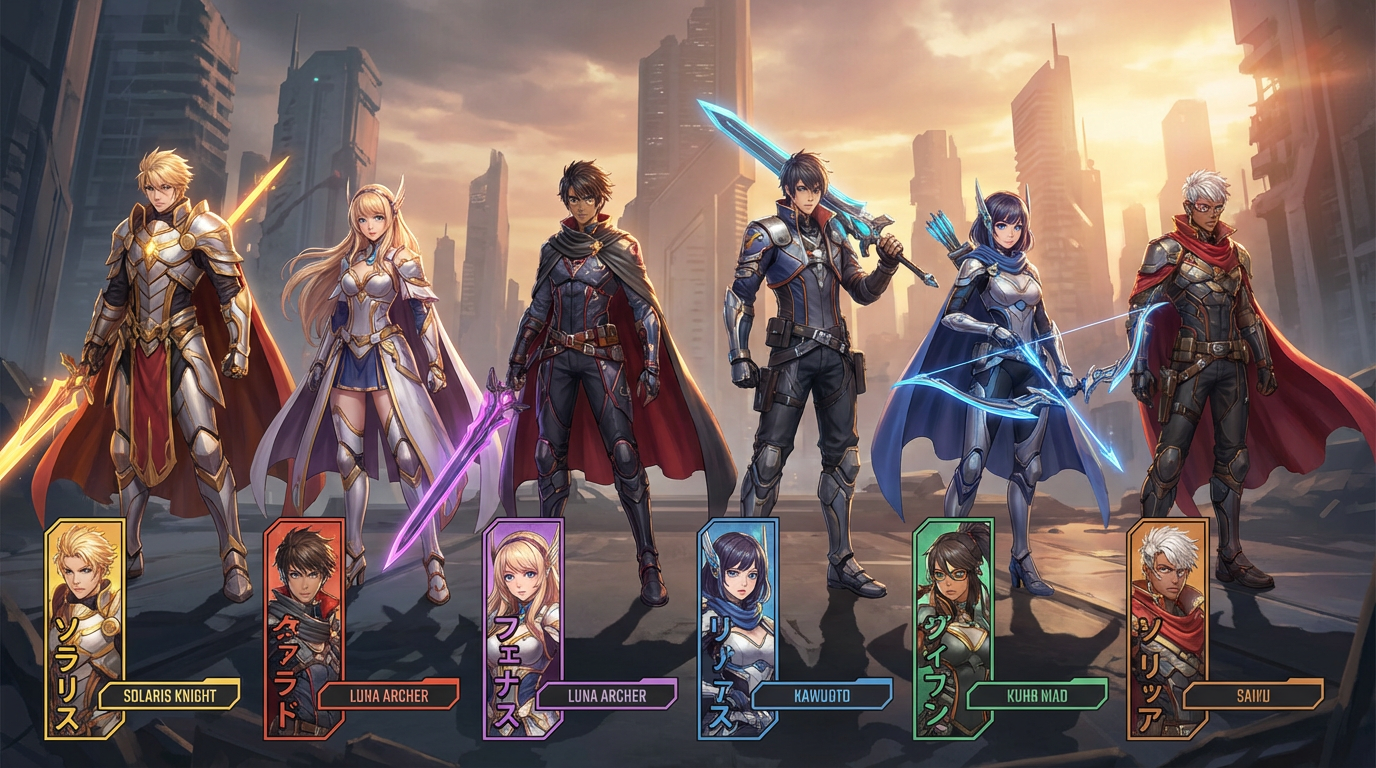
Style sheet · Design teams
A multi-look sheet is useful only if the views stay on one character. Import keeps them together instead of splitting them across untitled uploads.
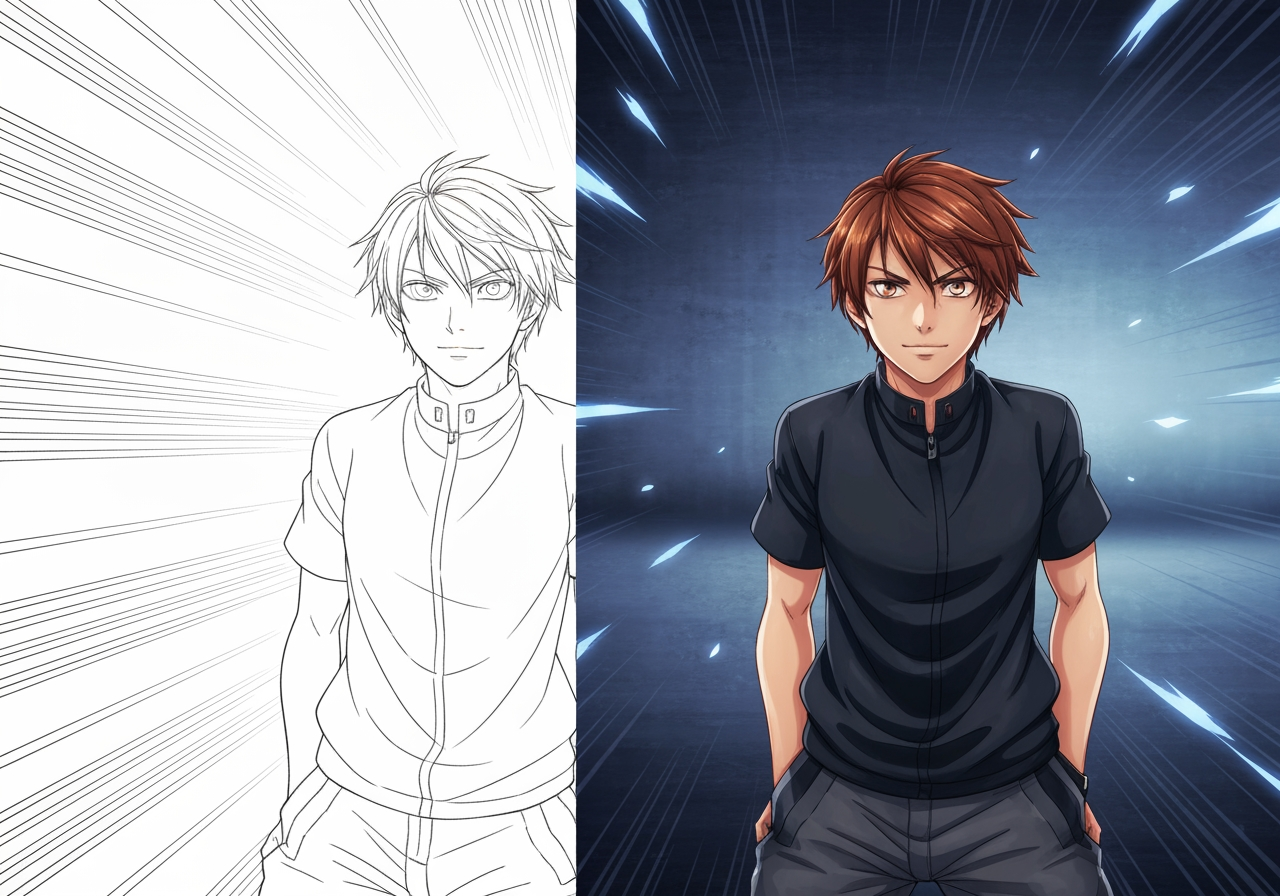
Turnaround · Manga teams
Side-by-side character studies are a common PDF or ZIP drop. The importer treats them as views of the same person.
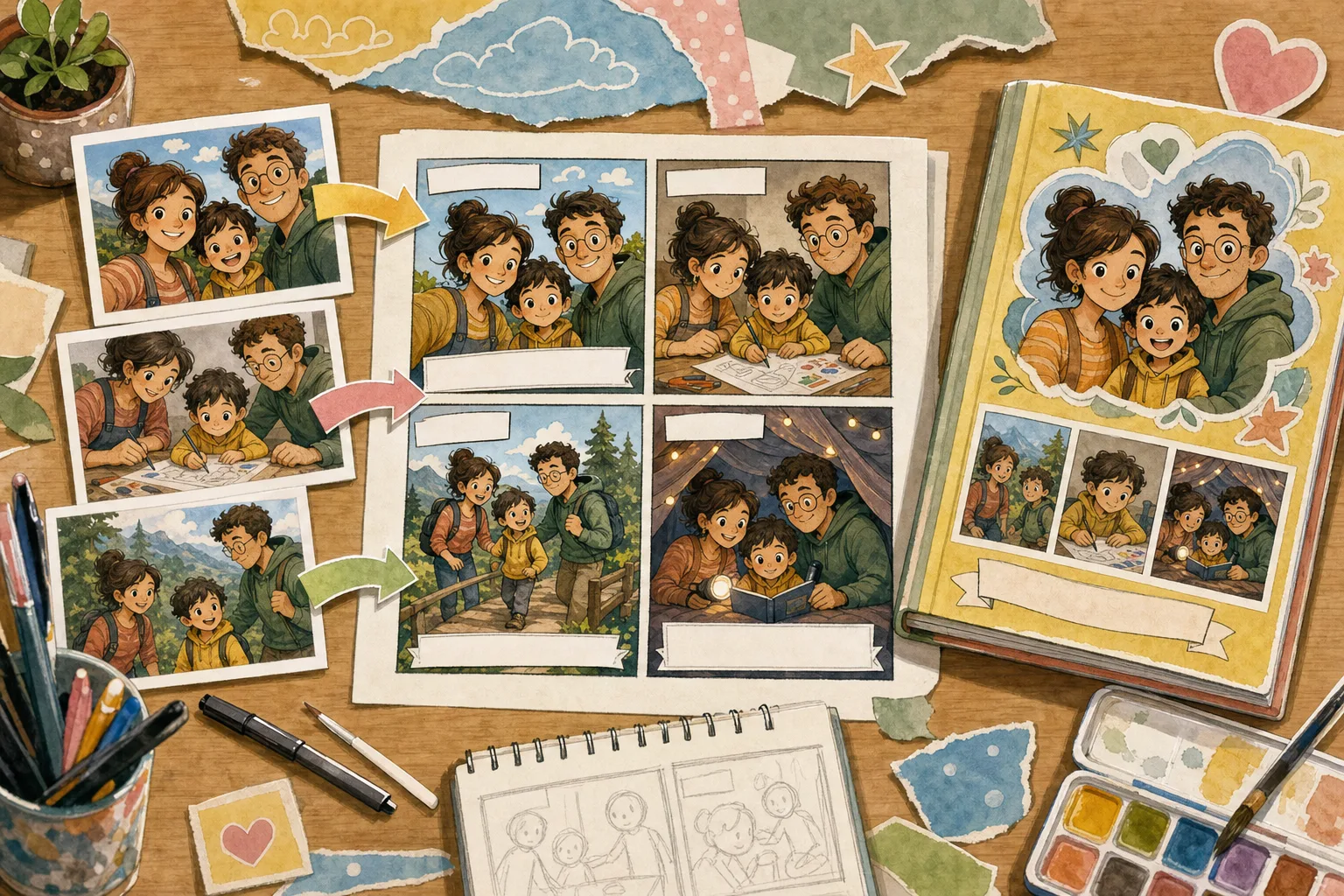
Photo cast · Personal stories
Photo characters can enter a comic after import. You still need permission for every face you upload.
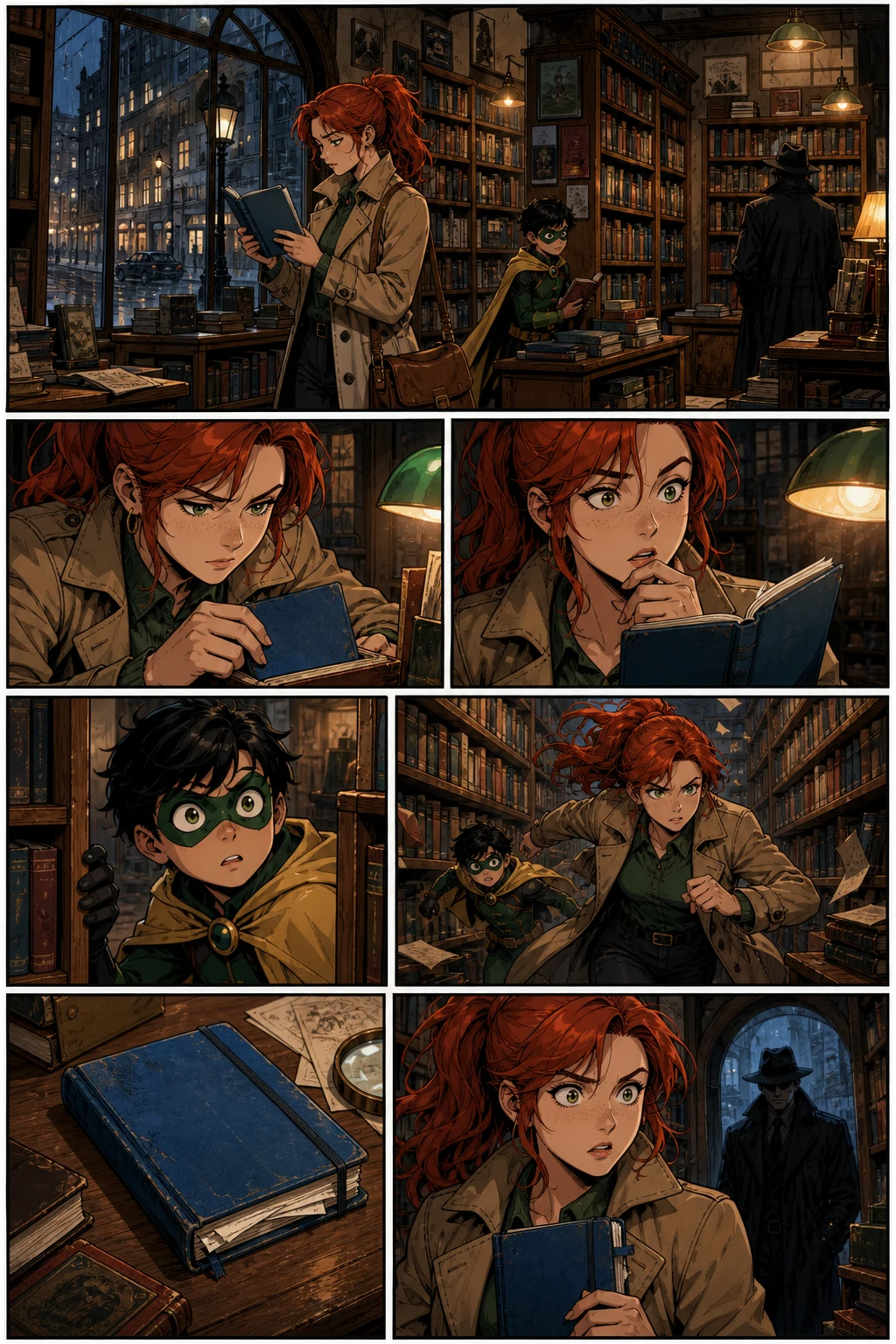
In-story use · Sequential teams
The point of a character list is reuse. After import, select the character and continue the story instead of prompting them from memory.
Fix the part that failed
Treat import as the start of an editable character record. Keep approved views, drop a bad angle, and add another file to the same person.
Remove that character from the importer preview, or add the extra images onto the intended character before you save.
Those rows are skipped with a warning. Add a public image URL and import again; names without pictures cannot become characters.
Imported views are references, not a guarantee. If a generated panel drifts, regenerate that panel while keeping the same character selected.
Honest import limits
These numbers describe the current importer. They do not claim that every first generated panel will match the sheet perfectly.
Free plans still stop at one stored character. AI reuse of a reference can drift; review the panel that failed instead of deleting the character. CSV rows without images never create empty people. Front, side, and back are chosen by view label when those labels exist.
See character designBefore you start
The signed-in plan remains the source of truth for how many characters you may keep and what happens when you generate a new look.
Paid plans raise the library size. Compare the live Pricing page before you import a full classroom or campaign roster.
Compare the current plans and limitsSafety, rights, and publishing
This is a plain-language summary, not a substitute for the policies. A model sheet you do not own is still a rights problem after it sits in your character list.
The Content Policy applies to uploads, generated or edited output, public posts, and API use. Use the Report control on a public artwork, or follow the Content Policy's reporting instructions. Do not attach suspected child-abuse material.
Photo characters require permission from the people pictured. Do not import celebrity, classmate, or client likenesses you cannot use. LlamaGen Terms do not clear publicity rights in those photos.
Generating a comic from an imported sheet follows the same copyright caution as any LlamaGen generation. Keep records of human direction when a project matters commercially.
Questions before importing
Single or multiple images, a ZIP of views, a PDF model sheet, a CSV roster with image URLs, or a character JSON file. ZIP folders become separate characters when the archive has more than one named folder.
No. Imported characters are saved as processed photo characters and skip the generation queue. You spend credits later if you generate a new look or a comic that uses them.
The importer keeps up to 16 views per character. Views labeled Front, Side, and Back map to those slots even if other angles sit between them. Extra views stay on the character for later use.
A header row plus one character per line. Supported columns include name, description, image, side, and back. Image cells can be public https URLs, files dropped next to the CSV, or quoted data URLs. Rows without an image are skipped. One import can include up to 20 characters.
Yes. They appear in the character list. Tick the ones you need and continue into Comic Studio; the generator receives those character IDs as comic roles.
A single image still becomes a character. Add more views later from the importer or Character Studio. Side and back stay empty until you attach them.
Yes. Free plans can keep one character in the library. Import will not bypass that cap. Upgrade if you need a roster.
Yes. Character Studio remains the path for generating a new look. This page is for keeping sheets you already have, then using that cast in comics.
You must have permission for every reference. LlamaGen Terms cover LlamaGen's interest in generated output; they do not clear publicity or copyright in a photo you imported.
Use the Report control on a public artwork or send a Content Safety Report with the page URL. Do not attach suspected child-abuse material.
Drop the files, name the character, add it to your roster, and tick it on the next comic instead of re-uploading the sheet every time.
Import characters