


말풍선, 오버레이 목록, 새 요소를 모두 아트워크와 함께 둘 수 있으면 수정 작업이 더 빨라집니다. 이번 릴리스는 이미 보고 있는 페이지에 이러한 도구가 계속 붙어 있도록 해줍니다.
"I hope it's not scary" 같은 대사는 멀리 떨어진 캡션 열에 있을 때보다 캐릭터 위에 놓여 있을 때 판단하기가 더 쉽습니다. 페이지에서는 말풍선이 포즈와 함께 읽을 수 있을 만큼 충분히 크게 유지됩니다.
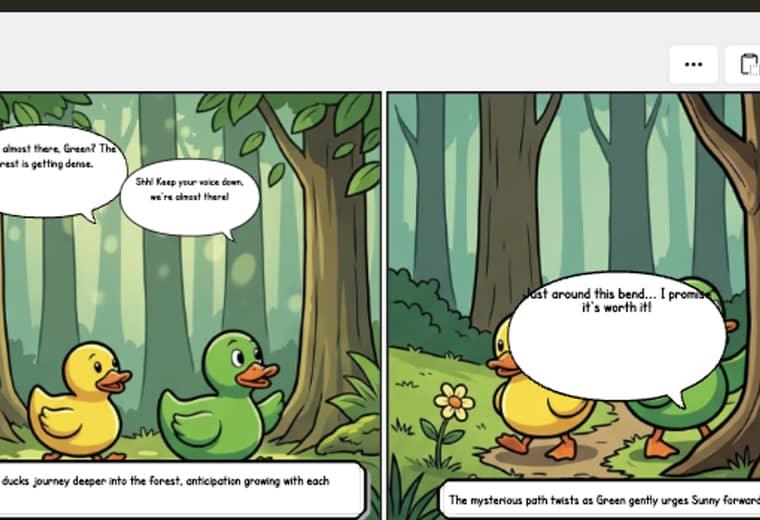
실질적인 이점은 어울리지 않는 대사가 줄어든다는 점입니다. 제작자는 독자가 보게 될 바로 그 패널에서 말의 흐름을 확인할 수 있습니다.
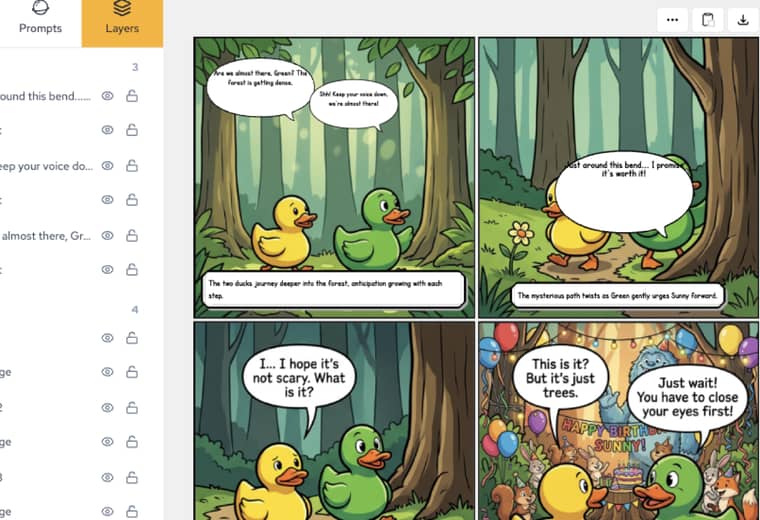
Layers 목록은 말풍선 텍스트를 바탕으로 오버레이 제목을 표시합니다. 목록에서 "Are we almost there"를 찾으면 페이지의 말풍선과 일치해야 하므로, 잘못된 레이어를 찾는 시간이 줄어듭니다.
Um resumo dos lançamentos mais recentes de recursos do LlamaGen, melhorias no produto, atualizações de design e correções importantes de bugs.
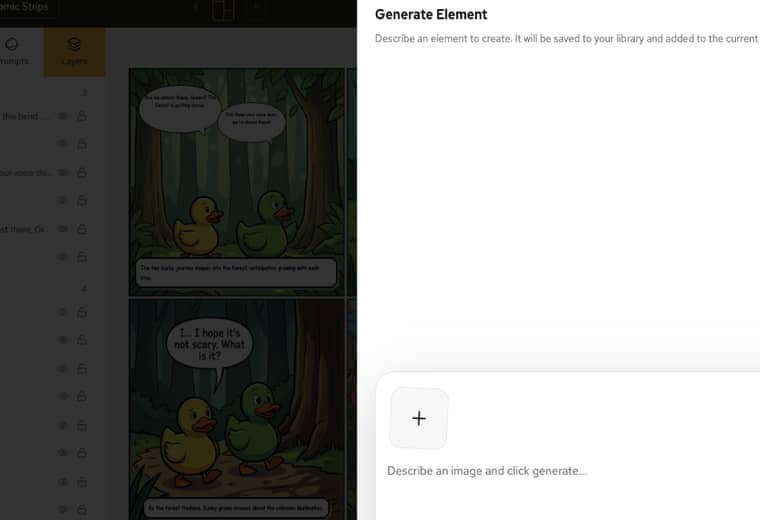
Generate Element는 만화 옆에 열립니다. 오브젝트를 설명하고, 라이브러리에 생성한 뒤, 새 프로젝트를 시작하지 않고도 이미 열려 있는 페이지에 배치할 수 있습니다.
자세한 내용과 문서를 보려면 AI Comic Creation Documentation을 방문하세요.
Popular creator tools
Go from comics and storyboards to stylized photos with LlamaGen.
Turn an idea into polished comic strips in minutes.
Create comics with AI02Create expressive manga art and multi-panel stories.
Create manga with AI03Visualize every scene before production starts.
Create storyboards with AI04Transform any photo into a comic-style illustration.
Create comics from pictures with AI05Build shareable strips with characters that stay consistent.
Create comic strips with AI

© 2026 LlamaGen.Ai 모든 권리 보유
