

Digital comic scene starter
Example preview
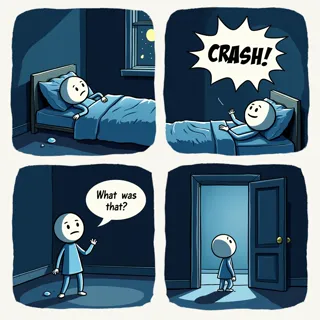
Begin with an open digital-comic direction and supply a concrete action, palette and framing.
Make a modern story beat clear before adding visual complexity.
When to use this template
- A short adventure scene
- A process illustration
- A character-led digital story
Build your first draft
Choose the moment
Choose one problem the picture can show.
Direct the image
Specify the style rather than assuming a default.
Review the draft
Check the main action at reading size.
Try a complete example
The elevator detour
A delivery rider finds an elevator blocked by boxes and points toward a nearby stairwell while a neighbor lifts one parcel. Clean digital comic art, balanced color, clear gestures, no text.
The boxes and stairs explain the choice without a long caption.
Before you publish
- The preset does not supply a layout or fixed number of panels.
- Signs and small interface text may need separate editing.
Questions about this template
- Can I choose the color style?
- Yes. State whether you want flat color, painterly shading or a restrained palette in the direction.
- How do I use this starter?
- Open the preset, adapt the direction to your story, then create and refine a draft. This is a creation starter rather than a blank download.
- Will every requested detail appear?
- Directions guide generation. Check composition, repeated characters and lettering; revise any detail that does not read clearly.