

Monochrome story sketch for early composition
Example preview
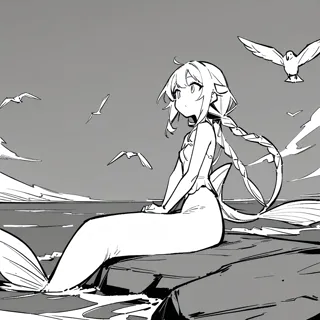
Grayscale draft styling helps you test a story’s staging before committing to color or polished surface detail. A starting point for creating and refining an image in LlamaGen.
Choose the camera and action before worrying about costume decoration.
When to use this template
- Early storyboard
- Scene blocking
- Visual pitch draft
Build your first draft
Choose the story moment
Describe who is present and what changes before adding decorative details. Choose the camera and action before worrying about costume decoration.
Direct the composition
Separate foreground and background with simple gray masses.
Review the first draft
Check whether the obstacle and the intended route read immediately. Check the focal point at a small size, then revise one issue at a time.
Try a complete example
Worked example — Monochrome story sketch for early composition
A grayscale cartoon draft of a delivery worker discovering a staircase blocked by flowerpots. Wide hallway framing, rough clean silhouettes, the worker at left and stairs at right, one parcel, no text.
The blocked route makes the scene’s problem visible even in rough form. Use this direction as a draft brief; inspect the result before relying on fine details.
Before you publish
- Draft rendering can leave anatomy and props unresolved.
- The image is a planning reference rather than editable layered line art.
- Add captions after reviewing the image so the story remains readable.
Questions about this template
- Can I change the subject?
- Yes. Replace the example subject while retaining the visual choices described above; too many competing actions make the result harder to read.
- Is this a blank downloadable file?
- This is a creation preset, not a blank worksheet. Open it, describe a scene, and refine the generated draft.
- Will the prompt reproduce every detail exactly?
- No. The prompt gives direction. Layout, lettering, anatomy, and repeated character details can need correction.