

Cinematic 3D-style story beats with varied framing
Example preview
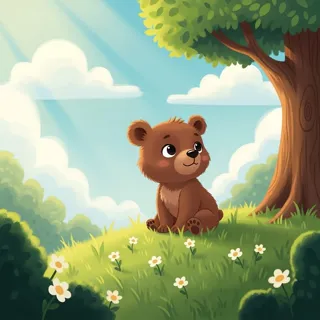
This preset directs sequential 3D cartoon storytelling through establishing, medium, and close views rather than a single repeated camera. A starting point for creating and refining an image in LlamaGen.
Give each view a different narrative job while repeating one recognizable prop.
When to use this template
- Little-bear adventure
- Family rescue beat
- Character reaction sequence
Build your first draft
Choose the story moment
Describe who is present and what changes before adding decorative details. Give each view a different narrative job while repeating one recognizable prop.
Direct the composition
Use a wide setting view, a medium action view, and a close reaction.
Review the first draft
Check that the blue backpack and kite stay recognizable across views. Check the focal point at a small size, then revise one issue at a time.
Try a complete example
Worked example — Cinematic 3D-style story beats with varied framing
A small bear with a blue backpack spots a kite in a tree, steadies a branch with a stick, then smiles as the kite drops into reach. Request cinematic 3D cartoon panels, warm light, clear gutters, no lettering.
Changing shot scale helps the rescue progress without adding another plot. Use this direction as a draft brief; inspect the result before relying on fine details.
Before you publish
- Panel count and continuity remain directions to inspect, not guarantees.
- Branches, sticks, and paws can merge in a crowded action.
- Add captions after reviewing the image so the story remains readable.
Questions about this template
- Can I change the subject?
- Yes. Replace the example subject while retaining the visual choices described above; too many competing actions make the result harder to read.
- Is this a blank downloadable file?
- This is a creation preset, not a blank worksheet. Open it, describe a scene, and refine the generated draft.
- Will the prompt reproduce every detail exactly?
- No. The prompt gives direction. Layout, lettering, anatomy, and repeated character details can need correction.