

Pixel toy workshop: tell a readable making mishap
Example preview
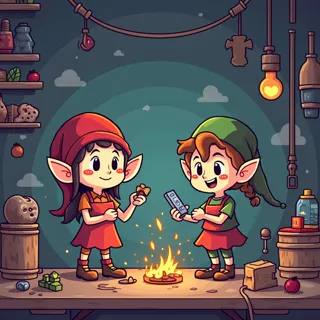
Build a retro pixel-art workshop comic around designing, assembling and testing one toy. Large silhouettes and a limited cast help tiny tools remain understandable.
Use a harmless toy malfunction to explain teamwork and iteration.
When to use this template
- A toy-testing comic
- A children's making story
- A retro workshop adventure
Build your first draft
Plan the scene
Choose a toy with a simple shape and one visible fault.
Direct the image
Assign separate workbench positions and limit decorative clutter.
Review the draft
Check that pixel texture leaves the toy and each action recognizable.
Try a complete example
The backwards toy duck
Retro pixel-art comic: three elves assemble a wheeled yellow duck at a magical workbench, test it, then laugh when it rolls backwards into a cushion. Bright limited palette, chunky silhouettes, clear panels, no text.
The repeated yellow duck connects building, testing and the harmless surprise.
Before you publish
- Tiny gears and hands may dissolve into pixel noise.
- A pixel-art appearance does not guarantee a fixed sprite grid.
Questions about this template
- Can I change the workshop crew?
- Yes; define a small original cast and repeat their silhouettes.
- Is this a game asset pack?
- It starts an illustration or comic; production sprites need separate sizing and cleanup.
- Is this a blank download?
- This is a creation starter in LlamaGen. Generate a draft, then review and refine it.