
LlamaGen.Ai Logo
LlamaGen.Ai Brand
How to Storyboard Your Film in Minutes Using AI (2025 Guide)
How to Storyboard Your Film in Minutes Using AI (2025 Guide)

Monica
Monica
8 december 2025

Storyboarding Made Effortless: Harnessing AI for Fast, Cinematic Visualization (2025 Guide)

Remember When Storyboarding Was a Struggle?

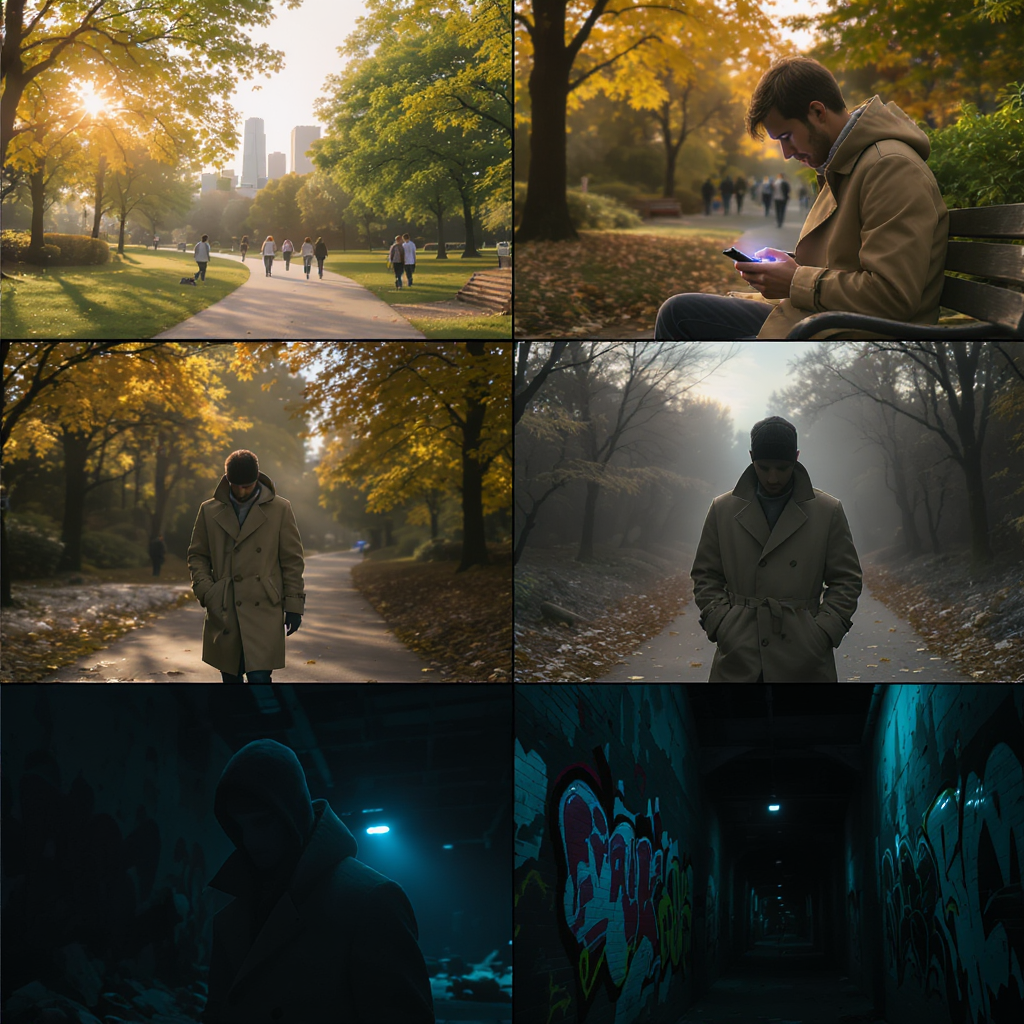
If you’ve ever spent sleepless nights laboring over rough sketches, wrestling with stick figures, and erasing until your page was a smudged mess, you know storyboarding used to be a daunting part of filmmaking. Fast-forward to 2025: those days are officially behind us. Thanks to advances in artificial intelligence, you can now generate polished, cinematic storyboards for your entire film in just a matter of minutes — no drawing skills required.

What Is Storyboarding — And Why Does It Matter?

Storyboarding is the process of visually mapping out your film, scene by scene and shot by shot. Each frame in a storyboard serves as a blueprint for your production, capturing essential details like:

  • Camera angle and framing
  • Character positions and expressions
  • Movement and action
  • Mood and atmosphere
  • Visual tone and color palette

Storyboards help directors, cinematographers, production designers, and even actors to understand the vision before a single lens cap comes off. They’re not just sketches; they’re the backbone of pre-production planning, enabling teams to foresee challenges, refine creative choices, and communicate ideas clearly.

For example, imagine planning a suspenseful chase sequence. With storyboards, you can plot out every dynamic angle, anticipate lighting challenges, and ensure the pacing is tight — all before stepping onto set.

Why AI-Powered Storyboarding Is a Game Changer

Let’s face it: most filmmakers aren’t professional artists, and hiring a storyboard artist for dozens of frames can be costly and time-consuming. Deadlines loom, budgets get tight, and creative momentum can stall.

AI tools like llamagen.ai provide a revolutionary alternative:

  • Speed and Efficiency: Generate entire sequences in minutes, not days.
  • Accessibility: No need for sketching skills or expensive illustrators.
  • Flexibility: Instantly edit, iterate, and refine your storyboards as your vision evolves.
  • Collaboration: Easily share interactive boards with your team, no matter where they are.
  • Creative Freedom: Experiment with different visual styles and moods to find the perfect look for your project.

Whether you’re a seasoned director, an indie filmmaker, or a student working on your first short, AI storyboarding empowers you to visualize your ideas with professional clarity.

How to Storyboard Your Film with AI (Step-by-Step Guide)

AI platforms like llamagen.ai have streamlined the entire process. Here’s how you can go from script to storyboard in record time:

1. Import or Write Your Script

Start by uploading your full screenplay, a short film script, or even a simple scene concept. The AI can read standard script formats or plain text, making it easy to get started whether you have a finished draft or a rough outline.

Pro Tip: If you’re working on commercials, music videos, or documentaries, you can input shot lists or scene descriptions just as easily.

2. Break Down the Script Into Shots

The software can automatically parse your script and identify individual shots, or you can manually create shot descriptions for extra control.

Example: For a dialogue-heavy scene, the AI might suggest alternating close-ups and over-the-shoulder shots. You can edit, reorder, or add new shots as needed.

Best Practice: Review the AI’s shot breakdown and adjust for pacing, emotional beats, and key story moments.

3. Choose Your Art Style

Select an art style that matches the mood and genre of your film. Options typically include:

  • Comic book
  • Photorealistic
  • Anime
  • Noir
  • Watercolor
  • Minimalist

Insight: Consistent art style helps maintain tone and clarity throughout your storyboard. For a gritty crime drama, noir styling with high contrast shadows may be ideal; for a whimsical animation, a bright cartoon style can set the right mood.

4. Describe Each Scene in Detail

Provide specific prompts for each shot to guide the AI’s visual generation.

Example Prompt:

“Medium shot of a woman sitting in a cozy café, raindrops streaking the window behind her, lost in thought, warm ambient lighting.”

Actionable Tip: The more detail you include about location, lighting, mood, character action, and camera angle, the better the results. Don’t just say “a man in a room” — say “wide shot of a nervous man pacing in a cluttered detective’s office, city lights glowing outside.”

5. Define and Save Your Characters

Upload reference images, cast photos, or provide detailed written descriptions for each character.

Example:

“Early 30s, Black woman, short curly hair, wearing a red trench coat, expressive eyes.”

Best Practice: Once you’re happy with a character’s look, save them as a template for consistent appearances across all scenes. This ensures continuity and makes future iterations faster.

6. Generate, Refine, and Iterate

With your scenes and characters set, let the AI generate your storyboard frames. You can:

  • Use “Variation” tools to tweak backgrounds, props, character poses, and framing
  • Instantly replace elements or try alternative camera angles
  • Adjust lighting, color grading, and visual effects to match your desired tone

Insight: Iteration is key — the beauty of AI is that you can rapidly explore different creative options. Don’t settle for your first draft; experiment until you find visuals that perfectly match your vision.

7. Create an Animatic (Optional)

Transform your storyboard into an animatic for a dynamic preview. This feature adds real camera movement, transitions, and timing, allowing you to:

  • Preview pacing and rhythm before shooting
  • Share a moving storyboard with collaborators or investors
  • Spot potential issues with shot flow or continuity

Use Case: Directors can use animatics to block complex action scenes, while editors can anticipate cutting points and transitions.

Expert Tips for Maximizing Your AI Storyboards

  • Be Hyper-Specific: Detailed prompts yield the best visuals. “Close-up of a sweaty boxer under a flickering gym light” will communicate more than “boxer in gym.”
  • Save Character Profiles: Lock in your characters’ appearances for consistency across every frame.
  • Maintain Visual Cohesion: Stick to one art style per project to avoid jarring tonal shifts.
  • Iterate Boldly: Don’t hesitate to redo or tweak frames. AI lets you experiment without wasting time or resources.
  • Collaborate and Share: Use commenting and sharing features to gather feedback from your team.
  • Plan for Production: Use storyboards to inform location scouting, costume design, and shot lists — not just creative visualization.
  • Leverage AI for Revisions: When scripts change, update your storyboards in real-time to keep everyone aligned.

The Future of Storyboarding Is Here — And It’s in Your Hands

Storyboarding has evolved from a technical hurdle into a creative superpower. No longer limited by artistic skill or budget, filmmakers can now translate their cinematic ideas into vivid visuals with unprecedented speed and flexibility. All you need is your story, your imagination, and the right AI-powered tool.

Whether you’re prepping a blockbuster, crafting a short film, or planning branded content, AI storyboarding puts professional-quality visualization within reach. Embrace the technology, streamline your workflow, and bring your vision to life faster than ever before.

🎬 Ready to transform your filmmaking process? Start storyboarding with AI and unlock your creative potential today.

🎬 Start storyboarding with AI now

🎬 Start creating Comic with AI now

Relaterade heta taggar

AI storyboarding

filmmaking tools

llamagen.ai

film pre-production

digitalt storyboard

LlamaGen community

checkmark

Get hands-on help with your comics

checkmark

Showcase your comics to fellow LlamaGen creators

checkmark

Participate in special events to win gifts

Tidigare bloggar

Ändringslogg

Spark dreams for the young
Where millions of stories come alive

En översikt av de senaste LlamaGen.Ai funktionsutgåvorna, produktförbättringar, designuppdateringar och viktiga buggfixar.

Ett nytt medium för Berättande

Skapa obegränsade berättelser, serier, animationer, spel och mer—på sekunder som resonerar med moderna publiker