




Comic and manga production
Use storyboard decisions and character references as inputs for panel planning. Continue in Comic Studio with the assets and capabilities available to your project.
Explore AI comic creationLlamaGen Team Plan
Share project assets, plan storyboards, and create comics, images and video with the right tools for each shot. Give teammates a common place to work and review.
Name your workspace first. No payment is required to create it; Team Pro tools and shared credits require an upgrade.
Illustrated team workflow


Enter a team name. If you are signed out, sign in and return to finish creating it. Each account can have up to two unpaid workspaces.
Use the workspace onboarding to invite a teammate. Free workspaces have a limit of three occupied seats, including active members and pending invitations.
Bring in a character reference or storyboard. Upgrade to Team Pro when you need paid creation tools and pooled credits.
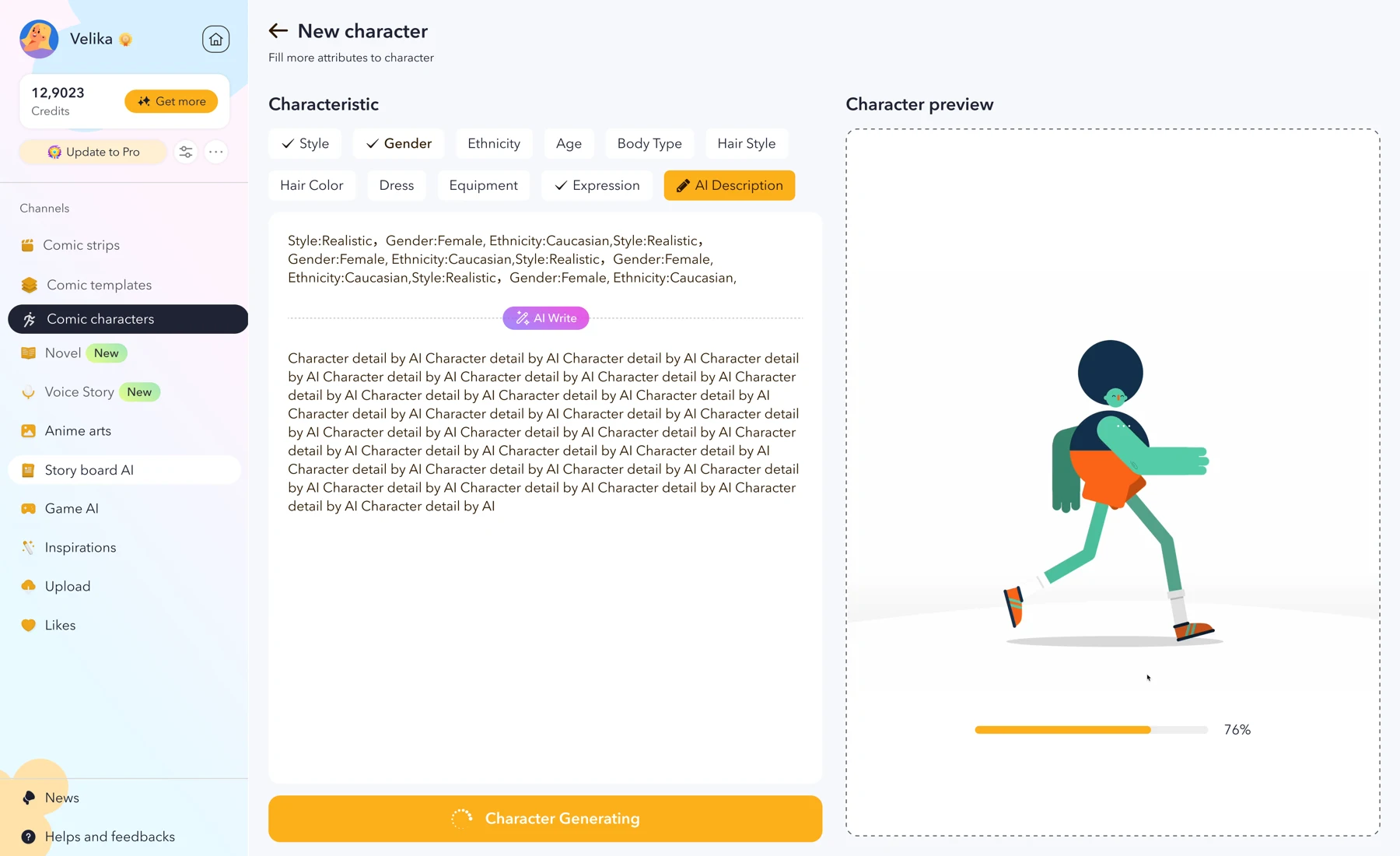
A shared character library and scene references help your team retain visual context across a storyboard. Organize the references your project needs, then review generated frames for consistency. References guide the work; they do not guarantee identical results.

Shared character and scene references
Invites and permissions
Creative credits

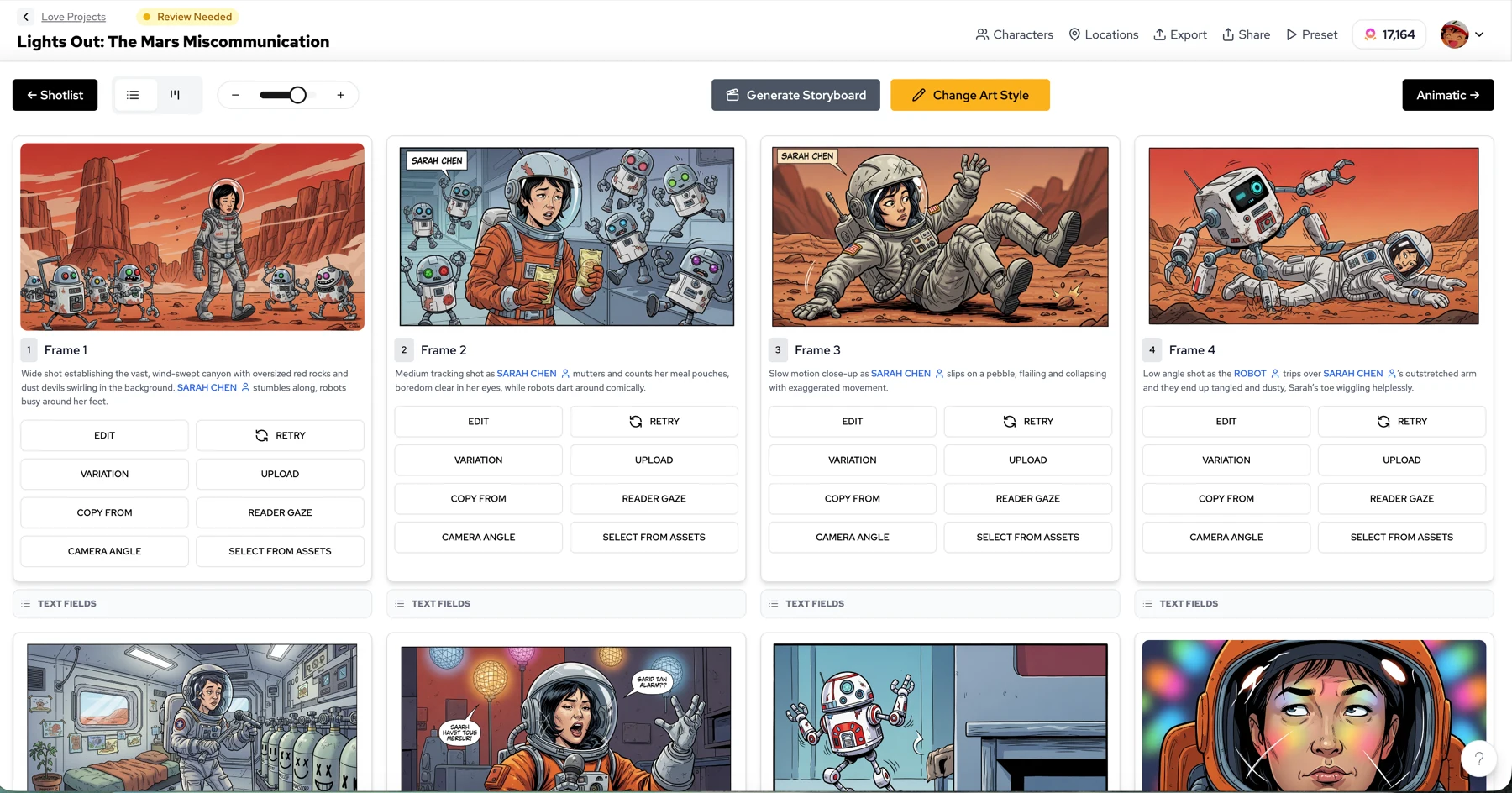
Start with a screenplay or scene brief. Turn it into ordered shots with frame numbers, camera angles and description fields for the production team.
Open the screenplay editor
Reuse character, location and scene references across AI-generated storyboard frames. Revise a shot while keeping the visual direction and cast in context.
Explore script to storyboardSend a public storyboard link for viewing. Collect frame comments and @mentions in the workspace, and update project statuses as your review rounds progress.
Read the storyboard review and approval guide
Use a timed animatic to check pacing before the edit. Confirm PDF, MP4, Excel shot-list, image or XML export options with the team receiving the files.
Explore storyboard to videoA practical checklist for briefs, shot feedback and review decisions.
Use shared references to plan campaign visuals, design concepts, sales pitches and training stories. Continue in the tool that fits the output.
Use storyboard decisions and character references as inputs for panel planning. Continue in Comic Studio with the assets and capabilities available to your project.
Explore AI comic creationAgree on shot order, framing and character references before video production. Review the separate storyboard-to-video workflow for the next step.
Explore storyboard-to-videoThese are connected production tasks. Automatic project conversion, live co-editing and automated approval are not promised.
A clearer buying decision
The creative tools do not become different models. The difference is shared production context, pooled credits and one place to manage a team.
Personal Pro
One creator account
Team Pro
Fixed team plans with seat limits of 2, 5, 10 or 30.
Personal Pro
Credits managed per account
Team Pro
50,000–300,000 shared credits per month; annual plans receive the same monthly credits, issued monthly.
Personal Pro
References in personal projects
Team Pro
Shared character and scene references
Personal Pro
Individual shot planning
Team Pro
Team project context and human review decisions
Personal Pro
Pro creation workflows
Team Pro
Pro tools with shared team visual references
Personal Pro
Personal account access
Team Pro
Member invites, roles and workspace controls
Personal Pro
Separate personal subscriptions
Team Pro
Centralized Team Pro seats and billing
Personal Pro
Manage your own existing assets
Team Pro
Move eligible assets into the team workspace
Personal Pro
Personal plan support
Team Pro
Priority team support
Creative review remains human-led. Team Pro does not promise automatic project conversion or real-time co-editing.
Review Team Pro pricingLlamaGen Team Plan
Compare Starter, Pro, Team, and Agency plans for video pre-production. Choose the seats and shared AI credits your studio needs and compare monthly billing with an annual subscription.
Share public storyboard views, collect shot comments inside the workspace, and manage creative credits and seats in one plan.
For a producer or director working on their own.
50,000 shared credits/month
For a small studio team sharing work with its clients.
100,000 shared credits/month
For studio teams managing several productions.
160,000 shared credits/month
For larger studios running work for many clients at once.
300,000 shared credits/month
Free plan · Walang kinakailangang credit card
Create a free workspace and invite your team. Creative tools and pooled credits are part of a paid upgrade.
Start free“Ang pagiging bahagi ng malikhaing industriya ay nangangailangan ng efficiency nang hindi isinusugal ang kalidad. Hindi lang natutugunan ng llamagen.ai ang mga inaasahan, nilalampasan pa nito. Gustong-gusto ko ang paggamit ng storyboarding at pagkakaroon ng AI na tumutulong hindi lang sa paggawa ng imahe kundi pati na rin sa text content - napakagandang paraan para pagandahin pa ang buong karanasan.”

Alex T.
@alex-t
“Maintaining character consistency is a challenge that I did not expect to be overcome so fast. While not perfect at times, the results are impressive and I’m really looking forward to the chance to further customize my workflow and AI generation.”

Taylor H.
@taylor-h
“While the storytelling ability of AI seems not so creative, it does provide me with a great base to edit from and make it my own. And then the comic generation itself... simple, easy and truly impressive.”

Michael T.
@michael-t
Starter$39/buwan Sisingilin buwan-buwan | Pro$79/buwan Sisingilin buwan-buwan | Team$129/buwan Sisingilin buwan-buwan | Agency$249/buwan Sisingilin buwan-buwan | |
|---|---|---|---|---|
| Core Features | ||||
| Users | Up to 2 | Up to 5 | Up to 10 | Up to 30 |
| Storyboards | ||||
| AI images | 50,000 shared credits/month | 100,000 shared credits/month | 160,000 shared credits/month | 300,000 shared credits/month |
| Unlimited frames | Confirm availability for your workflow | |||
| No watermarks | Confirm availability for your workflow | |||
| Stock image library | Confirm availability for your workflow | |||
| Dropbox & Google Drive | Confirm availability for your workflow | |||
| Auto frame numbers | ||||
| Custom frame fields | Confirm availability for your workflow | |||
| Scripts | ||||
| Active Scripts | ||||
| Free-form and 2-column AV editing | Confirm availability for your workflow | |||
| Automatic voiceover timing | Confirm availability for your workflow | |||
| Client review and comments | Confirm availability for your workflow | |||
| Kasaysayan ng Bersyon | Confirm availability for your workflow | |||
| Convert Script to Storyboard | ||||
| Sharing & Collaboration | ||||
| No-signup client reviews | Confirm availability for your workflow | |||
| Project sharing links | ||||
| Unlimited guest commenting | Confirm availability for your workflow | |||
| Real-time collaboration | Confirm availability for your workflow | |||
| Password protection | Confirm availability for your workflow | |||
| Production & Export | ||||
| Animatic editor | ||||
| PDF exports | ||||
| All export formats | Confirm availability for your workflow | |||
| Version control | Confirm availability for your workflow | |||
| Activity trail | Confirm availability for your workflow | |||
| Team Controls | ||||
| Client-hidden comments | Confirm availability for your workflow | |||
| Project-level permissions | Confirm availability for your workflow | |||
| Customizable templates | Confirm availability for your workflow | |||
| Team invite link | Confirm availability for your workflow | |||
| Custom subdomain | Confirm availability for your workflow | |||
| Two-factor authentication | Confirm availability for your workflow | |||
| Password rotation | Confirm availability for your workflow | |||
| Team onboarding call | Confirm availability for your workflow | |||
| Automation & Integrations | ||||
| MCP server | Confirm availability for your workflow | |||
| Public API | Confirm availability for your workflow | |||
| Webhooks | Confirm availability for your workflow | |||
| Slack notifications | Confirm availability for your workflow | |||
Fixed team plans with seat limits of 2, 5, 10 or 30. 50,000–300,000 shared credits per month; annual plans receive the same monthly credits, issued monthly.
Talk through procurement, deployment support, integration requirements and commercial terms with the Enterprise team.
It helps a creative team plan a visual sequence with shared project context. In LlamaGen, use character and scene references, organize project assets and coordinate human-led review before production.
Yes. Create a free workspace and invite collaborators within the free limits. Accounts can have up to two unpaid workspaces, with three occupied seats per free workspace. Team Pro creative tools and credits require a separate paid upgrade.
Review and approval remain your team’s decisions. Comic creation and storyboard-to-video are separate workflows; this page does not promise automatic conversion, real-time co-editing or an automated approval system.
No. Choose a plan with enough seats for your members and pending invitations. You can invite teammates later; the fixed team price stays the same.
The pricing cards show current monthly prices and annual billing totals. Team plans include a fixed seat allowance and a shared monthly generation credit pool. Compare the billing periods before checkout. Model choice and generation settings determine how much each AI image or video costs in credits.
Choose Team Pro for a self-serve team workspace. Contact Enterprise when you need to discuss a tailored rollout, procurement, integration scoping or custom commercial terms.
Use team assets as inputs for LlamaGen's image, comic, storyboard and video tools. Your selected tool, model and plan determine what you can generate and the credits it uses.
Invite teammates to the workspace, manage member roles and share creative assets. Assign review and approval to teammates and use your preferred chat or video call for feedback.
Clients can view an enabled public storyboard link without an account. Shot comments, @mentions, and project statuses such as Review Needed, Changes Required, and Approved are managed by workspace members. During a live client review, use your existing video call or chat and record the sign-off in the project.
Use the animatic editor to preview shot timing and pacing. Storyboard and screenplay PDF, PNG frames, shot-list Excel (XLSX), MP4 animatic, video clips ZIP, and Final Cut Pro XML are available export options where supported by the project. Check the handoff format with your editor before importing into Premiere Pro, DaVinci Resolve, or After Effects.
Compare monthly and annual team prices, included seats, and monthly shared AI credits on this page. Use billing settings to manage your subscription. Payment options appear at checkout. Check the Terms of Service for cancellation and refund rules and ask sales about education or nonprofit purchasing.
Create the workspace, invite a collaborator and decide together when to add Team Pro.