

LlamaGen
最适合
AI 故事转漫画草稿与重复角色
从故事或提示词创建单格或多格漫画,让重复角色和场景更一致,再在 iOS App 中编辑、保存或分享。参考图片上传能力取决于方案资格。
可以先用 AI 建立故事草稿,也可以亲自掌控线条、网点和文字。根据你的创作方式比较工具。
iPhone 搜索意图 · App Store 信息核对日期:2026 年 11 月 11 日

LlamaGen for iPhone
iPhone 搜索意图
LlamaGen Originals · Home Library
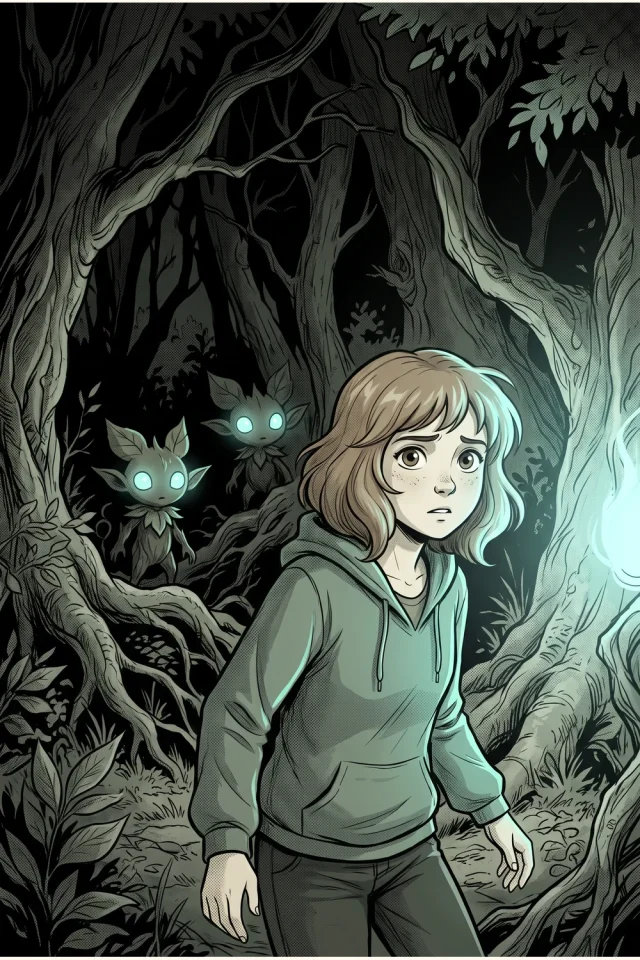
Fantasy Drama
已发布故事序列 · 10 页
原始故事与页面说明为英文
Desperate to save her younger sister, Elara, from a mysterious fading sickness, Lyra ventures into the forbidden Whisperwood seeking a legendary cure. She aids an injured forest Sprite, who, in gratitude, leads her to a hidden, luminous spring. The spring's water does not offer a physical cure, but instead grants a shared, lucid moment, allowing the sisters a heartfelt and peaceful final goodbye before Elara's passing. The story is a poignant exploration of acceptance, love, and finding peace in the face of loss.
视觉方向
Black-and-white manga line art with digital screentones, cross-hatching and a restrained cyan accent.
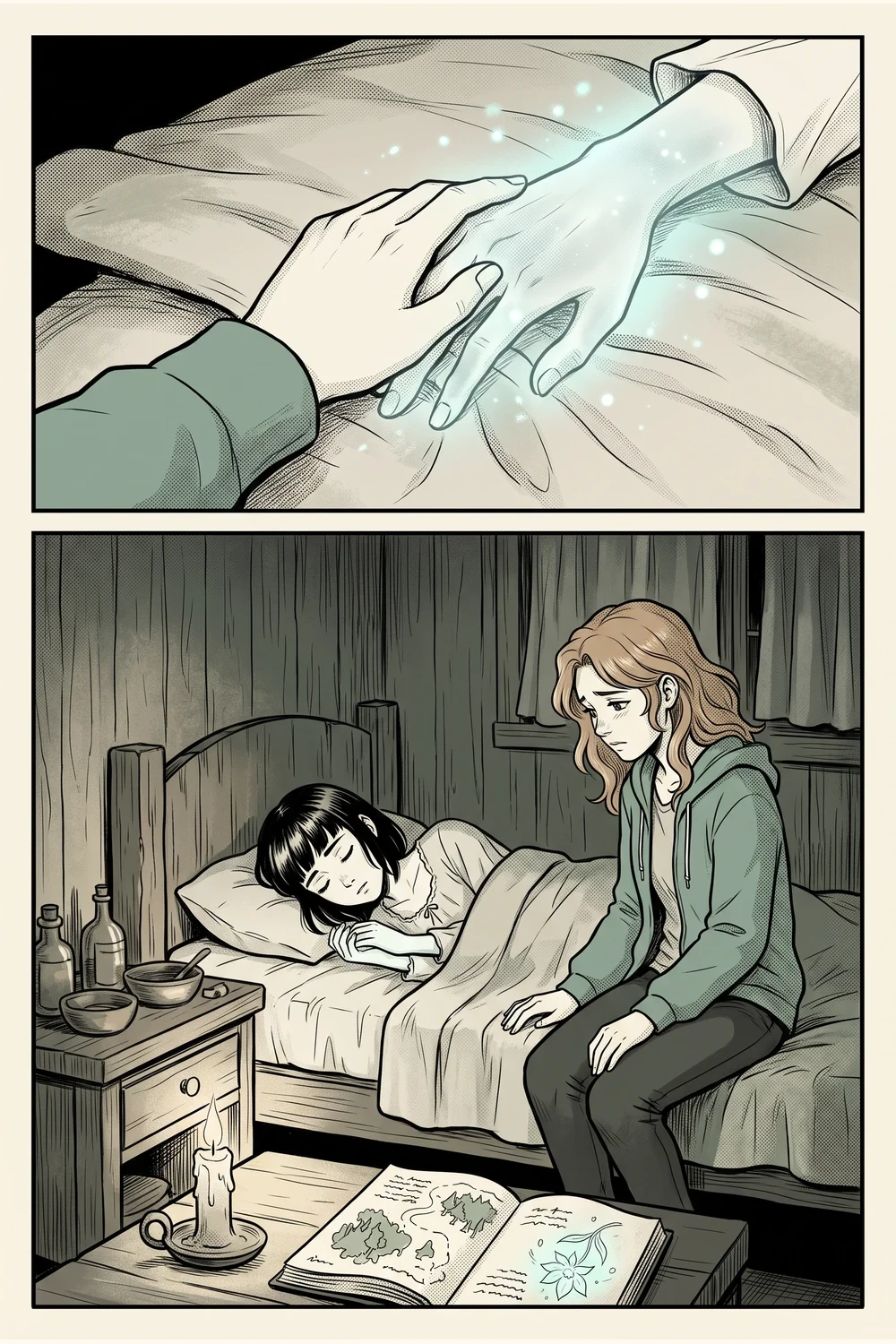
Page is split into two horizontal panels. Panel 1: A tight close-up on two hands. Lyra's hand is holding Elara's. Elara's hand is pale and noticeably translucent, as if made of frosted glass. Panel 2: A wider shot of a modest, dimly lit bedroom. Lyra sits on the edge of a bed, looking down at her sleeping sister, Elara, who looks frail. On the nightstand, a flickering candle illuminates an open book with a hand-drawn map of a forest and a sketch of a glowing flower.
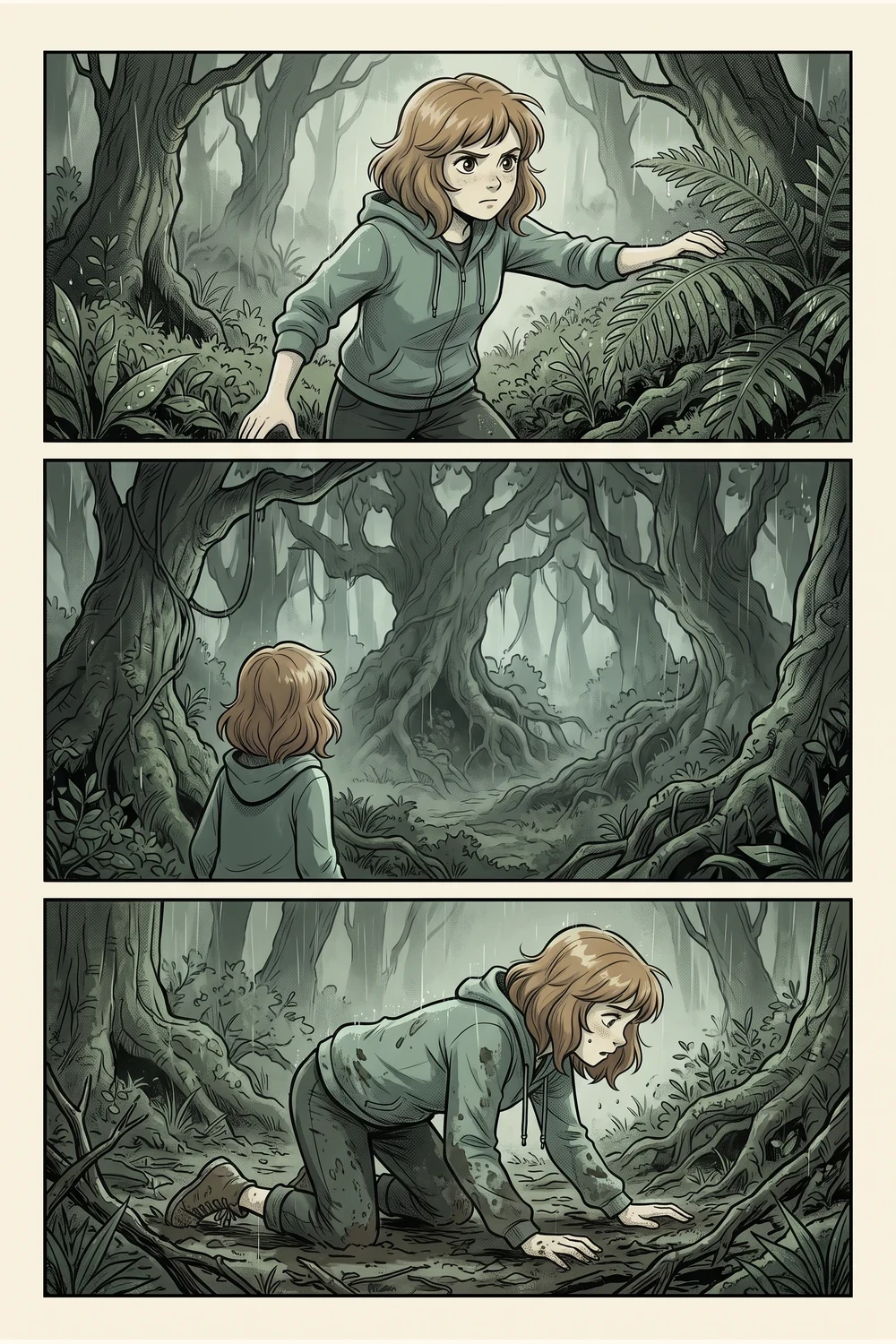
Three-panel page. Panel 1: Medium shot of Lyra, now wearing her green hoodie, pushing aside a large fern leaf at the edge of a dark, misty forest. Her face is set with determination. Panel 2: A shot from behind Lyra showing the daunting view into the forest. Ancient, gnarled trees are shrouded in fog and a light drizzle is falling. Panel 3: Lyra has tripped and is on her hands and knees in the mud, looking down at what she stumbled over.
这是 Home Library 已发布作品,附有原始故事和页面制作计划。它是可追溯的制作案例,不代表这部作品是在 iPhone App 中生成。
怎么选
按你需要 AI 分镜、专业手工后期,还是轻量移动绘图来选择。
最适合
AI 故事转漫画草稿与重复角色
从故事或提示词创建单格或多格漫画,让重复角色和场景更一致,再在 iOS App 中编辑、保存或分享。参考图片上传能力取决于方案资格。
最适合
手绘与专业漫画/Manga 制作
以绘画为核心的 iPhone 工作流,提供分格框、对话框、文字、效果线、网点和图层;符合方案时可管理多页漫画。
最适合
在 iPhone 上手绘 Manga 与漫画页
轻量插画与漫画工作流,包含画笔、漫画分格、网点、字体、云端项目与移动绘图工具。
怎么选
LlamaGen 侧重把故事节拍变成 Manga 风页面与重复角色草稿;Clip Studio Paint 与 MediBang 则把画笔、图层、网点和手绘控制交给你。
如果网点、分格框、文字与精确组版是核心,就直接检查这些控制;如果难点是剧本无法顺利变成分格,则优先看故事→页面流程。
系列 Manga 需要同一角色在特写、动作与新场景中仍可辨识。扩展章节前,先检查参考、项目、页面与修订方式。
常见问题
可以。LlamaGen iOS App 可从提示词和故事生成 Manga/漫画风多格草稿,并继续编辑与保存;参考图片能力取决于方案。
Clip Studio Paint 与 MediBang Paint 都是绘画优先工具,提供 Manga 导向的页面控制。
可以。先用 LlamaGen 产生草稿,再在需要精确墨线、文字、网点或印刷准备时转到绘画工具。
信息核对
App Store 信息核对日期:2026 年 11 月 11 日. 产品供应、价格与方案限制可能变化;当前兼容性与购买信息以链接的 App Store 页面为准。
故事→分格与重复角色是瓶颈,就用 LlamaGen;线稿、网点与后期是瓶颈,就选绘画优先 App。