

AI anime wallpaper generator
Imagine an anime world sized for the screen you use every day. Draft original scenic wallpapers with an uncluttered area for icons, a clear focal point and a mood you love.
Your prompt opens in the image studio. Sign in, choose an available model, add a reference image if needed, and review credits before generating.
Explore a visual direction
Build a wallpaper around your screen
Start with the use case, not a random illustration. Ask for a horizontal desktop background or a vertical lock-screen composition, with intentional empty space for icons or the clock.
Create an anime wallpaperMake atmosphere the star of the scene
Describe time of day, weather, palette, depth and a landmark. A strong setting becomes a wallpaper you can enjoy without a headline or crowded interface.
Create an anime wallpaper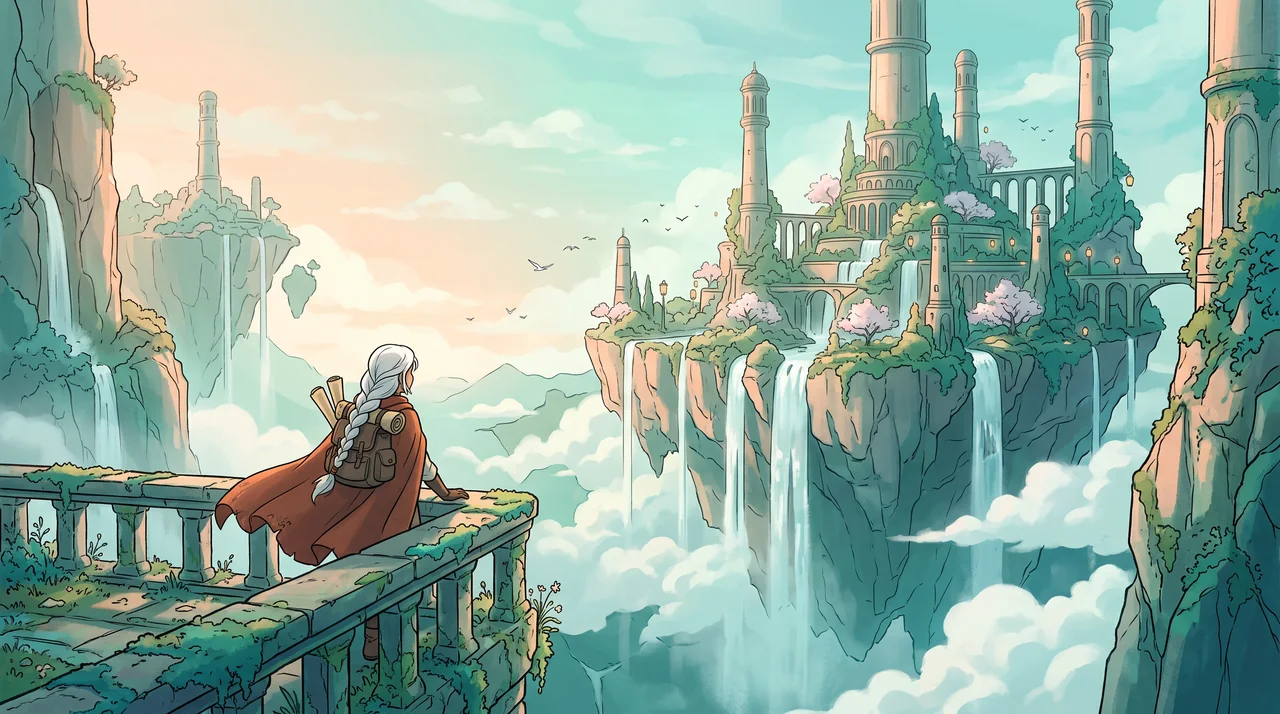
Picture your anime world on the screens you use
Ideas for an everyday desktop, a phone in your hand, different wallpaper directions and a coordinated screen set.
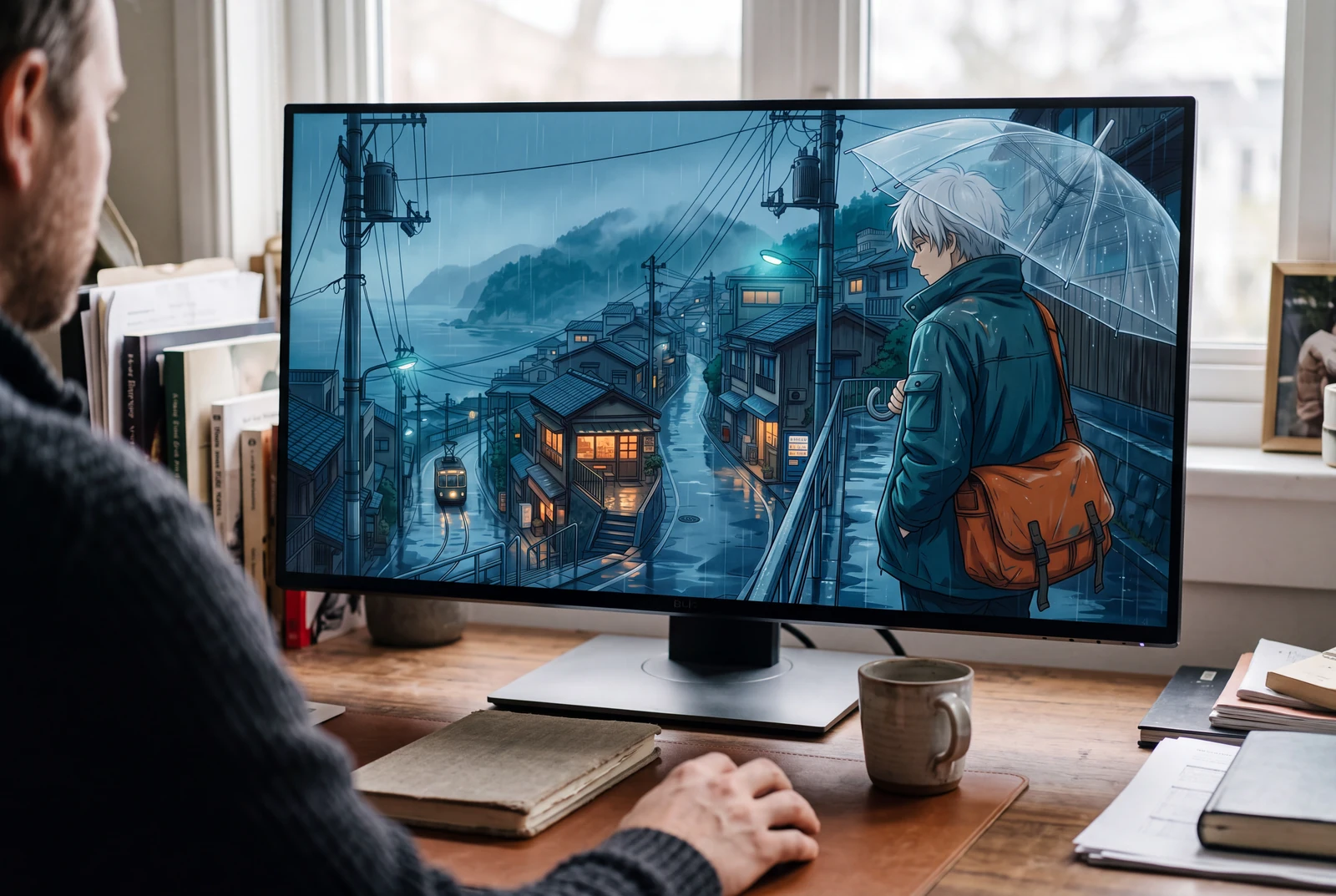
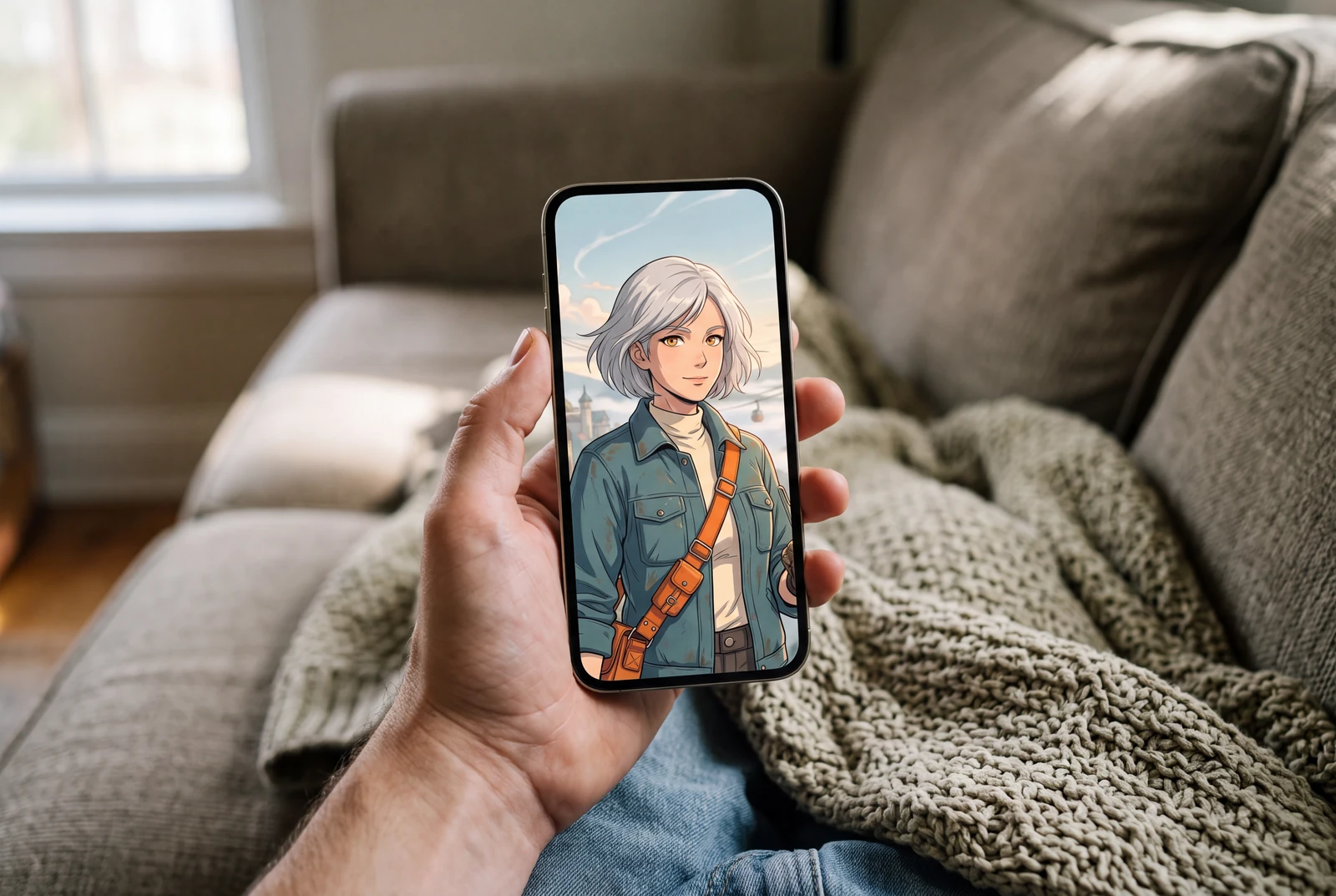
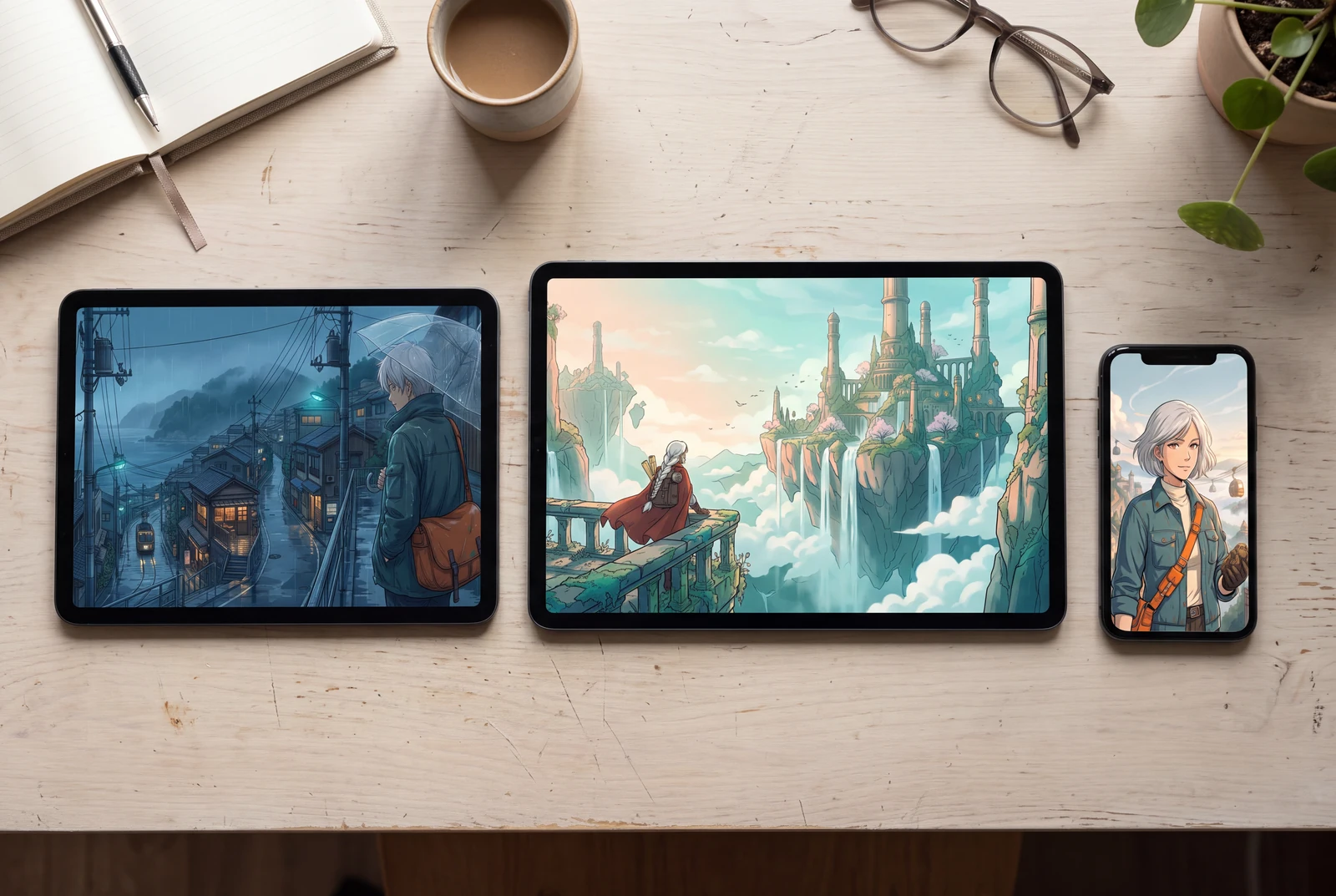
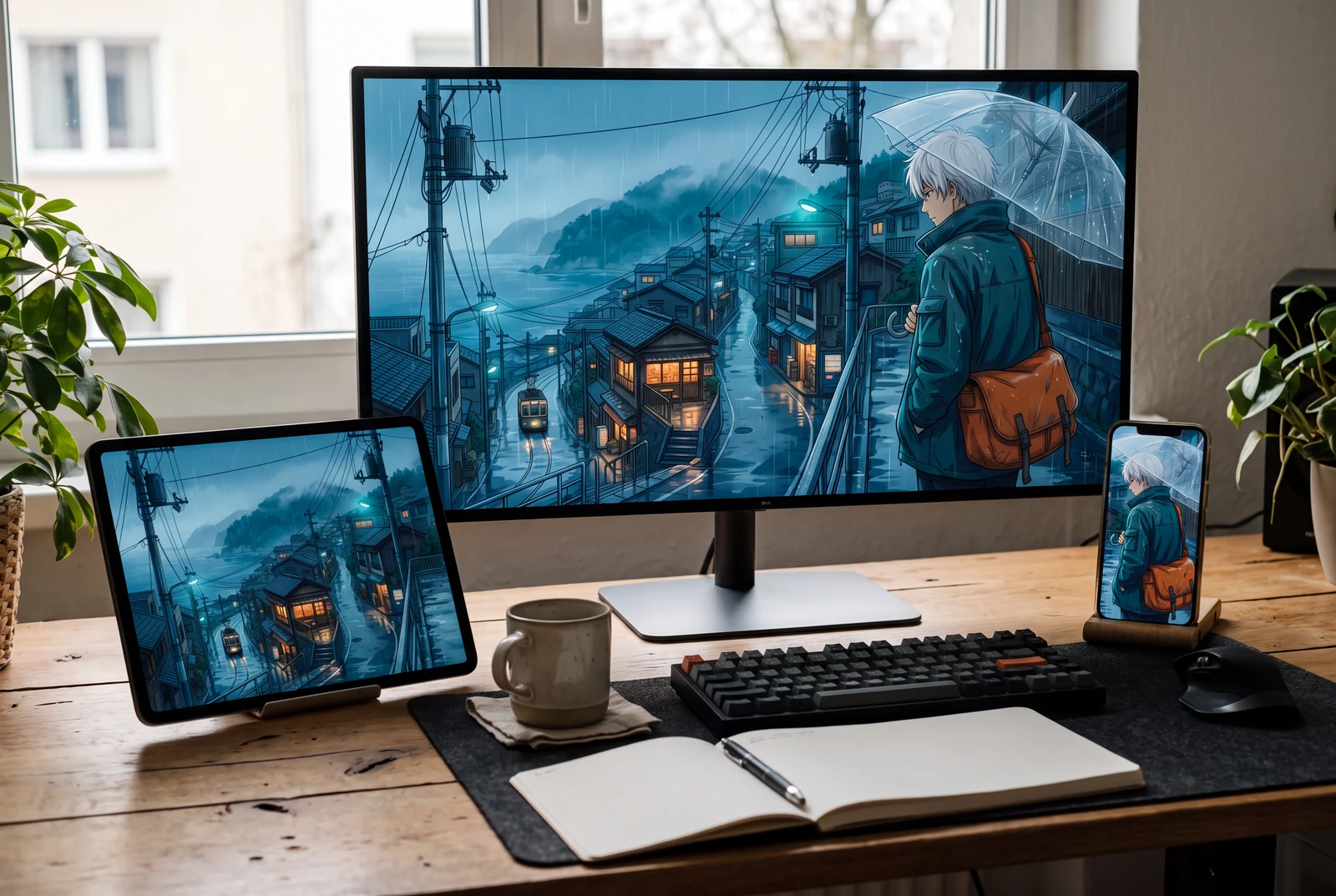
AI-generated lifestyle concepts with fictional people. These illustrate ways to use downloaded artwork; they are not customer trial photographs or proof of physical delivery.
Inspect four recorded image generations
These files have their own generation records. Inspect the original artwork and prompt separately from the presentation concepts and suggested prompts on this page.
 View original
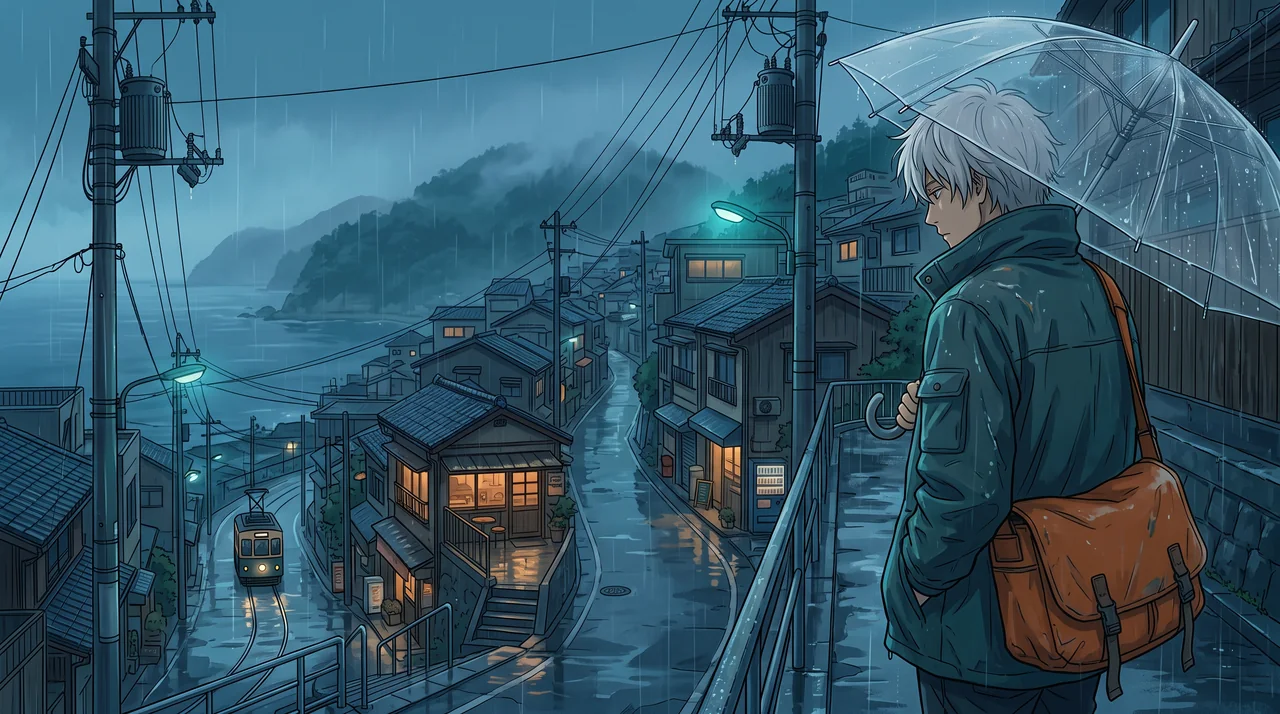
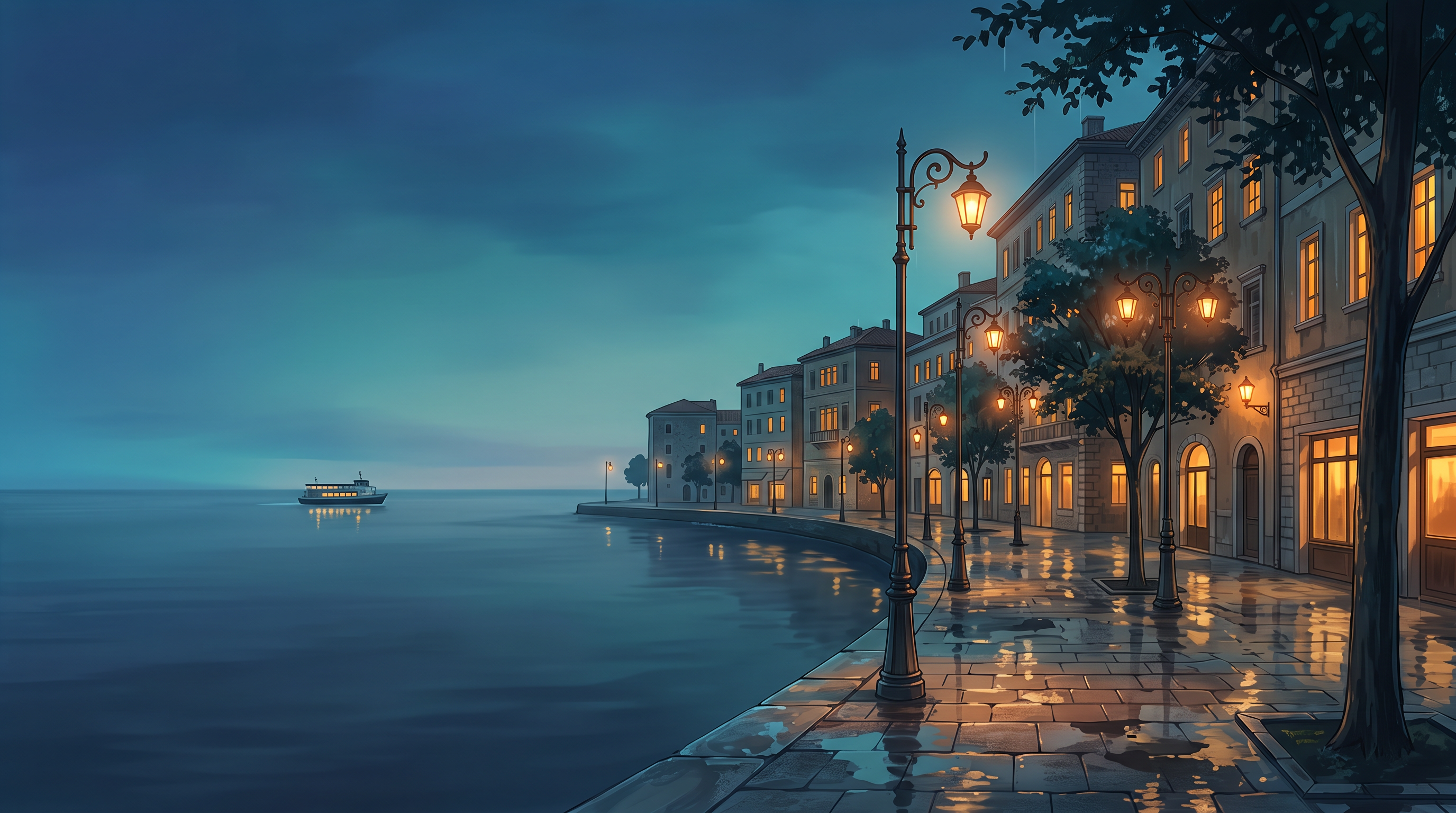
 Rainy city
Reviewed a wide blue-hour coastal city with the main buildings on the right and quiet sea and sky on the left. Suitable as a desktop composition; inspect icon contrast after any device-specific crop.
2752 × 1536 px · AI-generated example
Inspect prompt and generation record
An original anime background painting designed as a wide 16:9 desktop wallpaper. A rain-washed coastal city promenade at blue hour, warm windows, a few elegant streetlights reflected in wet paving, a calm sea and one small distant ferry. Keep the left third spacious: a soft indigo sky meeting the smooth sea, subdued detail for icons. More architectural detail on the right third. Strong atmospheric depth, refined cel-painted edges, subtle glowing reflections, cinematic teal and amber, no people required. Edge-to-edge landscape artwork without a device frame. Create one original polished image, not a collage, mockup, screenshot or sample grid. No existing fictional characters, franchise design, logos, signatures, watermark or readable writing. Any human is visibly an adult aged 25 or older, fully clothed and nonsexual. Do not imitate a named living artist. Keep the entire subject composition intentional.
- Model
- gemini-3.1-flash-image
- Provider
- Google Vertex AI
- Generated

 View original
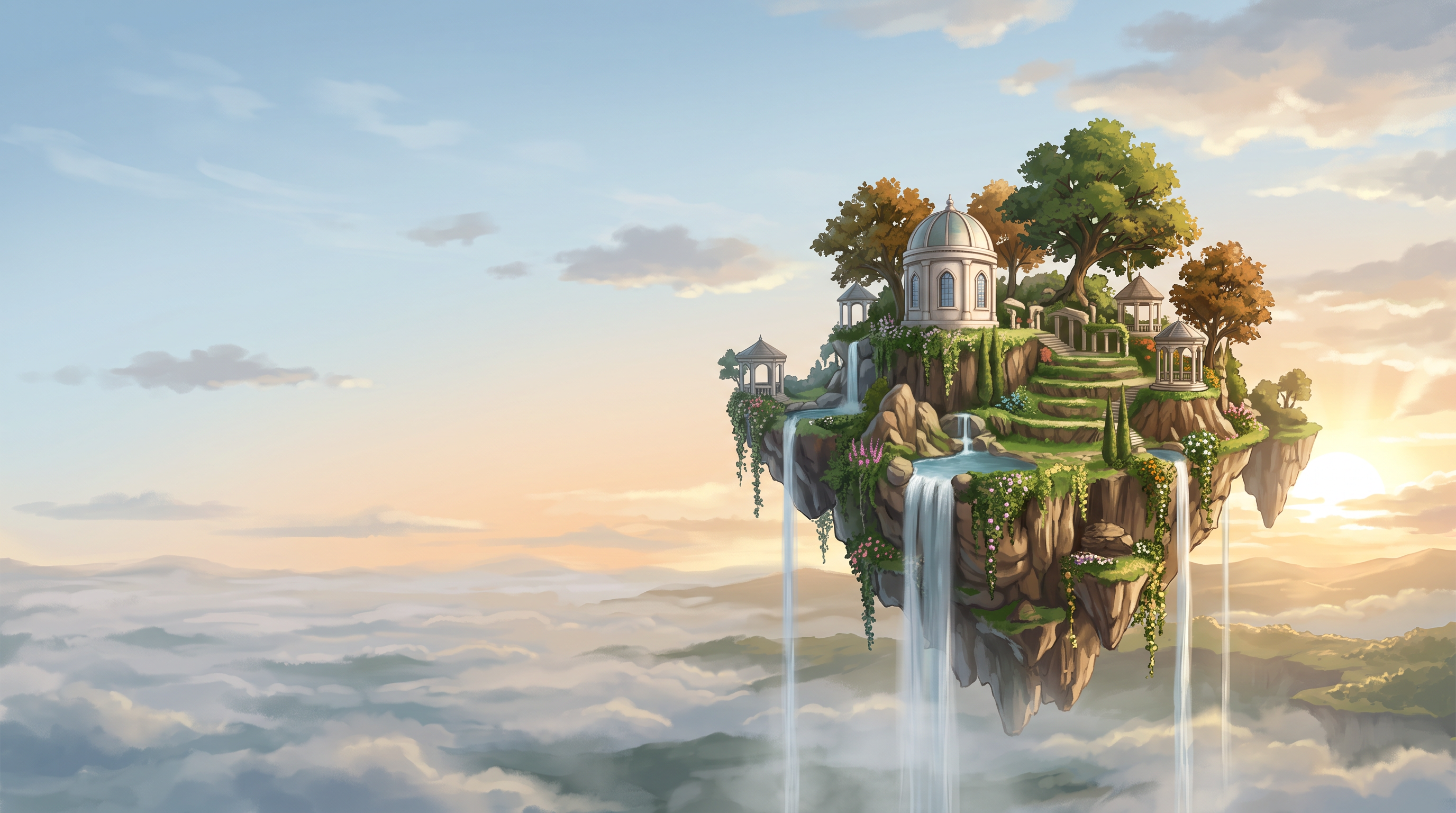
 Fantasy world
Reviewed a floating-island landscape with a clear right-hand focal island and a spacious pale sky on the left. Atmospheric detail is concentrated around the island rather than the icon area.
2752 × 1536 px · AI-generated example
Inspect prompt and generation record
An original anime fantasy environment designed as a wide 16:9 wallpaper. A cluster of floating garden islands with small original white stone observatories, hanging vines and slender waterfalls, warm sunrise through airy clouds, a distant lower sea of mist. Place the main island on the right, leave the left half mostly expansive pale blue and apricot sky with restrained soft clouds for desktop icons. Intricate handcrafted background-painting detail only around the focal island, crisp silhouettes, generous atmospheric depth, no characters. Edge-to-edge scene, no device mockup. Create one original polished image, not a collage, mockup, screenshot or sample grid. No existing fictional characters, franchise design, logos, signatures, watermark or readable writing. Any human is visibly an adult aged 25 or older, fully clothed and nonsexual. Do not imitate a named living artist. Keep the entire subject composition intentional.
- Model
- gemini-3.1-flash-image
- Provider
- Google Vertex AI
- Generated

 View original
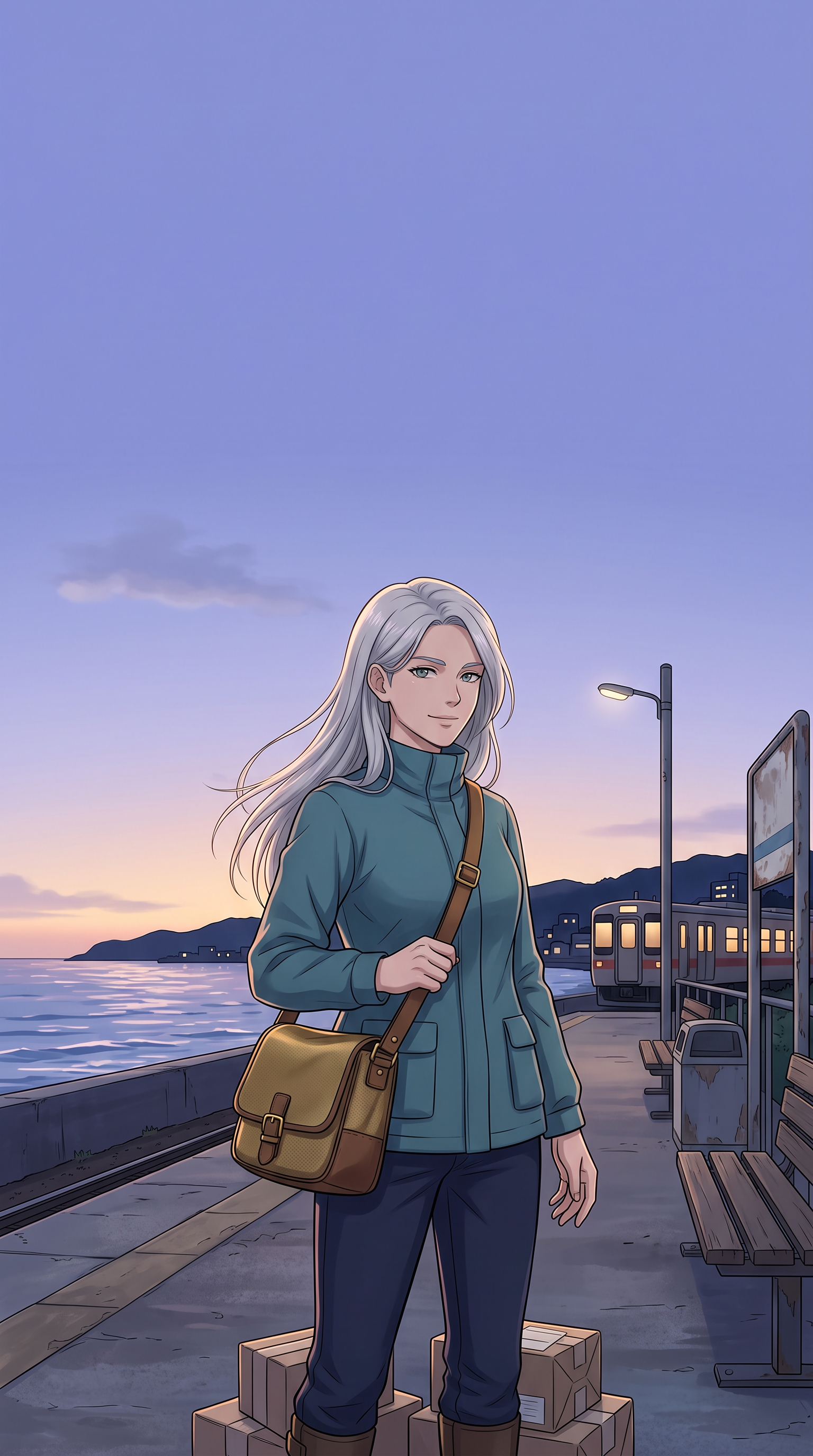
 Character focus
Reviewed a clearly adult courier below a large calm upper sky. The face sits below the clock area; check the final lock-screen crop and notification placement on the target device.
1536 × 2752 px · AI-generated example
Inspect prompt and generation record
An original anime phone wallpaper in tall 9:16 composition. One clearly adult 29-year-old silver-haired courier wearing a modest practical teal jacket, dark trousers and a simple brass crossbody satchel, standing on a coastal station platform at twilight. Three-quarter body framed in the lower two-thirds, composed confident expression, anatomically coherent hands. Keep the upper 28 percent a calm smooth lavender-blue sky with a faint cloud, completely free of faces, buildings and bright distractions for a lock-screen clock. Refined cel shading, fine windblown hair, soft rim light, original design, no hat insignia. No phone frame or interface. Create one original polished image, not a collage, mockup, screenshot or sample grid. No existing fictional characters, franchise design, logos, signatures, watermark or readable writing. Any human is visibly an adult aged 25 or older, fully clothed and nonsexual. Do not imitate a named living artist. Keep the entire subject composition intentional.
- Model
- gemini-3.1-flash-image
- Provider
- Google Vertex AI
- Generated

 View original
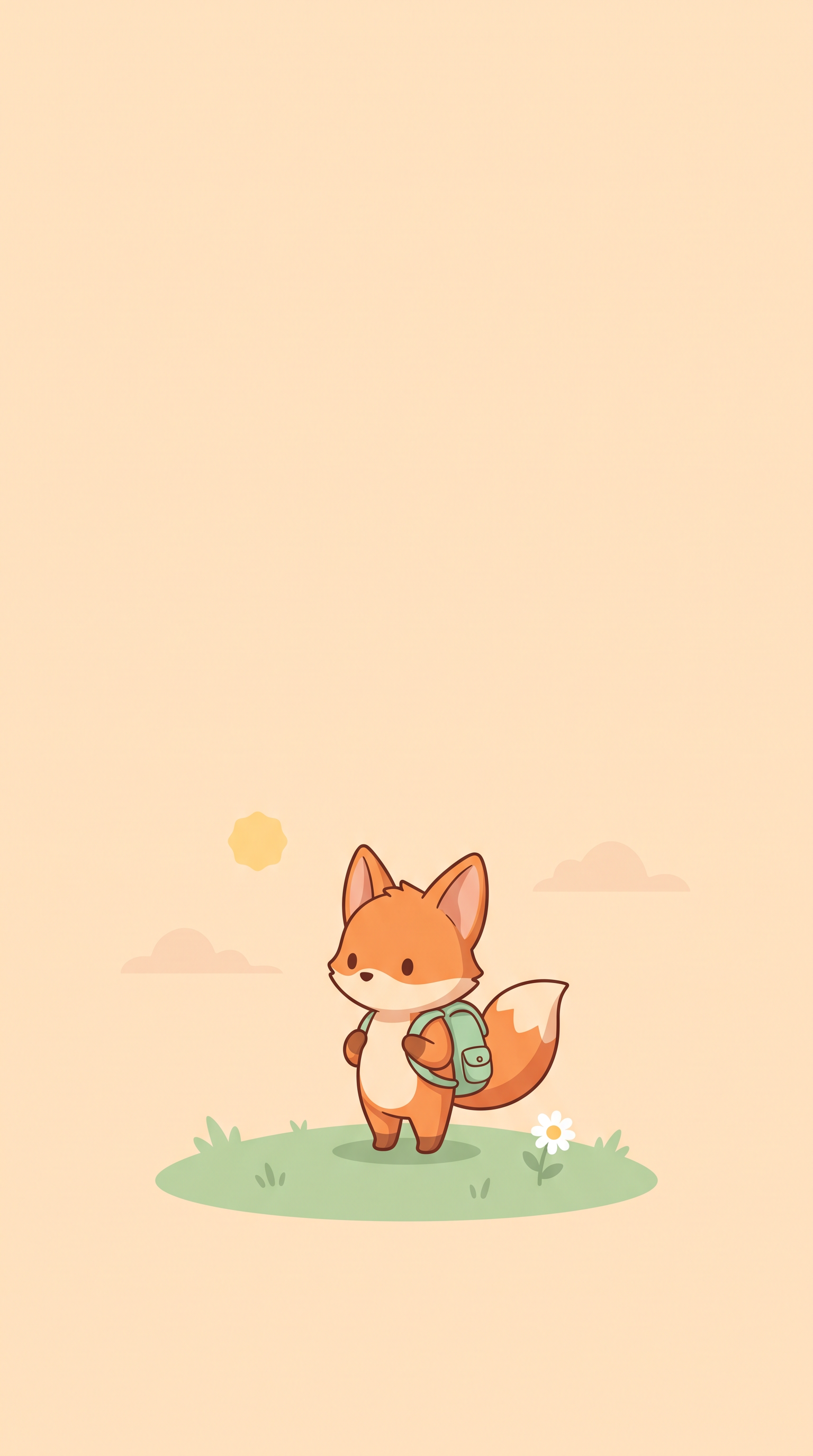
 Minimal cute
Reviewed a small original fox traveler near the bottom of a peach vertical canvas. The upper area stays deliberately quiet, with no embedded interface or lettering.
1536 × 2752 px · AI-generated example
Inspect prompt and generation record
Minimal original cute anime phone wallpaper in tall 9:16. One tiny rounded nonhuman fox traveler mascot with a simple mint backpack, fully visible on a small grassy mound near the bottom quarter. A warm pale peach background fills most of the image, a tiny sun and two subtle stylized cloud shapes near the horizon only. Graphic clean curved forms, soft tasteful shadow, one small daisy. A deliberately quiet upper two-thirds for the clock and notifications, no busy scene. Mature graphic design, carefully balanced small-scale subject, no phone mockup. Create one original polished image, not a collage, mockup, screenshot or sample grid. No existing fictional characters, franchise design, logos, signatures, watermark or readable writing. Any human is visibly an adult aged 25 or older, fully clothed and nonsexual. Do not imitate a named living artist. Keep the entire subject composition intentional.
- Model
- gemini-3.1-flash-image
- Provider
- Google Vertex AI
- Generated

Generation records describe these particular reference files, not a verified Studio run. Studio model choices and settings may produce a different result.
Plan and review this kind of image
These planning examples help you prepare and inspect a draft. Before generating, check the selected model's plan requirements and credit estimate in the image studio. Pixel sizes are editing targets; check the actual file dimensions and downstream requirements before final use.
Desktop with icons on the left
- Prepare
- Measure one screen and note where icons and the taskbar sit. Example brief: a coastal railway at dawn, with the train and station on the right.
- Set up
- Choose a supported landscape canvas. For a 1920 × 1080 desktop, use 16:9 as a planning ratio and crop a copy to that editing target.
Before you use the draft
- Preview with the actual desktop icons visible; small pale icons must stay readable.
- Compare Fill and Fit in Windows: Fill may crop the edges, while Fit may leave unused space.
If it needs another pass: If the scene crowds the icons, ask for fewer details and a low-contrast left third. If cropping removes the train, request a smaller subject farther from the edge rather than stretching the image.
Phone lock screen with a clear clock area
- Prepare
- Use a screenshot of your own empty lock-screen layout as a planning guide. Describe one original adult traveler in the lower half, with simple sky above.
- Set up
- Choose a supported portrait canvas. A 1080 × 1920 mock-up is a 9:16 editing example, not an export promise; your device may use a different screen shape.
Before you use the draft
- Preview the wallpaper in the phone settings with the current clock and widgets.
- Check the face, hands and horizon after the device crop, not just in the image thumbnail.
If it needs another pass: If the clock overlaps the face, ask for the subject lower in the frame and more sky. If the phone crops the head, reduce the figure size or use a different crop.
Two matching screens without a promised seamless span
- Prepare
- Record both screen shapes and whether they sit side by side. Describe two views of one original floating-island setting with the same restrained palette.
- Set up
- Start with separate supported landscape images. A combined wide canvas is only a layout plan; check what your desktop system supports before choosing a span.
Before you use the draft
- Place each image on its intended display and compare the horizon, brightness and dominant colors.
- Inspect the screen join; two generated images may not connect into a continuous panorama.
If it needs another pass: If the join looks abrupt, use independent compositions with similar color rather than claiming a seamless world. Reduce bright edge details and align the crops in an editor.
- Microsoft: desktop background fit options
Explains Fill, Fit and other placement options so you can check cropping on Windows.
- Apple: change the iPhone wallpaper
Shows the device wallpaper workflow and lock-screen customization; preview your own clock and widgets.
One idea. Different ways to use it.
Choose the output that fits your project instead of starting from a generic image prompt.
Desktop wallpapers
Explore broad horizons and atmospheric backgrounds for wide screens.
Phone lock screens
Keep faces and bright details away from clock and notification areas.
Matching wallpaper sets
Repeat a palette and setting across several original illustrations.
Make original artwork. Review with care.
Use reference material you have permission to share. Check the image for errors and respect third-party rights before using it commercially. LlamaGen creates image drafts; it does not guarantee exact similarity, ownership clearance or physical delivery.
Created for a specific job
Anime fans
Create an original visual world rather than downloading an unlicensed still.
Students and creators
Design backgrounds that stay readable behind folders and shortcuts.
Worldbuilders
Capture a city, forest or fictional landscape as a visual reference.
Gallery images illustrate visual directions, not guaranteed results or user testimonials.
Explore four creative directions
Each direction includes a starting prompt that you can edit in the image studio.
Rainy city
Focus on reflected light and readable negative space.
Fantasy world
Use atmospheric depth and leave room for app icons.
Character focus
For a phone lock screen, keep the face clear of status text.
Minimal cute
Choose uncluttered backgrounds when legibility matters.
How to get started
Describe the world
Name your setting, lighting, mood and dominant colors.
Choose the screen shape
Request a wide desktop scene or a vertical phone composition; set size in Studio.
Generate and check
Inspect icon-safe space and details, then refine before saving.
Check the result for your project
Review these details before you export, share or print your artwork.
Check the lock-screen crop
Preview the saved image with your actual clock and notifications visible. If a face or landmark sits behind them, move the subject lower or leave a quieter upper area before generating again.
Check a busy desktop
Place the image behind the folders you normally use. If their labels disappear into bright highlights, request a quieter left or right third and compare at your usual screen brightness.
Make a matching pair deliberately
Use a wide scene for the monitor and a separately composed portrait image for the phone. Reuse the palette and landmark; do not assume one crop will fit both screens.
Visual references and sample prompts
Open each direction to see what to describe and how to refine the output. The sample generation prompts are intentionally shown in English and can be edited in Studio.
Rainy city
What to look for
Focus on reflected light and readable negative space.
Try this starting prompt
Original anime wallpaper: rainy coastal city at blue hour, cinematic reflections, clear horizon, wide 16:9, no text
Try this prompt in StudioFantasy world
What to look for
Use atmospheric depth and leave room for app icons.
Try this starting prompt
Original anime wallpaper of floating islands and waterfalls at sunrise, expansive sky, no titles, 16:9 wide scene
Try this prompt in StudioCharacter focus
What to look for
For a phone lock screen, keep the face clear of status text.
Try this starting prompt
Original anime portrait wallpaper of a silver-haired courier with a teal jacket, vertical 9:16, clean top margin for clock
Try this prompt in StudioMinimal cute
What to look for
Choose uncluttered backgrounds when legibility matters.
Try this starting prompt
Minimal cute anime wallpaper, chibi traveler on a clean peach background, soft color, portrait 9:16, no text
Try this prompt in StudioFrequently asked questions
Can I make wallpapers for a phone or desktop?
Yes. Ask for the composition you need and choose a supported canvas shape in Studio. Crop or resize for your exact device after reviewing the result.
Does the page supply licensed anime screenshots?
No. It is for original anime-inspired artwork. Avoid asking for existing copyrighted scenes or characters without permission.
Can I control the free space behind icons?
Describe the part of the frame that should stay quiet, such as the left third of a wide screen or the upper part of a phone lock screen.
Is the output the same on every generation?
No. Generated art can vary, including faces and small details. Review each wallpaper before using or sharing it.
Useful tools and resources
Apple: set a wallpaper
Device-side guidance for previewing and adjusting an iPhone wallpaper. This is general setup guidance, not an endorsement of LlamaGen.
Image Studio
Choose a supported model, canvas and credits.
Content and usage policy
Review rights and acceptable use.
Continue your creative workflow
Make your screen feel like another world
Begin with a place or feeling, then create an original anime background with room to breathe.
Your prompt opens in the image studio. Sign in, choose an available model, add a reference image if needed, and review credits before generating.
Explore a visual direction