AI Comic Factory free
Yes. You can generate a comic in the free AI Comic Factory on LlamaGen.ai. Create an account, use the included credits, and turn a prompt into a 4-panel page. Extra pages use the regular credit plans.
Generate free

Updated 2026-10-11
Turn a story into a multi-panel comic with captions and dialogue. Sign in, use the available free credits, and keep editing in LlamaGen's hosted comic workspace. This is an independent product—not the original Hugging Face Space.
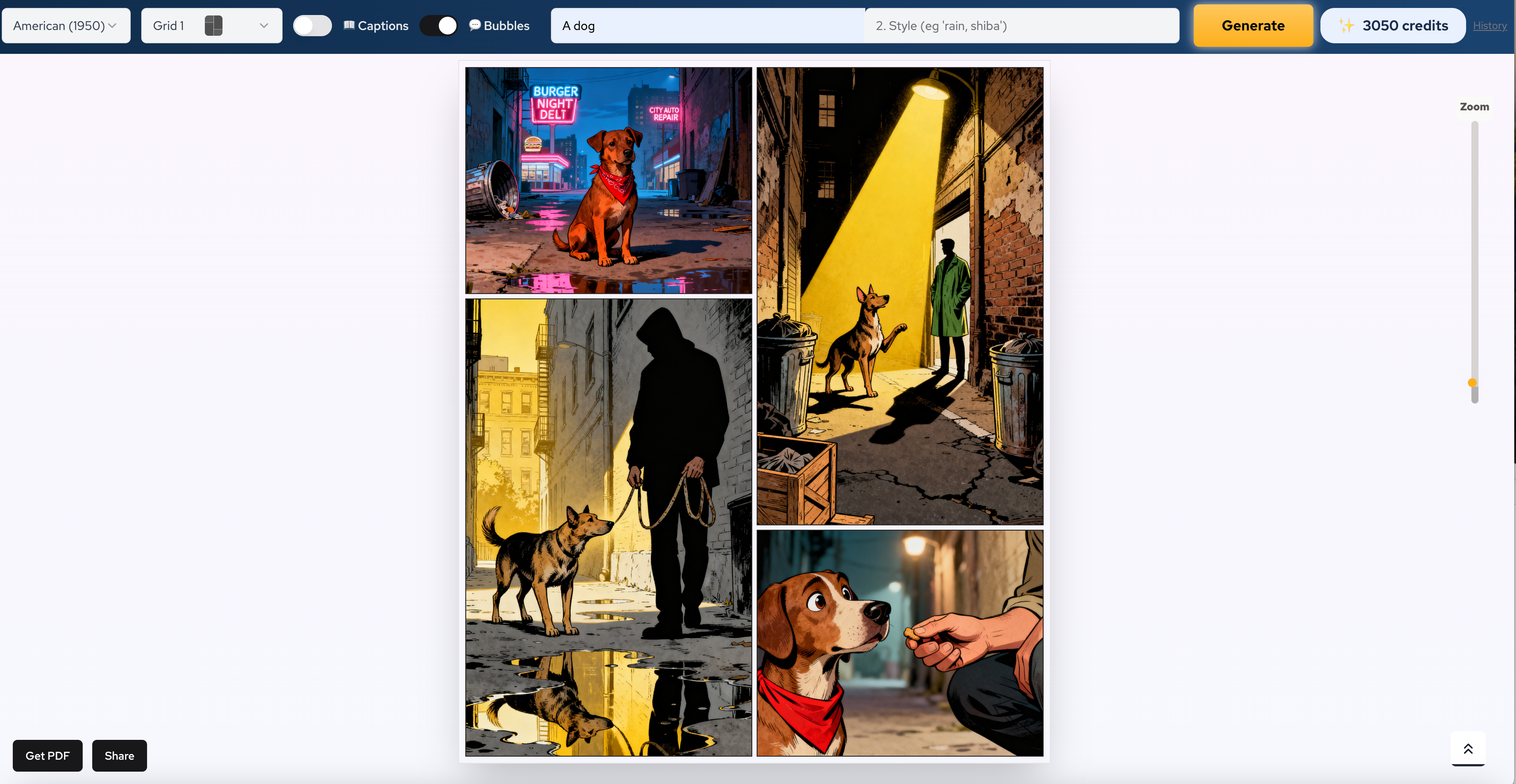
Generate a 4-panel comic in the online factory
Generate a free comic
Describe the characters, setting, conflict, and ending. One sentence is enough to generate a first page.

Pick manga, American, cartoon, or another style. Then choose Grid 0 to Grid 4 so the page matches the scene.

Tap Generate, review the 4 panels, keep captions or speech bubbles, and redraw any weak panel.
Quick answers
LlamaGen is an independent hosted comic creator. If you need the original jbilcke-hf Space, repository, or source code, use the separate Hugging Face guide; if you need to make a comic here, open the generator.
Yes. You can generate a comic in the free AI Comic Factory on LlamaGen.ai. Create an account, use the included credits, and turn a prompt into a 4-panel page. Extra pages use the regular credit plans.
Generate freeTo generate a comic, open the AI Comic Factory website, type a story, pick a style and grid, then tap Generate. The tool writes panel beats, then draws the page with optional captions and speech bubbles.
Generate nowThe LlamaGen AI Comic Factory website is https://llamagen.ai/features/ai-comic-factory. The generator itself lives at /game/ai-comic-factory. Use this site when you want a hosted comic workspace instead of a Hugging Face queue.
Open the website toolThe original AI Comic Factory Hugging Face Space is the jbilcke-hf community demo. LlamaGen is a separate hosted product with login, credits, and a browser workspace. Use the Hugging Face guide if you need the Space, repository, or Inference API notes.
Open Hugging Face guideLlamaGen is an AI Comic Factory alternative to the Hugging Face Space and sites such as aicomicfactory.com. You get a hosted generator, saved history, layouts, captions, and a path into longer comic and manga workflows.
Try the alternativeThere is no separate app named only AI Comic Factory. LlamaGen has an iOS comic generator app and a desktop app. The fastest path on a phone is this mobile website: type a story, then generate a page in the browser.
See desktop and iOSAI Comic Factory pricing on LlamaGen starts with free credits after login. Each generated page uses credits. Paid plans add more volume. There is no separate Hugging Face subscription on this website.
See pricingThe community AI Comic Factory GitHub repo is jbilcke-hf/ai-comic-factory. LlamaGen is not that repository. Use GitHub when you want the open-source Space. Use this page when you want to generate a comic in a hosted product.
View GitHub repoAI Comic Factory login on LlamaGen uses your LlamaGen account. Sign in on the generator page before you create a comic. Login stores credits, history, and unfinished pages. This is not a Hugging Face login.
Go to loginThe AI Comic Factory generator on LlamaGen turns a text prompt or story idea into a comic page with panels, captions, and consistent characters. Use it when you want a finished comic draft instead of the open-source Hugging Face Space.
Try the generatorComic workflow
Use AI Comic Factory as the first hosted step. Keep the same story and characters as you move from a free generated page into captions, history, and longer comic work.
Generate a comicWrite a short premise or paste a script. Name the genre, tone, and who the page is for.
Keep outfits, faces, and roles consistent so the four panels read as one scene.
Create the layout, captions, speech bubbles, and background beats in one pass.
Save the page, add the next scene, or move the same cast into manga and motion workflows.

Comic examples
Start with a short strip, then reuse the same characters for a lesson, a product story, or a webtoon beat.
Simple characters, a clear moral, bright colors, and classroom-friendly pacing.
Manga-style faces, expressive poses, and a dramatic 4-panel beat.
Show a product problem and the fix in a short visual sequence.
Turn a lesson, history beat, or science idea into panels students can reread.
Build a respectful storyboard for a Bible story or youth-group lesson.
Plan a vertical emotional beat, then continue the same cast on the next page.
Creator paths
Use LlamaGen to draft and edit comic panels with your account. Looking for the original Hugging Face project? Follow the dedicated Space and repository guide.
Type a story and generate a 4-panel page in the browser. This is the main AI Comic Factory action.
Start with free credits. No drawing and no Hugging Face queue. Paid plans are only for more pages.
Need the jbilcke-hf Space, repo, or Inference API? Open the dedicated Hugging Face guide.
This is the hosted AI Comic Factory website. Generate, save, and continue pages in one LlamaGen account.
Use the mobile website now, or continue in the LlamaGen iOS and desktop apps.
See credit pricing, then sign in with a LlamaGen login before you generate.

Describe a scene and generate panels with characters, setting, mood, and a beginning-to-end beat. Use it for short comics, storyboard tests, class pages, and marketing stories.

Change the story line, redraw one panel, keep the captions that work, and generate the next page instead of starting over.

Make comics for lessons, product explainers, social posts, training, Bible stories, and kids content.
Why LlamaGen
Sites cloned from the Hugging Face Space can generate one comic-looking image. LlamaGen keeps character notes, page history, layouts, and a path into longer comic work.
Keep the same face, outfit, and role across the four panels and the next page.
Move from a prompt to scenes, captions, and a follow-up episode without losing the thread.
Use the factory for the first page, then expand into strips, manga pages, and recurring arcs.
Reuse the same story assets when you want a motion comic or a short video post.
Yes. LlamaGen includes free credits so you can generate a comic online after you sign in. More pages use the regular credit plans shown in pricing.
Open the AI Comic Factory website tool, enter a story, choose a style and grid, then tap Generate. The factory creates four panels and optional captions or speech bubbles.
No. This is the LlamaGen website. The Hugging Face Space and GitHub repository are the original jbilcke-hf community project. Use the Hugging Face guide if you need that Space.
Yes. Use LlamaGen when you want a hosted generator, login, history, and credit-based pricing instead of the Hugging Face Space or aicomicfactory.com.
The website is llamagen.ai/features/ai-comic-factory. Generate at /game/ai-comic-factory. Login uses your LlamaGen account, not Hugging Face.
The generator works in the mobile browser. LlamaGen also has an iOS app and a desktop app if you want to continue on those devices.
The open-source repo is github.com/jbilcke-hf/ai-comic-factory. LlamaGen is a hosted product, not that repository.
Free credits cover a first generate after login. Paid plans add more credits for extra pages. See the pricing section on this page.
Continue creating
Stay on this page to generate. Use these tools when the story needs a script, a character sheet, manga pages, or the original Hugging Face Space.
Build a longer comic workflow from idea to panels.
Make short strips for social posts and lessons.
Continue the same story as manga pages.
Lock a recurring character before the next generate.
Open this when you searched Hugging Face, GitHub, or the Space.
See the newer factory layout if you need more panel counts.
Write one sentence, pick a grid, and create a 4-panel comic on the LlamaGen website.
Generate a comic