Create comics with AI
How Many Panels Should a Webtoon Episode Have?
All posts

How Many Panels Should a Webtoon Episode Have?

Jay
Jay
August 14th, 2026
Copy link
  • The short answer
  • Why panel count matters
  • Test setup
  • Step 1: Count story beats first
  • Step 2: Match panel count to episode type
  • Step 3: Plan vertical spacing, not just panel count
  • Step 4: Use a panel budget before generating art
  • Example panel budget
  • When to add more panels
  • When to cut panels
  • A simple formula
  • Final checklist
  • FAQ
  • Is 10 panels too short for a webtoon episode?
  • Is 60 panels too long?
  • Should every webtoon episode have the same number of panels?
  • What is the safest range for beginners?
elevate-your-comics.png
Elevate your Comics with LlamaGen

The short answer

Most beginner webtoon episodes should start around 12-30 panels. Many ongoing vertical-scroll episodes land closer to 20-50 panels, while special action or finale episodes can go longer.

But the better question is not "How many panels should I make?"

The better question is:

How many panels does this episode need to deliver one clear story turn?

Use this as a practical starting point:

Episode typePractical panel rangeBest for
Mini update or gag6-12 panelsOne joke, one reveal, one beat
Short scene12-20 panelsDialogue, setup, slice of life
Standard webtoon episode20-40 panelsA complete scene with a hook
Action or romance peak30-55 panelsEmotion, movement, payoff
Season opener or finale40-70+ panelsBig turn, but only if the team can sustain it

The LlamaGen.AI Webtoon Generator can help you turn a story beat list into a vertical-scroll draft before you spend hours polishing panels that may need to be cut.
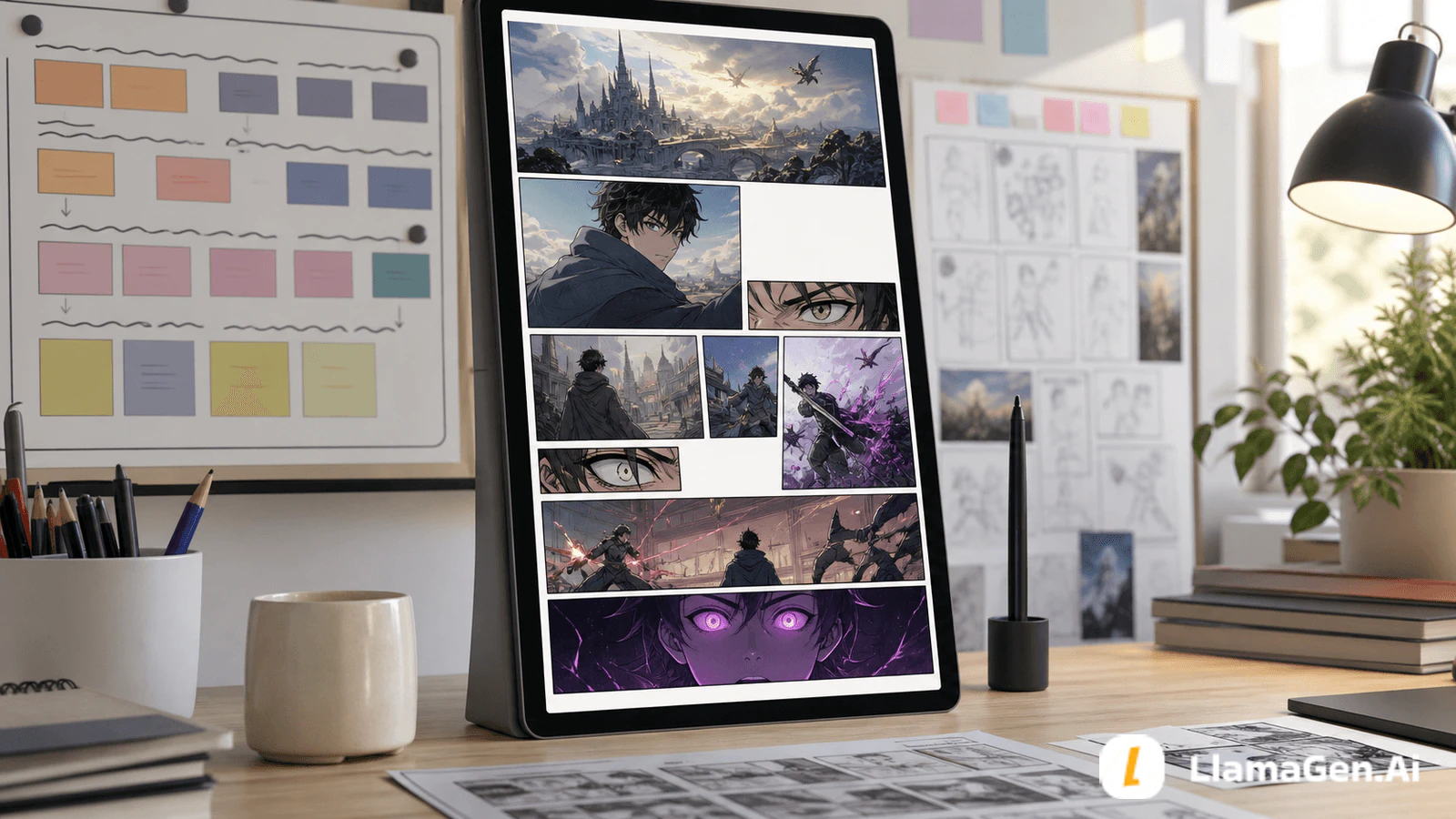
A creator desk with a vertical tablet showing a long webtoon episode, varied panel sizes, and a panel planning board

Why panel count matters

Panel count controls four things at once:

  • Reading time
  • Emotional rhythm
  • Production workload
  • Update consistency

Too few panels can make a scene feel abrupt. Too many panels can make the episode feel padded and push the creator toward burnout.

The right number depends on the episode's job.

If the episode needs to...You probably need...
Land one simple jokeFewer panels and faster rhythm
Establish a locationA few large atmosphere panels
Carry emotional dialogueMedium panels and reaction beats
Show movement or actionMore panels, clearer transitions
End on suspenseSpace before the final reveal

Test setup

This test was designed for a beginner creator planning a vertical-scroll webtoon episode with AI-assisted drafts.

Test itemSetup
Date testedAugust 14, 2026
ProjectGlass Harbor
FormatMobile-first vertical-scroll webtoon
Source input650-word scene outline
Target toolLlamaGen.AI Webtoon Generator
Creation entryStart an AI comic draft
GoalChoose a panel budget before generating final art
Test outputPanel ranges, pacing plan, and revision checklist

The scene:

Mira, a new ferry worker in a floating city, discovers that one dock disappears every night at 2:17. Her supervisor tells her not to count the passengers. Mira counts anyway and realizes one passenger is her future self.

The episode's job:

Introduce Mira, establish the strange ferry rule, and end with the future-self reveal.

Step 1: Count story beats first

A panel is not decoration. A panel should usually do at least one of these jobs:

  • Show where we are
  • Show who is present
  • Move the action forward
  • Reveal a reaction
  • Clarify a decision
  • Create suspense
  • Deliver the episode hook

For the test scene, the beat list was:

BeatPurposePanel estimate
Mira starts her night shiftEstablish character and place3-5
The supervisor warns herRule and tension4-6
The ferry fills with passengersAtmosphere3-6
Mira counts anywayDecision4-6
The impossible passenger appearsReveal4-8
Cliffhanger reactionHook2-4

That gives a first budget of 20-35 panels.

Step 2: Match panel count to episode type

Different episode types need different density.
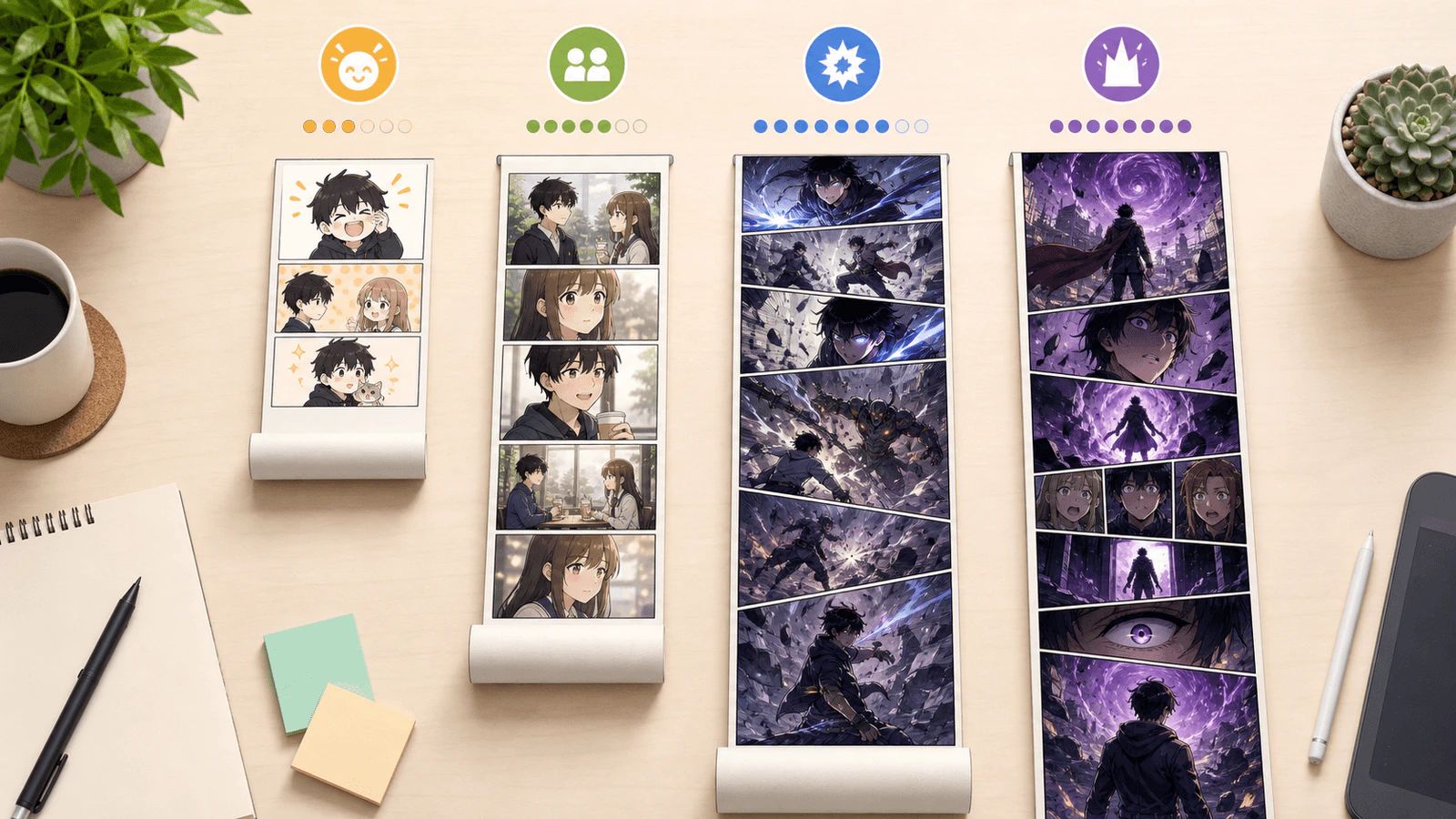
Four visual webtoon strips with different lengths and panel densities, showing how episode type changes panel count

Use this table when planning:

Episode typeGood panel behaviorWatch out for
Gag updateFast setup and punchlineOver-explaining the joke
Dialogue sceneReaction panels and readable pausesToo many identical faces
Action sceneClear movement between panelsConfusing camera jumps
Mystery revealSilence, spacing, final imageSpoiling the reveal too early
Romance beatMicro-reactions and quiet pausesRepeating the same emotion

If you cannot explain why a panel exists, combine it with another panel or cut it.

Step 3: Plan vertical spacing, not just panel count

Webtoons are read by scrolling. That means empty space and panel size are part of the timing.
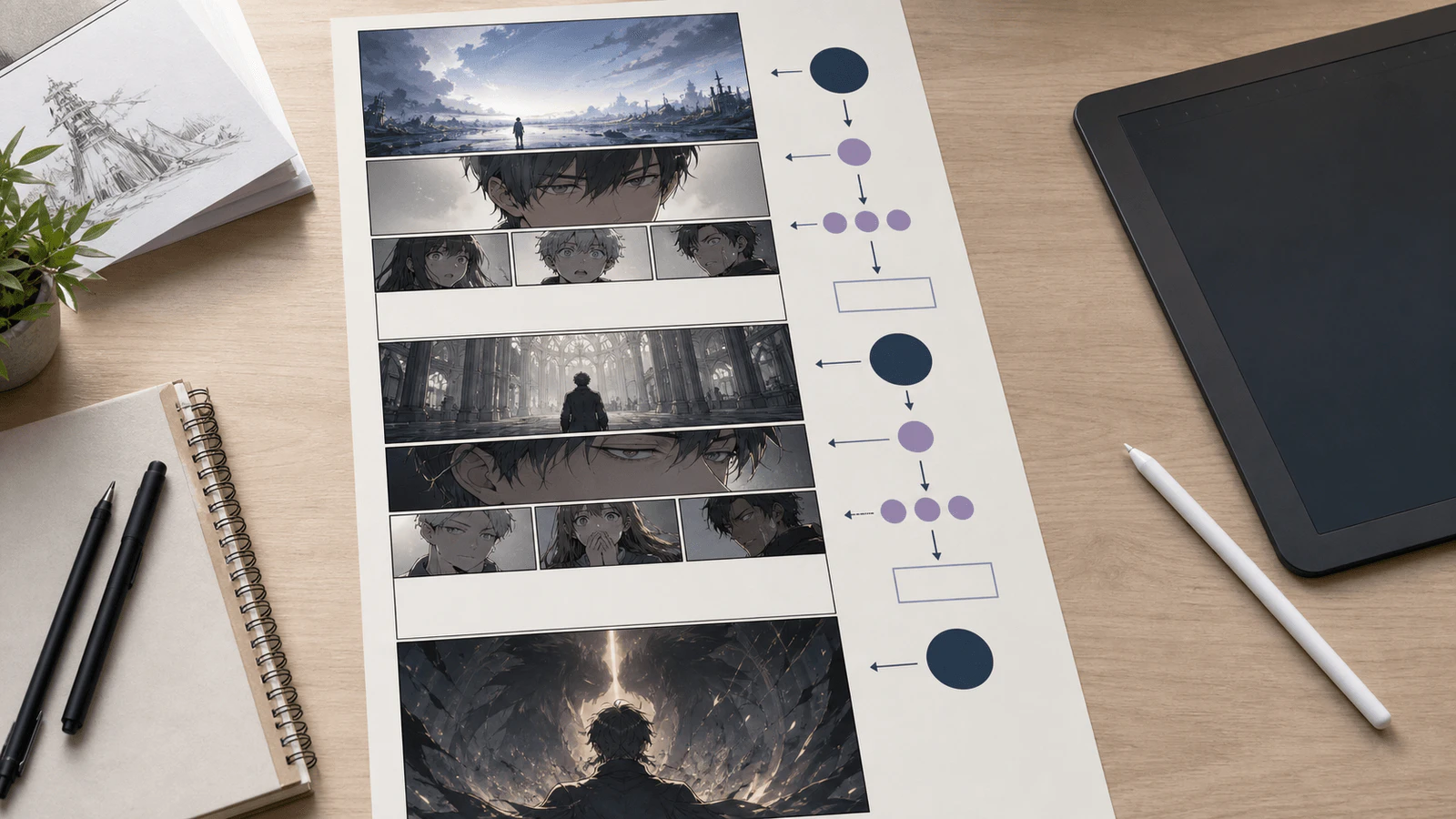
A long vertical-scroll webtoon pacing sheet showing large panels, close-ups, reaction panels, breathing gaps, and a final cliffhanger panel

Three 30-panel episodes can feel completely different:

StructureReader feeling
30 same-sized panelsFlat and tiring
20 panels plus big scroll gapsSlow, atmospheric, cinematic
38 small action panelsFast, tense, energetic
24 panels with strong final spacingClean and memorable

Panel count is the skeleton. Scroll spacing is the breathing.

Step 4: Use a panel budget before generating art

Before opening the generator, write a panel budget like this:

Plan a vertical-scroll webtoon episode from this scene.

Return:
1. The episode's main story turn.
2. A recommended panel count range.
3. Beat-by-beat panel allocation.
4. Which panels should be large.
5. Where to use scroll breathing space.
6. Which panels can be cut if the episode is too long.
7. A final cliffhanger panel prompt.

Scene:
[paste scene outline]

Then use the result in the LlamaGen.AI Webtoon Generator or start directly from AI Comic Strips.
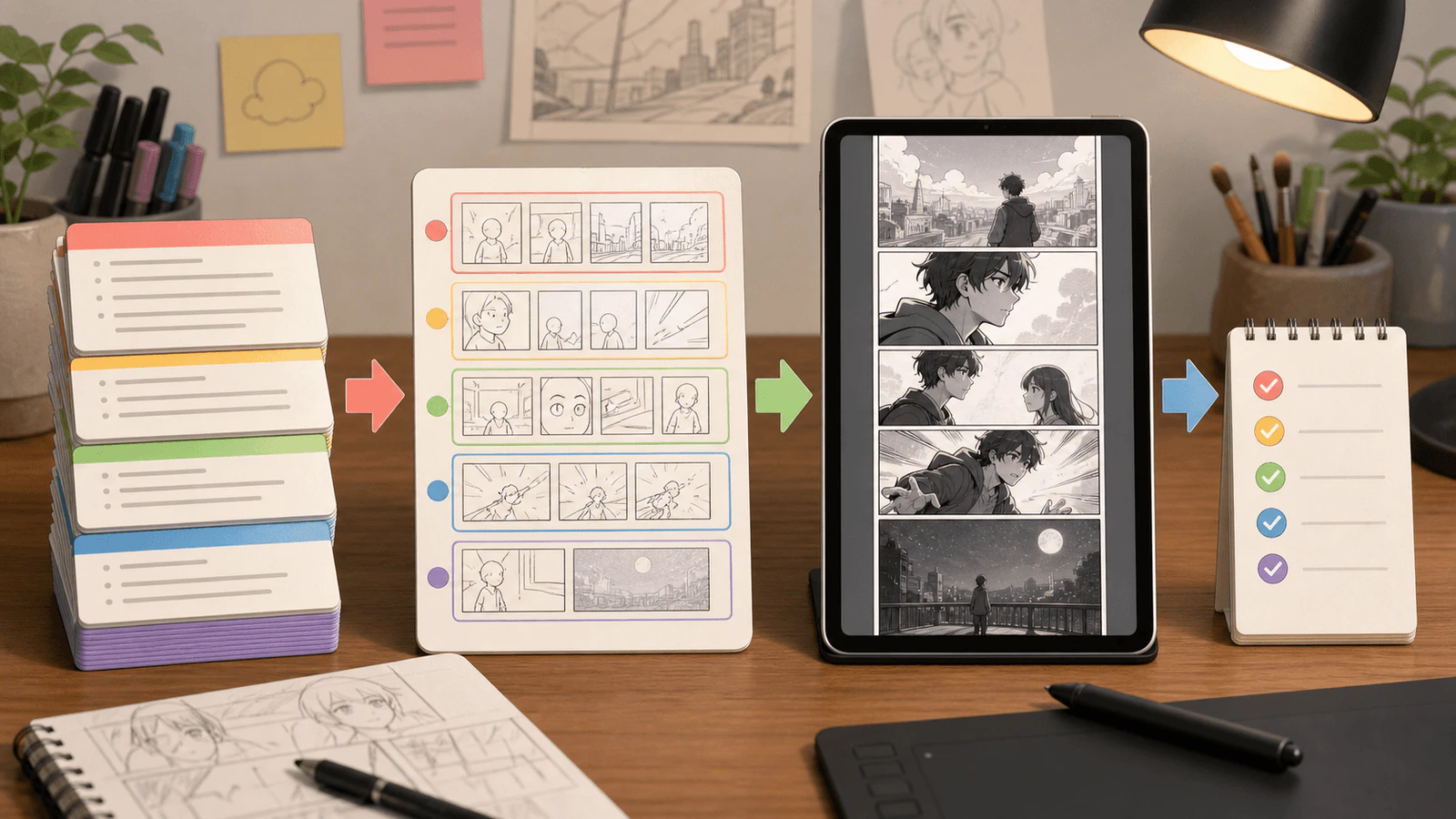
A script-to-panel-budget workflow showing story beat cards, grouped thumbnails, a vertical webtoon draft, and final checks

Example panel budget

For the Glass Harbor test scene, a strong beginner budget was 28 panels:

SectionPanelsNotes
Opening ferry dock4Establish night, water, floating city
Mira begins shift3Character introduction
Supervisor warning5Keep dialogue short
Passengers board5Use vertical atmosphere and repeated shapes
Mira counts4Increase tension
Future self reveal5Give the reveal enough space
End hook2One reaction, one final image

That is enough for a full scene, but still manageable for a solo creator.

When to add more panels

Add panels when the reader needs clarity or emotional time.

Good reasons to add panels:

  • A character changes their mind.
  • A physical action needs step-by-step clarity.
  • A joke needs setup, pause, and punchline.
  • The reader needs to feel silence before a reveal.
  • A relationship beat depends on small reactions.

Weak reasons to add panels:

  • The episode "looks short."
  • You want to use every generated image.
  • You are trying to match another creator's episode length.
  • The scene has extra dialogue that could be cut.
  • You are hiding a weak hook with more content.

When to cut panels

Cut panels when they repeat information.

Repeated elementBetter fix
Same face angle 4 timesKeep the strongest reaction
Long expositionTurn one line into a visual clue
Repeated walking shotsUse one transition panel
Too many background panelsKeep one strong establishing image
Extra reactions after the hookEnd earlier

The ending is especially important. Many beginner episodes continue for two or three panels after the hook has already landed. Stop when the reader wants to scroll to the next episode.

A simple formula

Use this formula for a first draft:

panel budget = story beats x 3 to 5 panels

Then adjust:

  • Add panels for action clarity.
  • Add scroll space for emotion and suspense.
  • Cut panels that repeat the same information.
  • Keep the final hook clean.

For a 6-beat episode, this usually lands between 18 and 30 panels.

Final checklist

Before publishing a webtoon episode, ask:

  • Does the episode have one clear story turn?
  • Does every panel do a job?
  • Are the big moments given enough scroll space?
  • Could a reader understand the action on a phone?
  • Can the creator finish this panel count again next update?
  • Does the episode end at the strongest hook?

If the answer to the last two questions is no, the panel count is too high.

Open the LlamaGen.AI Webtoon Generator, paste your episode outline, and ask for a panel budget before creating the final draft.

FAQ

Is 10 panels too short for a webtoon episode?

Not always. Ten panels can work for a gag, announcement, micro-scene, or experimental update. It may feel too short for a plot-heavy drama episode.

Is 60 panels too long?

Sixty panels can work for a finale, action set piece, or small-team production. For a solo beginner, 60 panels every week can become difficult to sustain.

Should every webtoon episode have the same number of panels?

No. A consistent range is more useful than a fixed number. Readers care about rhythm and story satisfaction more than exact panel count.

What is the safest range for beginners?

Start with 12-30 panels. Once your workflow is stable, test 30-45 panel episodes for bigger story turns.

Related hot tags

Webtoon

AI Comics

Panel Layout

Creator Checklist

Popular creator tools

Turn inspiration into your next story

Create comics, storyboards and stylized photos with LlamaGen.

01

AI Comic Generator

Turn an idea into polished comic strips in minutes.

Create comics with AI
02

AI Manga Generator

Create expressive manga art and multi-panel stories.

Create manga with AI
03

AI Storyboard Generator

Visualize every scene before production starts.

Create storyboards with AI
04

Turn Picture into Comic

Transform any photo into a comic-style illustration.

Create comics from pictures with AI
05

AI Comic Strips Maker

Build shareable strips with characters that stay consistent.

Create comic strips with AI

LlamaGen community

checkmark

Get hands-on help with your comics

checkmark

Showcase your comics to fellow LlamaGen creators

checkmark

Participate in special events to win gifts

Changelog

Spark dreams for the young
Where millions of stories come alive

A rundown of the latest LlamaGen feature releases, product enhancements, design updates, and important bug fixes.


✦
✧
✦
✧

A new medium for Storytelling

Vibe creating unlimited stories, comics, animations, games, and more—in seconds that resonate with modern audiences

LlamaGen logoLlamaGen brand
  • Home
  • Articles
  • Blog
  • Create
Log InSubscribe Now20% Off
  1. Home
LlamaGen logo

Download LlamaGen for free

iOSDesktop

Ask AI about LlamaGen

Product

Previous blogs

Bible Comic Accuracy Checklist: Scripture, Context, Art, and Review

Bible Comic Accuracy Checklist: Scripture, Context, Art, and Review

A practical checklist for tracing every Bible comic panel to Scripture, reviewing context and visual

Jay
Jay
October 16th, 2026
How to Turn a Bible Lesson into a 6-Panel Sunday School Comic

How to Turn a Bible Lesson into a 6-Panel Sunday School Comic

A practical workflow for turning one Bible lesson into a six-panel comic, discussion prompts, and a

Jay
Jay
October 15th, 2026
Claude Code + Comic MCP: Turn a Youth Sports Lesson into Editable Comic Panels

Claude Code + Comic MCP: Turn a Youth Sports Lesson into Editable Comic Panels

A practical Claude Code and LlamaGen.AI Comic MCP workflow for turning a coach-approved youth basket

Monica
Monica
October 13th, 2026
How to Turn Couple Photos Into a Personalized Comic

How to Turn Couple Photos Into a Personalized Comic

Use two adults' photos and shared memories to create a personalized couple comic with stronger liken

Jay
Jay
October 13th, 2026
See all blogs
Latest launches
  • Features
  • Comic strip maker
  • Manga StudioNew
  • Turn Picture Into Comic
  • Comic To Video
  • AI Comic Factory
  • Comic Agent
  • iOS & Android
  • Mac & Windows
  • Download
  • Comic ZapNew
  • AI Comic Generator
  • AI Cartoon Generator
  • AI Webtoon Generator
  • Comic Strip Maker
  • Turn Picture Into Comic
  • AI Manga Generator
  • Manga Translator
  • Photo to Anime
  • Anime to Real Life
  • Manga Colorizer
  • Anime Character Generator
  • Pixel game asset tools
  • AI sprite sheet generator
  • Best pixel game tools 2026
  • Photo Comic Maker
  • Comic Life Alternative
  • Plans
    • Pricing
    • Pro
    • Enterprise
    • Education
    • Comic API
    • Contact Sales
    • Education Plans
    • Teachers
    • Students
    • Teachers and Students
    • Startups
    • Educational Discounts
    Company
    • Talk to Our Founder
    • About
    • Product Roadmap
    • Careers
    • Email us
    • Our Mascot World
    • Media Kit
    • KOL Partnership
    • Content
    Sister products
    • LlamaGen family
    • CineoBoardNew
    • Comics API
    • Comic Zap
    • Velika
    Community
    • Creators
    • Affiliates
    • Partner
    • Testimonials
    • Wall of Love
    • LlamaGen MCPNew
    • LlamaGen Developer
    Resources
    • Changelog
    • Blog
    • Guides
    • Personalized Comics
    • Features
    • Alternatives
    • Best AI Apps
    • GPT-6 Manga Coloring Guide
    • Claude Comic Book Skill
    • Gemini AI Comic Guide
    • Comic That
    • Educational Discounts
    • Student discount
    Help
    • Help Center
    • Trust
    • Safe AI
    • Professional Services
    • FAQ
    • Security
    • Accessibility
    • Video Tutorial
    • Contact us
    • Sitemap
    Tools
    • AI Logo Generator
    • Grokbot Style Character Generator
    • PNG to Comic
    • Text to Comic
    • PDF to Comic
    • Script to Comic
    • Book to Comic
    • Turn Picture Into Comic
    • AI Pixel Art Generator
    • Educational Comics
    • AI Video Generator
    • Gemini AI Video Generator
    • Free Faceless AI Video Generator
    • Comic To Video
    • Make Storyboard Software
    • AI Storyboard Generator
    • Screenwriting Software
    • Screenplay Editor
    • Story AI
    • AI Story Generator
    • Storybook Generator
    • AI Image Generator
    • AI Layer Splitter
    • AI Camera Angle Control
    • AI Pixel Art Generator
    • Pixel game asset tools
    • AI sprite sheet generator
    • Sprite sheet slicer
    • Best pixel game tools 2026
    • Animation API
    • ChatGPT/Codex Plugin
    • ChatGPT Install Guide
    • Claude Code Plugin
    • Claude Code Install Guide
    AI Tools
    • AI Outfit Extractor
    • AI Hairstyle Changer
    • AI Manga Hairstyle Changer
    • AI Wind Effect Generator
    • AI Depth Map Generator
    • AI White Background
    • AI Object Remover
    • AI Virtual Try-On
    • AI Unblur Images
    • AI Denoise
    • AI Photo Restoration
    • AI Product Shadows
    • AI Background Generator
    • AI Headshot Generator
    • AI Emoji Maker
    • AI Background Changer
    • AI Open Eyes
    • AI Beauty
    • AI Product Photography

    Product

    • Latest launches
    • Features
    • Comic strip maker
    • Manga StudioNew
    • Turn Picture Into Comic
    • Comic To Video
    • AI Comic Factory
    • Comic Agent
    • iOS & Android
    • Mac & Windows
    • Download
    • Comic ZapNew
    • AI Comic Generator
    • AI Cartoon Generator
    • AI Webtoon Generator
    • Comic Strip Maker
    • Turn Picture Into Comic
    • AI Manga Generator
    • Manga Translator
    • Photo to Anime
    • Anime to Real Life
    • Manga Colorizer
    • Anime Character Generator
    • Pixel game asset tools
    • AI sprite sheet generator
    • Best pixel game tools 2026
    • Photo Comic Maker
    • Comic Life Alternative

    Sister products

    • LlamaGen family
    • CineoBoardNew
    • Comics API

    Plans

    • Pricing
    • Pro
    • Enterprise
    • Education

    Community

    • Creators
    • Affiliates
    • Partner

    AI Tools

    • AI Outfit Extractor
    • AI Hairstyle Changer
    • AI Manga Hairstyle Changer
    • AI Wind Effect Generator
    English (Australia)English (Canada)English (United Kingdom)English (India)SpanishFrench (Standard)Italian (Standard)JapaneseKoreanGerman (Standard)Chinese TraditionalChinese Traditional (Hong Kong)Chinese SimplifiedPortugueseTurkishPolishDutch (Standard)DanishThaiIndonesianNorwegian BokmålRussian
    LinkedInX (Twitter)InstagramYouTubeFacebook groupRedditDiscordEmail support
    PrivacyTerms

    © 2026 LlamaGen.Ai All rights reserved

    LinkedInX (Twitter)
  • Pricing
  • API
  • Leading the Future of AI Comic Generation

    • 24/7 support
    • Weekly updates
    • Secure and compliant
    • 99.9% uptime
    Comic Zap
  • Velika
  • Comic API
  • Contact Sales
  • Education Plans
  • Teachers
  • Students
  • Teachers and Students
  • Startups
  • Educational Discounts
  • Company

    • Talk to Our Founder
    • About
    • Product Roadmap
    • Careers
    • Email us
    • Our Mascot World
    • Media Kit
    • KOL Partnership
    • Content

    Help

    • Help Center
    • Trust
    • Safe AI
    • Professional Services
    • FAQ
    • Security
    • Accessibility
    • Video Tutorial
    • Contact us
    • Sitemap
    Testimonials
  • Wall of Love
  • LlamaGen MCPNew
  • LlamaGen Developer
  • Resources

    • Changelog
    • Blog
    • Guides
    • Personalized Comics
    • Features
    • Alternatives
    • Best AI Apps
    • GPT-6 Manga Coloring Guide
    • Claude Comic Book Skill
    • Gemini AI Comic Guide
    • Comic That
    • Educational Discounts
    • Student discount

    Tools

    • AI Logo Generator
    • Grokbot Style Character Generator
    • PNG to Comic
    • Text to Comic
    • PDF to Comic
    • Script to Comic
    • Book to Comic
    • Turn Picture Into Comic
    • AI Pixel Art Generator
    • Educational Comics
    • AI Video Generator
    • Gemini AI Video Generator
    • Free Faceless AI Video Generator
    • Comic To Video
    • Make Storyboard Software
    • AI Storyboard Generator
    • Screenwriting Software
    • Screenplay Editor
    • Story AI
    • AI Story Generator
    • Storybook Generator
    • AI Image Generator
    • AI Layer Splitter
    • AI Camera Angle Control
    • AI Pixel Art Generator
    • Pixel game asset tools
    • AI sprite sheet generator
    • Sprite sheet slicer
    • Best pixel game tools 2026
    • Animation API
    • ChatGPT/Codex Plugin
    • ChatGPT Install Guide
    • Claude Code Plugin
    • Claude Code Install Guide
  • AI Depth Map Generator
  • AI White Background
  • AI Object Remover
  • AI Virtual Try-On
  • AI Unblur Images
  • AI Denoise
  • AI Photo Restoration
  • AI Product Shadows
  • AI Background Generator
  • AI Headshot Generator
  • AI Emoji Maker
  • AI Background Changer
  • AI Open Eyes
  • AI Beauty
  • AI Product Photography
  • Instagram
    YouTube
    Facebook group
    Reddit
    Discord
    Email support
    PrivacyTermsDownload Brand Assets© 2026 LlamaGen.Ai All rights reservedAll services are online
    How Many Panels Should a Webtoon Episode Have? - LlamaGen.AI Blog




