STEP 1
Choose a single drawing or crop
Isolate a panel or character first; complex multi-panel pages may not separate cleanly.


COMIC ART PART SEPARATION
Keep the illustration's scene or character design while reviewing visible artwork parts. This separates content inside one drawing—it does not crop multiple panels from a full comic page.
Comic and webtoon creators who need foreground, character, and prop art references for revisions or motion-comic prep.
Quick preview uses credits. A separate extraction pass on an eligible paid plan is required for independent transparent PNG, ZIP, and PSD files.

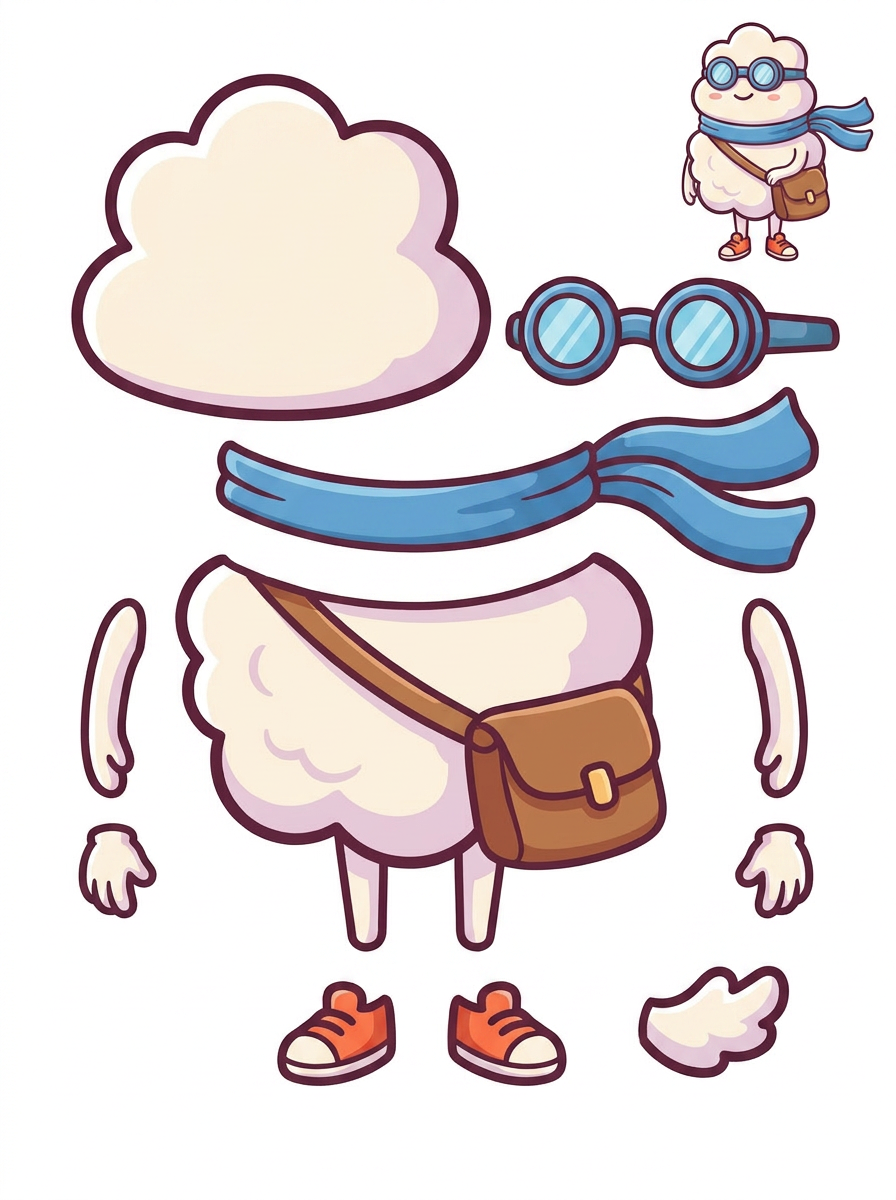
2. Reviewable visual parts sheet
Example uses an original cartoon character illustration, not a full comic page. It shows a single-image parts workflow, not automatic full-page panel extraction.
STEP 1
Isolate a panel or character first; complex multi-panel pages may not separate cleanly.
STEP 2
Quick Mode creates a PNG sheet you can inspect before deciding whether parts need correction.
STEP 3
Eligible paid plans can extract individual transparent PNGs and a starter PSD or ZIP.
Plan which foreground shapes or props you can move while keeping lettering readable.
Separate visible characters and objects as references for layer positioning and hand animation.
Continue the story and page editing in the existing Comic Studio workflow once the artwork is ready.
No. This workflow is for visual parts inside one flattened illustration or cropped panel. Full-page panel extraction is a separate operation.
A paid second extraction pass can produce separate transparent PNG layers. Those can be downloaded individually, in a ZIP, or as a starter PSD with separate raster layers. The PSD does not promise editable native text or perfect hidden-background reconstruction.
The extracted raster parts can be used as inputs to an animation workflow, but the layer splitter itself does not automatically animate or rig them.
Quick Mode is available on the free plan but uses credits. PRO Mode and the separate transparent-layer extraction step require the applicable paid entitlements and credits. Your account's current plan and credit costs are shown in the existing tool.