

Character & image creation
AI Image Style Transfer AI image style transfer with the source beside you.
Explore image style-transfer examples for free, then use the paid studio to restyle a permitted source. Compare identity, framing, labels and object shapes with the original before keeping a result.
This guide and its suggested exercises are free to read. Generation in the linked style-transfer studio currently requires sign-in and a paid plan; credit costs also apply.
01 / A more useful starting point
Tell the tool what should stay
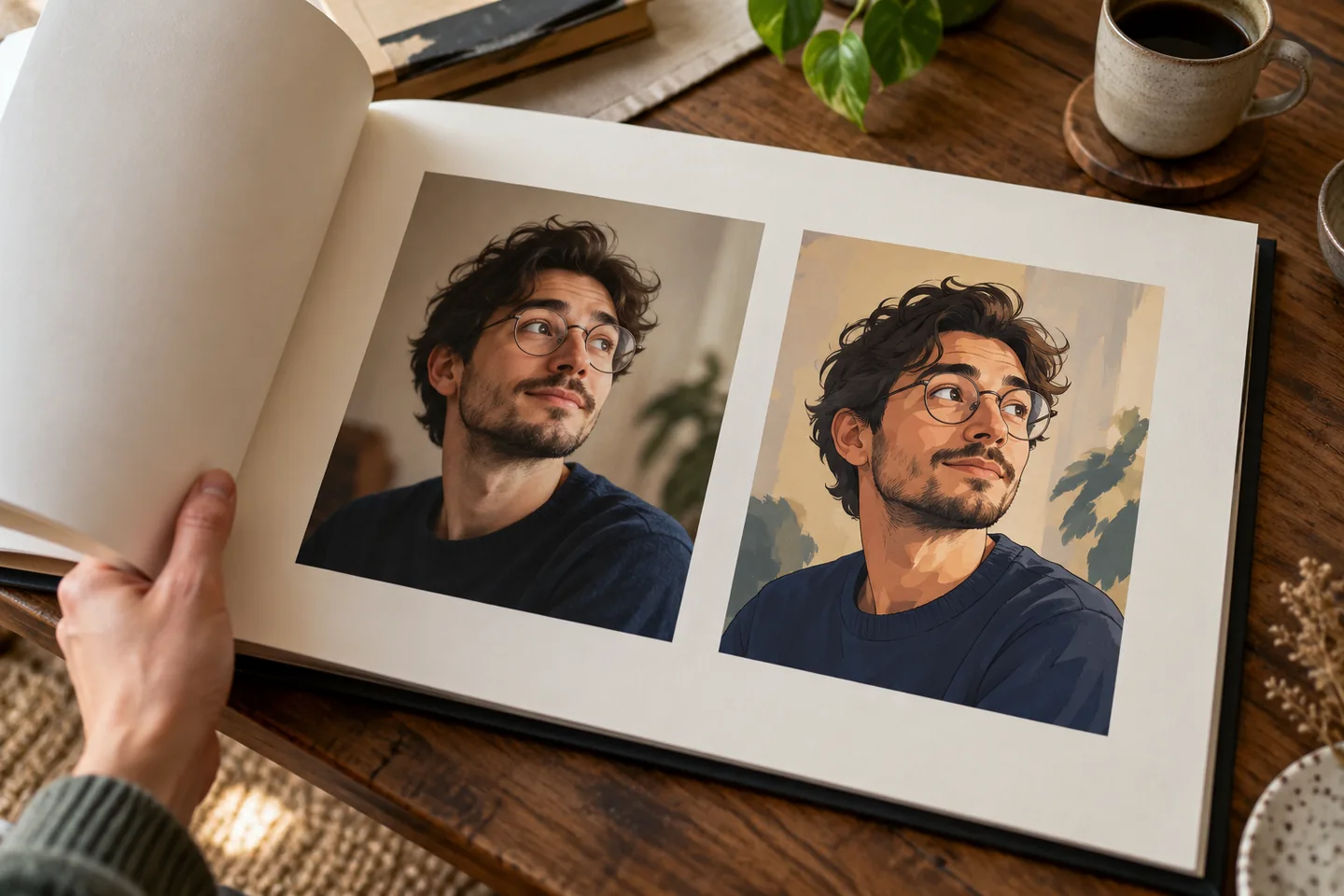
A style change can alter faces, object shapes or small lettering. State the important subject and framing clearly, then compare the result with the original instead of assuming everything outside the style will remain fixed.
Open AI Image Style Transfer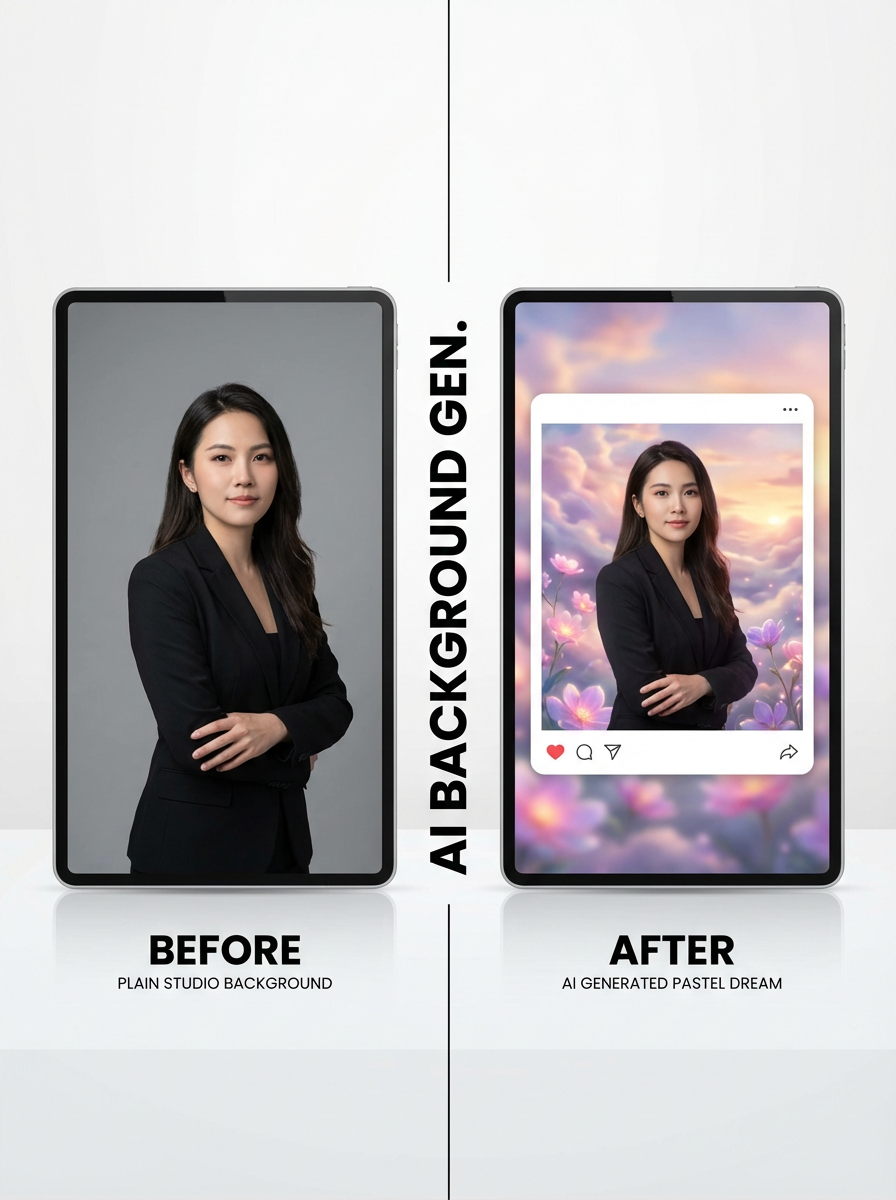
02 / A more useful starting point
Choose references that agree
One or two coherent style references can give a clearer direction than unrelated examples. Look for shared line work, palette and texture, and change the style guidance before rerunning a whole set.
Open AI Image Style Transfer
Three practical starting points
Try a brief. Check the result. Tweak one thing.
Try these exercises for AI Image Style Transfer, with concrete details to inspect. These are suggested exercises, not recorded customer projects.
A portrait in a clean illustrated style
Suggested brief
Use your own portrait with the brief: clean cel-shaded illustration, neutral backdrop, keep the head angle and visible glasses.
- What to inspect
- Compare face shape, glasses and the crop.
- What to change next
- Use a simpler background or a closer source if the identity changes too much.
A comic scene palette study
Suggested brief
Restyle a permitted scene with a limited blue-and-amber palette and crisp ink outlines.
- What to inspect
- Check whether buildings, character positions and important props remain understandable.
- What to change next
- Reduce competing texture descriptions if the composition becomes noisy.
A set of product images
Suggested brief
Apply one coherent visual direction to a small set of permitted product photographs.
- What to inspect
- Compare outlines and labels in every image, not just the first result.
- What to change next
- Keep original product photography when the generation changes factual packaging details.
From input to a useful output
How to use AI Image Style Transfer
Start with a small task first, then keep the steps that help your project.
- 01
Upload a source
Choose the images you want to restyle.
Check: Check paid-plan access and the current source-image limit before uploading; this workflow sends images for generation.
- 02
Choose the direction
Select a preset or supported style references and an output ratio.
Check: Use references that express the same visual language.
- 03
Generate and compare
Review the displayed cost before starting.
Check: Inspect identity, shapes, lettering and framing.
- 04
Keep the useful version
Download the available outputs and preserve the originals.
Check: Do not overwrite the only source copy.
Know the boundaries
What to check before you rely on the output
- This is a generative transformation, not a guarantee of pixel-identical content preservation.
- Generation in this studio has a paid-plan gate. It accepts up to two style references, while source-image and output-count limits depend on the plan. Use the limits shown in the workspace.
- Generated faces, hands, text and small details can vary. Review the output before using it in a larger project.
AI Image Style Transfer: your questions, answered
Can I use a preset and references?
The current studio supports preset selection and up to two style references. Check the available controls before running a job.
How many images can I upload?
Use the limit displayed for your account in the current upload step; plan limits can differ.
Can the result change faces or labels?
Yes. Review identity, text and object geometry after a generative style transformation.
How should I compare styles?
Keep the same source and change one style direction at a time so the visual differences are easier to understand.
What can I try for free?
You can browse this guide and plan a style comparison for free. The linked studio currently checks for a paid plan before generation, even when an account has credits. Review plan access, model selection and the displayed cost before uploading and generating.
Can I publish the result?
Use references you own or have permission to use. Publishing and commercial use depend on your plan, the Terms of Use and third-party rights; a generated image does not by itself clear those rights.
Sources and further reading
Check the guidance behind the workflow
Each source is linked with its scope. An external reference is not an endorsement or performance certification.
LlamaGen: reference-image guidelines
First-party public-tool guidance links to reference-image, upload and output-format help. Follow the controls shown by the selected tool; this is not an independent performance review.
LlamaGen content policy
Rules for uploaded references and generated content; this is a product policy, not an independent endorsement.
LlamaGen plans, credits and account support
First-party plan information. Check the selected tool for model access and the cost of each generation; contact support@llamagen.ai for account questions.
Continue your creative project
AI Image Style Transfer
Start with one clear idea.
This guide and its suggested exercises are free to read. Generation in the linked style-transfer studio currently requires sign-in and a paid plan; credit costs also apply.
Open AI Image Style Transfer