

किरदार और इमेज निर्माण
एआई इमेज स्टाइल ट्रांसफ़र AI image style transfer, source को साथ रखकर।
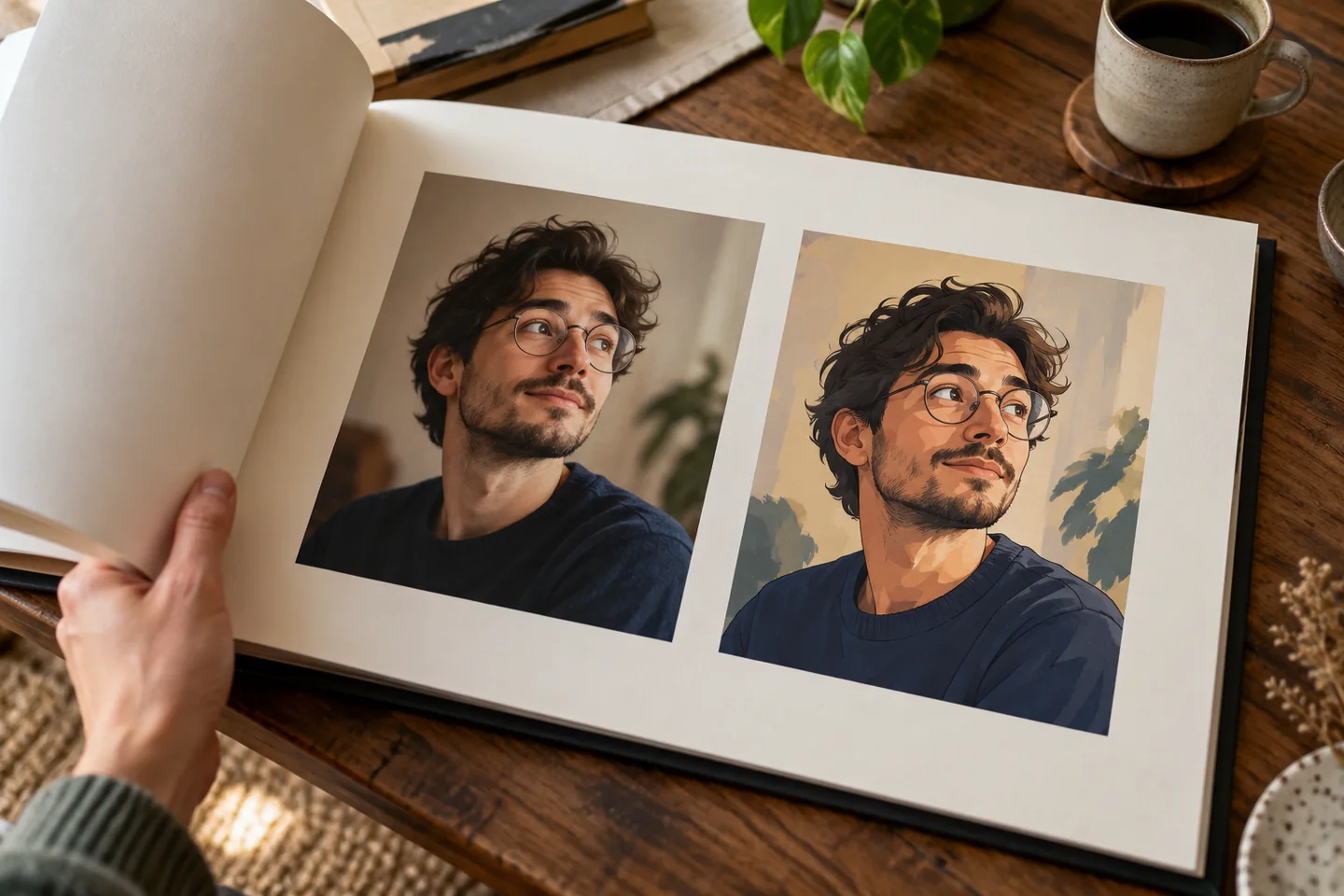
Image style-transfer के उदाहरण फ्री में देखें, फिर paid studio में अनुमत source को restyle करें। Result रखने से पहले identity, framing, labels और object shapes की original से तुलना करें।
यह guide और इसके suggested exercises free में पढ़े जा सकते हैं। Linked style-transfer studio में generation के लिए अभी sign-in और paid plan चाहिए; credit costs भी लागू होती हैं।
01 / एक ज़्यादा उपयोगी शुरुआत
Tool को बताइए क्या स्थिर रहना चाहिए
Style change faces, object shapes या छोटे lettering को बदल सकता है। महत्वपूर्ण subject और framing साफ़ बताइए, फिर result को original से मिलाइए; यह मानकर न चलें कि style के बाहर सब कुछ वैसा ही रहेगा।
AI Image Style Transfer खोलें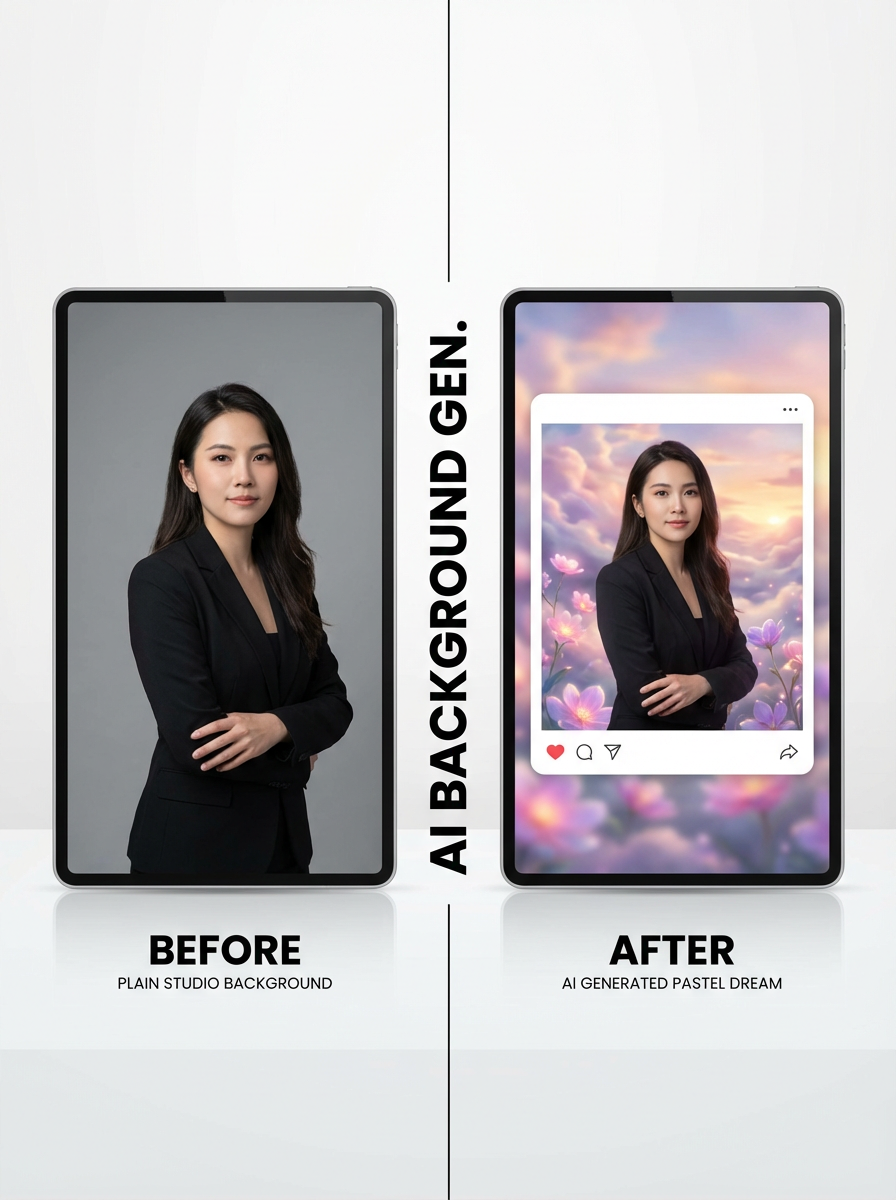
02 / एक ज़्यादा उपयोगी शुरुआत
ऐसे references चुनें जो मेल खाते हों
एक या दो coherent style references, असंबंधित examples की तुलना में, अधिक स्पष्ट दिशा दे सकते हैं। साझा line work, palette और texture देखें, और पूरे set को दोबारा चलाने से पहले style guidance बदलें।
AI Image Style Transfer खोलें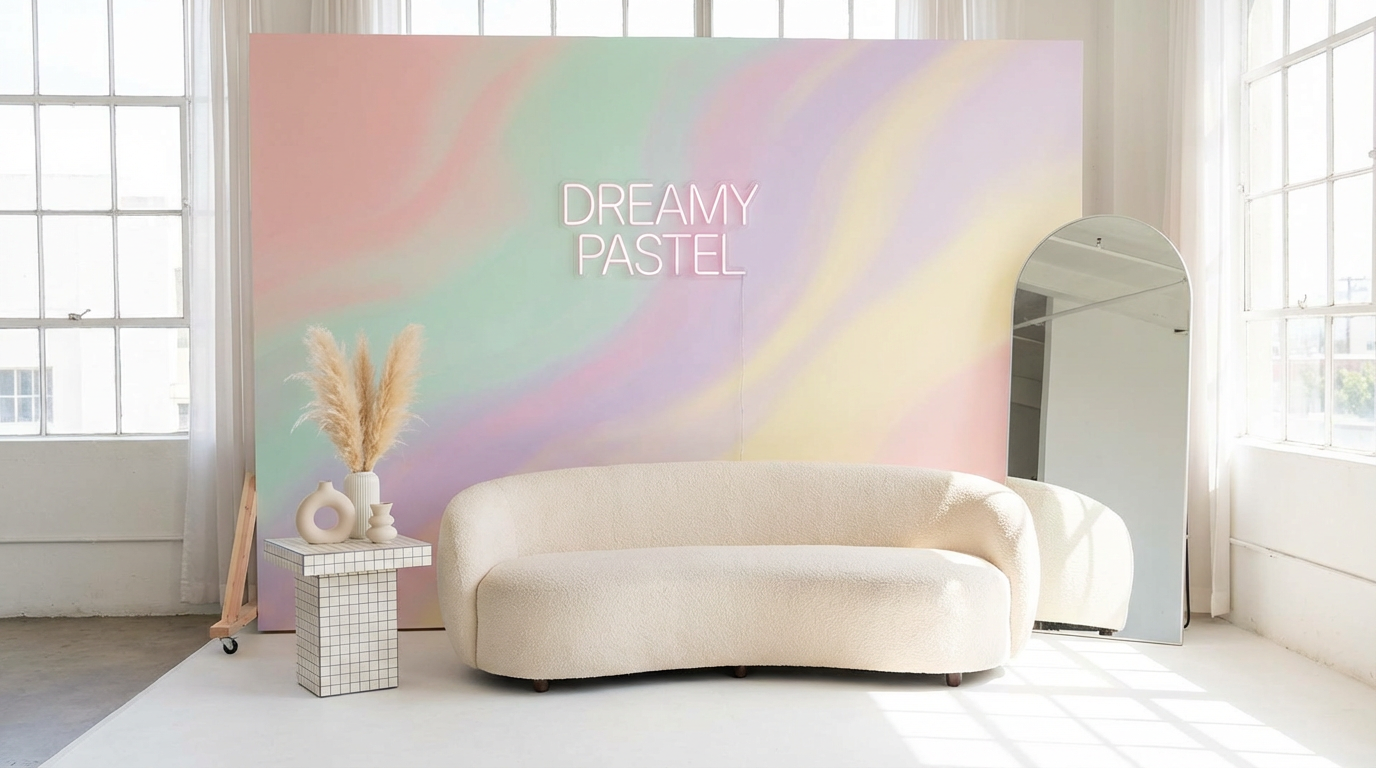
तीन व्यावहारिक शुरुआत बिंदु
एक ब्रिफ़ आज़माएँ। नतीजा देखें। एक चीज़ बदलें।
एआई इमेज स्टाइल ट्रांसफ़र के लिए ये अभ्यास आज़माएँ, ताकि आप ठोस विवरणों की जांच कर सकें। ये सुझाए गए अभ्यास हैं, रिकॉर्ड किए गए ग्राहक प्रोजेक्ट नहीं।
साफ़ illustrated style में portrait
सुझाया गया ब्रिफ़
अपने portrait के साथ यह brief इस्तेमाल करें: clean cel-shaded illustration, neutral backdrop, head angle और visible glasses बनाए रखें।
- क्या जांचें
- Face shape, glasses और crop की तुलना करें।
- अगला क्या बदलें
- अगर identity बहुत बदल जाए तो सरल background या closer source इस्तेमाल करें।
Comic scene palette study
सुझाया गया ब्रिफ़
अनुमत scene को limited blue-and-amber palette और crisp ink outlines के साथ restyle करें।
- क्या जांचें
- देखें कि buildings, character positions और important props समझ में आते रहते हैं या नहीं।
- अगला क्या बदलें
- अगर composition बहुत noisy हो जाए तो competing texture descriptions कम करें।
Product images का set
सुझाया गया ब्रिफ़
अनुमत product photographs के छोटे set पर एक coherent visual direction लागू करें।
- क्या जांचें
- हर image में outlines और labels compare करें, सिर्फ़ पहली result नहीं।
- अगला क्या बदलें
- जब generation factual packaging details बदल दे, तो original product photography बनाए रखें।
इनपुट से उपयोगी आउटपुट तक
एआई इमेज स्टाइल ट्रांसफ़र का उपयोग कैसे करें
पहले एक छोटा काम पूरा करें, फिर वही चरण अपनाएँ जो आपके प्रोजेक्ट के लिए मददगार हों।
- 01
Source upload करें
वे images चुनें जिन्हें आप restyle करना चाहते हैं।
जांचें: Upload करने से पहले paid-plan access और current source-image limit चेक करें; यह workflow images को generation के लिए भेजता है।
- 02
Direction चुनें
Preset या supported style references और output ratio चुनें।
जांचें: ऐसे references इस्तेमाल करें जो एक ही visual language व्यक्त करते हों।
- 03
Generate करें और compare करें
शुरू करने से पहले दिख रही cost review करें।
जांचें: Identity, shapes, lettering और framing inspect करें।
- 04
उपयोगी version रखें
Available outputs डाउनलोड करें और originals सुरक्षित रखें।
जांचें: एकमात्र source copy को overwrite न करें।
सीमाएँ जानें
आउटपुट पर भरोसा करने से पहले क्या जांचें
- यह एक generative transformation है, pixel-identical content preservation की गारंटी नहीं।
- इस studio में generation पर paid-plan gate है। यह दो style references तक स्वीकार करता है, जबकि source-image और output-count limits plan पर निर्भर करती हैं। Workspace में दिख रही limits का इस्तेमाल करें।
- Generated faces, hands, text और छोटे details अलग हो सकते हैं। बड़े project में इस्तेमाल करने से पहले output review करें।
एआई इमेज स्टाइल ट्रांसफ़र: आपके सवाल, जवाब सहित
क्या मैं preset और references दोनों इस्तेमाल कर सकता हूँ?
मौजूदा studio preset selection और दो style references तक support करता है। Job चलाने से पहले उपलब्ध controls चेक करें।
मैं कितनी images upload कर सकता हूँ?
Current upload step में अपने account के लिए दिख रही limit इस्तेमाल करें; plan limits अलग हो सकती हैं।
क्या result faces या labels बदल सकता है?
हाँ। Generative style transformation के बाद identity, text और object geometry review करें।
Styles की तुलना कैसे करूँ?
एक ही source रखें और एक बार में केवल एक style direction बदलें, ताकि visual differences समझना आसान हो।
मैं free में क्या आज़मा सकता हूँ?
आप यह guide पढ़ सकते हैं और free में style comparison plan कर सकते हैं। Linked studio अभी generation से पहले paid plan चेक करता है, भले account में credits हों। Upload और generate करने से पहले plan access, model selection और दिख रही cost review करें।
क्या मैं result publish कर सकता हूँ?
ऐसे references इस्तेमाल करें जो आपके हों या जिनके उपयोग की अनुमति हो। Publishing और commercial use आपके plan, Terms of Use और third-party rights पर निर्भर करते हैं; generated image अपने-आप उन rights को clear नहीं करती।
स्रोत और आगे पढ़ने के लिए
वर्कफ़्लो के पीछे का मार्गदर्शन देखें
हर स्रोत के साथ उसका दायरा भी दिया गया है। कोई बाहरी संदर्भ समर्थन या प्रदर्शन प्रमाणन नहीं है।
LlamaGen: रेफरेंस-इमेज दिशानिर्देश
प्रथम-पक्ष सार्वजनिक टूल गाइडेंस में रेफरेंस-इमेज, अपलोड और आउटपुट-फ़ॉर्मेट सहायता के लिंक शामिल हैं। चुने गए टूल में दिखाए गए कंट्रोल्स का पालन करें; यह कोई स्वतंत्र परफ़ॉर्मेंस समीक्षा नहीं है।
LlamaGen कंटेंट नीति
Uploaded references और generated content के नियम; यह product policy है, independent endorsement नहीं।
LlamaGen plans, credits और account support
First-party plan information. चुने गए tool में model access और हर generation की cost चेक करें; account questions के लिए support@llamagen.ai से संपर्क करें।
अपना क्रिएटिव प्रोजेक्ट जारी रखें
एआई इमेज स्टाइल ट्रांसफ़र
एक स्पष्ट विचार से शुरू करें।
यह guide और इसके suggested exercises free में पढ़े जा सकते हैं। Linked style-transfer studio में generation के लिए अभी sign-in और paid plan चाहिए; credit costs भी लागू होती हैं।
AI Image Style Transfer खोलें