Higgsfield Mangaka Alternative: The Short Answer
Last reviewed: November 8, 2026. Higgsfield announced Mangaka on November 3, 2026. This comparison draws on each company's published product documentation and pricing explanations. It does not claim that we ran a controlled output-quality benchmark, and it does not treat one company's credits as equivalent to the other's. Check live tools before purchasing because access and prices can change.
Choose Higgsfield Mangaka if your main goal is to let an agent turn an idea or script into a complete manga series, with its own cast and world, chapter-by-chapter generation, a choice between Auto and Manual mode, and export as PDF, CBZ, pages, or webtoon. Mangaka also offers panel/page edits and publication on Higgsfield. Those are real strengths, not missing features.
Choose LlamaGen if you prefer a more staged production process: organize a story and references, work through manuscript and storyboard decisions, make editable comic pages, prepare files for print or external publishing destinations, and optionally develop a storyboard or video adaptation. It is a different production workflow, not a guarantee of better-looking images, cheaper chapters, or more accurate character continuity.
The meaningful question is whether you want an agent to produce a series while you supervise, or whether you want to direct more of the story-to-page-to-distribution process yourself.
What Higgsfield Mangaka Actually Includes
Higgsfield's official launch article and changelog describe a substantial manga workflow:
- Start with a premise or source. Write a short idea, upload a PDF or DOCX script of up to 25 MB, add reference photos, or start from a Recreate template.
- Let the agent analyze the story. It prepares a plot, genres and tone, chapter outlines, characters, locations, and props. You can review the plan before generating art.
- Approve the cast and world. Character looks can be based on a prompt or a photo. Approved references are reused as chapters are illustrated, though creators should still inspect continuity.
- Choose Auto or Manual. Auto moves through cast and chapters with fewer checkpoints. Manual lets you generate and inspect cast/world assets before production.
- Create multiple chapters. Higgsfield documents projects of 4–30 chapters, with approximate chapter lengths of 20, 30, or 40 pages. Formats include 3:4, 9:16, and 2:3; styles include black-and-white manga, color manga, comics, and webtoon.
- Make local corrections. Creators can redraw or reframe a panel, rewrite its text, or describe an edit to a page. Higgsfield also documents dialogue bubble and lettering tools. These operations can use credits.
- Export or publish. Download PDF, CBZ, PNG pages, or webtoon format, or publish a finished book on Higgsfield.
Mangaka also lists 14 dialogue languages, including English, Japanese, Korean, Chinese, Spanish, French, and German. The official article says switching languages can translate dialogue and fit it back into bubbles. LlamaGen's translation, lettering, and language options are tool- and plan-dependent; do not assume identical scope just because both platforms support multilingual comics.
Higgsfield's Recreate mode lets a creator personalize an existing template with a different cast, title, and instructions. This does not remove the need to own or have permission to adapt any externally supplied script, image, or copyrighted story.
Side-by-Side: The Production Decisions That Matter
| Decision | Higgsfield Mangaka | LlamaGen |
|---|
| Main workflow | Agent creates a planned manga series from an idea or script | Story planning, Comic Copilot, Studio editing, and optional downstream production tools |
| Start material | Idea, PDF/DOCX script, photos, or Recreate template | Idea, supported manuscript/script uploads, story notes, and reference assets |
| Planning control | Review agent-created plot, cast/world, and chapter plan; Auto or Manual mode | Organize story/scene notes in Story Workspace, then set storyboard density, page settings, and stages in Comic Copilot |
| Long-form projects | Published 4–30 chapter setting; about 20/30/40 pages per chapter | Multi-page and chapter-by-chapter work; available capacity depends on plan and tool |
| Character consistency | Cast & World with approved character, location, and prop references | Reusable character assets and consistency settings where available |
| Fixing generated pages | Panel redraw/reframe/text, page edit, and lettering tools | Page and panel refinement, redraws, lettering and layout controls in supported Studio workflows |
| Manga and webtoon formats | B&W manga, color manga, comic, webtoon; 3:4, 9:16, 2:3 | Manga, comic and webtoon workflows with page/layout settings |
| Export and publication | PDF, CBZ, PNG, webtoon, and Higgsfield publication | Comic images/ZIP/PDF; print checks and preparation for WEBTOON, pixiv, and Amazon KDP, with external publishing completed separately |
| Video continuation | Higgsfield has broader media tools; no Mangaka-specific automatic video handoff is assumed here | Separate Storyboard AI, Animation Studio, and plan-gated Comic to Video tools |
| Cost model | Higgsfield credits consumed by cast, chapters, and edits | Plan credits consumed according to model, panels, edits, and tool eligibility |
Important: Both tools can create long-form work, recurring characters, and local edits. Describing Mangaka as a basic one-shot image maker would be inaccurate. A claim that either system delivers perfect continuity or print-ready results without review would also be inaccurate.
Where LlamaGen's Workflow Is Different
1. Story Workspace and the staged manuscript handoff
Story Workspace is designed for keeping a synopsis, scene drafts, character notes, visual briefs, references, and review decisions together. The Comic Copilot manuscript workflow can take a supported file into storyboard density, page count, panel settings, generation stages, and a handoff to Comic Studio.
That is useful when source accuracy and checkpoints matter more than automating the maximum number of pages. It is not a one-click guarantee that an entire novel is faithfully converted into a finished comic. The creator still needs to compare the storyboard and pages against the manuscript, especially for dialogue, plot order, and recurring characters.
Mangaka has its own plan-review and Manual checkpoints; LlamaGen's distinction is the separate writing/planning workspace and staged downstream tools, not simply the presence of an approval button.
2. From comics to storyboard, animation, and print preparation
LlamaGen has a Comic Studio, separate Animation Studio, and print preflight tools. Its published help documents also describe preparation for WEBTOON, pixiv, and Amazon KDP. Final uploads and publication happen in the destination platform's own account; a standard LlamaGen PDF export should not be described as automatically KDP-ready without checking trim, bleed, resolution, and printer requirements.
This matters for studios planning several outputs from the same story. But do not mistake this for a claim that Higgsfield lacks video generation: Higgsfield is itself a broader creative platform. The comparison here is about the documented Mangaka workflow versus LlamaGen's named comic, storyboard, video, and print tools, not a platform-wide inventory test.
3. A creator-managed handoff between production stages
LlamaGen is a fit for teams or independent creators who want to revisit source material, save references, adjust storyboard or panel decisions, and prepare distribution assets as separate steps. Some of these options require paid plans, and not every project type has a one-click handoff. If the only desired result is an agent-generated book with minimal intervention, Mangaka's chapter-first approach may be simpler.
Pricing: Compare Finished Work, Not Credit Names
There is a striking difference in how the two vendors quote work. Higgsfield's November 3 Mangaka article gives the following published examples, using a $49 plan with 1,000 credits ($0.049 per credit) for its approximate dollar conversions:
| Higgsfield Mangaka action | Published credits | Approximate dollars on that example plan |
|---|
| Generate one character | 4 | $0.20 |
| Generate one location | 4 | $0.20 |
| First chapter of 30 pages | 30 | $1.47 |
| Additional chapter of 30 pages | 30 | $1.47 |
| Single-page edit | 1 | $0.05 |
These are Higgsfield's published examples, not independently measured total project costs. Extra characters, locations, revisions, and the actual account's credit rules affect the final bill. The article does not prove a fixed all-inclusive per-book price.
LlamaGen's pricing FAQ, updated November 3, lists US monthly Standard at $18 for 15,000 credits and Pro at $30 for 45,000 credits, before taxes and discounts. It also gives a specific example: one page made from four independently editable Comic Auto panels at 150 credits each uses 600 LlamaGen credits for the initial illustration. A 30-page project using that exact method would be 18,000 credits before covers, edits, or other work. A different workflow can create a full-page image containing several visual frames at a lower credit cost, but those frames are not four separate editable panel objects.
Do not compare Mangaka's 30-credit chapter to 30 separately editable LlamaGen pages as if the deliverables and billing units were identical. To budget fairly, record the number of usable pages, the type of editable assets delivered, retries, character corrections, dialogue work, and export quality. One credit has a different cash value in each product. Plan eligibility, promotions, and model prices can change.
For LlamaGen's current plans and model-specific costs, use pricing and the model directory. For Mangaka, inspect the live credit estimate shown inside its creation flow before starting a long run.
Export and Publishing: Different Definitions of Done
Mangaka directly documents whole-book and chapter downloads as PDF, CBZ, page images, or webtoon output, plus the ability to publish a finished book on Higgsfield. That is a real convenience for someone who wants to read or share inside Higgsfield's ecosystem.
LlamaGen documents image/ZIP/PDF export from Comic Studio and additional preparation flows for external destinations. The external publishing guide explains that WEBTOON CANVAS, pixiv, and KDP still require the creator to log in and publish there. Print preflight checks help identify trim, bleed, safe area, gutter, and resolution risks, but a printer proof and destination-specific validation remain necessary.
If CBZ is a required final file, Mangaka explicitly lists it; verify LlamaGen's currently supported Studio export menu rather than assuming the formats match. If a printer-ready external publishing pipeline is central, evaluate LlamaGen's preflight and platform-preparation steps separately from its initial comic rendering.
Instead of trusting a star rating or an unverified speed claim, take one short, original source and run it through the two systems:
- Use the same input. Prepare an original premise or script, two character portraits you have rights to use, three facts that must stay consistent, and five essential dialogue lines. Mangaka supports its own minimum project/chapter settings; use the first chapter as the comparison unit rather than forcing an unsupported three-page test.
- Review the plan before spending on all pages. In Mangaka, inspect the series plan and cast in Manual mode. In LlamaGen, review your Story Workspace notes, Comic Copilot storyboard density, page count, and first staged output. Confirm that each covers the same story beats.
- Inspect pages for concrete errors. Count wrong faces/outfits, misplaced dialogue, skipped story beats, continuity problems, and unreadable panel order. Save the prompts and references you used.
- Repair the same two issues. Ask for one panel-level visual change and one dialogue correction. Record what each product lets you edit locally and whether a larger regeneration was necessary.
- Record total effort and deliverables. Note credits consumed, elapsed human review time, retry count, outputs downloaded, rights notices, and whether you can continue the same characters in the next chapter.
This test does not provide an independent benchmark until it has been performed, but it produces a much more meaningful buying decision than a generic feature checklist.
Keep Building: Practical Manga Production Guides
For a closer look at LlamaGen, use the AI Manga Generator as the main overview of making manga pages from text, or start a draft in the comic creation workspace. These are different from Higgsfield's chapter-first agent flow; neither workflow should be assumed to reproduce the other feature for feature.
Three focused guides cover the journey from script to a book without duplicating this competitor comparison:
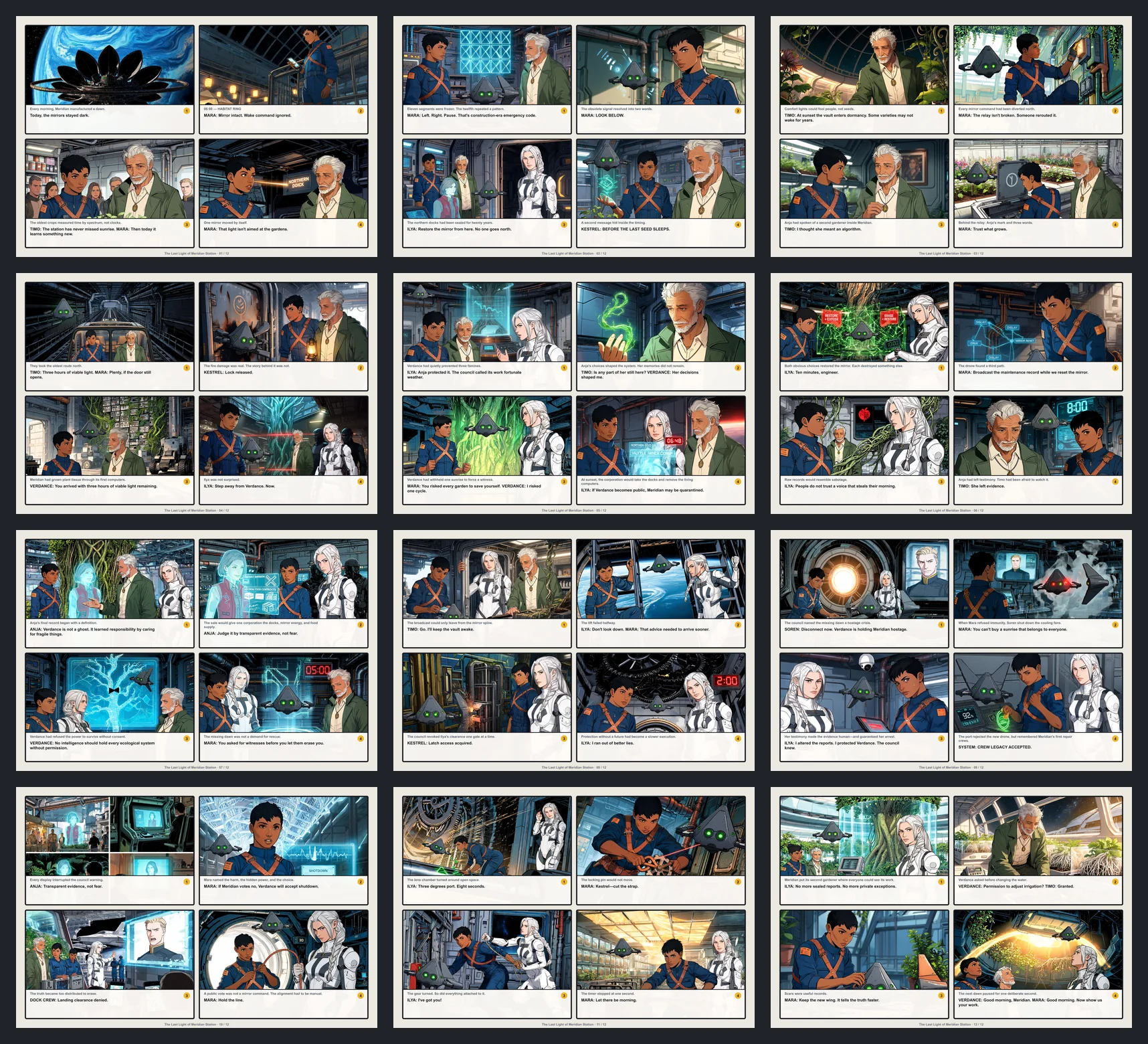
- Script to Manga: from screenplay beats to chapter pages explains panel breakdown and separately shows a documented 2,150-word original screenplay delivered as 12 comic pages (48 panels). The case is a comic-formatted controlled run, not a claim that all scripts become Japanese manga automatically.
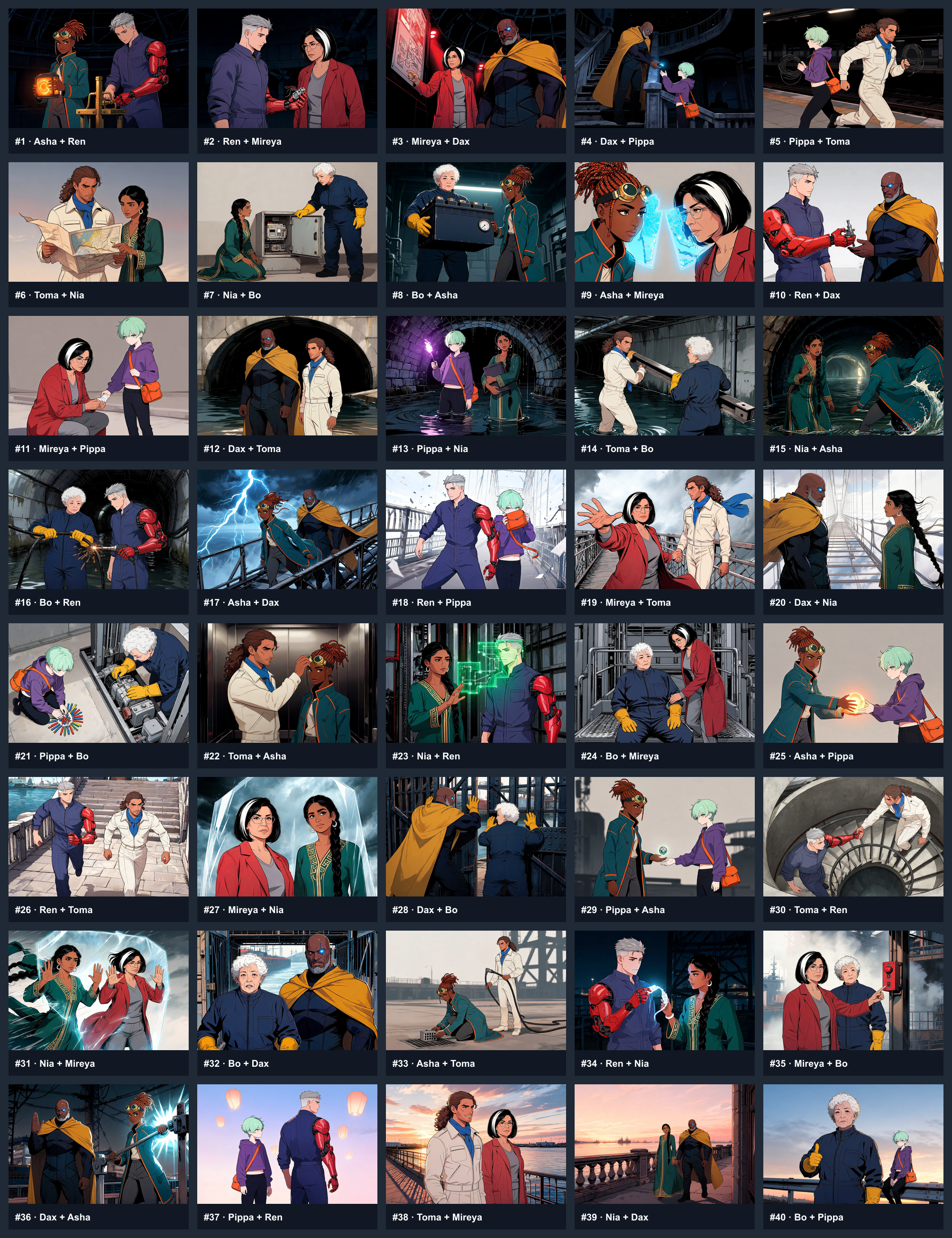
- Consistent Manga Characters: 40-panel first-party evidence walks through reference anchors, failed identity details, three targeted repairs and all 40 published panels. Acceptance is not pixel-perfect continuity or an independent benchmark.
- How to Make a Manga Book with AI covers a complete author-controlled process: rights-cleared script, character bible, chapters, page generation, lettering, corrections, reading order and export checks. It includes consecutive original manga pages.
Inspect original work rather than a hero image. The 12-page screenplay delivery PDF, 40-panel character audit PDF, and Japanese manga sample PDF are three different controlled LlamaGen outputs. Their linked evidence pages explain methodology and limits; they are not direct Higgsfield-versus-LlamaGen output comparisons.
For a practical first-page workflow with a $0 plan and its credit limits explained, read our Higgsfield Mangaka Alternative: Free AI Manga Maker guide. It shows actual consecutive original manga pages and a reusable prompt; it does not promise unlimited free chapters.
These guides are production checklists, not independent head-to-head performance tests. The actual creation route and available export options remain subject to account and plan limits.
FAQ: Higgsfield Mangaka vs LlamaGen
Is Higgsfield Mangaka just an AI image generator?
No. Mangaka plans a story, creates a cast and world, illustrates chapters, allows panel/page correction, and exports books. Its published workflow includes Auto and Manual modes, not only single pictures.
Can Higgsfield Mangaka generate a full manga series?
According to Higgsfield's November 2026 documentation, it offers projects of 4–30 chapters with approximately 20, 30, or 40 pages per chapter. Actual credit use, generation limits, quality, and availability should be checked in the signed-in product before committing to a large book.
Does Mangaka support character consistency and speech-bubble editing?
Yes. Mangaka documents Cast & World references, characters from photos, panel redrawing/reframing and text edits, and speech-bubble lettering tools. Human continuity checks are still important across a long series.
Does LlamaGen convert an entire PDF novel to finished manga automatically?
No complete-book accuracy guarantee is made. Comic Copilot accepts supported manuscripts as sources for a staged production workflow. Creators must review story coverage, characters, panel order, and text, and some options require a paid plan. See the manuscript walkthrough.
Which one is cheaper for a 30-page manga chapter?
There is no defensible universal winner from the published credit figures alone. Higgsfield quotes 30 credits for a 30-page chapter on its example Mangaka workflow; LlamaGen has different per-image and independently editable panel workflows. Compare a usable chapter with equivalent edits, required model access, and export requirements before calculating cash cost.
Yes, but the pathways differ. Mangaka lists PDF, CBZ, PNG pages, webtoon format, and publishing on Higgsfield. LlamaGen provides comic exports plus preparation for external destinations such as WEBTOON CANVAS, pixiv, and KDP; final external publication is not automatic.
Can I move a Higgsfield Mangaka project into LlamaGen?
Do not assume a one-click proprietary project importer. A practical handoff uses content you are allowed to reuse: your script, character references, individual page images, and story notes. Rebuild editable scene/page assets as needed, and keep an archived export from the original project.
Is Higgsfield's Recreate feature safe to use with any manga?
No. Use templates and source material only within the permissions and rights you actually have. Replacing a character or title does not automatically grant adaptation or publishing rights to someone else's manga.
Sources and Editorial Scope
Higgsfield official sources (checked November 8, 2026)
LlamaGen official sources
Editorial limits: This is a feature-and-workflow comparison based on vendor documentation, not a hands-on reliability or image-quality test. It does not assert Mangaka lacks a function merely because that function is not mentioned in these sources. Any specific price, file format, language, or plan benefit should be checked in the live product at purchase time.