

단일 패널 구도
AI 만화의 각 패널에 분명한 스토리 목적을 부여하세요
명확한 스토리 비트, 카메라 거리, 캐릭터 배치를 포함한 AI 만화 패널 1장을 기획하세요. 전체 시퀀스를 만들기 전에 구도를 검토하세요.
모델
이 제작 도구는 정지 이미지를 생성합니다. 만화와 비디오는 연결된 도구에서 이어서 진행하세요. 연구 전략은 선택 가능한 제작 모드가 아닙니다.
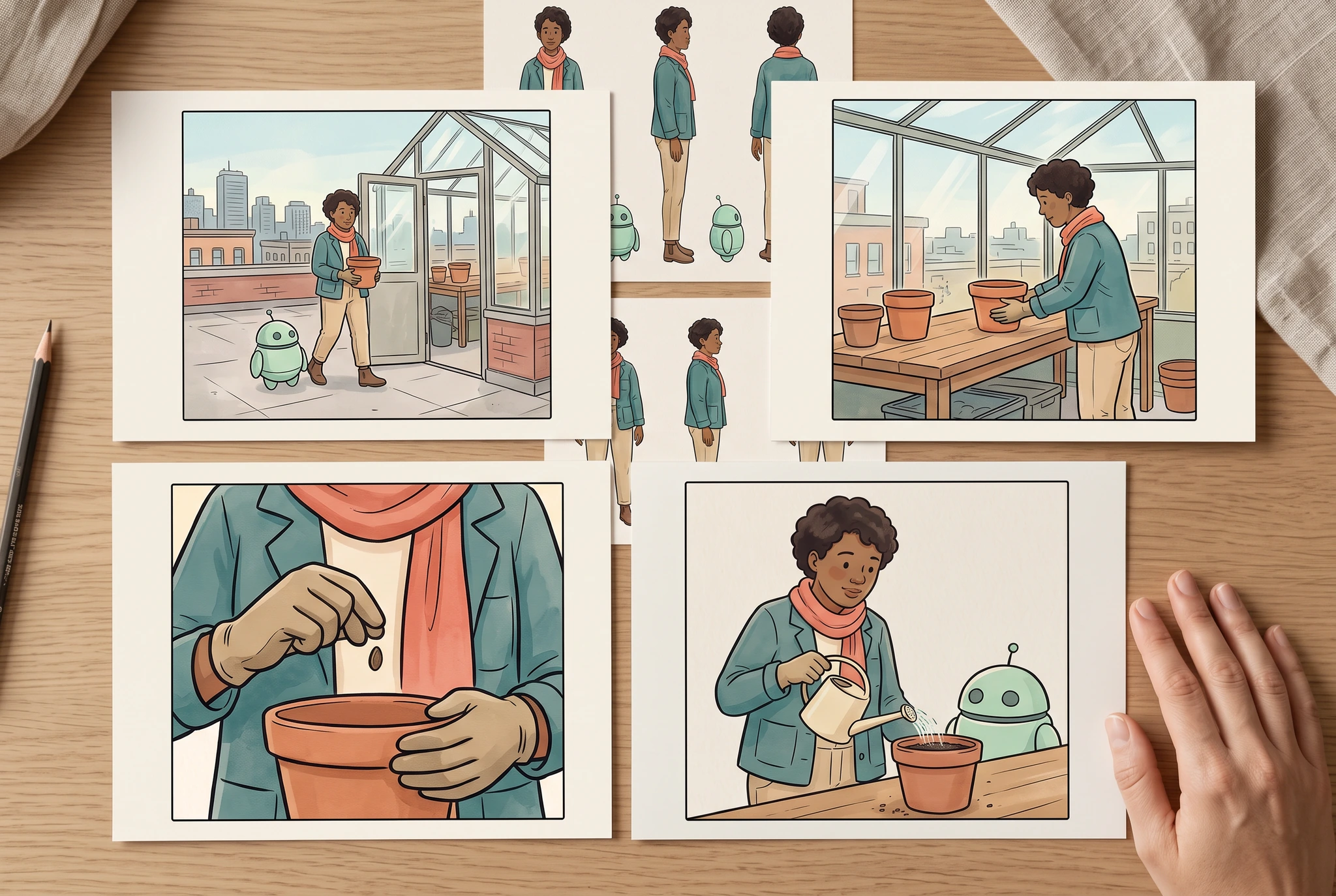
이미지 기록
Google Vertex AI · gemini-3.1-flash-image · · 1280 × 859 px
원본 생성 프롬프트
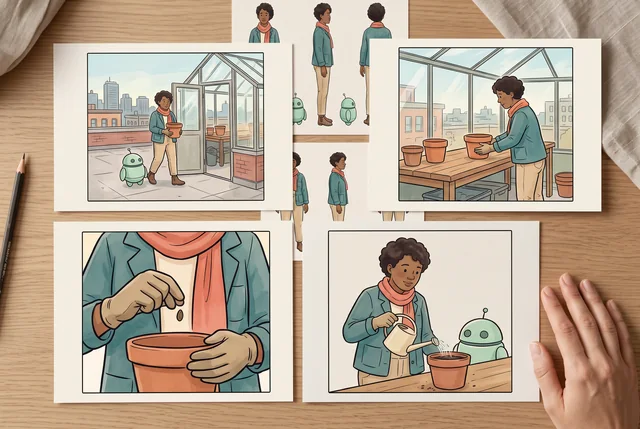
Use case: photorealistic-natural / product-mockup. Convincing natural editorial PHOTOGRAPH at an adult artist's clean drawing table. Supplied image1 is the original character identity sheet; image2 is the original six-panel greenhouse story. Four separate medium matte landscape cards lie in a clean two-by-two arrangement on the table. Their artwork uses the SAME original adult botanist in teal jacket and coral scarf, same mint-green one-antenna robot, same greenhouse and terra-cotta pot. Show four distinct useful framings from the supplied story: wide greenhouse establishing view, medium pot-on-bench action, close-up seed-and-hands detail, and medium shared watering action. Cards have generous blank ivory borders; all four are fully inside frame and none overlap. A smaller character-reference sheet from image1 sits just behind the cards, partly visible. Exactly one relaxed realistic adult hand rests at the edge without covering the art. Natural ink/watercolor illustration stays on paper; room, wooden table and skin are photographic. No writing, numbers, arrows, logos, app UI or made-up test results. The finished framing alternatives dominate 80 percent of frame, subtle pencil and linen details only. Landscape 3:2, almost overhead.
전체 작품 보기구체적인 결과 기획
식물학자와 로봇이 화분 하나를 준비하는 장면
성인 식물학자가 온실 벤치 위에 테라코타 화분을 올려두고, 작은 민트색 로봇은 옆에서 기다립니다. 이 패널은 캡션 없이도 동작과 각 캐릭터의 역할이 보이도록 해야 합니다.
준비할 항목
- 오리지널 성인 식물학자와 작은 민트색 로봇에 대한 승인된 아이덴티티 레퍼런스입니다.
- 한 문장으로 된 동작 브리프와 현재 의상 메모입니다.
- 간단한 배치 스케치 또는 좌우 배치를 명확히 적은 설명입니다.
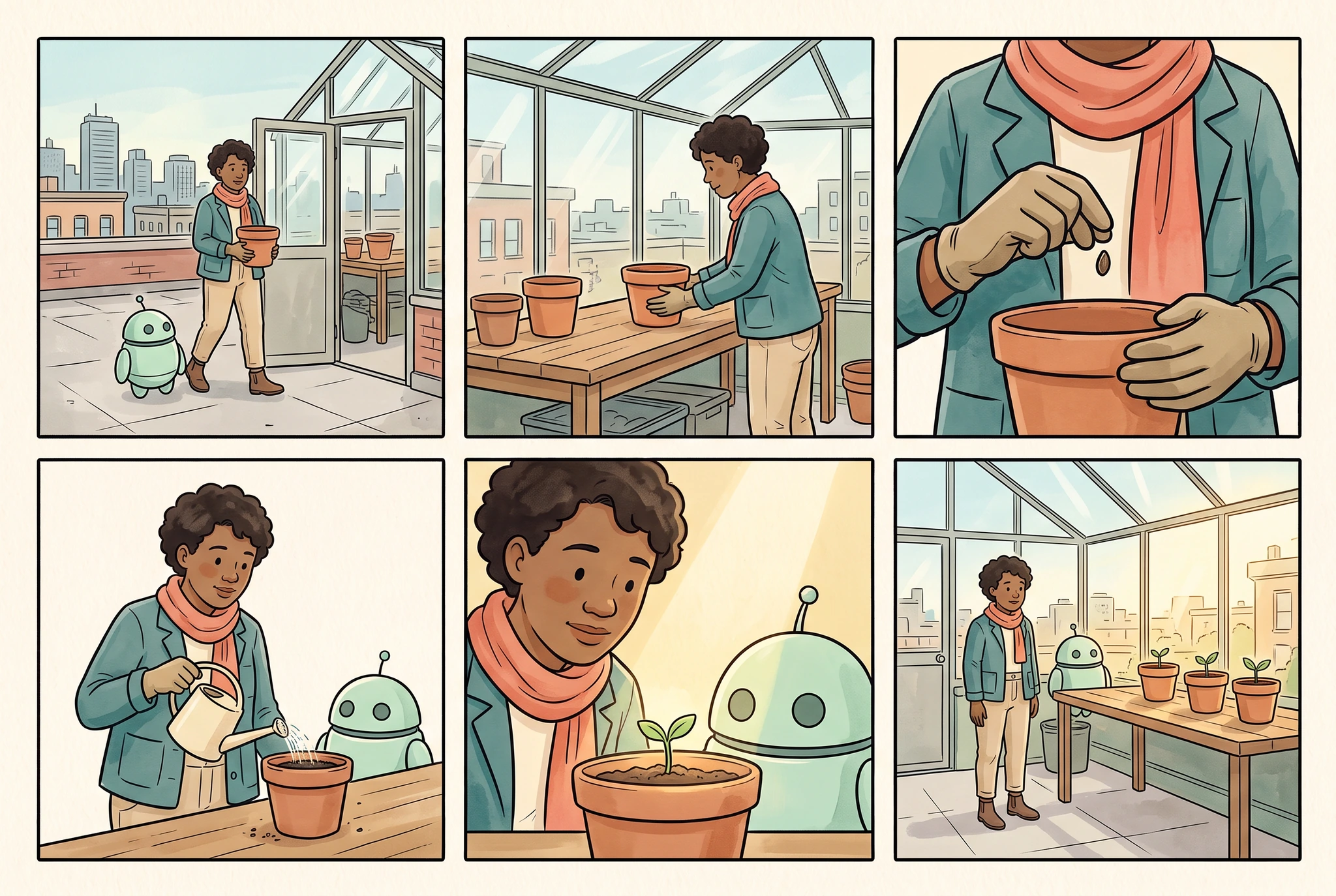
이미지 기록
Google Vertex AI · gemini-3.1-flash-image · · 1280 × 859 px
원본 생성 프롬프트
Use case: illustration-story. Make ONE original finished comic page in a clean three-column by two-row grid, exactly SIX equally sized panels, narrow even ivory gutters and complete outer margins. The provided image is the character identity and wardrobe reference, not a page to copy. Preserve its adult botanist with warm brown skin, short dark curly hair, teal jacket, coral scarf, sand trousers, brown boots, and round mint helper robot with two dark eyes and exactly one short antenna. Quiet elegant ink-and-watercolor comic style, teal/coral/sage/ochre palette. Tell a very simple readable rooftop greenhouse planting story: panel1 wide view botanist and robot arrive at the greenhouse carrying a small terra-cotta pot; panel2 medium view the botanist places the pot on the wooden bench; panel3 close view gloved adult hands holding a seed above the pot; panel4 medium view botanist and robot water the pot with a small cream watering can; panel5 close view botanist and robot look at the tiny seedling; panel6 wide view both stand by the finished row of three potted seedlings in afternoon light. All people are adults; each scene has one botanist and one robot unless only hands are framed. The pot remains terra-cotta, the greenhouse stays structurally coherent, identity and outfit remain recognizable. No writing, numbers, logos, speech balloons, captions, lettering, illegible marks, third-party characters, UI, photorealistic environment or claims of tested consistency. Landscape 3:2.
전체 작품 보기전달 관계가 드러나는 구도를 선택하세요
중간 샷은 필요한 손, 로봇, 화분을 모두 보여줄 수 있습니다. 너무 가까우면 누가 행동하는지 보이지 않을 수 있고, 너무 넓으면 중요한 제스처가 사라질 수 있습니다.
각 아이덴티티를 역할에 연결하기
식물학자의 동작과 로봇의 위치를 따로 식별하고, 외형과 상대적인 크기까지 확인하세요. 한 캐릭터만 맞아 보여도 그대로 قبول하지 말고 두 캐릭터를 모두 검토하세요.
최종 페이지를 위한 여백 확보
구도를 승인하기 전에 패널 크롭과 글자 영역을 먼저 계획하세요. 단독으로는 유용한 이미지라도 페이지 레이아웃에서는 너무 복잡할 수 있습니다.
성공적인 패널은 한 비트를 분명하게 전달합니다. 대상, 동작, 관계가 먼저 읽혀야 하고, 매력적인 디테일은 그 다음입니다.
실용적인 시작점
보이는 스토리 비트 하나 작성
전체 스토리를 요약하지 말고, 이 패널에서 독자가 볼 수 있는 것만 설명하세요. 주체, 동작, 중요한 오브젝트를 구체적으로 적으세요.
구도와 캐릭터 배치 선택
샷에 얼마나 많은 배경이 필요한지, 캐릭터를 어디에 배치할지 정하세요. 후반 작업에서 레터링을 넣을 예정이라면 그 공간도 남겨두세요.
의도한 읽기 크기에서 검토
실루엣, 시선, 손, 소품 위치, 시각적 위계를 확인하세요. 큰 미리보기를 승인하기 전에 패널을 페이지의 일부로 보고 검토해야 합니다.
확인할 항목
이미지 기록
Google Vertex AI · gemini-3.1-flash-image · · 1280 × 859 px
원본 생성 프롬프트
Use case: photorealistic-natural / product-mockup. Convincing natural editorial PHOTOGRAPH at an adult artist's clean drawing table. Supplied image1 is the original character identity sheet; image2 is the original six-panel greenhouse story. Four separate medium matte landscape cards lie in a clean two-by-two arrangement on the table. Their artwork uses the SAME original adult botanist in teal jacket and coral scarf, same mint-green one-antenna robot, same greenhouse and terra-cotta pot. Show four distinct useful framings from the supplied story: wide greenhouse establishing view, medium pot-on-bench action, close-up seed-and-hands detail, and medium shared watering action. Cards have generous blank ivory borders; all four are fully inside frame and none overlap. A smaller character-reference sheet from image1 sits just behind the cards, partly visible. Exactly one relaxed realistic adult hand rests at the edge without covering the art. Natural ink/watercolor illustration stays on paper; room, wooden table and skin are photographic. No writing, numbers, arrows, logos, app UI or made-up test results. The finished framing alternatives dominate 80 percent of frame, subtle pencil and linen details only. Landscape 3:2, almost overhead.
전체 작품 보기연구 방향
워크플로의 연구 배경
각 레퍼런스를 해당 영역과 연결하세요
우리는 여러 아이덴티티를 의도한 위치에 연결된 상태로 유지하는 방법을 탐색하고 있습니다. 영역별 아이덴티티 제어에 대한 공개 연구는 이 질문을 이해하는 데 참고가 되지만, 모든 제공업체에 출시된 기능이 있다는 뜻은 아닙니다.
그럴듯하지만 틀린 동작을 찾아내기
패널이 세련돼 보여도 전달 순서를 뒤집거나 인물을 추가했을 수 있습니다. 검토는 외형과 별개로 스토리 일치와 등장 인물 수를 따로 봐야 합니다.
가장 작은 실패 영역만 수정
한쪽 소매나 손만 잘못됐다면, 부분 수정으로 좋은 구도를 유지할 수 있습니다. 다만 검토할 때는 편집하지 않은 장면에 의도치 않은 변화가 없는지도 확인해야 합니다.
연구 방향
비주얼 검토 캐스케이드
어떤 점검 항목이 아이덴티티나 스토리 오류를 조기에 잡아낼 수 있고, 어떤 항목은 더 자세히 봐야 하나요?
평가 방법: 검토 비용과 지연 시간과 함께 놓친 중대한 오류와 잘못 거절된 패널을 추적하세요.
연구 방향
타깃 캐릭터 수정
승인된 장면은 유지한 채 캐릭터의 잘못된 디테일 하나만 수정할 수 있나요?
평가 방법: 제안된 수정마다 편집 영역, 주변 픽셀, 그리고 스토리를 확인하세요.
연구 방향
다중 캐릭터 정체성
상호작용 중에도 각 캐릭터가 올바른 얼굴, 옷, 크기, 위치를 유지할 수 있나요?
평가 방법: 각 샷에서 아이덴티티와 위치의 대응, 등장 인물 수, 상대적 크기를 확인하세요.
한계를 이해하기
- 텍스트 브리프만으로 정확한 포즈, 개수, 배치를 보장할 수는 없습니다.
- 정확한 레이아웃이나 지역별 제어는 선택한 도구가 실제로 제공하는 기능에 따라 달라집니다.
- 이 설명용 기획 사례는 생성 모델의 정량 비교가 아닙니다.
이 질문들은 1차 연구를 바탕으로 하지만, CyaniModel의 결과를 입증하지는 않습니다.
자주 묻는 질문
이것은 전체 만화를 생성하는 것과 다른가요?
이 워크플로는 한 컷과 그 구도에 집중합니다. 연결된 만화 도구에서 제공하는 제작 워크플로를 확인할 수 있으며, 전체 시퀀스에는 템포, 전환, 연속성 검토도 필요합니다.
패널 프롬프트는 어느 정도로 자세해야 하나요?
보이는 장면의 흐름, 등장인물, 그리고 스토리에 꼭 필요한 몇 가지 디테일만 설명하세요. 연속 동작 여러 개를 한 패널 브리프에 넣지 마세요.
두 캐릭터를 정확히 배치할 수 있나요?
의도한 배치를 명시하고, 지원되는 구도 참고 기능이 있으면 활용하세요. 그런 다음 결과를 확인하세요. 설명만으로는 정확한 좌표나 올바른 정체성 바인딩이 보장되지 않습니다.
오류 하나 때문에 패널 전체를 다시 생성해야 하나요?
사용 가능한 수정 방법을 비교하세요. 부분 편집은 승인된 구도를 유지할 수 있지만, 편집 영역 안팎 모두 검토가 필요합니다.
스토리 이어가기
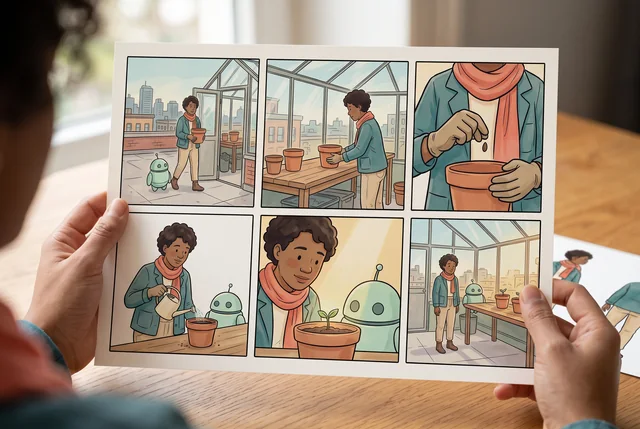
알아볼 수 있는 캐릭터로 만화 시퀀스 만들기
정체성 참고 이미지, 현재 의상, 패널별 검토를 활용해 캐릭터 일관성이 유지되는 AI 만화를 기획하세요. 카메라, 포즈, 장면이 바뀔 때 무엇을 확인해야 하는지도 알아보세요.
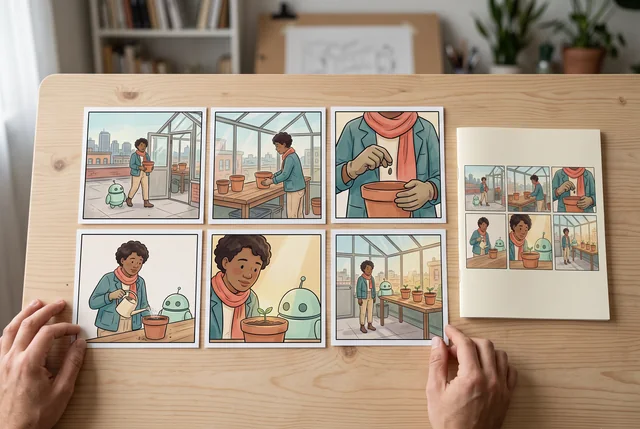
영상 기획 전에 코믹 스토리보드를 먼저 만드세요
짧은 이야기를 순서가 있는 만화 스토리보드로 바꾸세요. 샷의 목적, 캐릭터 상태, 전환을 정의한 뒤, 검토된 시퀀스를 바탕으로 영상 계획을 세우세요.
명확한 크리에이티브 브리프로 이미지 생성
핵심 브리프를 바탕으로 원본 이미지를 기획하세요. 주제, 구도, 비주얼 방향을 정하고 의도한 용도에 맞는지 결과를 확인하세요.
한 패널 안의 동작과 관계가 읽기 크기에서도 이해되게 하세요.
생성하기 전에 LlamaGen에서 사용 가능한 도구, 모델 선택, 계정 요건, 크레딧을 확인하세요.