

Vibrant outdoor cartoon with a small expressive group
Example preview
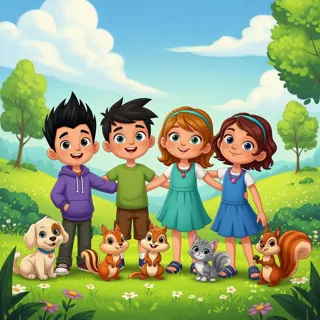
This broad colorful cartoon starter can celebrate shared activity when every character has a distinct and visible role. A starting point for creating and refining an image in LlamaGen.
Choose a shared task and describe each participant’s action clearly.
When to use this template
- Community story image
- Outdoor activity poster
- Inclusive group scene
Build your first draft
Choose the story moment
Describe who is present and what changes before adding decorative details. Choose a shared task and describe each participant’s action clearly.
Direct the composition
Keep the group small and vary silhouettes without hiding faces.
Review the first draft
Check that each participant visibly contributes to the tree planting. Check the focal point at a small size, then revise one issue at a time.
Try a complete example
Worked example — Vibrant outdoor cartoon with a small expressive group
Three neighbors plant one young tree in a sunny courtyard: one holds the trunk, one shovels soil, one carries water. Vibrant whimsical cartoon, clear faces, simple park shapes, no text.
Different roles make participation readable without relying on labels. Use this direction as a draft brief; inspect the result before relying on fine details.
Before you publish
- A broad preset does not supply a predetermined cast.
- Crowded poses can merge tools, arms, and faces.
- Add captions after reviewing the image so the story remains readable.
Questions about this template
- Can I change the subject?
- Yes. Replace the example subject while retaining the visual choices described above; too many competing actions make the result harder to read.
- Is this a blank downloadable file?
- This is a creation preset, not a blank worksheet. Open it, describe a scene, and refine the generated draft.
- Will the prompt reproduce every detail exactly?
- No. The prompt gives direction. Layout, lettering, anatomy, and repeated character details can need correction.