

Post-apocalyptic pixel comic about a practical survival task
Example preview
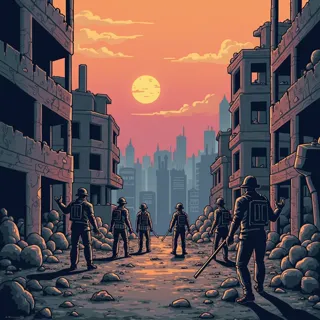
Retro pixels and ruined environments suit a focused survival story that balances hardship with a visible act of rebuilding. A starting point for creating and refining an image in LlamaGen.
Choose one scarce resource and a believable way to recover it.
When to use this template
- Survival comic beat
- Retro wasteland scene
- Rebuilding story
Build your first draft
Choose the story moment
Describe who is present and what changes before adding decorative details. Choose one scarce resource and a believable way to recover it.
Direct the composition
Use a limited palette and large shapes for ruins and equipment.
Review the first draft
Check the barrel repair, seedling visibility, and character separation. Check the focal point at a small size, then revise one issue at a time.
Try a complete example
Worked example — Post-apocalyptic pixel comic about a practical survival task
A pixel survivor repairs a rain barrel beneath a ruined greenhouse while a companion plants one seedling. Retro post-apocalyptic comic, dusty browns, bright green sprout, clear silhouettes, no text.
The barrel and seedling turn survival into a concrete rebuilding task. Use this direction as a draft brief; inspect the result before relying on fine details.
Before you publish
- Tiny resource details can disappear at small scale.
- The art is a story concept rather than practical survival advice.
- Add captions after reviewing the image so the story remains readable.
Questions about this template
- Can I change the subject?
- Yes. Replace the example subject while retaining the visual choices described above; too many competing actions make the result harder to read.
- Is this a blank downloadable file?
- This is a creation preset, not a blank worksheet. Open it, describe a scene, and refine the generated draft.
- Will the prompt reproduce every detail exactly?
- No. The prompt gives direction. Layout, lettering, anatomy, and repeated character details can need correction.